
Last time, we covered streaming - making AI responses feel alive by displaying words as they’re generated.
This time, we’re wrapping up the series with prompt chaining - the technique that lets you build complex AI workflows.
You’ll hear impressive terms like “multi-agent systems” and “AI orchestration.” They sound complex.
Here’s what they actually are:
Call AI → Process result → Call AI → Process result → Call AI
That’s it. Sequential API calls with logic between them. Output of one becomes input to the next.
This is how sophisticated AI applications work. Research assistants. Content pipelines. Data analysis tools. All of them: just chains of API calls.
Let me show you.
Here’s a single API call (what we started with):
response = client.messages.create(
    model=”claude-sonnet-4-20250514”,
    messages=[{”role”: “user”, “content”: “Write an article about AI”}]
)
article = response.content[0].text
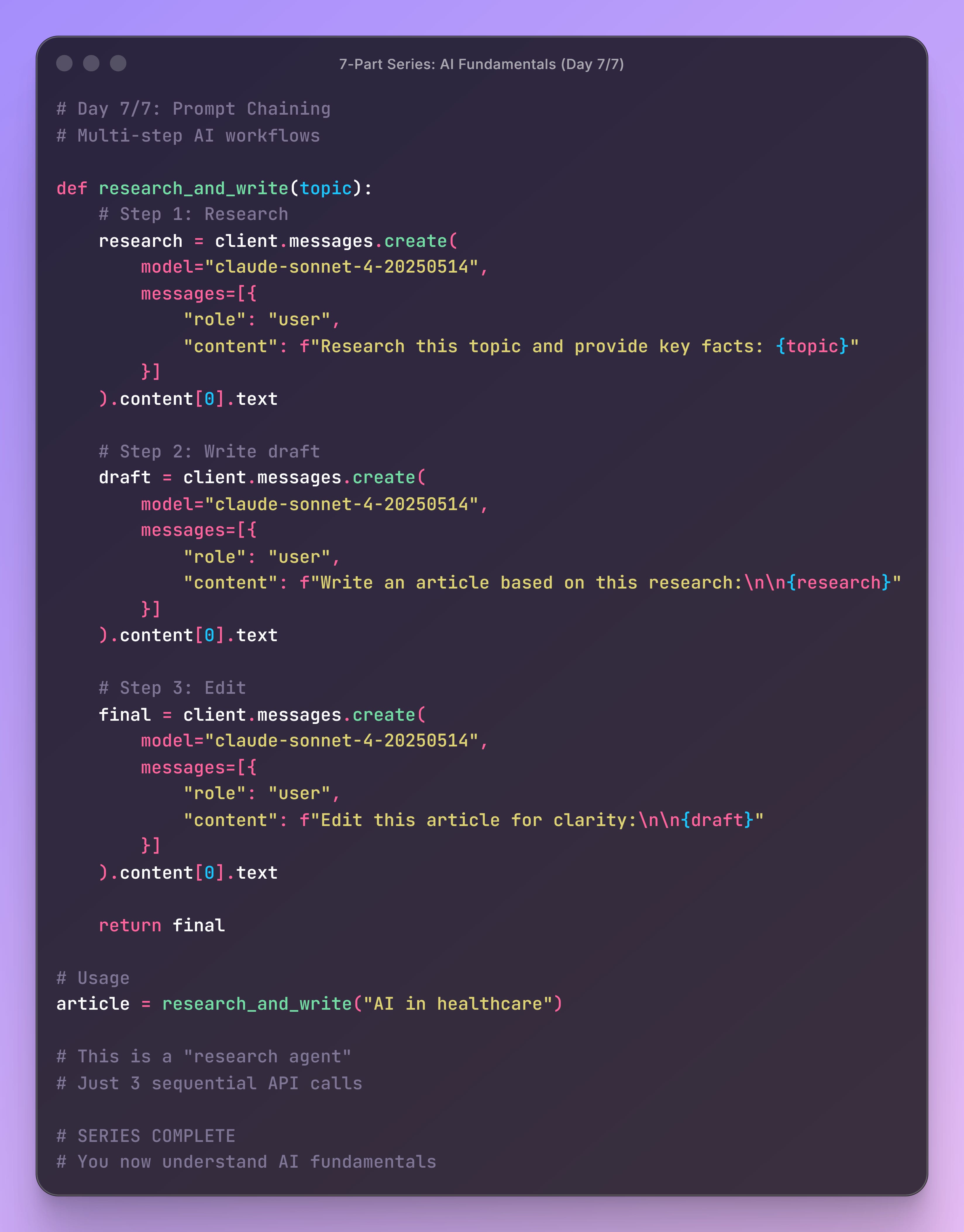
Here’s a chain:
# Step 1: Research
research_response = client.messages.create(
    messages=[{”role”: “user”, “content”: “Research AI trends”}]
)
research = research_response.content[0].text
# Step 2: Write using research
draft_response = client.messages.create(
    messages=[{”role”: “user”, “content”: f”Write article based on: {research}”}]
)
draft = draft_response.content[0].text
# Step 3: Edit the draft
final_response = client.messages.create(
    messages=[{”role”: “user”, “content”: f”Edit for clarity: {draft}”}]
)
final = final_response.content[0].text
That’s prompt chaining. Three API calls. Output of each feeds into the next. Logic between calls.
This is a “research agent.” No framework needed.
Let’s build a complete content creation pipeline. Note: I’ll be using the Anthropic API to demonstrate, but the same principles apply to OpenAI (keep reading for code).
###################################
# ANTHROPIC API WORKFLOW (PROMPT-CHAINING)
###################################
# The last step demonstrates how to stream the output token-by-token.
import os
from anthropic import Anthropic
from dotenv import load_dotenv
load_dotenv()
client = Anthropic(api_key=os.getenv(”ANTHROPIC_API_KEY”))
def research_write_edit(topic: str) -> str:
    “”“
    A 3-step content creation workflow.
    This is what people call an “AI agent.”
    It’s just 3 API calls with logic between them.
    “”“
    print(f”📚 Step 1: Researching ‘{topic}’...”)
    # STEP 1: Research the topic
    research_response = client.messages.create(
        model=”claude-sonnet-4-20250514”,
        max_tokens=1024,
        messages=[
            {
                “role”: “user”,
                “content”: f”“”Research this topic and provide:
- 5 key facts
- Main benefits
- Common use cases
- Important considerations
Topic: {topic}
Be concise and factual.”“”,
            }
        ],
    )
    research = research_response.content[0].text
    print(f”✓ Research complete: {len(research)} characters\n”)
    # STEP 2: Write article based on research
    print(”✍️  Step 2: Writing article...”)
    draft_response = client.messages.create(
        model=”claude-sonnet-4-20250514”,
        max_tokens=1024,
        messages=[
            {
                “role”: “user”,
                “content”: f”“”Based on this research, write a 200-word article:
{research}
Make it engaging and accessible.”“”,
            }
        ],
    )
    draft = draft_response.content[0].text
    print(f”✓ Draft complete: {len(draft)} characters\n”)
    # STEP 3: Edit for clarity
    # STREAMING: This final step now streams the response token-by-token
    print(”✨ Step 3: Editing...”)
    final = “”
    with client.messages.stream(
        model=”claude-sonnet-4-20250514”,
        max_tokens=1024,
        messages=[
            {
                “role”: “user”,
                “content”: f”“”Edit this article for clarity and flow:
{draft}
Improve readability while keeping the same length.”“”,
            }
        ],
    ) as stream:
        for text in stream.text_stream:
            print(text, end=”“, flush=True)
            final += text
    print(”\n✓ Editing complete\n”)
    return final
# Use it
topic = “FastAPI for building APIs”
article = research_write_edit(topic)
print(”=” * 80)
print(”FINAL ARTICLE:”)
print(”=” * 80)
print(article)
What’s happening:
Research: AI gathers facts about the topic
Write: AI uses those facts to write an article
Edit: AI polishes the article. NOTE: I added streaming to the last turn, so you can experience the text flowing in real-time.
The power: Each step builds on the previous. The research informs the writing. The draft guides the editing. You control the flow.
Linear chains are powerful, but sometimes you need branching logic:
###################################
# ANTHROPIC API WORKFLOW (Classify -> Branch -> Respond)
###################################
import os
from anthropic import Anthropic
from dotenv import load_dotenv
load_dotenv()
client = Anthropic(api_key=os.getenv(”ANTHROPIC_API_KEY”))
def analyze_and_respond(user_input: str) -> str:
    “”“
    Chain with conditional logic:
    1. Classify user intent
    2. Branch based on classification
    3. Generate appropriate response
    This is how smart chatbots work.
    “”“
    print(f”\nAnalyzing: ‘{user_input}’\n”)
    # STEP 1: Classify intent
    classification = client.messages.create(
        model=”claude-sonnet-4-20250514”,
        max_tokens=100,
        messages=[
            {
                “role”: “user”,
                “content”: f”“”Classify this user input into ONE category:
- technical_question
- bug_report
- feature_request
- general_chat
User input: {user_input}
Respond with ONLY the category name.”“”,
            }
        ],
    )
    intent = classification.content[0].text.strip().lower()
    print(f”Intent classified as: {intent}\n”)
    # STEP 2: Branch based on intent
    if intent == “technical_question”:
        system_prompt = (
            “You are a helpful technical expert. Provide detailed, accurate answers.”
        )
    elif intent == “bug_report”:
        system_prompt = “You are a support agent. Acknowledge the bug, ask for details, and provide a ticket number.”
    elif intent == “feature_request”:
        system_prompt = “You are a product manager. Thank them and ask clarifying questions about the feature.”
    else:  # general_chat
        system_prompt = “You are a friendly assistant. Have a casual conversation.”
    # STEP 3: Generate response with appropriate persona
    response = client.messages.create(
        model=”claude-sonnet-4-20250514”,
        max_tokens=1024,
        system=system_prompt,
        messages=[{”role”: “user”, “content”: user_input}],
    )
    return response.content[0].text
# Test different inputs
inputs = [
    “How do I implement authentication in FastAPI?”,
    “The app crashes when I upload a file larger than 10MB”,
    “Can you add dark mode to the dashboard?”,
]
for user_input in inputs:
    print(”=” * 80)
    result = analyze_and_respond(user_input)
    print(f”\nResponse:\n{result}\n”)
What’s happening:
Classify: AI determines user intent
Branch: Your code routes to appropriate handler
Respond: AI generates specialized response
The power: Different inputs get different treatment. Technical questions get detailed answers. Bug reports get support workflows. You control the logic.
Prompt chaining is just:
Sequential API calls + Your logic between them
That’s it. You decide:
How many steps
What each step does
When to branch
When to iterate
When to stop
Common patterns:
Linear chains:
Research → Write → Edit
Extract → Transform → Load
Analyze → Summarize → Report
Conditional chains:
Classify → Branch → Execute
Evaluate → Route → Process
Check → Decide → Act
Iterative chains:
Generate → Critique → Improve → Repeat
Draft → Review → Revise → Until satisfied
Propose → Validate → Refine → Loop
Parallel chains:
Multiple analyses → Combine results
Several perspectives → Synthesize
Different approaches → Merge insights
All of these are just API calls with logic. No magic. No mystery.
The pattern is identical. Only the API syntax differs:
###################################
# OPENAI API WORKFLOW (PROMPT-CHAINING WITH STREAMING)
###################################
# The last step demonstrates how to stream the output token-by-token.
import os
from openai import OpenAI
from dotenv import load_dotenv
load_dotenv()
client = OpenAI(api_key=os.getenv(”OPENAI_API_KEY”))
def research_write_edit(topic: str) -> str:
    “”“
    A 3-step content creation workflow.
    This is what people call an “AI agent.”
    It’s just 3 API calls with logic between them.
    “”“
    print(f”📚 Step 1: Researching ‘{topic}’...”)
    # STEP 1: Research the topic
    research_response = client.chat.completions.create(
        model=”gpt-4o”,
        max_tokens=1024,
        messages=[
            {
                “role”: “user”,
                “content”: f”“”Research this topic and provide:
- 5 key facts
- Main benefits
- Common use cases
- Important considerations
Topic: {topic}
Be concise and factual.”“”,
            }
        ],
    )
    research = research_response.choices[0].message.content
    print(f”✓ Research complete: {len(research)} characters\n”)
    # STEP 2: Write article based on research
    print(”✍️  Step 2: Writing article...”)
    draft_response = client.chat.completions.create(
        model=”gpt-4o”,
        max_tokens=1024,
        messages=[
            {
                “role”: “user”,
                “content”: f”“”Based on this research, write a 200-word article:
{research}
Make it engaging and accessible.”“”,
            }
        ],
    )
    draft = draft_response.choices[0].message.content
    print(f”✓ Draft complete: {len(draft)} characters\n”)
    # STEP 3: Edit for clarity
    # STREAMING: This final step now streams the response token-by-token
    print(”✨ Step 3: Editing...”)
    final = “”
    stream = client.chat.completions.create(
        model=”gpt-4o”,
        max_tokens=1024,
        messages=[
            {
                “role”: “user”,
                “content”: f”“”Edit this article for clarity and flow:
{draft}
Improve readability while keeping the same length.”“”,
            }
        ],
        stream=True,
    )
    for chunk in stream:
        if chunk.choices[0].delta.content is not None:
            text = chunk.choices[0].delta.content
            print(text, end=”“, flush=True)
            final += text
    print(”\n✓ Editing complete\n”)
    return final
# Use it
topic = “FastAPI for building APIs”
article = research_write_edit(topic)
print(”=” * 80)
print(”FINAL ARTICLE:”)
print(”=” * 80)
print(article)
The differences:
Anthropic:
client.messages.create()/response.content[0].textOpenAI:
client.chat.completions.create()/response.choices[0].message.content
But the pattern is identical. Research → Write → Edit. Call → Process → Call.
This simple pattern powers sophisticated applications:
Content Creation:
Research → Outline → Write → Edit → Format
Topic → Keywords → Draft → SEO optimize → Publish
Data Analysis:
Load → Clean → Analyze → Visualize → Report
Extract → Categorize → Summarize → Insights → Recommendations
Customer Support:
Classify → Route → Research → Respond → Follow-up
Intake → Diagnose → Solve → Document → Close
Code Review:
Parse → Analyze → Identify issues → Suggest fixes → Verify
Load → Lint → Security check → Performance check → Report
All of these: just API calls with your logic between them.
You can build all of this without frameworks. But frameworks can help at scale by providing:
Error handling & retries:
# Without framework - you write this
try:
    response = client.messages.create(...)
except Exception as e:
    # Retry logic, logging, etc.
Parallel execution:
# Without framework - you write this
import asyncio
results = await asyncio.gather(call1(), call2(), call3())
State management:
# Without framework - you track state
workflow_state = {”step”: 1, “data”: {}, “history”: []}
Logging & monitoring:
# Without framework - you log manually
logger . info(f”Step 1 complete: {len(result)} tokens used”)
Pre-built chains:
# Framework might have ready-made patterns
chain = ResearchWriteEditChain(...)
Frameworks orchestrate these patterns for you. They’re useful for complex applications. They’re not required to start.
Over the past seven articles, you’ve learned the fundamental patterns that power all AI applications:
Article 1: Your First API Call You learned that AI applications start with a simple API call - just a few lines of code. No framework needed. Send a message, get a response. Everything else builds on this foundation. Understanding this pattern means you’re never dependent on abstractions that hide what’s actually happening.
Article 2: Conversation Memory You discovered that “sophisticated memory systems” are just Python lists. Conversation memory is messages.append()—nothing more. Each API call sends the full conversation history. The AI is stateless; you maintain state. This simple pattern powers every chatbot from ChatGPT to customer support bots.
Article 3: Tool Calling You learned how “AI agents” actually work: the AI doesn’t execute your functions, it asks you to execute them. You run the code, send results back. Tool calling is a request-response cycle. The AI orchestrates, you execute. This is how weather bots, database queries, and every AI action system works.
Article 4: RAG (Document Q&A) You built a document Q&A system using simple keyword search—no vector database required. RAG is: search documents, put in prompt, ask AI. That’s it. Simple keyword matching works for many use cases. Start simple, add complexity only when simple breaks. You built production-ready RAG in under 50 lines.
Article 5: Conversational RAG You combined two patterns - RAG plus conversation memory—to handle follow-up questions. Fresh document retrieval on each turn + conversation history = pronouns work. “What is FastAPI?” followed by “Who created it?” The search is dumb (keyword matching), but the AI is smart (uses context to resolve “it”).
Article 6: Streaming Responses You made AI feel responsive by streaming chunks as they arrive. Set stream=True, print chunks with flush=True, build the complete response. Streaming doesn’t make AI faster—it makes it feel faster. Users see progress immediately. This is how ChatGPT feels so responsive. It’s just printing chunks.
Article 7: Prompt Chaining (This Article) You learned that “multi-agent systems” are just sequential API calls with your logic between them. Research → Write → Edit. Classify → Branch → Respond. Output of one → input of next. This is how sophisticated AI applications work. No framework required - just API calls and your code.
You now understand how AI applications actually work. When someone mentions their “AI agent system” or “sophisticated orchestration,” you know what’s underneath:
API calls (Article 1)
Lists for memory (Article 2)
Request-response for actions (Article 3)
Search + prompts for documents (Article 4)
Fresh retrieval + history for follow-ups (Article 5)
Chunks for responsive UX (Article 6)
Sequential calls for workflows (Article 7 - This article)
These are the fundamentals. Frameworks orchestrate these patterns. They add error handling, parallelization, monitoring, and pre-built chains. Useful? Absolutely. Required? No.
Use frameworks when they help:
Managing complexity at scale
Team standardization
Pre-built integrations
Production reliability features
Build without frameworks when:
Learning fundamentals
Prototyping quickly
Custom workflows
Full control needed
You’re in control. You understand what’s happening under the hood. You can make informed decisions about when to use tools and when to build from scratch.
You have everything you need to build production AI applications:
Start building:
Internal tools for your team
Customer-facing chatbots
Document analysis systems
Content creation pipelines
Data processing workflows
Combine the patterns:
RAG + Tool calling = AI that searches docs and takes actions
Streaming + Conversation memory = Responsive chatbots
Prompt chains + Tools = Multi-step automation
Level up:
Add error handling and retries
Implement parallel processing
Build monitoring and logging
Optimize for cost and performance
Share what you build:
The best way to learn is to teach
Document your implementations
Help others understand the fundamentals
Two years ago, I struggled to understand how AI applications worked. Frameworks made everything seem complicated. “Memory systems.” “Agent orchestration.” “RAG pipelines.”
Then I looked at the actual API calls. I realized: it’s just HTTP requests. Lists. Sequential function calls. The fundamentals are simple.
That’s what this series was about. Stripping away the complexity. Showing you the patterns. Giving you the foundation.
You don’t need to memorize framework documentation. You don’t need to trust abstractions. You understand what’s actually happening.
That’s power.
Whether you build with frameworks or without, you know what’s underneath. You can debug issues. You can optimize performance. You can make informed architectural decisions.
Most importantly: you’re not dependent on anyone else’s tools. You can build exactly what you need, exactly how you need it.
Now go build something amazing. 🚀
This concludes the 7-part series on AI Fundamentals. All code examples are available in the GitHub repository. Thank you for learning with me.
No posts
Comments
Nothing yet. Say the first thing.
Sign in to join the conversation.