
Last month, a client called frustrated. “We’re writing the same email three different ways across our team. Our social posts sound like they’re from different companies. And onboarding new people to our brand voice takes weeks.”
They weren’t alone. Every business dealing with content at scale hits this wall—brand consistency breaks down as you grow.
The usual solution? Hire a brand manager. Build extensive style guides. Create approval workflows. Hold training sessions.
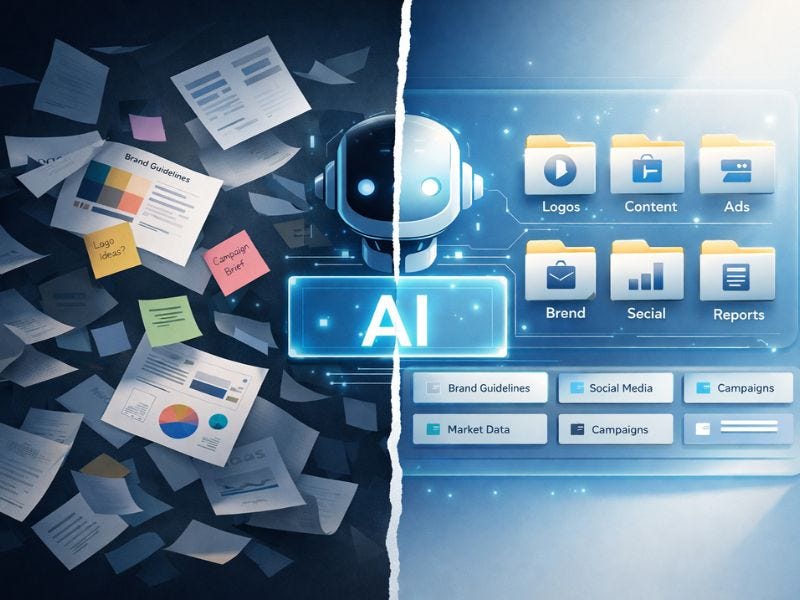
I showed them a different approach: build a brand library AI assistant in one week.
Three weeks later, their entire marketing team was drafting on-brand content in minutes. New hires were creating quality copy on day two. The CEO stopped rewriting everything.
Here’s the exact framework, including the prompts that work.
Most companies have brand guidelines. A 40-page PDF sitting in Google Drive that nobody opens.
Why traditional guidelines fail:
Too abstract. “Write in a friendly but professional tone” means nothing when you’re staring at a blank email.
Hard to search. You know there’s a rule about something, but finding it requires reading 40 pages.
Static examples. Three sample social posts from 2022 don’t help you write an ad for a new product in 2025.
No feedback loop. You write something, hope it’s on-brand, send it for approval, wait.
Meanwhile, content needs go up. Blog posts, emails, ads, social media, sales collateral, customer support responses. Every piece should sound like your brand, but nobody has time to verify everything against a PDF.
Instead of a static document, what if your brand lived in an AI assistant that could:
Draft content in your exact voice
Reference your past campaigns and messaging
Know what’s on-brand vs. off-brand
Adapt your voice across channels (LinkedIn sounds different than Twitter, even with the same brand)
Generate variations instantly
That’s what a brand library AI assistant does.
And you can build one in a week using tools you already have access to—Claude Projects or ChatGPT Projects.
You’re not starting from scratch. You already have brand artifacts—they’re just scattered.
What to gather:
Website copy:
Homepage, About page, Service pages
Customer testimonials and case studies
Product descriptions
FAQ content
Past campaigns:
Email campaigns that performed well
Social posts with high engagement
Ad copy that converted
Blog posts that represent your voice
Brand guidelines (if they exist):
Voice and tone documentation
Messaging pillars
Do’s and don’ts
Visual brand elements (logos, colors—useful context even for writing)
Internal communications:
Company values statements
Mission and vision
Leadership messaging
Employee onboarding materials
Don’t overthink this. You’re looking for 10-20 representative pieces that capture how your brand sounds when it’s at its best.
Pro tip: Include examples of what’s NOT your brand—competitor copy you don’t want to sound like, or your own past content that missed the mark. Negative examples are surprisingly helpful.
Both Claude Projects and ChatGPT Projects allow you to upload documents and reference them in conversations.
Overall approach:
Create a new Project (not just a conversation)
Upload your collected assets as files (PDFs, docs, text files)
Add key brand information in the Project Instructions section
Claude or ChatGPT will have access to all uploaded content in every conversation within that Project
Which one should you use?
It doesn’t matter. They’re both great.
What I actually upload:
1 master doc with all website copy concatenated
3-5 PDFs of your best performing campaigns
1 doc with brand voice examples (good and bad)
1 doc with messaging pillars and key phrases
Any existing brand guidelines
Total: Usually 30-50 pages of content. Takes 10 minutes to upload.
Pro tip: If you have documents in various formats (PDFs, Word docs, PowerPoints, images, HTML, etc.), use Docling to convert them to clean, LLM-ready text. It’s an open-source tool that handles complex document parsing across formats, saving you from manual copy-pasting and formatting cleanup.
Here’s where it gets interesting. Instead of just having documents available, you’re going to have the AI actively analyze and internalize your brand.
The prompt I use:
I've uploaded our brand materials. Please:
1. Analyze our brand voice across all materials
2. Identify our key messaging themes and pillars
3. Note phrases, words, and patterns we use consistently
4. Identify our tone across different contexts (social, email, sales, support)
5. Point out what makes our brand distinct from generic marketing copy
Create a comprehensive brand voice profile based on this analysis. Include:
- Voice characteristics (what makes us sound like us)
- Tone variations by channel and audience
- Vocabulary preferences (words we use, words we avoid)
- Sentence structure and rhythm
- Messaging hierarchy (what we always emphasize vs. secondary points)
Be specific. Give examples from the uploaded content.
What happens next:
The AI will produce a 2-3 page brand voice profile that’s shockingly accurate. It picks up on patterns you didn’t consciously know existed.
Example output I got for a client:
“Your brand voice is confident but accessible. You use short, punchy sentences mixed with longer explanatory ones. You favor active voice and second person (’you’). You ask rhetorical questions to engage readers, then answer them directly. You use analogies from everyday experiences rather than industry jargon. When explaining complex topics, you start broad then narrow in with specifics. Phrases that appear repeatedly: ‘Here’s the reality,’ ‘The problem is,’ ‘What this means for you.’”
This becomes your AI’s internal brand guide—far more detailed and actionable than most brand PDFs.
Save this output. Copy it into your Project Instructions configuration so it’s always referenced.

Now you test it. Give the AI real content tasks and see what it produces.
Start with easy wins:
“Draft 3 LinkedIn posts about our new product launch, targeting marketing executives, in our brand voice.”
“Write a follow-up email for prospects who downloaded our guide but haven’t booked a call.”
“Create a landing page headline and subheadline for our webinar on AI implementation.”
What you’re looking for:
Does it sound like you? Not just grammatically correct—does it capture your brand’s personality?
If yes: Great, use it.
If no: Tell the AI what’s off and why.
The feedback loop is crucial:
This is too corporate and formal. Our brand is more conversational and direct. Rewrite without phrases like "leverage," "cutting-edge," or "utilize." Use contractions. Shorter sentences.or
This is too casual for a sales email. We want confident and professional, not chatty. Remove the exclamation points and tighten the opening.Every piece of feedback teaches the AI more about your brand. After 10-15 iterations, it starts nailing your voice consistently.
By day 6, you should have a working brand assistant. Now you make it bulletproof.
Expand your library:
Add content types you haven’t covered yet:
Customer support responses
Sales scripts and objection handling
Video scripts
Internal communications
Different product lines or services
The more variety you add, the more versatile the assistant becomes.
Create task-specific prompts:
Save prompts for common tasks your team does repeatedly:
SOCIAL POST PROMPT:
Write a LinkedIn post about [topic] targeting [audience]. Include:
- Hook that grabs attention in first line
- Clear value proposition
- Specific example or stat
- Soft CTA to learn more
- Keep under 150 words
- Use our brand voice (confident, practical, no hype)
EMAIL SEQUENCE PROMPT:
Draft a 3-email sequence for [use case].
Email 1: Problem awareness.
Email 2: Solution introduction.
Email 3: Clear CTA.
Use our standard email structure (personal greeting, conversational tone, single focused point per email, strong close).Test with your team:
Have 2-3 team members use the assistant for a full day. Collect feedback:
What worked?
What felt off-brand?
What took too much editing?
Refine based on real usage.
Document the system:
Create a simple 1-page guide for your team:
How to access the brand assistant
Best practices for prompting
How to give feedback to improve outputs
Examples of great prompts for common tasks
Problem 1: The AI sounds “too AI”
Generic phrasing. Overly formal. Feels robotic.
Fix: Your brand library needs more personality examples. Add:
Informal internal emails
Founder’s social media posts
Conversations that capture your brand at its most authentic
Specific phrases and idioms you use
And explicitly tell the AI to avoid:
Never use these phrases: "delve into," "leverage," "cutting-edge," "revolutionize," "transform," "empower," "ecosystem," "synergy"Problem 2: The output needs heavy editing
The AI gets close but you’re still rewriting 50%.
Fix: Your feedback isn’t specific enough. Instead of “this doesn’t sound right,” say:
“This opening is too formal. We start emails with a question or a direct statement, never with ‘I hope this email finds you well.’ Rewrite the first sentence.”
Specific feedback trains the AI faster.
Problem 3: It works for you but not for your team
You get great results, but your team’s outputs are inconsistent.
Fix: Your team needs prompt templates and examples. Create a “Brand Assistant Playbook” with:
5-10 example prompts for common tasks
Dos and don’ts
Screenshots of good prompts and outputs
How to give feedback to improve results
This is training your team, not the AI.
Building the assistant takes a week. The real value accumulates over months.
Month 1:
Your team starts using it for simple tasks
You identify gaps in the brand library and fill them
First major time savings appear
Month 2:
The assistant becomes the default starting point for all content
You notice fewer rounds of internal revisions
New hires can produce quality content immediately
Month 3:
The brand library expands to include every content type
You’re creating new campaigns in hours instead of days
Content volume increases without hiring
Month 6:
The assistant knows your brand better than any individual team member
It catches brand inconsistencies before they go live
You’re producing 3x the content with the same team
One important caveat:
This doesn’t replace strategic thinking or creativity. The AI assistant is a production tool, not a strategist.
You still need humans to:
Decide what to say and why
Review for accuracy and appropriateness
Make strategic calls on messaging
Handle sensitive communications
Ensure legal/compliance requirements are met
The assistant makes execution 10x faster. Strategy and judgment remain yours.
If you’re going to do this, here’s your week:
Monday: Collect brand assets (website, emails, campaigns, guidelines)
Tuesday: Set up Claude or ChatGPT Project, upload everything
Wednesday: Run the brand analysis prompt, review the output
Thursday-Friday: Test with real content tasks, gather feedback, refine
Weekend: Document the system, create prompt templates for your team
Next Monday: Roll it out to 2-3 team members as beta testers
By the end of next week, you should have a working brand assistant that saves your team hours and improves consistency.
The brand library assistant is step one in building AI-enhanced marketing operations.
Once you have this foundation, you can expand to:
Campaign-specific assistants (product launches, seasonal campaigns)
Channel-specific assistants (LinkedIn vs. X vs. email)
Customer segment assistants (enterprise vs. SMB messaging)
Multilingual assistants (maintain brand voice across languages)
But start here. One assistant, your core brand voice, in one week.
I’ll write more about advanced implementations as I build them. For now, this framework works for any business creating content at scale.
Building AI tools and writing about what actually works at AI That Works. Connect on LinkedIn or X.
No posts
Comments
Nothing yet. Say the first thing.
Sign in to join the conversation.