
One carousel brought in over 200,000 views and about a thousand new followers. And it wasn’t a one-off: these pulled in 25K, 20K, and 11K views.
Every image and every animation in those posts came out of a chat window. No design tool, no editing timeline. ChatGPT built the slides, Runway made them move, and the whole thing happened in a single conversation.
This is part two of the studio series. Part one was the setup: one connector that wires Runway into ChatGPT or Claude, about a minute, done. Today is the payoff: the exact workflow behind those numbers. Part three, the cinematic B-roll process, is coming next.
(Here’s Part 1 in case you missed it 👇)
Instagram feeds are a wall of static images. A carousel where the cover slide moves stops thumbs on contrast alone, and then the carousel format does what it has always done: it earns swipes, and swipes tell the algorithm people are engaging.
Most people still assume this takes a motion designer. It takes a chat window.
Quick detour before the tooling, because none of it matters if the carousel itself is skippable. The workflow below makes carousels cheap to produce. The story still decides whether anyone cares. Three things I hold every carousel to:
Slide one opens a loop. The cover’s only job is to start a question in the viewer’s head that they need closed. A bold claim, a number that seems wrong, a before with no after. If slide one resolves itself, nobody swipes.
Every slide sells the next swipe. End slides on a small cliffhanger: a setup without its payoff, a numbered step that implies another, a line that only half-finishes the thought. The swipe is a tiny decision the viewer makes six or eight times. Give them a reason every single time.
Build tension toward the end. The carousels that travel read like a tiny story: problem, complication, turn, payoff. Put the resolution on the last slide, along with your CTA, because the people who make it there are your most invested viewers.
That’s the craft in sixty seconds. Everything below is production.
A ChatGPT account running GPT-5.6 Sol. The workflow leans hard on its reasoning.
A Runway account. (Use this code to get a discount: MATTPAIGE)
The Runway connector from part one. One minute to set up. Go ahead, I’ll wait.
A swipe file. Screenshots of designs you love. Carousels, movie frames, posters, anything with a look. Start it today; it compounds forever.
Open ChatGPT, pick GPT-5.6 Sol, turn reasoning up to Extra High, and go to Images.
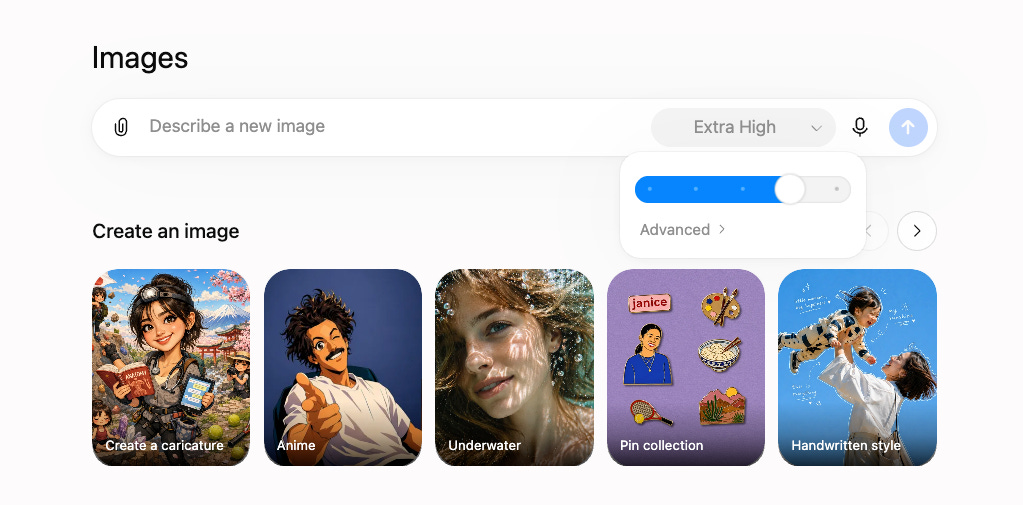
The reasoning setting matters more than it looks. The hard part of a carousel is deciding what goes on the slides: the story arc across seven of them, the claim each one carries, what the reader should feel by slide four. Give GPT-5.6 Sol room to think and it works all of that out before it draws a single pixel. That’s the whole reason I run Extra High. The reasoning is where the carousel gets good.
Then give it context for whatever the carousel is about. Sometimes I literally paste in a link to one of my articles and let it build the story from that. Don’t overthink the prompt. Give it the raw material and let the model do the heavy lifting.
Now the move that does most of the work: attach a screenshot of a design you love and tell ChatGPT, “use this as a design reference.”
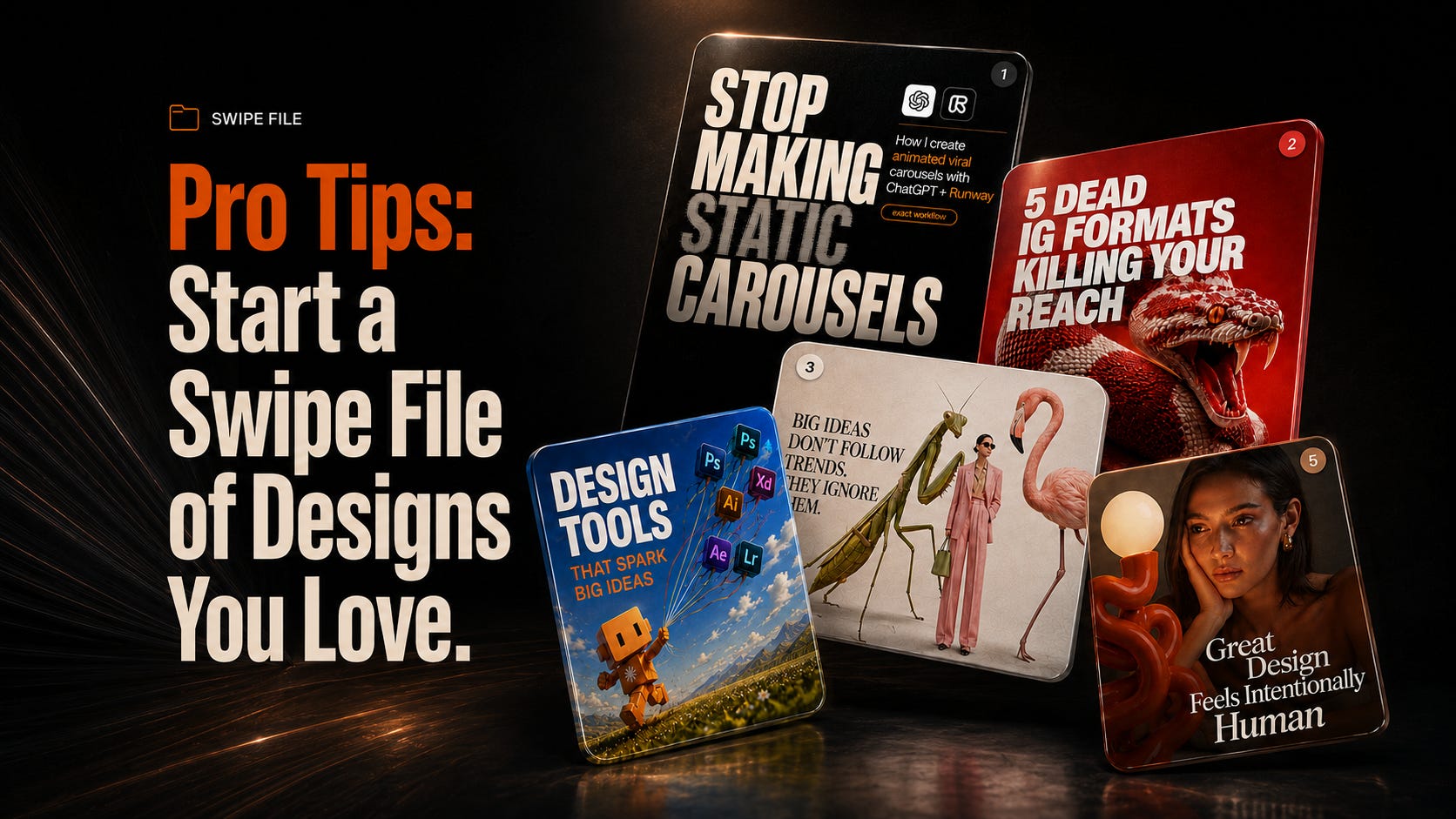
A carousel that stopped you mid-scroll works great here, but it honestly doesn’t have to be a carousel. A frame from a movie. An album cover. A poster you walked past, a photo you took because the colors worked. You’re showing the model your taste instead of trying to describe it, and the output difference shows up immediately.
This is what the swipe file is for. You’ll never start from a blank page again.
Do not have it build the entire carousel at once. It will happily do it, and you’ll get something you don’t love.
Instead, ask for several concepts for the first slide only. Pick the direction you like, give feedback, and iterate until slide one is exactly right. This is you and ChatGPT aligning on visual direction before any real work happens. That first slide becomes the visual system for everything that follows.
Then the part that took me a while to fully trust: once slide one is locked, one prompt builds out the entire rest of the carousel. Tell it to use that direction for the remaining slides, and it holds the palette, the fonts, and the layout across every single one. The cohesion is genuinely wild, and it comes straight back to the reasoning: the model already worked out the story, so it knows what slide five is for.
This is where it stops looking like everyone else’s carousel.
First, the plumbing, in case you skipped part one. In ChatGPT it’s almost embarrassingly easy: go to plugins, search Runway, install. That’s it, you’re connected. (The Claude setup lives in part one.)
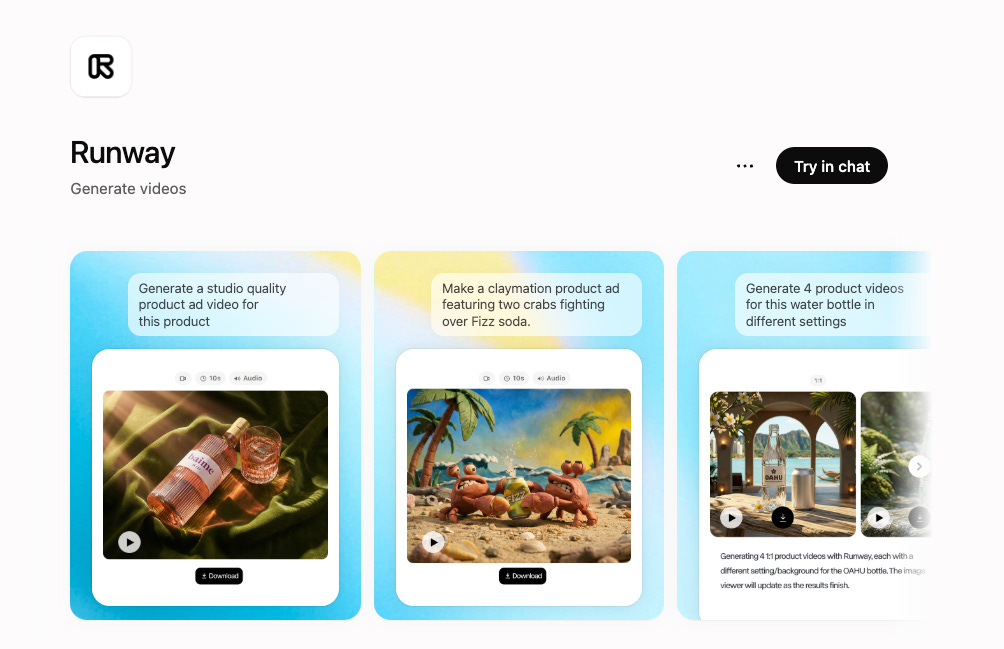
Because Runway now sits inside the same conversation, you don’t export anything or re-explain anything. The full context is already there: the story, the design system, what each slide is supposed to communicate. Runway animates with all of that in view.
All you have to do is just tag Runway by typing ‘@Runway’ and Runway is at your service right in the chat window. Here is the MCP guide as well.

Two habits that make the output dramatically better:
Have ChatGPT write the animation prompt first. Ask it to draft the Seedance 2.5 prompt for each slide, look at what it proposes, and align on the motion direction: what moves, how much, how fast. Give feedback at the prompt stage, where iteration is free.
Then animate the slides one by one, in 3:4 for Instagram. One at a time means you quality-check each slide and spend credits deliberately instead of batch-generating surprises.
On the model itself: Seedance 2.5 is brand new and it is insanely good. I wrote a full prompting guide on Seedance 2.0, and 2.5 is a real jump in motion quality. One of the quiet advantages of running this through Runway, though, is that you’re never locked to one model. Runway’s own models like Aleph 2 are right there, and on the image side you can have Runway generate with Nano Banana or whatever fits the style you’re chasing. Match the model to the job.
Then post it like any other carousel. Instagram handles video slides natively.
Everything above runs inside Claude too, with the same connector from part one.
Connect Runway to Claude and it can generate every image with GPT Image 2 (yes, ChatGPT’s own image model, running happily inside Claude), or Nano Banana, or any other image model on the roster. Then it animates every slide with Seedance 2.5, or Runway’s own Aleph 2, whichever fits. Same conversation from first idea to finished slides.
The whole thing is a chat-window workflow. Run it in whichever window you’re already working.
Same honest math as part one: generations run on Runway credits, and animation is where credits actually go. The workflow above is already shaped to protect you. All your iteration happens on slide one as a cheap static image, and you only animate once per slide, after you’ve aligned on the prompt. Don’t batch-animate a carousel you haven’t locked.
If you don’t have a Runway plan yet, use this link, select a plan, and then enter the code MATTPAIGE gets you 25% off your first month of any plan. That covers a lot of carousels.
Start the swipe file. Ten screenshots of designs you love. Takes five minutes. I keep mine in Notion, but honestly you could just as easily build your own little swipe file tool in ChatGPT or Claude so context is right there.
Run a slide-one session. Take your last piece of content, paste it into ChatGPT with a design reference, and get concepts for the first slide only.
Build and animate the full thing. One prompt for the remaining slides, ChatGPT-drafted animation prompts, then slide by slide through Seedance 2.5.
Post it and subscribe. Part three is the cinematic B-roll process, and it builds on everything you just set up.
The viral content studio’s connected and the workflow’s yours. See you in part three.
No posts
Comments
Nothing yet. Say the first thing.
Sign in to join the conversation.