
Typing math is easy until you try to make your notes usable six months later.
Taking notes with terms, symbols, formulas, and “tiny-but-crucial” definitions is already hard on paper. Doing it digitally can feel even worse: either the tool is beautiful but slow, or fast but messy.
Over the past five years, since the beginning of my PhD and now as a postdoc, I’ve been experimenting with various note-taking systems and tools. I like pen and paper, and writing on the blackboard. However, this is neither scalable nor sustainable in the long term. My problem with analog note-taking is that I frequently lose sheets of paper and photos of the board containing relevant results, and it is challenging to efficiently link different notes. I know there are still many people using analog methods, as evidenced by the Analogue Zettelkasten movement. However, this didn’t work for me.
I then looked for software or a service which would allow me to type math symbols, supporting LaTeX or MathJax. I discovered Obsidian in 2021 and continued using it over the years because of its simplicity, the ability to store notes locally on my machine, and strong support for note linking and cross-references.
Obsidian is free and based on Markdown. At first, this may feel counterintuitive (it appears “less graphical” than some modern note-taking apps such as Notion), but after a bit of practice, it becomes extremely fast. If you’re comfortable with anything even vaguely programming-adjacent, Markdown will feel natural.
You download it from the official site, install it, and the core idea is simple:
Obsidian provides an effective way to interface with a folder of plain-text files, supporting links between them as if they were websites you’re hosting on your local machine.
In the Obsidian language, the folder you interact with is called a vault. To begin using it and exploring its functionalities, the steps are few and straightforward.
When you first open Obsidian, you create a vault by choosing:
- a name (e.g. “My first vault”),
- a location (Desktop, Documents, wherever),
- and Obsidian creates a folder where all your notes live.
This matters more than it sounds: your notes are not locked inside a proprietary format. They are files you own.
Inside the vault, you create notes (“New note”), write a title, and start typing.
Obsidian isn’t trying to be fancy. That’s a feature.
You can use it for:
- lecture notes,
- book notes,
- paper reading notes,
- research scratchpads,
- daily planning (if you want).
Markdown is not something you learn in three minutes, but you don’t need to learn it all to get started.
Here are the high-value pieces:
Non-numbered list:
- item 1
- item 2
Numbered lists
1. item 1
2. item 2
Checklist / TODO List
- [] task 1
- [] task 2
Headings
# Title
## Section
### Subsection
#### Paragraph-level heading
This becomes crucial once your notes get long, because Obsidian lets you collapse sections (fold/unfold) so a dense note becomes readable.
Writing math
For formulas, Obsidian supports LaTeX-style math. It is not actually LaTeX, but MathJax. There are a few differences, but the main one is described below. See the two links below for longer LaTeX manuals:
For writing centred equations, in LaTeX, it is common to write
\[
\int_0^1 f(x)dx.
\]
However, in MathJax, we need to modify this to
$$
\int_0^1 f(x)dx.
$$
This second option is also supported by LaTeX, but is deprecated.
If you already write LaTeX, the transition is minimal. You’ll occasionally run into minor syntax differences, but it’s mostly the same muscle memory.
This is enough for most lecture notes and paper notes.
Here’s the main reason I like Obsidian:
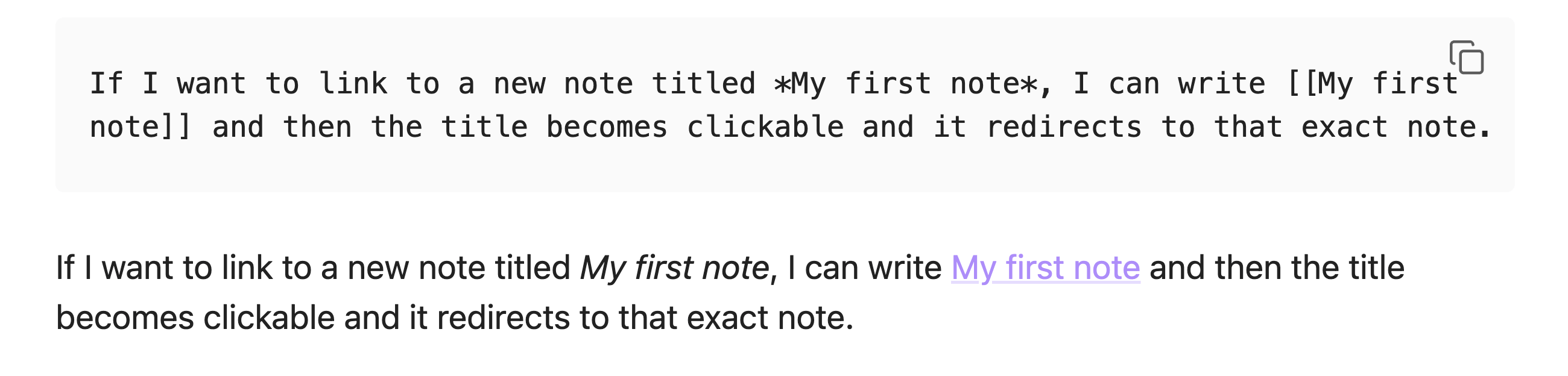
You can create links between notes you wrote months apart. That means you can:
connect ideas from two lecture courses,
connect a lecture concept to a paper you read later,
connect a technique to a different problem family,
and gradually build a map of your own knowledge.
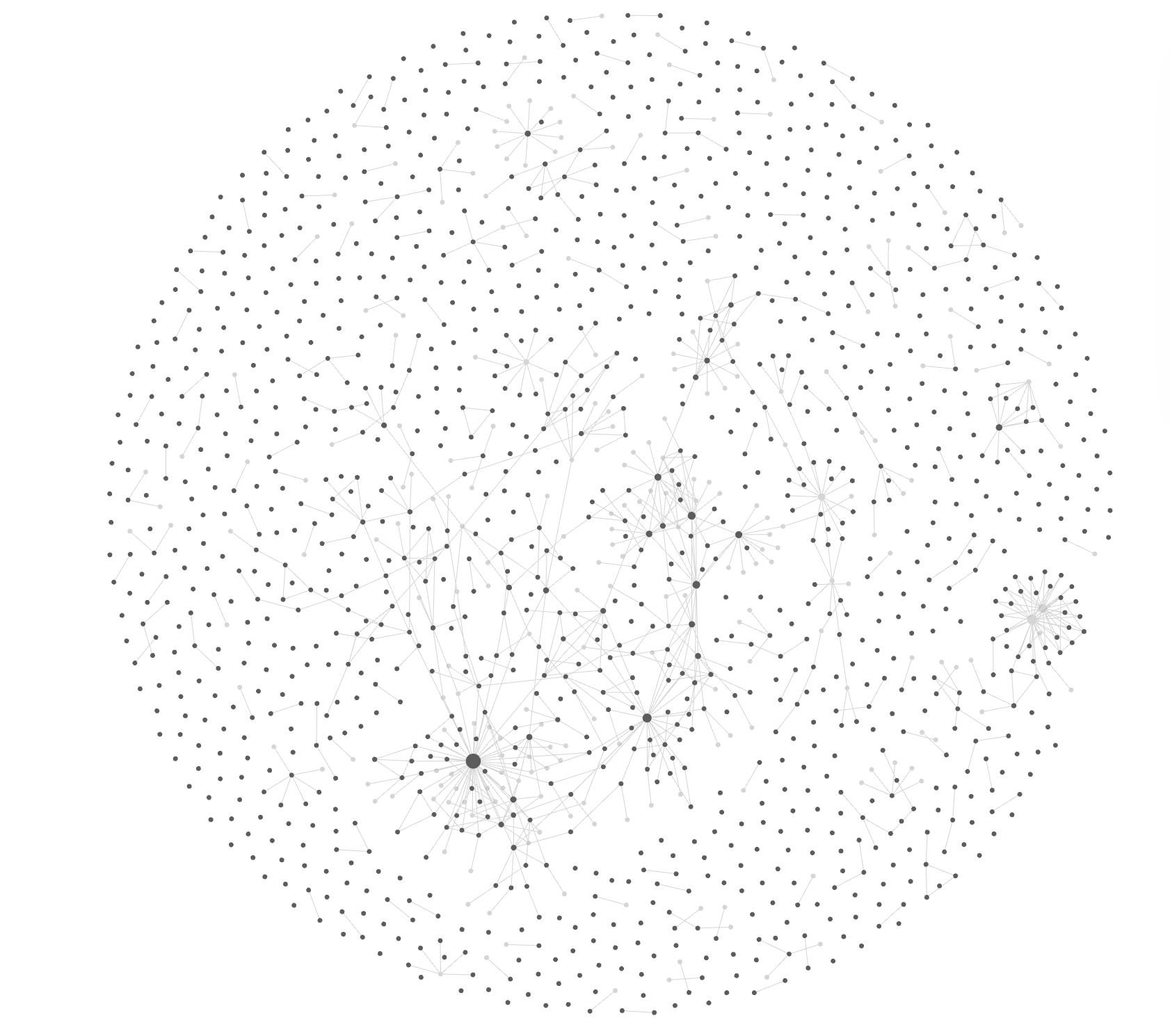
Obsidian can visualise this as a graph: notes are nodes, links are edges. This visualisation can be extremely useful, especially when combined with filters and tags, because it allows you to discover hubs in your network of notes, which correspond to topics or concepts you’ve been reasoning with for a while. Such an analysis can lead, for example, to the realisation that you have enough knowledge, ideas, and opinions on a topic to write a blog post about it or a research paper on it.
Over the years, I’ve developed various workflows and use cases to leverage Obsidian for my work as a math researcher and for my personal life. I expand on some of them below.
The daily note is the backbone of my Obsidian workflow.
On most days, I create a note using Obsidian’s daily note plugin. This gives me a blank page tied to a specific date, which immediately lowers the activation energy: I don’t need to decide where something belongs before writing it.
If what I need to write is quick or short-lived, a reminder, a rough idea, a to-do, or a thought I don’t care to preserve long-term, I write it directly in the daily note. These are things I want out of my head, not necessarily in my knowledge base forever.
If, instead, I realise that what I’m writing deserves to live on its own, I don’t force it into the daily note. I create a link to a new, self-contained note and add it as a bullet point. The daily note then acts as an index: it tells me when I worked on something, and what else I was thinking about that day.
This has two advantages. First, I can always reconstruct context by going back to a specific date. Second, it creates a lightweight structure without planning overhead. I don’t need a perfect taxonomy up front; I write and link when necessary.
The daily note is not where ideas go to mature. It’s where they first show up.
When I read research papers, I usually start outside Obsidian. I highlight passages and write short comments in tools like Zotero or Paperpile. This is fast and works well during the reading phase, but those annotations alone are rarely useful months later.
To make them durable, I create a dedicated note in Obsidian for each paper. The note is titled with the paper’s name (or a short version I know I’ll remember), and includes some lightweight metadata: authors, year, venue, and maybe a couple of tags.
From there, I transfer what actually matters. Sometimes this means summarising the main ideas and results in my own words. Other times, it means copying over critical definitions, lemmas, or proof ideas.
Crucially, if a paper introduces an idea that feels reusable, such as a technique, a perspective, or a construction, I don’t let it remain buried in the paper note. I create a separate note for that concept and link to it from the paper note. The paper becomes one entry point among many, rather than the only place where the idea exists.
This way, paper notes are not archives. They are gateways.
These are the messiest notes in my vault, and also some of the most valuable.
When I’m working on a research project and trying to combine ideas from different papers, lectures, or previous notes, I create a dedicated note and write in what I think of as “freestyle mode.” There is no structure, no attempt at polish, and no concern for future readability.
I paste fragments, sketch arguments, write half-sentences, and link aggressively. The goal is not to explain, but to think. Having everything in one place reduces cognitive overhead: I can see connections forming simply because related ideas coexist on the same page.
At this stage, the note is often unreadable even to me a week later. That’s fine. Its purpose is local optimisation: helping me move forward now.
Once some clarity emerges, I go back and extract what deserves to live on. Self-contained ideas get their own notes, which I then link back. The messy note slowly empties or becomes obsolete.
This workflow is intentionally lower-effort than opening a LaTeX document on Overleaf. Obsidian is where ideas collide. Formal writing comes later.
The more notes you write, and the more intentionally you link them, the more valuable the vault becomes.
Not because it’s pretty. Because it becomes a place where your past thinking is searchable, connected, and reusable. I constantly refer to notes I wrote 2-3 years ago, realising only now how useful they are.
The key to making note-taking a valuable long-term practice is to write short, clear notes that explain the necessary aspects so they remain clear to you in a few years as well. More concisely
Write for your future self, and assume you don’t remember much about the context behind the note.
This approach introduces friction and overhead when writing the note. However, it is also the only way to compound the value of note-taking across years.
Of course, there are exceptions. There are notes you don’t care to maintain for the future, and they are fleeting notes you only use for a few days or weeks. However, for me, it has been helpful to always think about the future discoverability and utility.
If you’re interested in note-taking as a system, a classic recommendation is How to Take Smart Notes (Zettelkasten method).
---
If you want more math workflow posts like this, consider subscribing to the newsletter or sharing this post!
And if you have questions about specific Obsidian setups (templates, plugins, flashcards), leave a comment—I’ll turn the good ones into follow-ups.
No posts
Comments
Nothing yet. Say the first thing.
Sign in to join the conversation.