
Hello to everyone from within the cogs of my own machine!
So, if you’re wondering how you missed the last eleven Development Log posts… you haven’t. I realized I have a perfectionistic problem where I want a thing to be done right, and I get hung up on that for forever, getting further and further behind, stuck on past project pieces. Well, that defeats the purpose of a development log, so I’m trying something new - I’m going to try to let go of things, and give you actual progress updates, like this devlog was intended to be in the first place! (Maybe one day I’ll get back to the other 11 entries I had planned, but whether or not I do, I’d like to post much more regularly about real progress I’m making, in real time - and maybe shorter updates.)
And, as I mentioned before, the DevLog posts will be somewhat technical, so feel free to skim if that’s not your thing. Long story short, I fixed some old bugs that were holding me back and opened the path forward to finishing my basic GridTree prototype implementation.
In the last 2.5 years of my PhD program, I have been working on this project sporadically, mixed in with other work and attempting to publish papers (both on this and on other things). A few real progress things that have happened over time with the GridTree project are:
I Made pretty diagrams to wow people with my awesome GridTree algorithms.
Debugged and completed my implementation of the insert operation (you know, adding something to the tree and it pushing things apart to make room). (I fixed cascading pushes with Topological Ordering, of all things!)
Lots of background research on related types of visualizations (there are hundreds - none of them algorithmically related to GridTrees, though to a casual viewer some might look vaguely similar).
Mathematical proof that my insertion operation amortizes to O(1) time (that’s a deep can of worms for later).
Visualized large trees (I’ve tried up to about 3 million nodes, though it gets choppy with our python prototype - mainly because of drawing, though, not algorithmic limitations).
Made history (undo/redo) and fault-checking features (they were helpful for debugging).
Attended a local NSF I-Corps program where I learned how to do “customer discovery”, which is a great way of doing interviews to learn about needs in the market without too much confirmation bias.
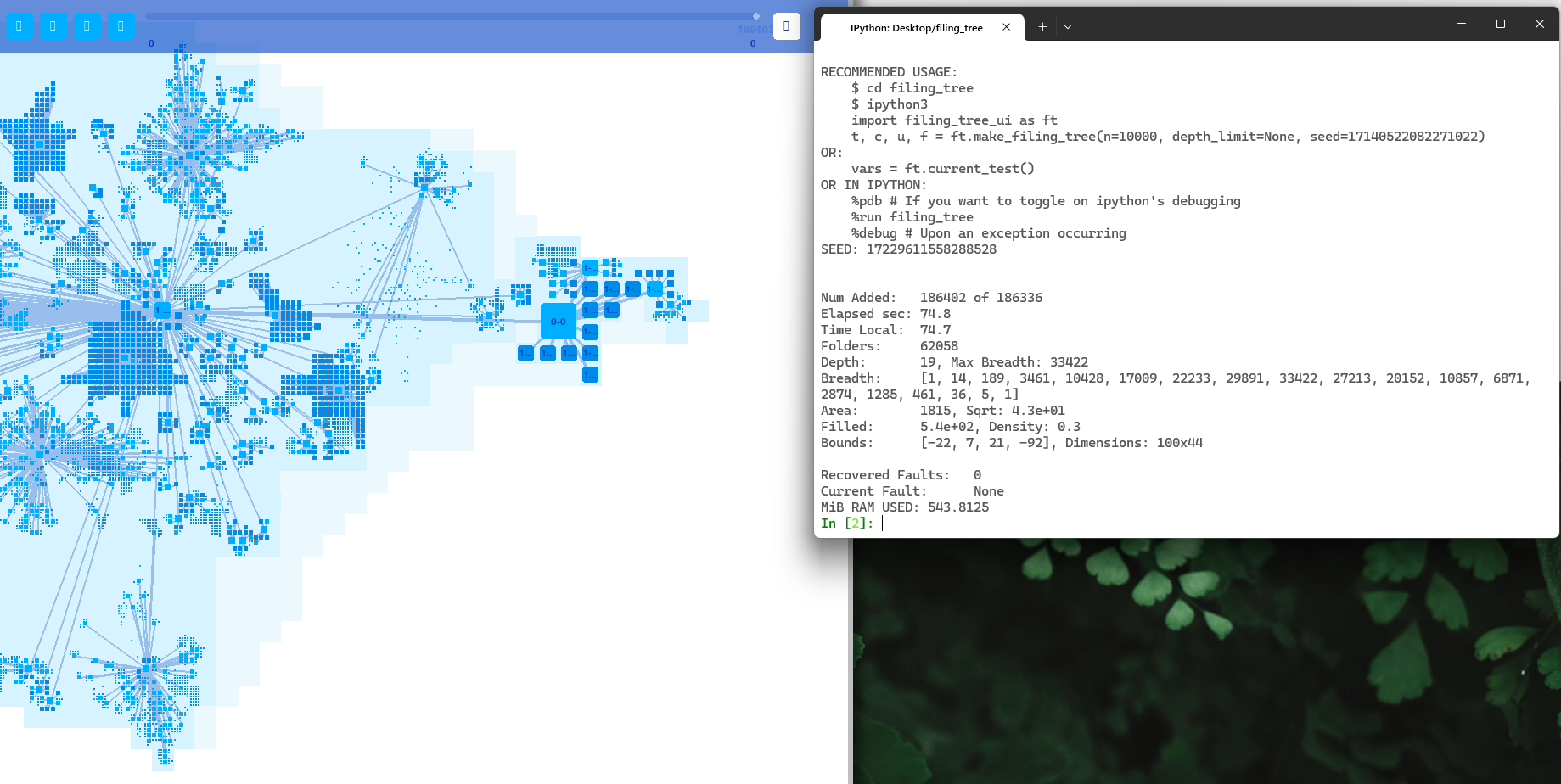
Actually got it to scan my disk (only a static snapshot so far) and show what my filesystem looks like.
Attempted publication of a first GridTree paper two years running at IEEE VIS, rejected both times (not surprising at an A* conference). We’ll try again elsewhere for time and sanity’s sake, and maybe split the paper into two with additional polishing.
Made a “Tinytree” file format for expressing GridTree test cases in a human-readable format (for debugging and algorithm correctness checks).
Tried GridTrees on several different datasets trying to broaden their applicability, including IP address hierarchy, a fake company org chart, and the GitHub repo of the entire Mozilla Firefox source code.
Made it so you can see small stuff! (Like visually drawing the max instead of the min at the smallest layers in view.) I call this “swarf”, borrowing a term from machine shops.
If some of those terms or ideas make no sense to you, even if you’re a computer scientist, no worries. Like I said, previous 11 missing posts. We’re all just flying by the seat of our pants here.
If it’s not clear, I love what I am making. I just think it’s the coolest thing, even better than sliced bread. I have great hopes for what it can become, and how it might be used. And, it’s actually a really fun project.
All right, so to orient you with where I’m at right now in the project, a GridTree is in essence a big data structure. It acts as a generic n-ary tree, but one which also keeps track of visual layout information as items are added, removed, or moved within the tree. In the future, it will also allow manipulation of the layout more directly.
As with virtually any such data structure, it needs three primary operations to be considered conceptually complete: Insert, Delete, and Move. (For many data structures, Move is simply composed of a Delete plus an Insert, but for structures like this one it is more efficient to have a dedicated Move operation.) A few months ago, I “finished” the Insert operation, squashing the last few bugs that actually caused faults such as overlapping nodes in the layout and such, but I left some more benign problems for later. At that time, I had to move on to other things, including testing on various datasets and getting a paper on it ready for submission to IEEE VIS.
Within the last week or two, however, I’ve been able to come back and work on it again. I’m eager to get on with the Delete and Move operations to complete a basic GridTree implementation, but I was held up by another bug - my algorithms for cleaning up some of the unused real estate in the tree weren’t behaving as they should, and I kind of need those to work right for the delete operation to be viable, the alternative being that large swaths of unused space would severely bloat the layout. So, I set out to fix this problem.
Unfortunately, this problem had previously stumped me, because sometimes the edge “trim” algorithm worked perfectly, while at other times it left a mess in its wake. The unused space we are talking about is actually not strictly empty, but rather is unused space claimed by a node notify its ancestors and siblings that that space is needed to keep the shapes orthoconvex, to prevent them from tangling together.
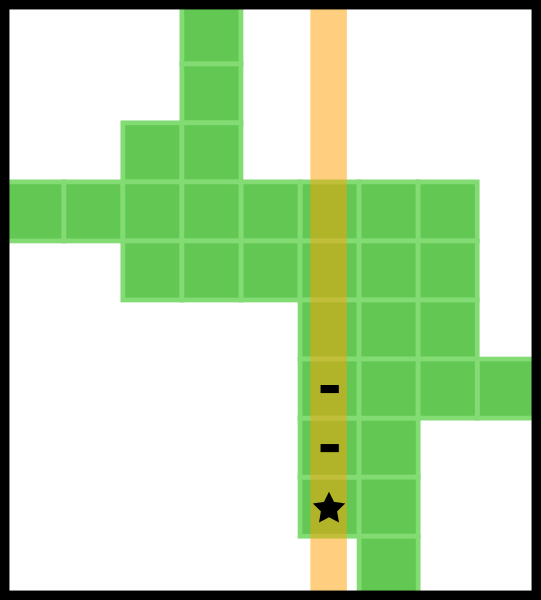
The first thing I did was go back to my Tinytree testing code. I needed to be able to create small test cases to try to identify what situations were causing it to break. While those tests would run and function fine, I needed to be able to load them as an interactive tree in my UI, so I could see what happened. So, I added that functionality. Then, since those tests are super bare-bones, I had it fill in dummy nodes at the bottom levels, so that areas the tests identified as having nodes actually did, instead of just taking up space in the map without it pointing anywhere (otherwise my visualization ends up looking too empty to be of use). A Tinytree test file looks something like this:

While the corresponding tree, after the specified push, looks like this:
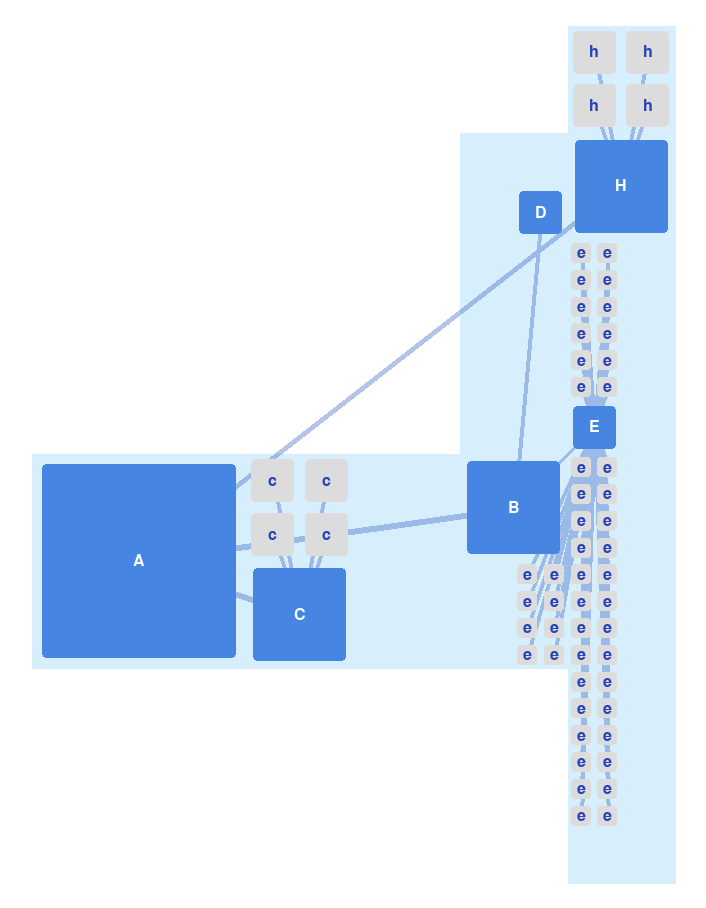
Once I finished that, I made a couple of quick Tinytree tests and immediately discovered what I had begun to suspect: I was correctly trimming when a node could push and even cascade freely, but not when the push bounced off of the parent’s block (which is anchored in the node’s map) and went the other way. The test case seen above is actually one of the two which I used to determine this. While I don’t have a “before” picture, you would have seen that when the B and H branches moved to the right, all the space they vacated would have still been highlighted light blue, as well as the space they currently occupy.
Having nailed down exactly what my bug was, I dove into the code and figured out why. It boils down to this: my trimming algorithm is designed to iterate on as few things as possible, since memory lookups are “slow” in large numbers. I give it a direction, and a few lines to check (those which some nodes vacated) and it carefully only deletes those which it can and still keep the orthoconvex rule. It orders the lines towards the direction of the push, so it cleans up the most extreme ones first. This is because if I go the other way, later ones would clear the way for earlier ones to be deleted convexly, which otherwise get missed. In a bounce push, I have two pushes, and each might have lines to check - but I was combining them, and some of one direction was getting missed because the lines were in reverse order. So, I separated them to call the trim function twice, in opposite directions, and voila, no more empty space!
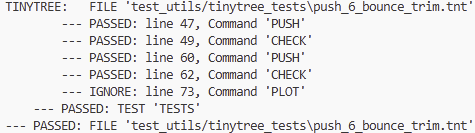
I was amazed at how fast I found and fixed this bug, honestly, and seeing it all work properly for the first time made me quite pleased!
That done, I identified one more semi-benign issue that needed resolved for efficiently handling deletion later. See, I often need to know a node’s outer bounding box in order to know in what range to iterate for trimming and cleaning up empty nodes. In order to avoid iterating over a node’s entire map too often, I cache the bounds. Then, to make it even more efficient, I was trying to update its cached bounds instead of invalidating it every time something little changed. However, I was naively pushing the boundary bigger and bigger every time something in the node pushed in a given direction, even though it didn’t always push into the boundary. The result was enormous bounding boxes and less efficient operations.
Later, when I add the Delete operation, I will have to trim not just a few lines, but convexly collapse entire regions. It would be really nice if I’m not checking several times as many map locations as actually exist. I must imprison them in tight little boxes! (Insert evil laugh here).
I found this bug a while ago, and brushed it off as unimportant then, or too annoying to deal with. I found it again when trying to measure how oddly shaped a node is, because the occupied area was sooooooo much smaller than the total bounding box area, and it should hover around 50% by my estimate.
This one also wasn’t too difficult to fix, as I simply had to track better when I was changing things along the edge, and only push the bounds then. And, trickier, collapse the bounds when items moved away (but this required checking that the whole boundary line was no longer occupied). All of this I was able to incorporate efficiently into my existing code, doing these checks mostly in already existing loops, instead of making new ones.
Finally, the way is open for me to implement the Delete operation, Woohoo! I have been planning this for years. It sounds so small, but it’s actually kinda complicated—but that’s for a future post.
And, since I have finally shown that my algorithms actually do work as intended (and, ahem, fixed them), I can now add much more clear algorithmic descriptions to my research paper before I submit it again for publication, without fearing I’m publishing something incorrect (which is one of the main reasons I didn’t add them before). Now that it’s all working, I am free to forge ahead into the unknown.
Comments
Nothing yet. Say the first thing.
Sign in to join the conversation.