iOS
JavaScript
Shortcuts
Productivity
updated on:
I am a big fan of my gym but not so much if it is fully packed and jammed with other people. So, I quickly established a habit of peeking at my gym's website to get an idea of many people there currently are1. However, since this proved to be a hassle repeating the same steps every other day, I looked at the gym's iOS app. Unfortunately, it quickly turns out that the app won't be of any help in finding the current visitor count. Apparently, you can't even choose your studio there as it just assumes the studio in Konstanz is the default2. So, I got used to peeking at Google Map's real-time view of visitor statistics for my gym, instead. It is not as informative, though, since it only displays the tendency of how many visitors there are relative to an unknown average. Also, doing this every other day is not as fun as it may sound. 😅
Widget with Scriptable
With my gym becoming the most-viewed place for me on Google Maps, I thought of replacing my routine with a home screen widget. Since widgets have been introduced in iOS 16, I like to use them for having information readily accessible on my home screen. As it became that it wouldn't be my gym's app to provide a widget, I immediately thought of Scriptable. I already used the app during the peak of the COVID-19 pandemic to quickly access the most recent case numbers on my home screen using Raphael's corona-widget. Knowing that Scriptable uses JavaScript, I quickly assembled a simple UI to show the selected studio and its visitors:
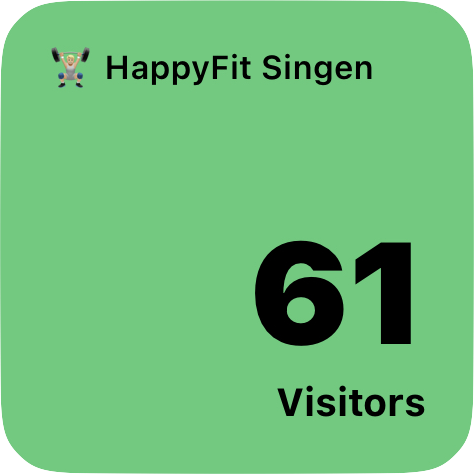
An iOS widget created using Scriptable that displays the name of the gym and the number of visitors.
Achieving this with Scriptable is rather simple since it provides basic UI components ready-to-use and well documented. The pressing question that remains is: how do we get the visitor count of the gym? Given that the gym's website does display the number of visitors, I presumed that there also is a corresponding API call for that data. A quick look into the network tab of Google Chrome’s Developer Tools confirms this:
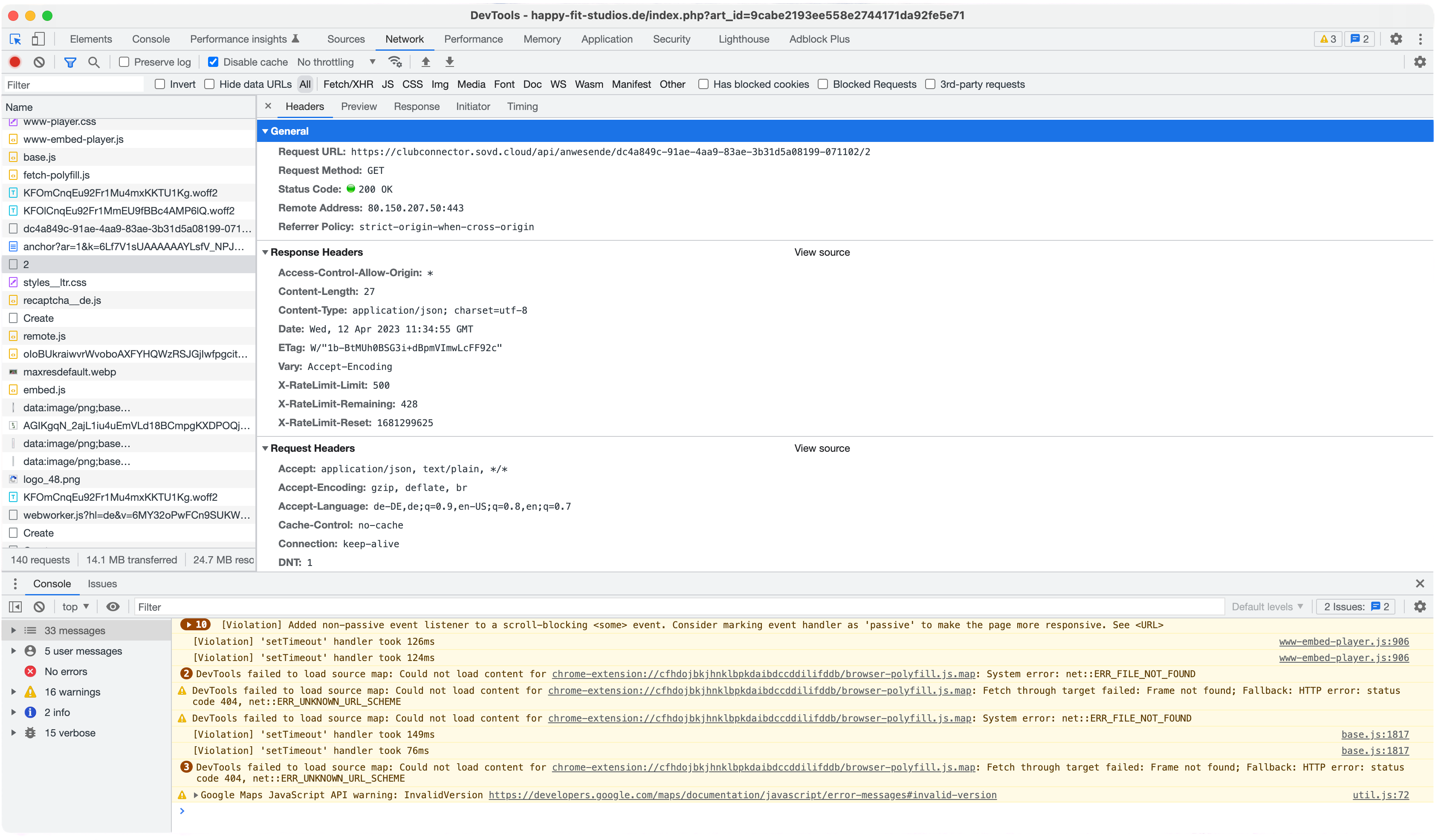
A call to the gym's API that returns the number of visitors.
In particular, this network request returns:
{ "count": 39, "maxCount": 100 }
revealing the current visitor count. Since I could not swiftly find an endpoint that enumerates the studio IDs3, I just collected them manually:
- Konstanz:
3 - Radolfzell:
1 - Singen:
2
Putting this together, the Scriptable widget's code looks as follows:
gym-visitors.js
_37 // Retrieve the current number of visitors _37 const visitorsEndpoint = _37 "https://clubconnector.sovd.cloud/api/anwesende/dc4a849c-91ae-4aa9-83ae-3b31d5a08199-071102/2"; _37 const visitorsRequest = new Request(visitorsEndpoint); _37 const visitorsResponse = await visitorsRequest.loadJSON(); _37 const visitors = visitorsResponse["count"]; _37 _37 const widget = new ListWidget(); _37 widget.backgroundColor = new Color("#52CC7A", 1); _37 widget.url = _37 "https://happy-fit-studios.de/index.php?art_id=9cabe2193ee558e2744171da92fe5e71"; _37 _37 const locationText = widget.addText("🏋🏼 HappyFit Singen"); _37 _37 // Move the name of the gym to the top and the number of visitors to the bottom _37 widget.addSpacer(); _37 _37 const visitorCountText = widget.addText(visitors.toString()); _37 const visitorsText = widget.addText(visitors === 1 ? "Visitor" : "Visitors"); _37 _37 // Use a small font for the name of the gym _37 locationText.font = Font.semiboldSystemFont(11); _37 _37 // Use a bold, right-aligned font for the number of visitors _37 visitorCountText.font = Font.blackSystemFont(48); _37 visitorCountText.rightAlignText(); _37 _37 // Use a small font for the visitors label _37 visitorsText.font = Font.boldSystemFont(13); _37 visitorsText.rightAlignText(); _37 _37 // "Output" the widget and exit the script _37 Script.setWidget(widget); _37 Script.complete(); _37 _37 // Only for preview during development! _37 widget.presentSmall();
The first four lines correspond to executing the API request and retrieving the current visitor count using Fetch API’s Request. After that, we create a Scriptable widget of type ListWidget with a greenish background color and a link to the gym’s website. At the top of the widget, we put the particular studio’s name in a smaller font. At the bottom of the widget, we place the visitor count in a big, remarkable font and a short descriptive label beneath. To keep the widget's display effective and provide a visually coherent appearance, I align the top and the bottom of the list in diagonal balance. You can find the JavaScript of the widget together with the ready-to-use Scriptable widget on GitLab.
Scriptable and Siri
Having a widget on our home screen is great, but it can get even better! As an avid user of the HomePod mini, I frequently interact with Siri and would prefer to ask "How busy is the gym?" instead of unlocking my iPhone and looking at the widget. Since Siri can execute shortcuts by their name, I created one that is named exactly like the question phrased above. This only leaves us to configure the shortcut to provide the answer to the question raised. Since Scriptable allows executing a widget in a shortcut, we re-use the one from above and additionally expose the visitor count through a return statement:
gym-visitors.js
_39 // Retrieve the current number of visitors _39 const visitorsEndpoint = _39 "https://clubconnector.sovd.cloud/api/anwesende/dc4a849c-91ae-4aa9-83ae-3b31d5a08199-071102/2"; _39 const visitorsRequest = new Request(visitorsEndpoint); _39 const visitorsResponse = await visitorsRequest.loadJSON(); _39 const visitors = visitorsResponse["count"]; _39 _39 const widget = new ListWidget(); _39 widget.backgroundColor = new Color("#52CC7A", 1); _39 widget.url = _39 "https://happy-fit-studios.de/index.php?art_id=9cabe2193ee558e2744171da92fe5e71"; _39 _39 const locationText = widget.addText("🏋🏼 HappyFit Singen"); _39 _39 // Move the name of the gym to the top and the number of visitors to the bottom _39 widget.addSpacer(); _39 _39 const visitorCountText = widget.addText(visitors.toString()); _39 const visitorsText = widget.addText(visitors === 1 ? "Visitor" : "Visitors"); _39 _39 // Use a small font for the name of the gym _39 locationText.font = Font.semiboldSystemFont(11); _39 _39 // Use a bold, right-aligned font for the number of visitors _39 visitorCountText.font = Font.blackSystemFont(48); _39 visitorCountText.rightAlignText(); _39 _39 // Use a small font for the visitors label _39 visitorsText.font = Font.boldSystemFont(13); _39 visitorsText.rightAlignText(); _39 _39 // "Output" the widget and exit the script _39 Script.setWidget(widget); _39 Script.complete(); _39 _39 // Only for preview during development! _39 widget.presentSmall(); _39 _39 return visitors;
With that, the shortcut merely consists of three steps:
- Execute the Scriptable widget
- Embed the visitor count resulting from the first step in a nice-sounding sentence
- Display the resulting sentence for Siri to read out loud
Combining these three steps into a shortcut looks as follows:
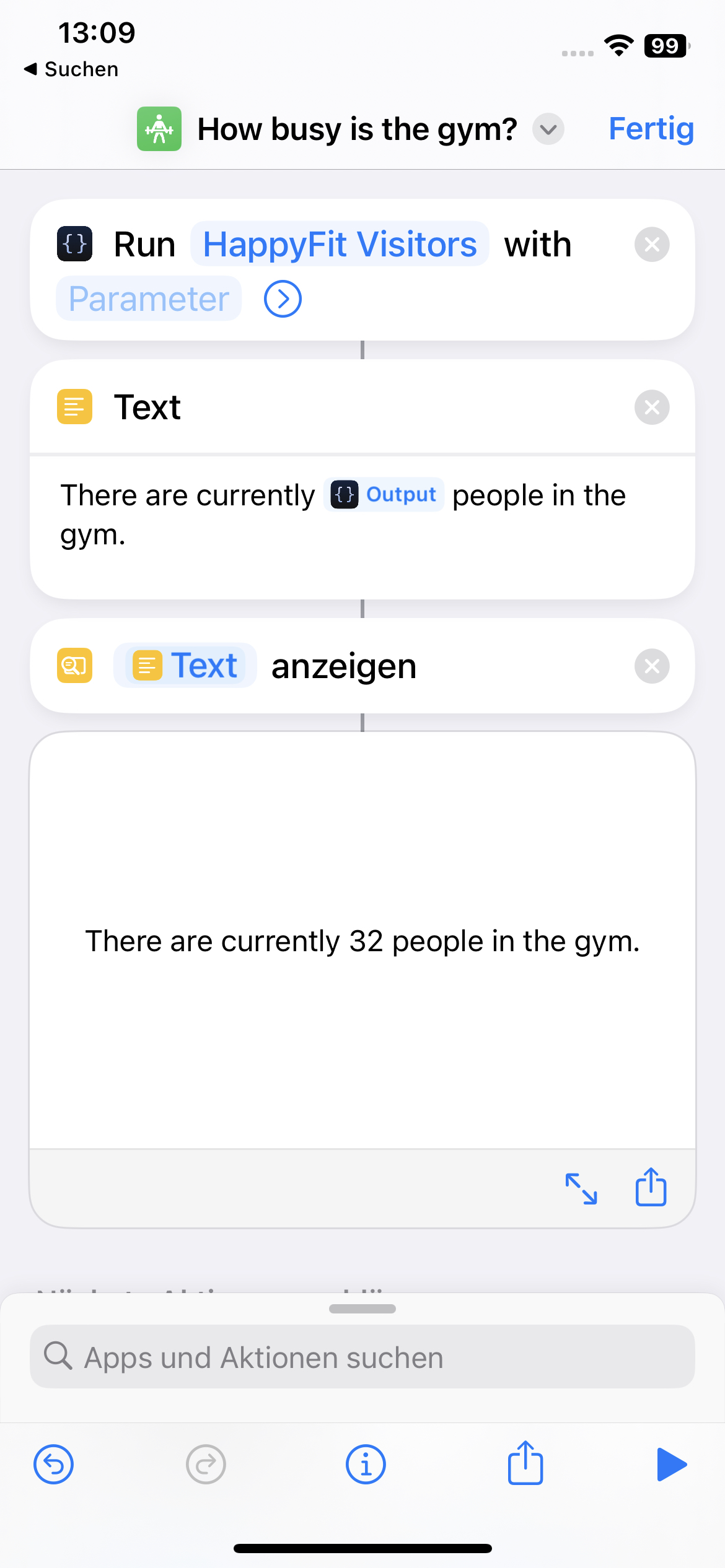
An iOS shortcut that executes the Scriptable widget and returns the number of visitors in the gym.
Now, asking "Hey Siri, how busy is the gym?" results in the answer: "There are currently X people in the gym." Much better than always having to unlock my iPhone, looking at the widget! You can find the shortcut on GitLab as well.
Footnotes
-
Since the recent redesign of their website, the visitor count is no longer displayed or queried from the gym's API. ↩
-
To be fair, there is a studio selection in the app but Konstanz is the only option to choose from. ↩
-
The studio in Leipzig does not seem to display a visitor count on their website, hence I could not find the studio's ID. ↩
Comments
Nothing yet. Say the first thing.
Sign in to join the conversation.