
I too, saw this viral tweet from Andrej Karpathy a few weeks ago.
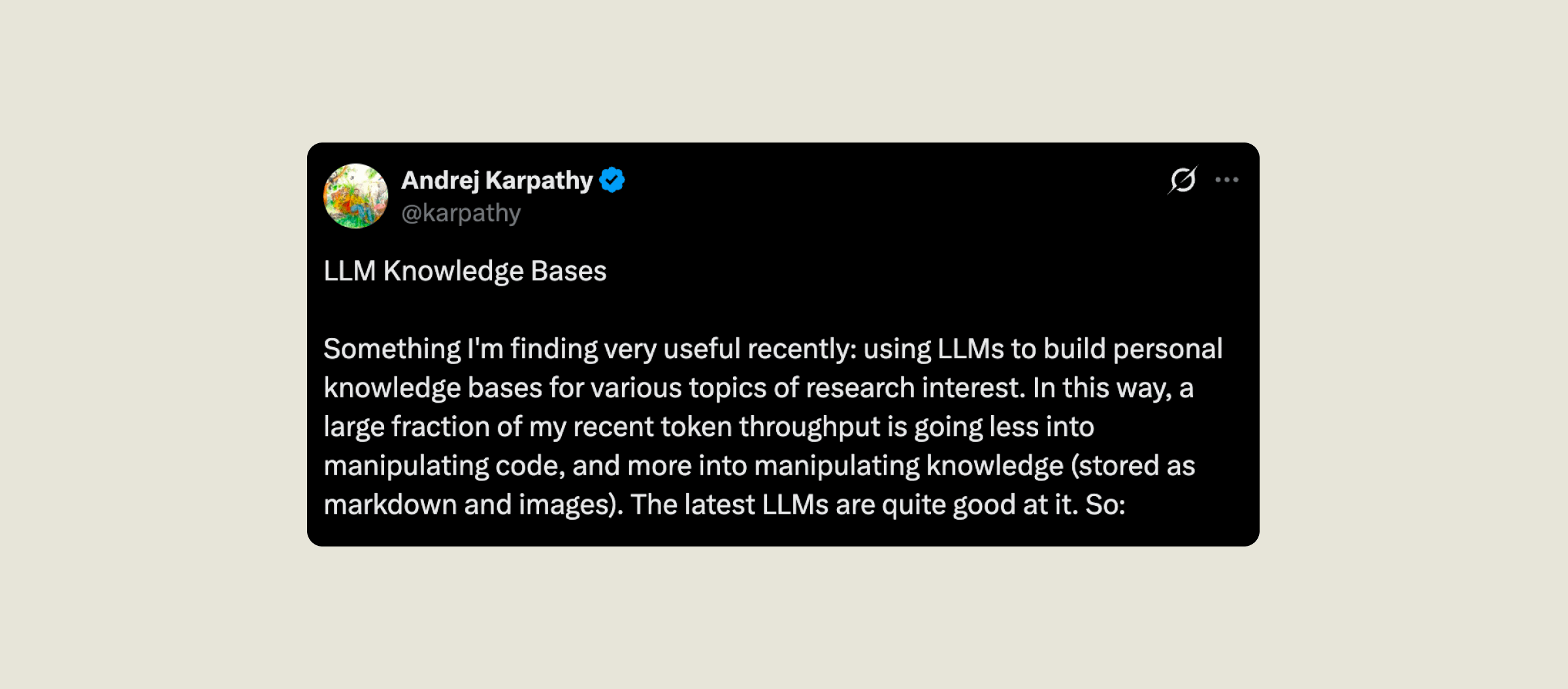
The question the LLM-Wiki pattern is trying to answer, if I strip away the jargon:
Is there a simple way to let AI remember everything you’ve thrown at it for a certain topic? Can AI have persistent memory?
As a designer, I know enough code to get by and have conversations with engineers. I already feel slightly intimidated by not keeping up with React, and I am most definitely not going to pretend I understand how large language models (LLMs) work under the hood.
However, when reading the tweet, I immediately thought to myself:
This one, I can actually do.
Three folders, a Markdown file or two, an AI that reads them. That was the whole setup.
Three weeks later, I have four vaults (folders), a running project on top of them, and a lot of thoughts about what the pattern is actually good for.
Jump to
There are two things drawing me to the LLM-Wiki pattern.
-
The world has been in the age of data long before AI became the new electricity.
Thanks to various apps (Notion, Day One, and the ones I’ve migrated away from since), I have accumulated over a decade’s worth of journals, articles, letters, exercise logs and messy notes. My writing also constantly switches between Chinese and English, which adds another layer of complexity.
I had this feeling that I was going to be rewarded as a person who loves documentation, eventually.
But ChatGPT immediately hit the upload limit when I tried importing only one year’s worth of journals. This was last year, and I was definitely not using a clever way to do it.
I have been waiting for a moment to unpack it all at once.
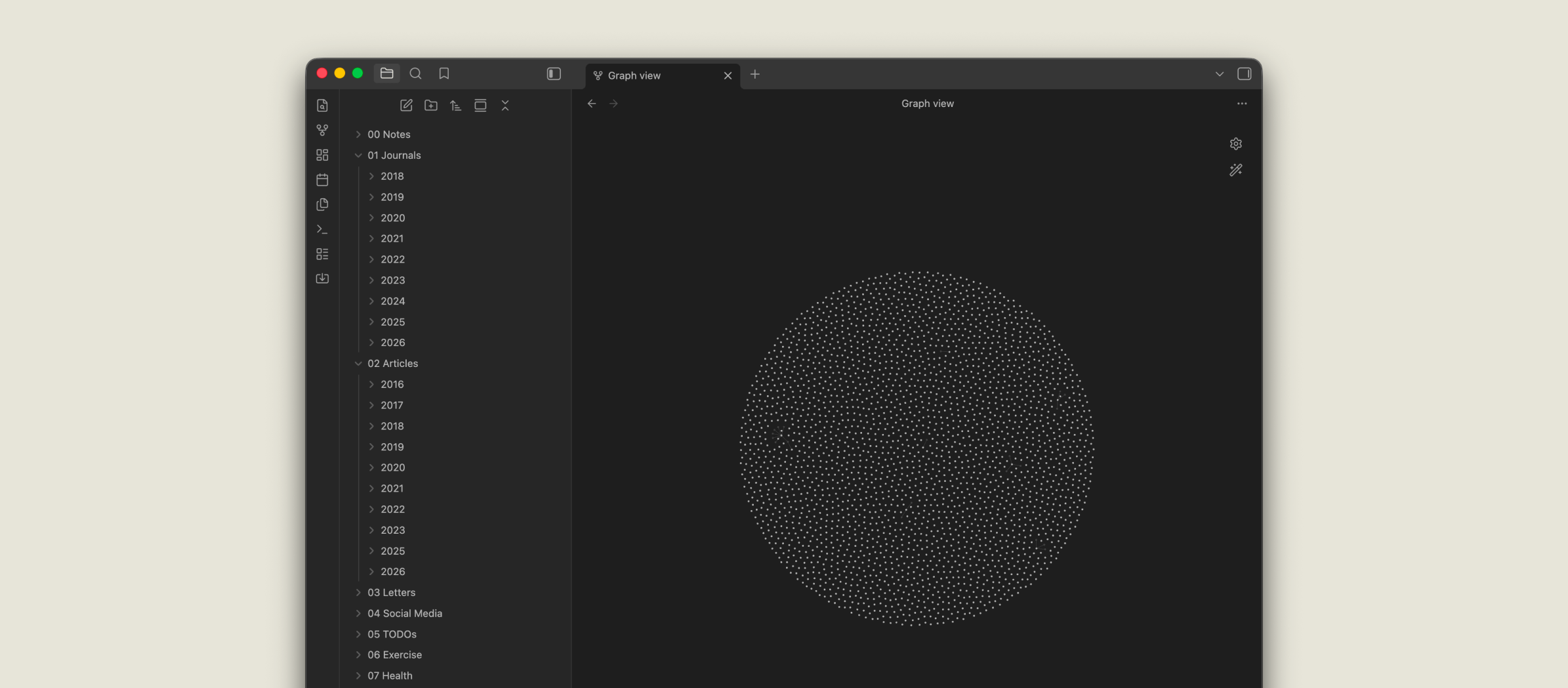
Claude Cowork, where Claude can reach folders and files on my laptop, felt like the first real unlock.
Jenny Wen, Head of Design at Claude, mentioned she found pointing Claude Cowork at a messy folder of hers very helpful in extracting her thoughts on design and hiring while preparing for this episode of Lenny’s podcast.
So I was extra excited to see Karpathy’s tweet, and curious whether LLM-Wiki was the moment I had been waiting for. (Short answer: yes, with its limitations.)
-
I have been building 3wta (what were we talking about), a tool to help me unpack and gain insights from chat history.
The data sample I’m working with, a chat between myself and a really great designer friend, has more than 48,000 messages.
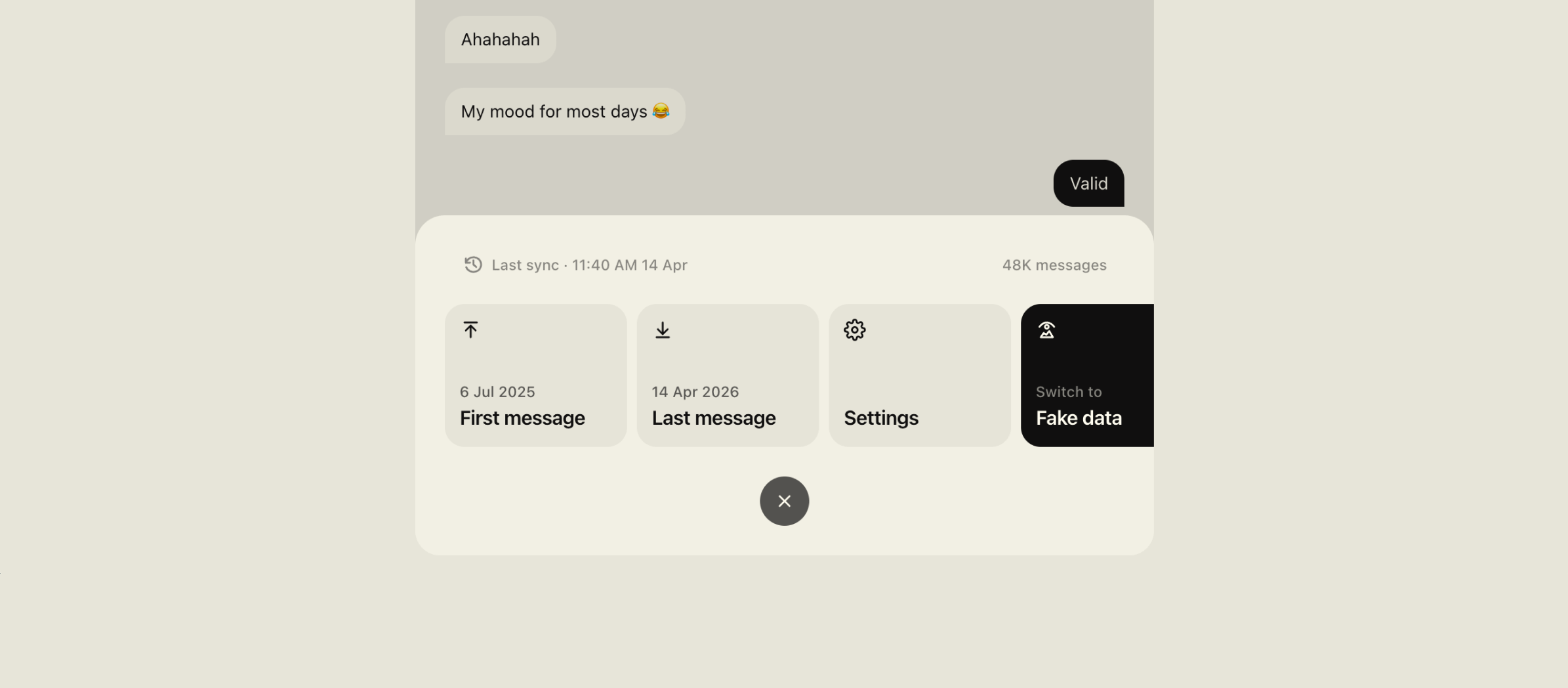
Any feature that requires AI to do a pass over the messages immediately eats up the token budget.
And depending on the task, the AI is selective about which messages it actually scans through. Wouldn’t it also be nice if all the questions and insights could be remembered?
The pattern arrived on my timeline at the exact moment I realised I had been focussing too much on the UI side and avoiding the AI part. Because frankly, I had no idea how to start.
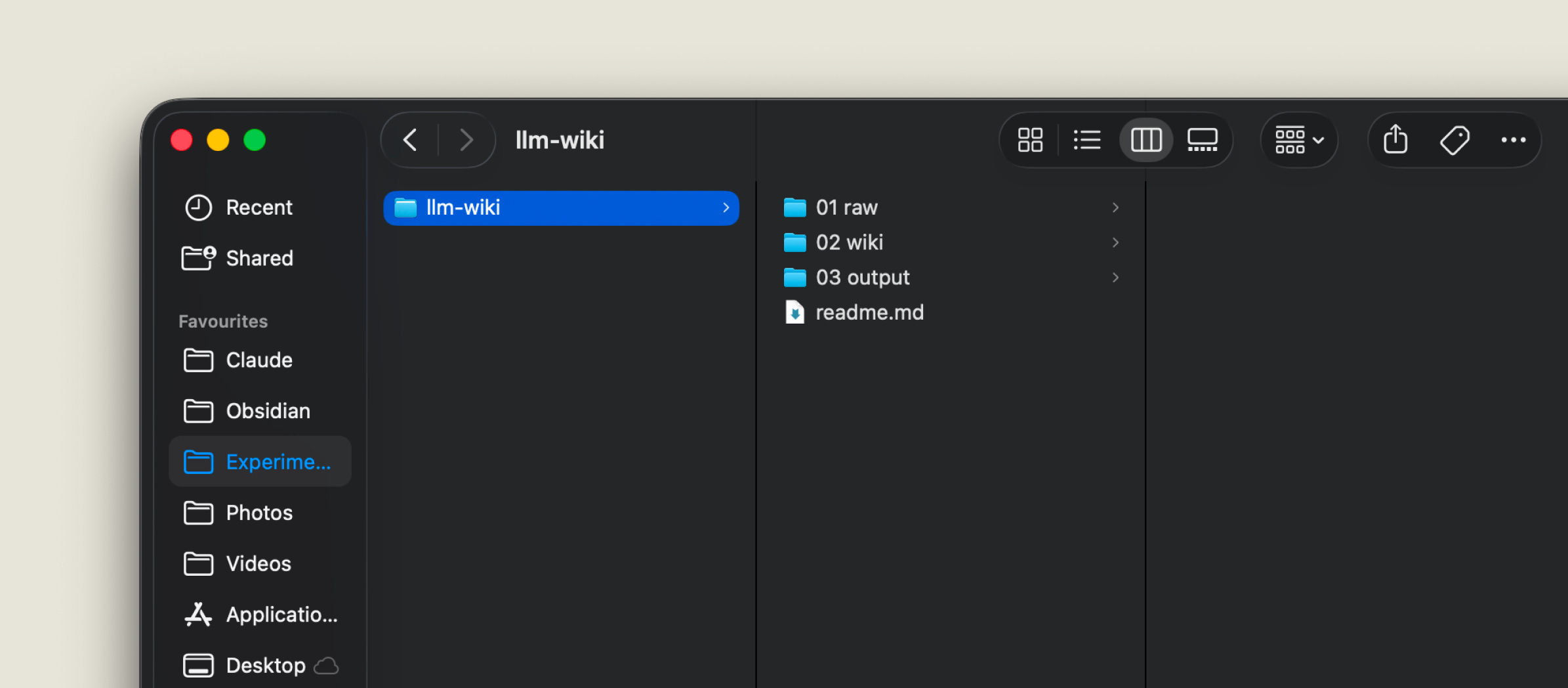
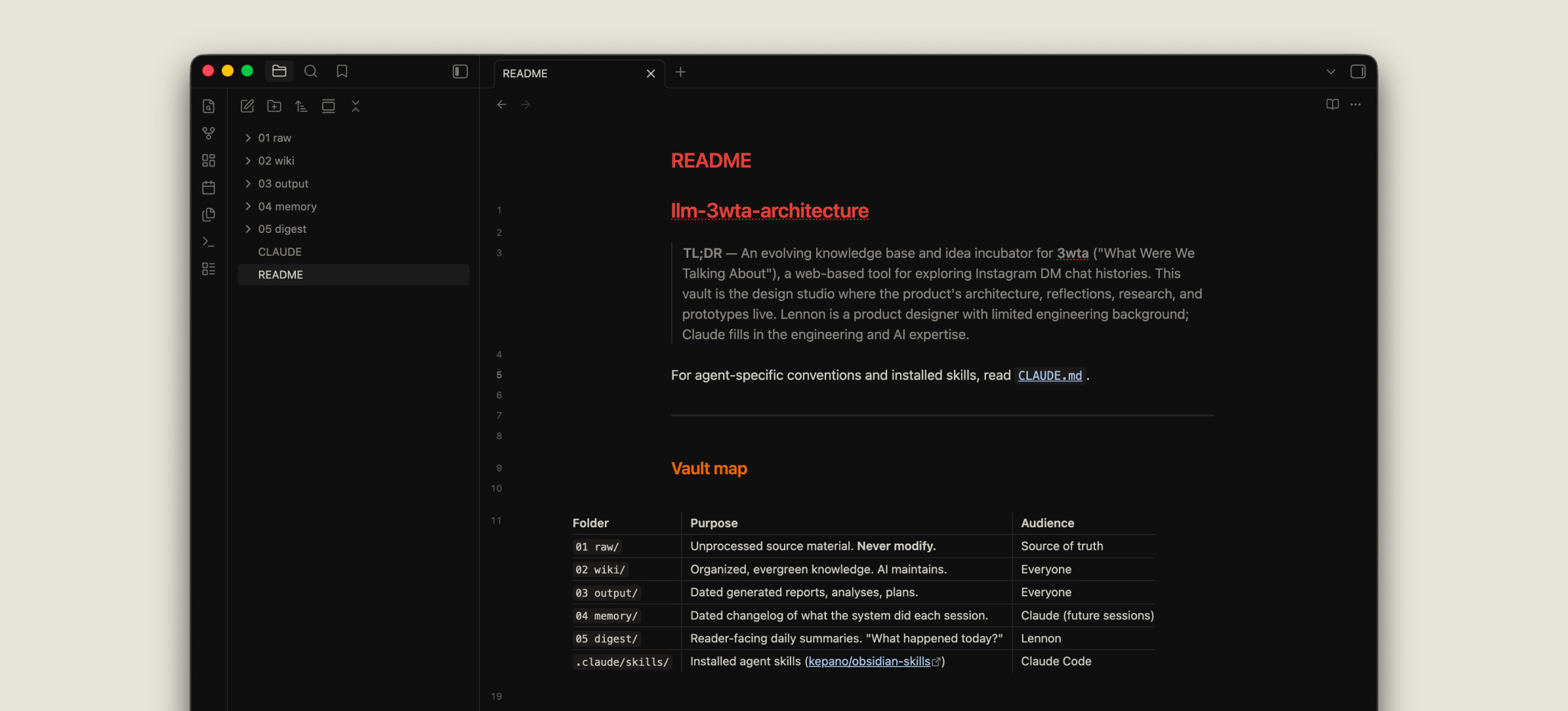
The structure Karpathy described is three folders:
raw/ — source material. You throw whatever you have about a topic into this folder: text, photos, links, a GitHub repo, screenshots. The rule is simple: never modified by the AI. Additions only.
wiki/ — compiled pages the AI writes and maintains from the raw material. Entities like people, events, topics. Roughly Wikipedia-shaped. This is the part that compounds over time. You can correct or calibrate the pages when it gets something wrong.
output/ — dated documents you ask for on demand, combining raw/ and wiki/ as context. This is where the value actually shows up. Any question, answered from your truth (/raw) and its understanding (/wiki).
Plus a readme.md at the root telling the AI how to use the folders: what each one is for, what the conventions are, what not to touch. The readme.md is the only instruction file the AI needs.
-
In practice, it goes:
you put something into raw/.
you tell your AI (in my case Claude):
“See this folder.
Follow the instructions in readme.md
Turn everything from raw/ into a few wiki/ articles.”
Then you can ask follow up questions and see them as articles in output/.
For a speedy setup ⚡️
Karparthy laid out the pattern and instructions inside this GitHub Gist, you can copy and paste this directly to your AI to get started.
A quick note
In my own vaults you’ll see two more folders, memory/ and digestion/. They’re additions I made along the way. I explain them later in the post.
-
Obsidian is where I read and write. Everything lives as a Markdown file in a folder on my laptop. No database. If Obsidian disappeared tomorrow, I’d still have every file.
Claude Cowork or Code is the agent and LLM. It reads, writes, commits, pushes.
GitHub is the backup and the (temporary) sharing surface. Every vault lives in a private repo. Pushing makes the content feel real and durable.
Github also turned out to be how I share wiki pages with people I trust.
I invite them into the private repo as collaborators. I wasn’t expecting this. It’s a different experience from screenshotting and sending; the page they see is the same page I see, kept in sync.
I am planning to build a front-end for a better preview experience next.
MyMind is where I collect things I read across the day before I know what they’re for yet. Tweets, articles, screenshots. Once a week or so I go through it and pull a few into whichever vault is relevant.
Apple Notes is still the actual capture layer for thoughts on my phone, but I haven’t worked out how to get them into the vault automatically. That’s one of the pain points.
raw/ — a decade of of journals, articles, and letters I wrote.
wiki/ — a brief history of me. Identity, relationships, family, career, friendships, creative practice, places, thinking patterns. About a dozen topic files, each grounded in real quotes (in two different languages) from the raw material.
output/ — recaps of a certain day, month, or year. Anything I’m curious about myself.
1.1/ Control over my own data
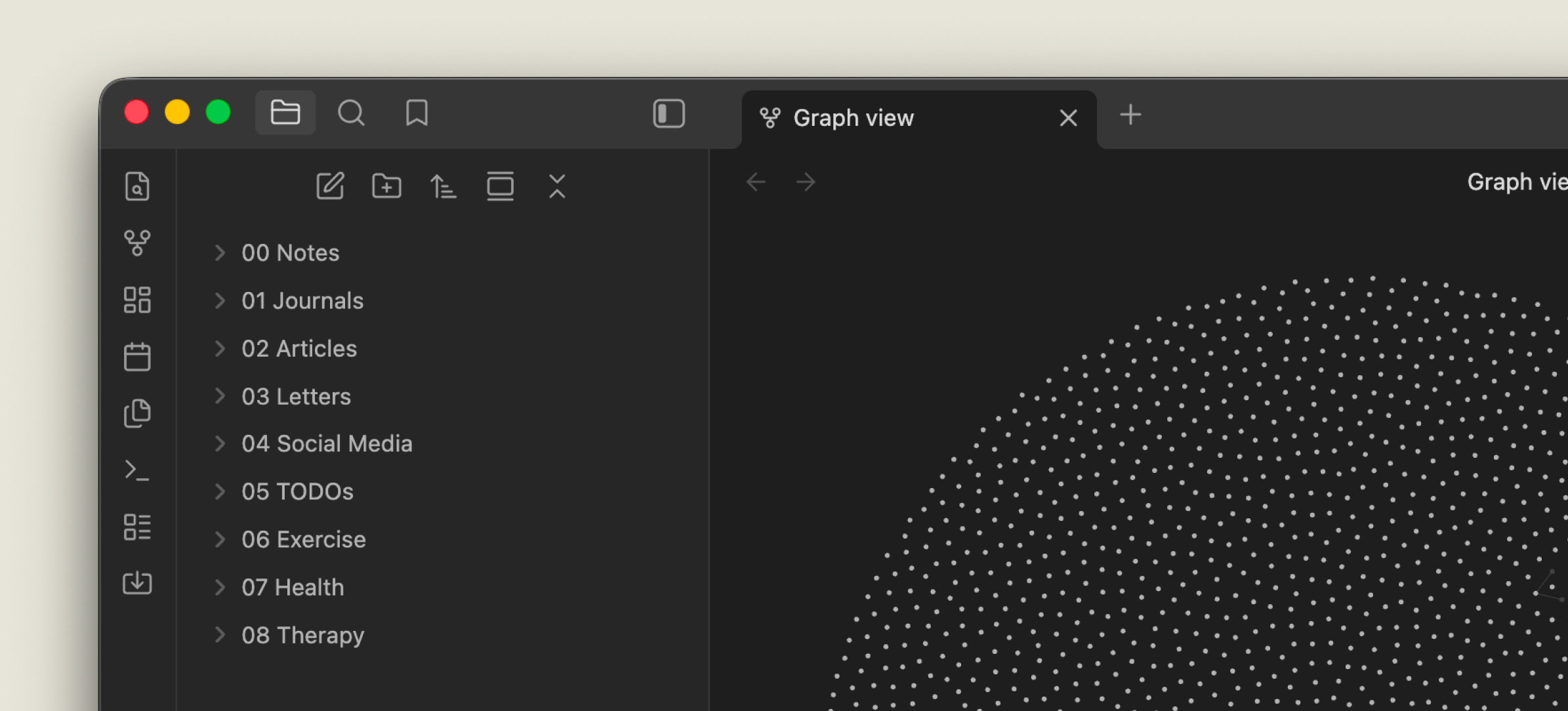
For this vault I separated raw/ into its own folder with its own GitHub repo. It’s now my source of truth. I’ll continue to catalogue past data while capturing more as I go.
The biggest unlock from trialling the LLM-wiki pattern and using Obsidian was realising my data should be tool-agnostic and always backed up. If Notion, Day One, or even Obsidian disappeared tomorrow, the Markdown files would still be there. That feels different from any setup I’ve had before.
-
1.2/ Reading my own life in a wiki
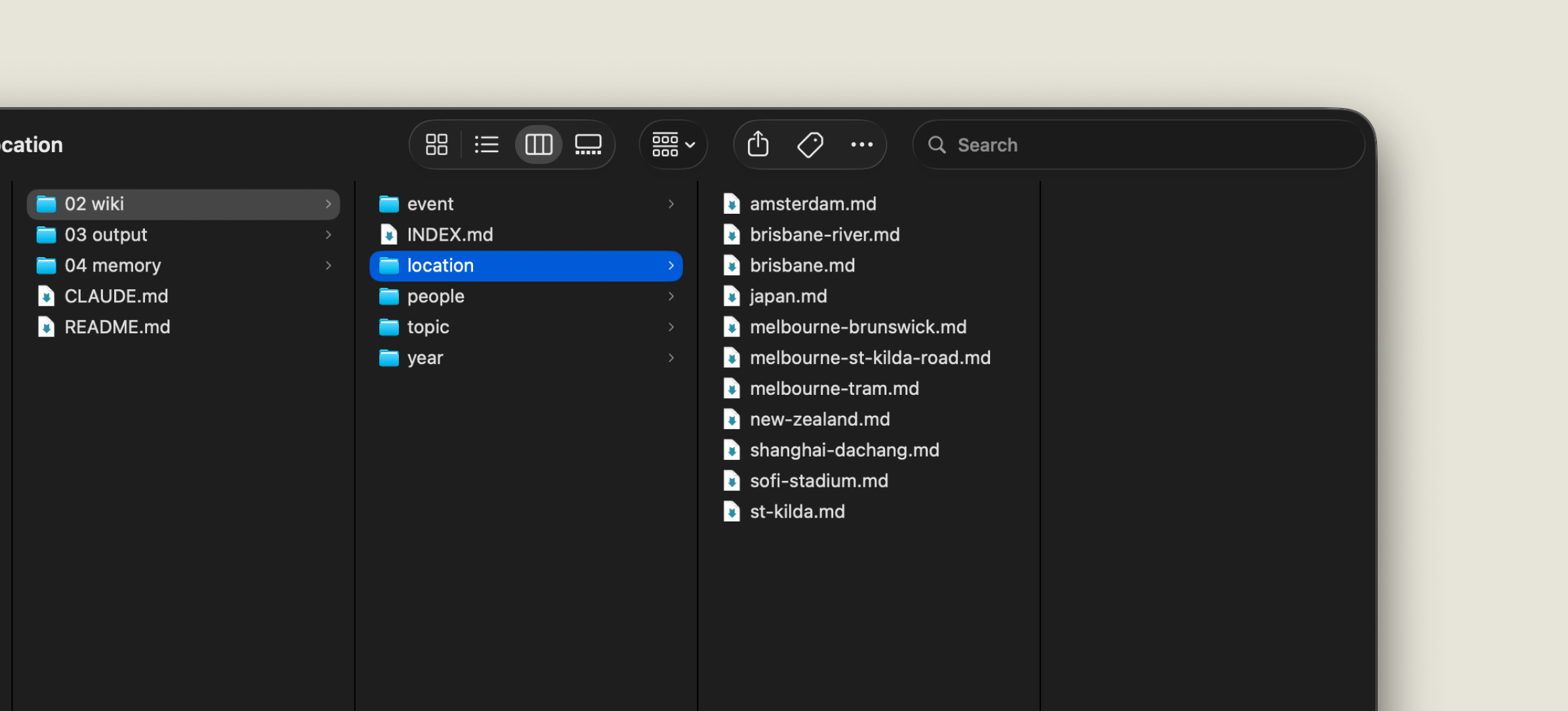
The first thing I did once the wiki compiled was open the page about places. It’s a topic I knew I had written about a lot but had never put in one shape.
The page had a section for every city I had lived in, each grounded in quoted journal passages from when I was there. Shanghai childhood entries sat next to Melbourne 2018 notes sat next to Amsterdam paragraphs from earlier this year. I scrolled through it once and then sat with it for half an hour.
-
1.3/ Poking questions I have about myself
Because the wiki sits on top of the raw material, I can ask any question and get an answer that quotes the actual text.
”What do I write about on bad days versus good days?”
”What do I sound like when I’m avoiding something?”
”Read every entry I wrote in 2018 and tell me what was really going on.”
This is where Jenny Wen’s framing on Lenny’s podcast hit hardest for me. She talked about pointing Claude Cowork at a messy folder, and AI noticing things she had said in passing across many different documents and stitching them into a pattern she hadn’t seen.
That’s the whole appeal. AI is unusually good at reading years of notes with equal weight and equal focus. My brain over-weights the most recent thing I’ve written and forgets the rest.
The flip side: it’s confronting. I’m still figuring out how much I should read into it, and where the danger is in letting an AI tell me things about myself that I haven’t reckoned with directly.
raw/ — the 48K-message Instagram chat history between me and my designer friend.
wiki/ — common interests, list of movies and music we’ve mentioned, topics we care about, simple profile of us (birthday, zodiac, things like that).
output/ — music and books we could check out. A list of projects we said we could collaborate on.
This is the proof-of-concept for 3wta, which is its own post. For now the short version: a structured chat archive, given enough AI synthesis, stops being a scroll and becomes something closer to a book about a relationship.
-
2.1/ People profiles and network
The wiki built a profile page for each of us. Mine had things I wouldn’t have written about myself but couldn’t argue with. His had things I had clearly noticed about him over the years without ever saying out loud.
When I shared the profile pages with him via the GitHub repo (he’s a collaborator), the conversation that followed was different from any chat we’d had before. He read his own profile, half-laughed, and then started correcting it.
The wiki also helps captures people we mentioned in the passing. A tiny network was captured.
-
2.2/ A fun example: evidence-based Zodiac analysis
I am a Gemini. So I asked the wiki:
I am a Gemini. Tell me how I fit and break the stereotype. Cite direct quotes from messages.
The output was split into where I FIT the stereotype and where I BREAKS the stereotype. Both columns quoted actual messages.
It’s a silly example. But it points at something real: when the AI has years of context, it can answer questions you wouldn’t think to ask any other tool.
”Tell me about myself, with evidence” is not a search query. It’s a research brief.
raw/ — five iterations of the product so far, my vision docs, reflections, random tweets, GitHub repos I collected.
wiki/ — timeline, product vision, concepts, strategy.
output/ — technical mappings, plans, guides, things to help me understand coding while designing, prototypes, proofs of concept.
-
3.1/ Triaging inspiration and learning in context
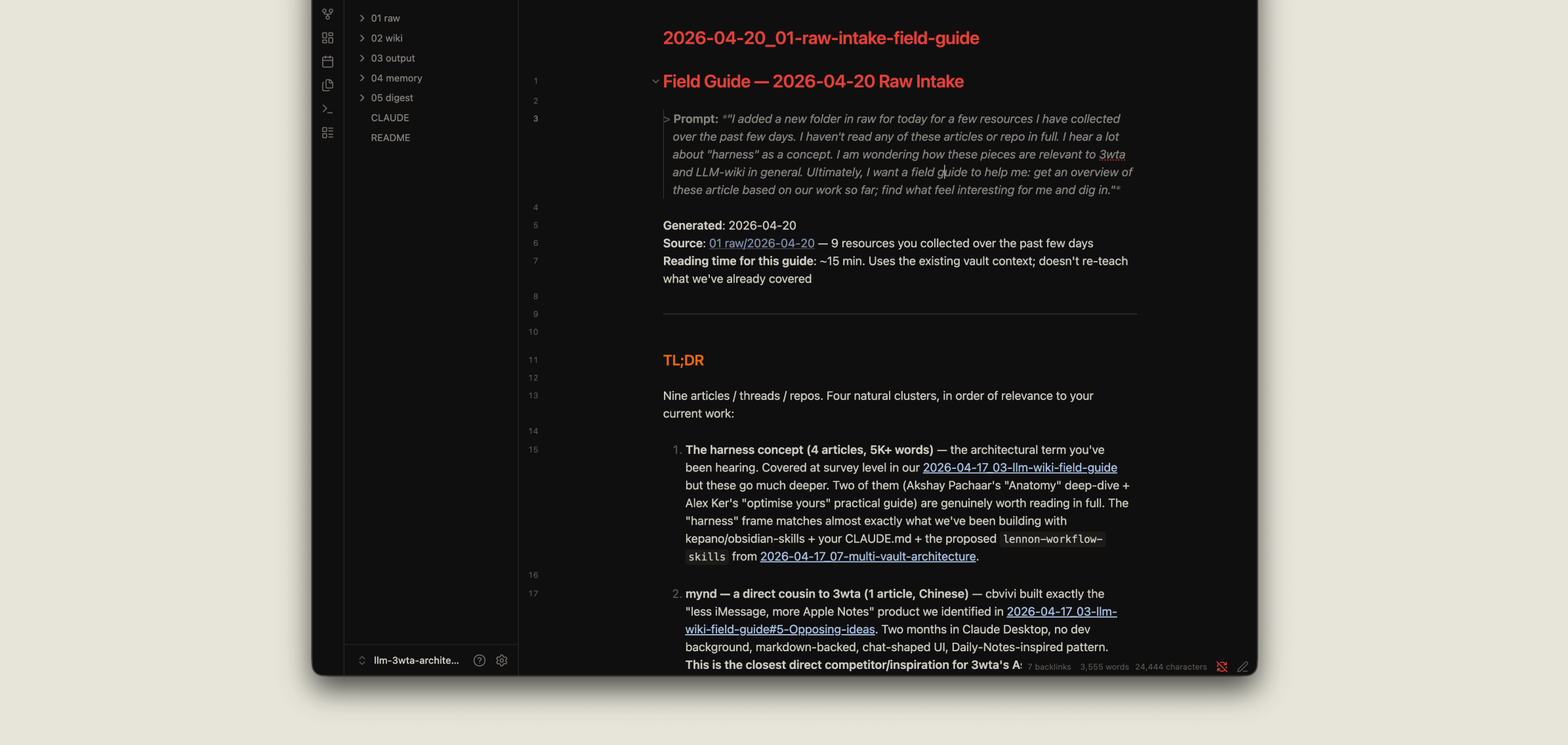
This is where MyMind plus the LLM-wiki pattern compound. I drop a few articles into raw/ for the day, and the then I open a session and ask:
”I added a new folder in raw for today for a few resources I have collected over the past few days. I haven’t read any of these articles or repo in full. I hear a lot about “harness” as a concept. I am wondering how these pieces are relevant to 3wta and LLM-wiki in general. Ultimately, I want a field guide to help me: get an overview of these article based on our work so far; find what feel interesting for me and dig in.”
I get a field guide back, organised by relevance to my project, with three reads I should actually do in full and two I can skim. Reading that guide on my phone at the gym has become one of my favourite uses of the vault.
-
3.2/ Rapid prototyping and iteration powered by compounded knowledge
The vault knows the product. It knows the five iterations I’ve shipped. It knows the design language, the constraints, the user (mostly me and one friend, for now).
Which means when I sit down to prototype, I can ask Claude to generate an end-to-end version in the project’s own design language without re-explaining anything.
The first time I did this, I got a working prototype of a mobile UI I had been hand-waving about for two weeks, in a single session, with the visual language already correct.
It’s far from perfect, neither it’s a small unlock.
-
3.3/ Project history, Interactive timeline and case study
Recently I asked Claude:
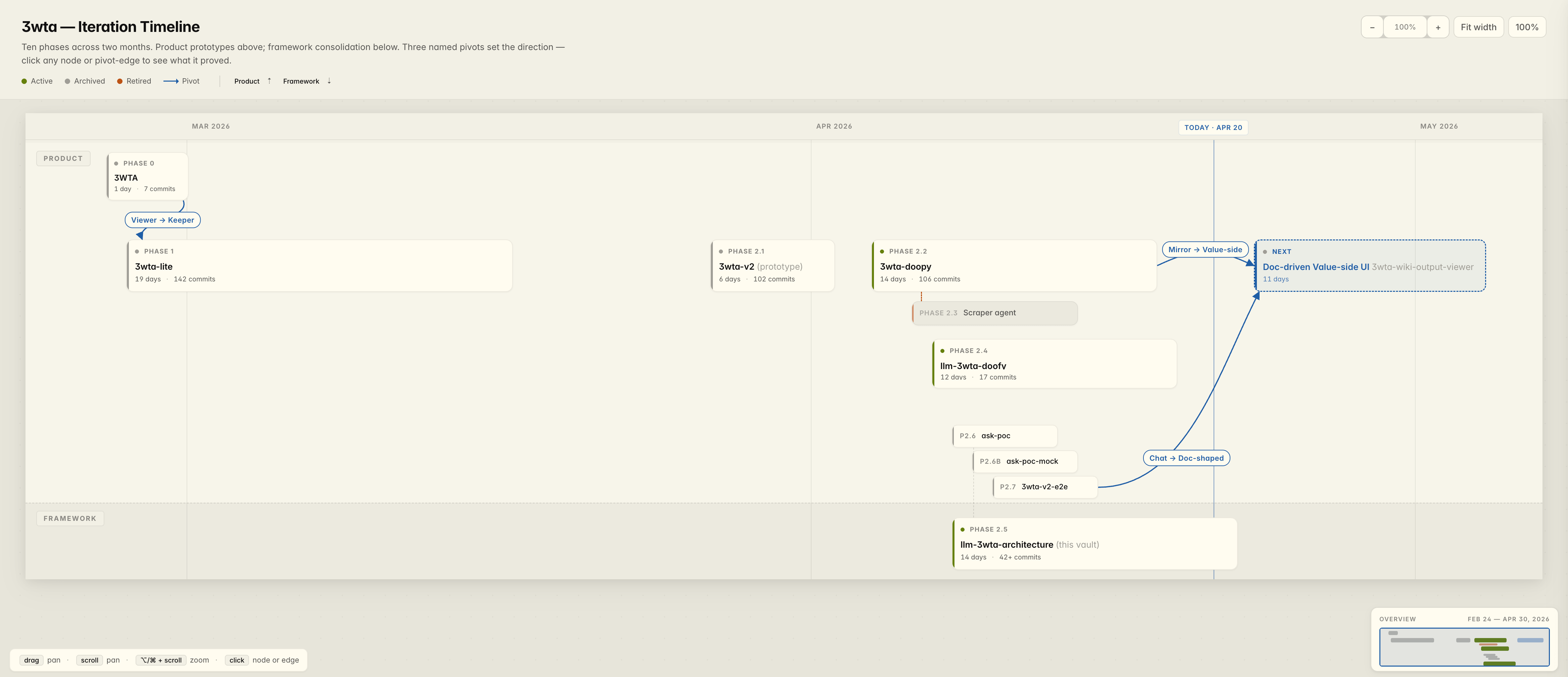
“I want you to generate an interactive timeline for me to show an interviewer how I have been building this thing.”
What came back was an HTML file I could open directly in a browser — a horizontal swimlane of every phase of the project, with duration, commit count, and labelled pivots between phases. An output doesn’t have to be text. It can be an interactive thing.
The same vault that holds the strategy docs can produce a case-study artefact on demand.
Karpathy described three folders. Over three weeks I’ve added a few other things.
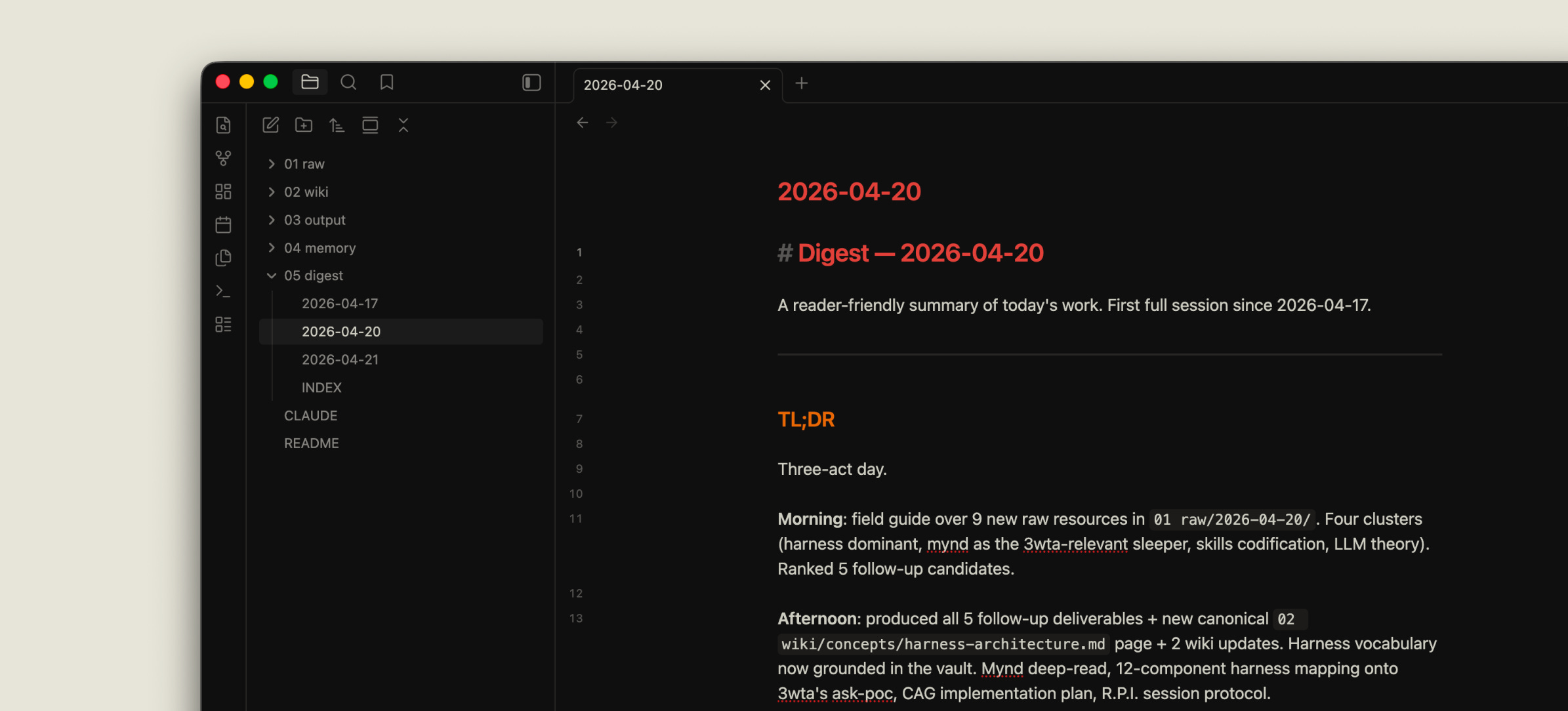
memory/ — one file per day, written by the agent. It’s how the next session knows what the last one did. Without this, every session starts from zero.
digestion/ — not the same as memory. Memory is a log; digest is a summary. I read digests on my phone during the day. The agent reads memories to orient itself.
-
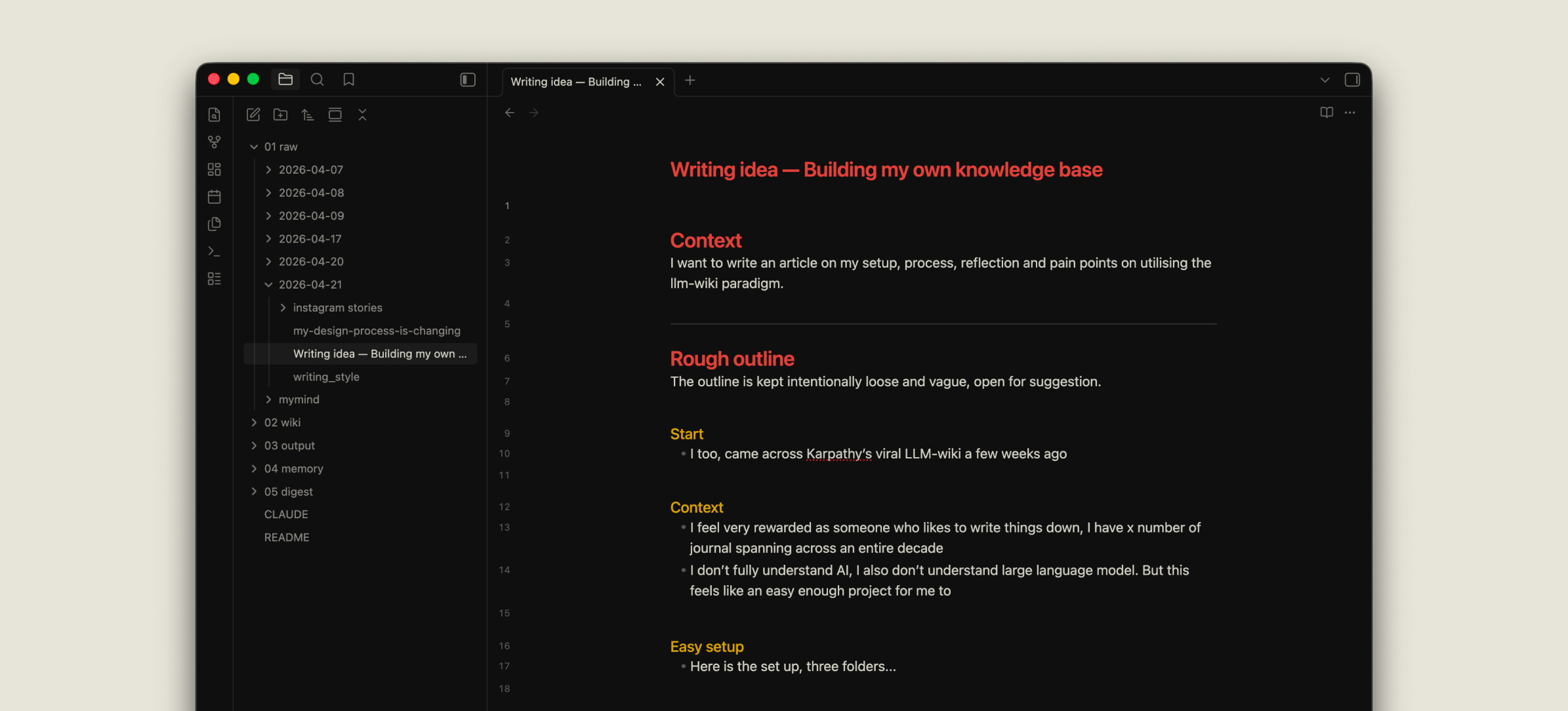
Thinking files — every few days I sit down and write a thinking doc in Markdown, by hand, no AI. I drop it into raw/ along with a few relevant inspirations. Later I’ll ask AI to ingest it. But the writing itself has to happen slowly, without help. It’s the most important input the vault gets.
Karpathy later described an “idea file“ in a followed up tweet.
He wrote: “The idea of the idea file is that in this era of LLM agents, there is less of a point/need of sharing the specific code/app, you just share the idea, then the other person's agent customizes & builds it for your specific needs.”
My thinking files are slightly different: they’re where I actually do the thinking, not where I pre-package an idea for someone else’s agent. Both can coexist in the same raw/.
-
Collection and triage — I started a separate collection folder for MyMind clippings and web captures. Things land there first. Only what earns its way gets pulled into a vault’s raw/. This triage step is new, and it’s the one I’m still figuring out.
It goes without saying, the pattern is far from perfect.
I still capture thoughts in Apple Notes. I still have a page of TODOs that has quietly become a dumping ground for ideas, plans, and half-finished thoughts. Moving from Apple Notes to the vault is manual.
I also have source material that isn’t text — photos, videos, audio messages. None of it fits cleanly into a Markdown vault, and GitHub isn’t the right place for it either. I’ve been ignoring this problem, which is its own kind of pain point.
-
The first time I asked Claude to compile a full wiki from a decade of journals, I hit the Claude 5x Max plan limit in one evening. I now work in smaller, more targeted ingestion passes.
-
The hardest challenge, and the one I don’t have a clean answer to yet. When the agent generates a wiki page or a long output, it’s easy to feel like I’ve done the reading. I haven’t. I’ve just seen the document exist.
I caught myself in my own reflection two weeks in: “There’s definitely an illusion of feeling I have done the knowledge digestion just by seeing wikis or outputs getting generated.”
The fix I’m trying: don’t compile eagerly. Only generate a wiki page when I’m about to actually read it. Validate it while it’s fresh. Move on only when it’s marked.
This is a shift from the original Karpathy framing, which leans toward generate the whole wiki, let the compounding effect deliver value over time.
In my experience the compounding doesn’t happen if I’m not reading. I’d rather have a smaller, confirmed wiki than a larger unread one.
The thinking files are my actual digestion.
-
Old outputs keep getting cited by the agent in new sessions, even after I’ve mentally archived them.
Claude’s verdict
The agent reasons from the full corpus; I reason from the subset that still matters. The gap grows.
This is one I expect to keep wrestling with. The fix I’m thinking about is a one-line status field at the top of each output (active / archived / superseded-by: …) that the AI reads and weights accordingly. No brain-computer interface required.
Naming it as a real problem helps, but I haven’t fully implemented it.
Forgetting should be a feature of memory, not a failure of it.
-
When I disagree with something AI wrote, I don’t have a clean habit for fixing it. Do I edit the wiki directly? Ask AI to rewrite it? Tell it what I think and let it decide? I default to editing directly, but that means the change doesn’t get captured in the conversation, which means the next session might not know about it.
I suspect this is the reason I’ve been drawn to the idea of a doc-driven UI.
I am dreaming a reading surface where I can highlight a sentence, give the AI context, and have the document update in place, for both 3wta and my knowledge bases.
That’s it.
Are you experimenting with the same LLM-Wiki pattern? Would you be interested in giving it a go? What are some of the potential use cases for you?
Comments
Nothing yet. Say the first thing.
Sign in to join the conversation.