
Guys, I made a big boo boo.
I flew out to the East Coast for a family vacation.
I had bathing suits, flip flops, sunscreen and even swimming goggles.1
But I forgot one thing — my laptop.
Yes, I had client trainings to deliver while I was traveling. Thankfully those files were accessible because they lived on Google Drive.
However, I was missing all of my Claude Cowork sessions. These were being run from the desktop app. And the desktop app requires my laptop.
Which meant that those specific sessions, artifacts and scheduled tasks all remained with the stranded laptop.
In my trainings I often use this slide to show the evolution of AI.
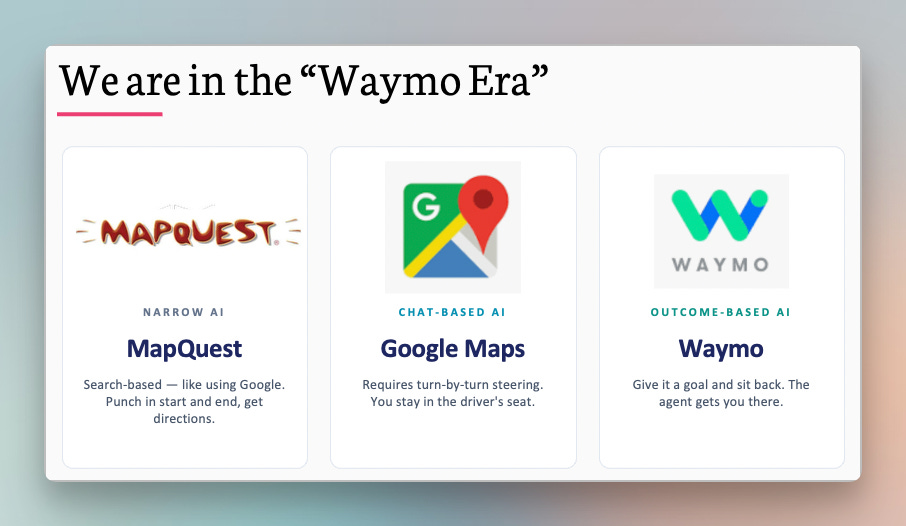
The MapQuest era was using AI as a search engine.
We then moved to the Google Maps era of “chat.”
You asked a question. You got an answer. This involved a lot of steering (i.e. “in 100 feet, turn left”) and the insights were sprinkled into the chat.
Cowork (and Claude Code and Codex) introduced longer-running tasks that could create and modify files. It was awesome, like being in a Waymo.
You gave it a task and it just did it. But this came with a catch. For Cowork to work on your own files, you have to give it access to your physical machine. Yes, your actual c:\ drive.
(It’s crazy that we spent the past two decades moving things to the Cloud and now we’re back to running things on our actual laptops.)
So if your laptop was closed, sleeping, out of batteries, or stranded on the West Coast — all the magic stopped.
Until now.
Are you still using AI mostly for search, summaries, and one-off prompts?
Learn to turn Claude Cowork and Claude Code into practical workflows for research, meeting prep, reporting, and repetitive analysis — without becoming an engineer.
After this self-paced course, you’ll go from experimenting with AI to building tools that create real leverage for you and your team.
Use code CHIEF-OF-STAFF for a 30% discount through July 31.
Learn Claude Cowork and Code today →
Anthropic obviously knows that this isn’t a sustainable way of interacting with LLMs. And in early July they announced that Cowork is coming to mobile and web. They recognized the problem:
Until today, Cowork lived on your laptop, so the work stopped when you stepped away. Now it doesn’t.
And here’s how they’re addressing it:
Your work follows you. Start a task at your desk, check on it from your phone, and pick up the finished output anywhere.
Work continues in the background. Close the laptop and head to your meeting; Claude keeps going. Scheduled tasks now run with no device online.
The decisions still come to you. When Claude reaches a call only you can make, it asks, and the question reaches your phone.
Here’s what these changes mean for you.
This is A BIG DEAL.
As a non-engineer, I don’t understand why it’s so hard for a scheduled task to run in the cloud.2
But now, when you create a new task, you’ll see a toggle for “run on your computer” in the bottom right.
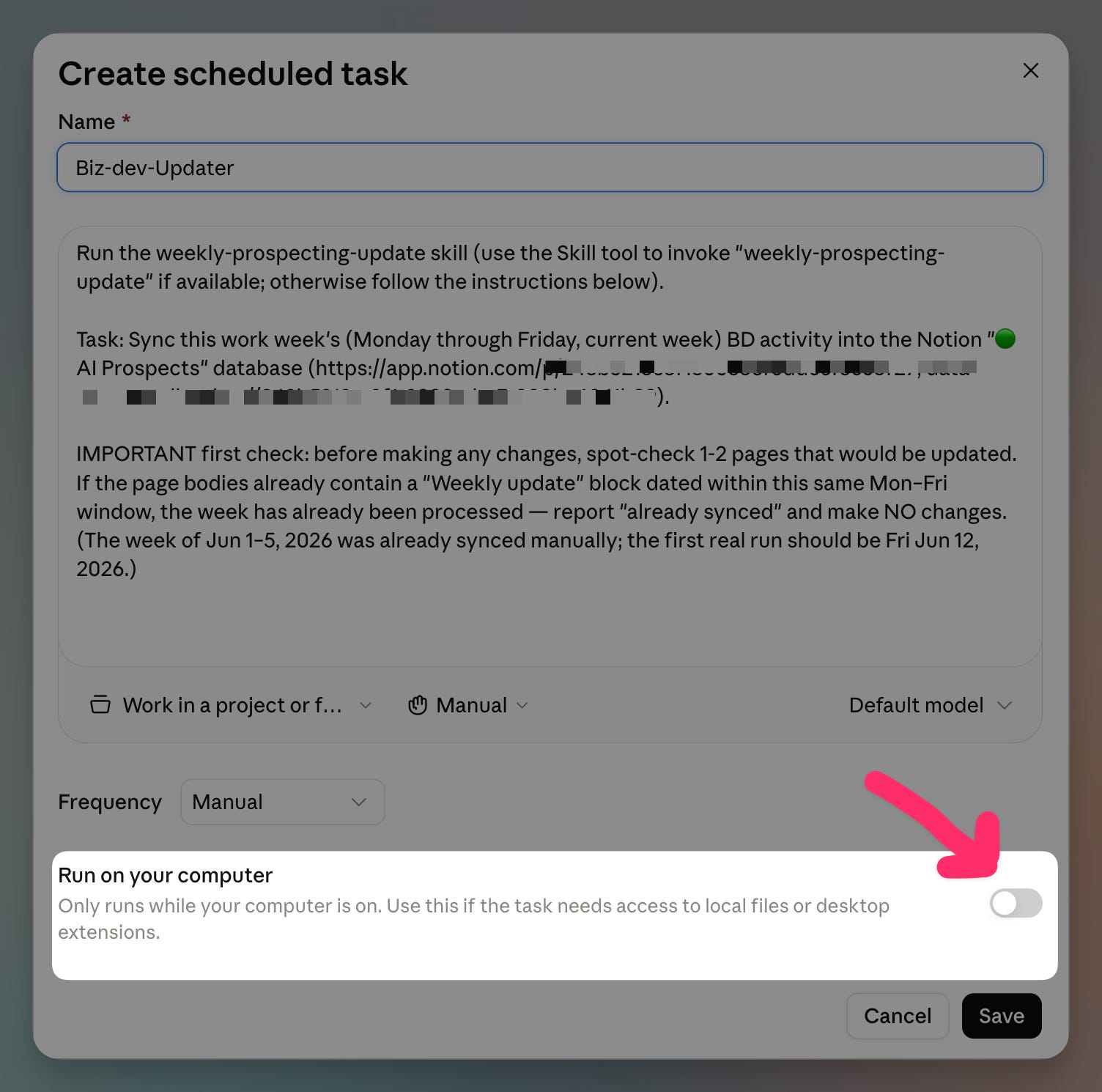
However, this only works for cloud-connected apps. If you try to update a file on your local machine, the switch automatically flips back to “on your computer.”3
One of the best things about Cowork is that you could just point it at a folder and all of its contents would serve as your context. This meant that:
You didn’t have to upload new files
If a file changed, it would automatically “sync”
To remove a file, you just hit delete
However, this also meant that it wasn’t easy to sync these folders into the cloud.
Cowork for Web (and Mobile) now changes this. You still need to start a new session on your local machine (by selecting the folder):
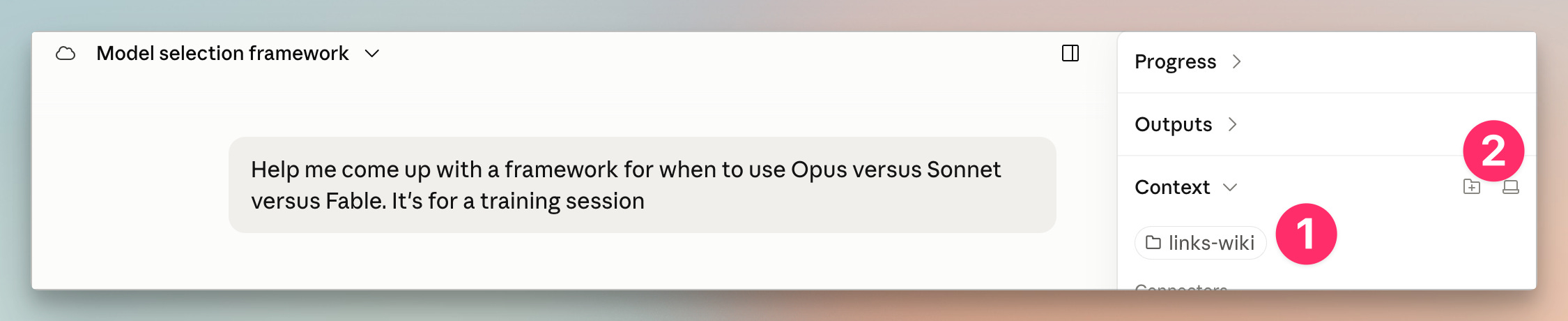
Here’s the folder on my local machine
The computer icon denotes that it’s local
Now here’s where it gets spicy. If I log in to Claude on the Web, I can pick up the entire session.
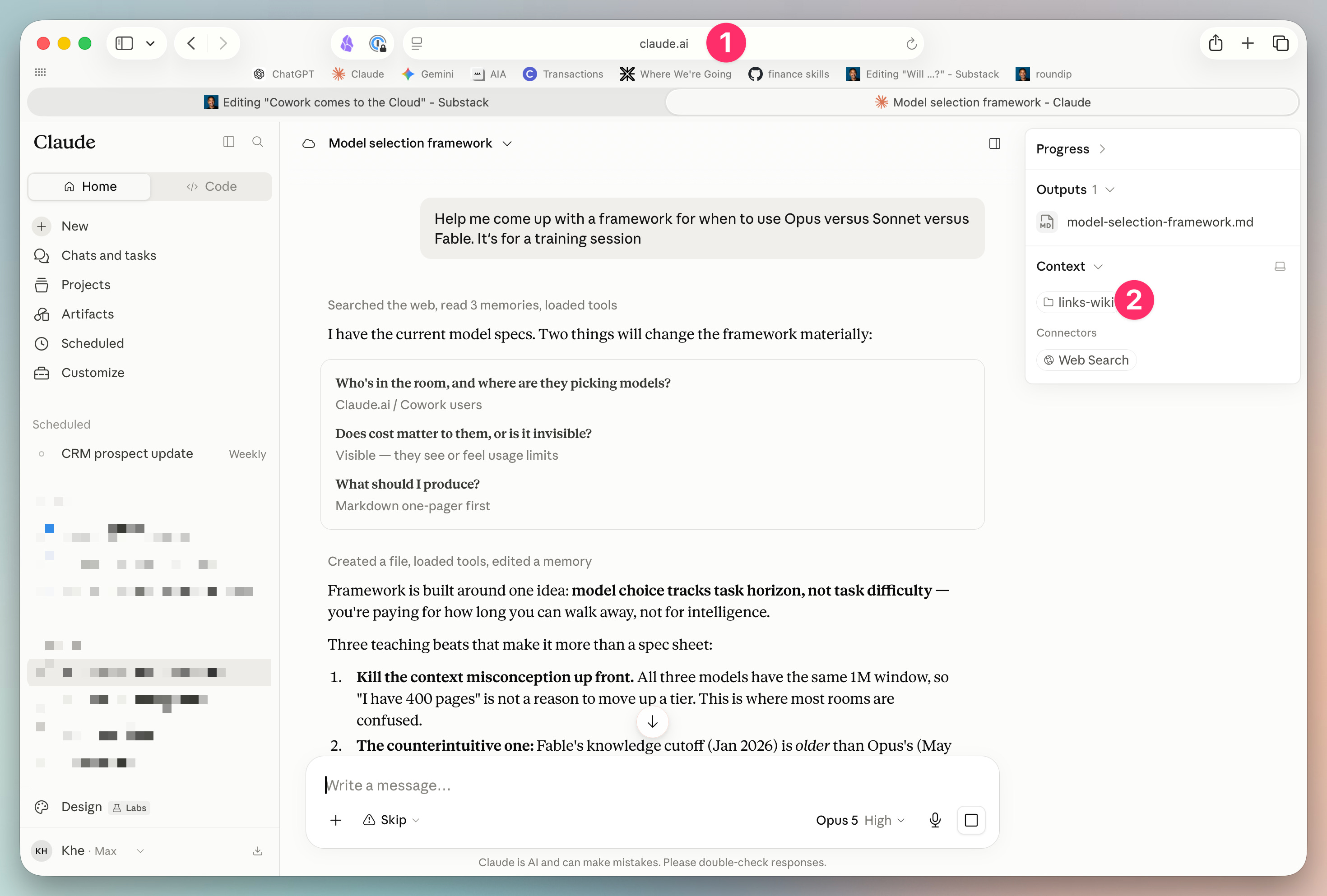
Yes, it seems like all my context was copied over to the cloud. Even if I close my laptop, I can still keep jamming on this session.
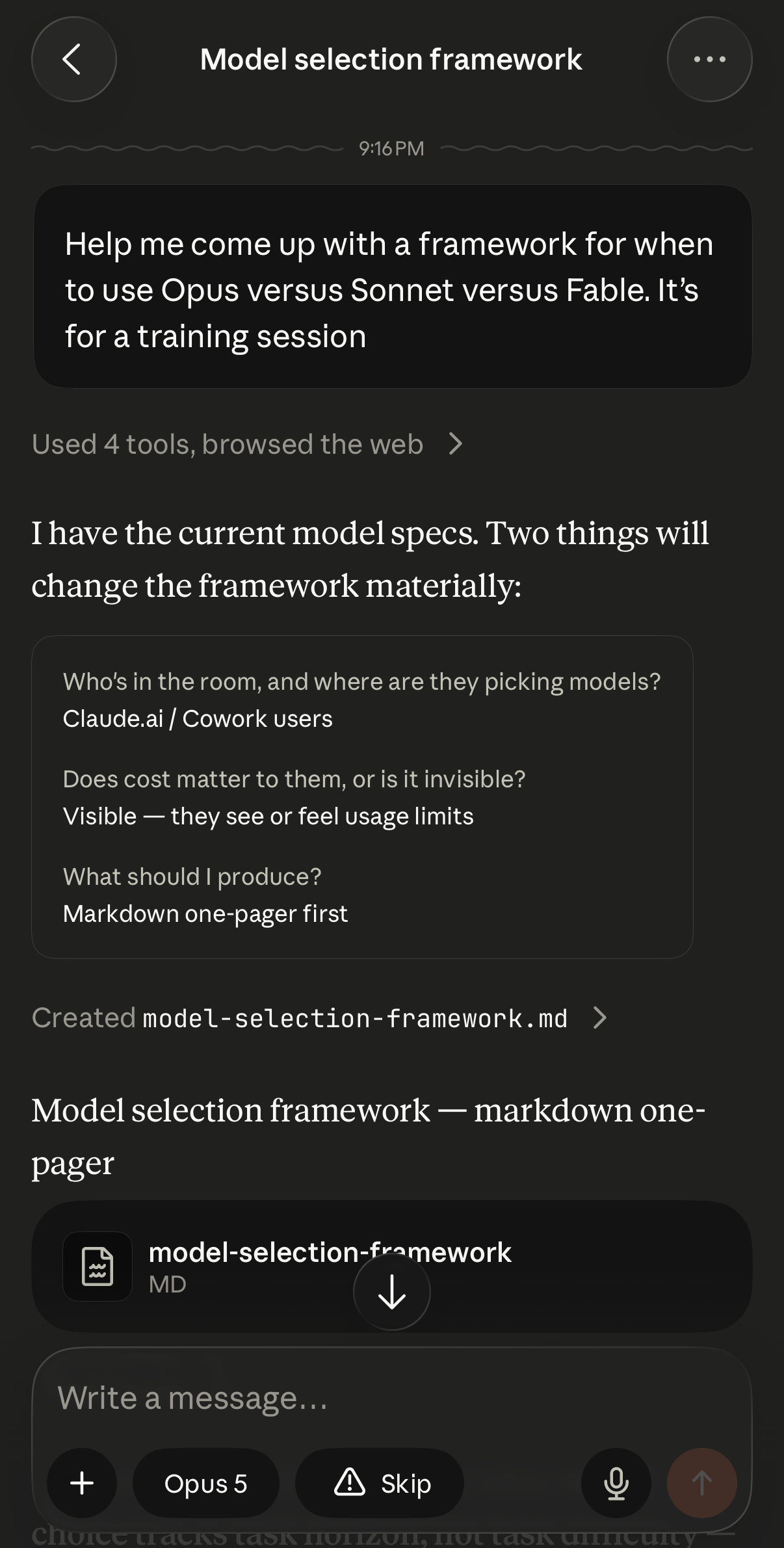
Furthermore, this session also gets mirrored on my iPhone, which means I can chat while I’m on the go.
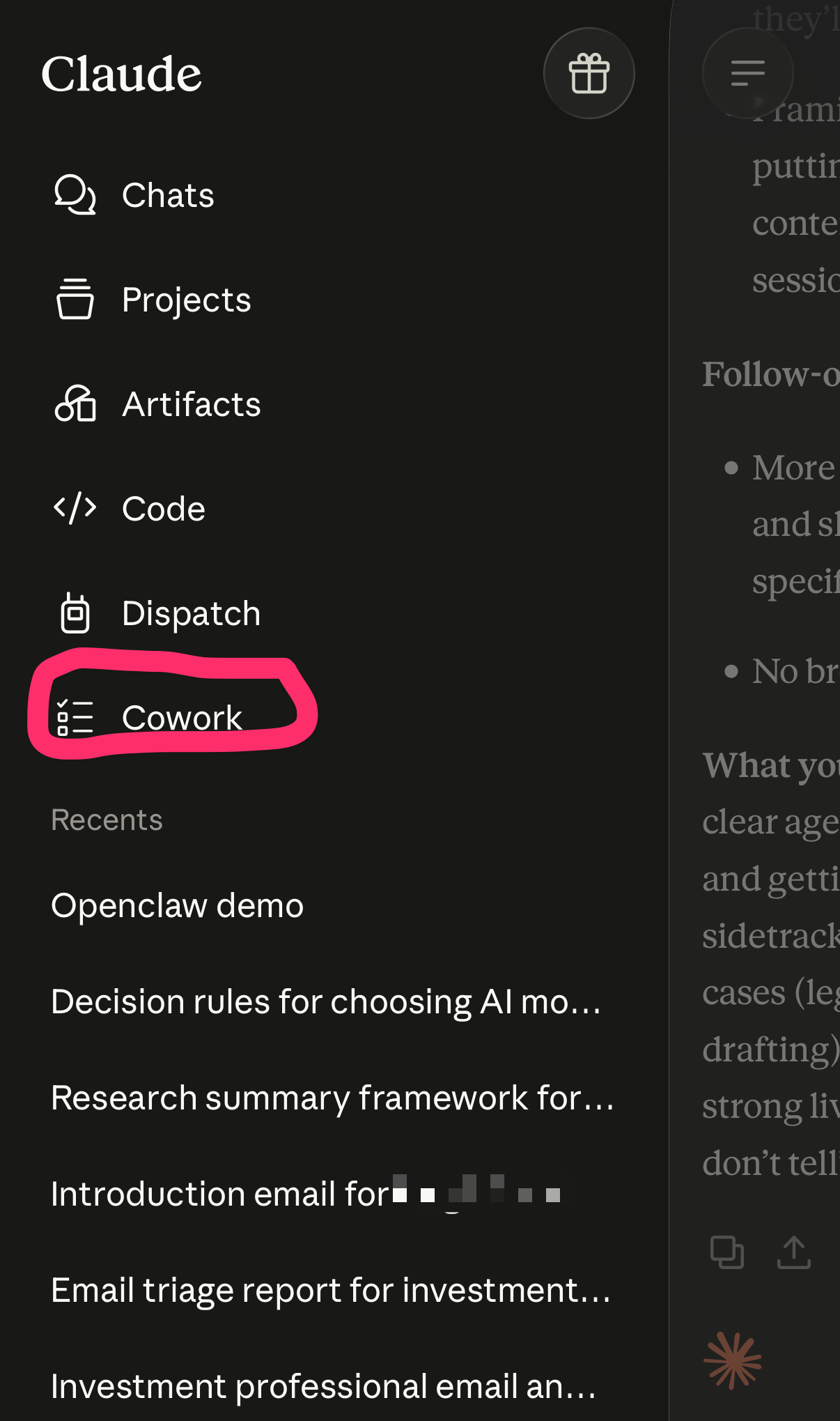
First, you select Cowork:
Then you’ll see all your threads:
Anthropic provides a Claude Cowork architecture overview where they explain how remote sessions work:
In a remote session, the agent loop and code execution run in an isolated, temporary sandbox on Anthropic-managed infrastructure. Each session gets its own sandbox, created when the session starts and destroyed when it ends, and sandboxes don't share state with each other or across organizations. This infrastructure is kept separate from Anthropic's corporate, research, and model-training environments.
And here’s how it interacts with the local files:4
When a remote session needs something on the user’s device, like a local file or the browser, the request goes through the Claude Desktop app on that device over an Anthropic-brokered connection. Local file access is limited to folders the member has connected on the desktop, and each local tool call is checked against the member's permissions before it runs. If the desktop app is offline, a remote session can't reach the device.
For starters, I’m going to move every possible scheduled task onto the cloud. And if there’s a task that needs a local file, I’m going to look for a cloud-based alternative (like Notion).
Next, I’ll need to test how this new approach works with files “mounted” onto a shared drive. For example, if I use Google Drive as my “starting folder,” will Claude treat this as a local session or a cloud session? And how will this interact with MCP?
Regardless, forgetting my laptop just got way less risky!
Are you still using AI mostly for search, summaries, and one-off prompts?
Learn to turn Claude Cowork and Claude Code into practical workflows for research, meeting prep, reporting, and repetitive analysis — without becoming an engineer.
After this self-paced course, you’ll go from experimenting with AI to building tools that create real leverage for you and your team.
Use code CHIEF-OF-STAFF for a 30% discount through July 31.
Learn Claude Cowork and Code today →
I’m an avid (but terrible) lap swimmer.
The underlying technology is “Cron” and “Launchd” and it’s all terminal-based and a pretty crappy experience for a non-technical person.
I need to test a case where you save markdown files in Google Drive and have the cloud-based task update it. I think it will work.
Admittedly, I don’t fully grasp all of the technical details (yet).
Comments
Nothing yet. Say the first thing.
Sign in to join the conversation.