
I want to confess a few things about work.
First, I’m an inbox zero acolyte (and I don’t find it stressful).
Next, I like taking notes with pen and paper during meetings.
But here’s the most salacious.
I genuinely enjoy creating PowerPoint decks.
Whether it’s my meticulous process for picking Midjourney art or the tiny dopamine hit from selecting “distribute items horizontally” — I’m typically not trying to outsource the creation of slides to Claude.
But Claude Design might fundamentally change my approach. Not because it does the work for me — but because it creates a design system that I can customize and reuse.
Claude Design is a chat-based feature that enables anyone to create polished design assets including decks, 1-pagers and websites.
Launched in April 2026, Anthropic describes the capability as follows:
Claude Design gives designers room to explore widely and everyone else a way to produce visual work. Describe what you need and Claude builds a first version. From there, you refine through conversation, inline comments, direct edits, or custom sliders (made by Claude) until it’s right.
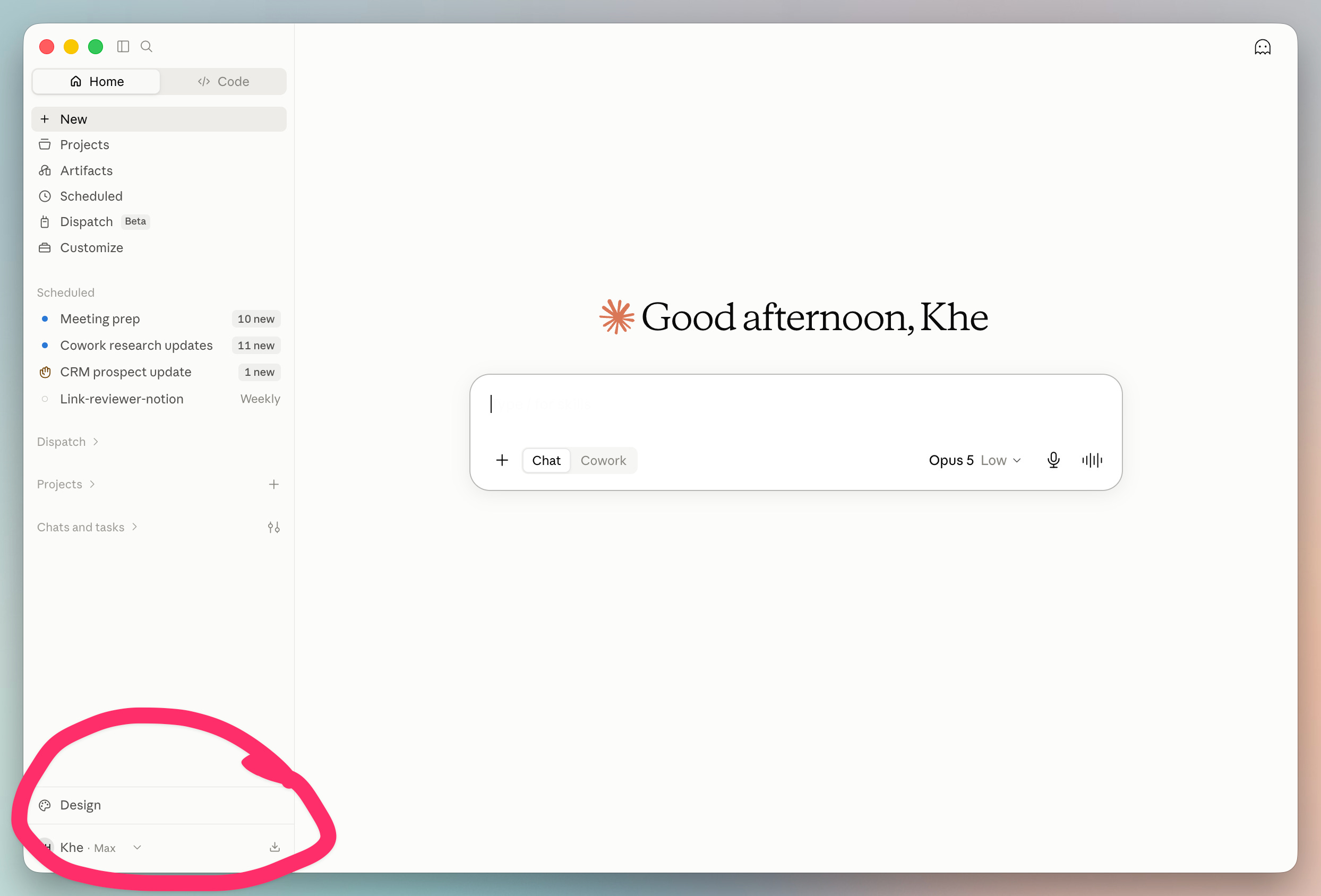
It sits at the bottom left of Claude (both desktop and web app):
When you click on Design it opens up a brand new window:
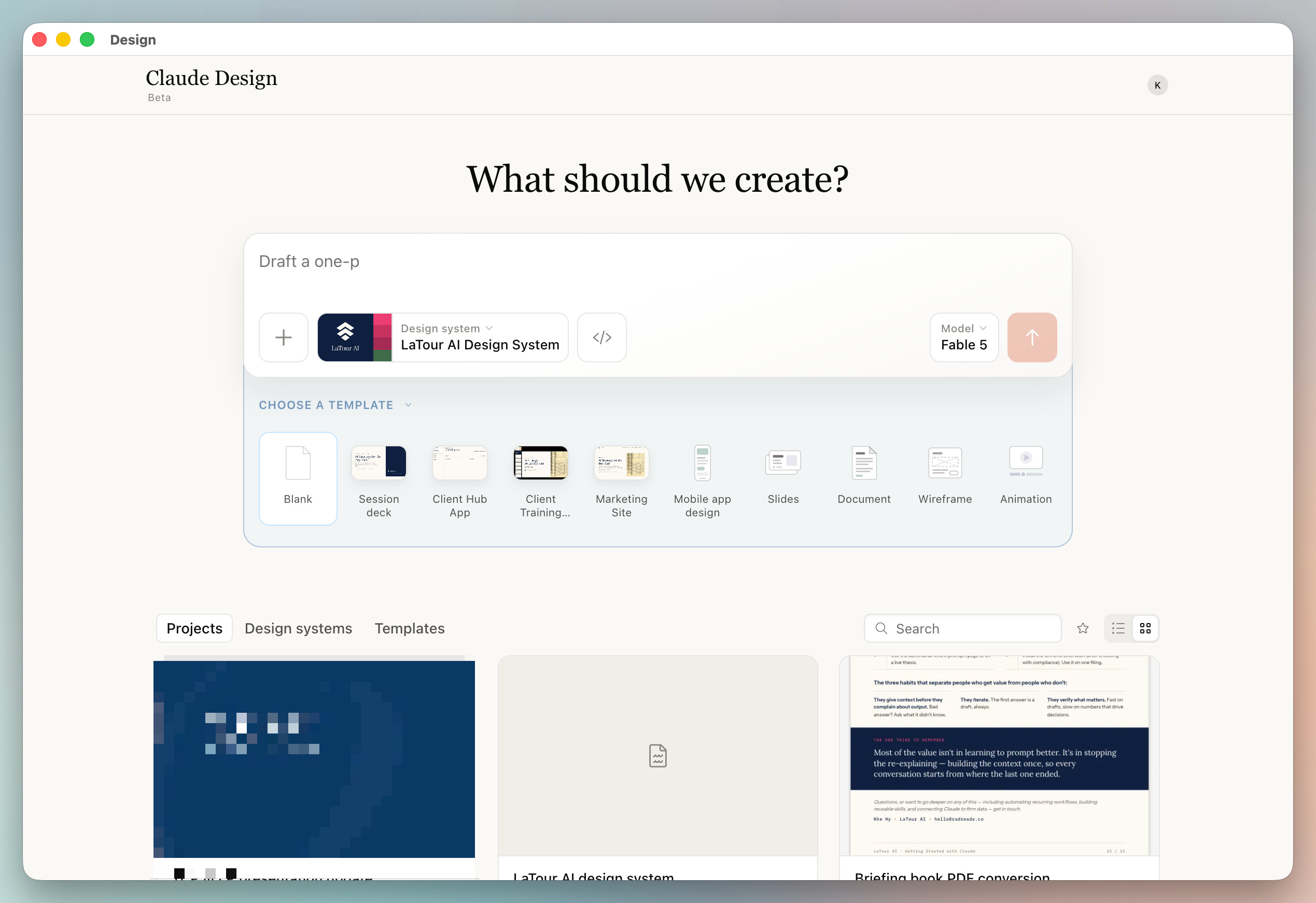
From there, we’ll start to create our first reusable asset: A Design System.
Imagine sitting down Monday morning and your meetings are already prepped, your inbox is triaged, and last week’s notes are organized — all before you open your laptop. That’s Claude Cowork running on a schedule you set once. This self-paced course teaches you to build that system. Finish it in a weekend.
Use code FABLE-5 to save $100 until August 21st.
I recommend you go straight to the Plus (+), select Design System.
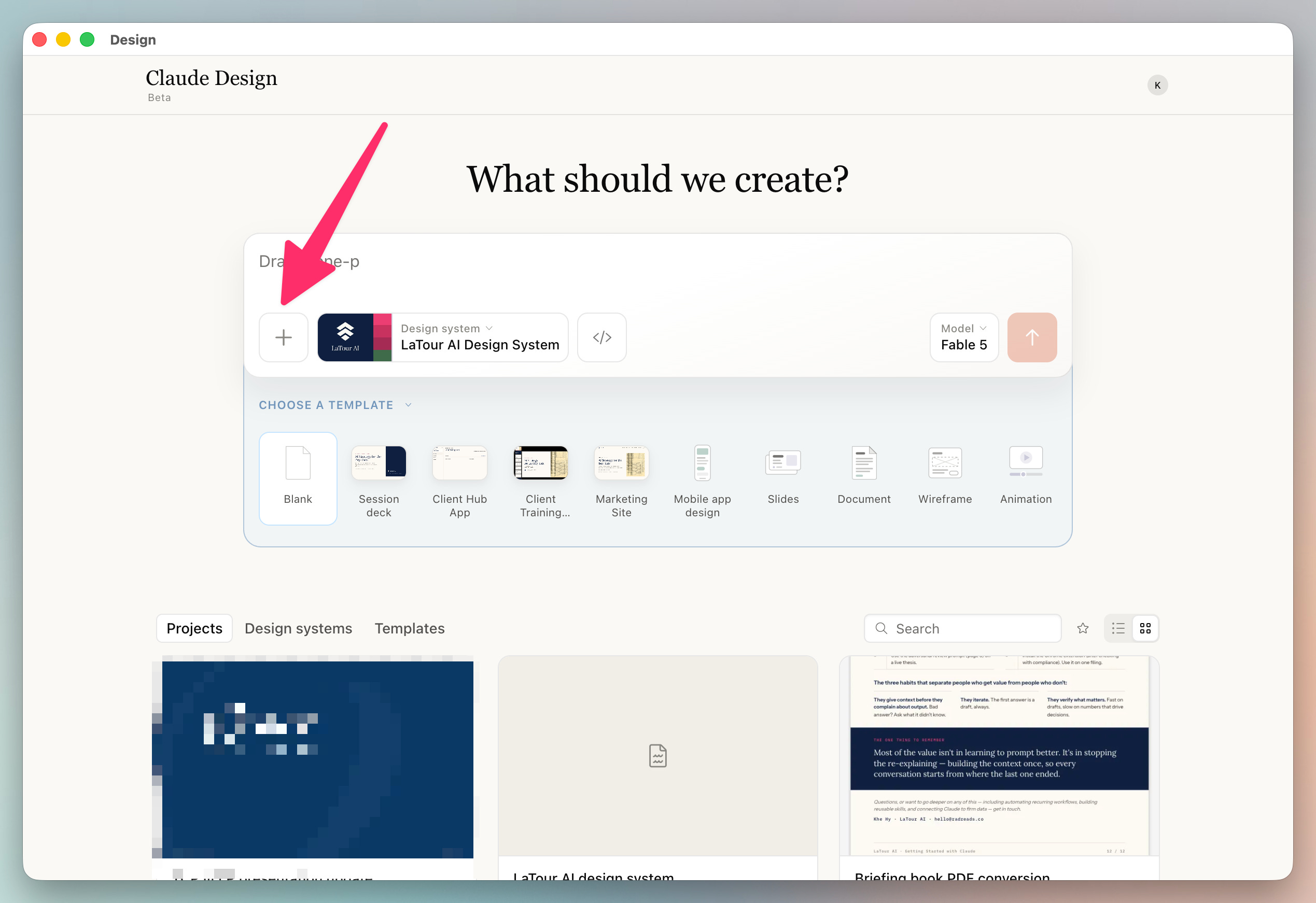
Then hit the small plus sign (to actually create the system):
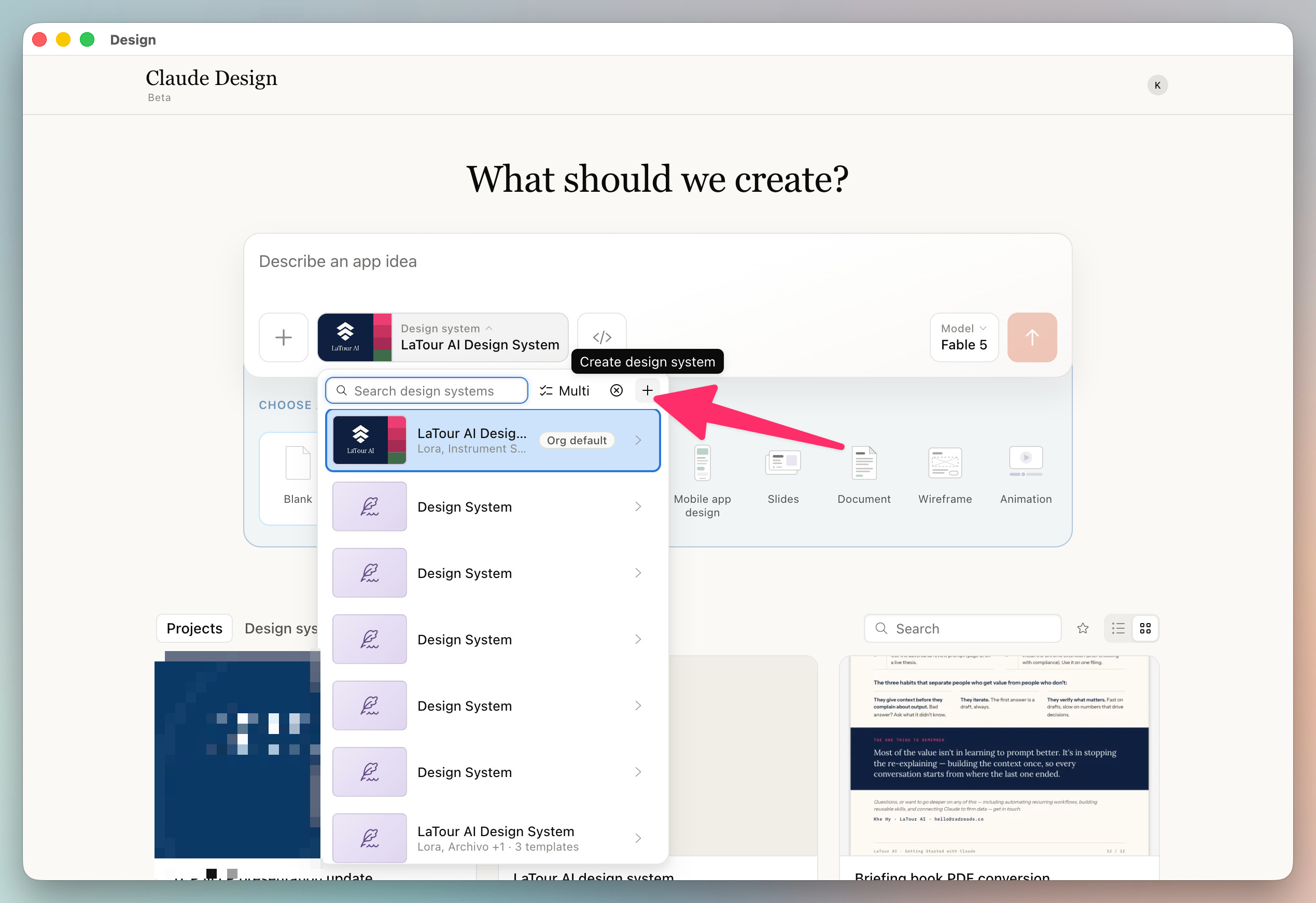
Select the top option “Create Here” and then you’ll be taken to a form that will interview you about your design assets/system.
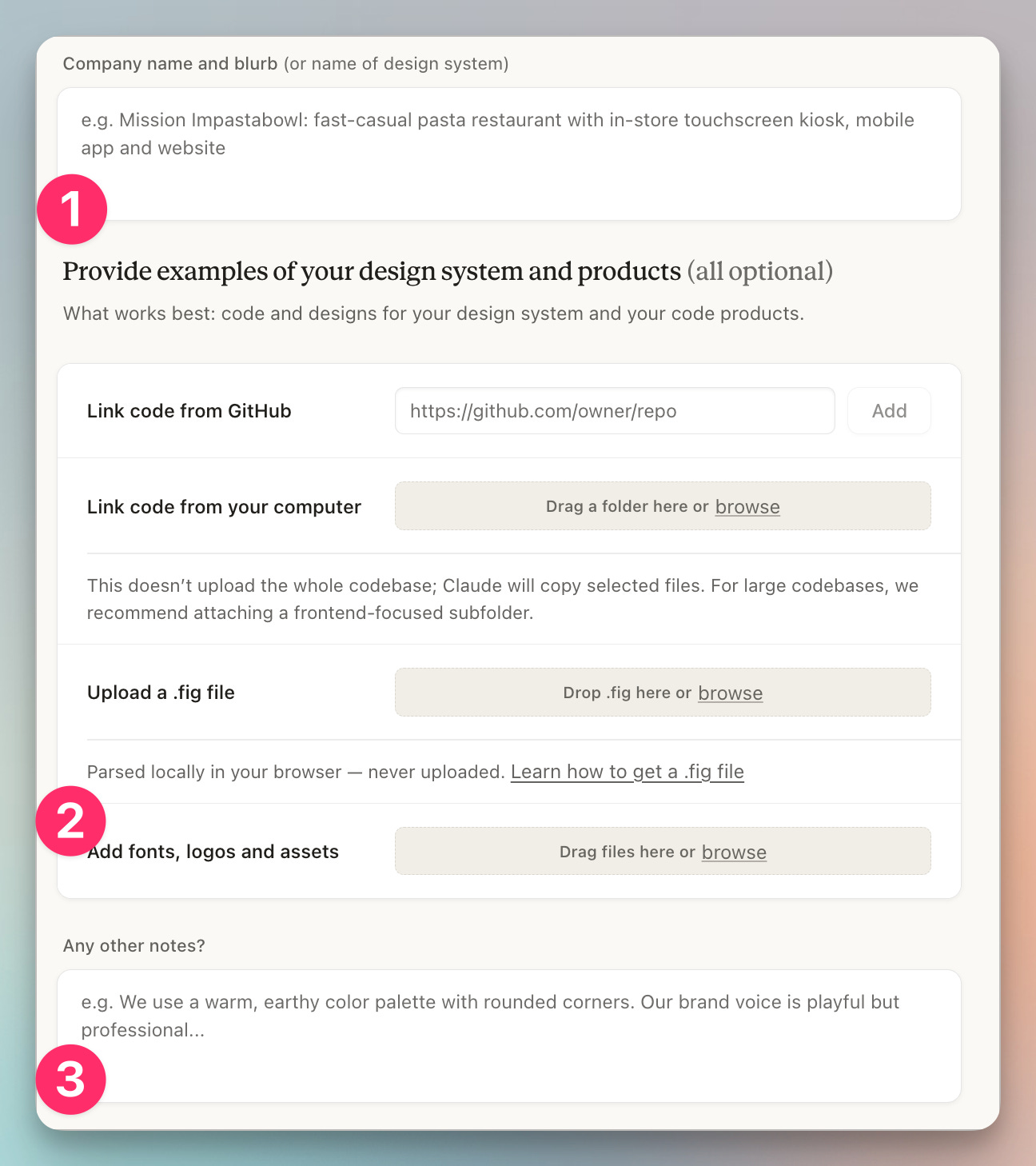
I’d focus on:
A simple description (which will be used as context)
Uploads of logos and existing presentations (most important)
Notes that contain “nudges” or the direction you’d like to move towards
I uploaded our main LaTour deck and asked it to “Make it more modern and use less flashy accents.”
I then hit “Generate Now” and it went away for ~20 minutes to build the LaTour AI Design system.
This process produced a detailed design brief capturing fonts, spacing, colors, shadows, bullets and much more.
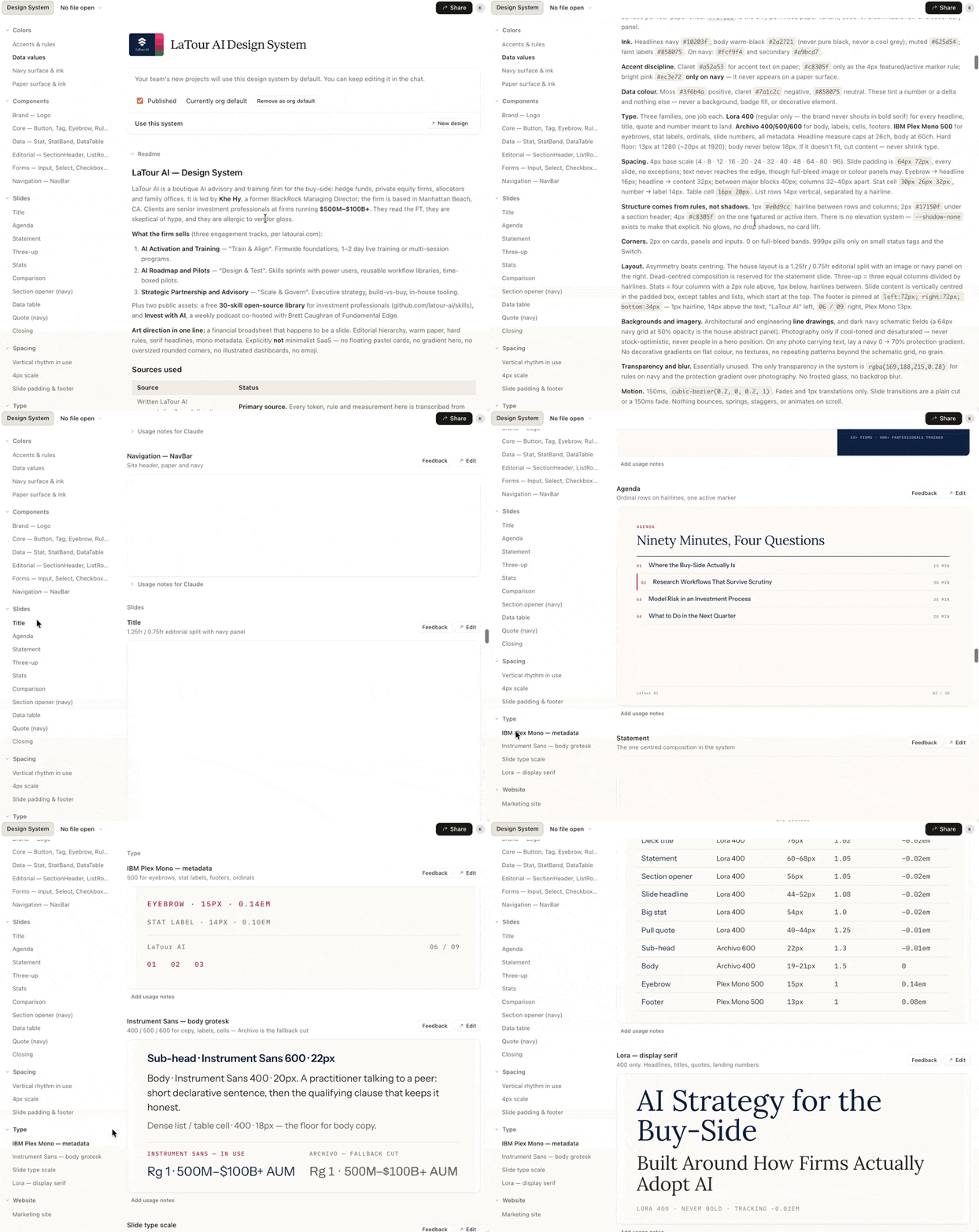
Using the chat (on the right panel), I gave it two tweaks:
Here’s an example of the change in the design system:
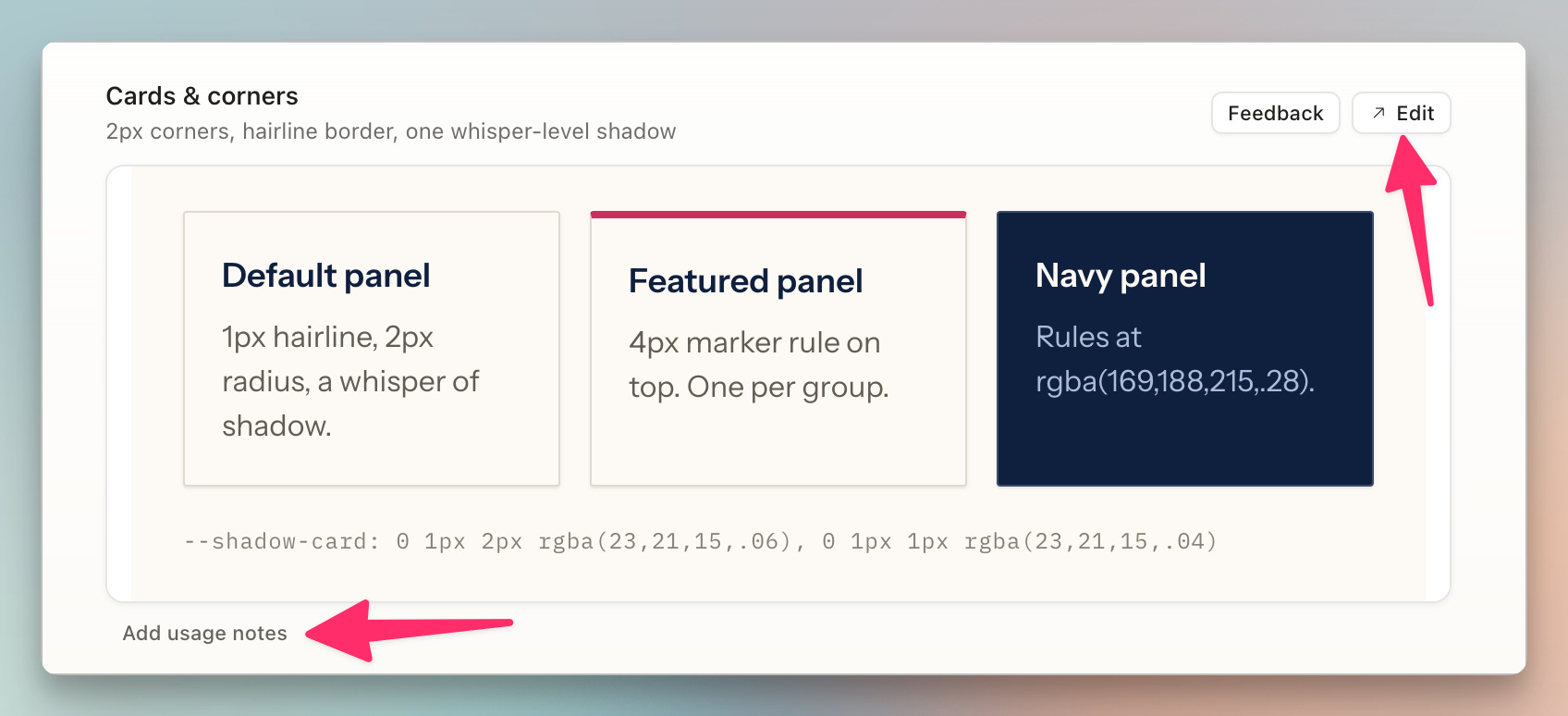
You can see that I can add edits and comments (via chat) to continue to update these components
It even created the parameters for a new website:
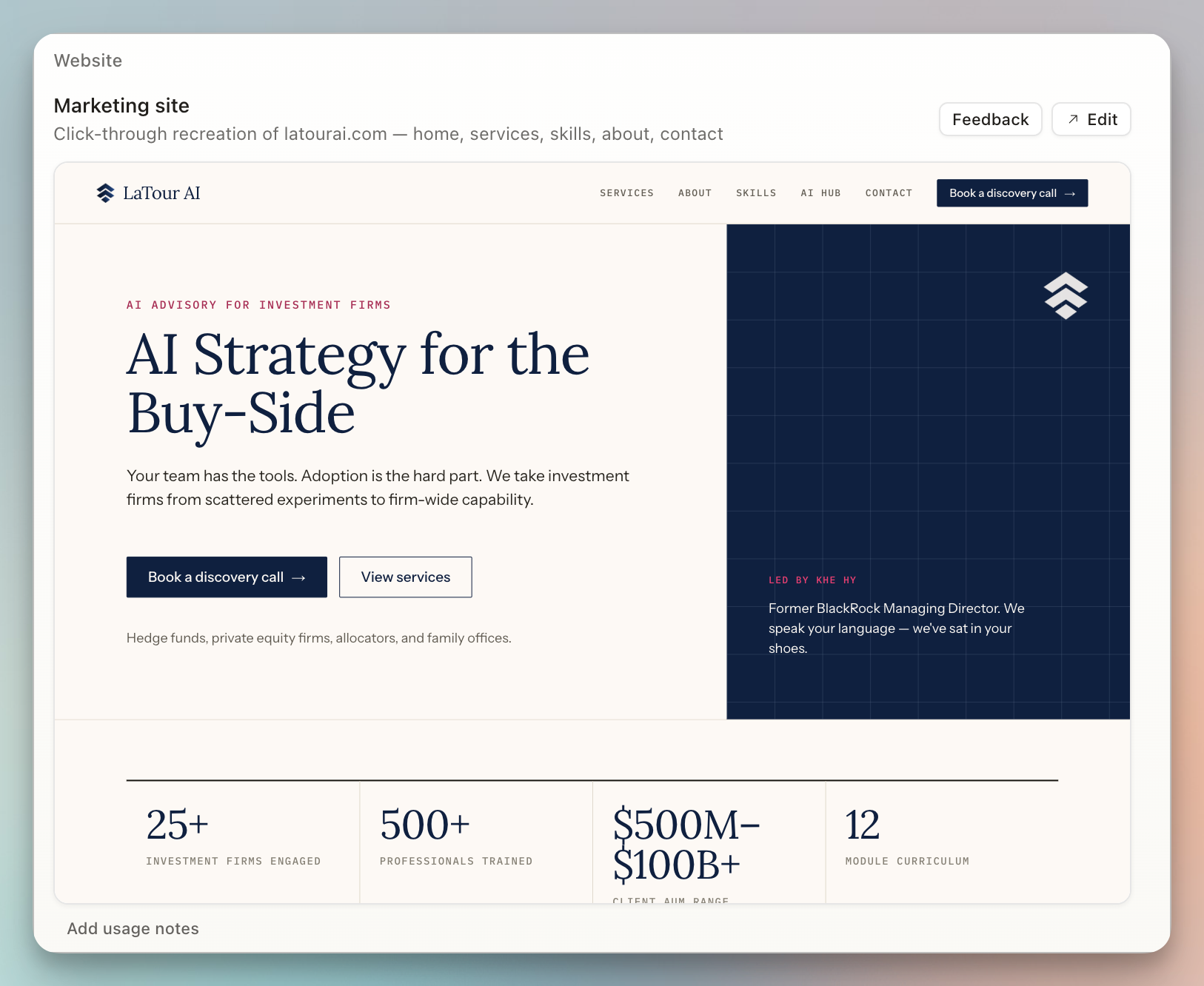
This is where it gets exciting. Now, you can just drop in any prompt and you’ll get consistent design outputs.
I was at a dance recital and a portfolio manager at a large fixed-income shop asked if I had a “primer on Claude.”
I had one of my knowledge wikis spit out a 12 page document in markdown and then dropped it directly into the design system. Here are two pages:
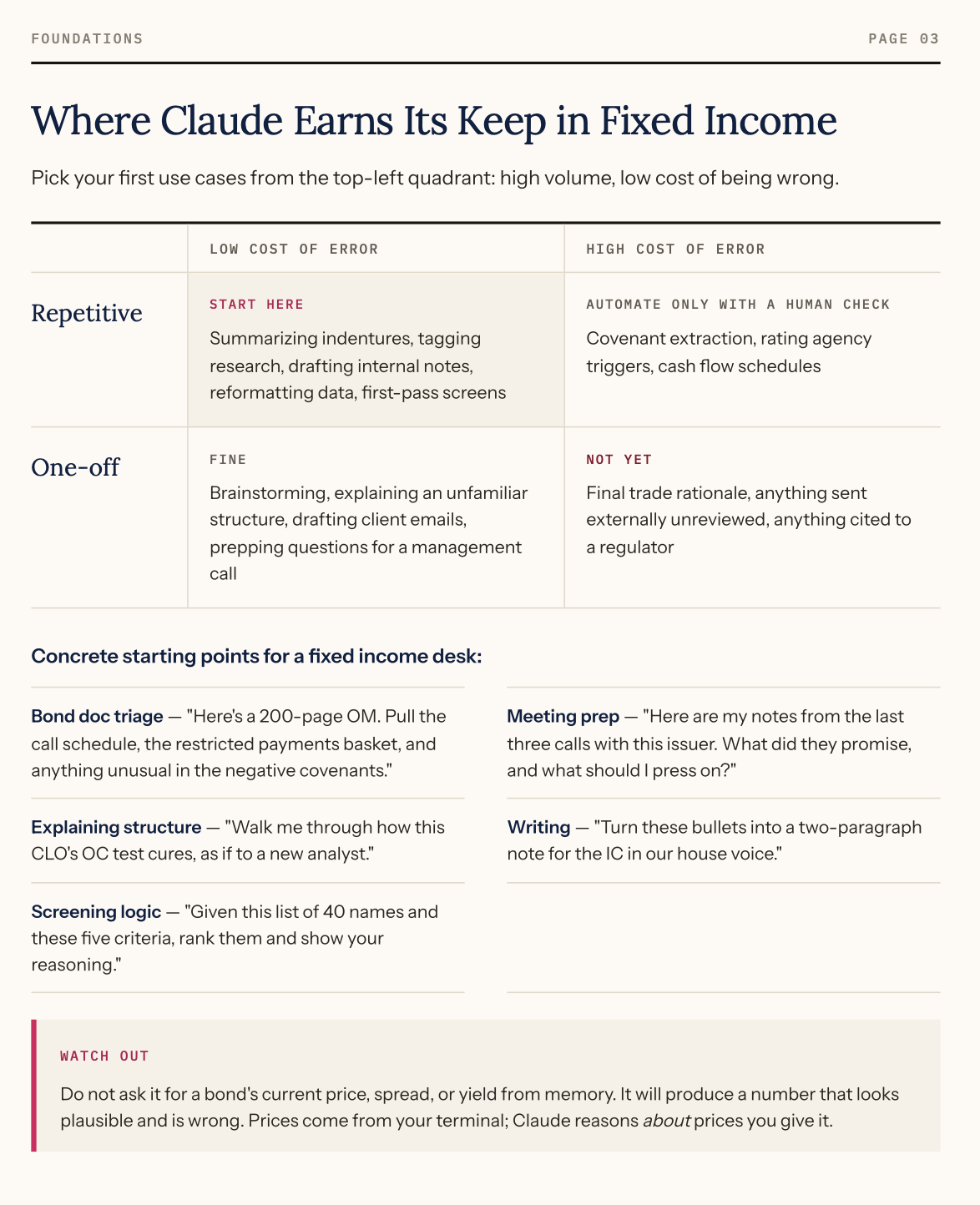
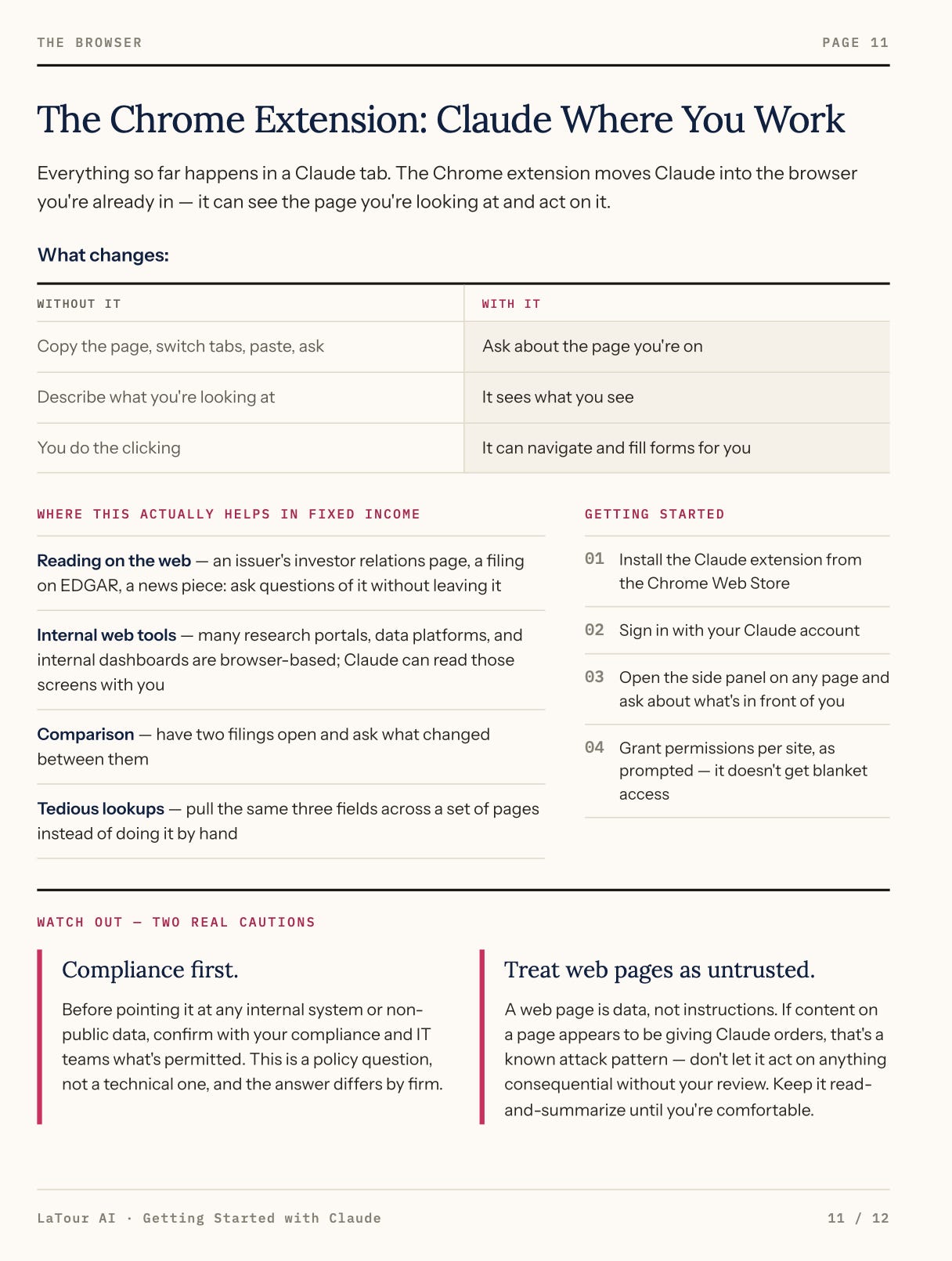
Once again, I had many ways to edit the output (but didn’t actually need to do it):
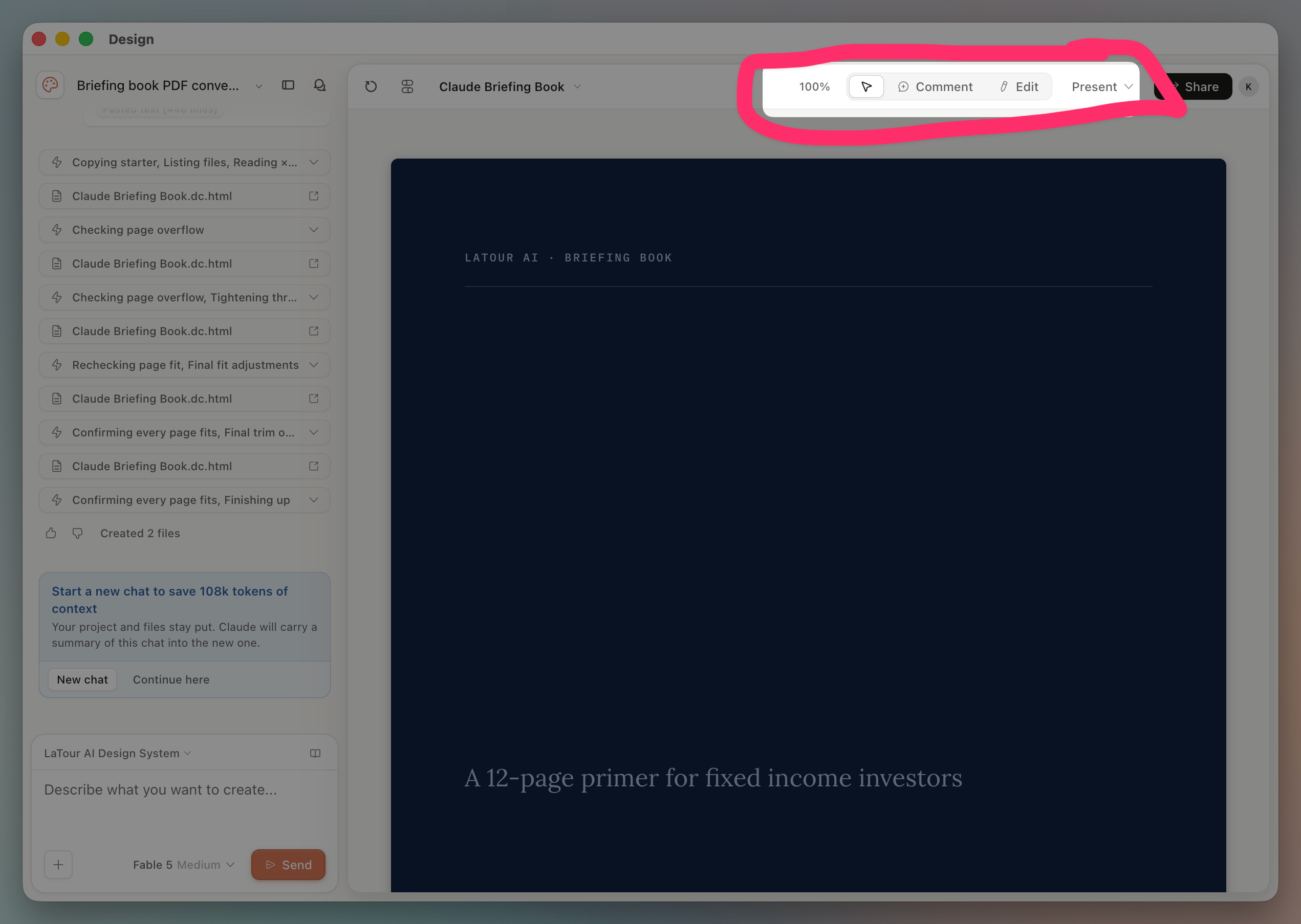
Finally, I was ready to export it:
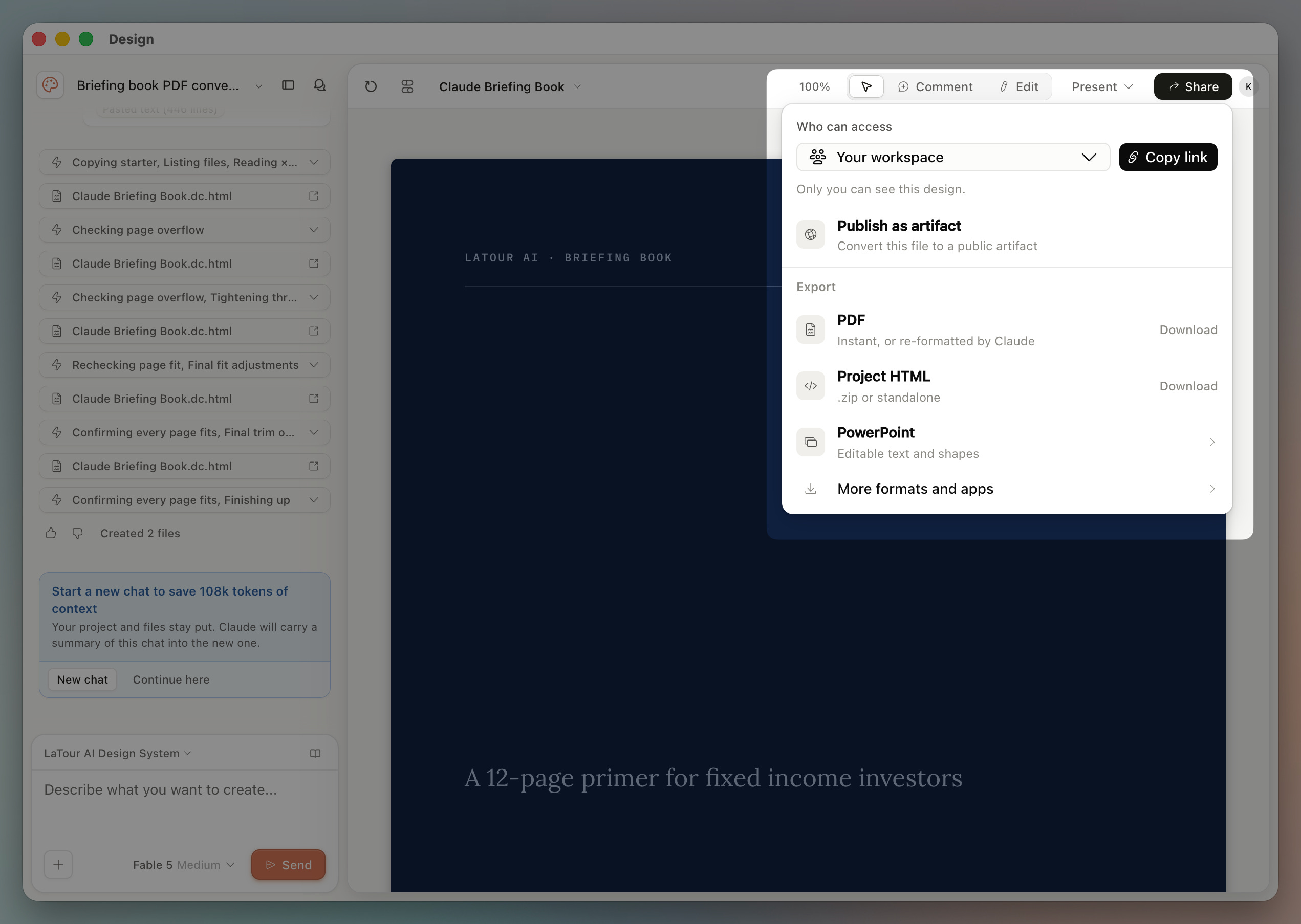
This gave me numerous options including:
PowerPoint
PDF
HTML website
This is (yet) another example of using LLM technology inside a specific product (or harness as the nerds call it). We’ve already seen this with coding, the Chrome extension, Slack and the full Microsoft Office suite.
These integrations break down the barriers for professionals — especially those struggling with the art of the possible.
So what comes after PowerPoint?
Comments
Nothing yet. Say the first thing.
Sign in to join the conversation.