
I’ve become allergic to typing.
I use WisprFlow all the time for dictation.1
And I’m always trying to use voice mode to learn new topics (“Give me a framework to understand the different positions in soccer”2) — especially when I’m driving.
But these both have huge drawbacks.
At the end of the day, WisprFlow is still dictation. It’s shoe-horning voice into the text-based chat construct. And it stinks on mobile.
And until recently, ChatGPT voice was using the (gasp!) 4o model.3
Thankfully new ways of interfacing with AI are popping up rapidly. And the latest release of ChatGPT’s voice feature turns Codex into your personal executive assistant.
Amazingly OpenAI’s official documentation undersells this new voice feature:
The Live option can listen and speak at the same time, making turn-taking and interruptions feel more natural. Live can also use web search and memory, show visual results through supported widgets, and work with text and images.
Here’s my direct take:
The Voice app shines via Codex4 — particularly with its remote feature.
With your permission, Codex just sits in the background waiting for your verbal commands. Like an Alexa, it’s passive until you speak. Then it can connect across your chat threads, access all your files (via connectors), use your skills, take control of your web browser and do work (in PowerPoint, markdown, Excel and Notion).5
All without you ever having to touch your keyboard.
Imagine sitting down Monday morning and your meetings are already prepped, your inbox is triaged, and last week’s notes are organized — all before you open your laptop. That’s Claude Cowork running on a schedule you set once. This self-paced course teaches you to build that system. Finish it in a weekend.
Use code FABLE-5 to save $100 until August 21st.
The first thing you’ll need to do is to download the Codex app for your desktop.
Next, you’ll create a new chat — this chat can be from a folder or unattached to a project.
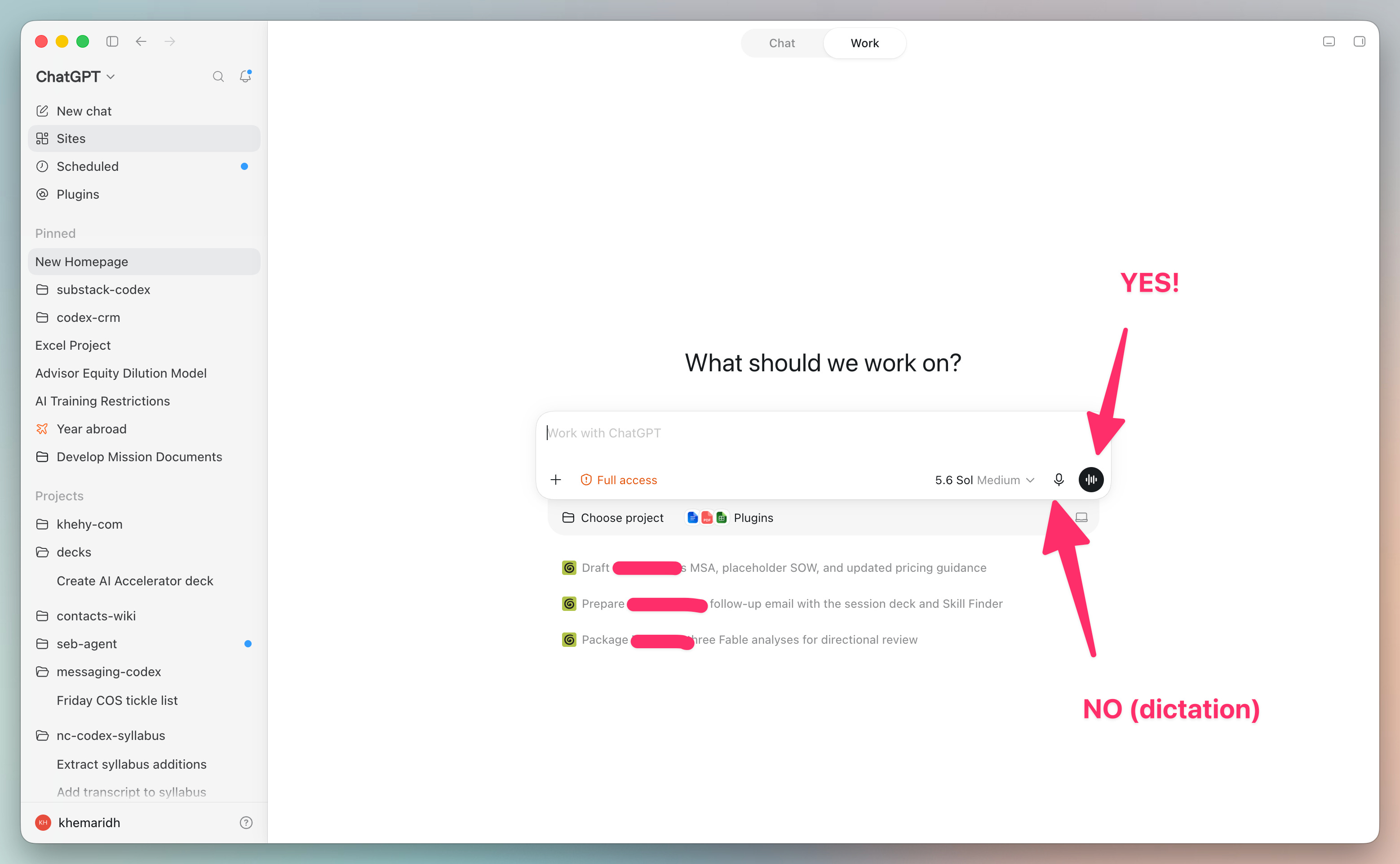
Once you click the black circle (with the wavelength) it will transition into “listening mode” (denoted by the purple-ish cloud).
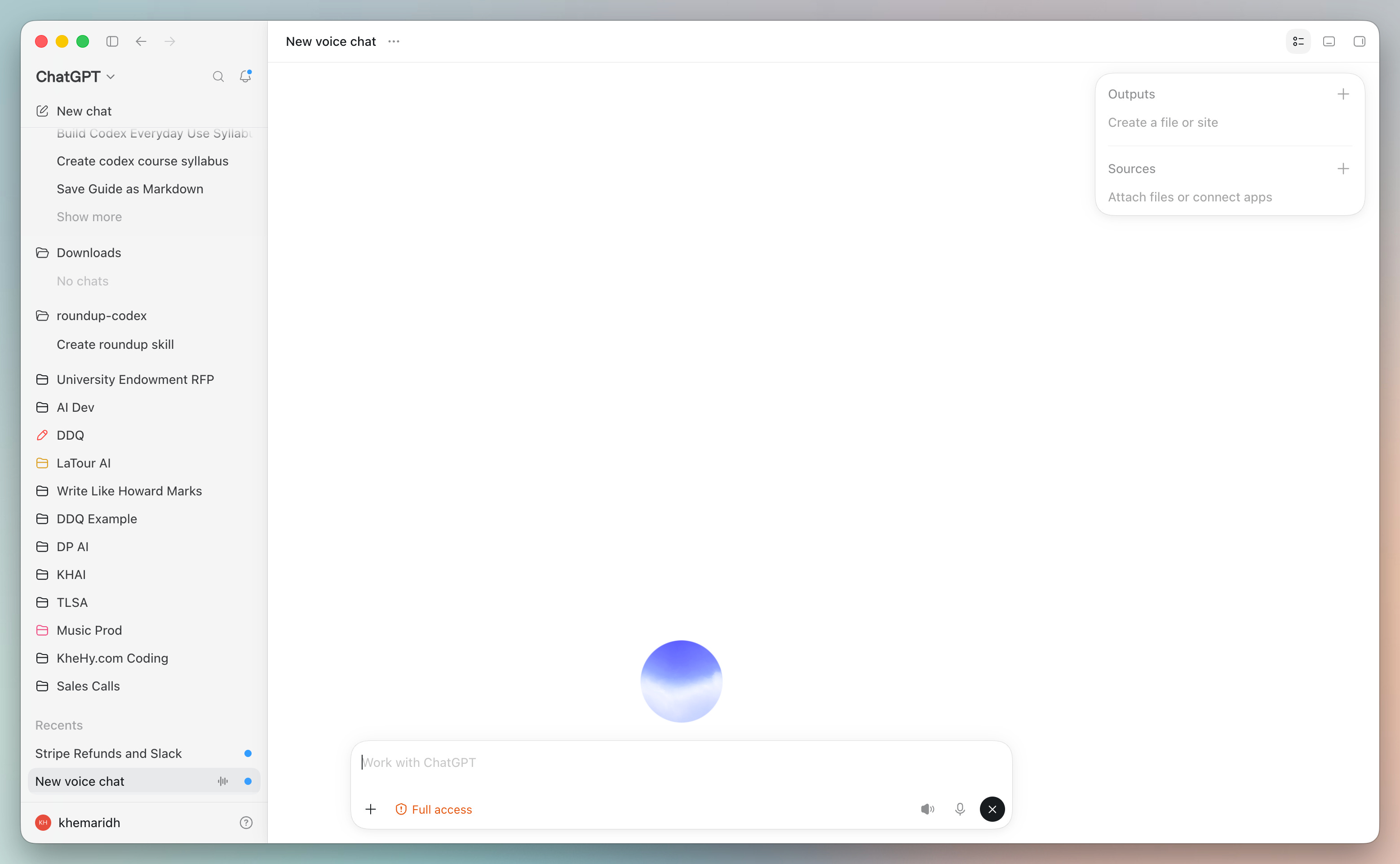
Now here are a few things you can ask:
I want to see Toy Story at the El Segundo AMC tomorrow, find the closest time to 4pm and then text my wife to see if she can make it.
Look at my email and pull out all the open invoices and draft a reminder email to the payers
I’m going to be in Austin this week, use Chrome and LinkedIn to tell me who I should meet. I’m particularly focused on family offices who might need AI training
(This assumes that Codex has the adequate permissions to text, view email, etc.)
Now, you’re probably saying to yourself, “Cool, but I can already do this in Codex/Cowork.” And you’re right, so let me point out a few key differences.
As I mentioned earlier, voice acts like a “sleeping Alexa.” You can mute the microphone (#1) and mute the speaker (#2).
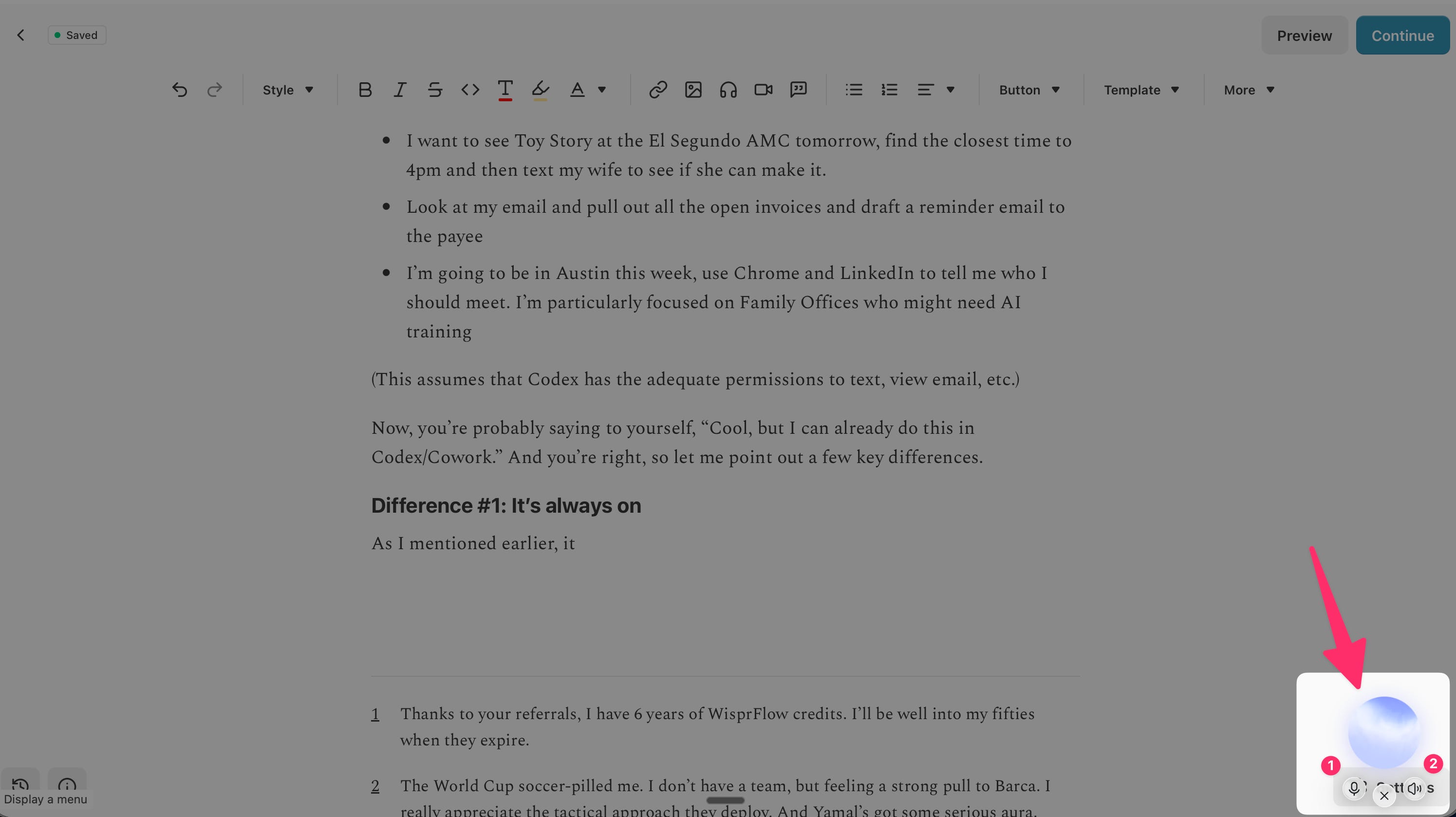
When the heavy lift of my workday is done (and I’m replying to emails, paying bills, cleaning up wikis) I’ll leave it running while I throw random tasks at it.6
Sub-agents create new sessions with isolated context. In layperson’s terms that means when you want to chat about Client A it doesn’t reference anything from Client B.
Voice is really smart in that it starts a new session (with its own “ring fenced” context) for each of your asks. And while I haven’t confirmed this, it looks like it finds the right project and all related memory.
This feature allows you to talk to Codex as if it was an EA — jumping between topics, ideas and deliverables — while ensuring that your context never gets contaminated.
This is the ultimate difference-maker. Ever since the OpenClaw days we’ve been looking to access our sessions, context, tools, local files while on the go.
Claude has a remote control feature for Claude Code and is slowly starting to move Cowork into the Cloud. It’s a start, but it’s not great from a user perspective.
This is where Codex nails it. You can mirror ALL your local sessions from your phone AND do everything described in this post via your phone.
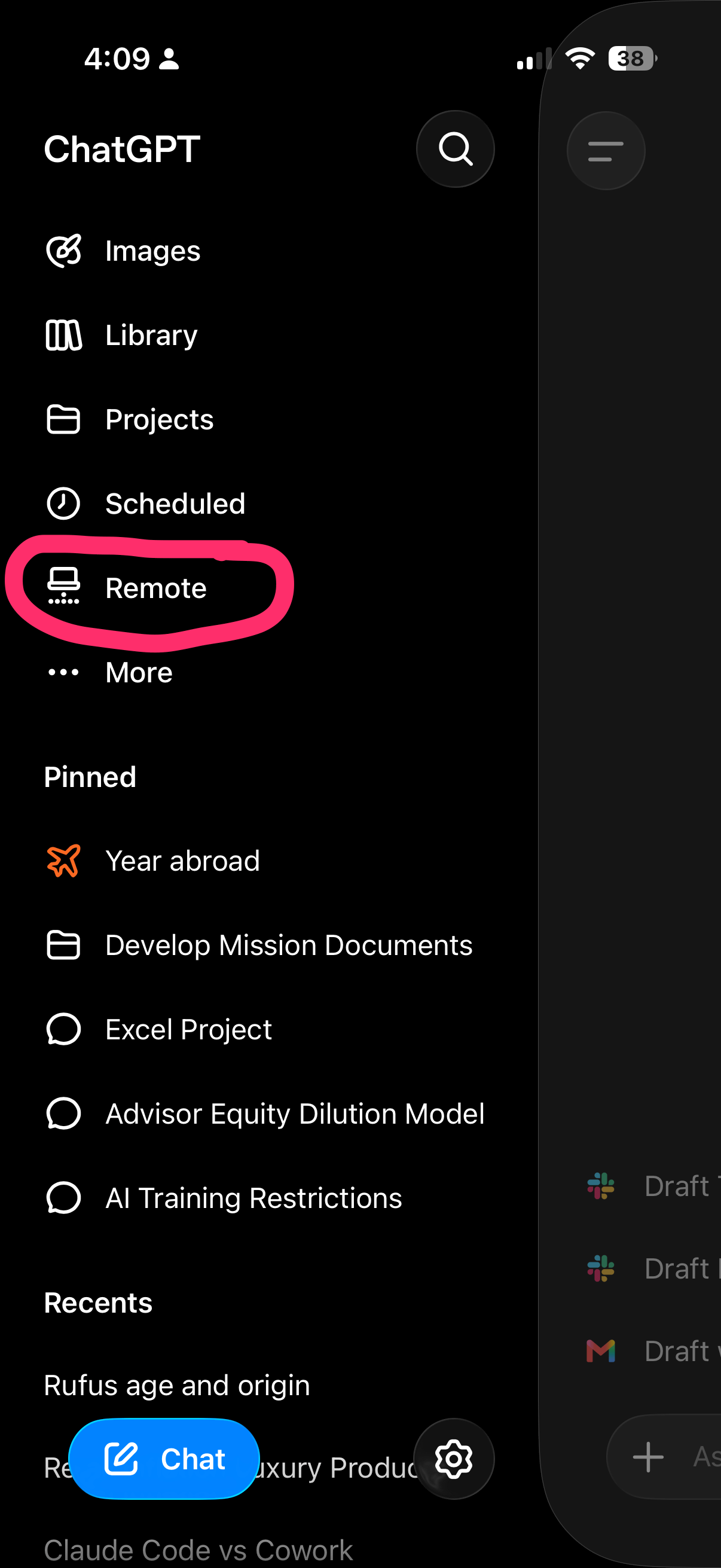
Funny enough, this feature is buried in the sidebar. First, you need to select “Remote.”
Then you can click on the voice icon in the bottom right:
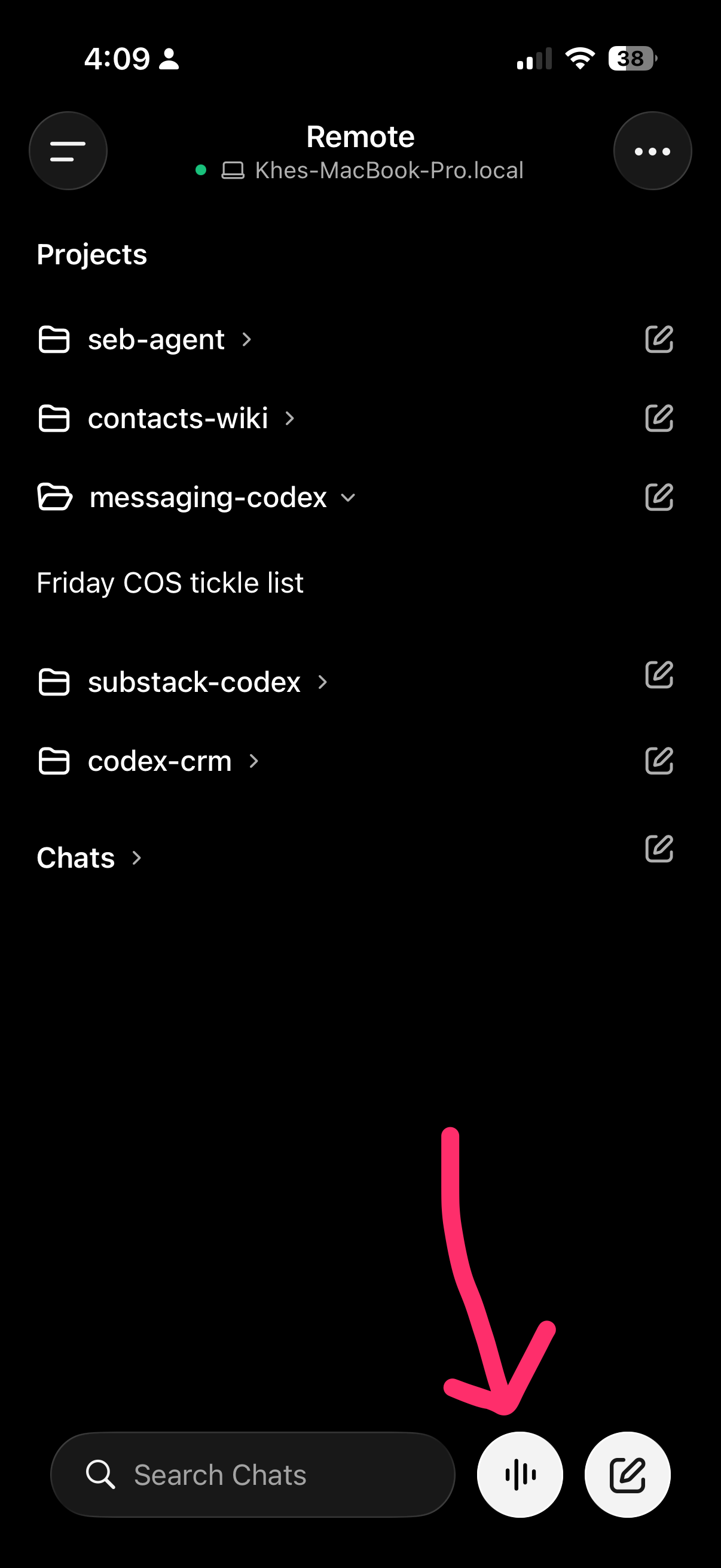
And voila, you have full access to your local computer and all the chat capabilities.
ChatGPT as “Alexa” with full access to your computer is a step function improvement for how we interact with AI.7 Once you get used to using voice, you quickly realize that it’s so much more natural than typing.
So I guess the open office floor plan is officially dead?
Thanks to your referrals, I have 6 years of WisprFlow credits. I’ll be well into my fifties when they expire.
The World Cup soccer-pilled me. I don’t have a team, but feeling a strong pull to Barca. I really appreciate the tactical approach they deploy. And Yamal’s got some serious aura.
Claude voice lags significantly with its voice offering.
Codex has a branding problem. It’s technically called ChatGPT for Work, but no one actually refers to it that way. In this post, I’ll refer to the desktop app as Codex and the suite of OpenAI tools as ChatGPT.
The privacy implications of an “always on” device require further investigation.
I’m a little paranoid to have it running while I’m on calls (which is the majority of my day).
As of this writing, Grok just launched its own OpenClaw. The early reviews are that it really nails it for knowledge work. (Also, it looks like a lot of AI influencers are simultaneously hyping it.)
Comments
Nothing yet. Say the first thing.
Sign in to join the conversation.