
Starting with iOS 17, Apple introduced the Observation framework to make updating SwiftUI views more efficient. While it serves as a replacement for the older approach using the Combine framework, it isn’t a complete substitute, as it lacks some features necessary for a full migration from the previous method.
When introducing this framework, Apple primarily focused on how to incorporate it into SwiftUI apps. However, the Observation framework should be designed to be more general, and although some documentation exists, it lacks important details developers should be aware of.
This article will therefore focus on how to use the Observation framework beyond the documentation about observing Property Changes, and some pitfalls I encountered during my migration from Combine to Observation.
Observation provides a robust, type-safe, and performant implementation of the observer design pattern in Swift.
Previously, we might want to use the Combine framework to achieve an flow-style reactive programming: publish events from a publisher, and then convert and consume events in a subscriber. But the Combine framework is kind of an old-school way to achieve this, and it doesn’t integrate with Swift Concurrency natively.
The starting point of adopting Observation is annotating your class with the @Observable macro, and if you are using SwiftUI, you can just treat your instances of classes as the states, and read the properties in the body of SwiftUI view, and then SwiftUI will automatically update the view if only and any referenced properties have changed.
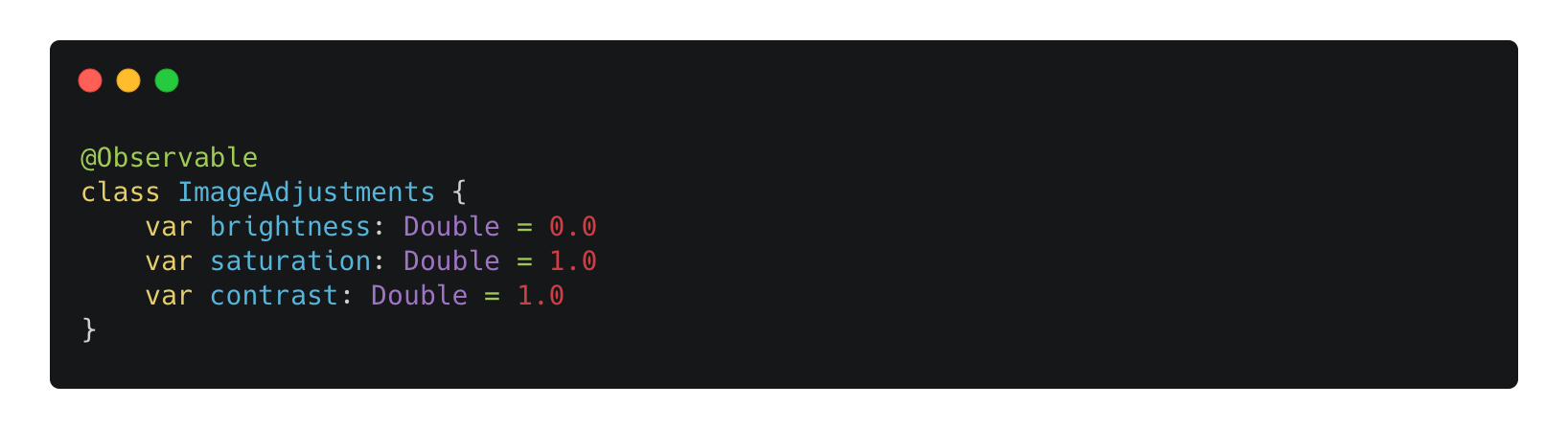
For instance, we define a class named ImageAdjustments and expose those properties.
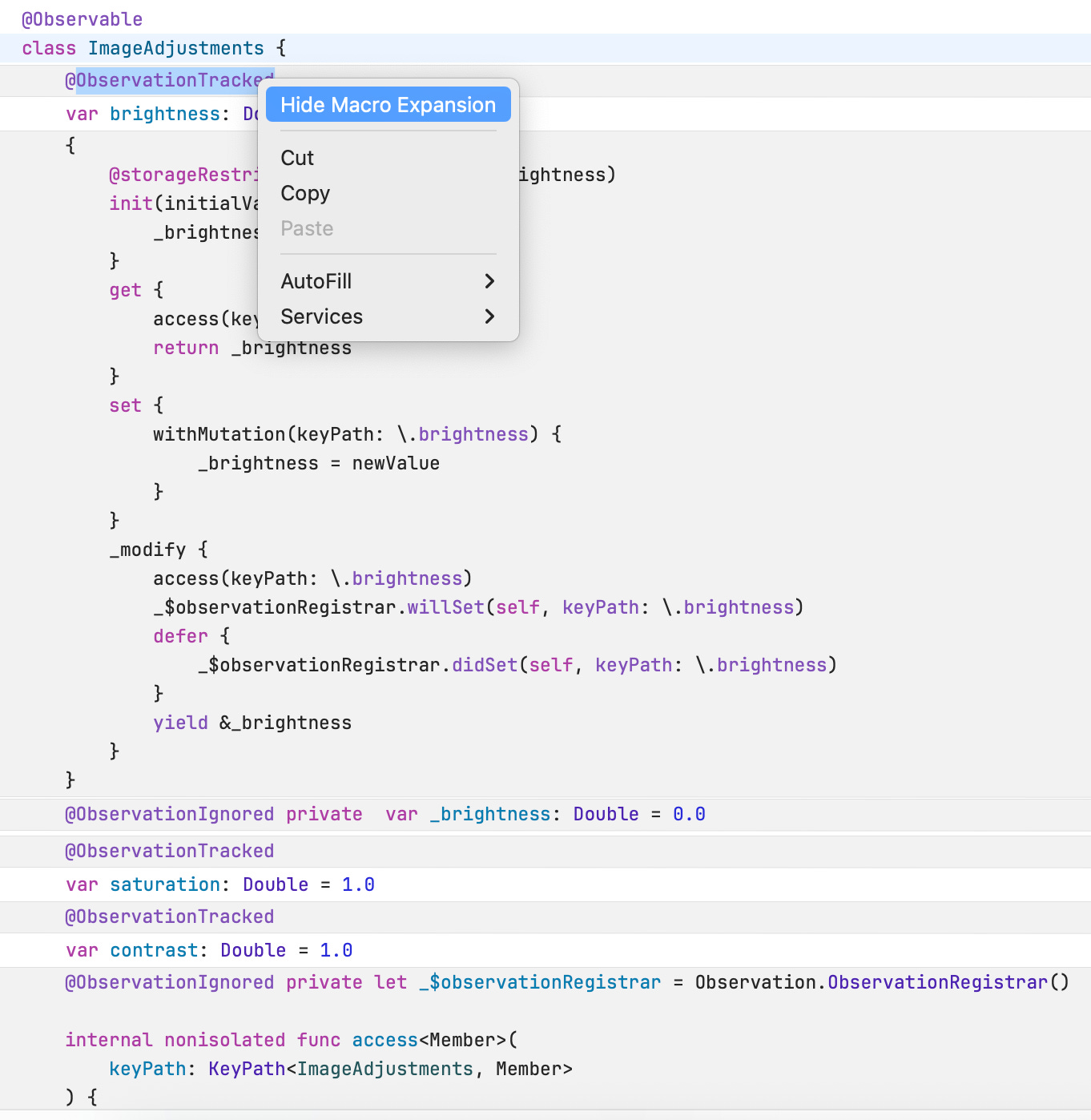
Under the hood, Swift Macro generates the code for us, and it’s quite a lot:
If we define a property that gets its value from the external source, and sets the value to the external source, we can also write our own version of @ObservationTracked.
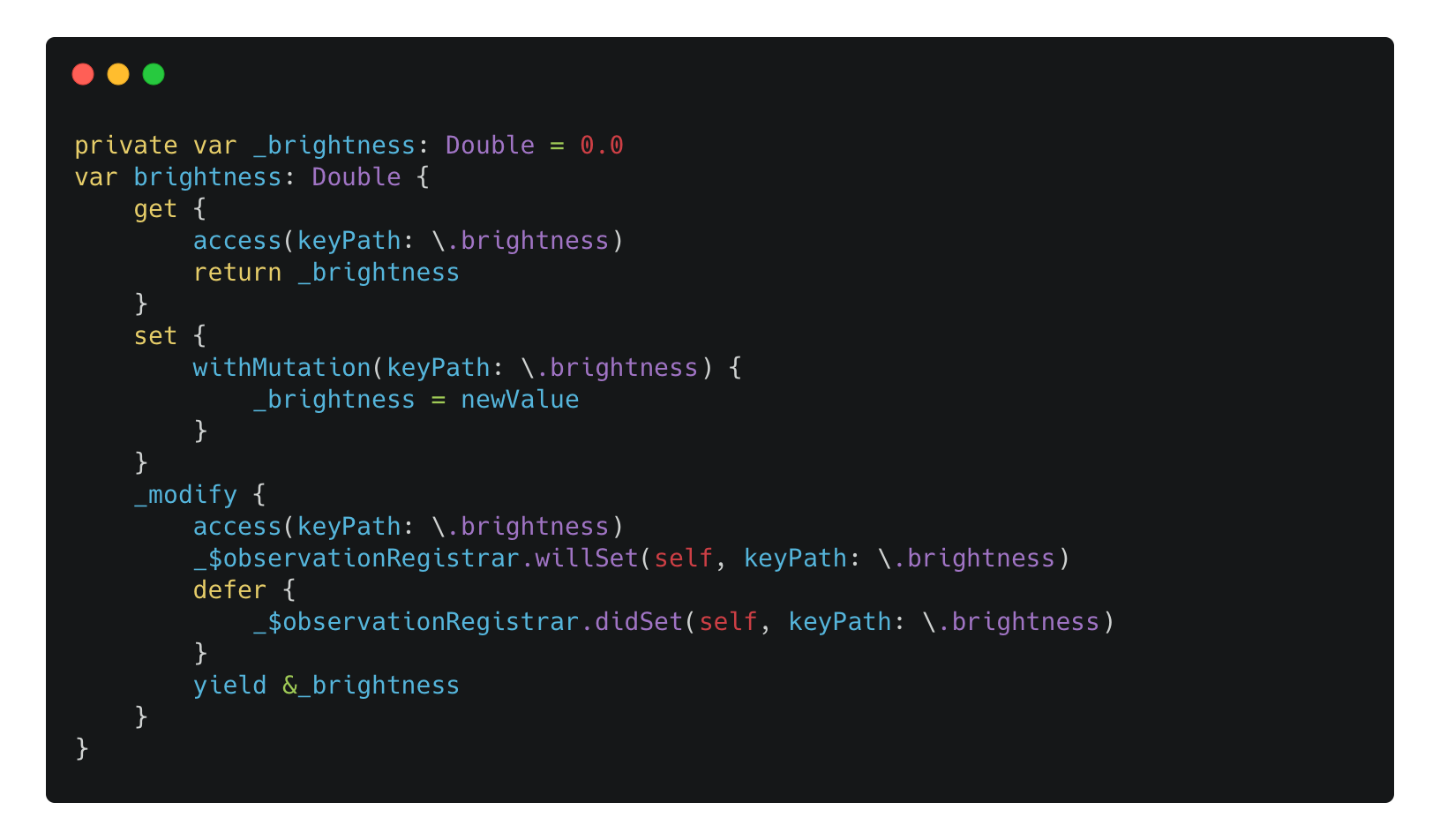
Note: providing the
_modifyassessor is not necessary. However, if you would like to improve the performance by actually setting the underlying data in-place instead of relying on the copy-on-write mechanism, you can use the way like Observation does. To learn more about this unofficial assessor, you can check out the reference articles at the end of this blog.
Then, when using SwiftUI, it’s easy to create a two-way binding:
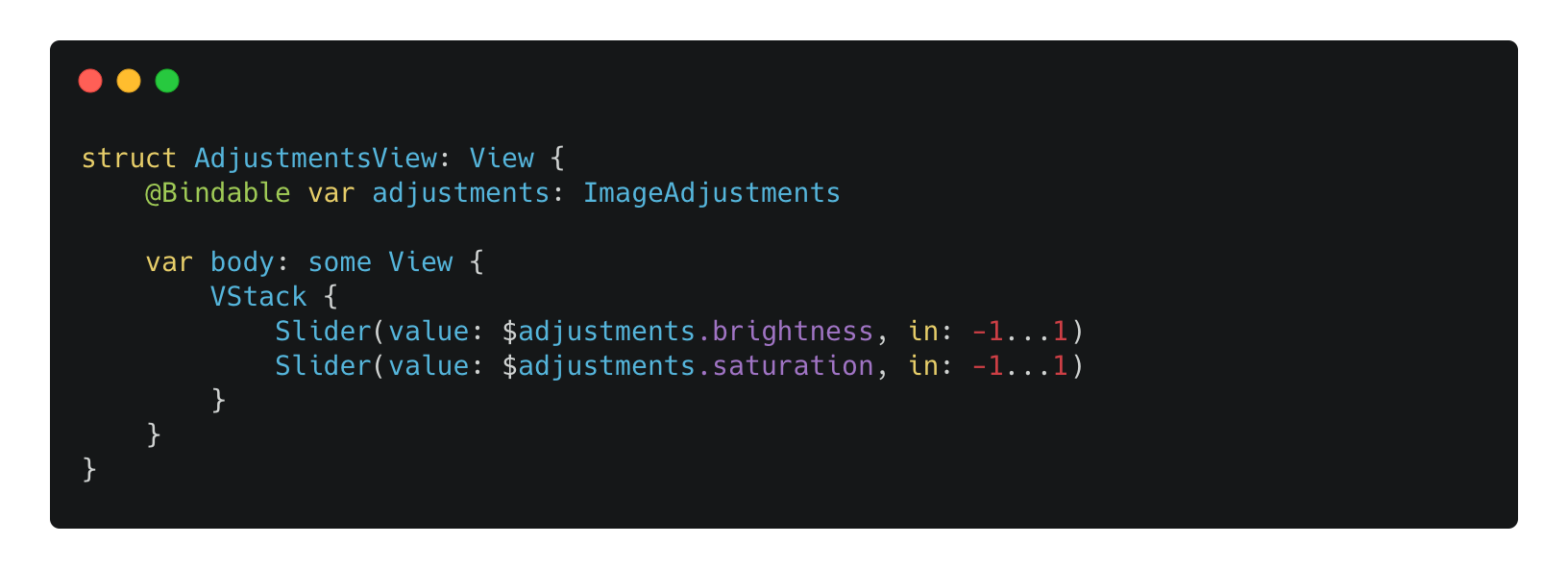
Note: with this Observation approach, only the properties that are read when evaluating the body computed property could cause the view to update. In the ImageAdjustments observable class, we also define a property named contrast, and if it’s changed outside of this AdjustmentsView, this AdjustmentsView ’s body property won’t get called.
On the contrary, if the ImageAdjustments conforms to ObservableObject protocol from the Combine framework, and the adjustments property is marked as @ObservedObject, changing the contrast can actually cause the body of this AdjustmentsView to be called, which may bring performance impact.
Now, with the above content, you are now equipped with the knowledge to use Observation with SwiftUI. However, Observation framework is not part of SwiftUI, and we may want to use it in a general way, for example, keeping tracks of the properties changes like we do when using the Combine framework. How to achieve that?
The Observation framework does provide a utility method named withObservationTracking(_:onChange:). However, I would say the documentation lacks a lot of details:
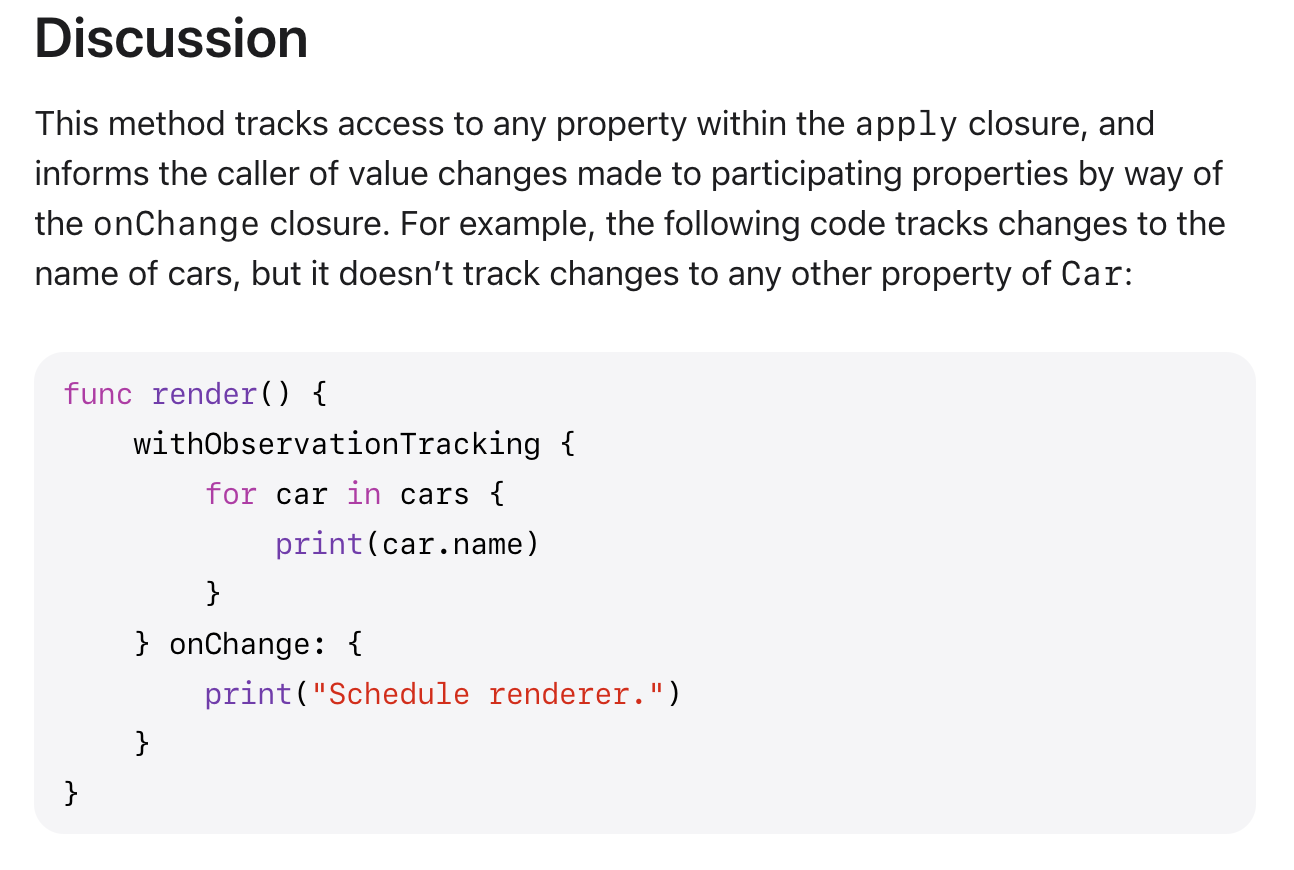
What does this even mean? How does the data flow?
Well, I am gonna break it down for you. The withObservationTracking(_:onChange:) accept two closure type parameters: apply and onChange, and it returns the value that the apply closure returns if it has a return value.
You read the properties that should be part of the observation in the
applyclosure. Only changing the properties read in this closure will trigger theonChangeclosure.
After the
applyclosure is invoked, we have the returned value of this withObservationTracking(_:onChange:) method. If we return a value in theapplyclosure, that will be the returned value.
At some points the referenced properties in the
applyclosure are changed, theonChangeclosure will be invoked with no incoming parameters. And at this point, the lifecycle of this withObservationTracking(_:onChange:) is finished. If we trigger some changes again, theonChangewon’t be called again.
For the example above, if we add a new method:
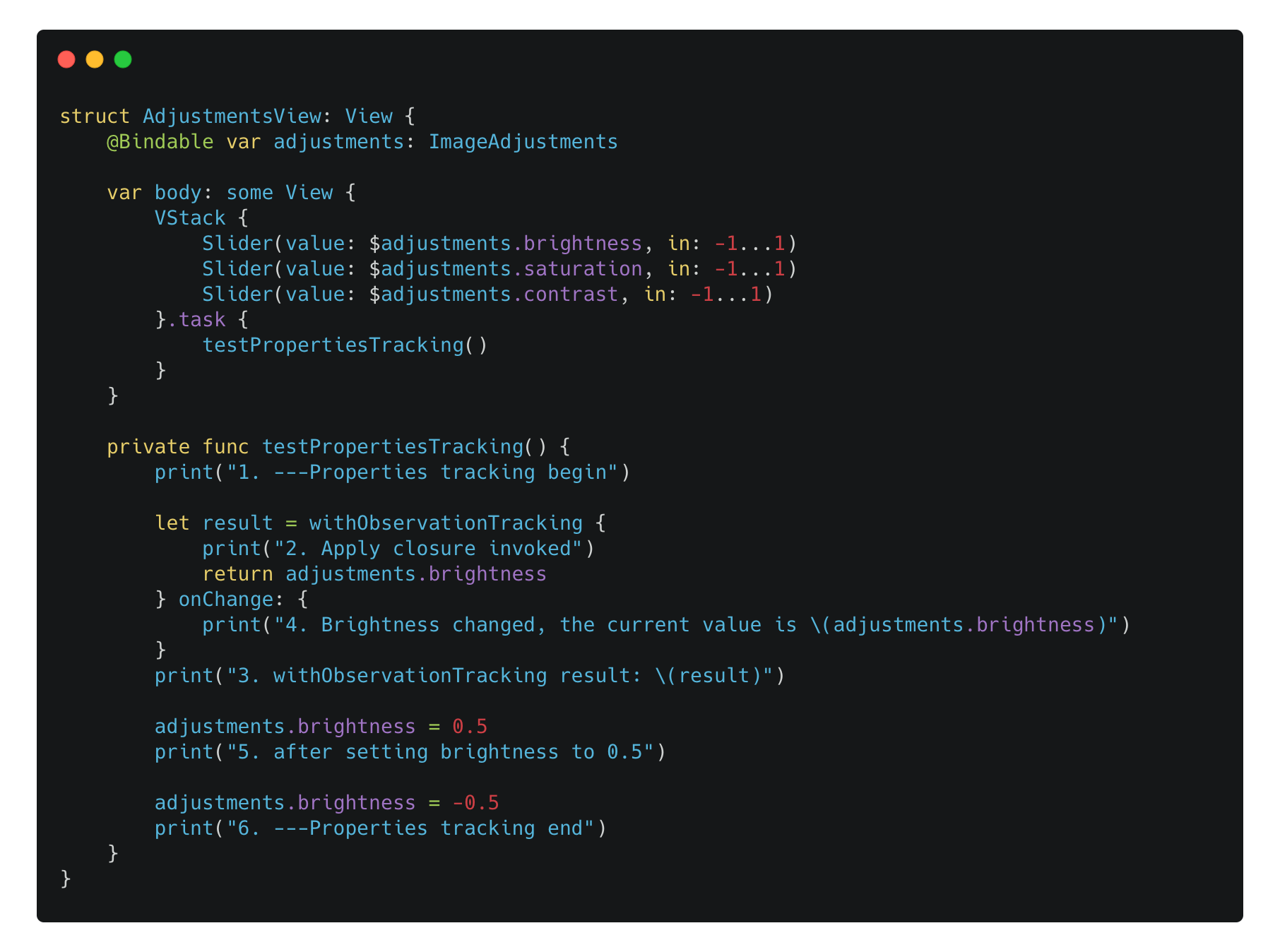
Now when the testPropertiesTracking() is called, we have the following logs:
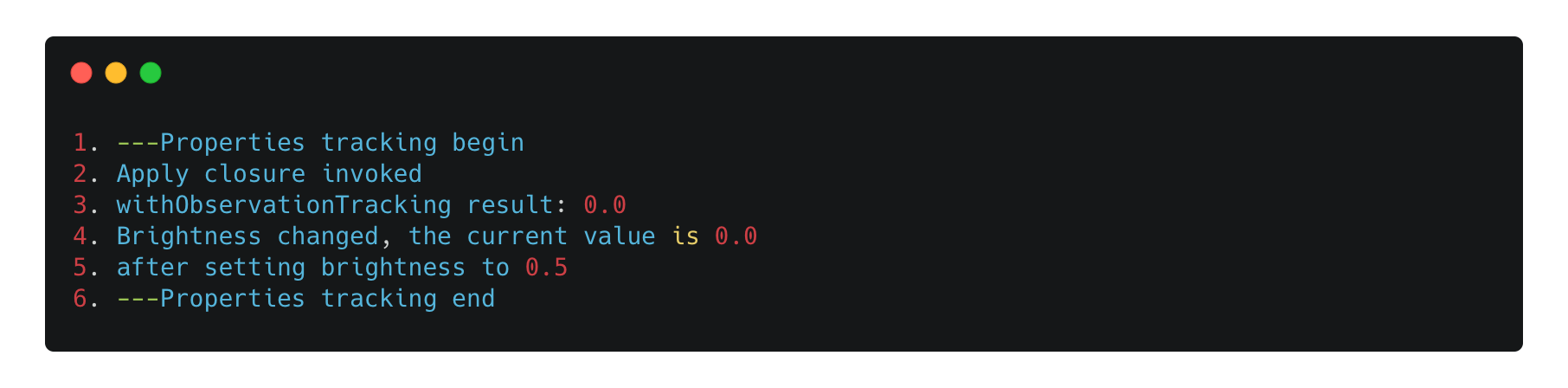
Note that when the
onChangeclosure is called, you don’t receive the changed value—neither through the closure’s empty parameter list nor by accessing theadjustmentsinstance directly.
So you may say this withObservationTracking(_:onChange:) is a one-time approach. How does this help us do the observation? Well, I would say it’s useful in a UI rendering.
Because when we update the views with some states, what we are doing is actually scheduling an event to be run in the next render loop. Since now UIKit adopts the Observation framework in iOS 26 lineup, we can read the properties of an observable object and assign it to the UIView in the observation-compatible method like viewWillLayoutSubviews. This is just like creating a two-way binding from the view model to the views.
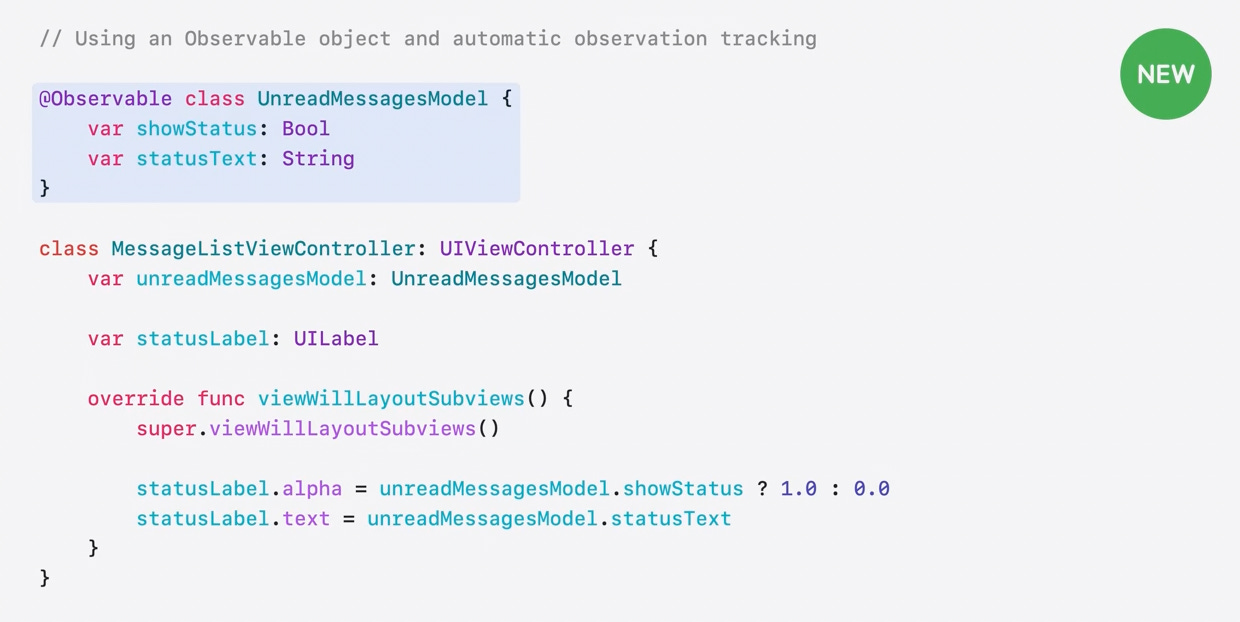
Under the hood, I guess this’s how this work:
The
viewWillLayoutSubviews()method is called within theapplyclosure in the withObservationTracking(_:onChange:) method.
If any properties have been changed in the model, the
onChangewill be invoked, and UIKit will call thesetNeedsLayout()method to trigger a new layout update in the next update cycle. Then in the next update cycle, theviewWillLayoutSubviews()method will be called, and so on.
In general, we may want to keep tracks of the changes in a more intuitive way, just like how we response to the asynchronous events in Combine:
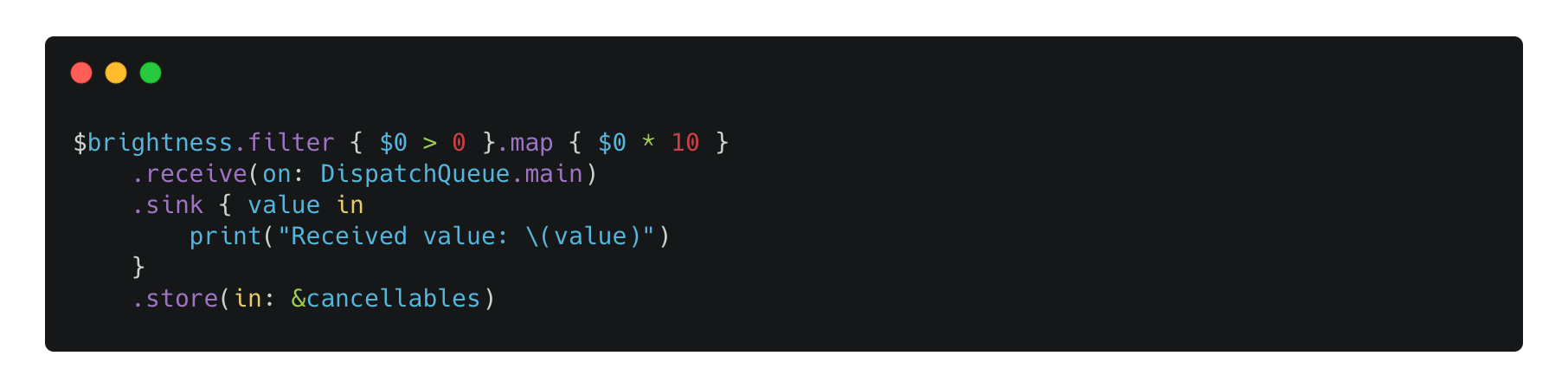
How can we achieve this in Observation framework?
Starting with iOS 26 lineup, we have the Observations API to achieve the life-time observations.
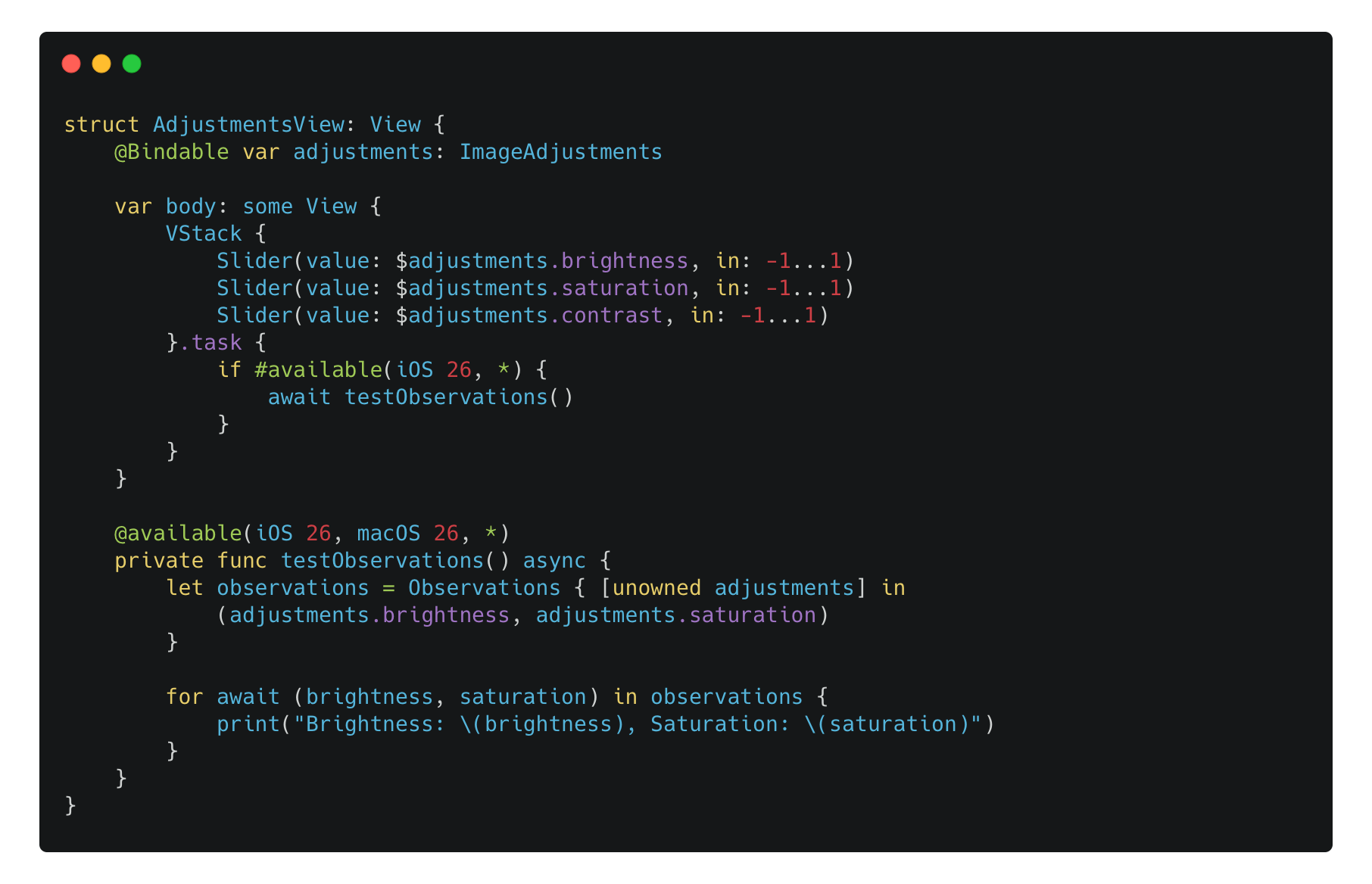
Now, each time we interact with the sliders to change the values of brightness and saturation, we can get those values with changes. But if we change the contrast in the slider, which is not read in the Observations closure, we won’t receive any updates.
Actually, the Observations struct is an AsyncSequence, so if you are familiar with Swift’s Async Sequence, you know how to utilize this API to handle and operate the received values. Specifically, there’s an official Swift Package swift-async-algorithms that provides some operators like Map, CompatMap, Throttle and so on, just like the Combine does.
Now, we can have a AsyncSequence-like throttle operation like this:
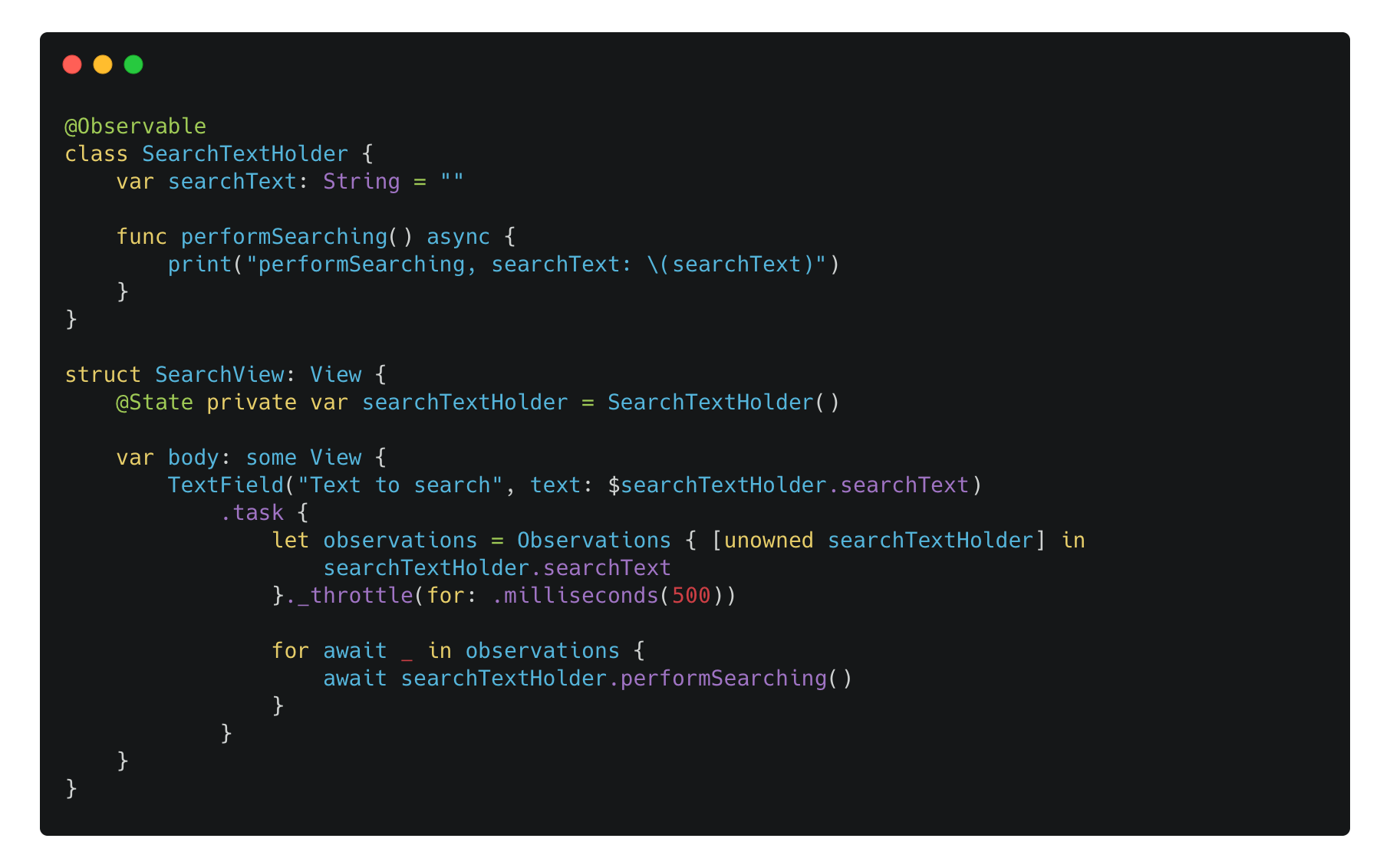
Note: the for-loop never ends until we mark the
AsyncSequenceends using other way, in this cast it’s never ended until thisSearchViewis removed from the view tree and theTaskget cancelled. Therefore, it’s common to extract this logic to a dedicatedTaskand then cancel the task in the correct timing likeonDisappear().
Now you may wonder if we can build a similar API just like the Observations mentioned above, as it only available since iOS 26 lineup. And yes, all we have to do is utilizing the AsyncStream and the withObservationTracking(_:onChange:) mentioned above.
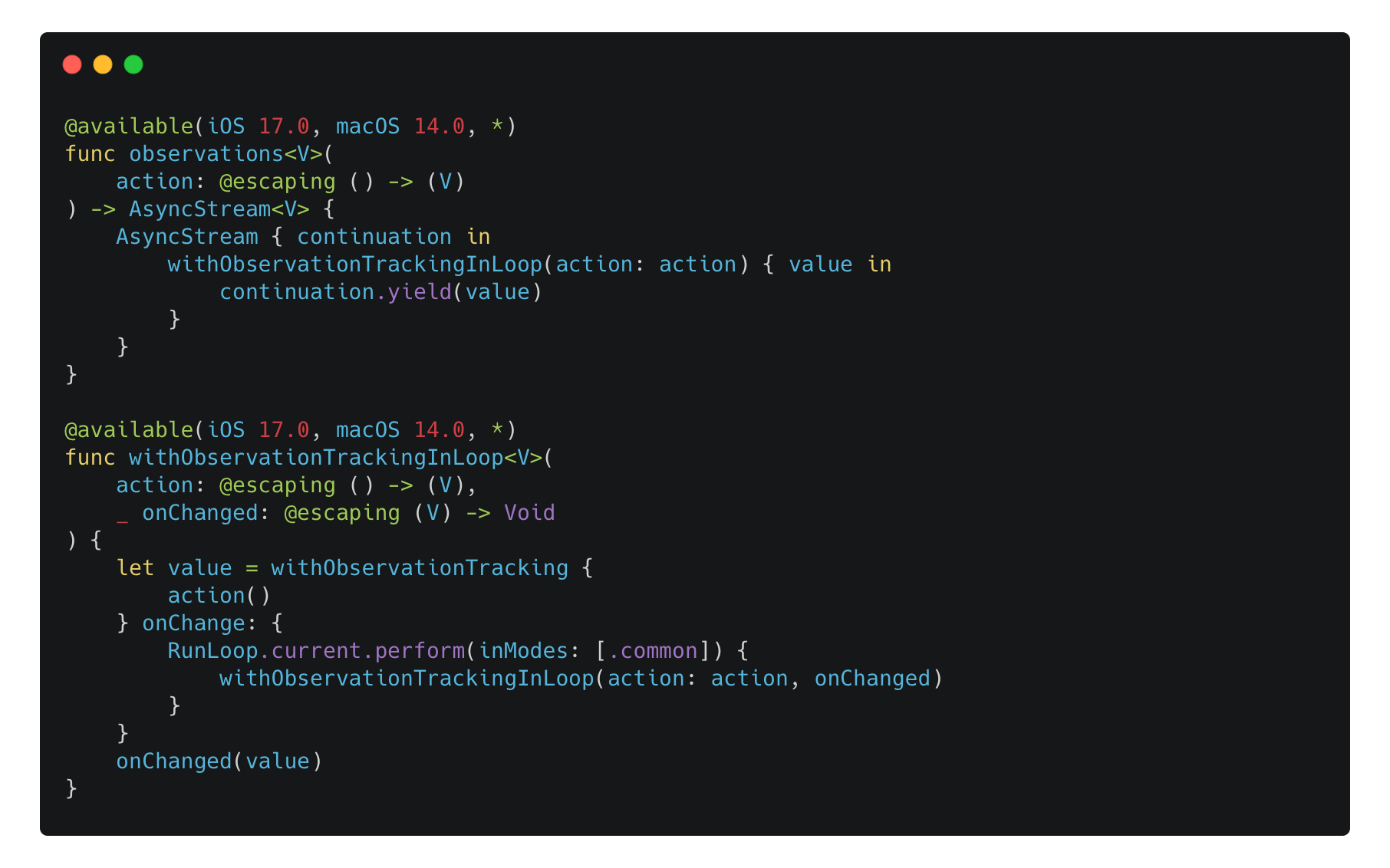
Here:
With the
withObservationTracking, we call the same method again on the current RunLoop in theonChangeclosure.
After getting the value evaluated in the
actionclosure ofwithObservationTracking, we yield it to theAsyncStreamcontinuation.
We don’t have to explicitly handle the
onTerminationevent, as we are not bridging any callback style from other libraries. When the outer observationTaskis cancelled, theAsyncStreamwill be terminated as well.
With this approach, we can easily observe some properties changes of an Observable instance starting iOS 17 lineup, just like the Observations API on iOS 26.
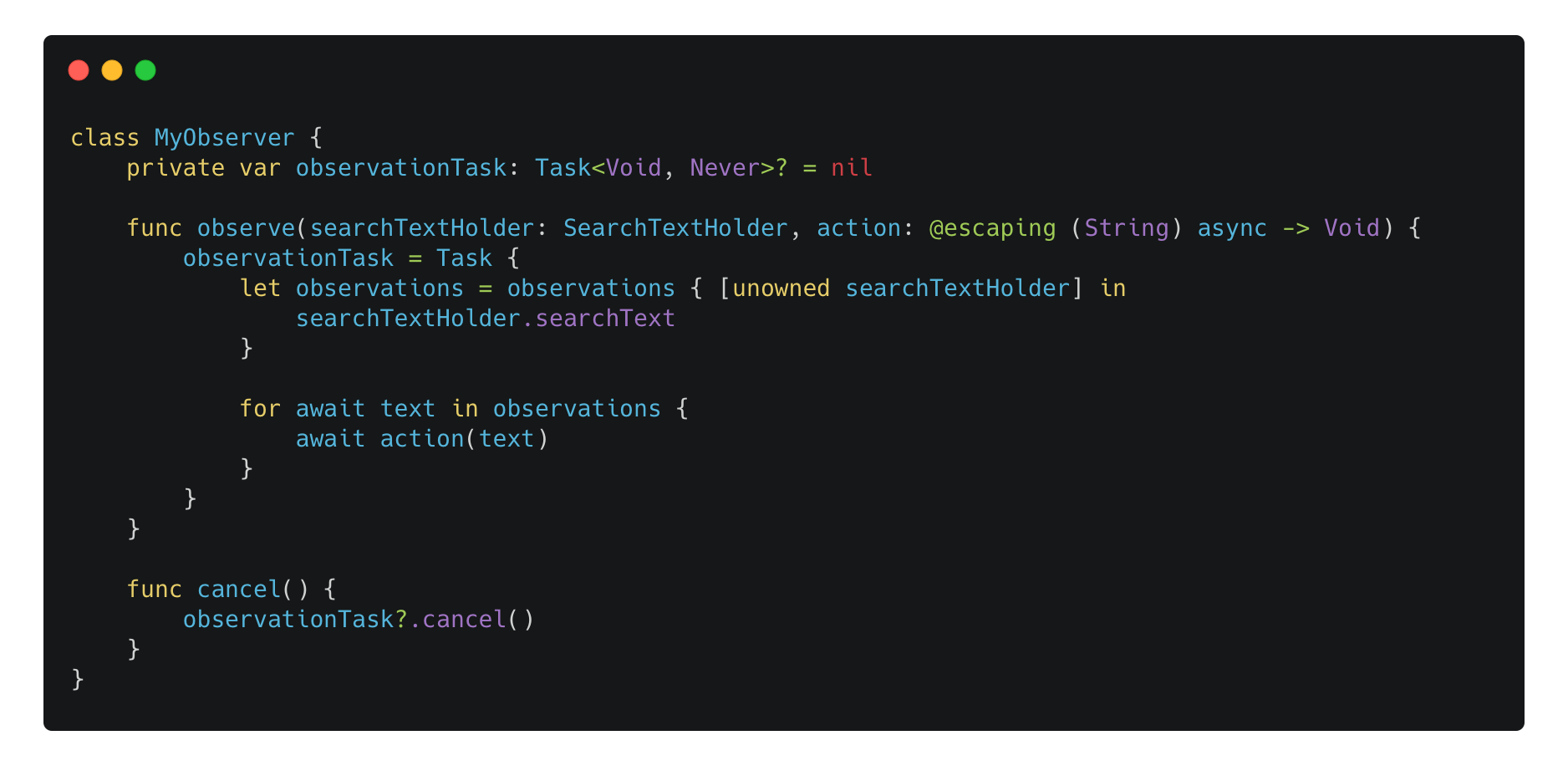
Since I decided to change the minimum deployment version of my PhotonCam app, I thought it’s a good time to finally adopt the Observation, and I did this recently. Apple has a detailed documentation about this migration process. However, I do have more experience about this migration.
The first thing I should recommend you to check is that, we have to make sure the UI updates aren’t the side effect in your original code using ObservableObject. That means, there is a chance that your original code could work only because it’s updated more than needed. When you replacing @ObservedObject with Observable, only the properties that are read inside a body can trigger the view update.
Additionally, if you build your view conditionally, you have to make sure that the condition containing the properties to be changed should be evaluated directly or via a computed property. Take this as an example:
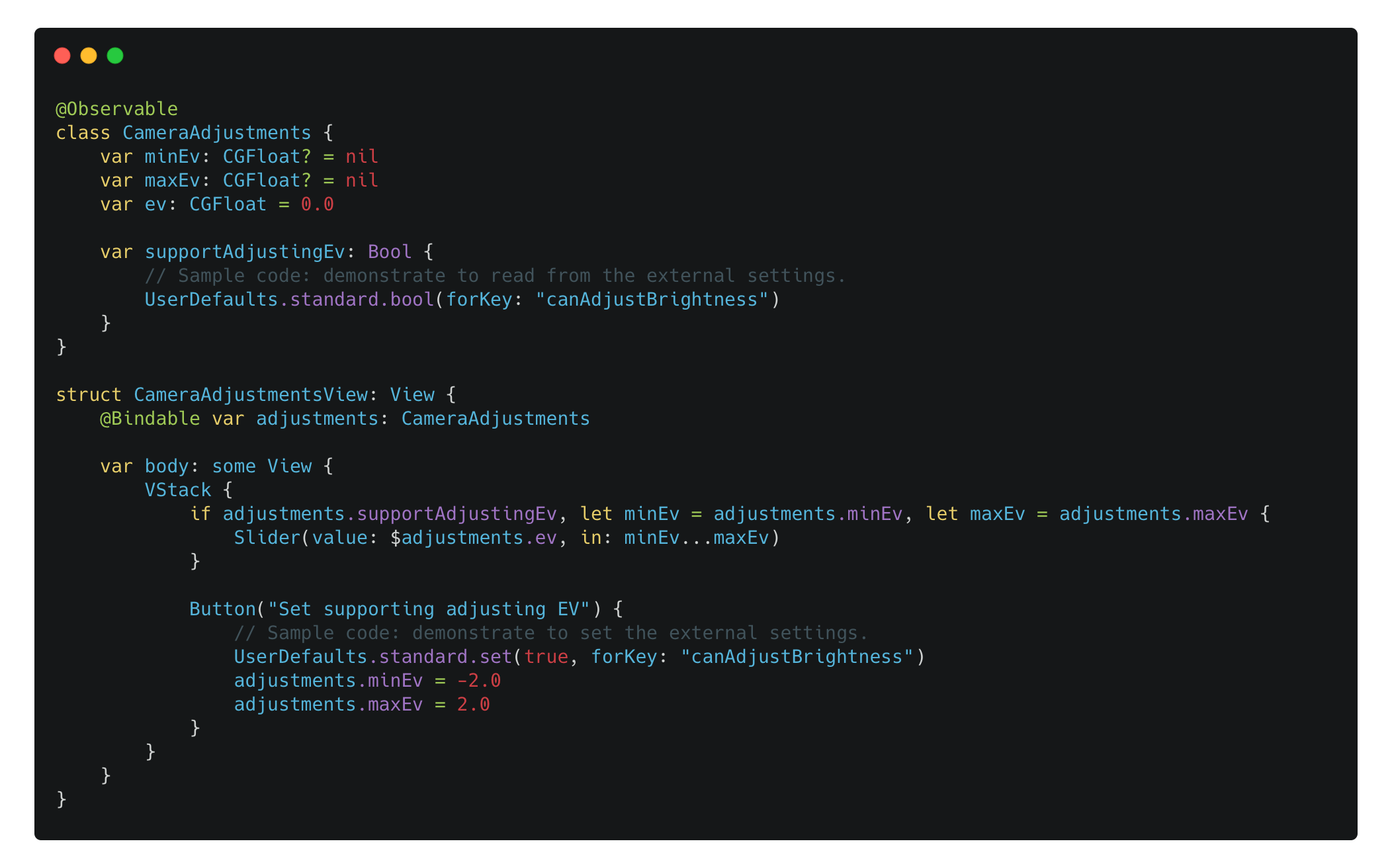
Even though we set the minEv and the maxEv properties, as well as setting the UserDefaults value to true, the Slider will never be displayed. That’s because the following condition check:

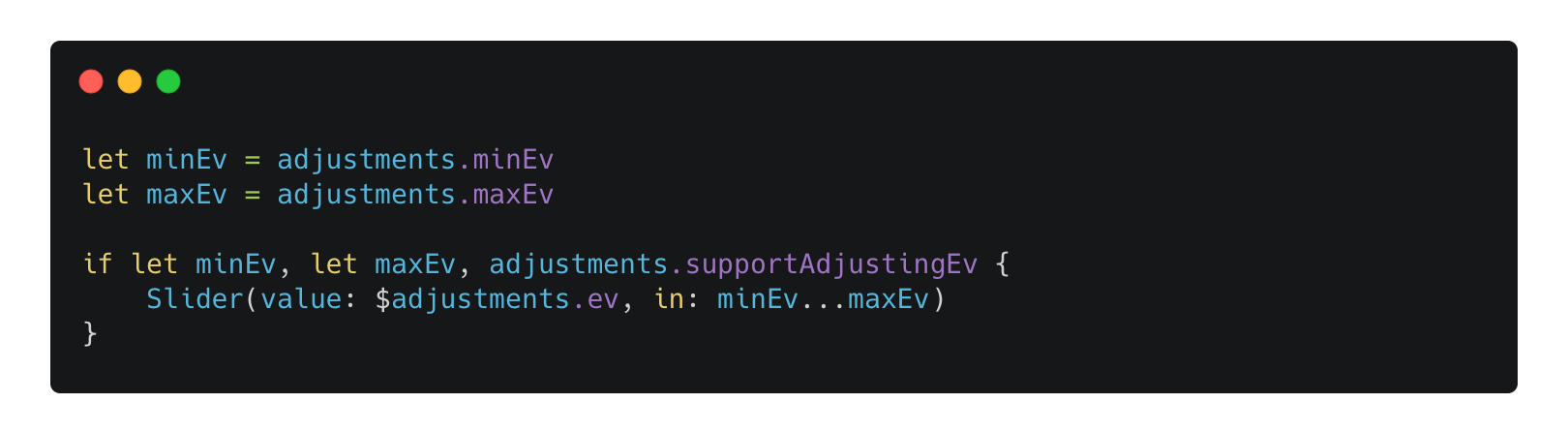
It’s not a Observation compatible condition, and the code of adjustments.minEv and adjustments.maxEv won’t get evaluated because the first condition won’t meet. Therefore, Observation framework won’t be tracking any properties of CameraAdjustments.
If we change the order of the condition check, it will work as expected:
In SwiftUI, a @State can be initialized multiple times during the view initialization. That means the initializer of your @Observable object can be called multiple times, unlike for @StateObject, which will case initializer to be called once.
This is a odd behavior, and it’s mentioned in the Apple documentation.
A
Stateproperty always instantiates its default value when SwiftUI instantiates the view. For this reason, avoid side effects and performance-intensive work when initializing the default value.
Therefore, if you start observing the properties in its initializer, there is no way to cancel the observation since we don’t get all of the instances. Consider the following code:
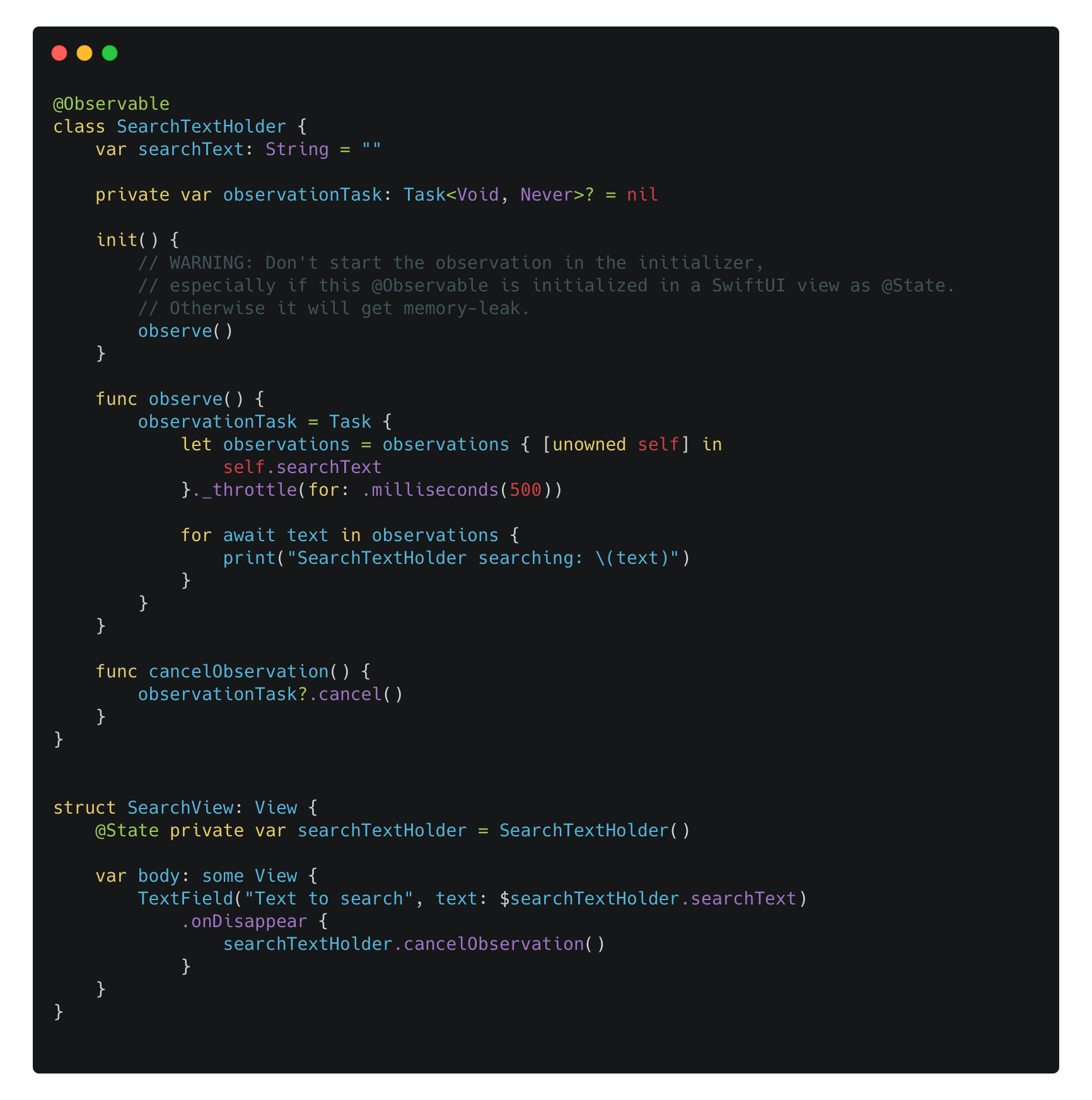
Even we call the cancel() method when the SearchView is disappearing, we only cancel the one instance of SearchTextHolder’s observation, with others remain in the memory and cause memory leak.
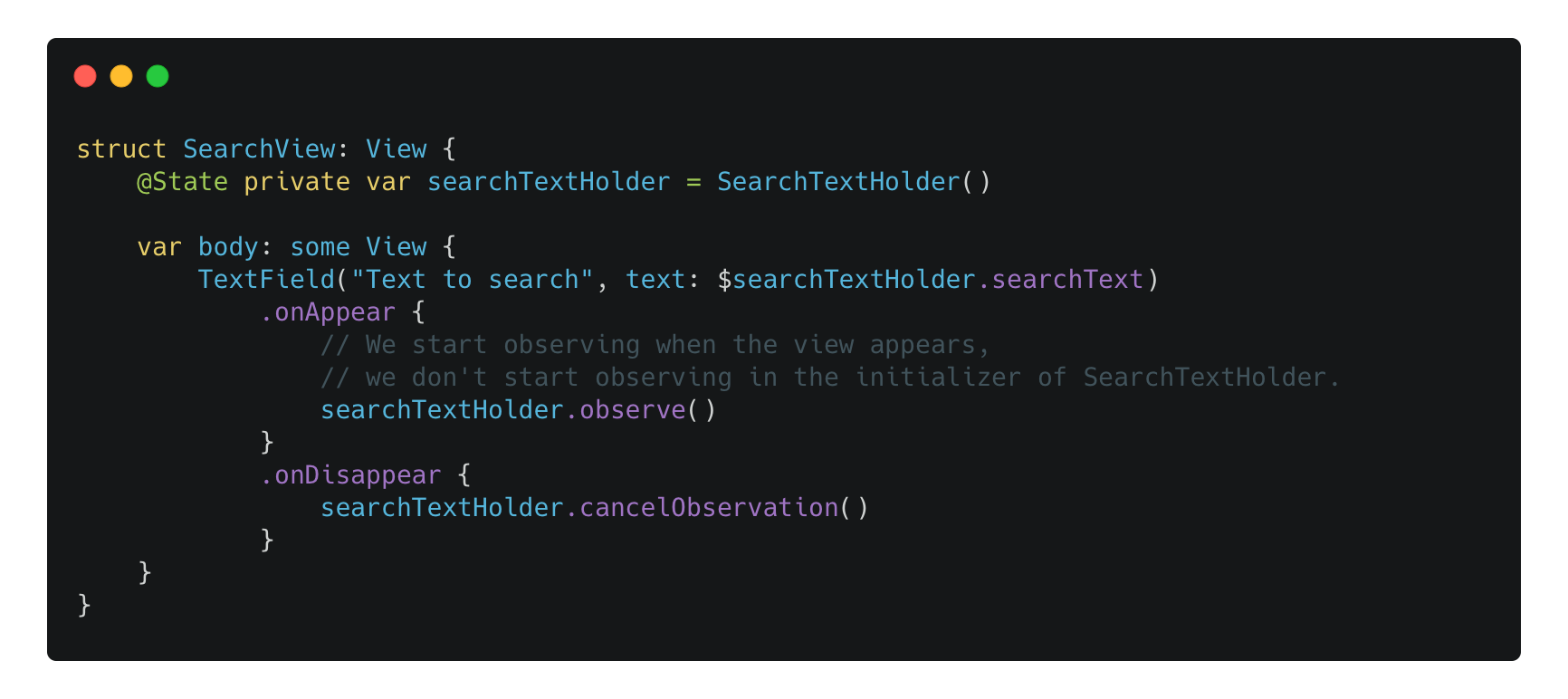
Instead, the observation should be bound to the lifecycle of the view:
A roadmap for improving Swift performance predictability: ARC improvements and ownership control
Comments
Nothing yet. Say the first thing.
Sign in to join the conversation.