
Bonjour!
I’m Julien, freelance data engineer based in Geneva 🇨🇭.
Every week, I research and share ideas about the data engineering craft.
Not subscribed yet?
It usually starts the same way.
Someone on the team says:
“How hard can it be?
We already have the data.
LLMs are now super clever.
Let’s just plug them together.”
So they do.
They give the model:
access to the warehouse
the schema
a system prompt that says:
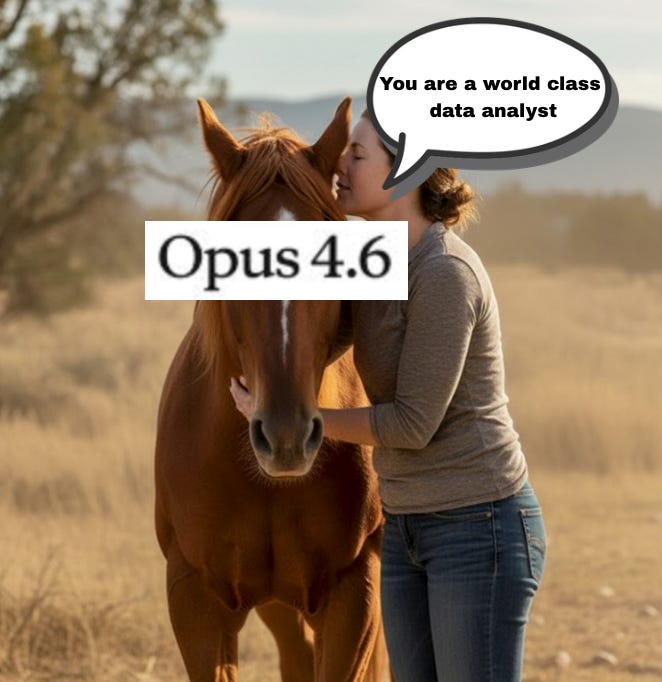
The first demo works.
They type:
“What were last month’s revenues?”
The model writes SQL, the database returns numbers.
Seeing your chat working so quickly feels so good…
Like riding a horse bareback: raw power moving in the right direction—no saddle, no reins, no rules.

… The horse starts to accelerate…

Edge cases are found ?
→ Add an instruction in system prompt
A wrong join?
→ Add more schema context.
A business rule?
→ Paste a definition.
Then come the tools.
At first, there’s just:
run_query
Then:
list_tables
describe_table
get_sample_rows
metric helpers
validation helpers
retry helpers
…
Soon, the system prompt is no longer a prompt.
It’s a document.
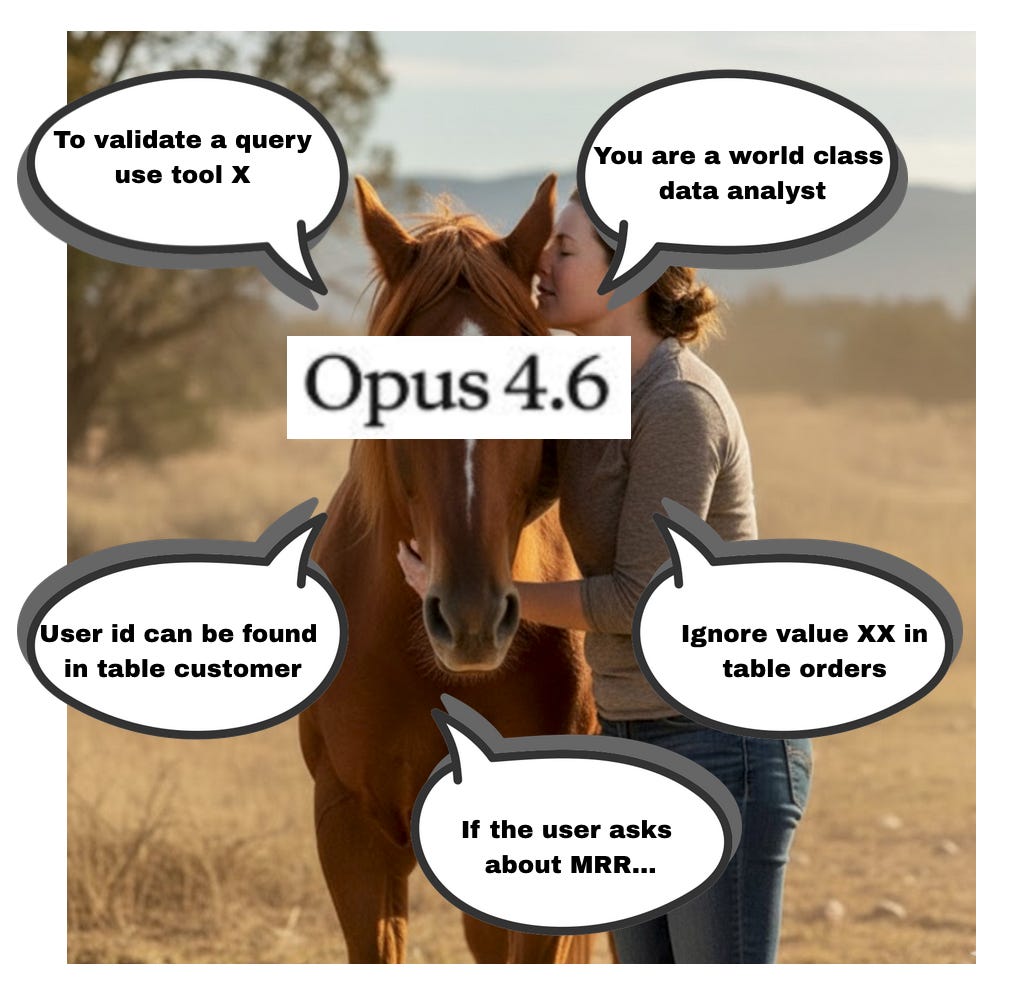
And because all of this lives in the context window… Every single LLM call becomes slower, more expensive.
And even worse: performance starts to degrade.
You hit the classic “lost in the middle” effect where instructions buried in the center of a long prompt are quietly ignored.
Your LLM doesn’t get smarter, it gets lost:

And more broadly, everything feels heavy. Overengineered. You’re no longer building a product. You’re maintaining scaffolding.

In 2025 the industry figured this out and teams began to realize something uncomfortable: the problem wasn’t the model, it was the environment.
Claude Code showed a different way to build agents — not by adding more orchestration, but by simplifying the world the model operates in.
Instead of giant prompts and layered control systems, it relied on:
A filesystem as the primary interface
A small set of native Linux tools
No prompt bible. No tool explosion.
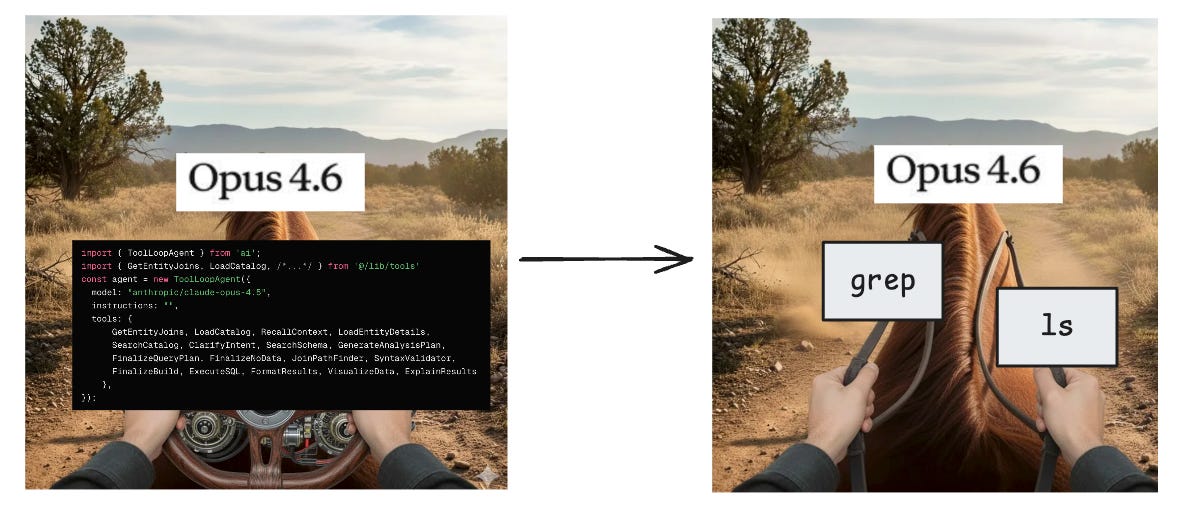
Why did this work so well? Because file systems and Linux CLI tools are deeply embedded in LLM training data. Models have seen: ls, grep, sed, cat millions of times in their training sets.
They don’t need to be taught this environment. They already know how to move inside it. You’re not forcing them to reason in an artificial orchestration layer.
So the obvious question is now: What if we applied the same idea to Chat BI?
This is what the Vercel team did:
They started by implementing a list of super complex tools:
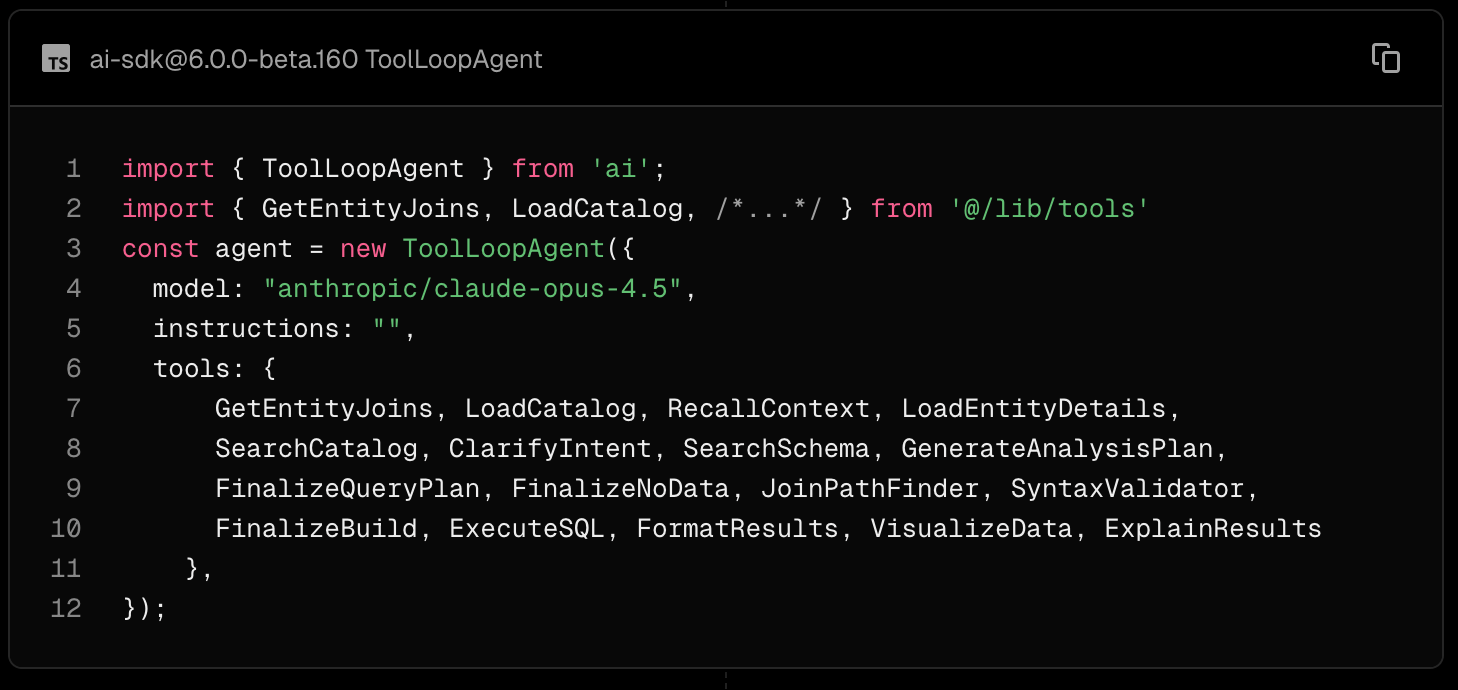
And finally decided end of 2025 to remove most of them, and replaced it with:
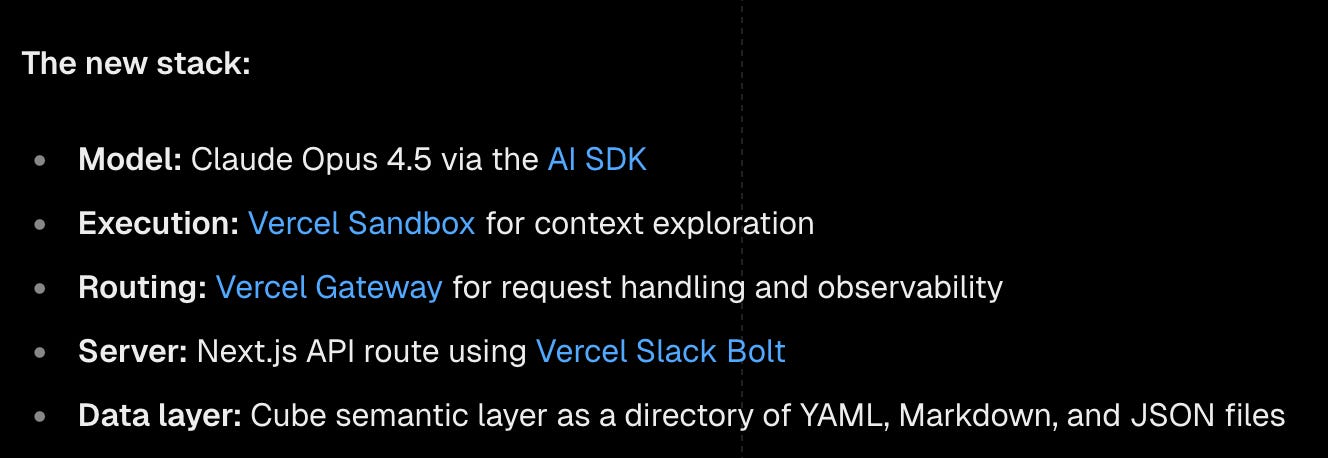
The results speak for themselfs:

Agentic coding flipped the approach, now Chat-BI agent browses files to get insight about semantic, schemas, data strucure and finaly use a query tool to retrieve the data.
2025 Chat BI systems look like this:
A filesystem
Context split across local files
A harness
What we call the harness is the set of tools and constraints provided around the LLM.
The most well-known examples are Claude Code and Codex, but you can also build one easily using frameworks like LangChain / LangGraph.
So the question now is: how do we bring all of this together into one system?
For this, we gone use Nao’s Jaffle Shop project, which you can start with a single command:
docker run -d \
  --name nao \
  -p 5005:5005 \
  -e BETTER_AUTH_URL=http://localhost:5005 \
  getnao/nao:latest
You then get access to a chat interface running an agent against a DuckDB file.
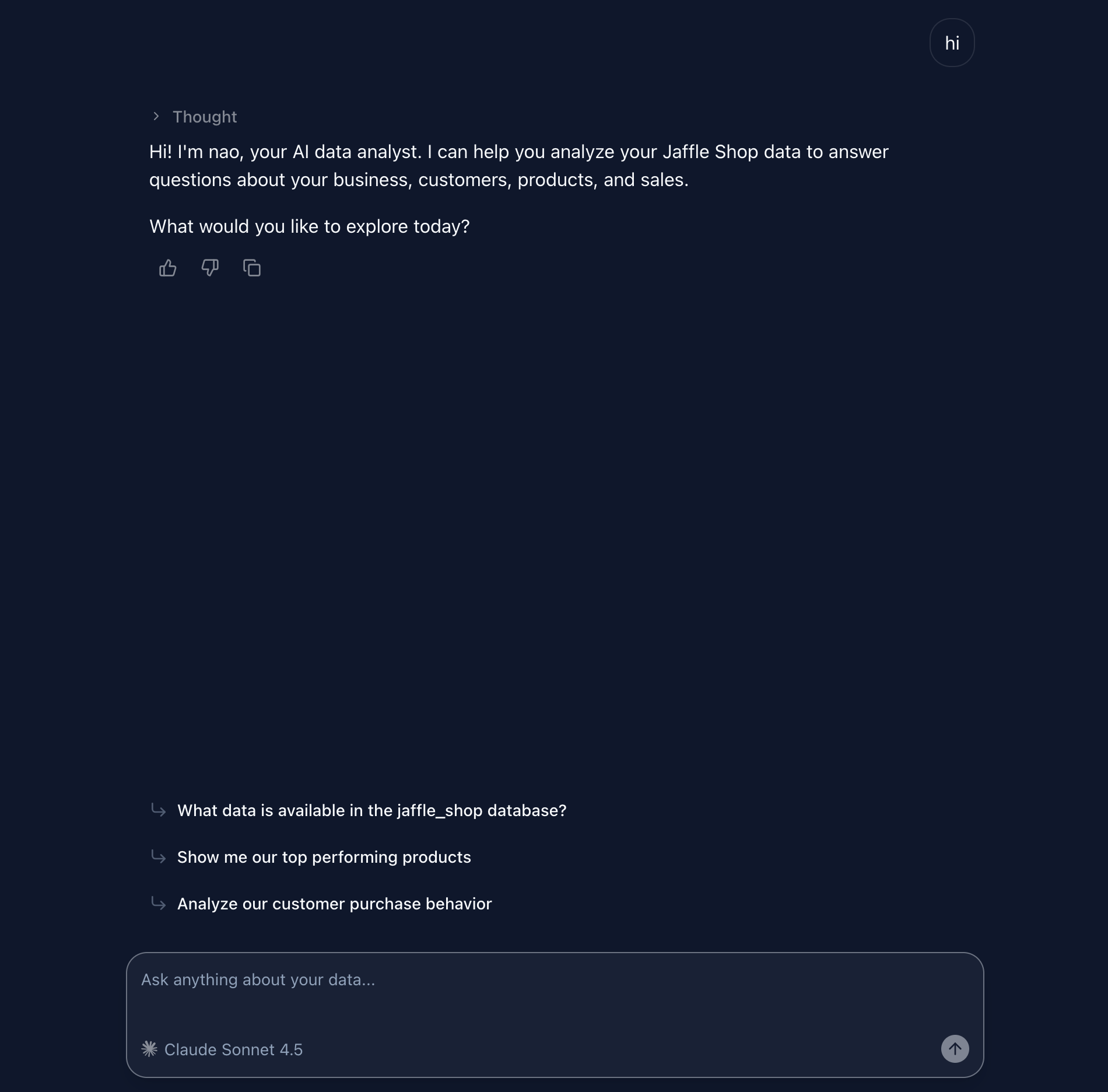
The project provides a predefined context structured into folders:
  nao/example/
  ├── RULES.md
  ├── docs/
  │   └── notion/
  │       └── jaffle-shop-information.md
  └── databases/
      └── type=duckdb/
          └── database=jaffle_shop/
              └── schema=main/
                  └── table=*/
                      ├── columns.md
                      ├── description.md
                      └── preview.md
There is, of course, a system prompt, kept intentionally concise (RULES.md):
We are a company that has jaffle shop, we are selling products to our customers. You have to help us to analyze the data and answer questions about the business.
Always be concise and to the point, explain the data and the business logic in a way that is easy to understand. If the user does not give enough details, ask for more details.
The databases/ folder contains metadata about the DuckDB database. For each table, there are three Markdown files:
Column list
# customers
**Dataset:** `main`
## Columns (7)
- customer_id (int32)
- first_name (string)
- last_name (string)
- first_order (date)
...
Descriptions and metadata
# raw_payments
**Dataset:** `main`
## Table Metadata
| Property | Value |
|----------|-------|
| **Row Count** | 113 |
| **Column Count** | 4 |
## Description
...
Data Preview
# customers - Preview
**Dataset:** `main`
## Rows (10)
- {"customer_id": 1, "first_name": "Michael", "last_name": "P.", "first_order": "2018-01-01 00:00:00", "most_recent_order": "2018-02-10 00:00:00", "number_of_orders": 2, "customer_lifetime_value": 33.0}
- {"customer_id": 2, "first_name": "Shawn", "last_name": "M.", "first_order": "2018-01-11 00:00:00", "most_recent_order": "2018-01-11 00:00:00", "number_of_orders": 1, "customer_lifetime_value": 23.0}
For this project, Nao provides its own harness: a set of tools available to the LLM.
These tools allow the LLM to build its own context by reading files from file system.
Any coding-oriented harness could work as well: Claude Code, OpenCode, Codex, and others.
It exposes a small set of tools:
File operations: list, search, read, grep
SQL operations: execute_sql
Rendering: display_chart
UX helpers: suggest_follow_ups, propose_next_user_questions
These tools are composed into a simple workflow:
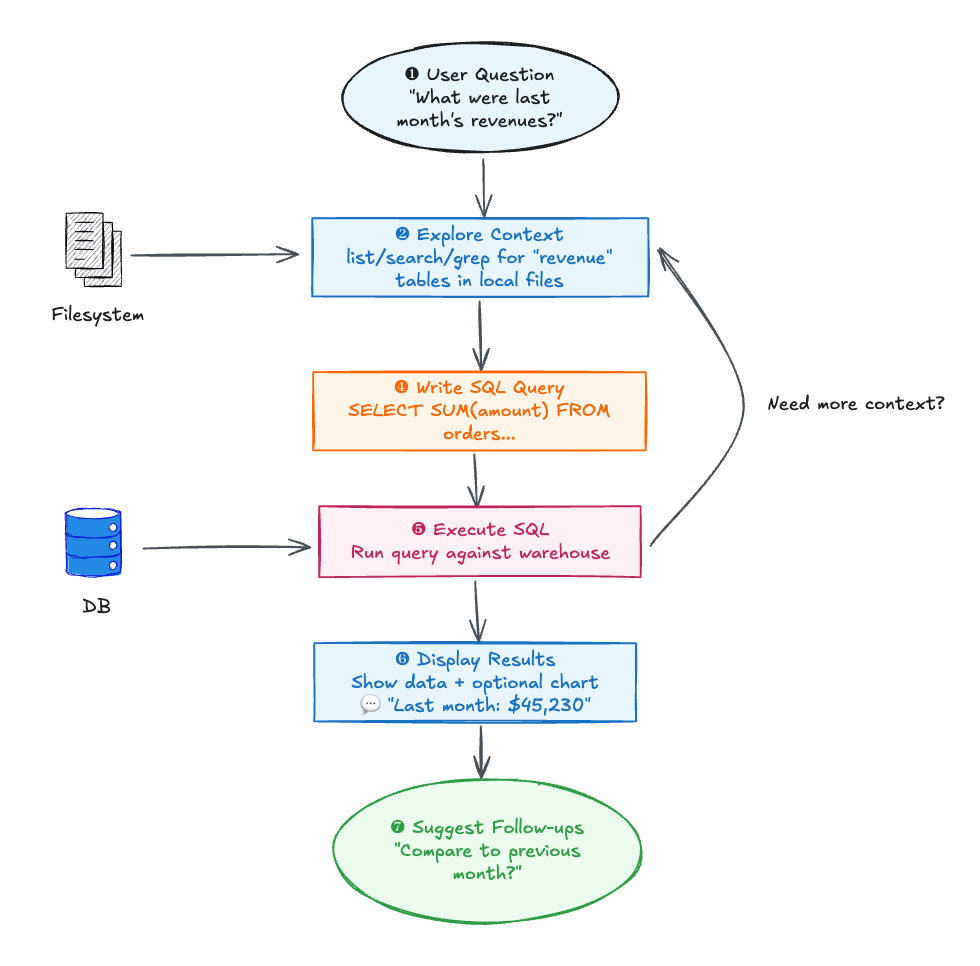
The model no longer tries to memorize everything inside a single prompt.
Instead, it navigates a structured environment, explores files, retrieves context when needed and executes SQL only when necessary.
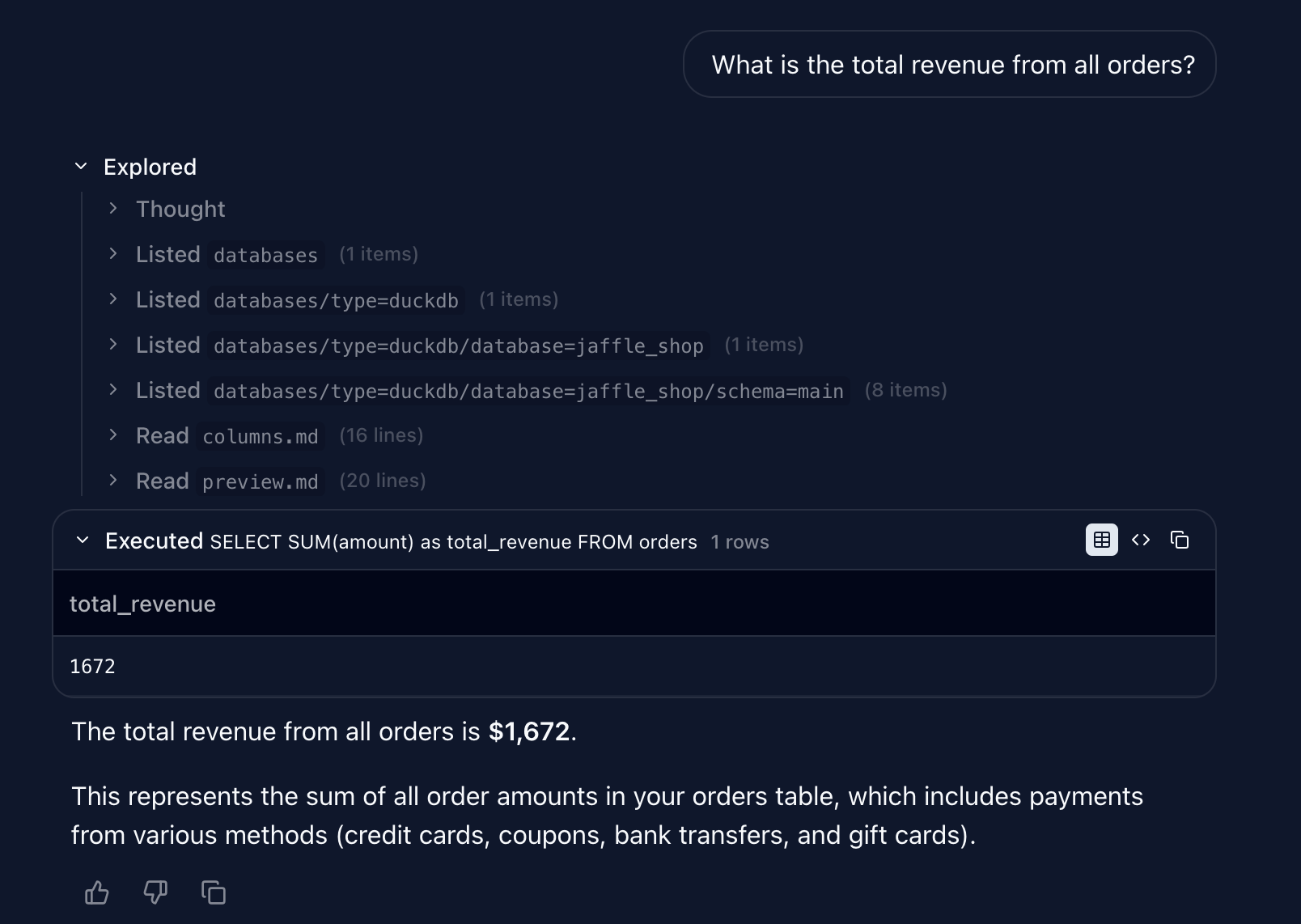
Let’s test a few queries.
You can see in the screenshots how the agent explores the metadata files before executing the final SQL query.
Now let’s try more advanced cases.
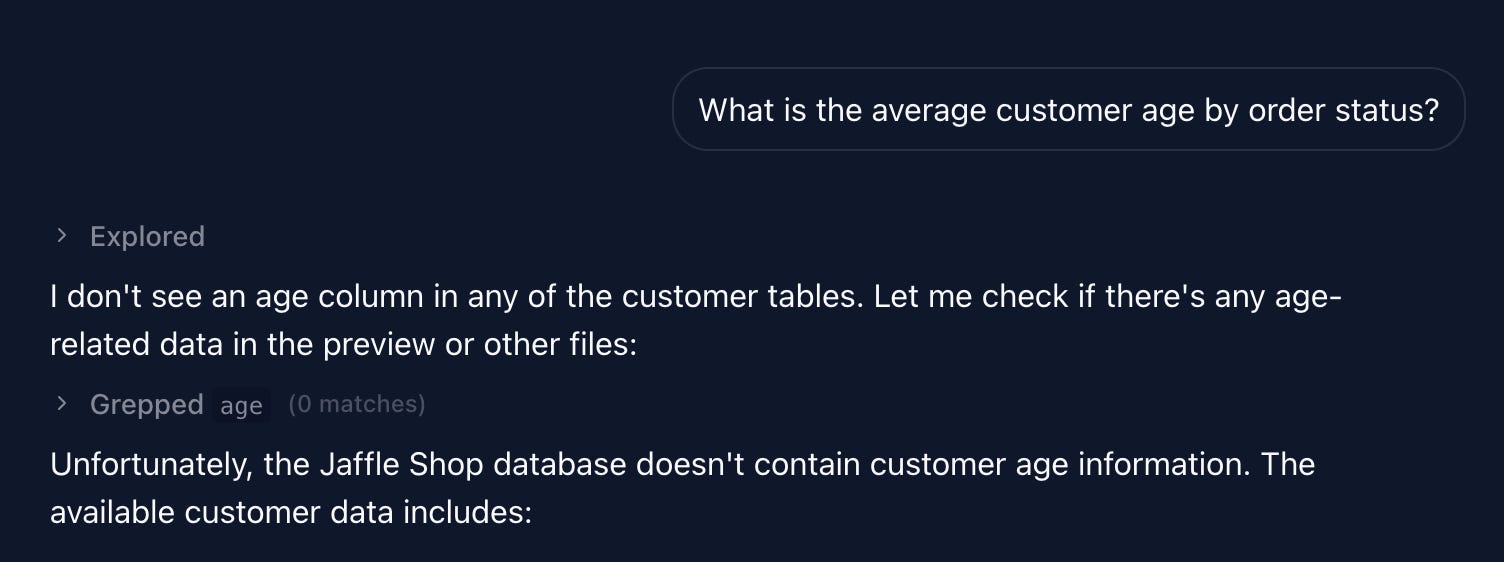
Non-existent data
Ambiguity trap: monthly revenue
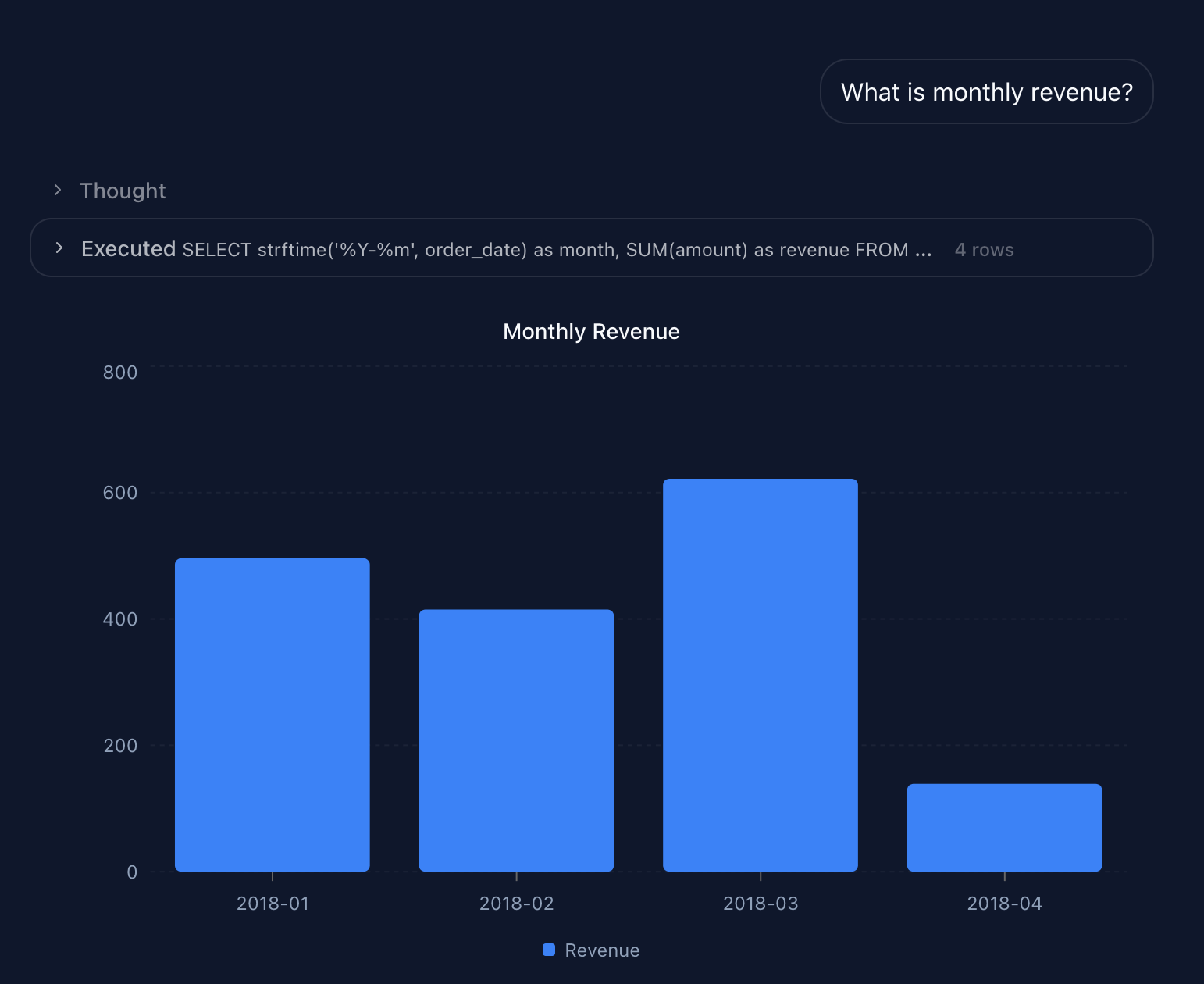
Here are the model’s “thought”:
The user is asking about monthly revenue. I need to query the orders table to get revenue aggregated by month. Let me first check the orders table structure to understand the date column and amount column.
From what I know:
There’s an orders table
It has order_date and amount columns
I need to group by month and sum the amounts
The model didn’t use the metric defined in the YAML file. Since “revenue” is open to interpretation, it should have either asked for clarification (completed orders only? net revenue excluding returns?), or used the metric definition directly from the YAML.
advanced SQL:
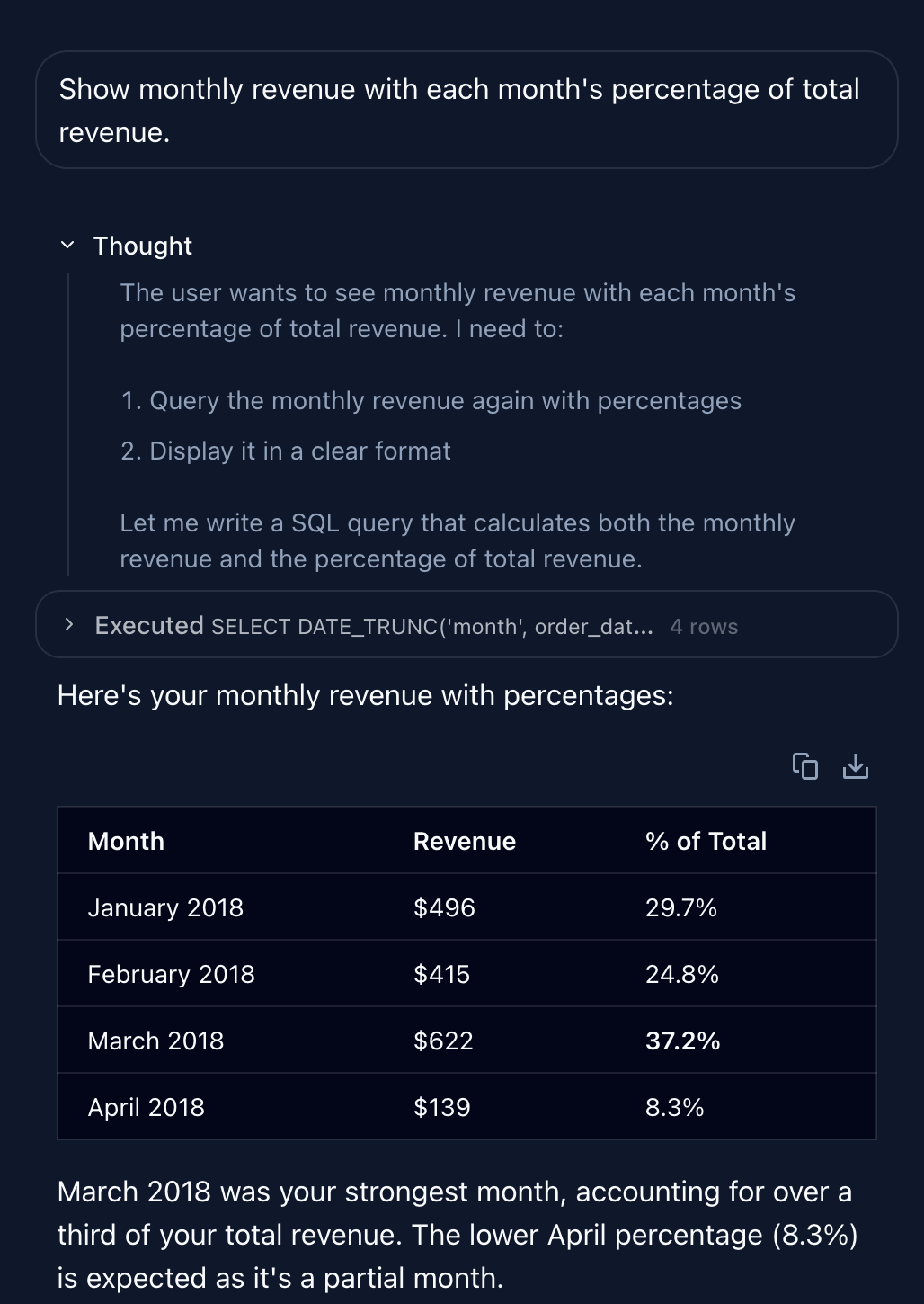
Looks good !
Final try:
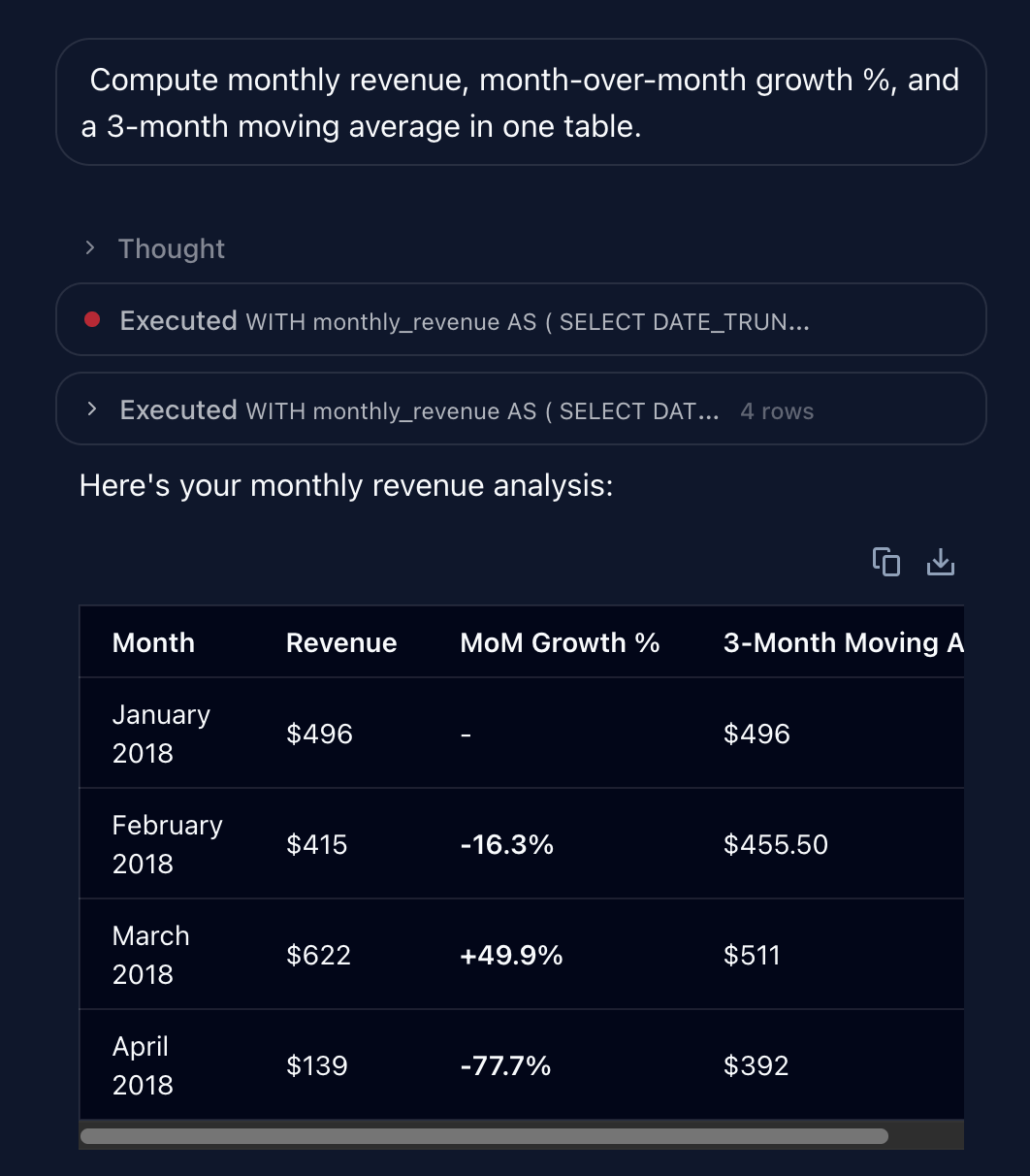
It failed once — but eventually produced the correct answer.
With such a simple schema, it’s hard to truly push the system to its limits.
But don’t worry.
That’s exactly what the next posts in this series are for. 😉
I hope this post helped you understand how modern Chat-BI systems are built.
This is the first episode of a mini-series we’re working on with the Nao team, exploring Chat-BI architectures and design patterns.
In the coming weeks, we’ll publish deeper dives on:
Semantic models and Chat-BI
Context maintenance in agentic systems
The impact of Chat-BI on data roles
Stay tuned.
We have released a new episod of our podcast with blef (in french). Check it out here:
Thanks for reading,
Ju
Comments
Nothing yet. Say the first thing.
Sign in to join the conversation.