
If you’ve ever asked Jovyan to tackle a big job you’ve seen the power of orchestrated subtasks. Jovyan breaks the work into focused steps, each handled by the right specialist mode.
But until now, orchestration had a few rough edges:
You restart VS Code mid-workflow, and context gets fragmented.
The agent “completes” a task, but you’re not ready to accept the output yet.
Notebook edits happen, and you’re stuck hunting through 50 cells to see what changed.
Jovyan 1.12 fixes that. This release is about giving you more control, more visibility, and more confidence when Jovyan is working on your behalf.
You kick off an orchestrated workflow:
“Clean this dataset, run feature engineering, then train a baseline model.”
Jovyan splits it into subtasks and gets to work. Then you restart VS Code — extension update, laptop sleep, or you just close your workspace. When you come back, the parent task may not reconnect cleanly to what the subtasks already did. Results can feel “lost” and you end up starting over.
In 1.12, subtask relationships are fully preserved across restarts.
If a subtask finishes while the parent is paused, its result is saved.
When you resume the parent, Jovyan delivers the completed subtask outputs automatically.
The orchestrator picks up exactly where it left off.
You’ll also see clickable navigation links in the chat:
From a subtask, jump back to the parent.

From the parent, jump directly into each child conversation.
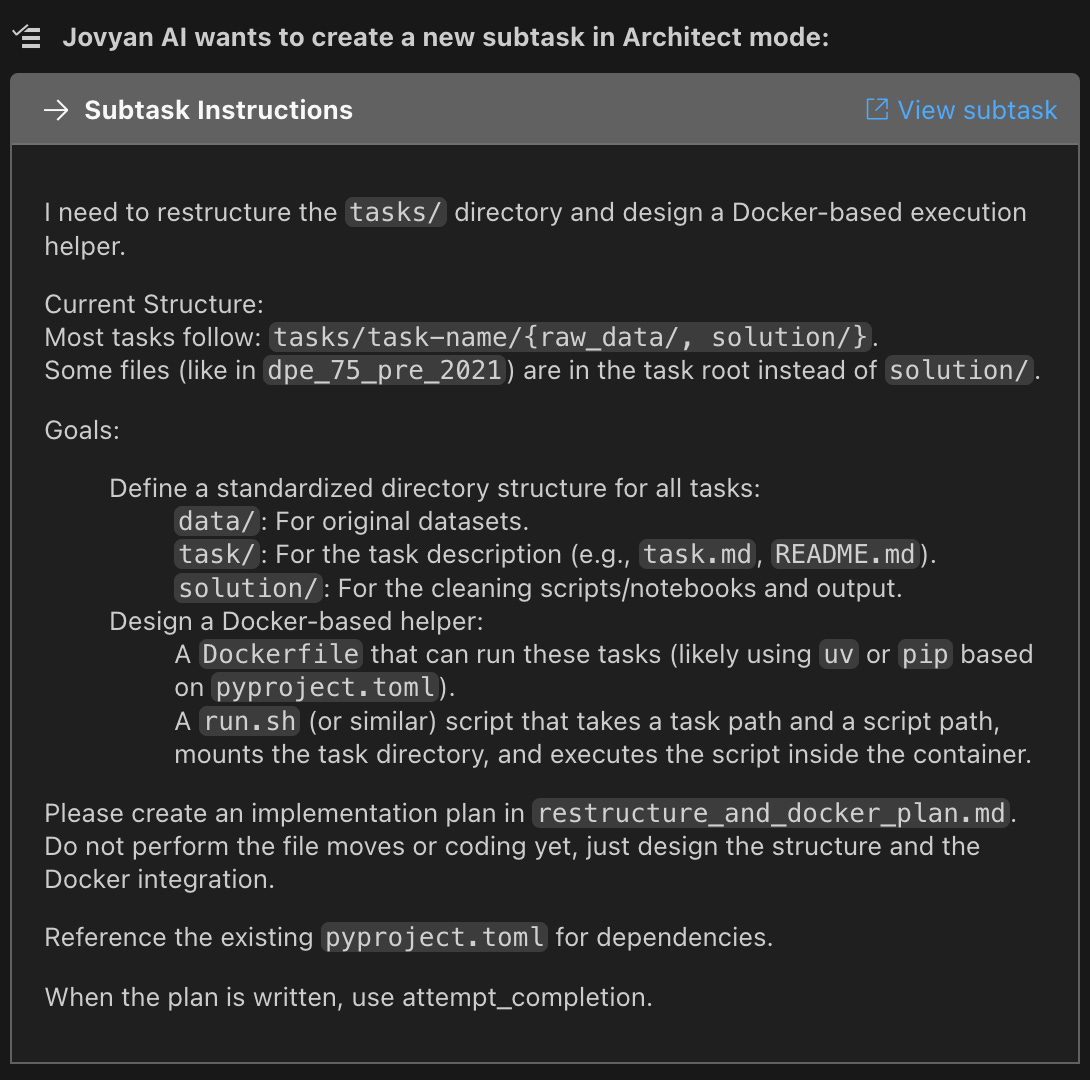

This makes it easy to audit the full chain: the orchestrator’s plan → each subtask’s execution → final synthesis.
Why this is different from typical agents: many agents treat a “session” as ephemeral. Jovyan treats complex work like a real project: it should survive restarts and keep a traceable structure.
Jovyan finishes a task and posts results. But maybe:
it missed an edge case,
the output format isn’t what you expected,
you want a quick adjustment before you accept.
Previously, the task would end. Your feedback became a new message after completion, and the “done” state could clutter the story of what actually got accepted.
When Jovyan reaches the end of a task, you now get two clear options:
Complete Task — everything looks good, you accept and you’re done.
Tell Jovyan what to do next — something needs refinement, and you can give feedback right there.
If you choose the second option, Jovyan continues with full context of everything it already did. No restart. No re-explaining. Just iterate.
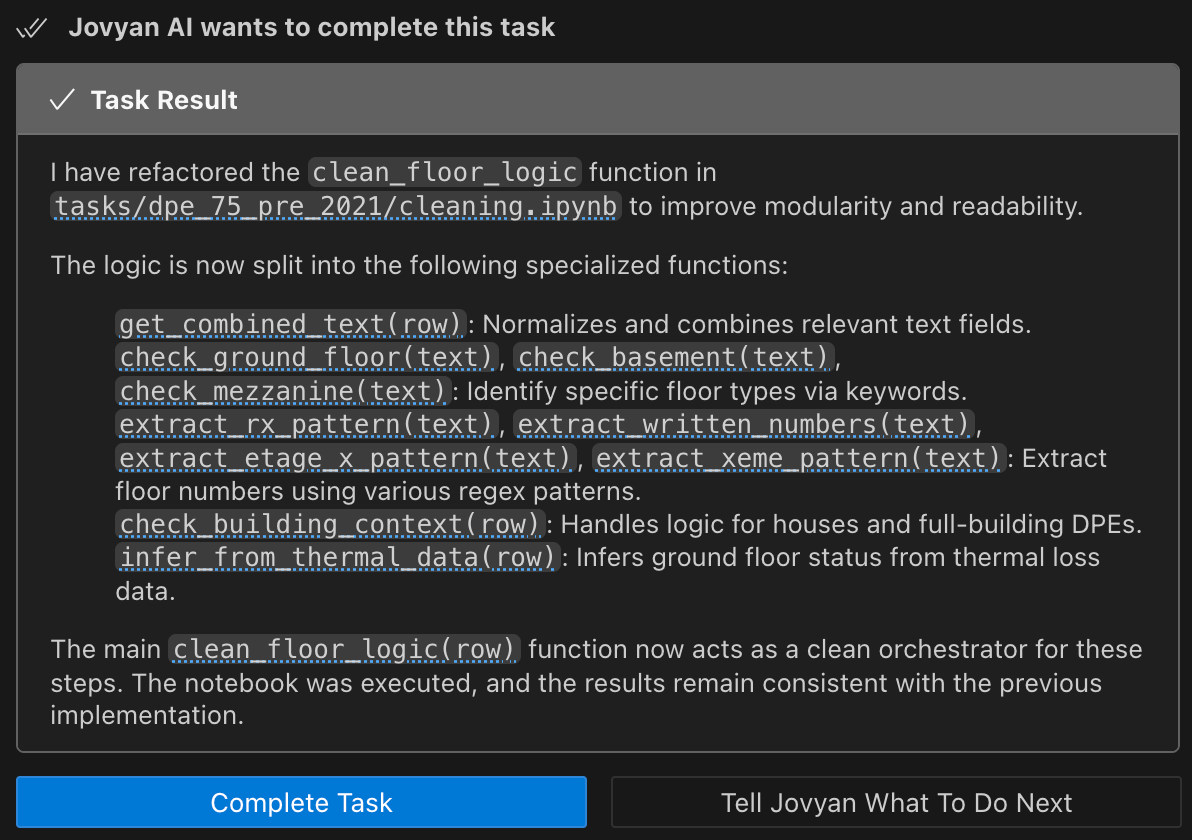
Pro tip: use this like a review checkpoint. Let Jovyan do the first pass, then refine:
“Looks good — also handle duplicate rows in column B.”
“Re-run the baseline with a different split and add cross-validation.”
“Keep the logic, but rewrite the explanation for a non-technical audience.”
This makes the workflow feel closer to collaborating with a teammate: draft → review → iterate → accept.
Jovyan edits a notebook and you see:
“edited analysis.ipynb”
But… which cells? What changed? If you’re working in a 50-cell notebook, reviewing edits shouldn’t mean manually searching through the file.
Notebook edits now come with a cell-by-cell diff:
A summary line shows how many cells were modified (e.g., “edited 3 cells in analysis.ipynb”)
Each cell has an expandable section showing exact line additions/removals
Code vs markdown cells are clearly labeled
Diffs are syntax-highlighted so you can scan fast
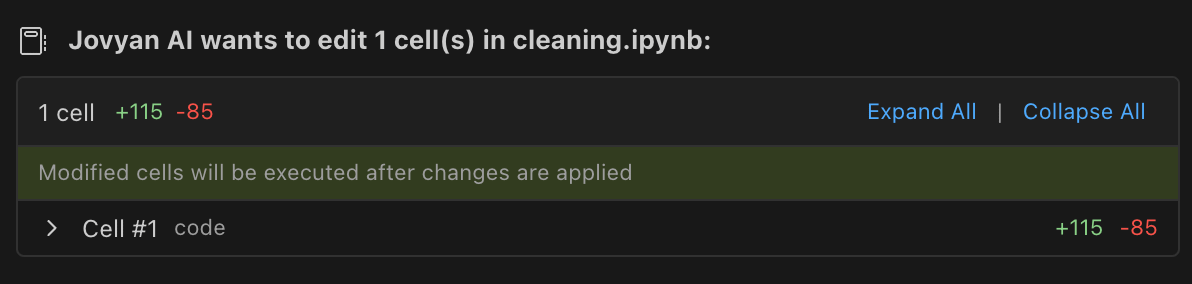
This applies whether Jovyan edits existing cells, adds new ones, or removes cells you no longer need.
Tip: before approving notebook edits, expand each changed cell and do a quick scan. It’s especially useful in data cleaning workflows where small changes can have large downstream effects.
Why this is different from typical agents: most agents generate the whole notebook in one shot. Jovyan optimizes for iterating easily over the notebook in a transparent and trustful manner.
Update to v1.12 from the VS Code Marketplace or directly through your extension manager.
New to Jovyan? Install the extension and create a free account to get started. You’ll receive credits to try Jovyan on real data science work: notebooks, data cleaning, model building, and more.
We’d love to hear how these changes work for you ! Reach out anytime at jovyan-ai.com.
No posts
Comments
Nothing yet. Say the first thing.
Sign in to join the conversation.