
I'm still an avid user of Cygwin, a Unix-like environment for Windows. It implements a POSIX-compatible API in the form of a DLL. This enables many programs that were developed for Unix-like systems to be run under Windows without much modification.
Why not WSL? Well, I've never had a problem for that solution. Also, when a colleague first wanted to show me WSL, a Microsoft account was necessary to install it from the store. That wasn't going to happen. ;-)
I'm using Cygwin to run OpenSSH client, Midnight Commander, Emacs and tools such as grep, awk and Perl directly under Windows. Cygwin's mintty is my default terminal emulator, and Cygwin also comes with an X server for Windows!
One fun use case - at least for me - is playing with minimal retro-desktops running on remote systems. (See Customising fvwm is my form of Zen gardening).
So here's how to forward X using Cygwin/X and SSH.
SSH Server
The remote system's SSH server must be configured to forward X:
In sshd_config, ensure X11Forwarding is enabled:
X11Forwarding yes
Install Cygwin/X
On the local (Windows) system, install Cygwin.
See https://cygwin.com/install.html.
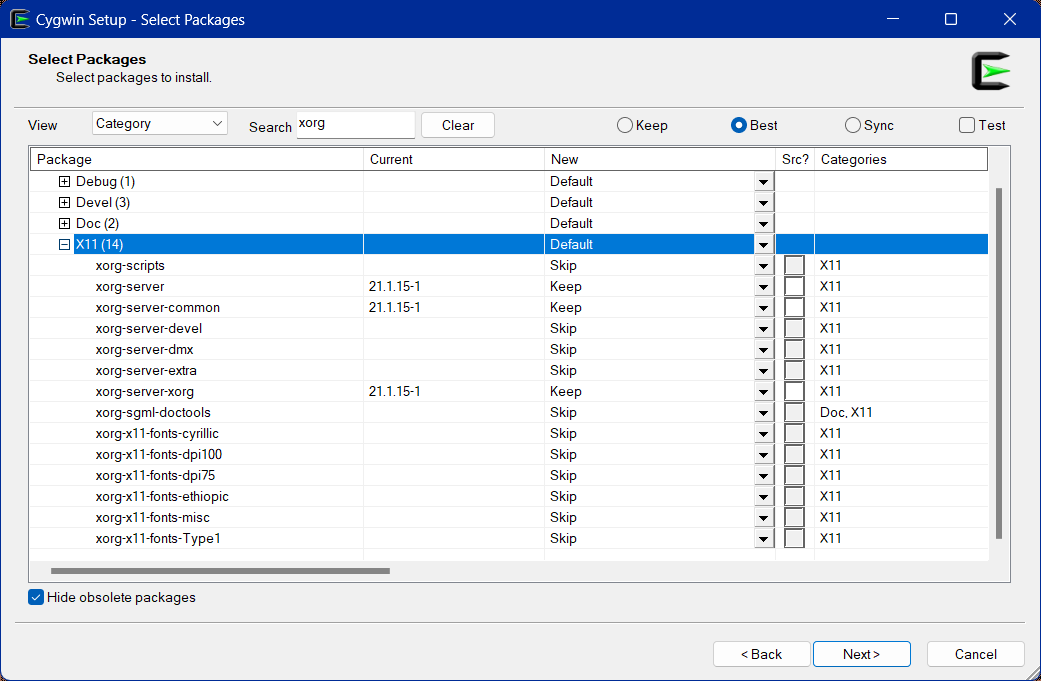
(Cygwin setup - package selection)
Select at least these packages from the Cygwin package repository:
xorg-serverxeyes,xclock(for testing the X server with a local client)
Start X
In a Cygwin terminal, just run X.
local $ X
(Single-window mode; gives a single root window. Supports running a window manager or full desktop environment.)
local $ X -multiwindow
(Multi-window mode; opens each program in its own window, seamlessly integrated in the Windows explorer, using its window decorations, the taskbar etc.)
In another Terminal, run xeyes to verify the X server works as expected.
local $  export DISPLAY=:0.0
local $  xeyes
This should start the local xeyes application that was installed from the cygwin package repository.
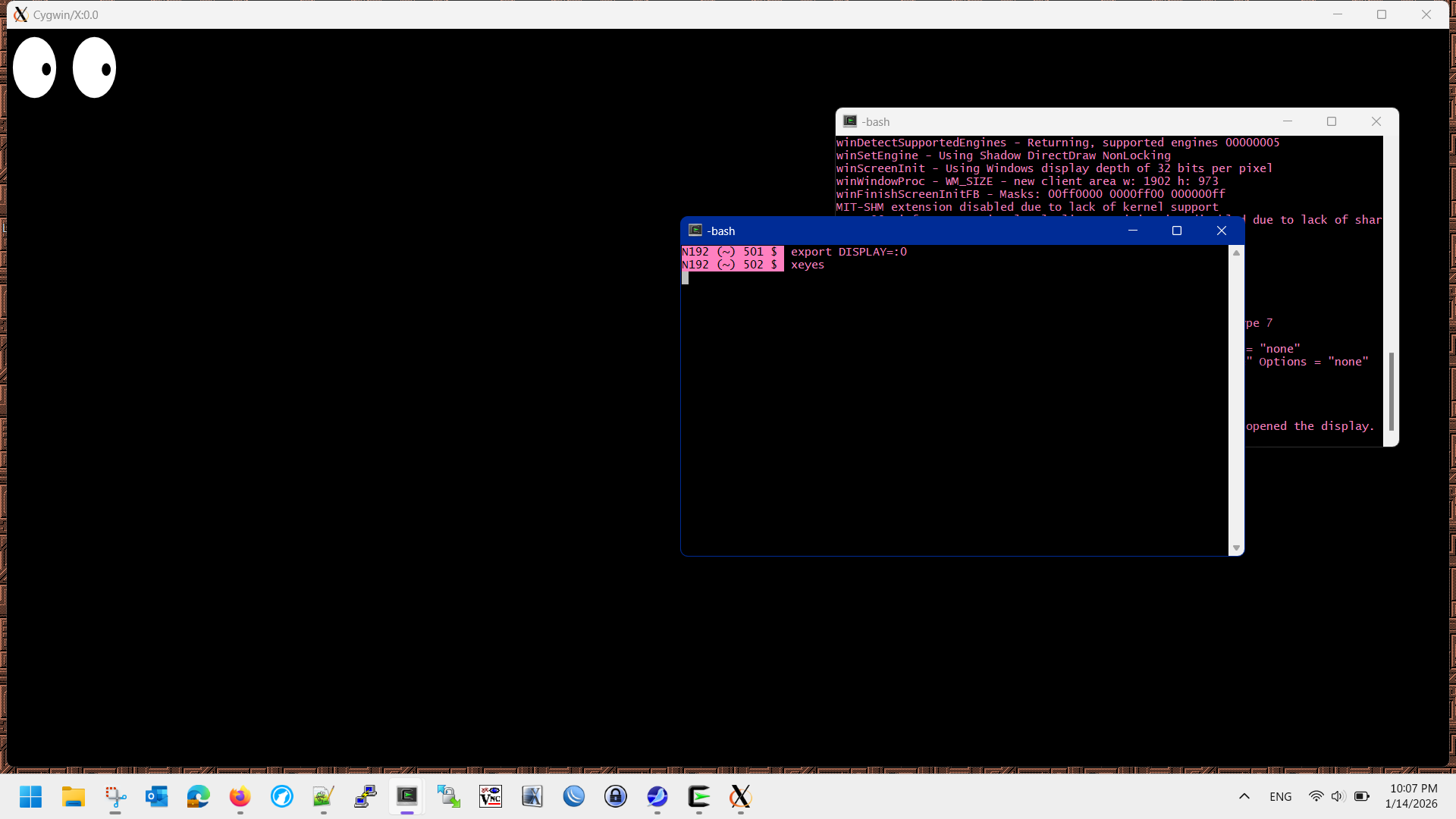
(Cygwin/X with a single root window and local xeyes)
Forward X
Now ssh into a remote system that has X forwarding enabled & start a window manager:
local $  ssh -Y -C jka@vps02.jkdata.de
remote $ mwm
-Yenables trusted X11 forwarding-Cenables compression for better performance
This should start the chosen window manager/ desktop (here mwm, the Motif window manager) inside the root window.
You now have a full Linux desktop forwarded over SSH.
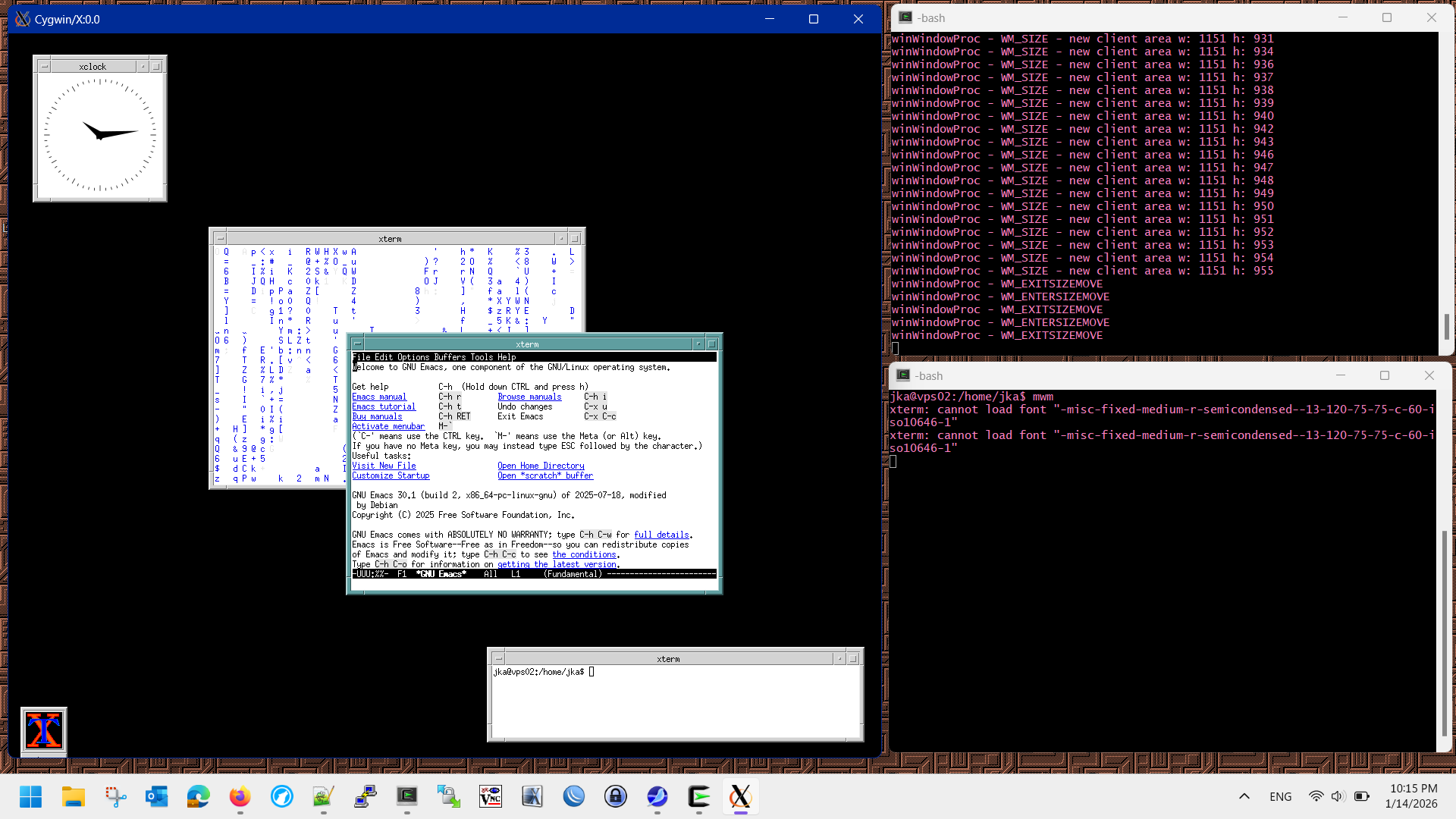
(Cygwin/X with a single root window and MWM)
Using X -multiwindow you can run multiple applications that seamlessly integrate into the Windows desktop environment:
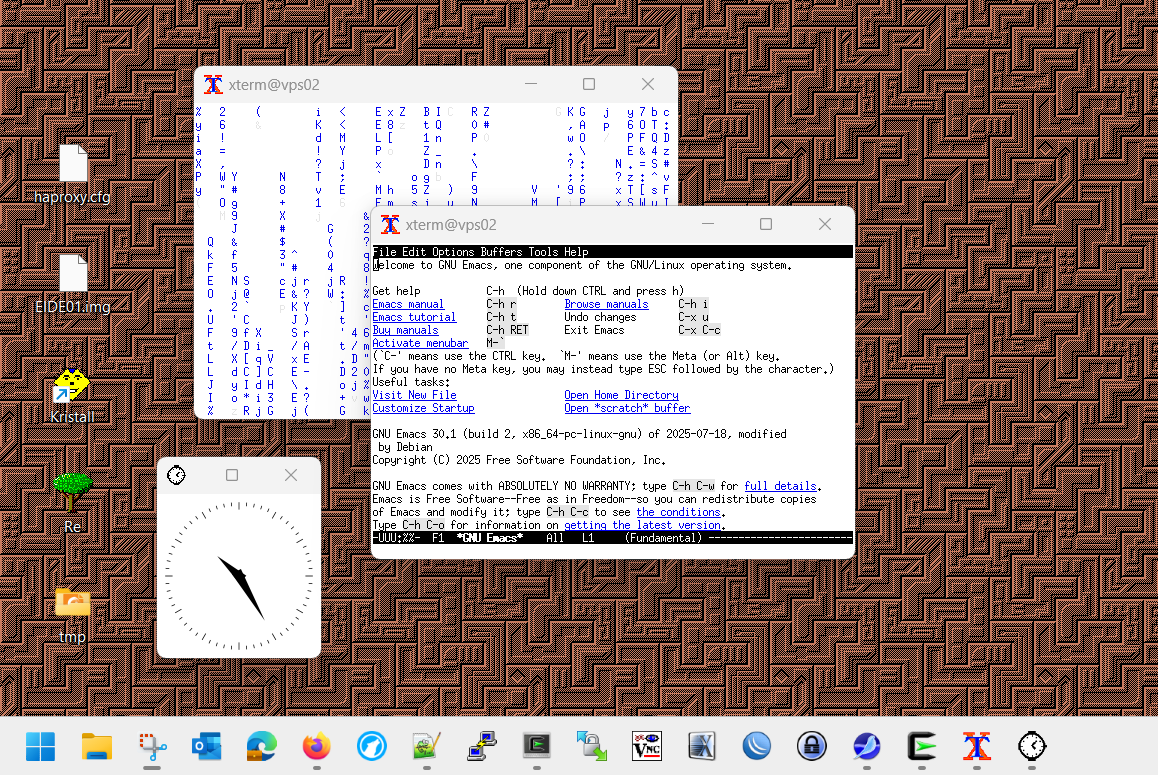
(Cygwin/X -multiwindow with various X clients)
See also
- Cool, but obscure X11 tools
- Motif Window Manager - Wikipedia
- Cygwin - "Get that Linux feeling - on Windows"
- xpra - aka "screen for X"; "allows you to run X11 programs, usually on a remote host [..] and then to disconnect from these programs and reconnect from the same or another machine(s), without losing any state."
- X2Go - A remote desktop solution for Linux, based on the NX protocol. Only requires SSH on the server, too. Clients available for BSD, Linux, MacOS and Windows.
Comments
Nothing yet. Say the first thing.
Sign in to join the conversation.