
👋 Hi friends, and happy Saturday ☕ —
I’m doing a happy dance because Meta already shut down the Muse Image feature that let strangers turn public Instagram photos into fake scenes with a simple @mention.
I tested it, the backlash hit, and Meta pulled the feature three days after launch.
I updated our big story below with what happened, why the company backed down, and why your Instagram sharing settings still matter. Read it → [HERE]
In today’s newsletter:
ChatGPT launched a huge Voice upgrade that lets you talk to it. Here’s everything I’ve learned using it way more than I expected to.
🌎 OMG, As The Silicon Valley Turns: Apple’s just filed a juicy lawsuit against OpenAI — why this matters to you 👀
And, the iPhone setting that could turn an old phone into the perfect first phone for your kid.
Every week, I think this can’t get any more packed with useful tips and gadgety gossip, and then it just … does. Let’s dive in. 👇
Meta launched Muse Image on Tuesday as its newest AI image generator.
Because Erling Haaland — the internet’s favorite Viking golden retriever, who has already won this World Cup in every category except the actual trophy — has a public Instagram account, it took me about 60 seconds to manufacture a completely fake relationship with him.
Then I made a few more spectacularly fake photos with Messi, Oprah, Cristiano Ronaldo, and turned myself into a dog.

Only after I had thoroughly enjoyed myself did I show you where Meta buried the off switch. (C’mon, I take my consumer-protection responsibilities seriously, but I’m not made of stone.)
The problem was obvious: Meta automatically included eligible public Instagram accounts. Anyone could type an @mention and pull someone’s photos into a new AI scene without following them, asking permission, or telling them afterward.

My examples were mostly ridiculous and clearly labeled. The same tool could just as easily create a fake endorsement, manufacture evidence of an affair, humiliate a kid, or hand a scammer a convincing new prop.
Three days later, after backlash from SAG-AFTRA, CAA, creators, privacy advocates and reporters, Meta pulled the feature and admitted it had “missed the mark.”
Duh.
I can’t believe anyone over at Meta thought this was a good idea in the first place. Seriously. How could this feature pass through product meetings, privacy reviews, legal teams, and really smart people conversations — without anyone standing up and saying, “Wait. Are people really going to love discovering that strangers can turn their faces into AI props without asking?” Blech.
Muse Image still exists, but people can no longer summon photos directly from public Instagram accounts with an @mention. The images people created during those three days still exist. (Hello, I’m framing mine…) Meta cannot pull them back from phones, group chats, social feeds, or wherever else they landed.
I am also leaving the Instagram reuse permission turned off. The specific public-account feature is gone, but the Sharing and reuse controls still govern other ways people can reuse your posts and Reels.
To check yours, open Instagram and go to:
Profile → three lines → Sharing and reuse
If you still see Allow people to use your content on Instagram and with AI features at Meta, turn off both Posts and Reels.
Changing the setting cannot stop someone from taking a screenshot of a public photo and uploading it to another AI generator. A public account remains public. It does, however, give Meta a clear answer about whether you want your content fed directly into its own reuse tools.
Don’t forget, Meta has made this bet before. It used facial recognition to suggest photo tags. It used public posts to help train its AI. The company launches first, buries the controls, and counts on most people never noticing.
This week, we noticed. Celebrate that. Then remember it the next time Instagram rolls out a shiny new feature with the permission box already checked for you.
See every picture I made, the exact prompt I used, and the full update here → [FULL STORY]
Quick show of hands: did you know you can talk to ChatGPT out loud? There’s a little voice icon next to the message box; it’s been there for a while, and most people have never tapped it once. Honestly? You weren’t missing much—until now.
OpenAI rebuilt ChatGPT Voice on new models called GPT-Live, and for the first time, you can talk with it instead of at it. Interrupt it mid-answer. Trail off, change your mind halfway through a sentence, go quiet to think — it waits. You can ramble.
Rambling is kind of the whole point, because talking is how people actually think. Typing was always the bottleneck. Now the twenty minutes in the car becomes the meeting with yourself you never schedule. The dishes become time to rehearse that sensitive conversation with a partner who has zero stakes and infinite patience. The afternoon trail run becomes where the newsletter gets outlined. (Ask me how I know.)
I did not plan on liking this. I have spent two decades watching “just talk to it” go sideways. Siri mangles simple requests. Alexa once recorded a family’s private conversation and sent it to someone in their contacts. Contractors reviewing voice-assistant recordings have heard things nobody intended to share.
Then I started using the new ChatGPT Voice — and I can’t believe how different and good it is.

Open the ChatGPT and look at the message box where you normally type. Tap the Voice icon on the right side. Do not tap the little microphone that records a message and turns it into text; tap the Voice button to open a live conversation.
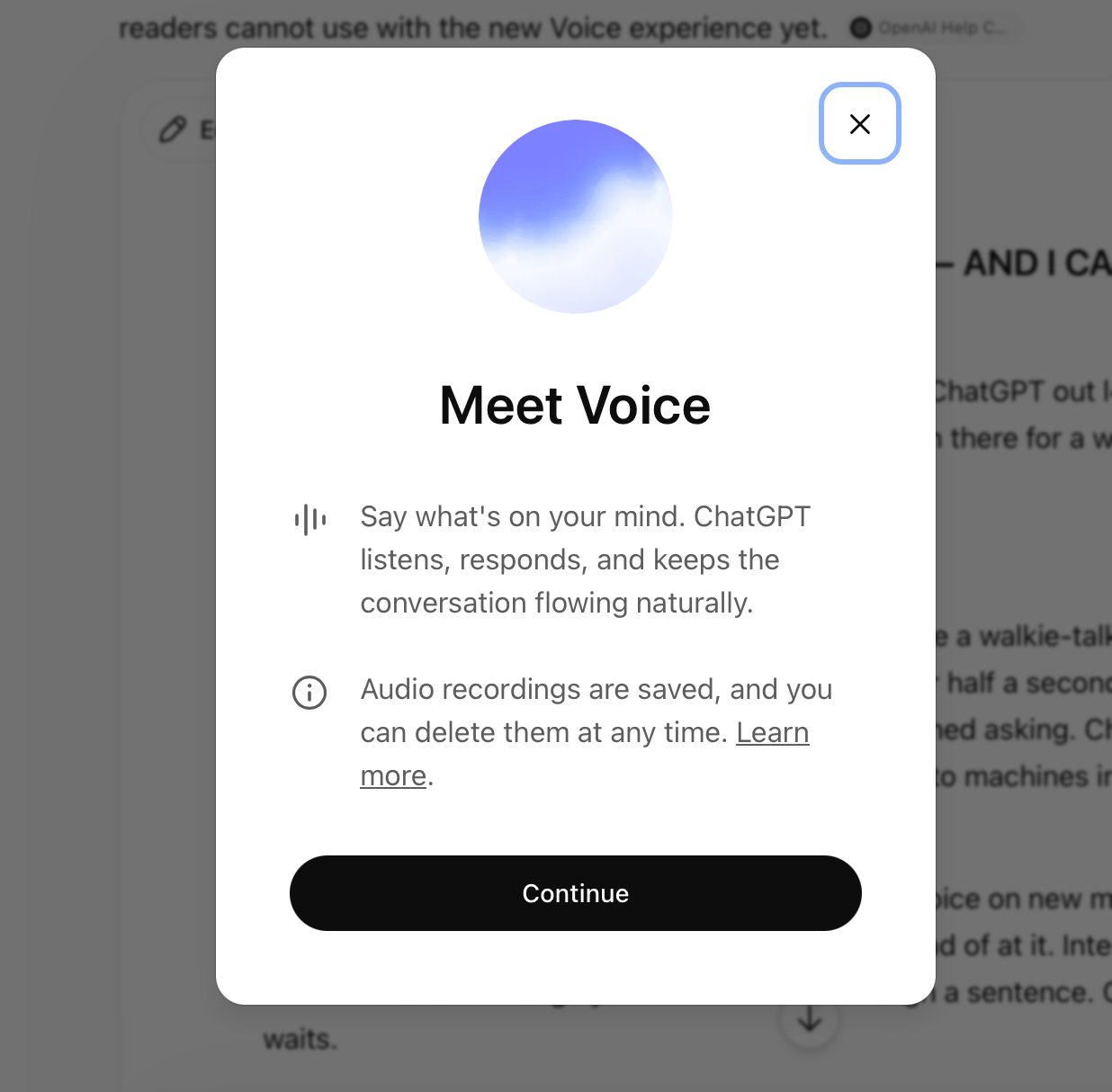
The first time you use it, ChatGPT asks for permission to use your microphone and lets you choose a voice (I’m using “Vale”). After that, you just start talking. On a computer, go to ChatGPT.com and tap the same Voice icon beside the prompt box.
To make sure you have the new version, go to Settings → Voice → Live. You should also see a small Live label at the top of the conversation after Voice opens. If Live does not appear in your settings, update the ChatGPT app. OpenAI is rolling it out gradually, so it may not have reached your account yet.
The feature is still called ChatGPT Voice. GPT-Live is the technology running underneath it. Paid accounts use GPT-Live-1, while free accounts use GPT-Live-1 mini. You do not have to choose between those two models; ChatGPT picks the right one for your plan.
When you ask a harder question, GPT-Live can quietly hand the job to GPT-5.5 in the background. That means you can ask it to search the web, reason through a complicated problem or work on something more involved without ending the voice conversation and starting over in text.
Live works in the ChatGPT iPhone and Android apps and at ChatGPT.com. It does not support live video or screen sharing yet. For those, eligible subscribers still need to switch back to Advanced under Settings → Voice.
I asked OpenAI the question that I’ve been trained by a decade of creepy assistants to ask. The answer, on the record: no. There is no wake word. The microphone turns on when you tap the voice button, and not before. In their words, it is not an always-on model — if you never tap in, it is not listening to you.
Then I did the very meta thing and asked the microphone about the microphone. Mid-conversation, out loud, I grilled ChatGPT Voice about its own listening habits. It confirmed the tap-to-start part, and then got pretty honest about the rest:
While a session is open, the mic stays live; it can hear anyone else in the room, and it might even respond to them.
Its advice — its own, not mine — was to end the session before having a private conversation.
When I brought up the long history of assistants listening when they shouldn’t, it told me that once you close a session, it’s “not supposed to” keep listening in the background.
I’ll let you decide how comforting “not supposed to” is. The practical rule is simple: you start it with a tap, and you should be the one who ends it. Don’t leave a session running while the rest of your household wanders through.
OpenAI told me that audio clips stick around for up to 30 days so you can resume conversations, and the company says it does not use your actual audio or video clips to train its models unless you choose to share them separately.
The transcript is a different matter. If you have "Improve the model for everyone" turned on, OpenAI may use transcripts of your voice conversations for training, depending on your plan and settings.
Check yours here:
ChatGPT → profile icon → Settings → Data Controls
Turn off Improve the model for everyone if you do not want your conversation transcripts used for training.
If you leave that setting on, make sure “Include your audio recordings” and “Include your video recordings” remain off unless you deliberately want to share those clips.
OpenAI says deleting a chat also schedules its associated audio and video for deletion within 30 days, although the company may retain some data longer for legal, safety, or security reasons. Archiving a chat does not delete it.
I still won’t dictate a bank password, discuss a confidential work deal, or treat a pleasant-sounding chatbot like a licensed therapist (let alone my best friend or spouse). Remember, a voice can feel warm, attentive, and human long before the machine behind it deserves that level of trust.
WORKS ON: iPhone, Android and ChatGPT.com. Both free and paid accounts get it, though free accounts use the lighter GPT-Live mini model.
Open the ChatGPT app, or go to ChatGPT.com.
Look at the message box where you normally type. On the right, you will see a small Voice icon that looks like a sound wave. Tap it.
Do not confuse it with the microphone icon. The microphone only turns what you say into typed text. The Voice button opens an actual conversation.
The first time you use Voice, ChatGPT will ask for microphone permission and let you choose a voice. I use Vale.
When the Voice screen opens, look for the small Live label at the top. That is how you know you have the new GPT-Live upgrade. No Live label? Update the app and check again later. OpenAI is still rolling it out.
Start talking. There is no wake word and no button to hold down.
When you finish, tap the X to end the session. While that session remains open, the microphone remains live and may hear other people in the room. You start it with a tap, and you should be the one who ends it.
If you have an iPhone 15 Pro or newer, map the Action Button to ChatGPT Voice. Then, the second a thought hits — in the car, on a walk, elbow-deep in dinner — you can press one button and start talking instead of opening your phone, finding the app, and losing the thought somewhere along the way.
Go to:
Settings → Action Button → Controls → ChatGPT → Start Voice Conversation
No Action Button? Add the ChatGPT Voice control to your iPhone’s Control Center or Lock Screen instead.
That tiny change is what turns Voice from a feature you forget exists into something you might actually use.
This is tip No. 1 in my upcoming guide. I’m testing 15 more genius insider tips like these, with the exact words to say, the settings to change, and the tricks that sound smart but fall apart in real life. Paid subscribers get the whole thing first. Stay tuned!
Apple sued OpenAI on Friday — its own partner — claiming the ChatGPT maker used stolen Apple secrets to jump-start its mystery gadget.
Apple claims OpenAI turned recruiting into a trade-secret shopping spree. One former engineer allegedly kept his Apple laptop, found a bug that let him back into the company network, and downloaded dozens of confidential hardware files.
Apple also says OpenAI’s hardware chief told job candidates to bring “actual Apple parts” to interviews for show-and-tell.
OpenAI says it has no interest in anyone else’s trade secrets, and none of this has been proven.
The case could delay OpenAI’s first device, damage one of the strangest partnerships in tech, and help decide who controls whatever comes after the smartphone.
And I, for one, am here for all of it. I love a good made-for-reality-TV Bravo-esque drama, especially when the couple is still sharing an iPhone.
Last month, New Things rockstar jouralist, Joanna Stern, paid someone $100 to drill the recording light out of a pair of Ray-Ban Meta glasses. The modified glasses could film people without showing the white light meant to warn everyone nearby. Creepy, right?!
This week, Meta released a mandatory software update that disables the camera when the glasses detect tampering with the recording light. Meta told Joanna directly that the update addressed her reporting.
Facebook’s 0 for 2 this week, but doing a good job fixing what we’re mad about.
Read Joanna’s follow-up at The New Things.
WIRED’s Jeremy White found a brilliant use for an accessibility feature Apple barely promotes.
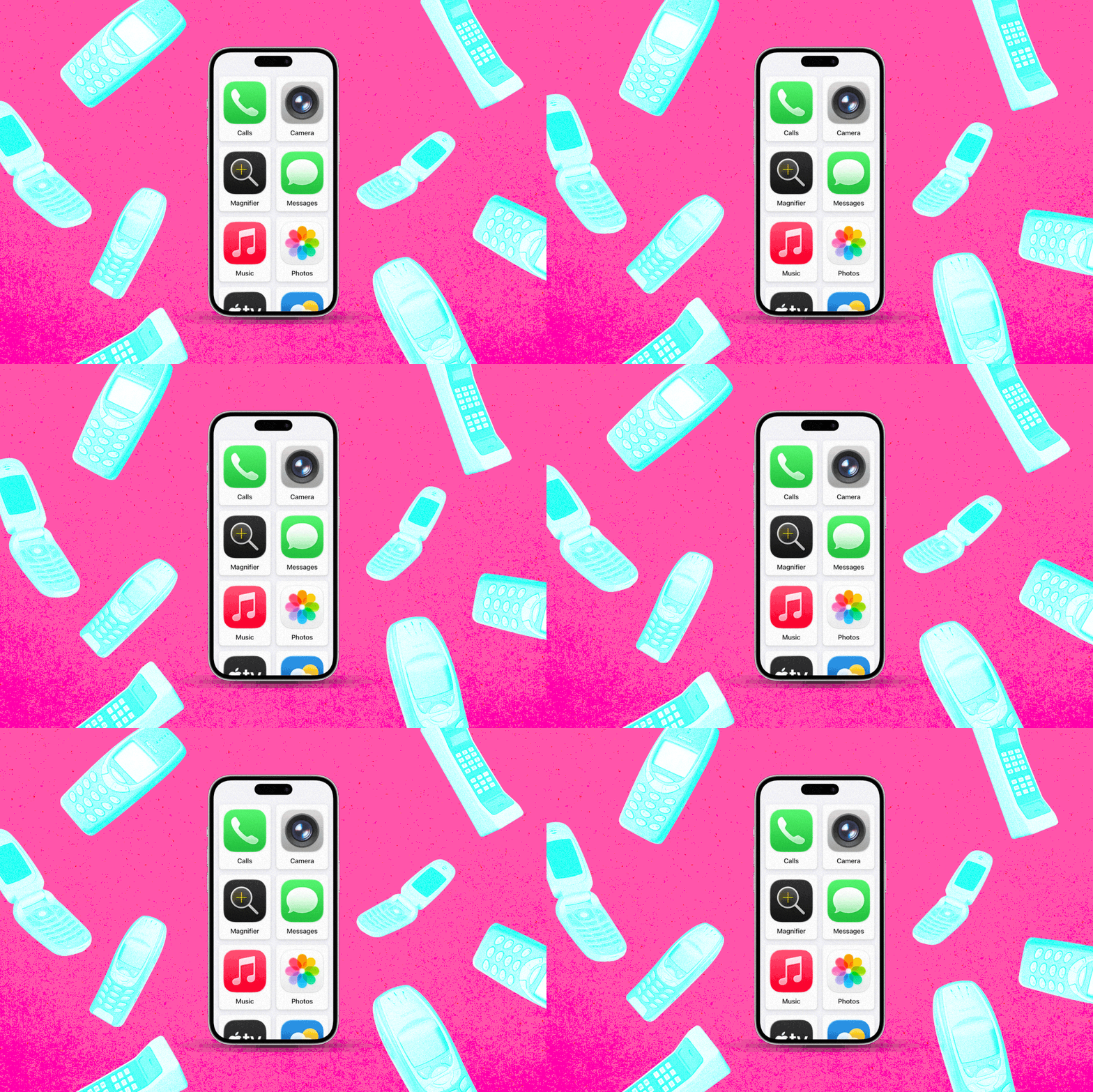
It is called Assistive Access, and Apple originally designed it for people with cognitive disabilities. It can also turn an old iPhone into a simple first phone for a child.
You decide exactly which apps appear. The icons become large and simple. You can allow Calls, Messages, Maps, Camera, Photos, and Music while leaving out Safari, social media, and games.
The smartest part: links sent through Messages do not open when web access is disabled. Your child keeps navigating and Find My tracking without gaining access through the back door.
Set it up here:
Settings → Accessibility → Assistive Access → Set Up Assistive Access
Choose the apps you want, pick a separate Assistive Access passcode and leave everything else off.
A few warnings: the mode can feel sluggish, voicemail does not work, and you have to exit Assistive Access before turning off the phone. Still, the old iPhone sitting in your drawer may do the job without another parental-control subscription.
Read Jeremy White’s full WIRED story.

And just in case you have no idea why I’m making such a big deal about Erling Haaland, come out from that rock you’ve been hiding under. He’s the breakout star of this World Cup —part striker, part Viking, and part meme machine.
Haaland’s led Norway into a quarterfinal against England while posting like the funniest person in your group chat. Google even created a special Viking Row animation tied to Norway’s celebration. Haaland told everyone to search his name, so naturally, we must.
Norway plays England Saturday at 2 p.m. Pacific, which gives you just enough time to Google him before kickoff.
Read Slate’s story about Haaland’s World Cup takeover.
Which story made you laugh, swear, or immediately reach for your phone?
Did you check your Instagram settings? Try ChatGPT Voice? Dig an old iPhone out of a drawer for your kid? Or are you still stuck on the part where Apple is suing the company whose chatbot lives inside its own phone?
Hit reply and tell me the one thing from this issue that you are actually going to try, change, or send to someone else.
I read every reply, and yours often tells me what I need to test, explain, or investigate next.
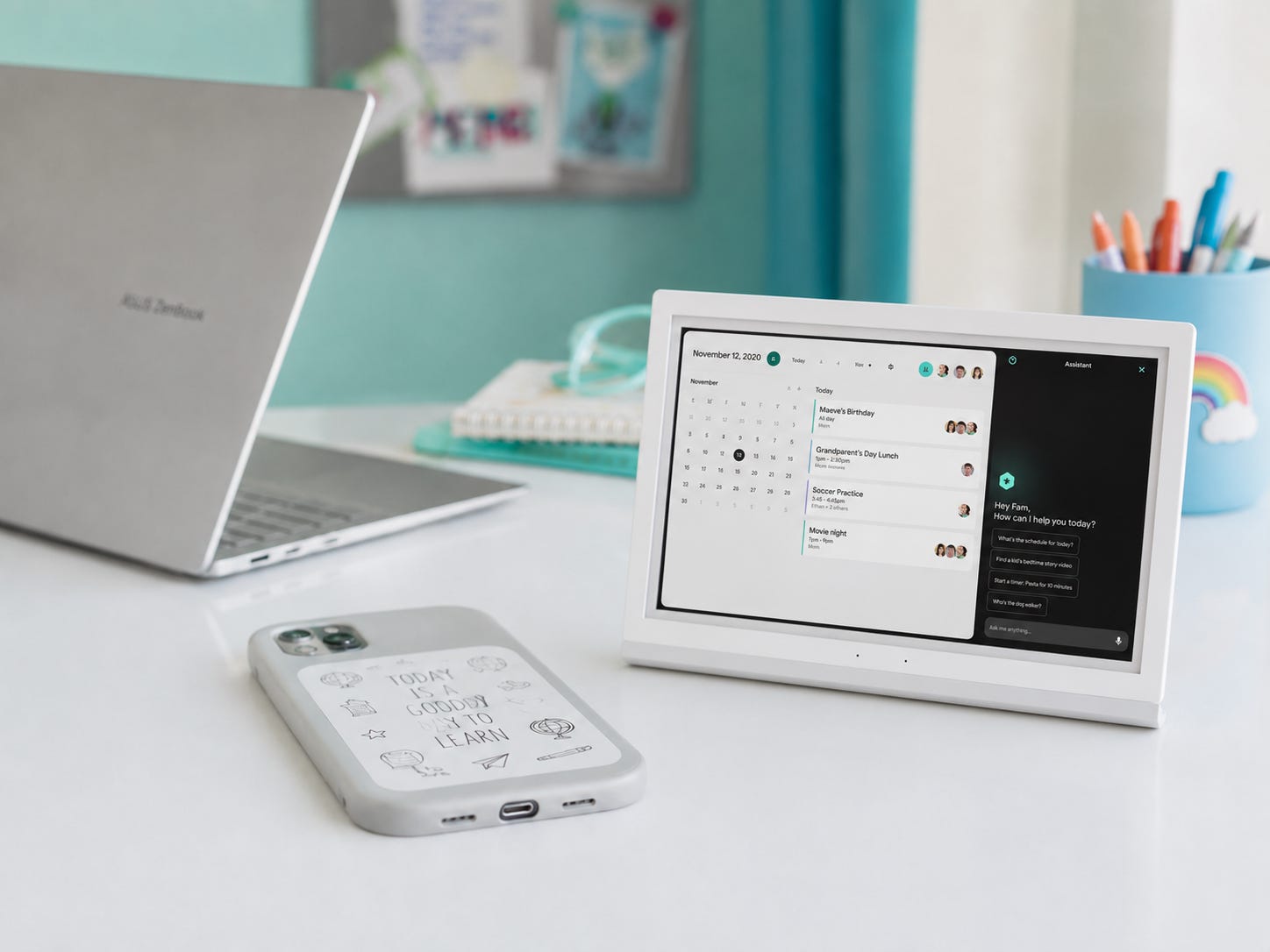
My office has officially entered back-to-school testing season, which means my desk has disappeared under a small mountain of laptops, chargers, kids' gadgets, and products that claim to finally organize my family.
This year’s gear already points to a few bigger trends.
Laptop makers are stretching the definition of what a school computer should be, which is awesome because laptop prices are going up, up, up. I look at the best budget, splurge, and refurbished models.
Kids’ tech is moving away from handing every child a smartphone and hoping for the best. Several companies are bringing back the landline as a screen-free Wi-Fi phone. I’ve tested three of the brands so far, and there’s already one clear winner.
Then there are the gadgets trying to run the entire household. Every family-tech company wants to build the command center that finally gets everyone organized. I am testing the newest one to see if it reduces the chaos or gives my family a larger, more expensive place to ignore the grocery list.
Even phone cases have entered the era of customization. Wait till you see the latest MagSafe case with a battery-free E-Ink screen that lets you change the picture on the back of your phone in seconds.
Those products represent the first wave. Over the next few weeks, I will sort through which back-to-school trends deserve your money, which gadgets solve a real family problem, and which products should remain safely sealed inside the review box.
If a back-to-school gadget has caught your eye, hit reply and tell me what you want me to put through the wringer.
So much good tech, so little desk left.
More soon.
XO,
Jenn
Techish stays free every week because readers who can chip in help keep it going. If this issue saved you a Google search, a bad purchase, or one creepy AI image of yourself, it did its job.
Comments
Nothing yet. Say the first thing.
Sign in to join the conversation.