
Introducing Auto-save, The Graveyard and Exporting/Importing Characters!
While I’ve added more functionality, the real leg work has been done under the hood to make Plot Sauce more robust!
Open Plot Sauce in your browser
When speed is of the essence
Let’s start with Auto-save! Assuming you don’t clear your cache, your browser will now hold on to where you were up to. Even if you close your laptop.
You should still save your project to your computer when you’re done, but it’s not going to go missing.
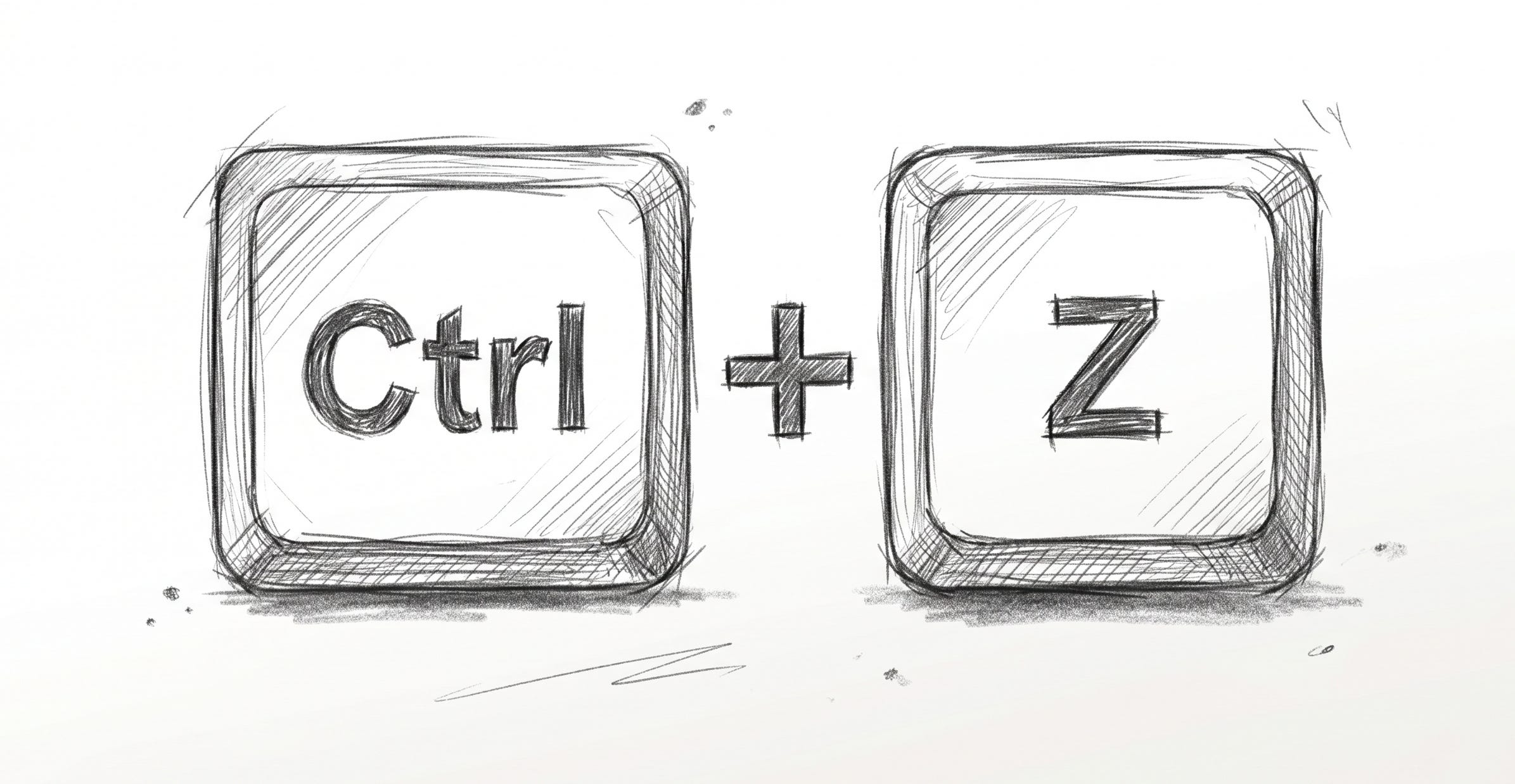
This also adds other functionality like Ctrl+Z - your ultimate undo, get out of jail retribution.
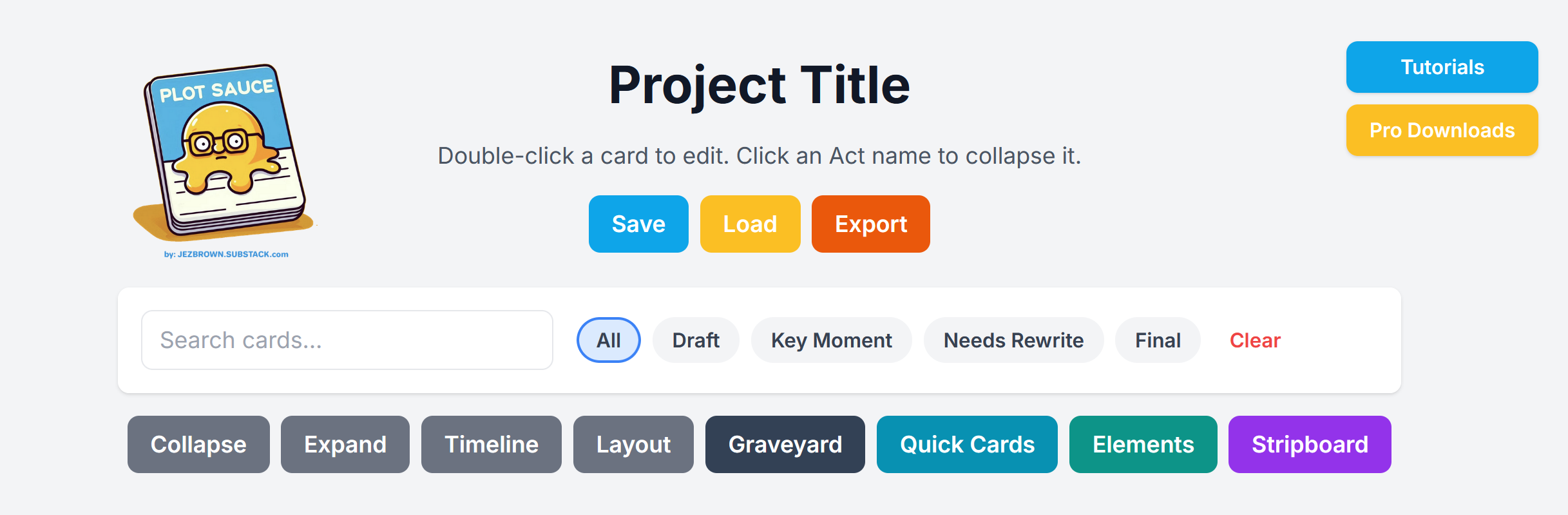
In 3.6.3, you’ll notice some new buttons..
They are ‘Tutorials’, ‘Pro Downloads’ and ‘Graveyard’.
New users needed an easier way to find the tutorials and Pro’s needed an easier way to pay for the spreadsheet downloads they crave.
I appreciate both groups very much - welcome, Newbies and thank you, Pro’s for keeping Plot Sauce free for everyone else.
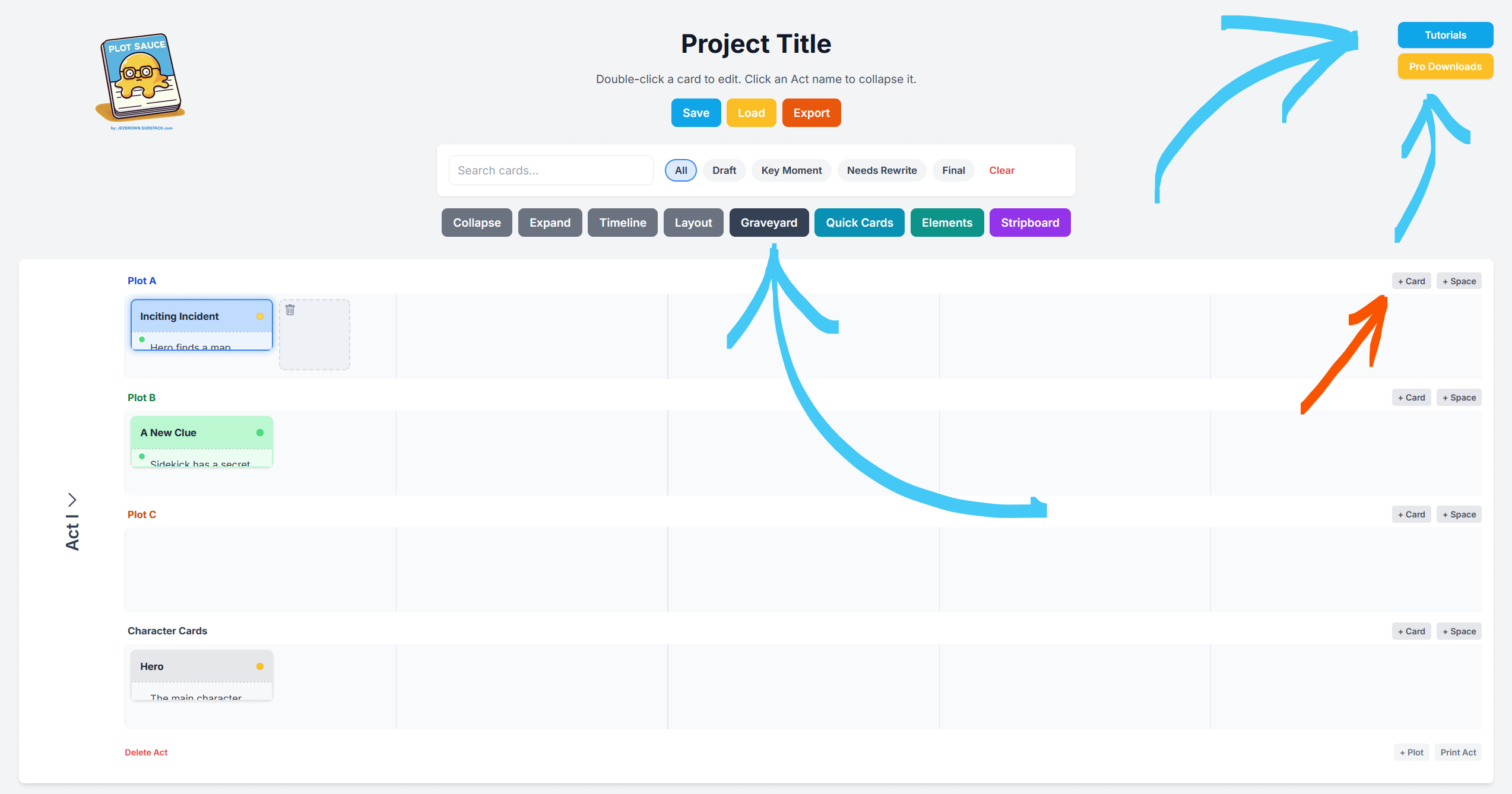
I’ve removed the word ‘episode’ from the main menu buttons because while I built Plot Sauce for episodic television, it’s being used for so much more!
It made sense to simplify.
Demo cards are still visible, but they’re just a guide and you can absolutely delete them.
While the menu might look more imposing, the key thing as always, is to hit
the ‘+ Card’ button at the end of the timeline and get started.
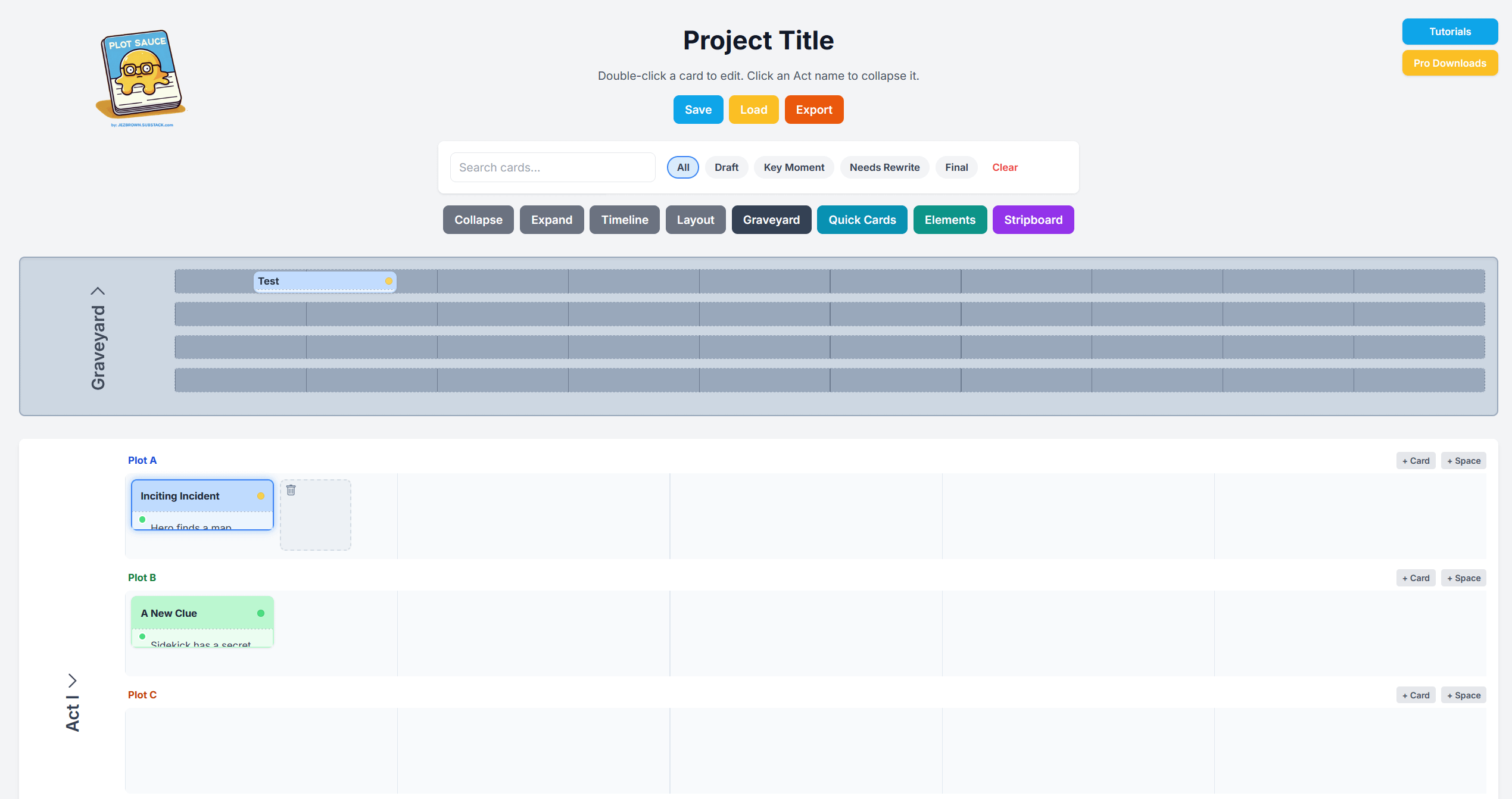
Welcome to the GRAVEYARD!
Like Auto-save, the ‘Graveyard’ builds in redundancy to protect your work and your creative process.
Now when you remove cards from your timeline, they go to the Graveyard first.
That means if you decide you want a card back, you can revive it.
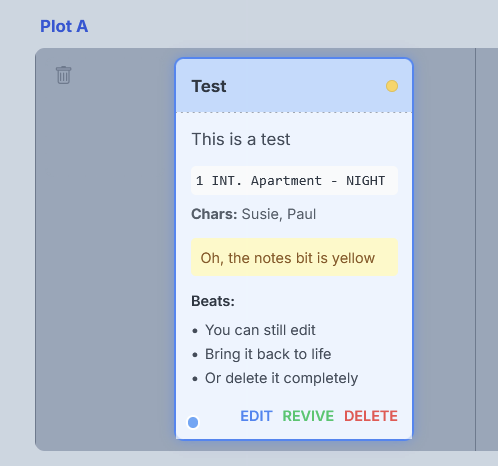
The Graveyard acts like an invisible timeline, which you open with the ‘Graveyard’ button.
While the card still exists, its contents will never show up in any of your exports.
The cards are in literal purgatory.
You can open the Graveyard and drag cards back onto your other timelines to bring them back to life. It’s that easy.
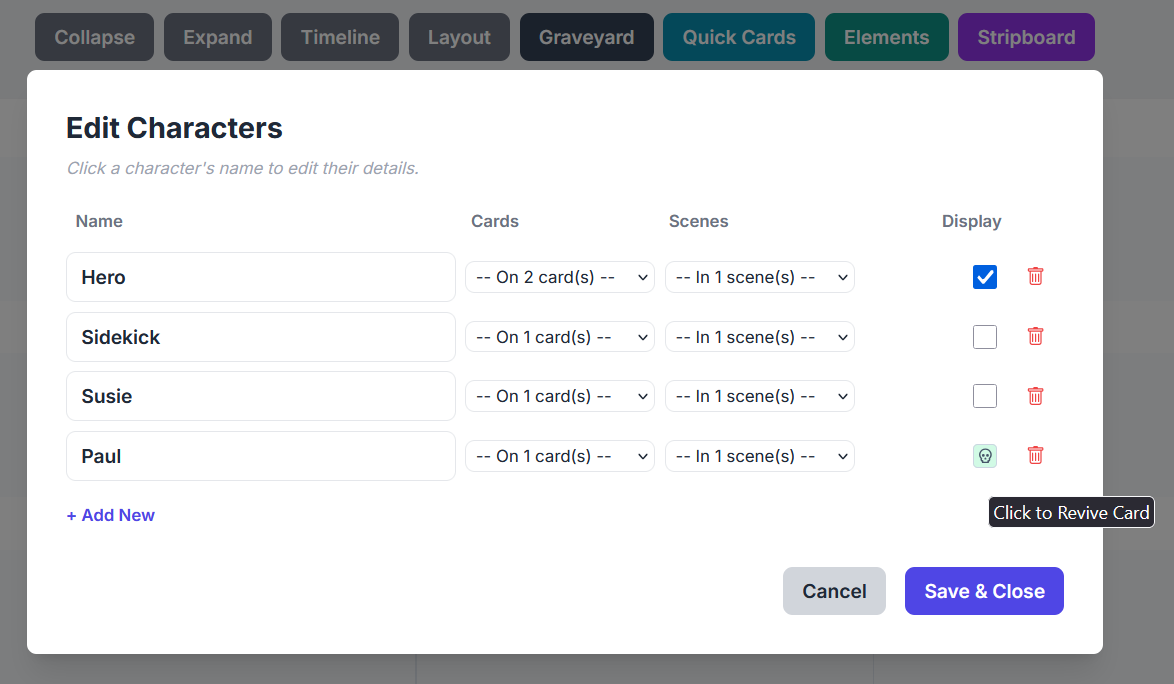
Character Cards can also go to the Graveyard. You can do this directly or through the Character Editor menu under Elements.
One press of the bin icon will generate a little skull next to their name indicating they are in the graveyard, while a second press will prompt you about permanent deletion.
You can also quickly bring a character back to life by clicking on their skull in the Character Editor.
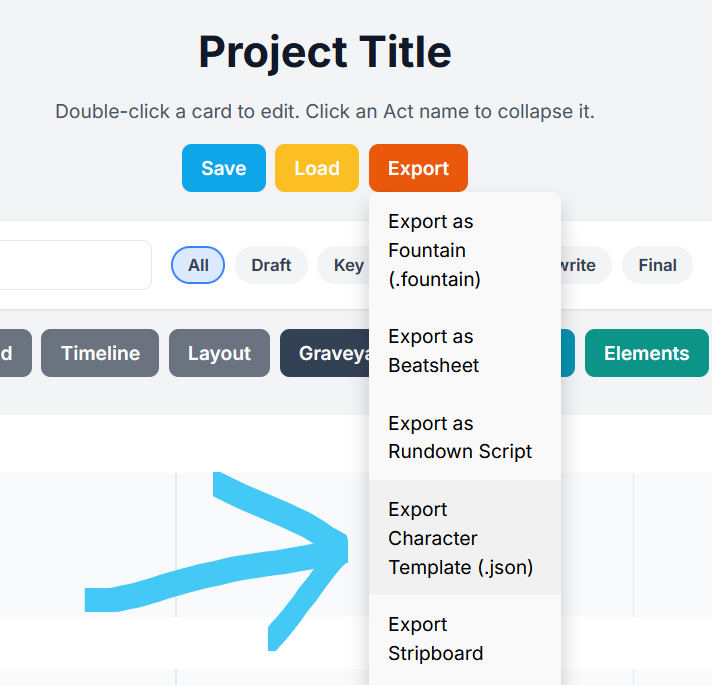
In amongst a lot of little changes, there’s one last BIG new feature, Exporting/Importing Characters.
Once you’ve exported the characters from your project, this works in TWO ways:
Either start a new project by importing your existing characters.
Or bring your characters into an existing project.
Loading characters into an existing project won’t wipe any of your work, Plot Sauce will simply merge the characters into your project for you to access.
Whether you’re writing an episode of television that needs the same people week after week, bring in someone last minute, or want to adapt a piece to another project, it’s now easy peasy lemon squeezy.
You have options when choosing your plot boarding software and I appreciate you choosing the FREE one. It’s also free to tell your friends and share your feature suggestions in the comments.
I also know it’s tempting to choose the Ai options, but Ai is a tool. If it’s doing the creative part of the process, then why make anything?
Plot Sauce exists to help you tell your stories, your way, with all the originality you can conjure. Embrace it.
Do the work, know your story and enjoy writing great things.
There are video tutorials too!
No posts
Comments
Nothing yet. Say the first thing.
Sign in to join the conversation.