
I’ve made 2 decisions that have literally changed my life.
One was getting a remote job back in 2015. Thanks to that decision, I became location independent, had more time for my hobbies, and was able to live in like 10 different cities — including moving to places with a lower cost of living so my money could stretch further.
While doing all of that, I made the second decision that would also change my life…
Consistently creating content for over 10 years has allowed me to quit my job, spend more time doing what I love (which is basically creating even MORE content, LOL), and get so many cool opportunities along the way.
For the past 3 years, I’ve been fortunate enough to be an Adobe Express Brand Ambassador… and btw, they’re sponsoring this article, which means I get to share it with all of you for free. Yay!
And in the past 15 months, since starting a completely new entertainment platform from scratch, I’ve gotten media accreditation from FIFA to cover the World Cup AND landed a 1-year partnership with a major airline.
So, yes, I publish over 100 pieces of content every week — across my 2 different brands and 5 different platforms. I do it all myself. There’s no team here. It’s all me creating my content because I love doing it. If you don’t enjoy it, you could always delegate.
Without a doubt, the tool I use the most is Adobe Express, both on desktop and on the mobile app.
As I break down my exact workflow for creating this much content, I’ll also show you all the different ways I use Adobe Express every day to make the whole thing possible.
So whether you want to start creating content or you’re already creating and want to seriously increase your output, get ready to take notes, because I’m breaking down exactly how I publish 100+ pieces of content every single week.
Let’s get into it!
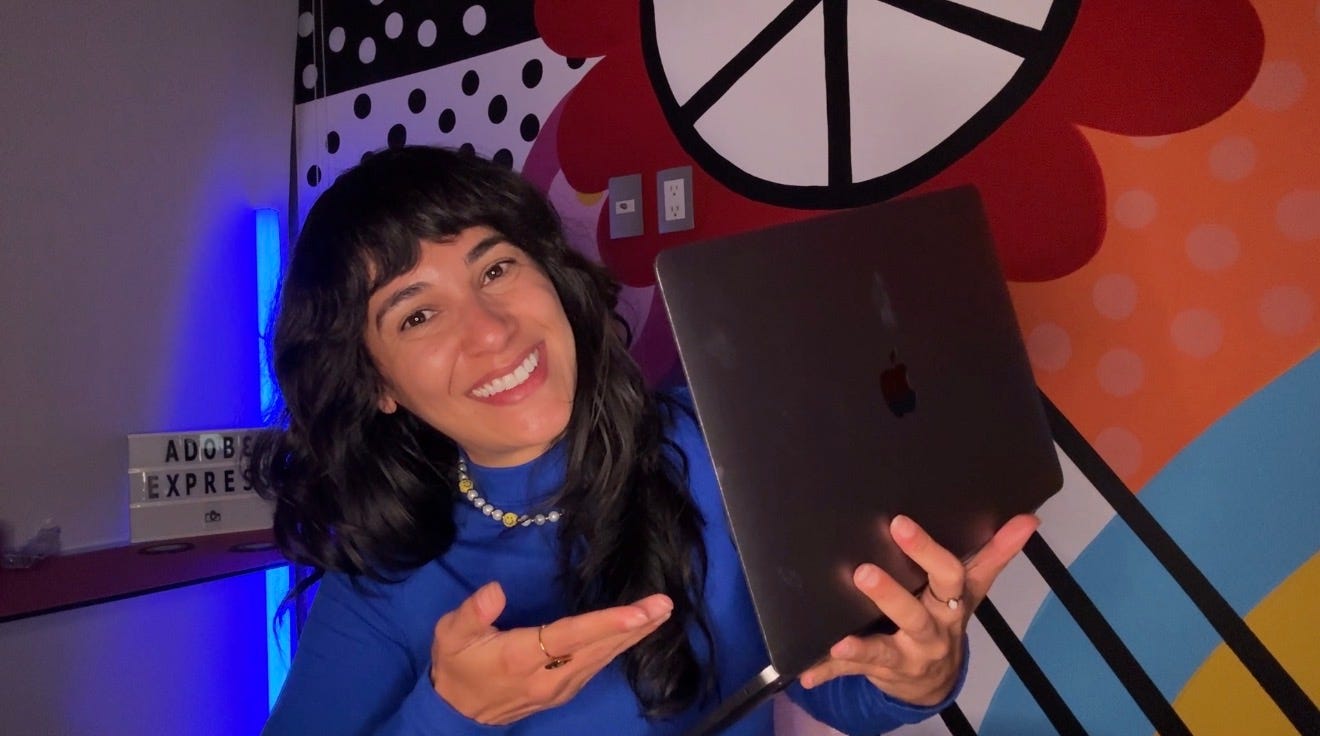
Before you picture me waking up every morning and trying to brainstorm 15 brand-new ideas before breakfast… absolutely not. 😂
When I say I publish 100+ pieces of content every week, I’m talking about everything that goes up across my 2 brands and all the different platforms I use.
For my educational/remote work brand, a typical week looks something like this:
7 TikToks
At least 3 Instagram Reels
1 Instagram carousel
At least 7 Instagram Trial Reels
2 YouTube videos
28 Threads
28 Substack Notes
At least 1 long-form Substack article (like this one)
1 newsletter
Then there’s my entertainment brand, where I publish:
At least 7 TikToks
At least 7 Instagram Reels
Around 1 carousel
2 YouTube videos
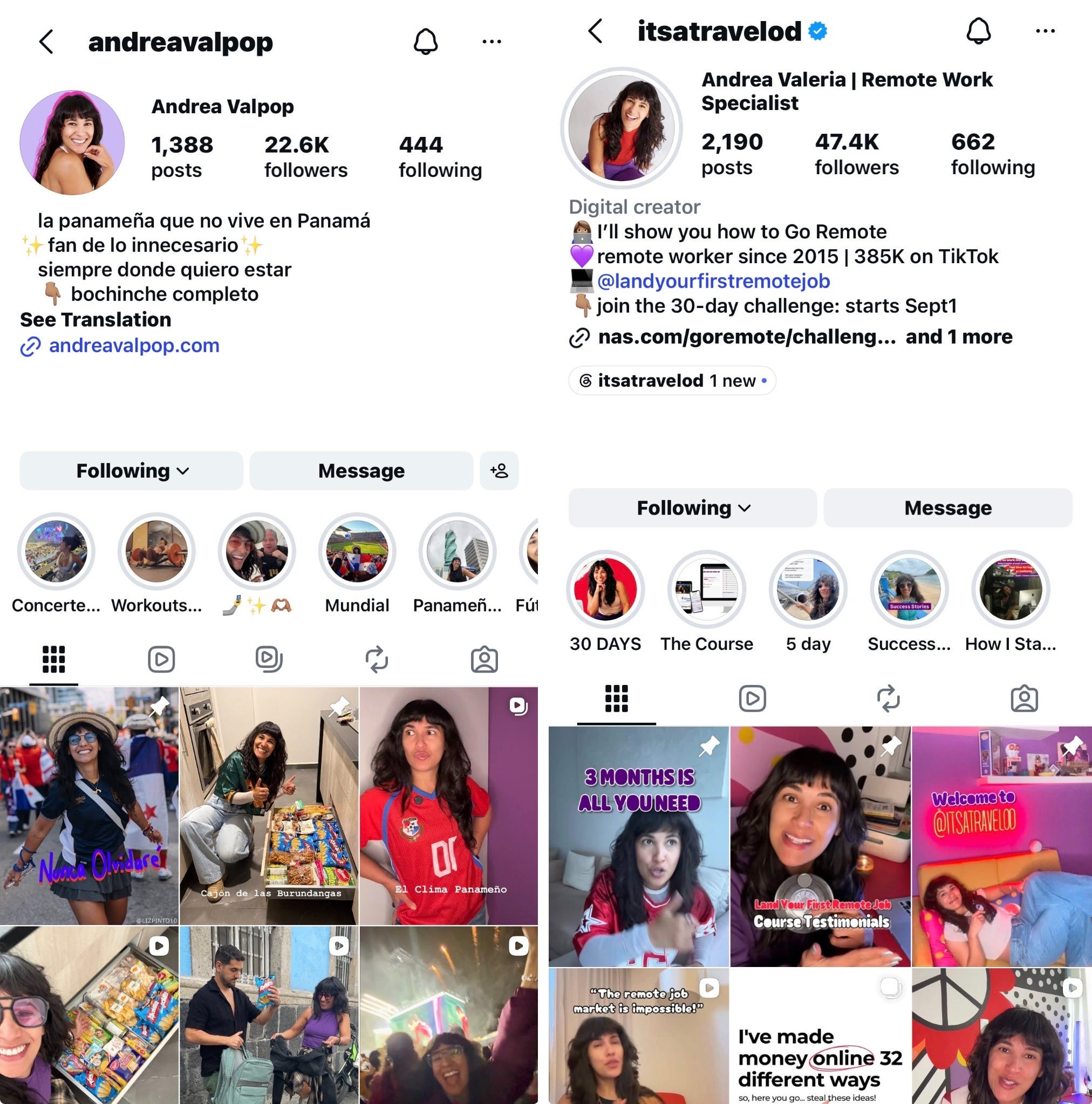
andreavalpop is entertainment and it’s in Spanish. Started this one 15 months ago.
itsatravelod is educational/information and it’s in English. This Substack here is part of that brand, and I started that one back in 2015.
Sometimes I’ll also create extra Trial Reels in my ‘downtime’ or turn clips from my longer videos into TikToks or Reels. So yes… it’s a lot, and this isn’t going to be one of those ‘how I do it all in 2 hours’ because nope, that doesn’t happen around here.
Now, here’s the most important part:
That’s important because that’s why and how I’m able to do all of this without burning out.
The majority of what I publish is either:
something I cross-posted
a piece I repurposed
an idea I expanded on
content i summarized
something reformatted
Not everything has to be created from scratch.
My goal is to get more mileage out of the GOOD ideas.
And that brings me to my actual workflow as of August 2026.
In summary:
And then the whole thing starts again. It’s a loop.
Basically, I pay attention to what my audience liked and then I package it in a different way.
I see so many creators spending hours creating something before they even know if anybody will care about that topic.
What I do instead? Test and see what the reaction is.
For my remote work/educational brand, one of my favorite places to do that is Threads.
I publish around 4 times a day there, and these posts can be incredibly simple. Sometimes it’s a paragraph. Sometimes it’s literally one sentence.
And then I watch what happens. If one of those posts suddenly gets significantly more views, comments, likes or shares than usual, that tells me something:
People care about this (or how I worded it).
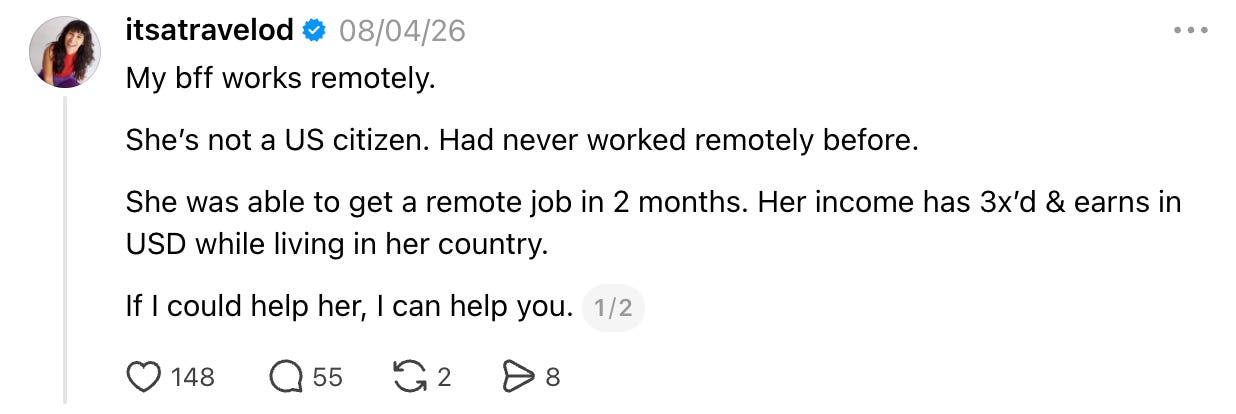
And just like this, now I have a proven content idea.
So, what else could this become?
So that Threads post did well. I can take the same core idea and turn it into a TikTok or Instagram Reel.
But there’s an important distinction here.
I’m not screenshotting my Threads post and throwing the screenshot onto Instagram.
I take the idea and adapt it to the format that other platform likes to see.
So maybe the opening sentence from my Threads post becomes the hook of my TikTok.
Then, I add more context, tell the full story or the deep dive… whatever makes sense for that topic.
Look at this. Same concept of the post on Threads is now a video for TikTok/Reels.
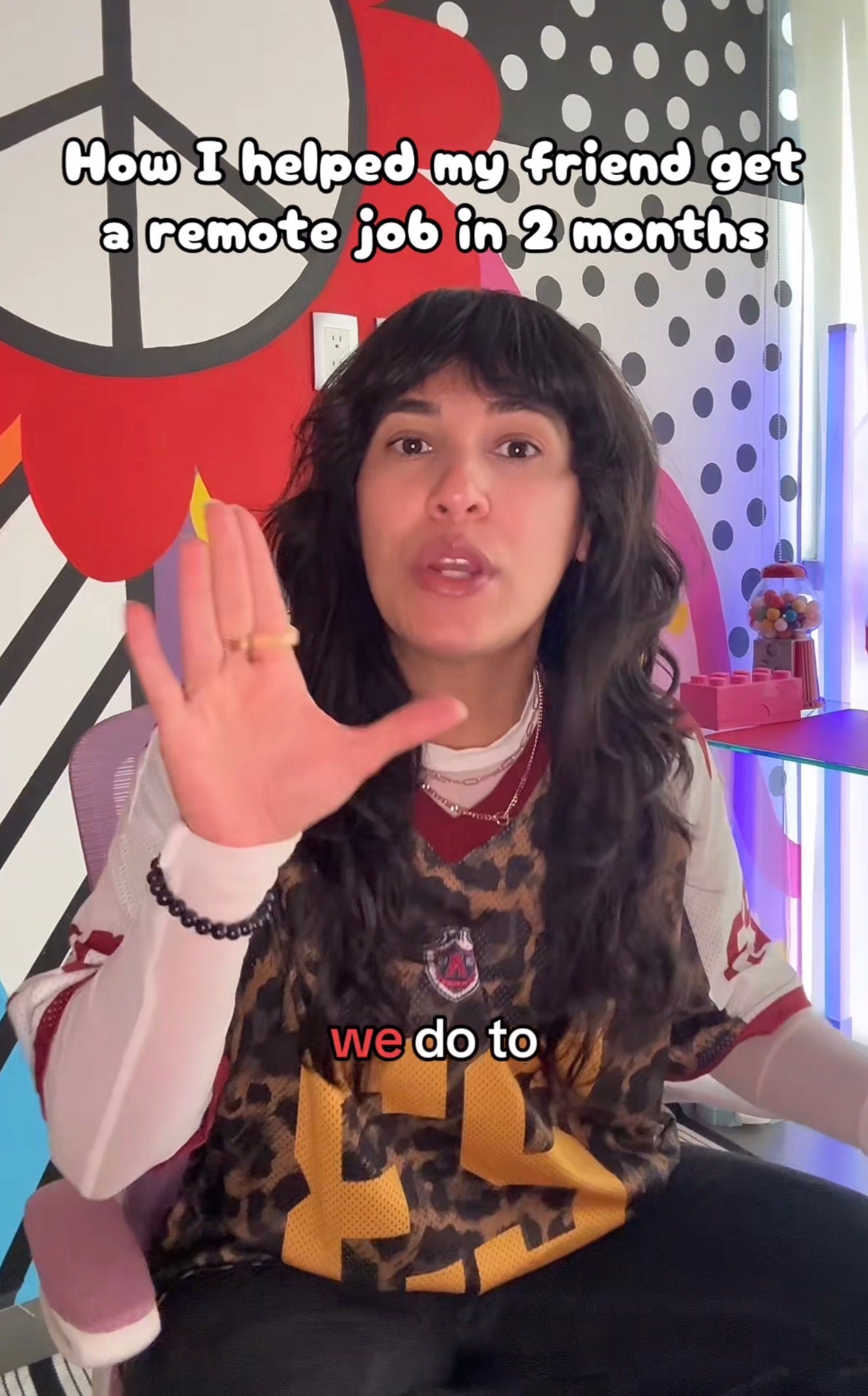
Now the same idea has already created multiple pieces of content without me having to sit down and ask myself:
Okay… what should I talk about today?
And there’s another reason I love doing this. If the TikTok ALSO performs well?
Wellllllll… now we have even more evidence that people want this information.
If I make a quick talking-head TikTok about something and people are asking questions, leaving comments or clearly wanting more information, I’ll often take that topic to YouTube.
Again, I’m not reposting the TikTok directly on YouTube. I’m expanding the idea.
Maybe the TikTok was 60–90 seconds.
The YouTube version might be 15-20 minutes. That give me time to explain more, give examples/details and actually do a deep dive on the idea.
This is one of the biggest things I’ve learned after 14 years of creating content.
For example, horizontal videos on YouTube and vertical on TikTok.
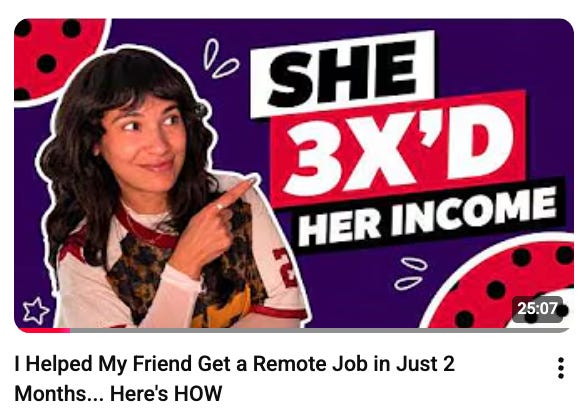
Here’s how that same idea became a YouTube video.
And by “higher-effort,” I mean content that requires more of my time and energy to create.
If I have to look decent, set up my camera, light and microphone and get myself into I am filming a YouTube video mode…
I am NOT doing all of that for just one video. 😂
What does batching mean?
It means that when I sit down to film a YouTube video, I’ll usually record one video for my remote work brand and another for my entertainment brand. While everything is already set up, I’ll turn my phone vertically and record a few TikToks too.
That one setup session produces several pieces of original content.
You want to become more efficient with your time and reduce friction.
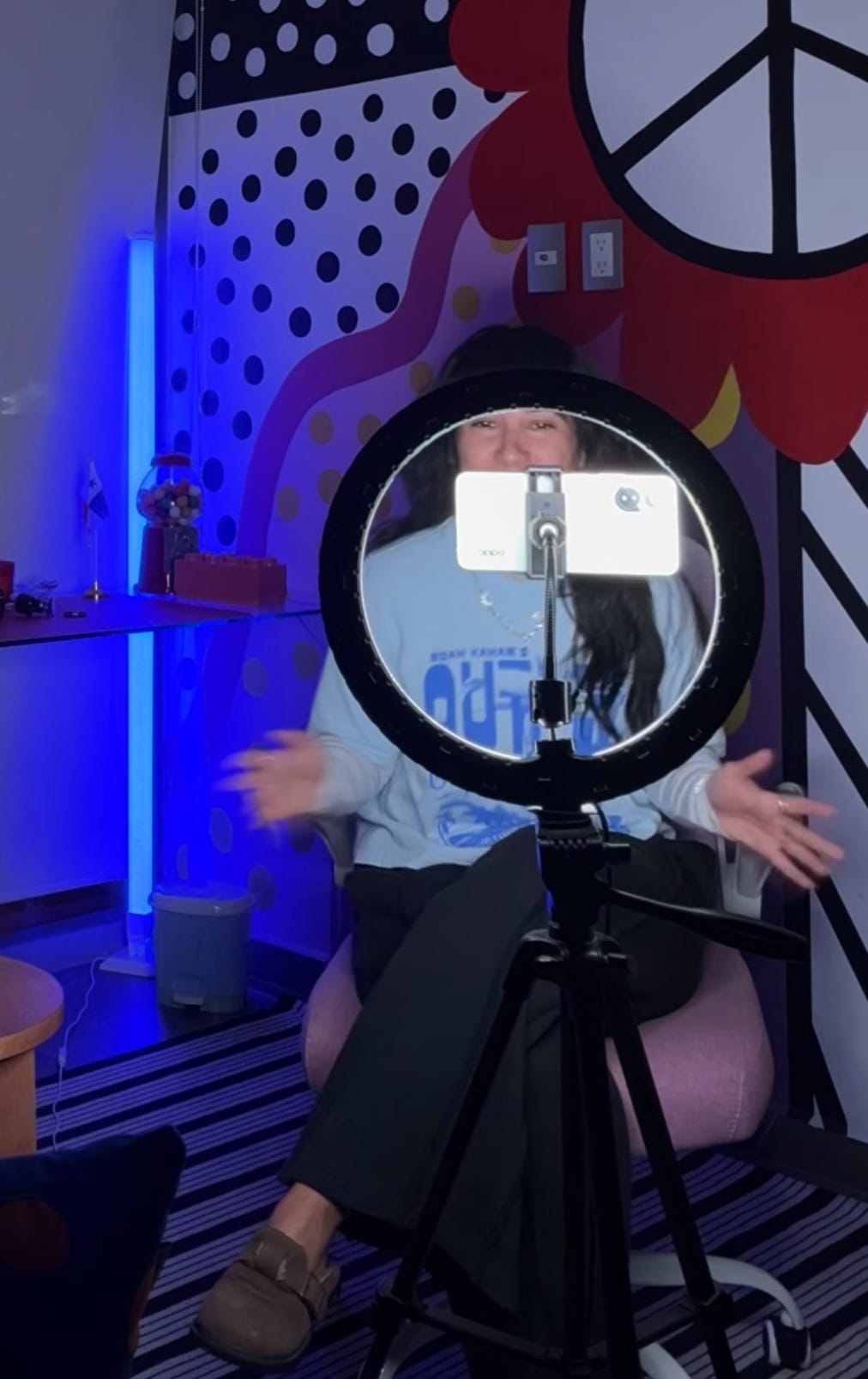
If something takes 30 minutes to prepare for, I want to get as much content out of that setup as possible. Here’s my simple video-shooting setup btw.
We need to simplify content creation.
One things you can’t be doing is choosing your fonts, colors and overall aesthetic from scratch every single time you post.
That’s not efficient… plus, it can make your brand seem less cohesive.
For things like my Instagram Reel covers, I use Adobe Express to keep everything cohesive. I have my brand colors, fonts, graphics and other visual elements saved so I can reuse them.
I create this template once, and now I use it every time.
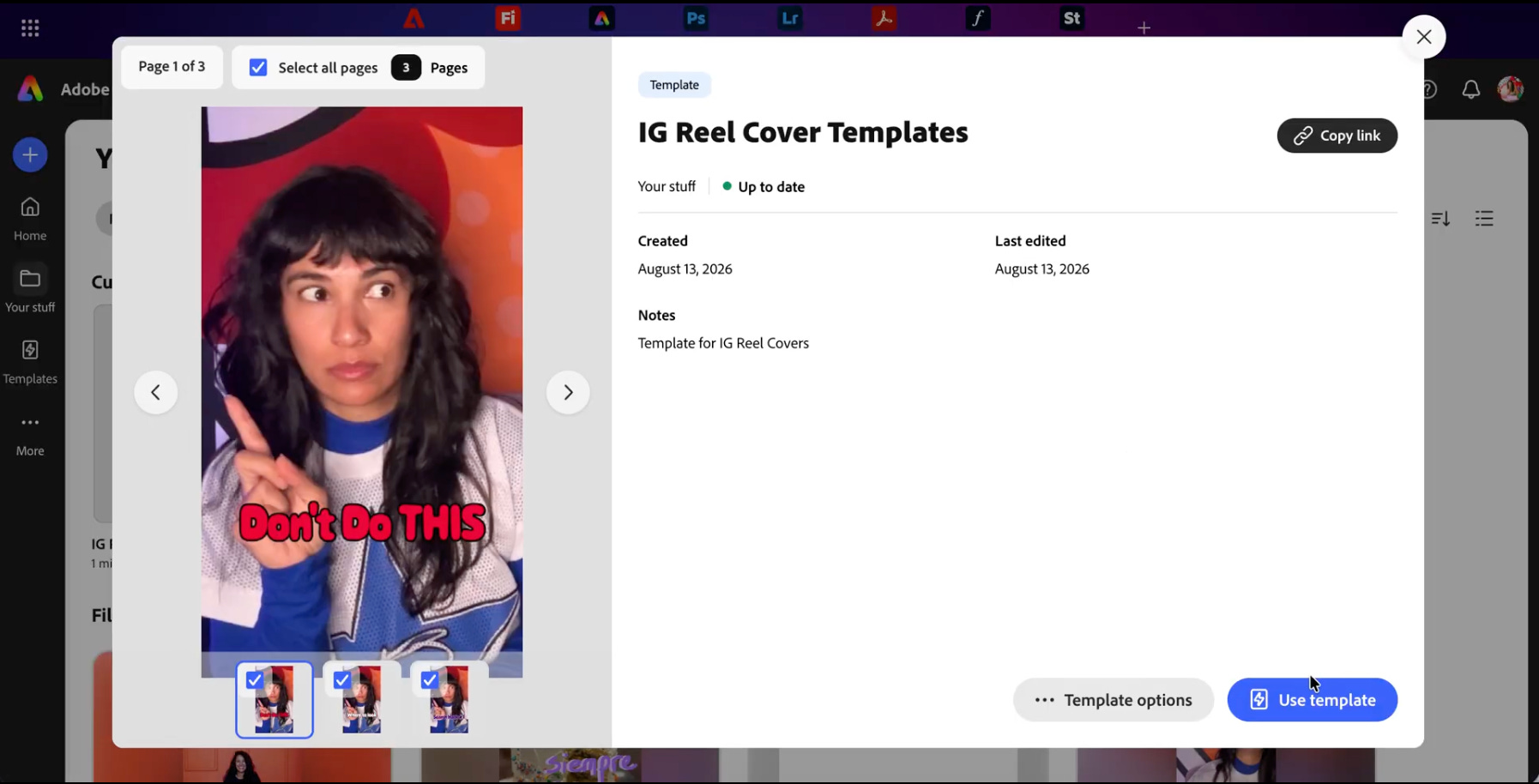
I just replace the image and change the text and it’s good to go.
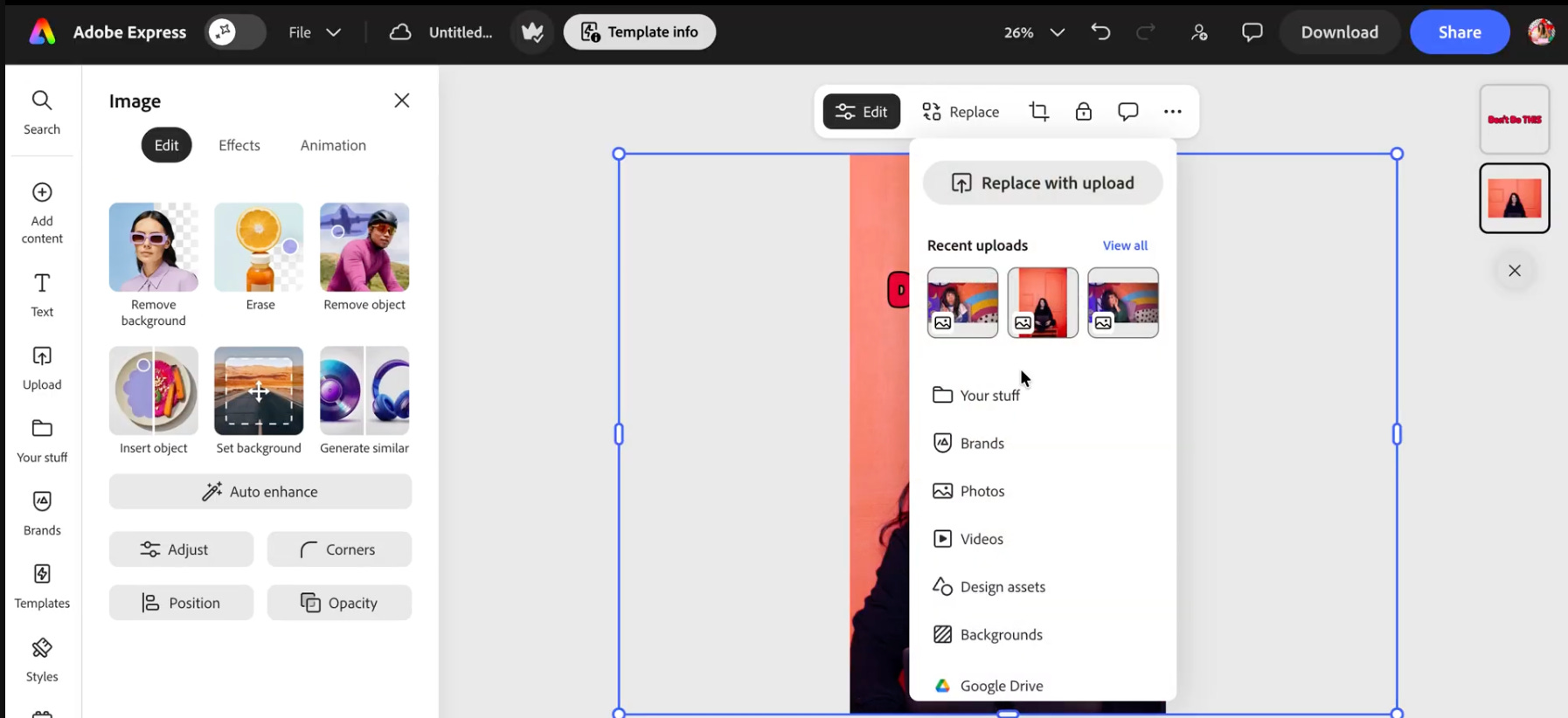
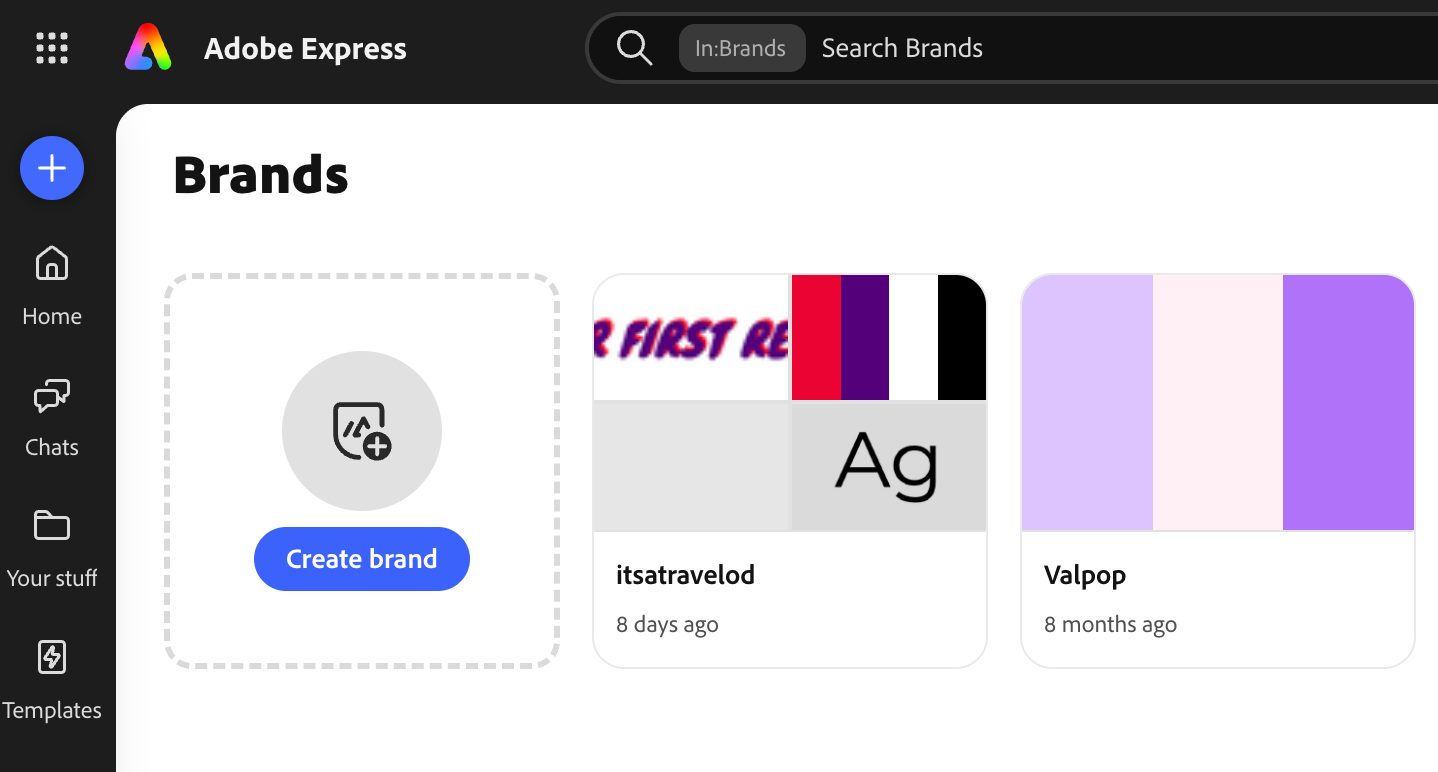
And because I have two VERY different brands, I can keep their visual identities separate.
I’m still the person creating both, but they definitely don’t look the same.
Look at the image below. On Adobe Express, I have separate Brands saved. Each one has its own logos, colors and fonts. So whenever I’m creating something new, I can select the brand I’m working on and apply the right branding to the content.
If a YouTube video performs well or I notice that people have more questions about the topic… that idea can become something even more detailed:
A Substack article.
And you are currently reading a perfect example of this. 😂
This article is based on this YouTube video, but I’m not just pasting the transcript here.
In an article like this, I can explain things differently, add screenshots and show different kinds of examples. I can show you specific examples.
Someone who watched the video and wants more… can come to Substack to get the same info in writing.
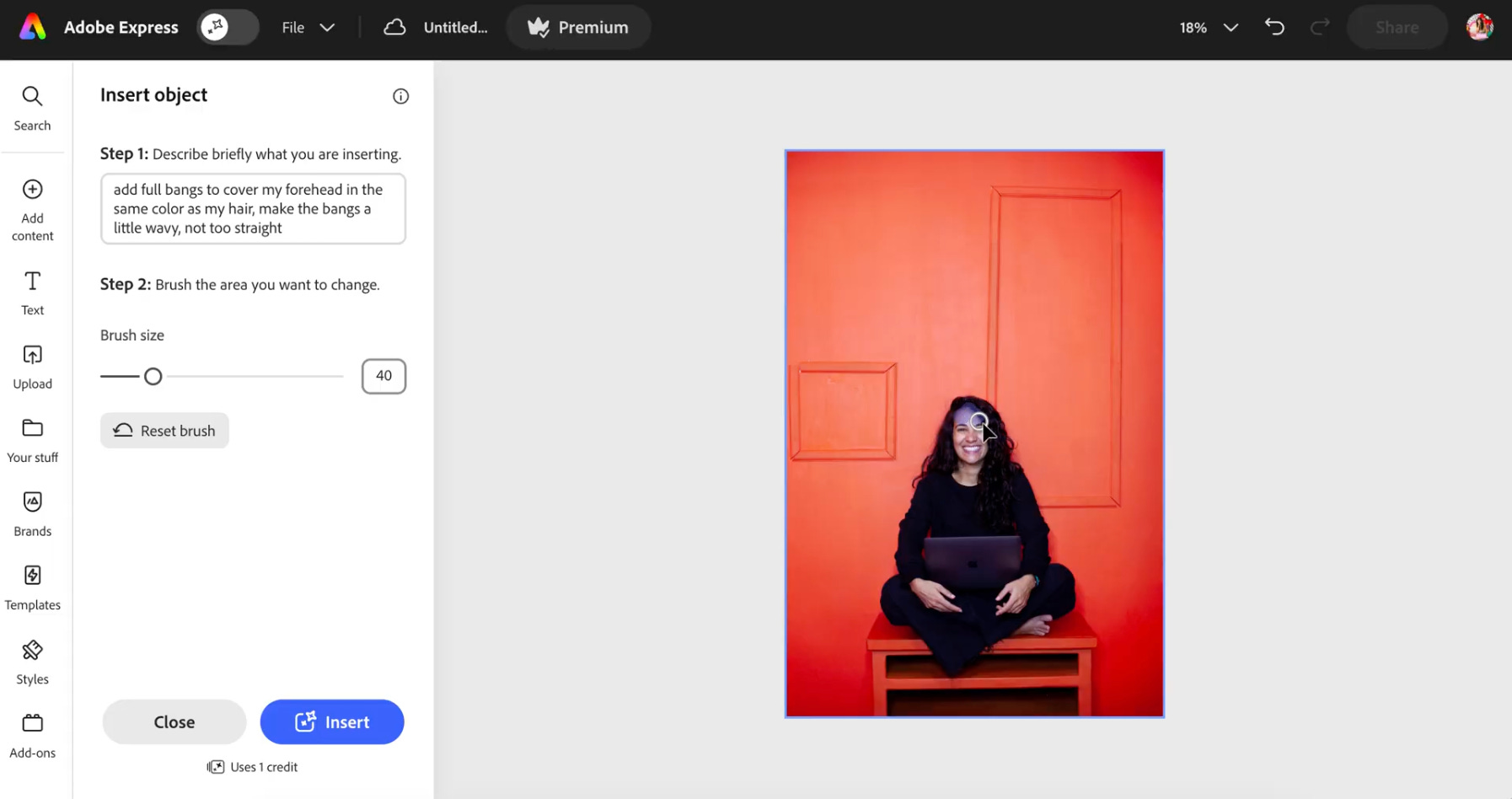
To break the article up visually, I will add images. I sometimes edit or update these with Adobe Express. For example, I have a lot of photos of when I didn’t have bangs. I use the Insert Object tool to add bangs by selecting the area I want to edit and giving it a prompt, like this.
So with the article, we have all this information. And what we’re not going to do, is publish it and stop there.
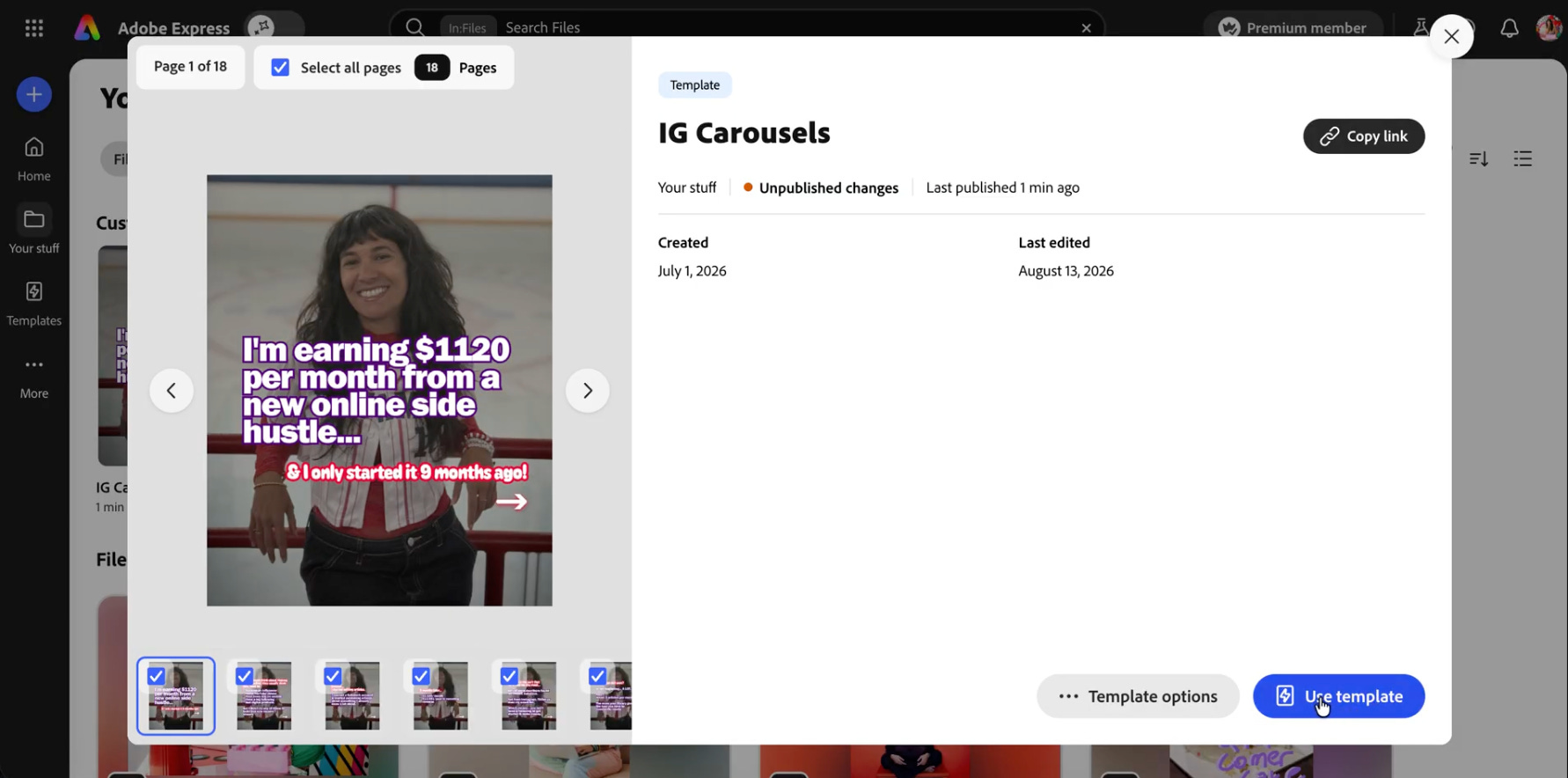
I can pull out the most important ideas, kinda’ turn them into bullet points and create an Instagram carousel. So that’s how a Substack article becomes the source for an Instagram carousel.
I use templates I’ve created in Adobe Express, swap out the text/images. That’s how I use my existing branding for new content. See how I’m never redesigning every graphic from scratch? It’s also a time-saver!
Then I include a CTA (call to action) on the last slide of my carousel, so it can say something like:
“Want the full plan? Comment PLAN and I’ll send you the article”
Their comment would prompt a ManyChat automation that sends them a link to the full article. So they get more in-depth information, while I accomplish one very important goal:
That’s why I keep referring to my workflow as a loop.
My entertainment brand has a completely different vibe, so the content needs to match.
Those carousels are much more visual — think concert photos, travel, lifestyle. But sometimes a normal photo dump feels a little… basic IMO.
So I use Adobe Express to create hand-drawn-looking text and graphics that I can overlay onto the photos.
Except they’re not just a font I pick (although Adobe Express does have SO many fonts to pick from).
I literally draw them. 😂
I use the Draw Shape tool, doodle what I want, play around with different colors and then export everything as a PNG with a transparent background.
Then, while creating my carousel on Instagram, I use their ‘overlay’ option to add the image I created (the hand-drawn text). It’s easier to show you a video of the process… which btw, I do on the Adobe Express mobile app so I can draw with my finger.
And now our little content loop starts going backwards in a way. A YouTube video doesn’t have to live only on YouTube.
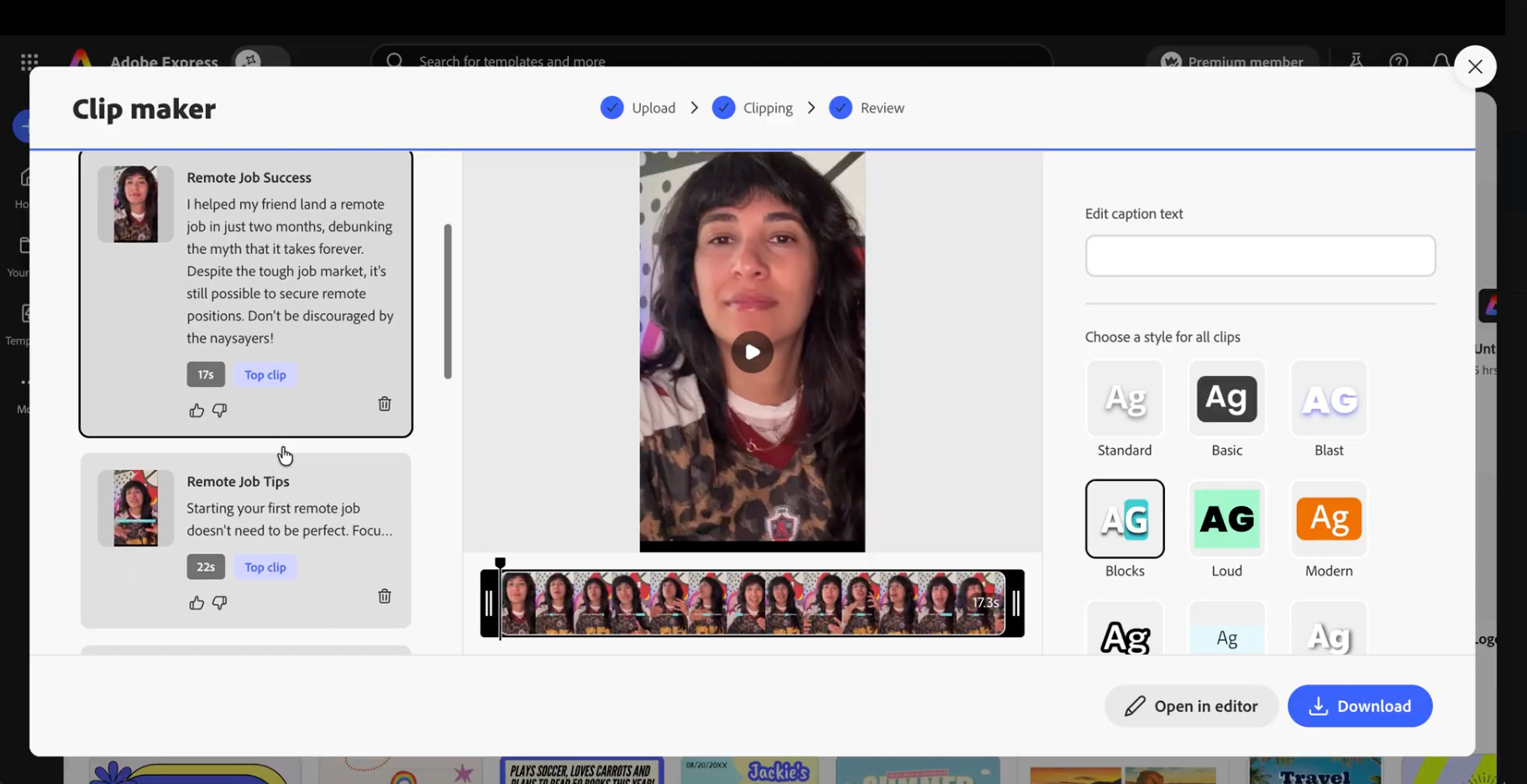
Adobe Express has a Clip Maker that lets me upload a long-form video and it turns sections of it into short-form clips.
I upload the long video and Clip Maker finds moments I could turn into shorter clips, creates them and also adds the captions for me. I take the ones I like and use them for TikTok or Reels.
So, let’s recap. An idea can go:
Threads → TikTok → YouTube → Substack → Instagram carousel
While the YouTube video can also do this:
TikToks → Reels → Shorts
By the way, in my number of “100 posts” per week, I’m not even including these short videos created with Clip Maker.
If you’re reading this whole workflow thinking this all still sounds like a lot of work…
It is. I’m not going to sugarcoat it. I create a lot of content.
But not every piece of content deserves the same amount of effort.
Some of my Instagram Trial Reels are literally seven seconds long.
For those, I take B-roll that is already in my camera roll, add a sentence of text (from a thread post that performed well) and some music, and post it. I do this directly on the native Instagram or TikTok editor.
So for these kinds of short videos, I don’t film anything new. I don’t spend 45 minutes editing it (I spend like 5 minutes on each). I also don’t need it to perfectly match the aesthetic of my feed.
Trial Reels are particularly useful to me because I use them more for discovery. Those are intended for people who don’t follow me. I often get lots of follows from a trial reel that performed well, so it’s a great ROI to spend some time posting some of those every day. For me, it’s been one of the best ways to grow on Instagram lately.
Here’s a trial reel I created with existing b-roll in less than 5 minutes.
Some of these will flop and some will take off, but that’s okay because they’re my low-effort experiments that took like 5 minutes to make.
Remember: Every single post doesn’t have to be a masterpiece. These trial reels are an example of a low-effort, high-ROI type of content.
By the way, your current followers don’t see these and they’re not visible on your feed. So, it does NOT matter what they look like or if you’re worried about them possibly flopping. They’re just TRIALS.
Since 2019, I’ve been sharing a weekly newsletter with my email subscribers. It includes a list of remote jobs.
That’s the part I do need to sit down and do every week. I research legitimate remote opportunities and those obviously need to be current.
But, the rest of the email doesn’t need another completely new idea. I don’t write it from scratch.
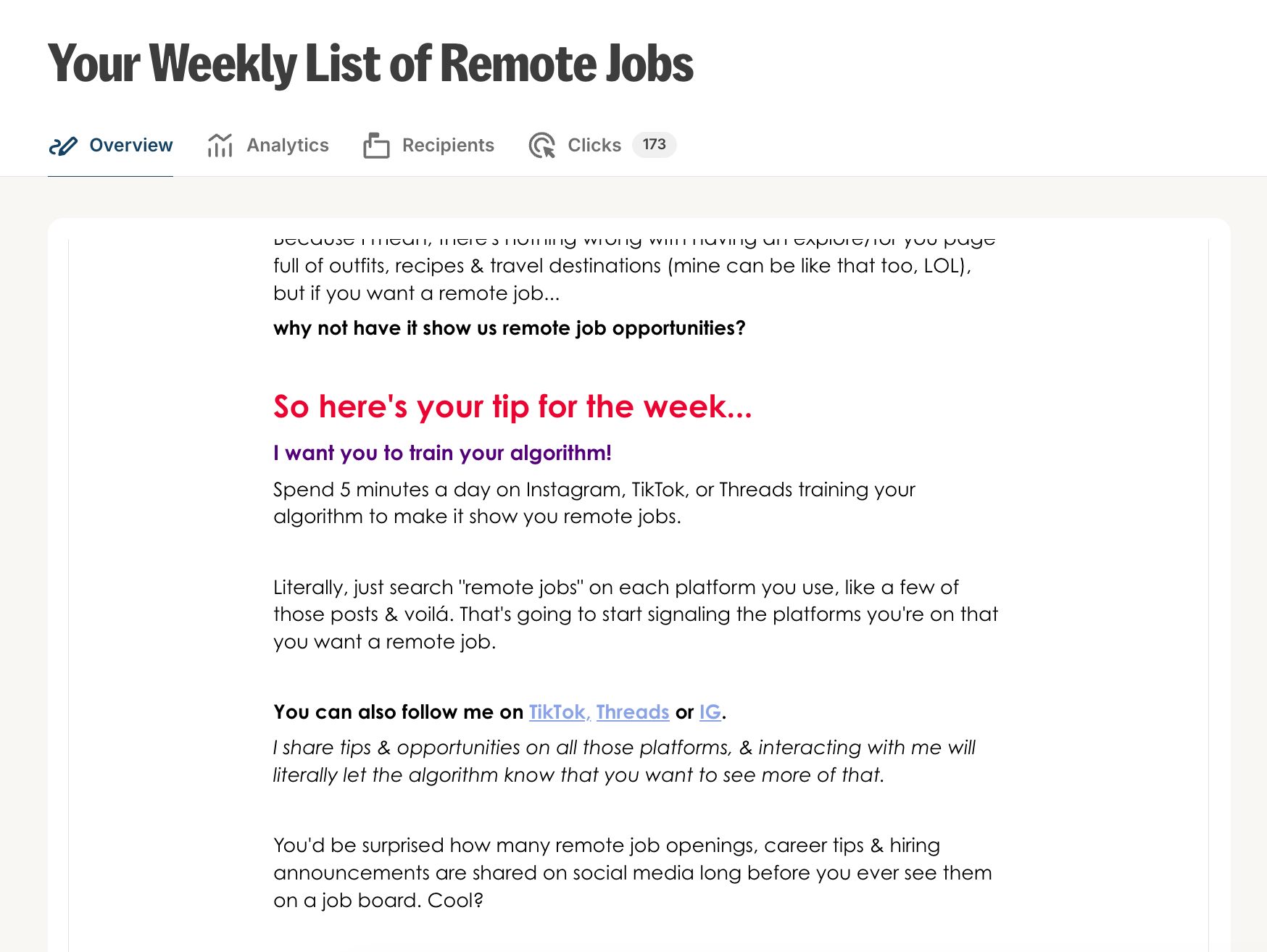
I take something my audience responded really well to on YouTube or Substack, for example, summarize the most useful information and share it with my email list along with the jobs.
So, this Substack article got summarized….
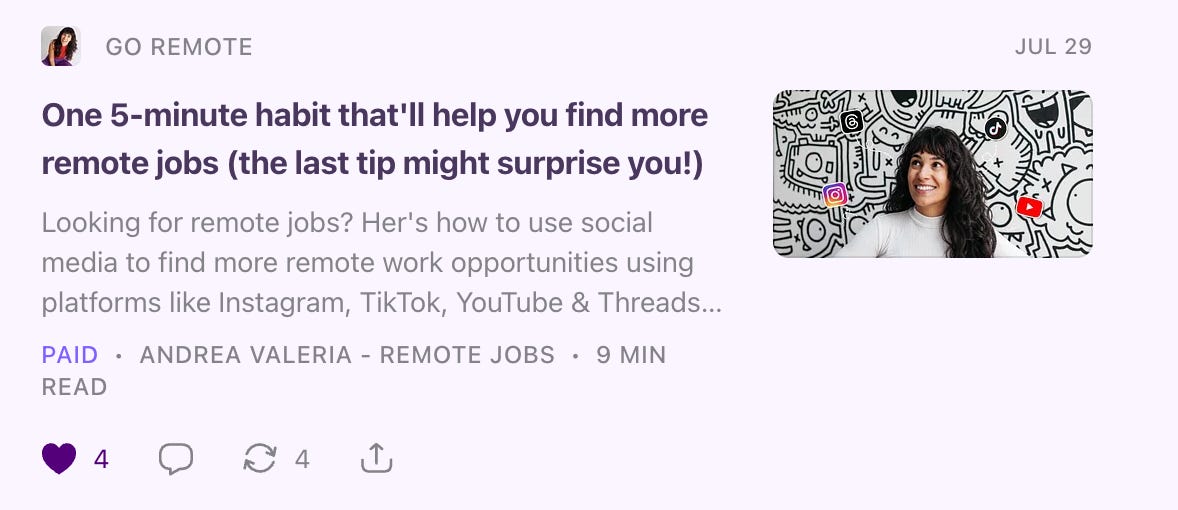
and became the text of this newsletter:
People are never going to be ‘mad’ at you for resharing the same kind of information. First of all, your Substack subscribers aren’t necessarily subscribed to your regular email list.
Second of all, content might sound repetitive to you… but, for people consuming your content, a reminder might be just what they need to finally implement. Or they might not even notice to be honest!
That is kinda’ how I'd summarize my whole workflow.
Repurpose the IDEA. Adapt to the platform’s FORMAT.
I don’t create content from scratch for every platform
I don’t brainstorm content ideas all time
I don’t use every idea on every platform
I don’t repurpose everything (only the ideas that worked)
I don’t assume my audience has already seen something because I posted about it somewhere else
If something flops, maybe the hook was wrong. Maybe I need to restructure the idea. Or maybe my audience simply isn’t interested in that particular topic. And that’s okay.
If you’re newer at content creation, I do NOT want you to read this and immediately open 17 accounts across every platform and then blame me when you’re burnt out a week from now.
100+ pieces of content per week is a lot of work.
Keep in mind… I love creating content. This was literally my hobby before I started monetizing everything and I still create content for fun. That’s why I created a separate lifestyle/entertainment brand!
I’ve also been doing this for more than a decade, and I’ve built the systems that I use now.
I didn’t just start posting everywhere, all at once.
So, I got comfortable with Instagram. Then I added TikTok to my workflow. Then Threads. Then YouTube. And most recently, Substack.
If you’re starting from scratch, you’re better off picking one platform, creating consistently there and then slowly adding other platforms to the mix.
Maybe your first goal is 10 pieces a week on 1 platform. Be realistic about what you can do at first, and then gradually increase your output.
What you’ll eventually do is build a system that works for you, your biz, the platforms your prefer, your target audience or clients, your lifestyle and the amount of time you actually want to spend creating content.
The goal for everyone is NOT to publish 100 times.
THAT is the biggest reason I’ve been able to create this much content consistently without feeling burnt out.
Now go put my workflow into practice!
And go try some of my favorite Adobe Express tools & features! You might find a few that make your own process way easier.
What was your favorite takeaway from reading my content workflow?
💜
Andrea Valeria
#AdobeAmbassadors #Ad
Comments
Nothing yet. Say the first thing.
Sign in to join the conversation.