
Specificity matters.
Context matters even more.
When I started out using Claude Chat, and let’s say I wanted to analyze a company like Salesforce, I would do the following:
Give Claude a master “analysis” prompt that asks Claude to generate a specific prompt to analyze a SAAS Company
Apply that new Claude generated SAAS prompt to Salesforce
Read the output
But as the models improved, the quality of the output improved.
Here’s what that workflow looks like today:
Use /fetchdata skill: Fetch 5 years of financials into Cowork and download locally
Use /saasspecialist skill to create a detailed scorecard with industry specific KPI’s
The /saasspecialist skill uses the current industry data as a base for what “good” looks like.
Note: You can create a /retailerspecialist, an /oilspecialist skill. You see where this can go.
Let’s go deeper into the workflow I mentioned.
In our previous article, if you run Anthropic’s own equity research skill, it will not create a data repository that you can reuse afterward. It will store the data temporarily in a sandbox.
That’s great for one-shotting an analysis, but what we really want is a second brain.
So your first step is to make sure you download the company’s data to your computer.
You can do this by using connectors (see the data connectors we use in our previous article).
When we apply the fetchdata skill on Salesforce, the result looks like this:
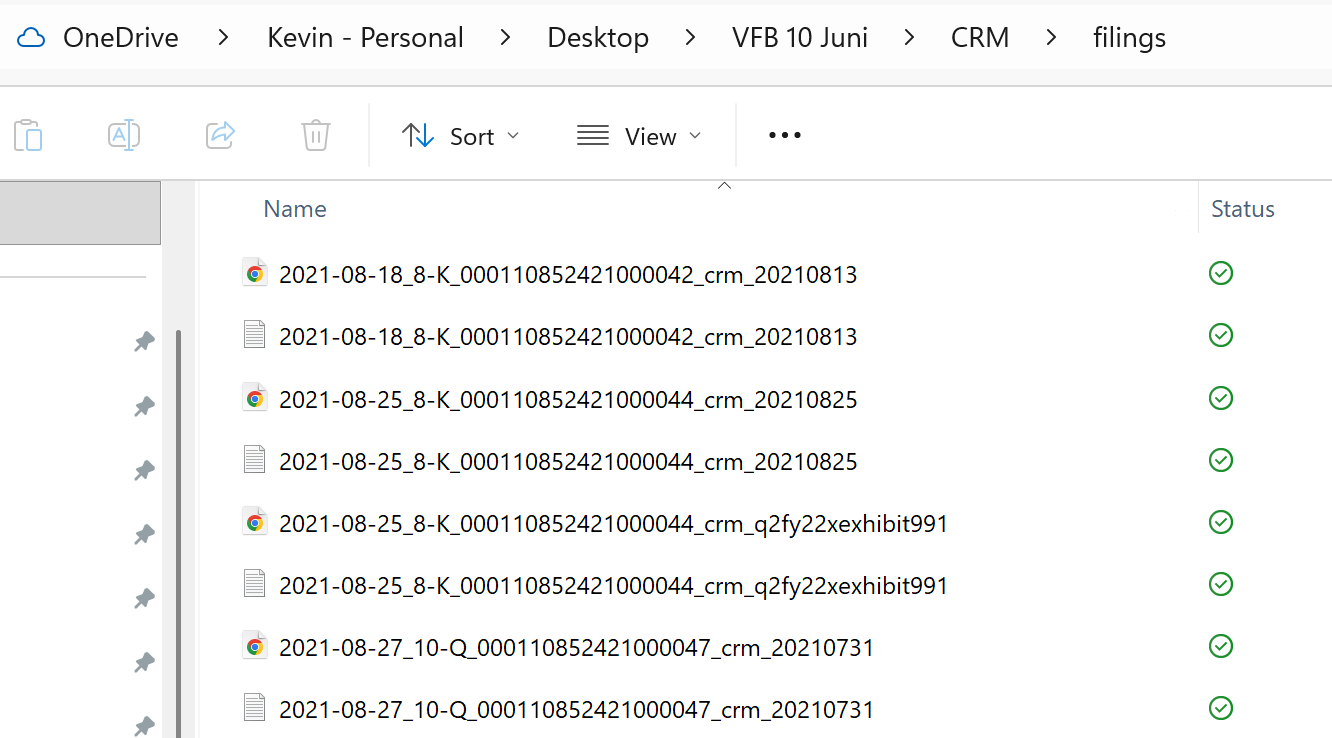
All financial data and filings have been downloaded from the last 5 years. In the screenshot, you see some 8Ks and 10Qs, but it downloads 10K and other forms as well.
To make it easy, I’m not turning this into a second brain discussion, but just know that what we actually do is:
Import the raw data (Stage 1)
Compile it so that all files are linked together (Stage 2)
All this data can now be used to create artifacts (Stage 3)
Our fetchdata skill creates a final report to verify the quality of the data retrieved. Here is the report for Salesforce:
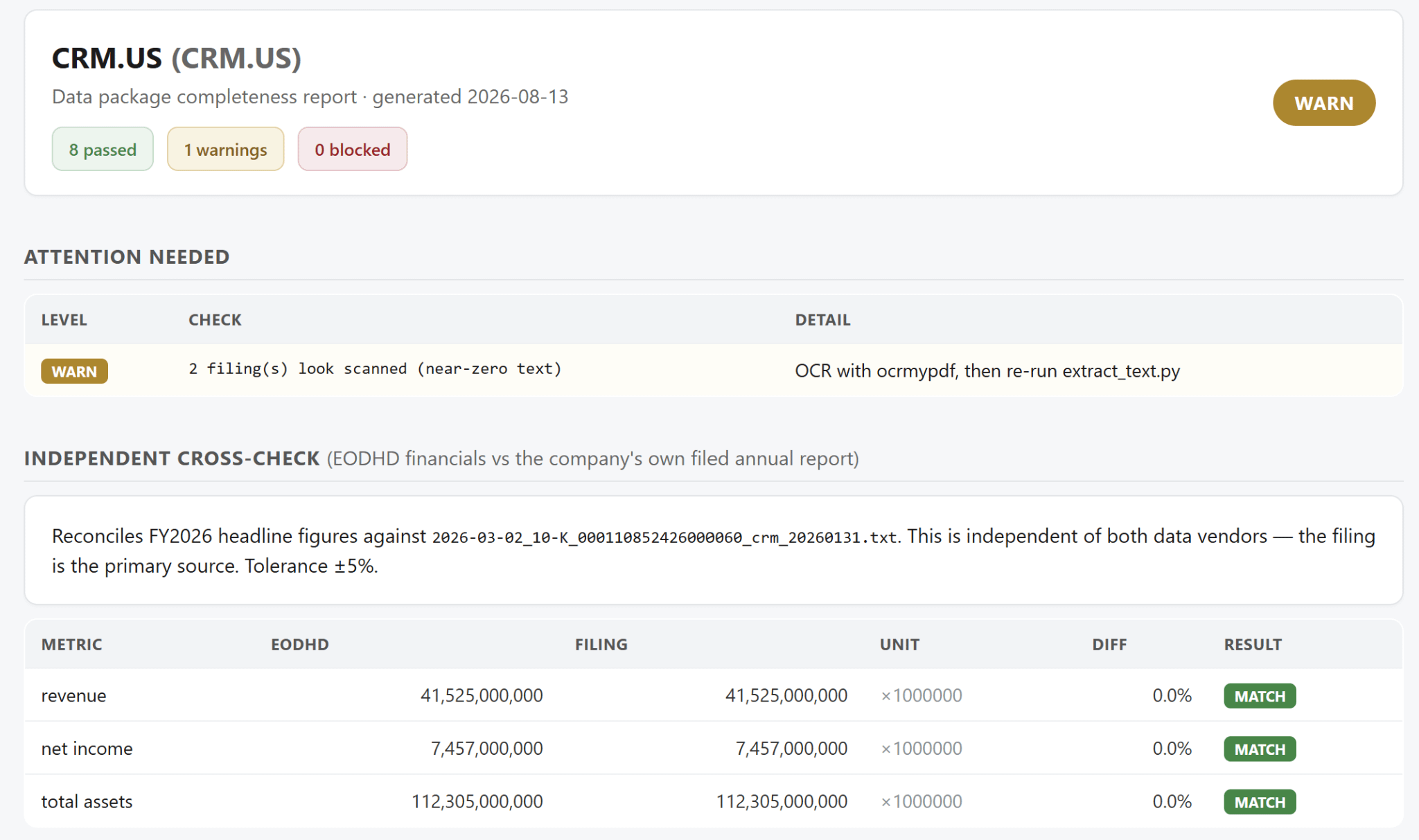
This is our quality control layer.
Everything you do starts with great and complete data, so you’d better spend the time to make sure you have everything ready.
Note: The warning in the report is just flagging that it found 2 files that have been scanned instead of being “proper” PDFS. But converting those files isn’t necessary, as those files aren’t important.
Our fetchdata skill and many others will all be available, accompanied by a video course on how to use Claude for investing in the coming weeks. Private beta will start on the 26th of August. At a heavily discounted price, you will get access to the current state of our Claude skill library. In return, we ask for your feedback to improve the library and the video course. Spots will be limited to 20 people. You can sign up and join the 102 people already on the waitlist.
Join the private beta waitlist here.
So once you have the data you need, you’re ready for step 2.
If you run a generic equity research skill on a SaaS company, you will get a generic result. Claude will probably detect that it’s a saas company and will apply that angle, but it will not use detailed information from the saas industry to do its analysis.
So our goal is to create an industry specialist that explains to Claude what the shape of a Saas company looks like, and more importantly: What good and bad look like.
The first step is to create the knowledge base. Based on current information online, which metrics are relevant, and what is considered good in the industry.
You can copy the prompt below
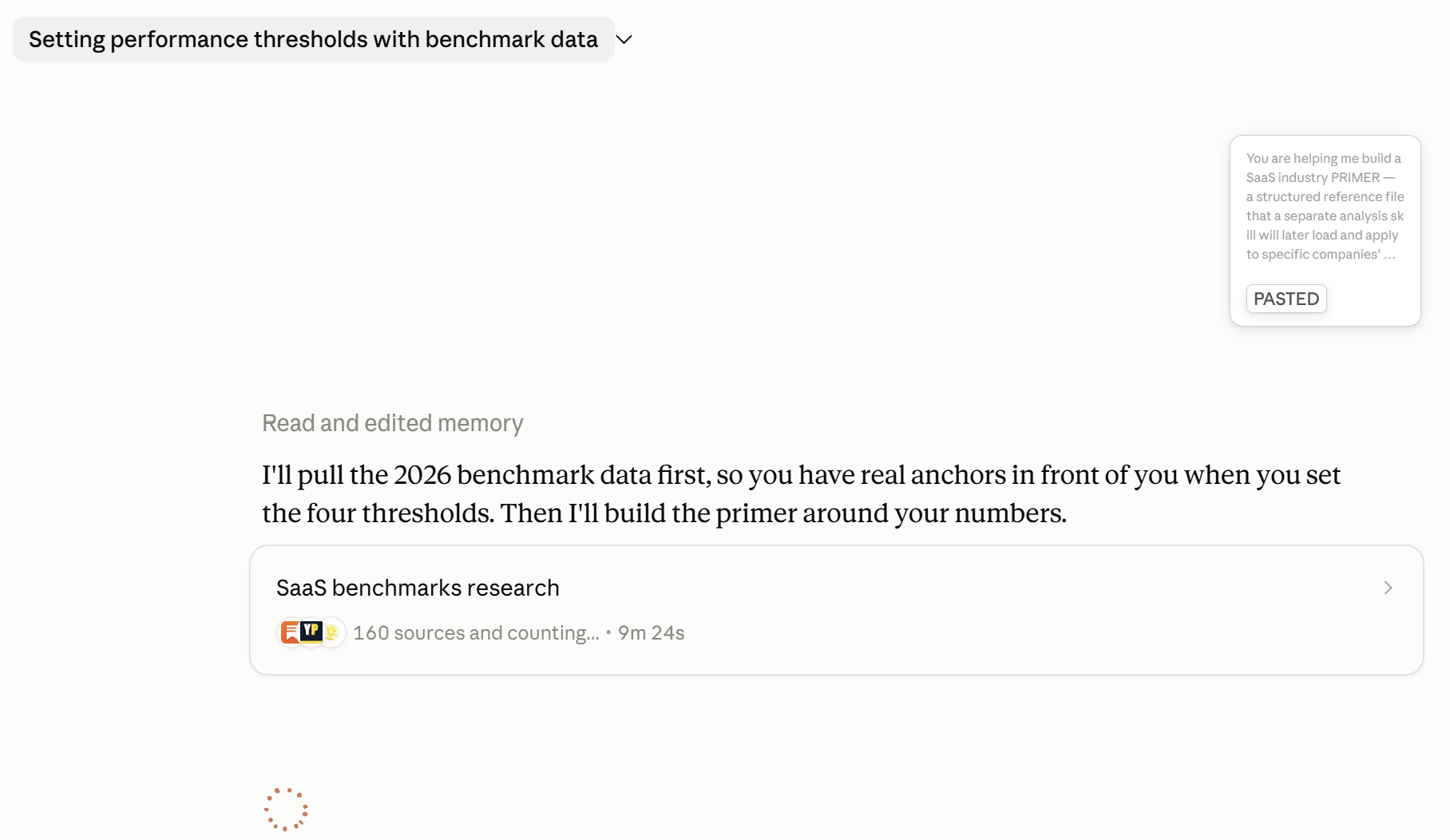
Claude got to work. Since research mode is activated here, it will take some time for Claude to finish:
Now you’ll get a benchmark report on Saas performance. Things like:
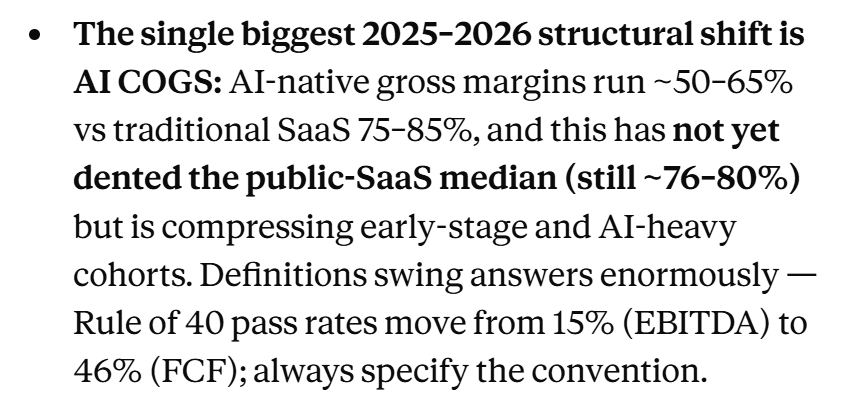
This is useful, but it’s not the SaaS specialist yet. The report lacks clear instructions on how the analysis skill should evaluate a saas company it sees.
The only thing we have right now is a markdown file with the knowledge base.
Let’s go to step 3 to create the actual skill ⬇️
Now we need a skill that uses this saas knowledge. Again, ask Claude to create a skill and ask you questions. Use the SaaS knowledge as a base.
To do that, just copy and paste the benchmark report into a chat window, and ask it to create the specialist skill. Tell Claude to ask you questions.
Claude will ask questions like this:
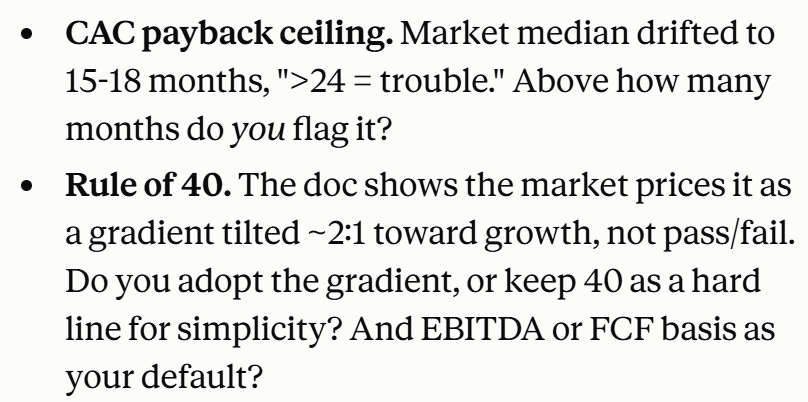
Here’s where you shape what the specialist looks like. I settled on CAC payback matching the current industry report and kept Rule of 40 as is, but provided a correction for Stock Based Compensation in the output.
This is where your own knowledge comes into play to make sure the specialist does what YOU want it to do. And as always, if you don’t know, just start a separate chat with Claude to learn how Saas works, and then put in the right evaluations.
Here’s an example of what’s inside this file. For example, it says exactly to Claude how it should calculate the CAC payback:
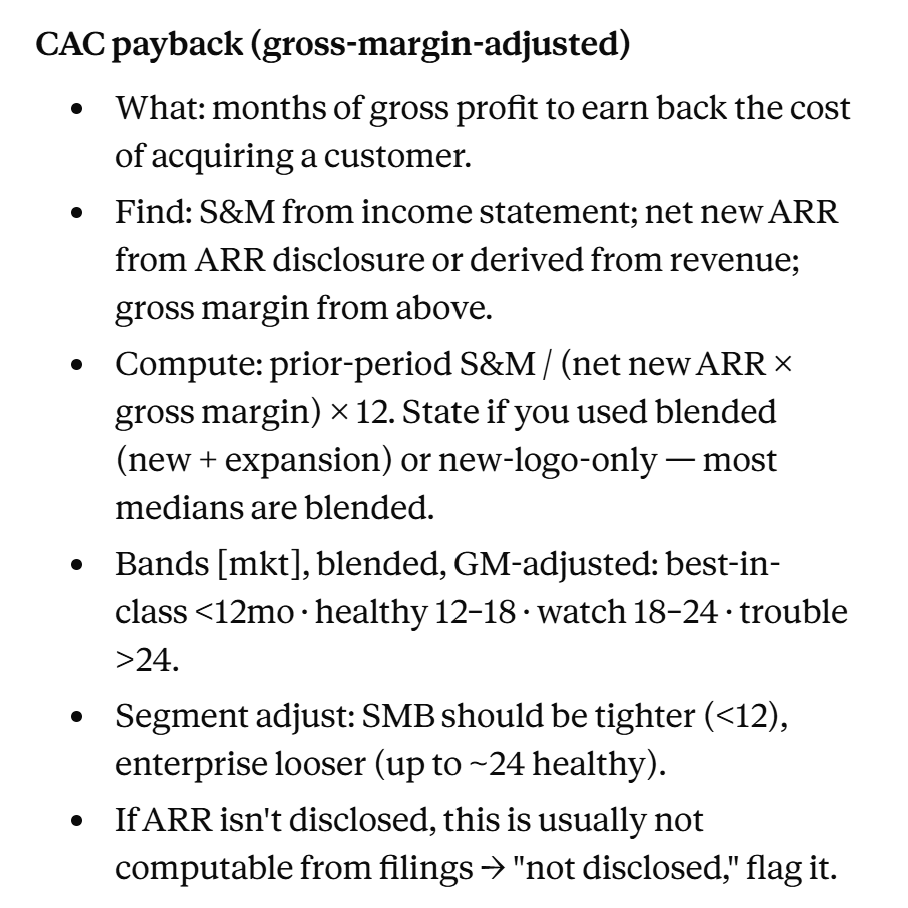
This skill is built to run inside Claude Cowork or Claude Code. It will use Python to do the calculations, which is exactly what we need.
You will need to choose what the output of the skill is: We went for 2 outputs:
A company SaaS scorecard
A background document that shows a full company analysis and how the KPI’s are calculated
You can, of course, include this part inside a full equity research report. But we want to test the output with and without the SaaS industry knowledge.
It’s a test to see if maybe Claude’s native knowledge is enough. (The model is improving over time; we have seen this over the last 2 years).
When we run this skill on Salesforce, we get the following scorecard.
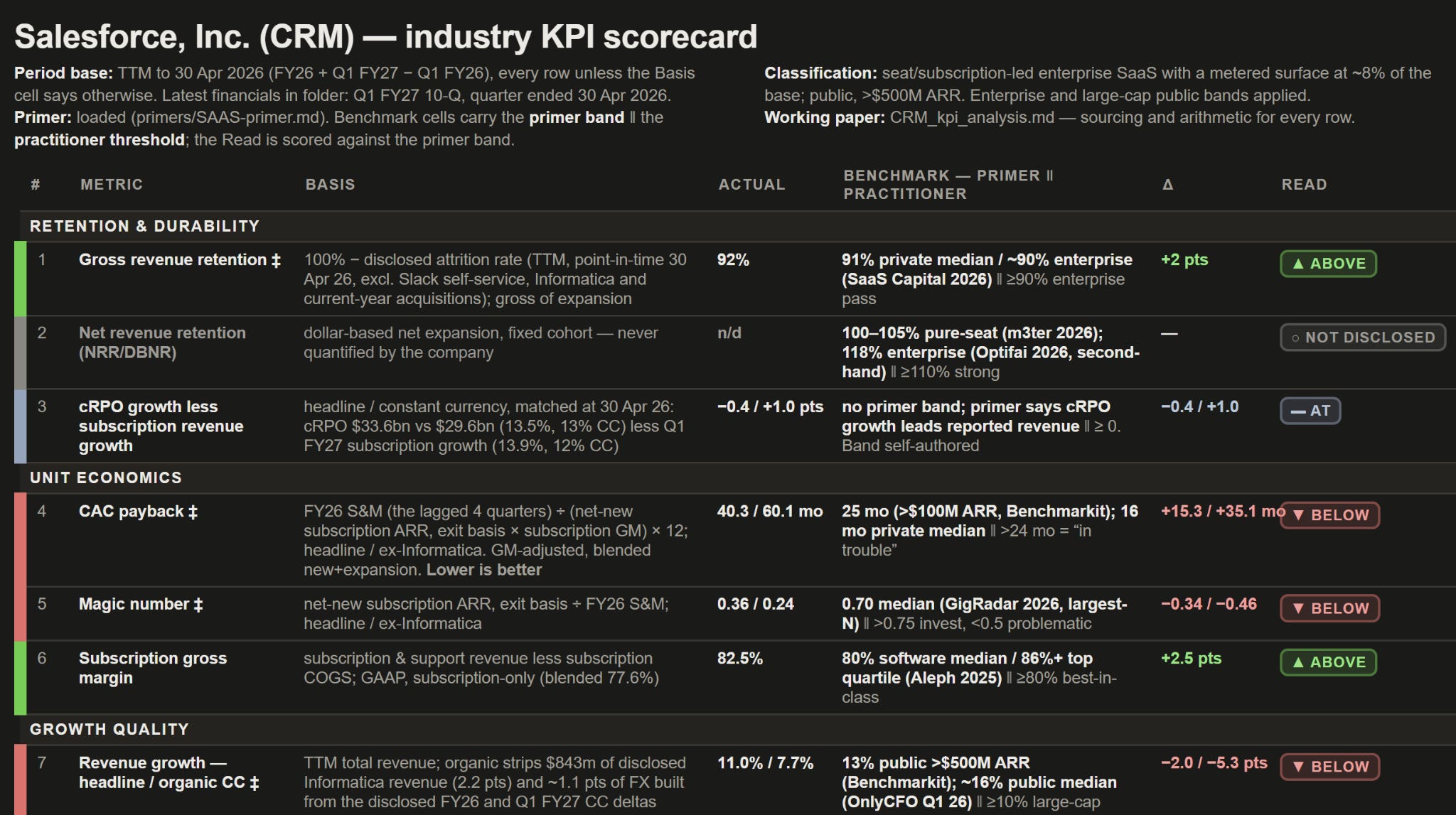
And you can download the full PDF below.
Importantly, if the metric (like net revenue retention) was not readily available in the filings, the skill reconstructed the metric, but it is stated at the end (so that you know it’s not an official metric published by the company).
A second output is a full analysis (of multiple pages) which includes all the specific KPI’s a typical SaaS company would use.
Now we ran this result with and without the knowledge base, and as you can guess, with the base, the output gains accuracy. It will judge each KPI against the industry analysts’ knowledge base, whereas otherwise, Claude would “do his best with the data it has”.
I’ve learned in equity investing that ballparking and margin of safety are the most important when it comes to valuation. In other words, the valuation should hit you in the face with how cheap it is.
However, when you do company analysis, like an industry-specific scorecard, you need more precision if you want to know if the company is better or worse than the overall benchmark.
Each company is different. Different lifecycle. Different industries. And a generic equity research skill is not enough to capture the nuance of each company.
Creating an industry specialist knowledge base allows you to increase the detail and nuance in your research analysis.
More skills and, of course, videos will be published soon!
May the markets be with you, always!
Kevin
No posts
Comments
Nothing yet. Say the first thing.
Sign in to join the conversation.