
I realized that ever since I started coding, I (and anyone who has ever coded) have faced text encoding/decoding issues numerous times, but at least I never stopped to ask what was happening behind the scenes. I just used to copy StackOverflow code (pre-llm era) and slap it into my code, and it worked !!
So I thought of exploring this concept starting from the fundamentals and going deeper as it demands.
This will be a series of short articles - starting from the basics and adding complexities as we go - with just enough depth to make you appreciate the concept and not get bogged down by irrelevant details that will be useless unless you are planning a Phd in it.
So let’s get started !!
Knowingly or unknowingly, you must have frequently come across the text encoding concept in the following scenarios:
UnicodeDecodeError

“utf-8” written at the top of source files
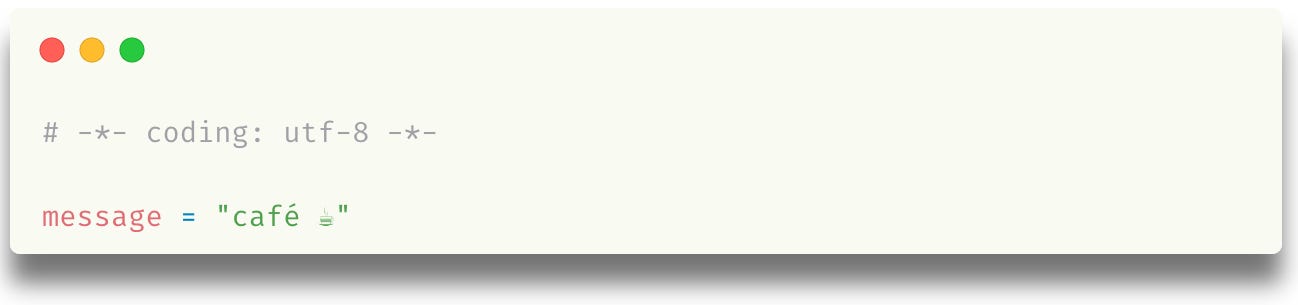

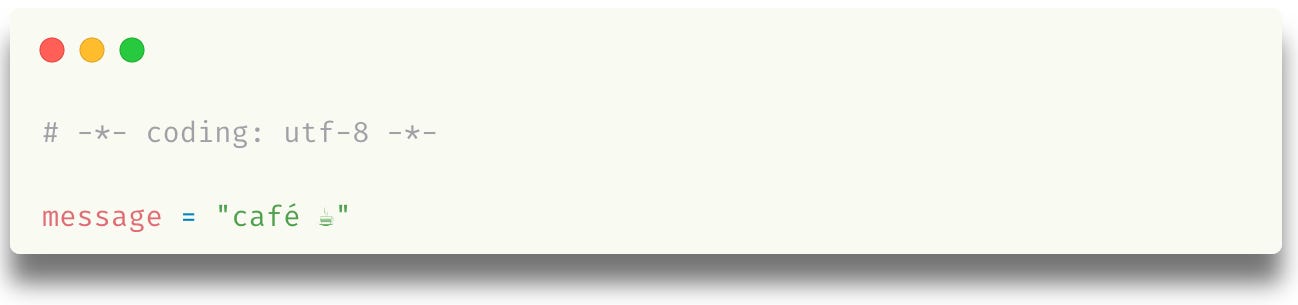
Some of the keywords that jump out at you are: “utf-8”, “Unicode”, “decode”, “bytes”, “codec”.
Before we go into any of it, let’s understand
What is encoding?
Encoding defines how characters are represented as bytes so they can be stored or transmitted
And it usually happens by first converting a character into its numerical mapping, followed by a byte representation

And looks something like this in Python:
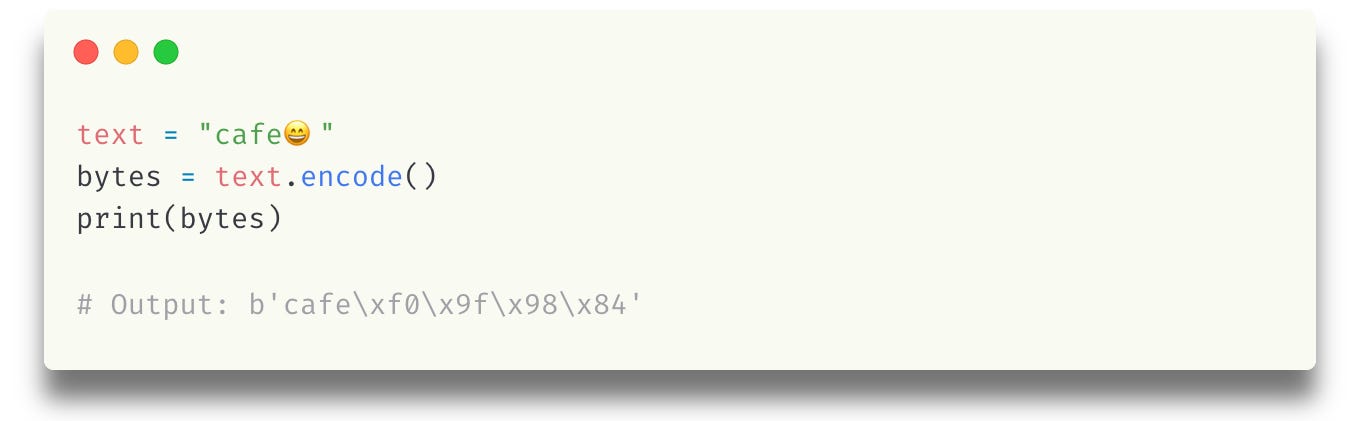
Let’s try to understand the output:
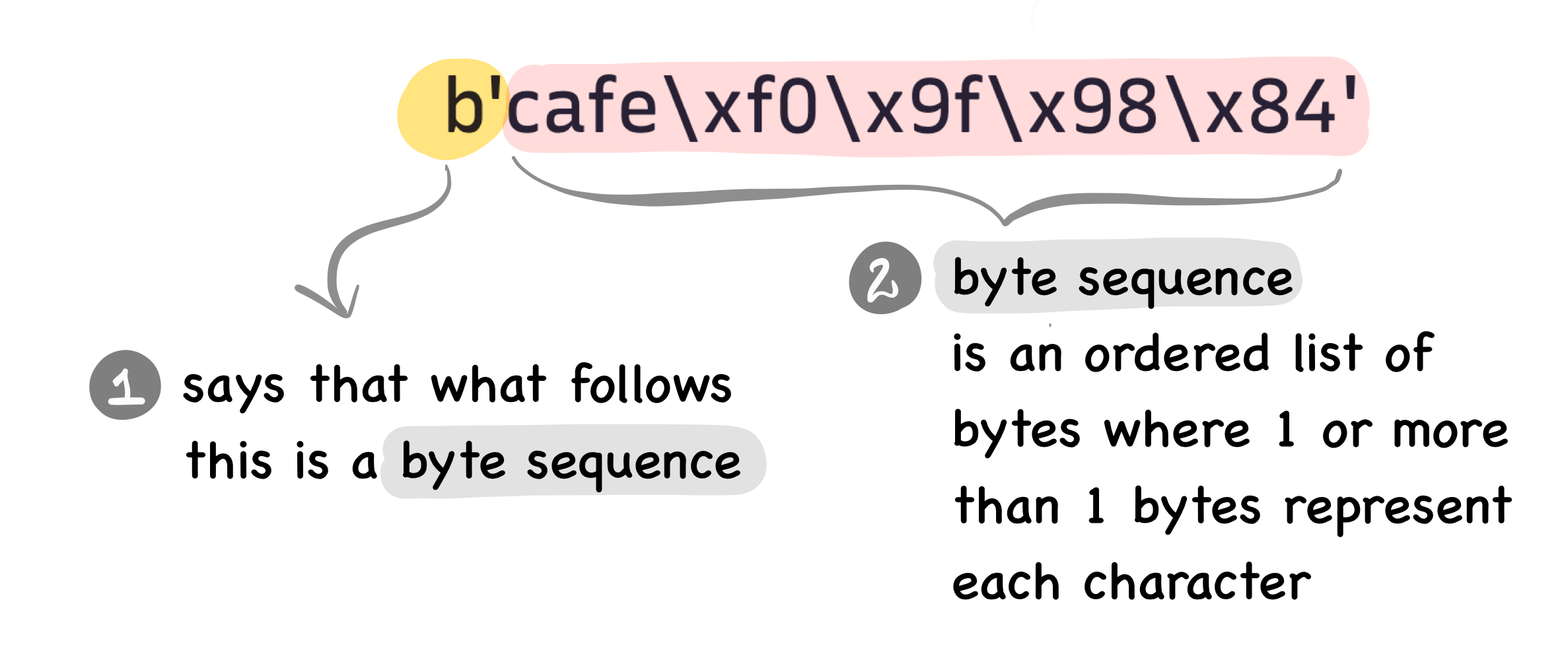
Don’t worry about those weird characters in the byte sequence - we will come to those a bit later.
All you need to take in at this point is that:
encoding a string of characters gives us bytes representation.
So instead of focusing on the exact contents of the above byte sequence, we can instead learn the process that generates that sequence for a simpler example. Below is a toy implementation of such an encoder:
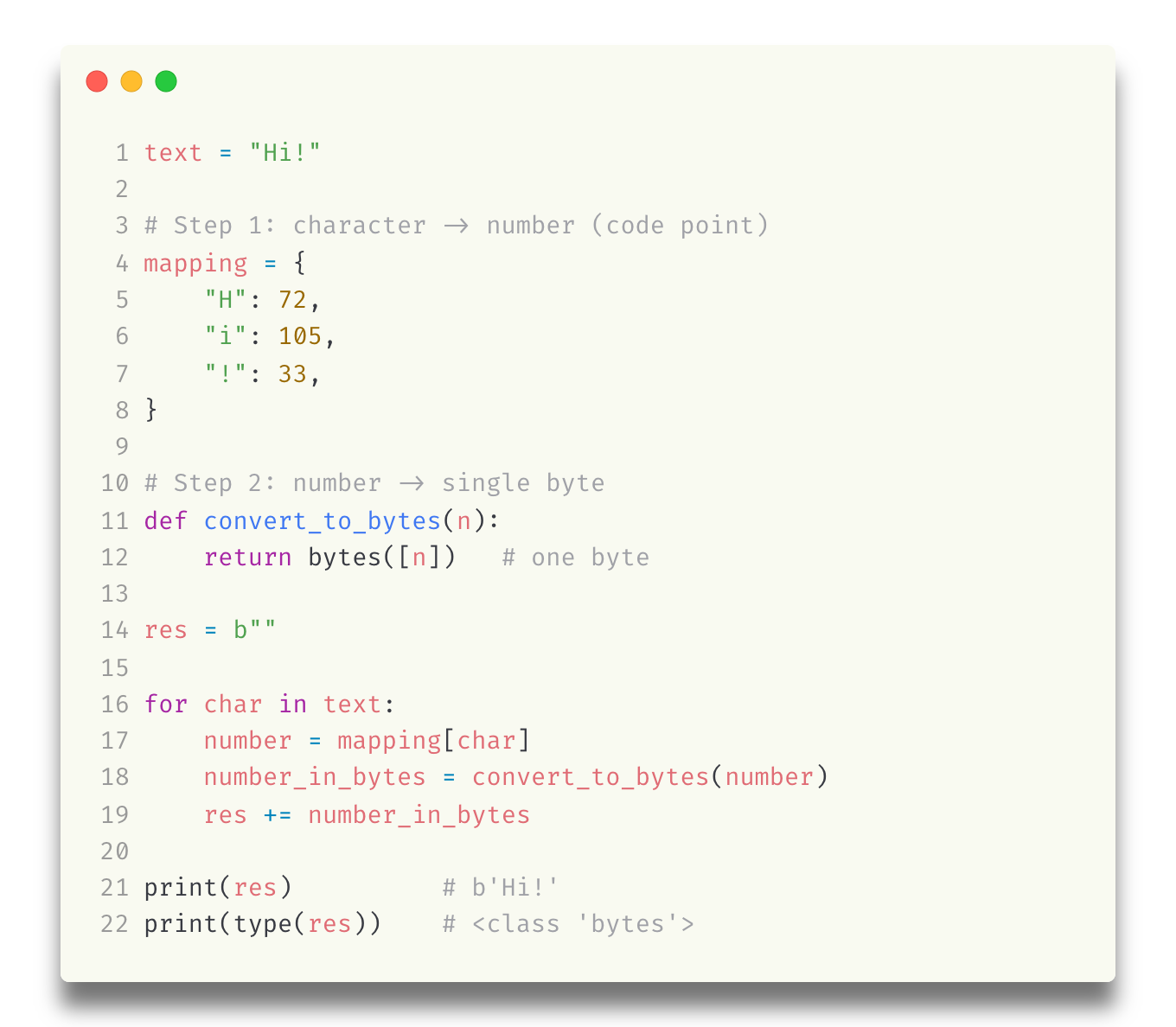
The above code simply does the following:
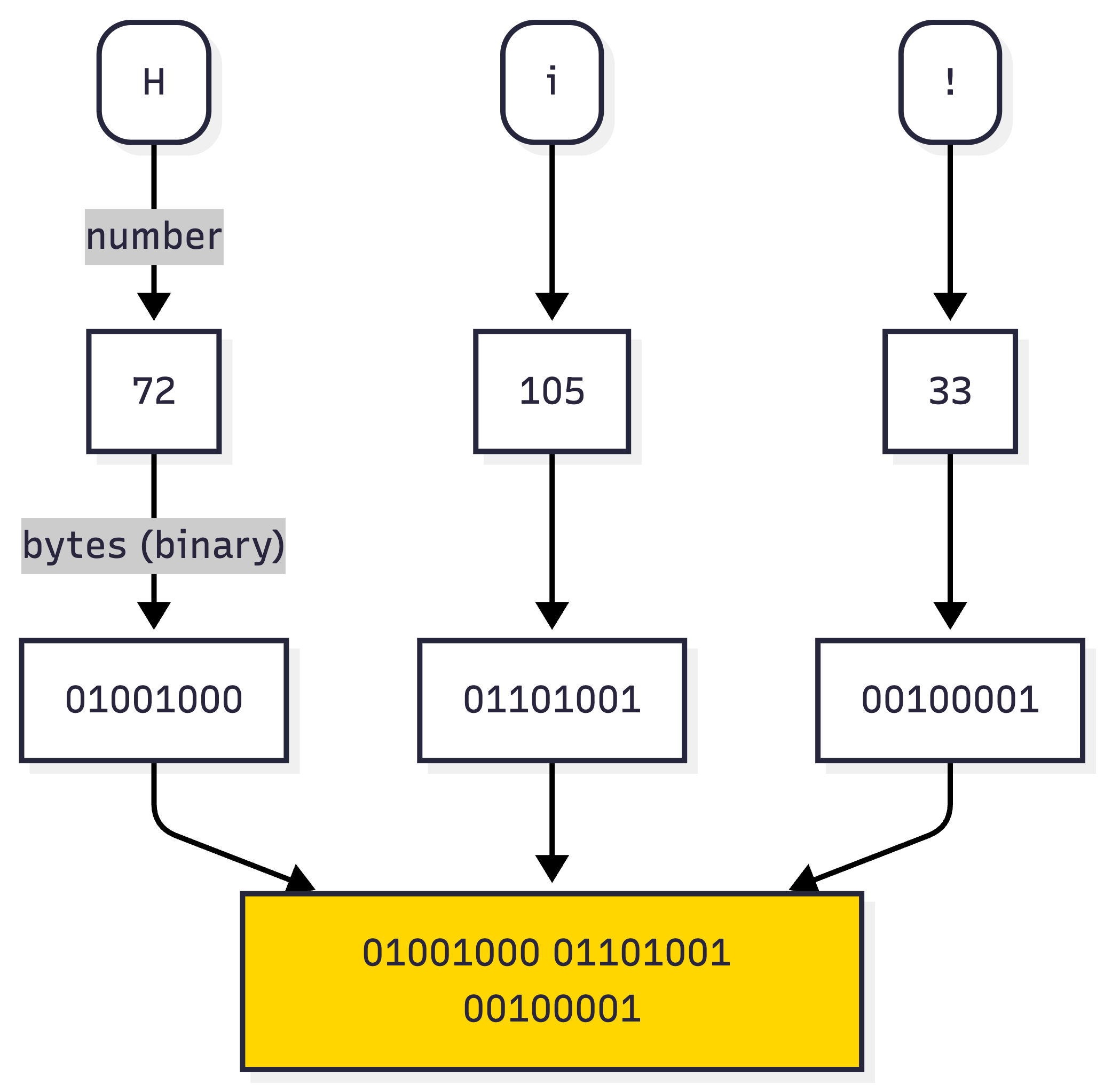
But if you notice, this is not the same as the output shown above:
print(res) -> b"Hi!"This is because if a character whose number falls within the range of [32, 126] - also known as “printable ASCII” - Python decides to represent it as a human-readable value. Hence, all 3 below are the same thing:
binary (base2): 01001000 01101001 00100001
decimal: 72 105 33
bytes: b'Hi!'
And regarding b'Hi!',
note that just because you can see it - doesn’t mean it’s a string - it’s bytes in this case
Let me guess a couple of questions that must be brewing up in your head:
→ If [32, 126] is printable ASCII, what is full ASCII? And what is ASCII?
→ What is meant by printable? What does non-printable look like?
→ Can all characters be represented in this way? (since there are so many)
→ But then a byte can only represent 2^8 characters - isn’t it?
We will answer all these in the next articles - but let’s reinforce what we learnt here:
(1) If you see “b” prefixed outside a string - it’s bytes - the encoded version - you can only decode it (which means converting bytes back to string)
(2) A byte - which is 8 bits - can represent numbers in the range [0, 255] inclusive - that means a byte can represent only 256 characters - no more than that.
If this post ended up in the Promotions tab, please move it to your Primary tab or Whitelist this email address, so that next time you don’t miss it.
Comments
Nothing yet. Say the first thing.
Sign in to join the conversation.