
Playwright is a free tool made by Microsoft that lets you control web browsers using code. Instead of clicking with a mouse and typing on a keyboard yourself, you write a script that does it automatically.
Works Everywhere: It can control Chrome, Edge, Firefox, and Safari on Windows, Mac, or Linux.
Smart Waiting: It is smart enough to wait for a webpage to finish loading before it tries to click a button. This keeps your scripts from crashing.
Finds Things Easily: You don’t need to know complex web code to find a button. You can just tell Playwright to look for text like “Submit” or “Login”.
Yes. A web scraper is any tool that goes to a website and grabs information automatically.
Old-School Scrapers: Just download the text of a website. They are very fast, but if a website uses modern, interactive features, old scrapers see nothing but an empty page.
Playwright: Opens a real browser window behind the scenes. It can click buttons, scroll down, log into accounts, and see exactly what a human sees. This makes it perfect for scraping modern, complex websites.
To understand how it works, think of a car:
Chromium is the Car: It is a free, bare-bones web browser built by Google. It is the actual engine inside Google Chrome and Microsoft Edge.
Playwright is the Driver: Playwright is not a browser. It is the automated driver that sits in the front seat of Chromium and steers it using your code.
Here is a simple Python script using Playwright. It opens a hidden browser window, goes to a website, grabs the title, and takes a picture of the page.
Run these two commands in your terminal or command prompt to install everything you need:
pip install playwright
playwright install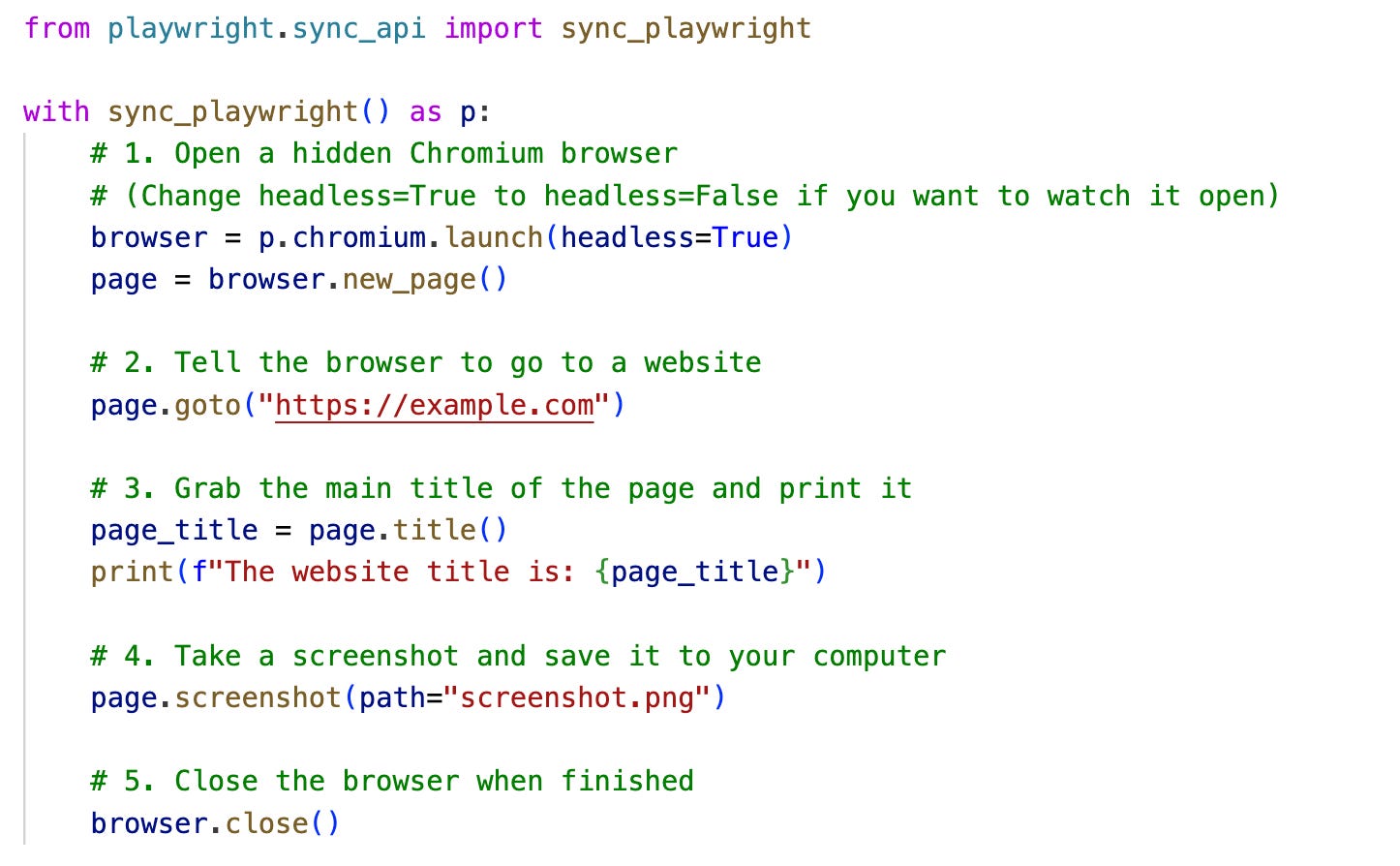
Official Documentation: Playwright Official Website — The main portal for Microsoft’s framework, including API references for Python and Node.js.
Source Code Repository: Playwright GitHub Repository — The open-source project repository tracking updates, issues, and browser binary management.
The Underlying Engine: The Chromium Projects The official open-source project site for the Chromium browser engine that powers Playwright’s core automation.
Python Specifics: Playwright for Python Documentation — The exact installation guides and implementation patterns for the Python library used in our code example.
Thanks for reading! These notes are a part of my personal notes that I created while building a web scraper for a project. If you have any suggestions or tips, or if there is a different way in which you use web scrapers, do share in the comments
If you enjoyed this post, please hit the ❤️ button, leave a comment with your thoughts, and share it with a friend. Don’t forget to subscribe to stay ahead of the curve on the digital tools changing how we work.
No posts
Comments
Nothing yet. Say the first thing.
Sign in to join the conversation.