
This is the first in a free 3-part series where we build a digital product from scratch, in Adobe Express, to generate leads or revenue.
So you want to create a digital product because you’ve been told it sells, it’s “passive income” and generates leads. But you don’t know what that means for you. This is what we’re talking about today.
📥 to receive all episodes, make sure you’re registered.
Before you pick a product, think about its goal.
Some products exist to generate leads. This is the freebie. Something you give away to bring people to your website, onto your newsletter, into your world, so that later they buy a higher-ticket offer. Think of a PR date calendar or press release template, leading to a PR coaching offer. Content to build community. These are usually shorter and hyper focused on one solution.
Other products exist to generate income. You’re selling them as it is. A checklist. A series of e-mail templates to get client. A Lightroom preset package.
Both options provide a transformation of some sort for the user. They start on point 1 and by, using what you give them, get to point 2.
From our GATECRASHING interviews, you can see many experts with freebies and digital products
Jess Bruno has pinned posts and workshops.
Lizzie has a 250k pitching freebie and a promo playbook
We have the NO GATEKEEPING post, both free and paid-for guides and perks.
Decide on what it is you want so that you can track the result and decide both the content and HOW you will market it and distribute it. We will look into this on episode 3, but the plan starts here.
What do people ask you all the time??? Jess Bruno, as mentioned, turns the “I don’t know what to post,” into templates.
Your “viral” posts: the most saved or shared
Your community. Run a survey, IG polls. Scroll your comments and DMs and watch which topics get the long replies. Go on Redditt.
Ask the internet. Browse what already exists. Gumroad is a good place to see what people are paying for.
Validate it BEFORE you build anything. We love this guide from STAN for that.
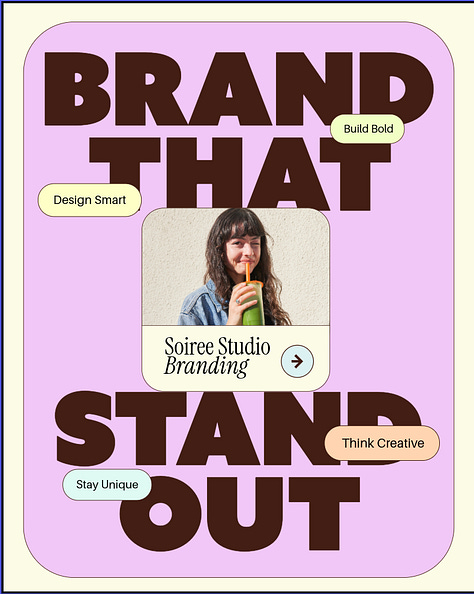
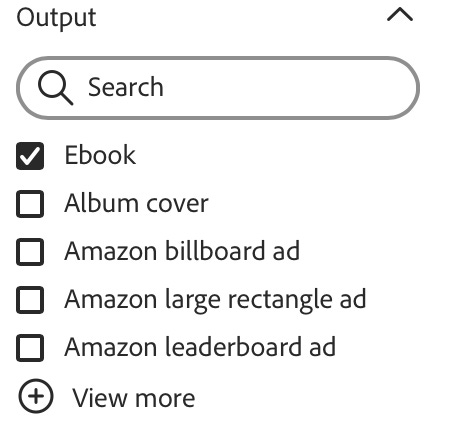
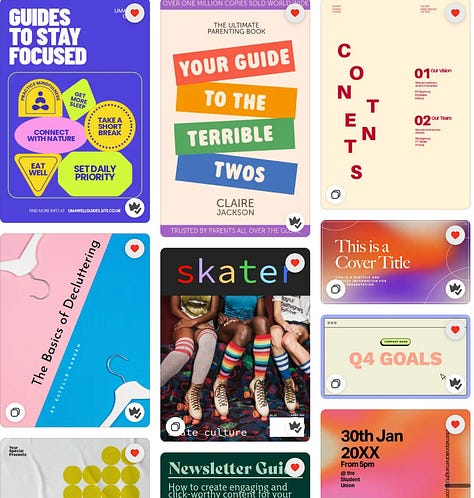
There are two ways to go about it. One: you have your idea mapped out. You go on Adobe Express, look for templates and select what sort of material you’re creating.
Or, my fave (which is how I even created the presentation here) is to upload your text and info and ask Adobe to generate a draft for you. SO HANDY!!
✨ Ready to create?
Drop a comment and tells us what you’re doing so we can give you feedback
Stay tuned for the next episode where we’ll Brand It & Build It.
Some of you sent us questions ahead of time, so here are some answers.
How do I make sure what I’m building is actually valuable?
You start with the problem you’re going to solve and how your user will go from point 1 (stuck) to point 2 (unstuck). That’s it. Before you design anything, get very clear on the one problem you’re solving and for whom.
Use our validating system above to help you out!
What do people ask you ALL the time? The question you’re sick of answering
Which of your posts got saved and shared the most?
Read your DMs and comments.
What still has value is the stuff AI can’t fake:
YOUR taste and point of view.
YOUR experience. “I did this for 20 years and here’s what actually works”
Curation and judgment. One solution for one problem that’s been tried and tested. Not 17637 prompts no one will use or 50 templates from a content creator whose style you hate. Lean into your voice.
You can also include extras such as a call with you, a video Q&A etc
I’ve got a non-digital design background,. What’s the most cost- and time-effective way to start small?
Obviously we’re biased but try Adobe Express. You will see how easy it is to set up. If you have a validated idea (see above) and people trust you, you can do it.
You can also learn by reverse-engineering good design and good products.
What do you love? Why? What do they have in common?
How do I price it?
We will look at all of this on episode 3, but here are a few things to keep in mind.
One: you’re pricing by the value of the outcome to the buyer.
Two: Look at similar products in your range to get a sense of pricing
Three: Know your audience. This is the KEY thing. Who are they? How much could they afford? What is the goal for this product? Do you want a few people to pay a higher price or tons of people accessing it now?
Comments
Nothing yet. Say the first thing.
Sign in to join the conversation.