
Microsoft is finally making good on its promises, testing new Start Menu customization options in Windows 11. The features are included in build 26300.8553, currently rolling out to testers enrolled in the Experimental Channel — formerly known as the Dev Channel.
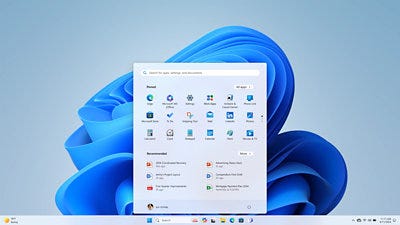
The options were first spotted back in April, but hadn’t been available to testers until now. Screenshots of the new Start Menu settings were shared by Neowin.
Here’s what’s new:
The “Recommended” section has been renamed to “Recent,” both in the Start Menu and in Settings
Users can now toggle individual Start Menu sections on or off — Pinned, Recommended, and All Apps
The Start Menu can now be displayed in small or large sizes, in addition to the existing “Automatic” option that adapts to screen size
A new option lets users hide their profile name and picture from the Start Menu
The Start Menu settings page in the Settings app has been redesigned
The update also brings a notable improvement to Windows Search, which can now surface files with compound names when only part of the name is entered. Searching for “April” or “Project” could return files named “AprilNotes” or “ProjectFinal,” for example.
The Taskbar also received a series of visual refinements when positioned on alternative sides of the screen, and it can now be summoned with a swipe gesture even when set to auto-hide or placed in a non-default position.
Since the Experimental Channel is one of Windows’ earliest testing rings, these features are likely still months away from a general release — and may go through further revisions before they ship publicly.
Comments
Nothing yet. Say the first thing.
Sign in to join the conversation.