

The content of this article consists of tools and tricks I learned to make my life happier and healthier.
You won’t find sponsored links in this article, you won’t find erroneous multipliers like “10x your productivity”, you won’t find AI tools, you won’t find ways to hustle harder, or grind faster. The goal is to empower you to strike a balance between using the internet to enrich your career and life, while simultaneously minimizing the risk of addiction, distraction, and negative influence. The goal of this article is to create a substantive change in your life, and it centers around three key goals:
Minimizing Distraction
Having More Productive Downtime (not just measured in terms of career productivity, but in fulfillment as well)
Maintaining Long-Term Goals
We’ll start with minimizing distraction.
Share this article with friends and colleagues.
This is the hardest and most important part to get right. It doesn’t matter if you’re smart, dedicated, have good connections, have great friends, if you’re rich, whatever. If a large part of your time is spent mindlessly scrolling on your phone, you will never achieve your personal or professional goals.
“Lost time is never found again.”
— Benjamin Franklin
The issue is, there are a lot of distractions in life and, frustratingly, those distractions are increasingly interwoven into the necessities of life. I can’t just leave my phone outside my office; I need it for two-factor authentication. I can’t just avoid the infinite reel; I need to watch YouTube videos to learn new stuff.
The goal of this section is to get what we want out of technology, while not letting the tendrils of attention-seeking design control our minds. There are both tools and habits we can use to help us in that endeavour. We’ll kick it off with one of my favorite tools.
Your phone is your greatest source of distraction. Americans average around 1/4 of their waking life on their phones. Don’t let this fact pass you by; this is an existentially concerning waste of human life. That’s 20 years of your life slipping away into the void.
The first trick on this list is to install Minimalist Phone, which helps you reclaim some of that lost time. That might sound like a sales pitch, but I earnestly mean that. I’m not affiliated with Minimalist Phone in any way other than as an avid user.
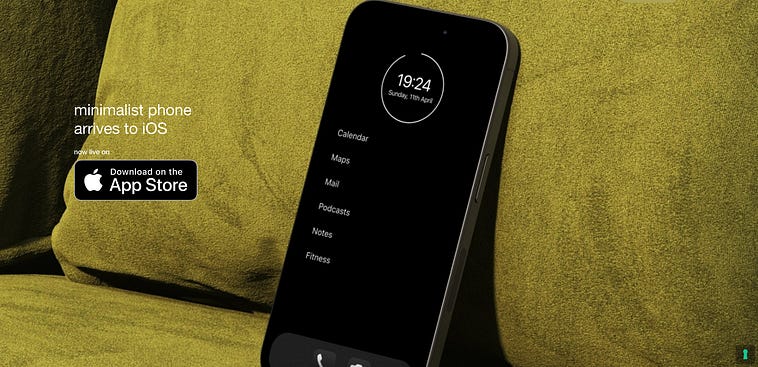
I swung by the T-Mobile store to get a new phone last week; I installed Minimalist Phone on it before I walked out the door. For the last four years, Minimalist Phone has been one of the most important investments I have ever made to myself.
The most obvious thing it does is replace your home screen. No more buttons, just the names of your favorite apps, the time, date, and a ring that indicates your battery level.
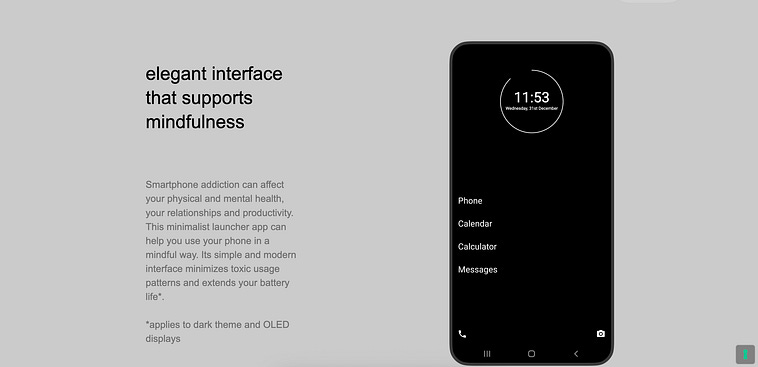
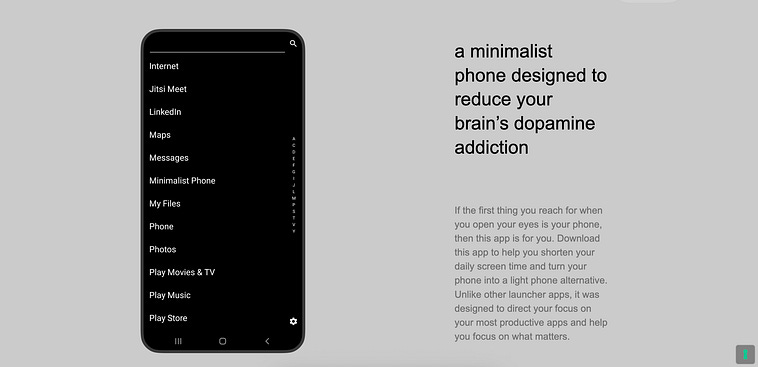
If you swipe to the right, you can see a list of all of your apps installed on the device, in alphabetical order. You can also type the name of an app to search for it.
I remember the moment I installed Minimalist Phone. I was stressed out in engineering school. I had too many classes to study for, and was co-founding an AI company at the same time. I didn’t have time to waste. Still, I would find myself scrolling on Instagram when I didn’t even remember clicking the app.
I was using my phone as a form of escapism, getting short-term comfort, but making my stress worse by shortening my days. Each time I would unconsciously click an app, it would result in 10 minutes, 15 minutes, an hour, gone. Each time I clicked an app, all of my deadlines got that much closer.
“How did it get so late so soon?”
— Dr. Seuss
When you need to search for apps by word, rather than impulse click their shiny little icons, it drastically changes how you interact with your phone.
Minimalist Phone has a variety of additional tools besides the interface. You can set certain apps on timers, you can set reminders to keep you honest about how long you’re on an app, and you can straight-up block certain apps based on a schedule.
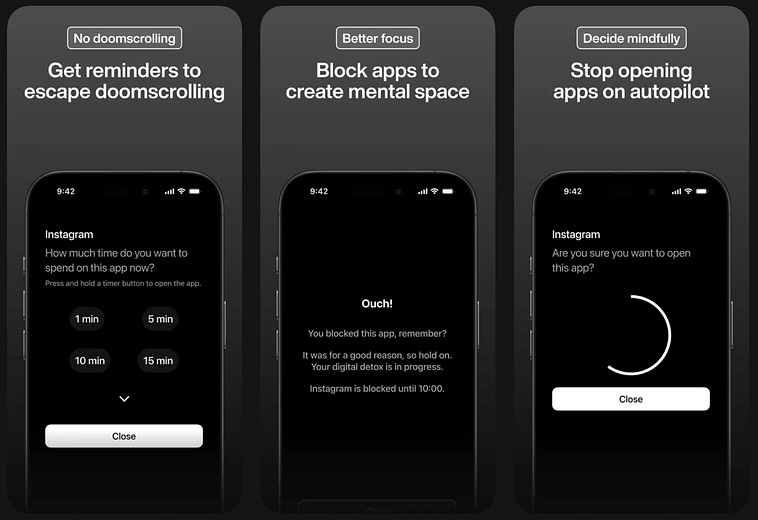
Perhaps more importantly, Minimalist Phone allows you to engage in a new philosophy around technology use; one of intentionality. This app was the start of my journey in being intentional about my device use, and I highly recommend it as a start for you as well.
I’m a young man, but old in internet years. I’m old enough to remember a time before I had a smartphone, when high-quality answers were easier to find on Google, and when YouTube was in its prime.
I can’t explain how much I used to love the recommendation system of YouTube. in the 2010s, the “YouTube rabbit hole” was something positive people would obsess over. This was the era of educational YouTube, and it felt like you could get a master’s degree by just clicking on the top recommended videos.
I love YouTube; it’s important not to be too pessimistic about a good thing. However, I have noticed the platform has gotten more distracting for me. Maybe it’s because of shorts, maybe it’s because the recommendation system has changed, maybe it’s because I have a degree in mechanical engineering, minors in computer science and math, a year of writing my own technical blog, and 8 years of experience under my belt. A random YouTube video simply has less to offer me than it did a decade ago.
Regardless of the reason, I started having a palpable problem as my career progressed. YouTube stopped being productive. I would need to research something, perhaps a dry topic that I wanted to learn but wasn’t exactly gripping. I would find a YouTube video, then I would be taken off track by recommendations of more engaging content. I could will myself into keeping on track, but it was hard. The recommendations were always there, every time I opened the home screen, every time a video ended. So, I downloaded Unhook. Again, unsponsored.
Unhook is a tool that allows you to edit the elements that appear within YouTube. You can turn your home screen from this:
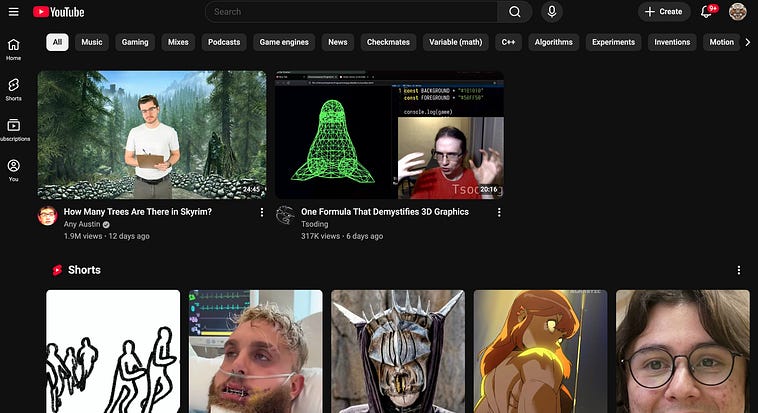
to this:
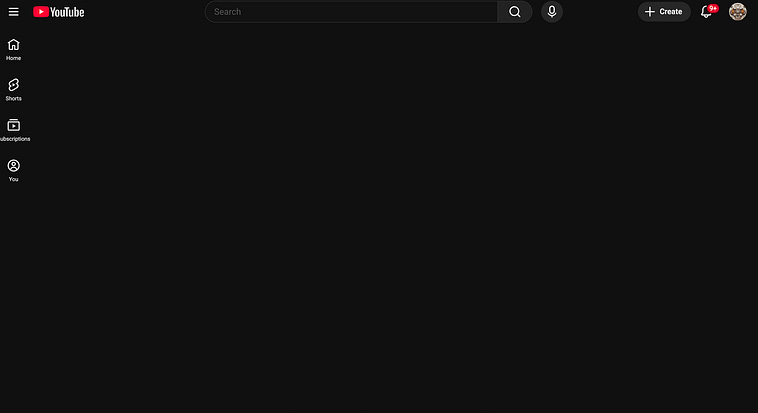
When you log into YouTube, you decide what you’re watching, not the recommendation system. After you search for a topic, a list of high-quality responses comes up, as you would expect.
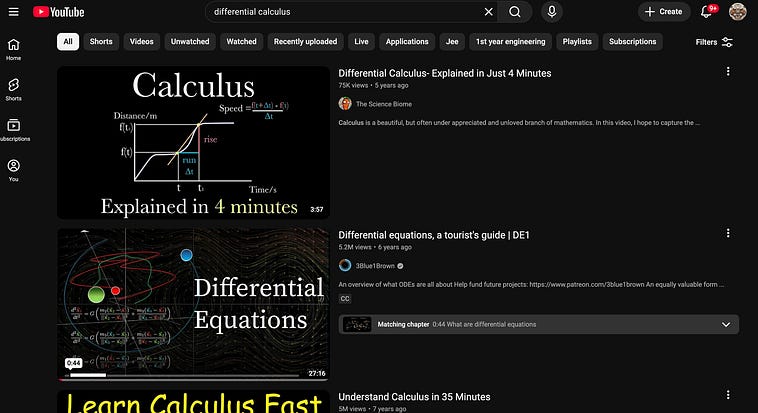
While I’m watching a series of videos, it’s easy to be distracted. Avoiding a picture of Will Ferrell with a bird on his shoulder can be easier said than done.
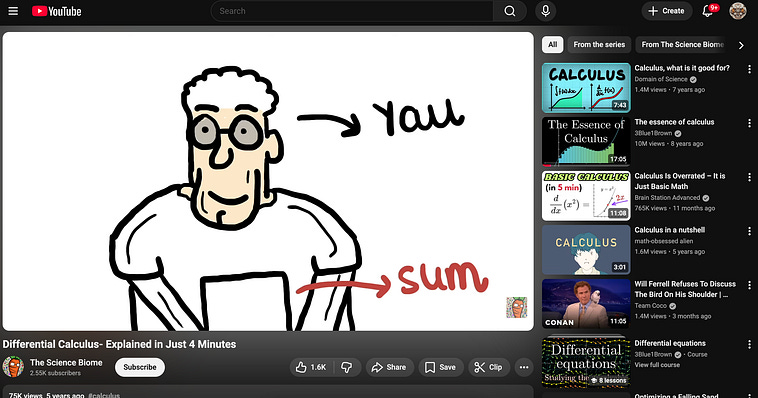
Remember, there is a cost to watching a random video on Will Ferrell. I’m all for entertainment, but if I click that picture of Will Ferrell, then click something else, then click something else, an hour can go by. That’s an hour I didn’t spend with my girlfriend, an hour I didn’t spend working, an hour I didn’t spend writing a new article, an hour I didn’t spend working out, an hour I didn’t spend enjoying nature. An hour I didn’t spend doing the things that give my life purpose and meaning.
With Unhook, you can just turn the recommendations off.
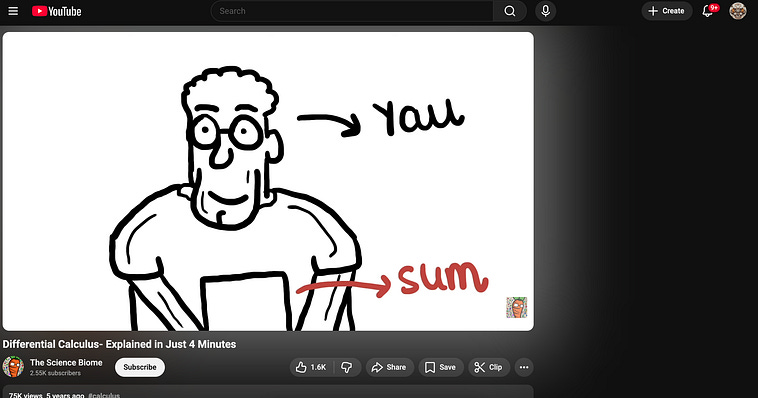
In fact, you can turn off pretty much everything.
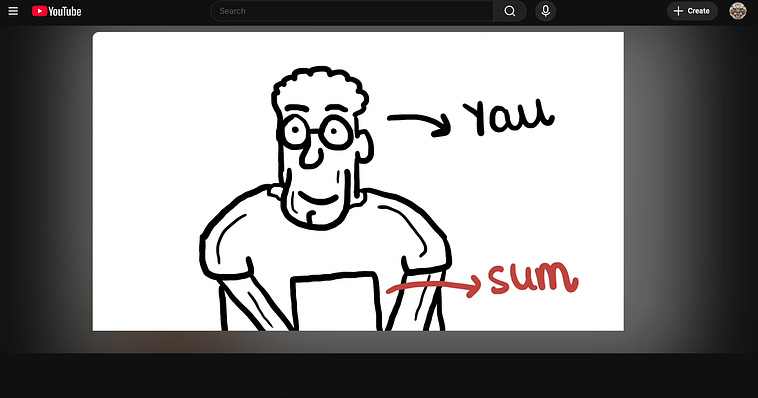
No comments, no notifications, nothing but the video. Unhook allows you to granularly control what you want to see, and what you don’t, to a fantastic degree.
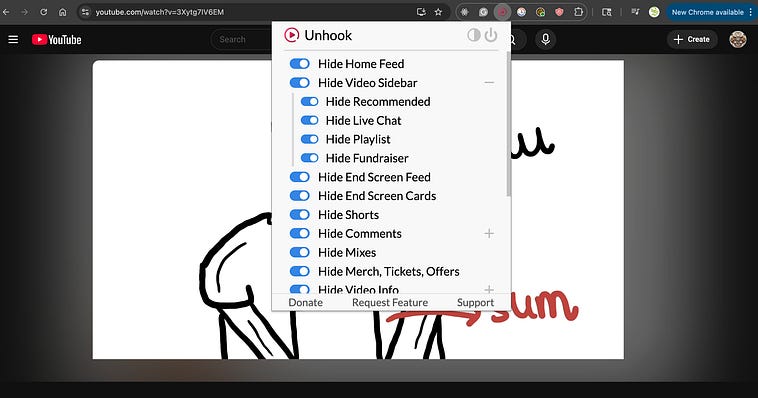
This simple ability has allowed me to reclaim my love of YouTube, and all of the new and fantastic content people are putting out, while avoiding some of the more modern and addictive aspects I don’t like.
After discovering Unhook, I decided to look for similar options for other websites. News Feed Eradicator is another good example.
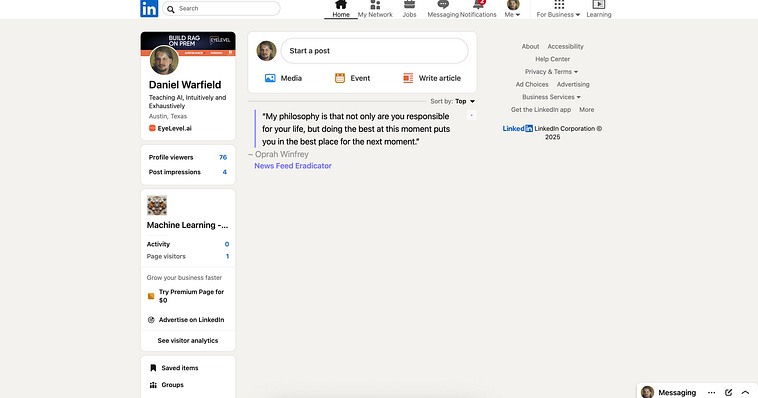
It removes feeds on a few popular websites. Sometimes I hop on LinkedIn to check if I’ve gotten a message from a colleague, and get sucked into watching videos of robots.
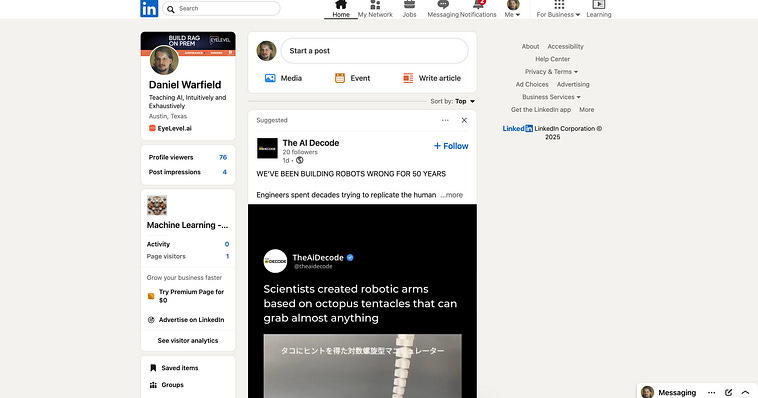
With News Feed Eradicator, I get a nifty little quote instead.
I could go on, but I don’t think it’s necessary. Once you know that content filters exist, and you start using them, you’ll find that they’re an indispensable tool in keeping your life in your control. Well, provided you do one little tiny thing…
Time for some tough love. If you don’t do this, you’re not serious about having a healthier or more productive life.
A very small number of people actually get something out of social media. The vast majority of people are wasting their time. I’m on Reddit to find answers to specific questions, I’m on Medium to write content, I’m on Slack to talk with colleagues, I’m on LinkedIn to talk with colleagues, and I’m on YouTube to watch tutorials on specific things. I use these for a purpose. Frankly, if you think you’re getting something out of social media, and you can’t name that specific purpose, you’re probably being delusional
If you don’t have an actual, real purpose, there is no reason to be on any website that even vaguely resembles social media or an infinite content reel. Unless you have a business that requires it, there is no reason to be on Instagram, TikTok, or Facebook.
You might think it’s to keep up with your family. It’s not. You’re keeping up with a visage of your family which Facebook dangles in front of you to keep you addicted. You might think it’s about learning cooking recipes. It’s not. Instagram is using your passions to give you a sufficiently plausible excuse to avoid the fact that you’re wasting a sizable percentage of your life on their platform.
You can not do anything until you earnestly decide to take mastery of your own time.
Sometimes that means making hard decisions.
Tough love over. I included it because someone has to hear it. Now that, hopefully, you have earnestly decided to work on mastering your own time (which is a skill one hones, not a milestone one reaches), you can consider the remainder of the article.
Productivity is a funny word. I don’t mean more productive strictly from a career sense, but rather more substantive. I think a lot of people think of their lives as things they’re paid to think about, and things they are at liberty to think about when not paid. I work, then I go home and watch Netflix.
It becomes a reflex. I know, it happens to me all the time. You have a show you’ve been watching for a while, and it becomes a ritual. Every night you watch just one or two episodes. An hour or two.
An hour or two, every night.
You need to and deserve to relax, enjoying a TV show is good in moderation, and that moderation is a function of your life and goals. It might be fine, or it might not be fine. Let’s answer that with a simple question.
Is there anything you’ve been wanting to do in your free time, but you just can’t seem to find the time or energy?
If the answer is yes, which it probably is if you’re a normal modern person, then you’re letting your habits of leisure dictate too much of your free time. You would have the time, if you were more in control of your time.
I can’t speak to anyone’s experiences but my own, but I can confidently say this: I answer no to the question above. I do pretty much everything I want to do, and I think it started from transitioning to reading Audiobooks
I can’t stress this enough: the goal of downtime is not constant career growth. Pick up a fantasy book, a historical book, a thriller. I’ve been obsessed with Ursula K. LeGuin for the last few years now.
When I read with my eyeballs, it’s slow and tiring. I do so much writing in my daily life (between writing and software development), I’m not particularly interested in sitting around and reading some more for fun. A decent audiobook totally fixes that problem.
When I suggest audiobooks to a person, I often get the response that they’re “bad” at listening to audiobooks. I think listening to audiobooks is a skill, ljust ike reading text is a skill. The more you do it, the better you get at it. What’s great is that you can get better at it while driving, while doing laundry, while cleaning the dishes.
I love cleaning dishes, because it’s a consistent time I have to listen to my audiobook.
I’m not trying to be an elitist, but I find that listening to incredible books, which have taken years of one’s life to curate, is more fulfilling than listening to one-off podcasts or TV shows in the background. I learn something from listening to audiobooks. I become a better person. It really is enjoyable, and engaging, and relaxing, and a good use of my time.
It also gets a bit tiring after a while, which prompts me to take a nap or just sit around and think about stuff. This is good, and a natural aspect of being a person, which I have not found to be sufficiently stimulated by other forms of entertainment. Also, it does require some engagement. Sometimes I avoid my audiobook and watch a mindless TV show, or play video games. What’s important is, that’s not a habit for me, but a reflection of what I really want. If your default is a more productive form of leisure, more relaxing forms become ever the more sweet.
Here are a few of my favorite audiobooks, in no particular order. I like to bounce around genres
The Lathe of Heaven — scifi/philosophy — Ursuala K Le Guin
Off to Be the Wizard — scifi/comedy- Scott Meyer
A Princess of Mars—scifi/adventure — Edgar Rice Burroughs
Airport — Adventure Fiction — Arthur Hailey
On Writing — Self Help — Stephen King
Never Split the Difference — Self Help — Chris Voss, Tahl Raz
Positioning — Marketing — Al Ries, Jack Trout
The Roald Dahl Audio Collection — Fantasy — Roald Dahl
Blott on the Landscape — Comedy — Tom Sharpe
The Dark Tower Series — Fantasy — Stephen King
Lawrence In Arabia — History — Scott Anderson
I’ve learned a lot from each of these books, and enjoyed them to boot.
I think there’s an abstraction to this general advice. Don’t be so quick to think leisure has to be all or nothing. I speak to Audiobooks because, if you find a good one, it will completely flip your perception of leisure in a heartbeat. Of course, there are other forms of leisure which might be more to your liking. I also really enjoy partner dancing (honky-tonk two step, specifically), and do that regularly. Having a few options of leisure in your back pocket that satisfy you in different ways, and require varying degrees of effort is good. Try something.
I write a lot of very long and technically complex articles. 8,000 words, 10,000 words, 15,000 words. I need to research each and every one of these topics. There’s not always a YouTube video or an Audiobook. Plus, I do this on top of my day job.
Do you think I sit around reading textbooks for fun all day? No. I use Speechify.
Ok that sounded like an ad. I love and hate Speechify. It’s the best on the market, but it’s also kind of buggy and overpriced. I’ve thought a lot about making my own inexpensive alternative. For now I have to be honest; it’s a game-changer despite its problems.
Sometimes I need to read an entire textbook to prepare for an article, or at least a handful of academic papers. Because I’ve spent so much of my life studying technology and listening to audiobooks, I can actually get a lot out of listening to an academic paper while, for instance, doing the dishes. This ability is how, at my peak, I was putting several articles out each week.
I’m telling you, start listening to Audiobooks. The skill is directly applicable to being able to comprehend large amounts of information rapidly. If you buy that, I’ll share another trick: The Microsoft Edge browser has a text-to-speech function built into it. It’s not as sophisticated as Speechify, but it does allow you to do something really cool: You can listen to what you write, as you write it. I listen to everything I write on Microsoft Edge (including this article), and it makes proofreading and editing significantly faster and better.
For me, the only exception is stuff I can fall asleep to. I love the Great British Bake Off. Still, I try to keep that to a minimum. I also write, take baths, and do skincare things. My significant other has helped me a lot with this (I struggle with unwinding), and it’s greatly improved my life.
Relaxation is a skill, and if you give yourself leeway and experiment with it, you can find rituals that allow you to unwind better at the end of the day, resulting in a happier and healthier life. You need empty space to do that, though, which means putting the phone down.
If you’re mastering control of your time, and are happy and healthy on account of relaxing more productively, you might find yourself with a bit of extra fuel in the tank, rather than less. Before you were demoralized at the end of the day with an insurmountable stack of responsibilities. Now you have more time to get some extra things done. I don’t just say that as utopian hyperbole, that really is my lived experience as a result of investing in controlling my own time.
The next step is to use your newfound time of resource to do other things. New things. Move forward in your life. I think there are a billion tools to help with this, but I like really simple ones. These two are my favorites.
Google Keep is a little-known Google application that allows you to keep track of TODO items and notes.
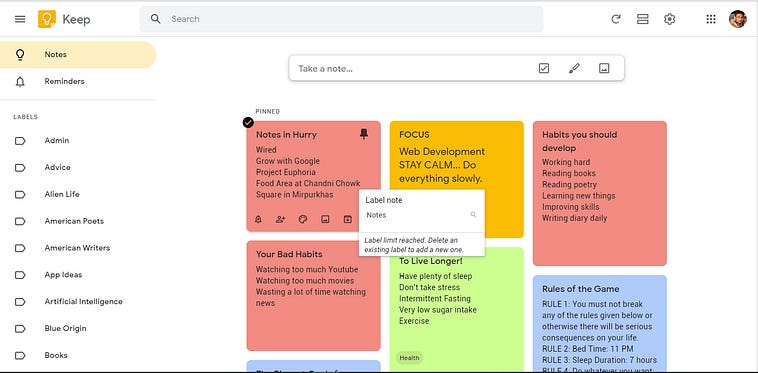
It’s elegant, easy to use, devoid of distractions, and syncs across devices. I used to have a “5-minute list” where I would keep track of chores I wanted to get done that would take less than 5 minutes. When waiting for a meeting, for instance, I could knock it out real quick.
I’ve also used Google Keep to keep track of what I want to get done this month and a few months out. I usually try to keep it to a few big goals that I want to keep myself accountable for. When the month ends, I can look back on the previous month and reflect on what I got done. It’s useful to be able to create honest projections into the future, and to be able to see your life in terms of a few months at a time, rather than a few days.
Another alternative I like is Todoist
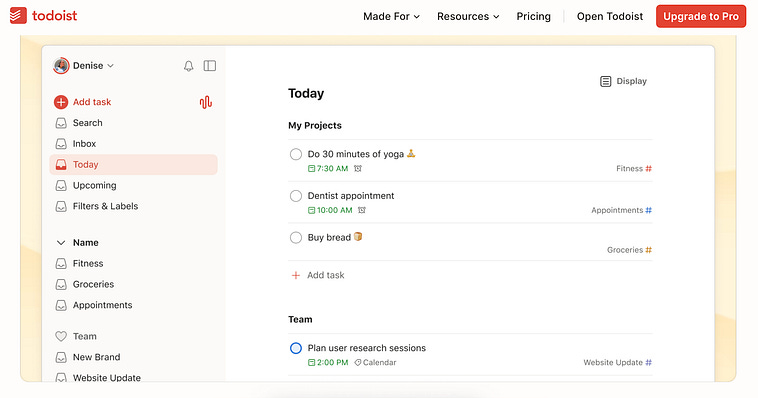
Todoist is kind of like Google Keep in that it’s a list of things, but it’s designed to keep you on the ball. You can set deadlines, and if something is overdo it will go to the top of the stack. I don’t always like this; sometimes I like having a vague plan and adjusting on the fly, but when things have to get done, I often find myself making a list on Todoist and checking it every morning.
I’m sure these tricks won’t work for everyone. Honestly, they don’t even work for me sometimes. Being productive consistently is impossible. I find my life has seasons where I’m more and less productive, and I think that’s ok.
That said, I do think these are some of the simplest tools and tricks I’ve incorporated in my life that have seen a significant return on investment. I hope this helps you to be more productive and happier as a result. Cheers, and Happy New Year!
No posts
Comments
Nothing yet. Say the first thing.
Sign in to join the conversation.