
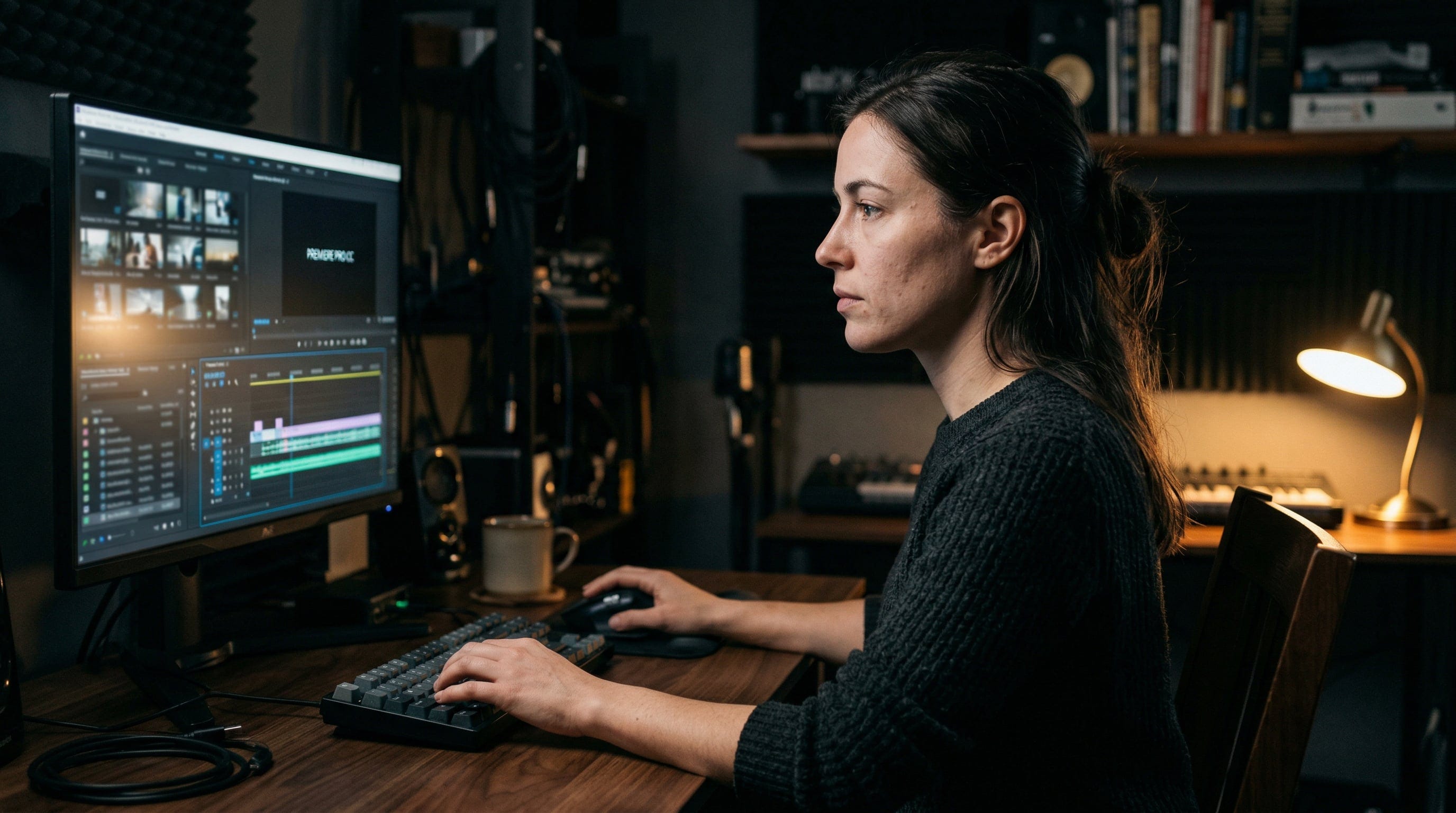
Welcome back to Visually AI!
Today’s reading time is 6 minutes.
In today’s edition:
The video prompt framework
Sora’s end
Image and video prompts
Top AI tool picks
Handheld device filming. A solitary figure in weathered astronaut gear walks slowly between derelict spaceships half-buried in orange sand, steps heavy and deliberate. Sunlight filters through broken hull panels, casting striped shadows across the ground. Camera follows loosely from behind, slight drift in the framing. Pacing is slow, 10 seconds total.
Most people copy their image prompt straight into a video model. Makes sense — you already wrote the scene, why start over? But that instinct is exactly why most first attempts come back looking lifeless.
A video prompt needs everything an image prompt needs — scene, subject, detail, lighting, mood — plus four additional layers that simply don’t exist in still image work. Think of it like the difference between a photograph and a film shot. The photograph captures a moment. The film shot has to answer: what happens before the moment, during it, and how does the viewer physically experience it?
The opening frame. Where is the camera when the shot begins? What does the viewer see before anything starts moving? You need to spell this out. Video models don’t guess your intent here — if you leave it open, you’ll get a default framing that probably isn’t what you had in mind. Think of it as setting the stage before the curtain goes up.
The motion. This is where most prompts go vague. It’s not enough to say something is moving — you need to describe how it moves. What’s the quality of the motion? Is it slow and deliberate? Quick and jittery? Smooth and mechanical? Saying “hands working on detail” gives the model almost nothing to work with. Saying “fingers adjusting with precision and confidence, movement deliberate and controlled” gives it physical behavior and personality. You’re essentially choreographing for an actor who will take your direction literally, so the more specific you are about the character of the movement, the better the result.
Camera behavior. Decide whether the camera moves, stays put, or does both — and state it clearly. A slow push-in creates intimacy. A pull-back reveals context. A static camera forces all the energy into the action itself, which is honestly one of the most underused choices in AI video right now. People instinctively reach for camera movement because it feels more “cinematic,” but a locked-off shot with strong action in the frame can be far more compelling. Use stillness on purpose, not by accident.
Pacing and duration. Give the model a sense of time. Something like “pacing is slow and deliberate, roughly 10 seconds total” does two things at once: it sets the overall length and it tells the model what rhythm to sustain within that window. Without this, the model has to guess how fast things should unfold, and it’ll usually default to something generic.
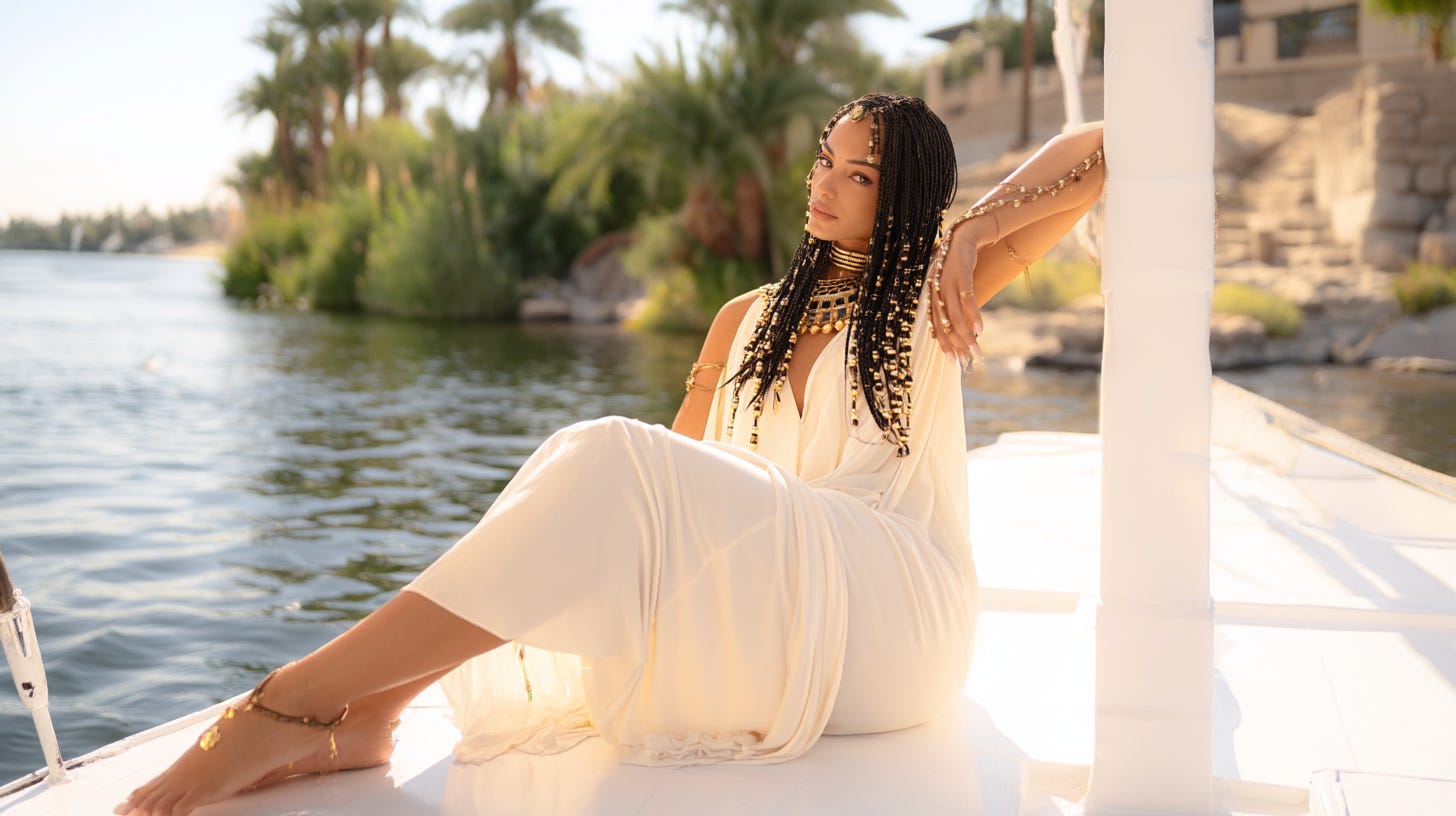
Static shot. A woman in a white dress sits on a luxury boat, long black braids cascading over one shoulder. Gold jewelry glints at her neck and wrists as she gazes thoughtfully across the water, hand resting gently against her cheek. Ancient Egyptian-style stone buildings with arched windows rise behind her, their reflections shimmering in calm blue water under soft daylight. Camera at eye level, capturing her profile. A light breeze ripples the water as the boat rocks gently in the calm current.
Tools worth knowing (capabilities overlap across models, and you can get strong results from any of these):
Kling 3.0 — excels at hands, character motion, close-up detail, and multi-shot sequences. Currently my top pick for AI video work.
Veo 3.1 — strongest for atmosphere, cinematic tone, and moody or ambient sequences.
Seedance 2.0 — reliable motion consistency and solid reference input handling, with generations up to 15 seconds.
Runway 4.5 — well-suited for wide shots, camera movement, and establishing shots.
Before you hit generate, run through a quick gut check: Have you told the model where the camera starts? Whether it moves? What moves within the frame, and how? How fast the action unfolds? Those four gaps are where the vast majority of video prompts fall short. And don’t overthink it — you don’t need to write a screenplay. Just lock down those basics and understand what each model does well. The complexity can come later, once the fundamentals are solid.
Close-up of a lantern's warm glow illuminating a woman's contemplative expression in a red cheongsam. Neon-lit urban environment visible through shallow depth of field. Camera stationary, holding focus on cultural details and the contrast between warm lantern light and cool neon behind her.
OpenAI announced on March 24th that Sora is being discontinued. The app closes April 26th and the API follows on September 24th.
The reason was straightforward: it cost an estimated $1 million a day to run and generated around $2.1 million in total lifetime revenue. User numbers peaked at around 1 million then collapsed by more than half within three months of launch. A “Code Red” memo from Sam Altman saw a shift away from consumer products towards AGI work; and Sora was the price. The team continues as a research unit focused on world simulation, not a product you can use.
If you’ve been using Sora, export your work before April 26th.
The broader signal worth watching: compute costs for AI video are brutal even at OpenAI’s scale. The tools filling that gap (Kling, Veo, Runway, Seedance) are backed by companies with different cost structures. Whether Sora’s exit accelerates consolidation in the space or creates an opening for competitors is what will be seen in 2026.
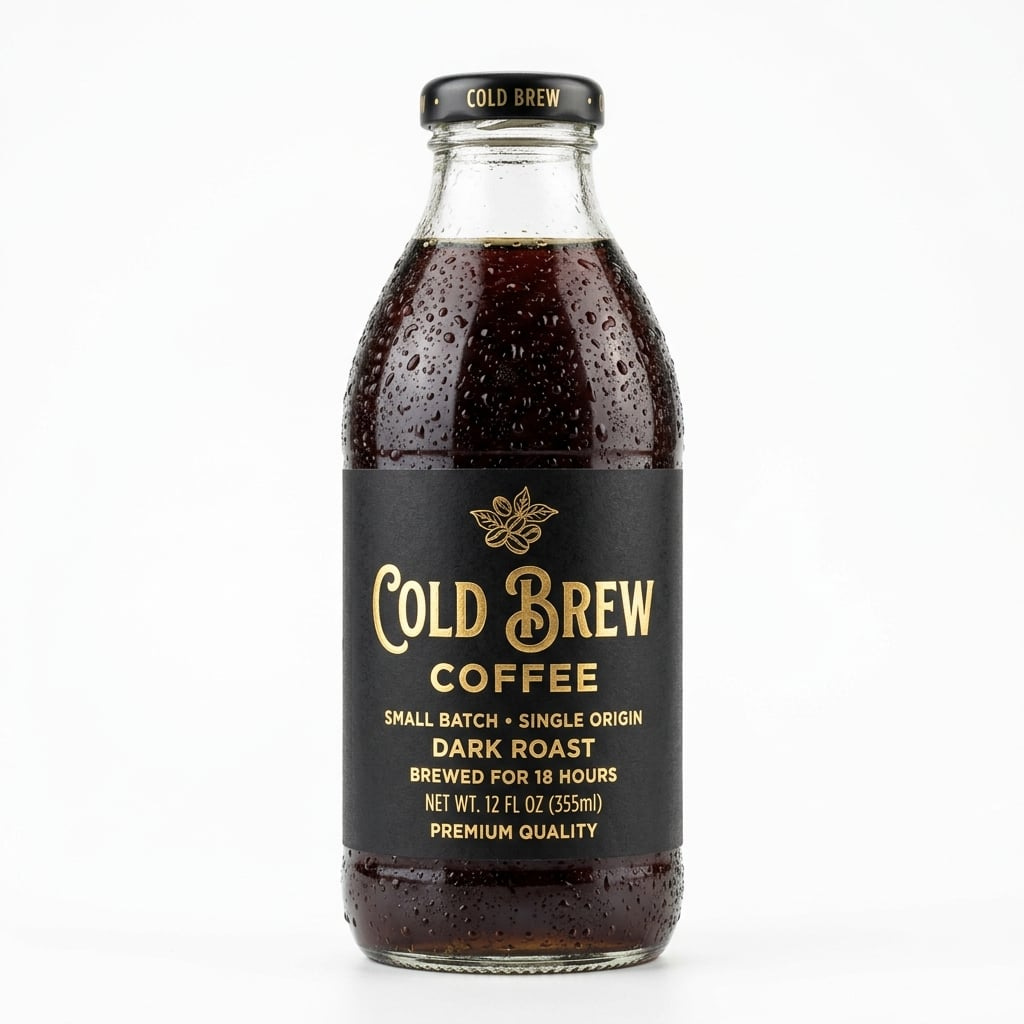
Prompt: A premium glass cold brew coffee bottle, matte black label with gold foil typography, condensation droplets on glass, product photography, pure white background, studio lighting, sharp focus, no shadows, commercial grade
Prompt: Photorealistic still of Egyptian goddess as a woman, sitting on a boat on the Nile River, relaxing in the sunlight, wearing a cream colored flowing dress with gold accessories, stunningly beautiful, regal, elegant. Toenails pedicured with a light cream polish, perfect and realistic. Hair is elegantly braided with gold beads, Highly detailed, realistic textures, 3D immersive effects, micro expressions, subtle imperfections, natural light falloff, 8k resolution
Prompt: FORMAT: 15s / 6 SHOTS / single continuous forward momentum / no dialogue STYLE: Glacial fjord valley, dying amber sunlight, mirror-still black water, snow-capped granite peaks, frozen pine treeline, IMAX landscape realismShot 01 (0:00-0:02) Camera races low over glassy water toward the narrow fjord gap, mountain reflections rippling from rotor wash. Shot 02 (0:02-0:04) Hard tilt up from the water surface to catch the sun flaring between twin peaks, ice particles drifting through the golden beam. Shot 03 (0:04-0:07) A calving glacier shelf fractures on the right flank; massive ice chunks crash into the water sending shockwaves across the mirrored surface. Shot 04 (0:07-0:10) Camera threads between the narrowing rock walls, frozen waterfalls and exposed mineral veins streaking past on both sides, mist thickening. Shot 05 (0:10-0:13) Punching through dense fog into the open basin beyond, the dying sun catches a vast frozen shoreline, water droplets scattering across the lens. Shot 06 (0:13-0:15) Camera arcs upward revealing the full serpentine fjord system carved into endless snow-covered mountains fading into violet twilight.
Kling 3.0
Prompt: Dreamlike surreal animation: A floating Victorian house drifts through a starry nebula. Books and furniture gently float out of open windows, pages turning as they orbit the house. Camera slowly dollies in through the front door revealing an endless library inside where gravity reverses. Ethereal glowing particles, soft pastel and cosmic color palette, retain painterly artistic style exactly, slow zooming with subtle particle dispersion turning into stars, ambient ethereal tones.
Grok
I’ve had some amazing opportunities to work on a variety of projects recently, and I don’t share everything in this newsletter or online. And you know I love testing tools to share.
Take a look at my portfolio to get a quick glimpse of my work:
Midjourney v8 Alpha — Midjourney’s next major image model, now in public alpha. Native 2K resolution, ~5x faster generation, and significantly better text rendering. (FOR PROMPTING IN MJ V8 TIPS SEE MY LAST SUBSTACK CLICKING HERE)
Runway Multi-Shot Video App - Use text or image to video and generate a multi-shot video with sound, from a simple prompt.
Generated by Runway Multi-Shot App
Seedance 2.0 — ByteDance’s upgraded video model inside CapCut. Slow rollout to countries around the world. Text-to-video, image-to-video, and reference video input with native audio sync, up to 15-second clips. It has been announced on several platforms for Business and Enterprise plans first (OpenArt, Freepik, Fal, Lovart)
Generated with Seedance 2.0
Veo 3.1 Lite — Google’s most cost-efficient video generation model, under half the price of Veo 3.1 Fast. Built for high-volume use via the Gemini API.
Thank you for reading.
I hope you have a creative week!
Heather Cooper
Comments
Nothing yet. Say the first thing.
Sign in to join the conversation.