
Welcome back to Visually AI!
Today’s reading time is 5 minutes.
In today’s edition:
Midjourney Niji v7
Google Flow Interview…
Apple & Google Joint Announcement
Freepik Camera Control
Image & Video Prompts
It’s been a year and a half in the making, but now Midjourney has officially launched Niji 7.
For those of you who live and breathe anime this one in particular is for you.
The most significant advancements in Niji 7 can be broken down into four key areas:
Coherence: This is the star of the show. Fine details like eyes, reflections, and intricate background elements are now rendered with stunning clarity. The model’s ability to maintain consistency across an image is major advancement.
Prompt Understanding: Niji 7 is more literal and follows prompts with greater precision. This is a huge win for artists who need to create specific character designs or compositions.
Text Rendering: While still not perfect, text within images is significantly more accurate and legible.
sref Performance: The style reference feature (--sref) is more reliable, allowing for more consistent artistic styles across multiple generations.
One of the most fascinating aspects of Niji 7 is its new, “flatter” aesthetic. The Midjourney team has intentionally toned down the 3D-rendered look of previous versions to emphasize the beauty and sophistication of anime linework. As the Niji team explains, a good line does more than just outline an object; it conveys form, texture, and lighting.
Using Niji 7 is simple. You can either:
Add --niji 7 to the end of your prompt
Select “Niji 7” from the “Version” dropdown in the web interface
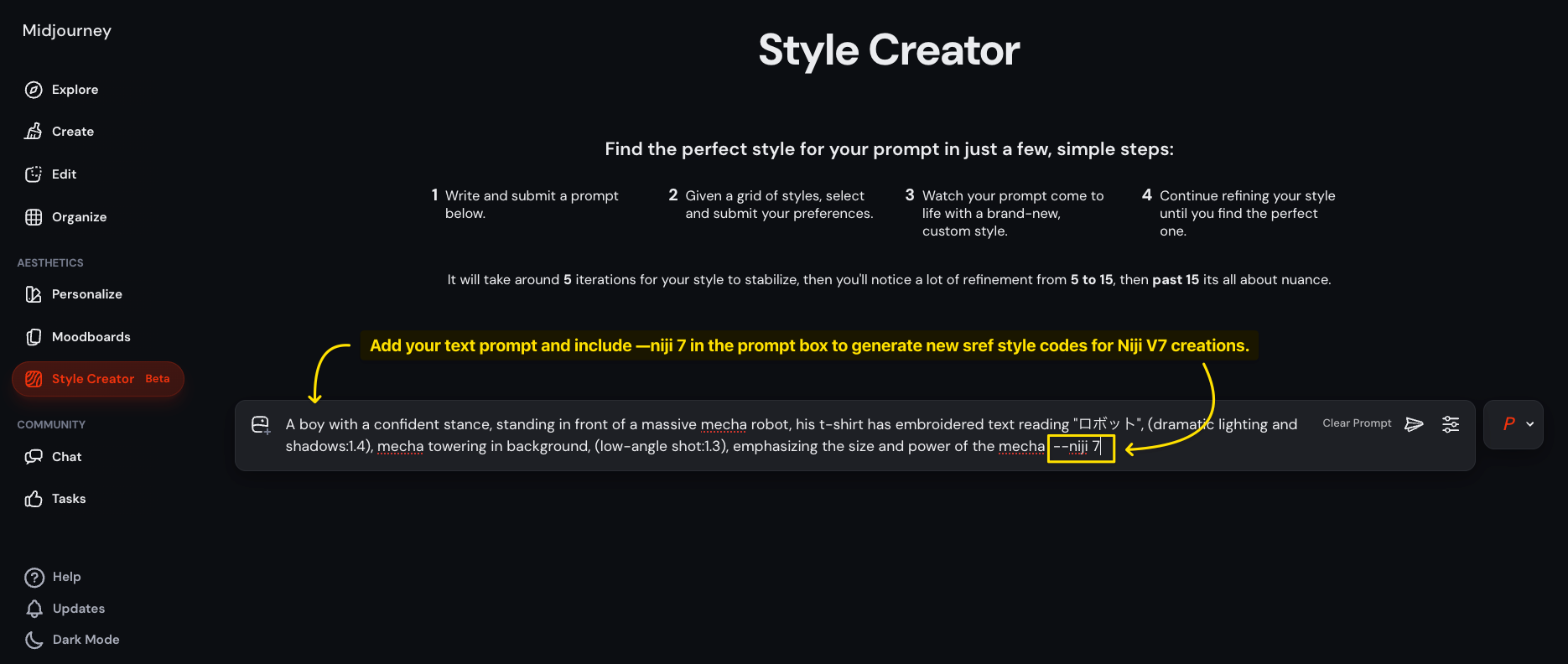
You can use the same V7 sref codes with Niji 7 or create new ones in the Style Creator by adding —niji 7 to the end of your prompt.
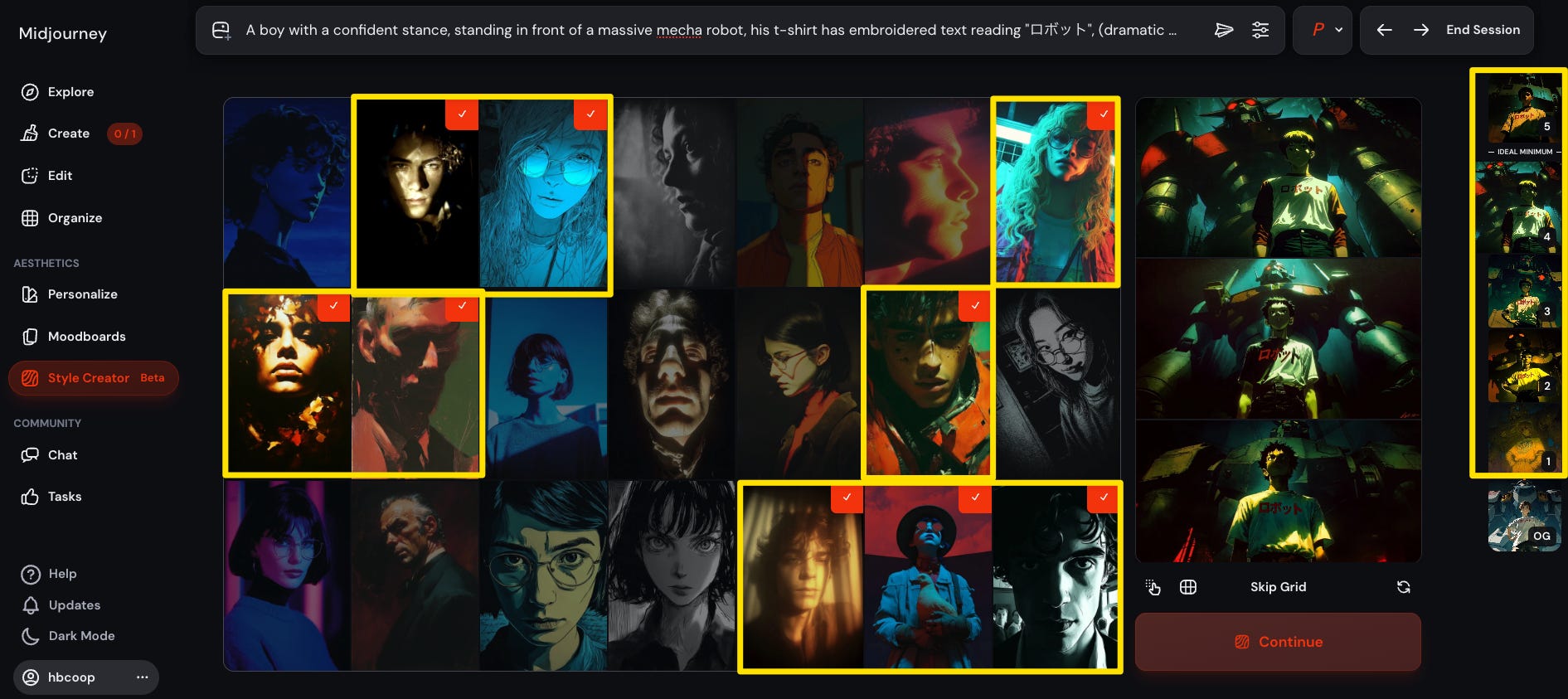
I usually roll the dice up to 4 times to create 4 new sref options as you can see on the panel on the right side of the image below. The images with red checkmarks are the images that created the style for one of the srefs (--sref 4626063619::1) in the example below:
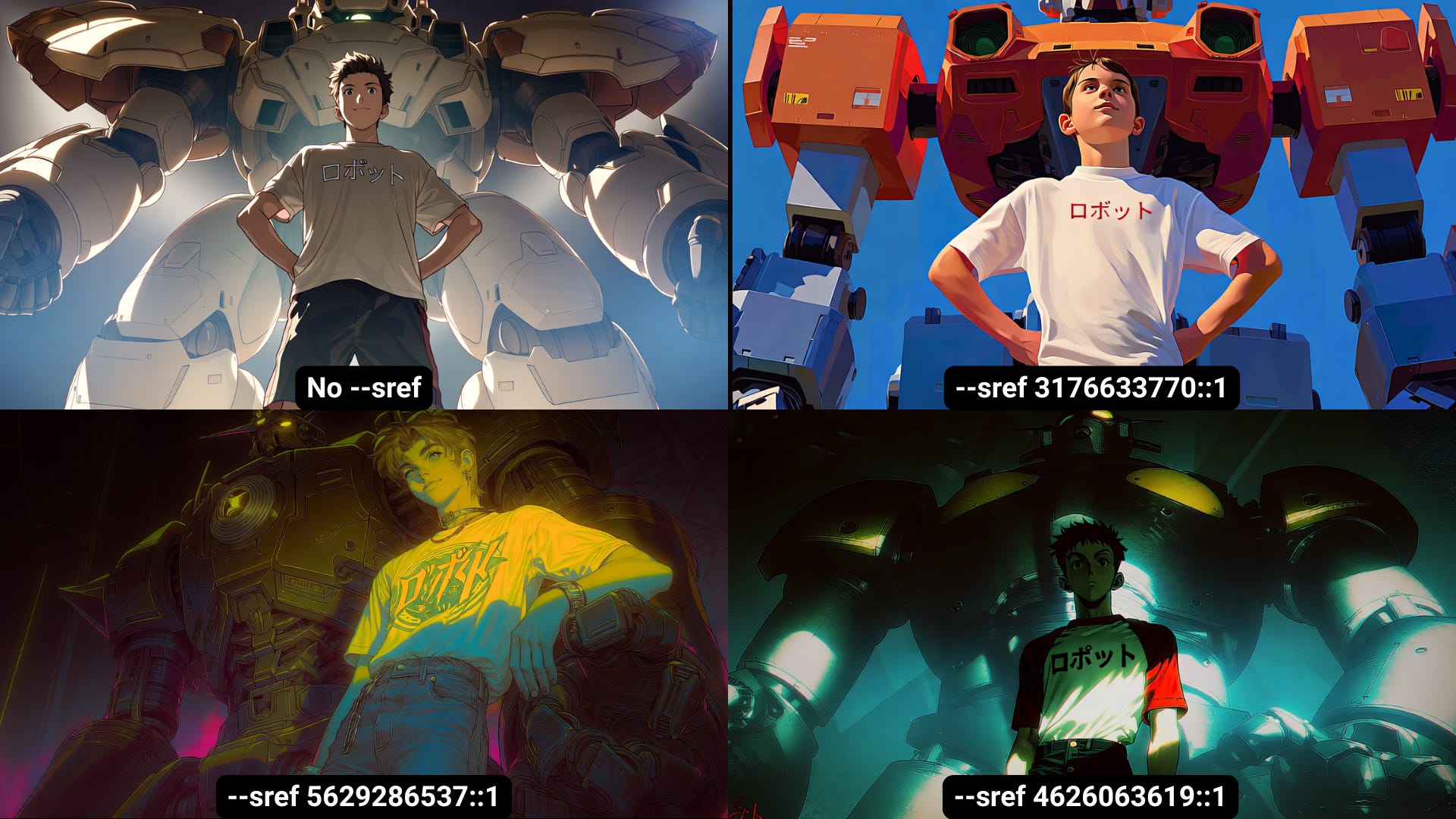
Here are my results for this style:
It’s worth noting that the character reference feature (`--cref`) is not supported in Niji 7. However, the Midjourney team has promised a “super special secret surprise” to replace it, so we’re awaiting that announcement.
Also on the horizon are personalization and moodboard features, which will be rolled out after a community wide rating task. This will allow you to fine-tune the model to your own personal style.
My advice for working with Niji 7? Embrace the specificity. Because this model is more literal, your prompts will have a much more direct impact on the final image. Don’t be afraid to get detailed with your descriptions for photorealistic, anime, manga, etc.
I recently sat down with Google's Flow team to discuss how specific verbs and detailed prompts unlock stronger, more cinematic visuals in AI video generation.
Watch a snippet below:
A major announcement from two of the biggest companies on the planet…

News from Google@NewsFromGoogle
Joint Statement: Apple and Google have entered into a multi-year collaboration under which the next generation of Apple Foundation Models will be based on Google's Gemini models and cloud technology. These models will help power future Apple Intelligence features, including a
5:08 PM · Jan 12, 2026 · 373K Views
258 Replies · 1.03K Reposts · 8.6K Likes
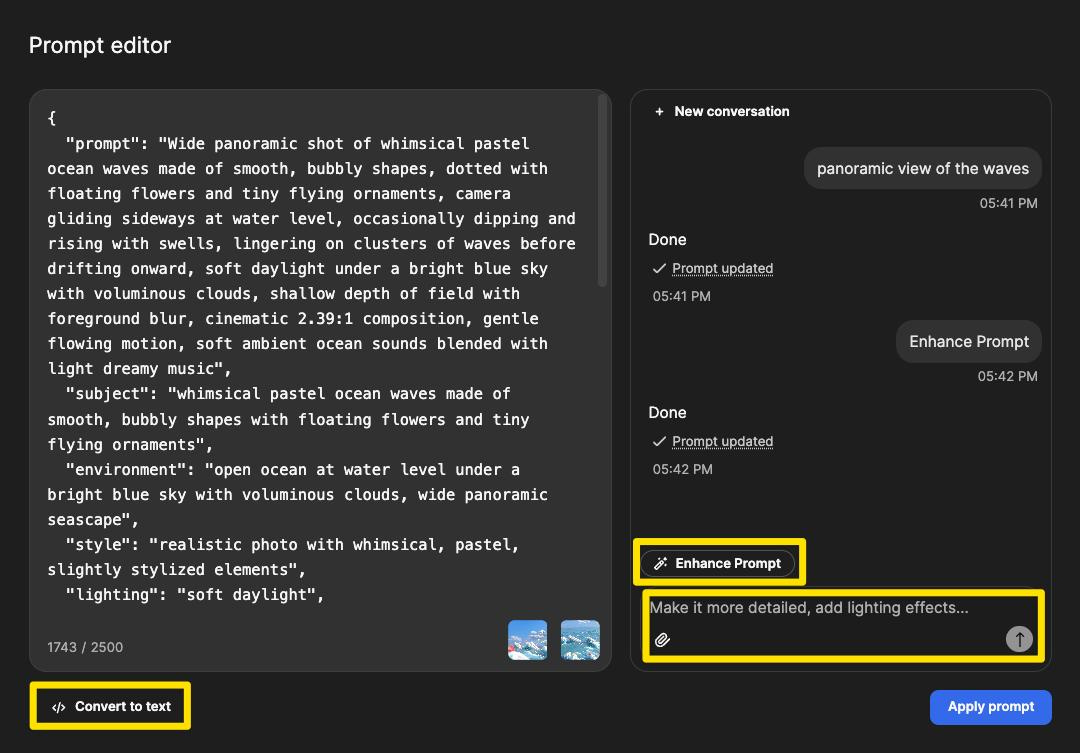
A severely underrated tool is Freepiks prompt editor. It helps me get better prompts all the time. Adopt this into your workflow:
It even converts to json!
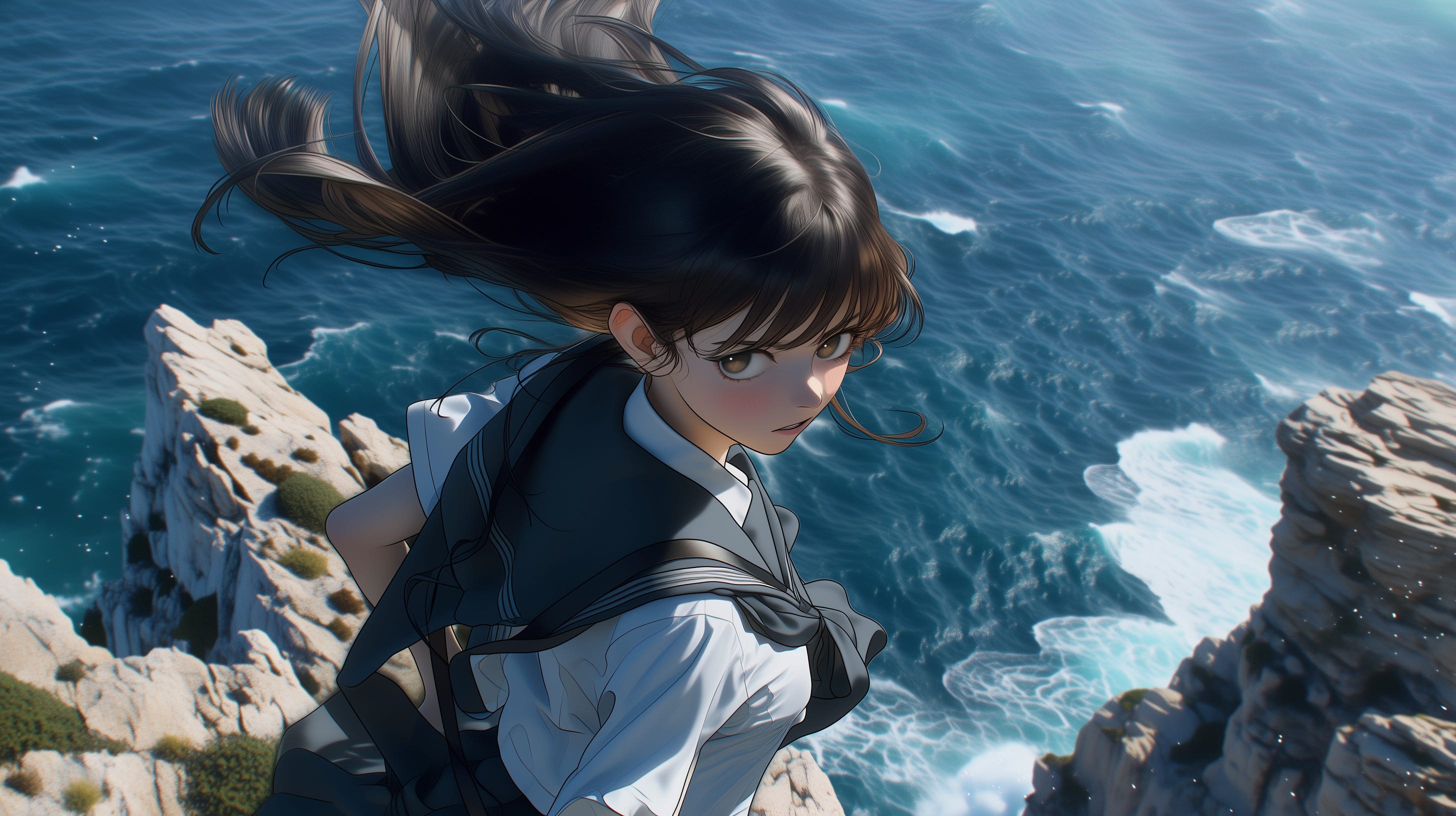
Prompt: over-the-shoulder shot of a hyperrealistic anime character standing on a windy cliff edge, their hair and clothes blowing in the wind, with a breathtaking ocean view behind them and a look of fierce resolve. Highly detailed, realistic textures, 3D immersive effects, 8k resolution
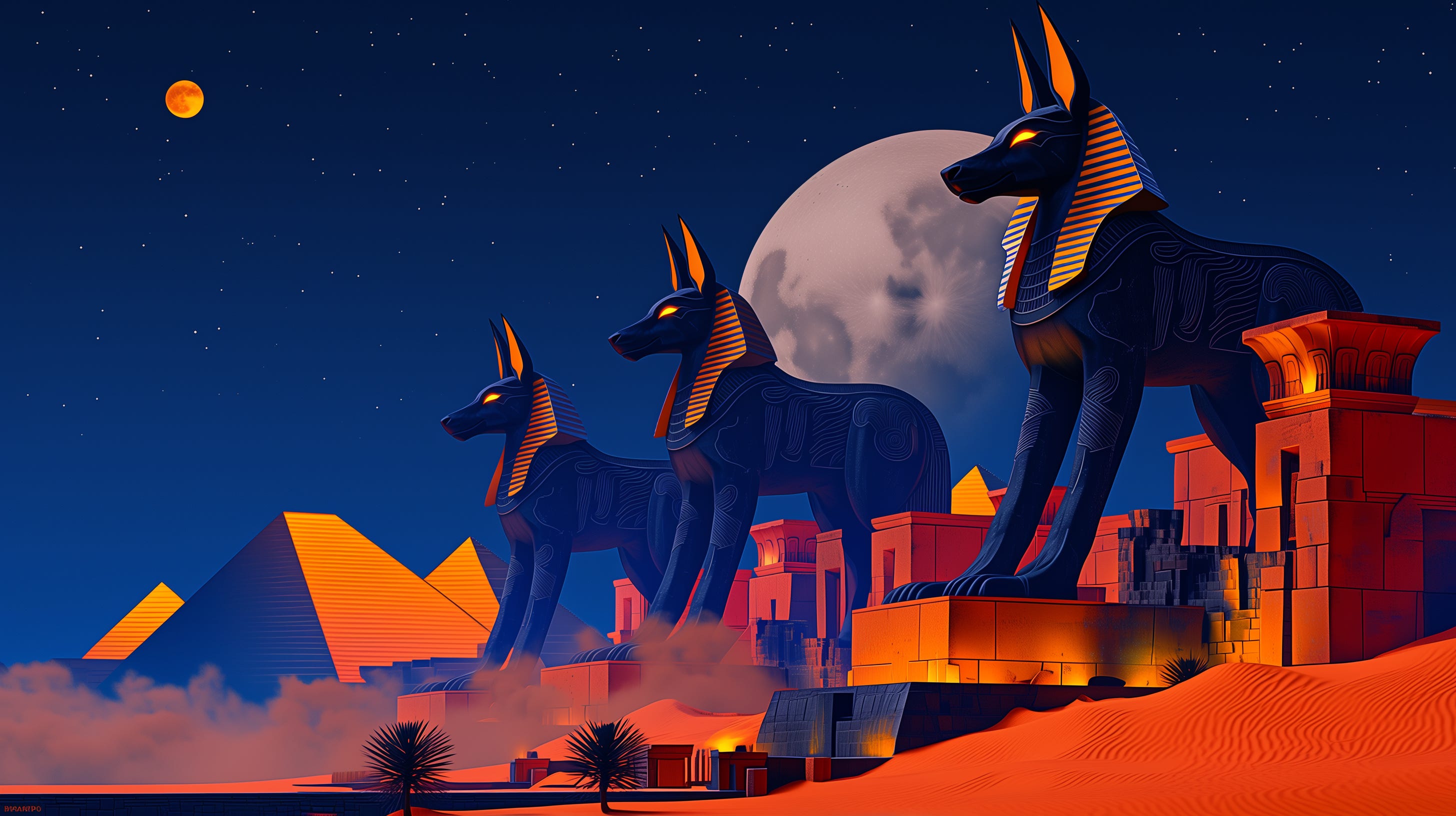
Prompt: under the moon’s watch, ancient guardians of Egypt awaken colossal Anubis statues stepping down from their pedestals, glowing eyes, drifting desert sands swirling around them, pyramids in the distance bathed in silver moonlight, ethereal mist creeping across the ground, epic scale, hyper-detailed textures, cinematic lighting
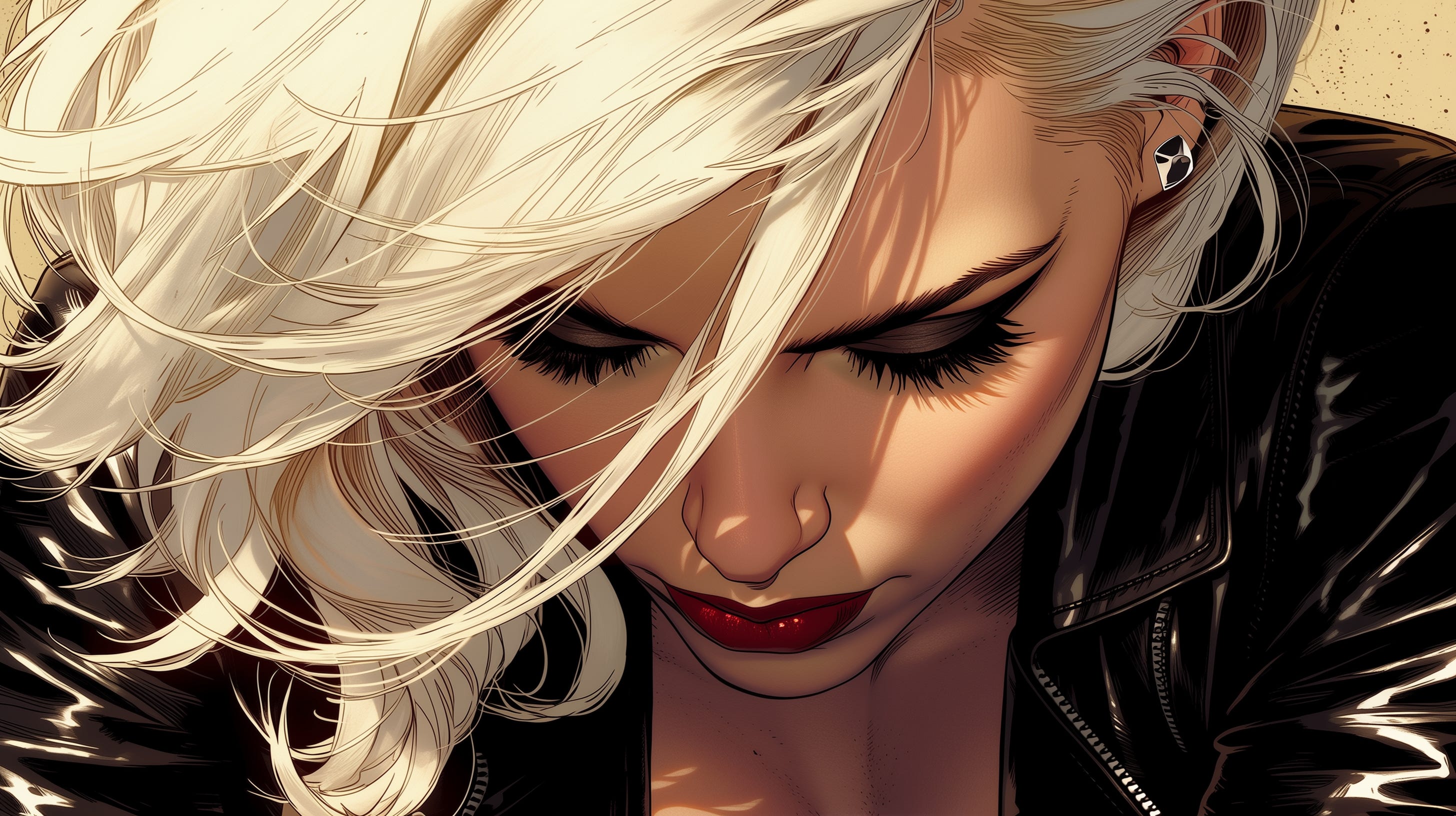
Prompt: A woman with striking white hair in a black leather jacket gazes intensely forward, her loose waves cascading gently as she tilts her head slightly. The camera orbits around her, highlighting her bold eyeliner and red lips against the comic-book-inspired backdrop, maintaining dramatic shadows and sharp contrasts.
Kling 2.6
Prompt: A dramatic wide shot of a retro-styled astronaut standing on rocky terrain in deep space, illuminated by red starlight and nearby spacecraft engines. The camera slowly pushes toward the astronaut’s helmet (that’s where the camera is), reflecting distant ships streaking past a glowing planet. The astronaut raises a gloved hand to the visor as if reacting to an unseen transmission.
Audio: low space-engine rumble, radio static pulses, subtle breathing inside helmet, no orchestral music.
Negative prompt: modern UI text, shaky camera, photorealistic Earth elements.
Veo 3.1
I’ve had some amazing opportunities to work on a variety of projects recently, and I don’t share everything in this newsletter or online. And you know I love testing tools to share.
Take a look at my portfolio to get a quick glimpse of my work:
Midjourney - Niji v7
Freepik - Change Camera Control
Magnific - Skin Enhancer
ElevenLabs - Scribe v2
Thank you for reading.
See you next time!
Heather Cooper
Comments
Nothing yet. Say the first thing.
Sign in to join the conversation.