
When I was at Z company (anonymized) my team built a working prototype of an LLM interaction that leadership loved. Soon, other teams did riffs on our work in Figma and also showed it to leadership. But the work wasn’t received well. In response, the team’s lead said: “we just need to show this in code.”
So they turned to vibecoding prototypes. Some designers changed their roles to focus almost entirely on vibecoding prototypes. The prototypes were impressive and got people excited, but they never left the demo meeting. I spent time thinking about why.
Perhaps you’ve also seen prototypes like this:
It’s written in code. It has smooth, bouncy transitions and little spinners and shimmering skeleton loaders. Cool! But then you start asking questions: where does this live in the product? How do you get to this screen? How do you get out of it? What comes before and after? Where does the data come from and where is it going?
It’s a prototype floating in space detached from any context. I call this “the floating prototype problem”.
This happens when you don’t have a clear vision of what you’re trying to prototype before you start spinning up code. It happens often because when you try to design in code, you can’t try out different variations or states quickly and look at them at once. Seeing different states at once and comparing multiple variations are very important parts of the process of doing good design work. The best tool to do this is still a canvas-based design tool, not terminal or a sidebar in an IDE.
But it’s an easy trap to fall into, because vibecoding is addictive.
Every time you generate code, it either works or breaks something. You type a prompt, hit generate, and wait to see what happens. When it generates something that works, you get a hit of satisfaction. If it doesn’t, you get frustrated. It has the psychological profile of a slot machine: variable rewards on a fixed action. The feedback is instant and the progress is visible.
When you’re typing prompts and watching hot reload, you notice you’re not thinking very much. Your brain chases the dopamine hit and the fake sense of productivity. You keep adding more to your prototype and burning more and more tokens. You feel like you’re on fire—but have you actually designed much? Can you clearly explain the choices you’ve made?
Now when others see your prototype, it’s hard to understand what was intentional and what was incidental. In Figma, what’s in the file is assumed to be intentional because the designer put it there. So when people asked questions about the design, they asked about what they should do for what’s not represented in the file. But now they have to ask you about what’s there as well: did you add that bouncy spring animation, or was that just what Claude added as a default? Was that card layout a conscious choice? Did you choose those colors? Now you’re not fully accountable for your own design artifact. Teams waste time trying to decipher the decisions you never made.
If you’re not using a tool consciously, you’re not in control of it. When you lose control over your design tool, you stop being the designer. The most transformative tool that has become available to designers in recent years has now become the biggest threat to the quality of the work.
Vibecoding unlocks real capabilities for designers to make their vision come to life. But as with all tools, it should be used with intention and purpose.
I have two reasons for prototyping with code:
To prove that something is possible.
When there’s uncertainty about feasibility, a code prototype can validate that something is possible to build. Even if some parts have to be faked, you can get a sense of what it would feel like if the constraints didn’t exist. It can be a guiding light to the whole team for what the product can become.To test what can’t be designed statically.
Some interactions, especially those involving timing, physics, gestural input, responsiveness, can only be truly evaluated when they’re real and precise. I make code prototypes to actually feel my design work and make tiny adjustments. I put in settings to toggle between different options and compare how they feel.Usability tests can be a thousand times more accurate with real data, real input methods, and real platform environment like resizable windows or split screens. With AI products where the LLM response is crucial to the experience, using real model APIs in your design reveals how your design will actually work and feel. Now the designer can actually run into error cases and design for them, instead of waiting for the engineer to give you a written rundown of edge cases and failure modes.
Back to the Z company story: my team showed our design as a code prototype, but that was only to serve a bigger goal. We were proposing a new interaction model, so we needed to prove that 1) it could be done with existing technology and 2) it would feel good to use. A working prototype served those goals but was never the goal itself. Because every decision was intentional, engineers could use the prototype as design specs.
Kurosawa Akira said: “With a bad script even a good director can’t possibly make a good film.” Steven Spielberg said it more concisely: If it ain’t on the page, it ain’t on the stage.
If it’s not good on the script, it won’t be good on the screen. When you turn a bad script into a movie, you just add more dimensions to a bad story.
Code does not make design better. If it’s bad in Figma, it’ll be bad in code. You still have to do good design work before putting it into code. This used to be less obvious because prototyping was hard—if you could get something working at all, it was an achievement. Now everyone can spin up a working prototype. That means the difference between good and bad design is more visible than ever.
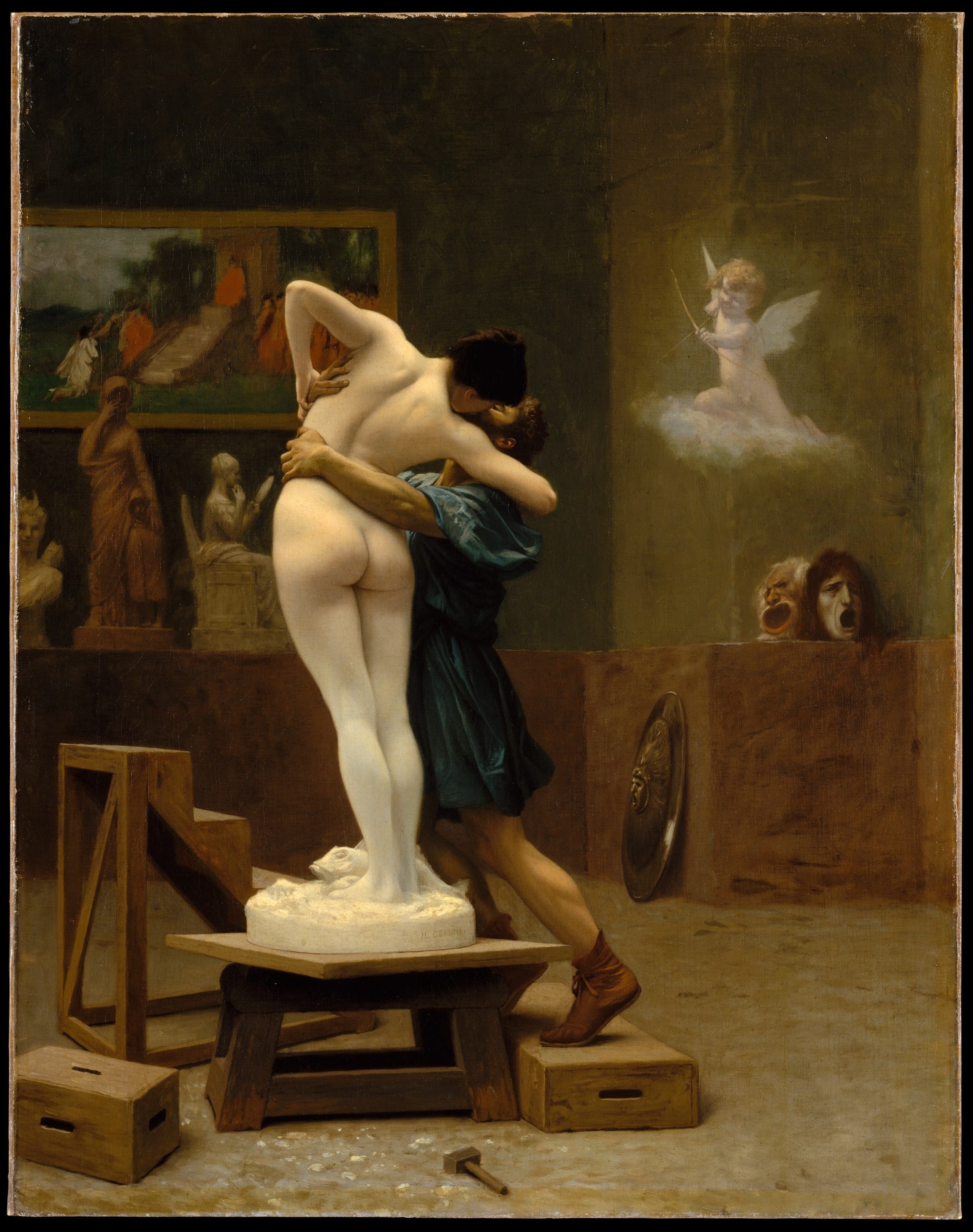
Vibecoding brings design to life. But whether the result is good depends entirely on what you’ve designed. If you’re Pygmalion who wanted his beloved sculpture to come alive, you’ll get the love of your life. If you’re Dr. Frankenstein who wanted to animate a corpse, you’ll get an animated corpse.
Vibecoding is powerful, but at the end of the day it’s still a tool. Depending on how you use it, what comes alive could be great craft with a clear logic or weak craft with an unclear purpose.
Know what you’re trying to build. Do good design first. Have an idea of what “feeling right” means for the interaction. Set boundaries on what should be made real and what doesn’t matter.
Then add the tool. Learn how to use it, as you would with any other tool—read and understand what’s being generated. Know what the parameters mean and how to adjust them to make it feel right. The better you understand it, the better you can shape it.
Tools should serve the intent, not the other way around.
No posts
Comments
Nothing yet. Say the first thing.
Sign in to join the conversation.