
Modern GitHub-inspired theming for the CGit repository browser, featuring icons and dark mode. A dockerfile can bundle a full apache-based installation.
CGit is a simple and lightweight web-based git repository browser. Despite dating back to 2006, it is still a viable and capable solution, but comes with a correspondingly (arguably) “dated” interface. However, including a single stylesheet allows to override the theme for a more contemporary look and feel.
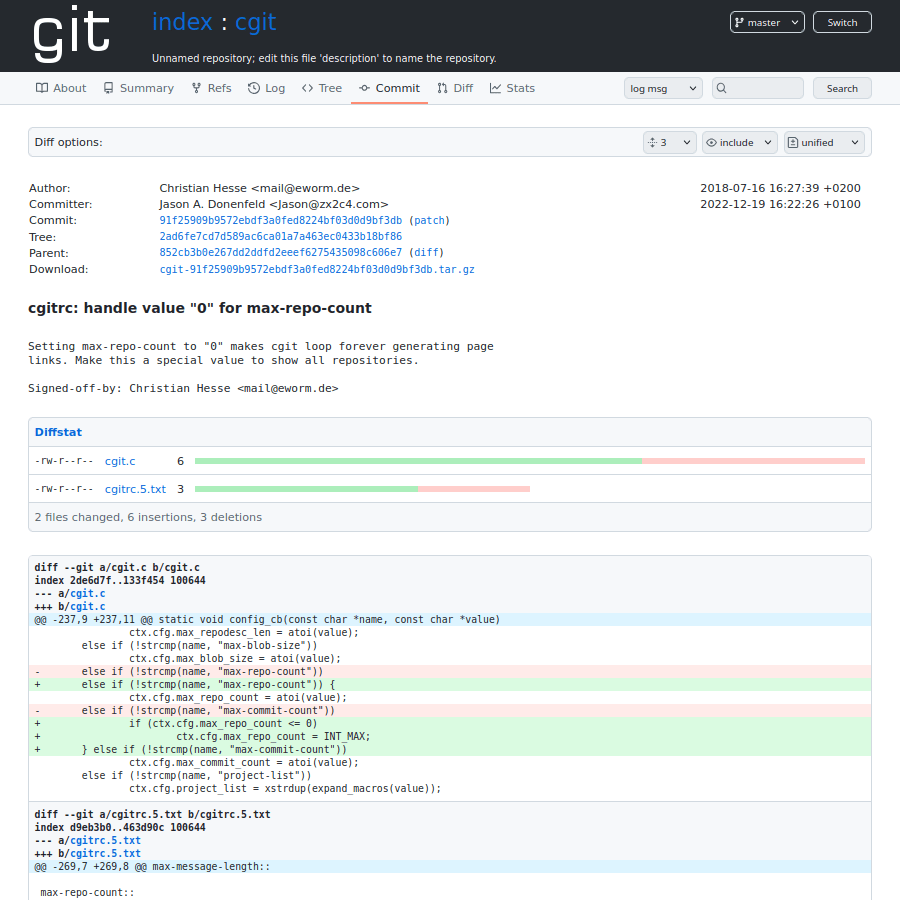
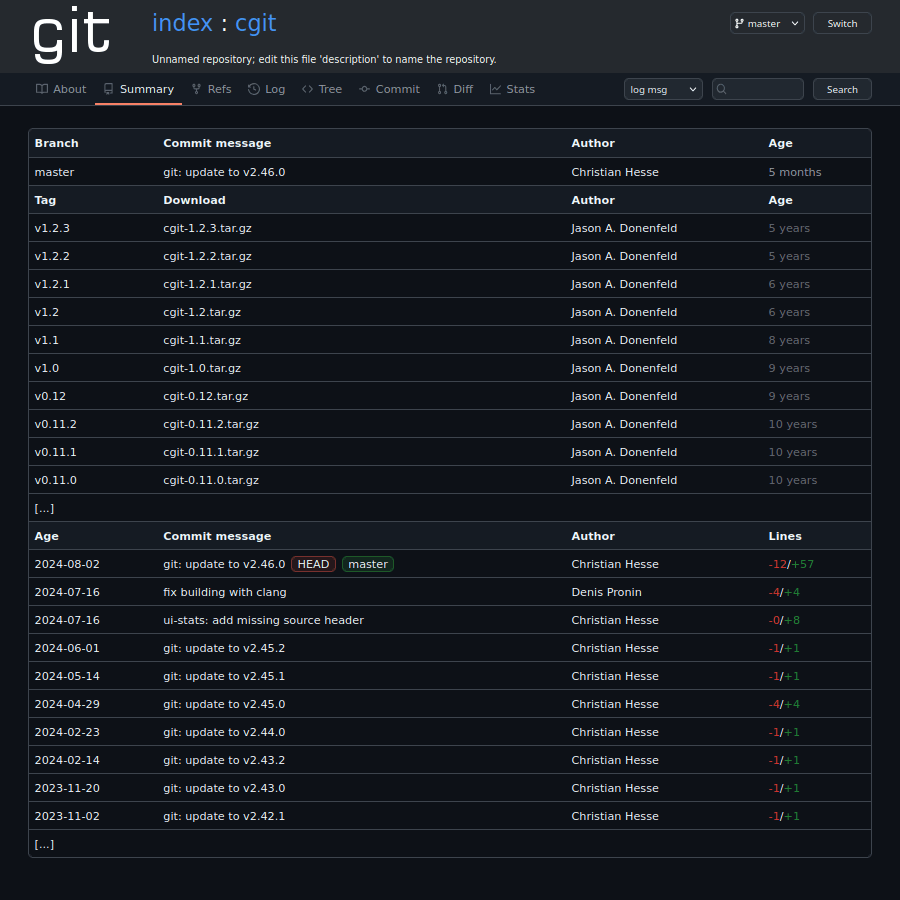
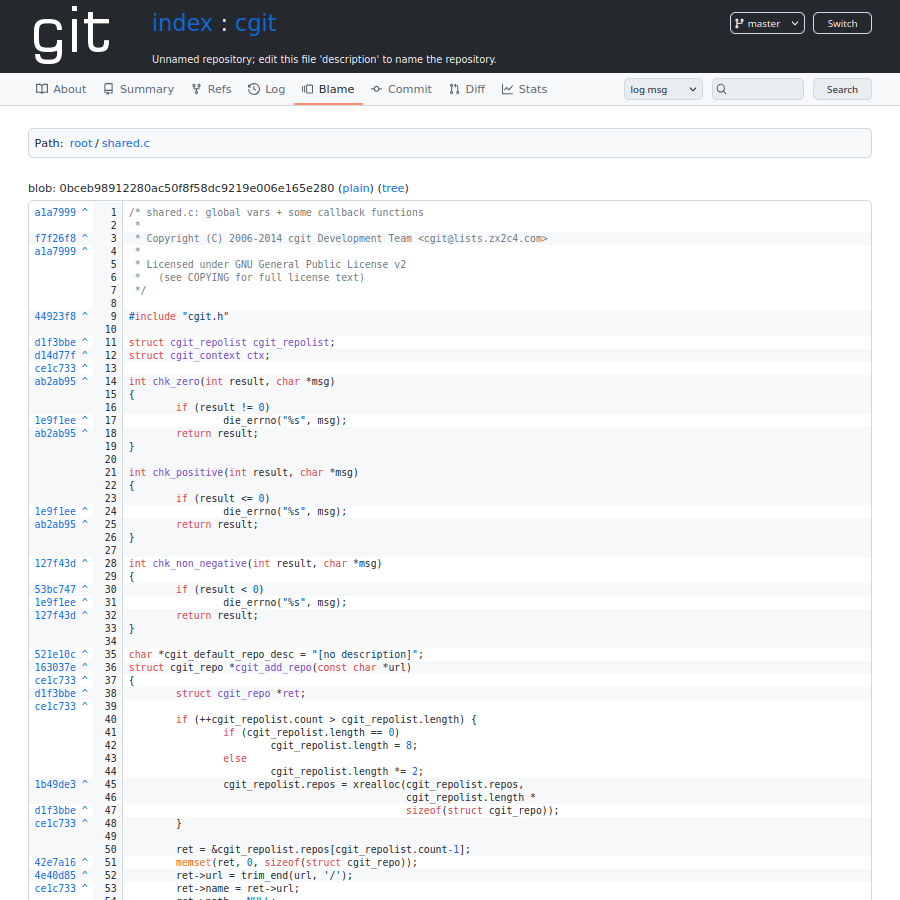
Using the custom stylesheet file aims towards providing the following features:
- Icons!
- Familiar GitHub-inspired theme
- Light and dark mode
- Usable on mobile
- Client-side syntax highlighting using highlight.js (optional)
- Server-side markdown rendering for README files using Python-Markdown (optional)
Installation
For installation, the theme’s CSS file can be referenced by a corresponding HTML tag:
<meta name="viewport" content="width=device-width, initial-scale=1"/>
<link rel="stylesheet" type="text/css" href="/cgit-css/theme.css"/>
This snippet is then to be used as head-include in cgitrc, while leaving the default css setting as-is.
head-include=/var/www/html/cgit-css/head-include.html
Note that the full example below loads scripts and styles for local syntax highlighting, too. Otherwise, no additional assets are needed, due to directly embedded SVG icons.
CGit Apache Docker
The provided Dockerfile can be used for a full but minimal apache-based CGI setup.
The main repository index should be mounted at /mnt/, and can be kept read-only – just as the image.
A tmpfs provides scratch space for cgit’s local cache.
docker build --pull -t cgit:local .
docker run --rm \
    --read-only -v /media/mnt/vcs/git:/mnt:ro --tmpfs /tmp:size=10%,mode=1777,rw,noatime,noexec,nosuid,nodev \
    --user $(id -u www-data):$(getent group git | cut -d: -f3) --security-opt=no-new-privileges:true --cap-drop=all \
    --network=host -e APACHE_PORT=8080 --name cgit cgit:local
Running as root is not needed, the container can be started with any host user or group that has read access to the mounted repositories. The APACHE_PORT environment variable allows to override the port to listen on.
The mounted repository root directory can optionally provide a cgitrc to be included from the main configuration, for example for referring to a custom about page.
root-readme=/mnt/README.md
Similarly, an apache.conf can be added, for example for referring to a .htpasswd based authentication.
<Directory "/usr/lib/cgit/">
    AuthType Basic
    AuthName "Git Repository Browser"
    AuthUserFile /mnt/.htpasswd
    Require valid-user
</Directory>
Comments
Nothing yet. Say the first thing.
Sign in to join the conversation.