
In Optimizely CMS you can create your own form elements, inheriting from InputElementBlockBase or any of the existing element types – but what about the icon that the editors see?
Have a look at this form, with two elements
- Custom elemen inheriting InputElementBlockBase
- Submit button
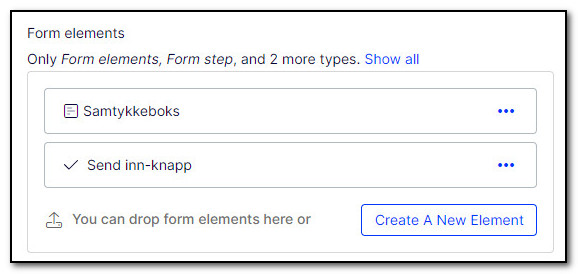
Not surprisingly, the custom element has a very generic icon. To change the icon, we can use a UI descriptor like this:
[UIDescriptorRegistration]
public class ConsentElementBlockDescriptor : UIDescriptor<CustomElementBlock>
{
    public ConsentElementBlockDescriptor()
    {
        IconClass = "epi-forms-icon epi-forms-icon--small epi-forms-choiceelementblock__icon";
    }
}
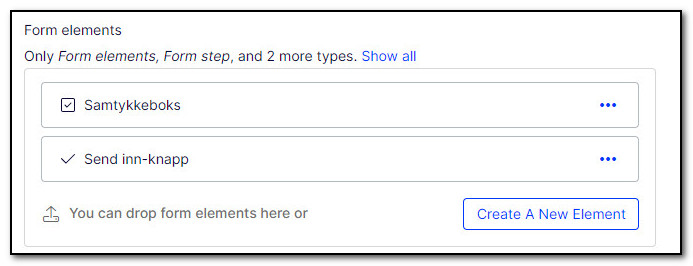
And the custom form element is now shown as a checkbox.
That's it!
Comments
Nothing yet. Say the first thing.
Sign in to join the conversation.