
This is Grand Theft Auto III. And this game... this game is a lot of things.
I mean, it laid the foundations for one of the most profitable franchises in video game history. It started an unstoppable tidal wave of open world games, and it kept the news channels very, very busy. But this game is also nothing short of a magic trick.
A trick where Rockstar North, then DMA Design, managed to squeeze an entire city, an entire four kilometer wide pastiche of New York City, into the tiny 32 megabyte memory chip of a PlayStation 2.
So, I’m Mark Brown. This is Game Maker’s Toolkit. And here’s how they did it.
Okay, so I think we need a super quick, and super simplified primer on how memory works in games... or else none of this is going to make sense.
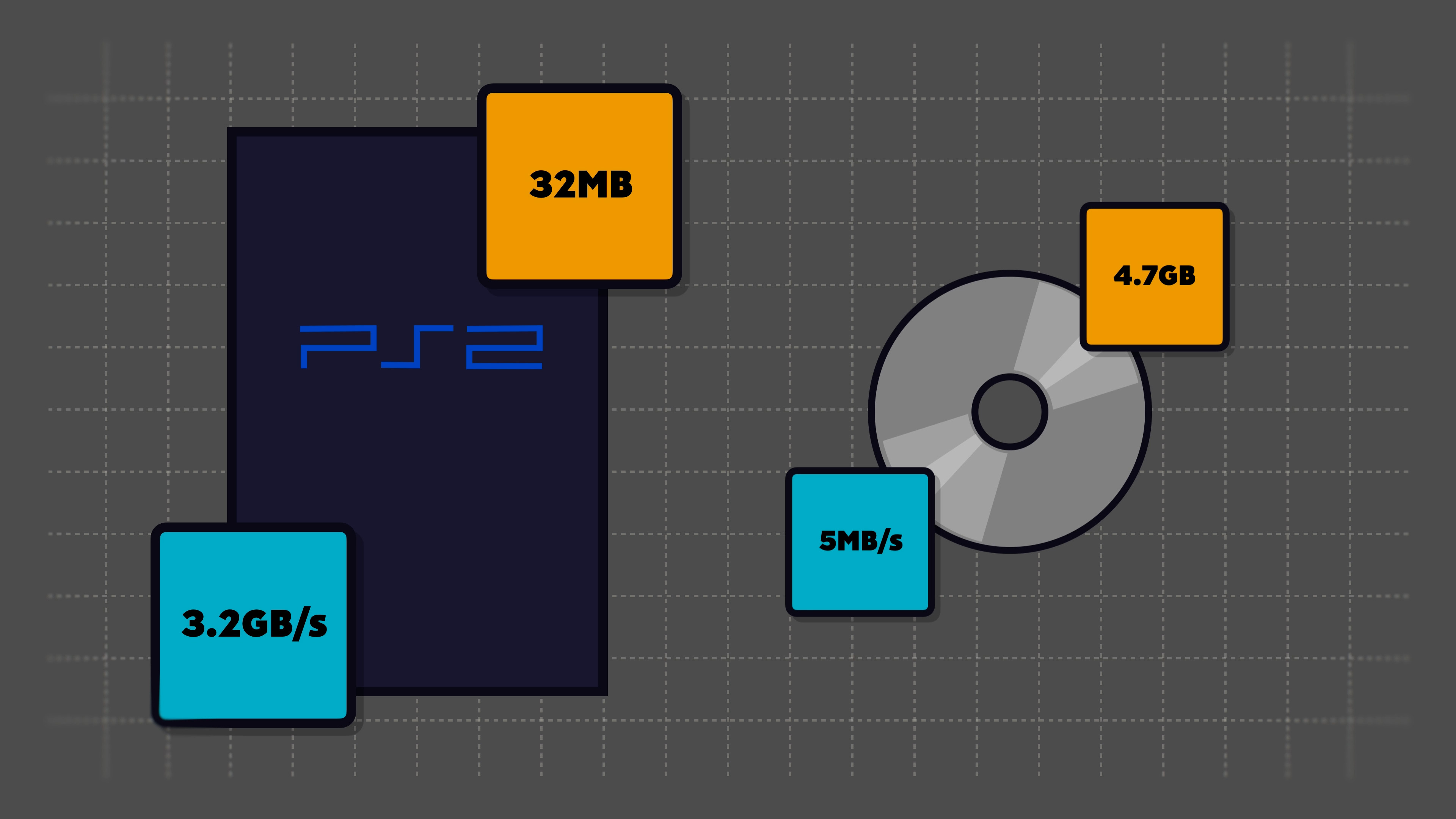
So on PlayStation 2, you’ve got the DVD - which is a whopping 4.7 gigabytes. That’s big enough to hold the entire game - every model, texture, sound effect, and radio station. But it’s also painfully slow, with a transfer speed of about 5 to 6 megabytes per second. Way too slow to load assets on the fly.
But then there’s the memory inside the system itself. This thing is lighting fast. It can move files at 3.2 gigabytes per second. Gigabytes! So that makes it perfect for assets. But it’s also tiny at just 32 megabytes - less than 1 percent of the DVD’s capacity.
Now in a traditional game, well, the console loads all of the data needed for the current area, from the DVD and into the memory. All of the models, textures, animations, sound effects, and so on. Then when you leave the area, those assets can be flushed and the assets for the next area can be copied into the memory - with a loading screen while the assets are shifted across.
But this set-up would not work for Grand Theft Auto 3.
It doesn’t have individual areas, with walls and doors to separate the zones. Instead, it’s a sprawling metropolitan city that you can explore, freely in any direction. A city made up of thousands of unique models, for every building, vehicle, and pedestrian in the game - about 77MB in total. And then thousands of different textures for every material, sign, and character skin - another 45MB.
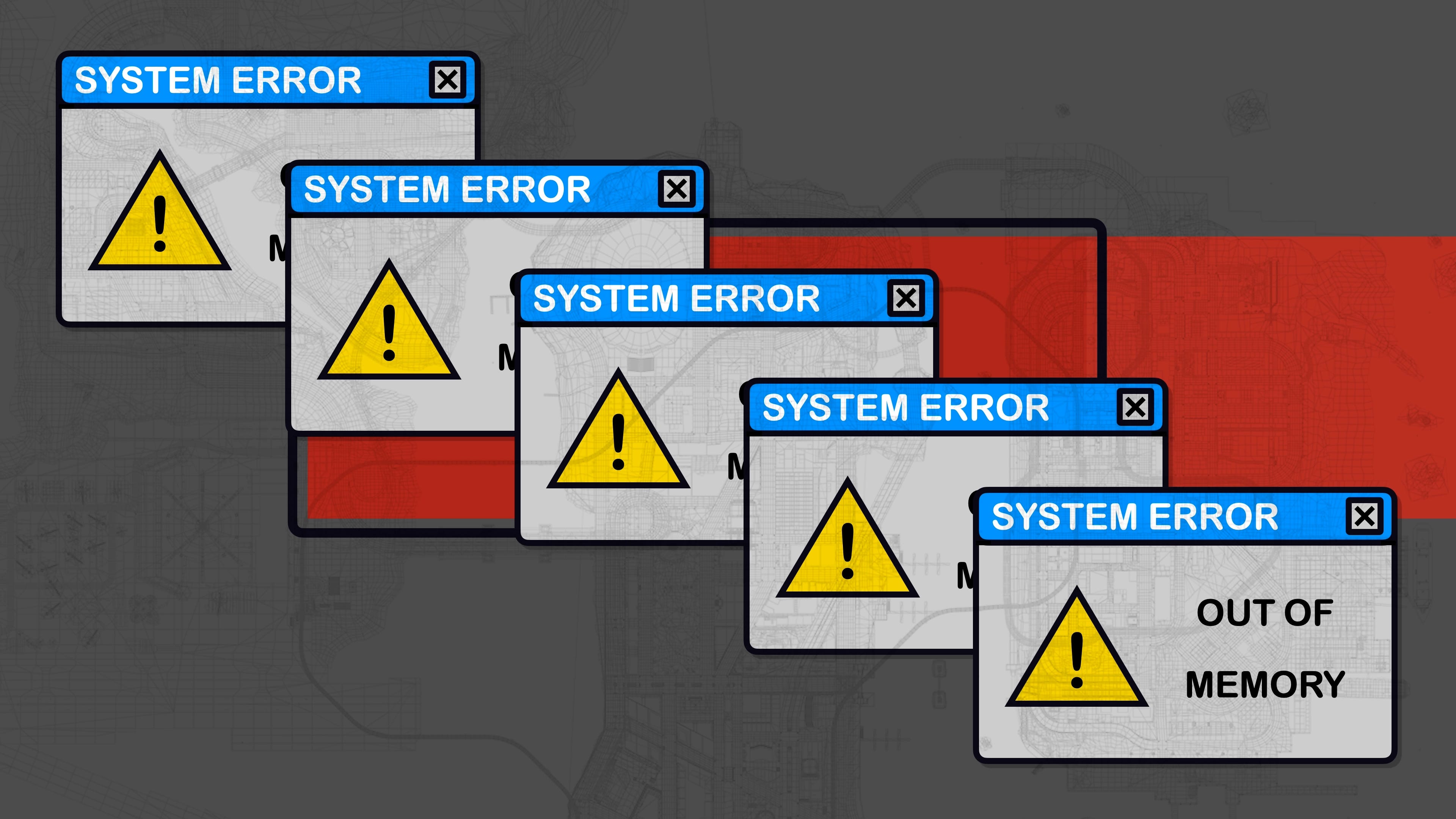
And so with a total of about 130MB of data, Liberty City is way too big for our paltry 32MB budget.
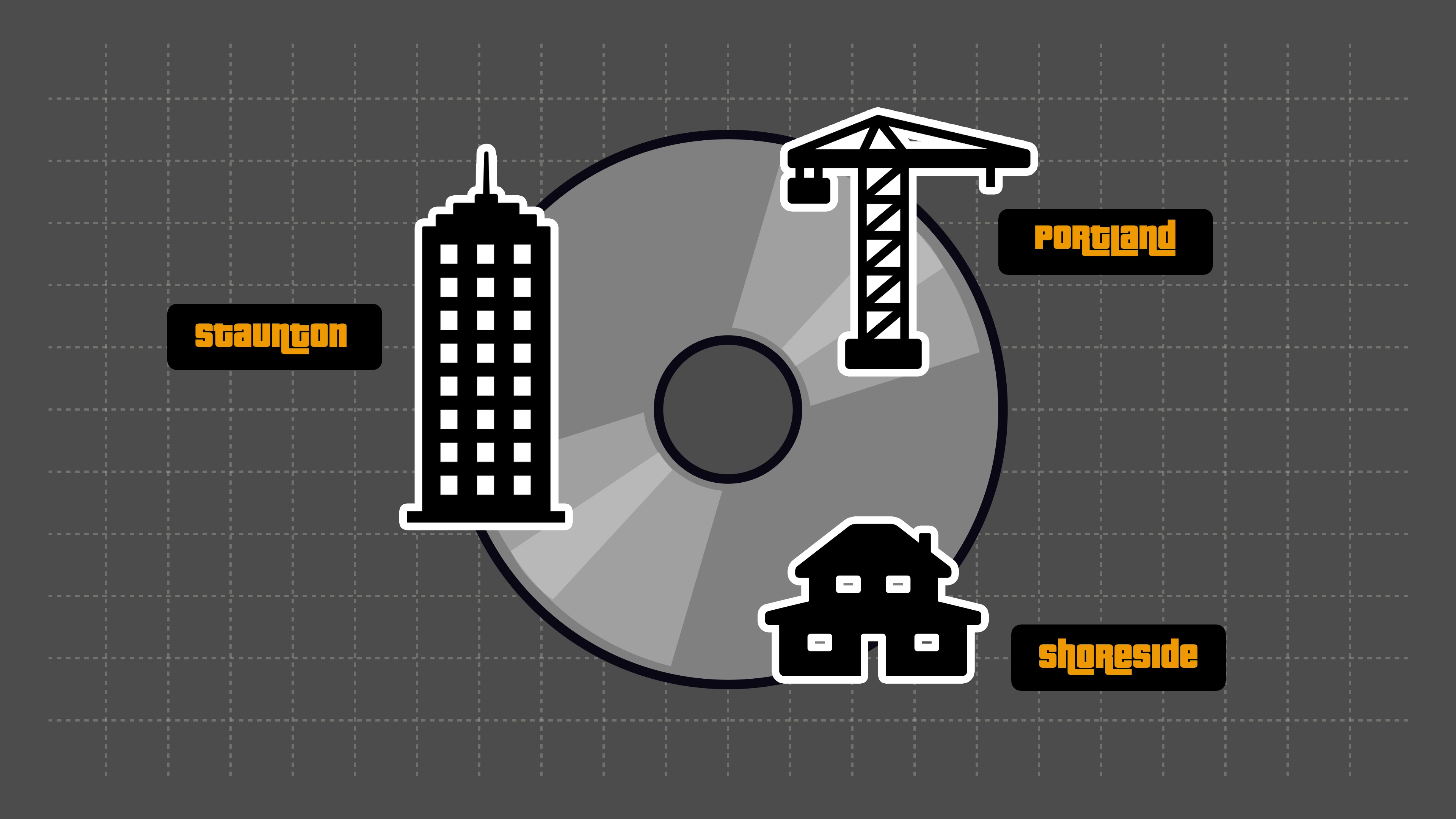
Well - okay, let me be perfectly honest. Liberty City is split into three different islands. The industrial zone of Portland. The downtown sprawl of Staunton Island. And the luxury suburbs of Shoreside Vale. And these are treated as separate levels with quick loading screens whenever you cross between them.
But even still - each one of these islands is still too big to fit into memory.
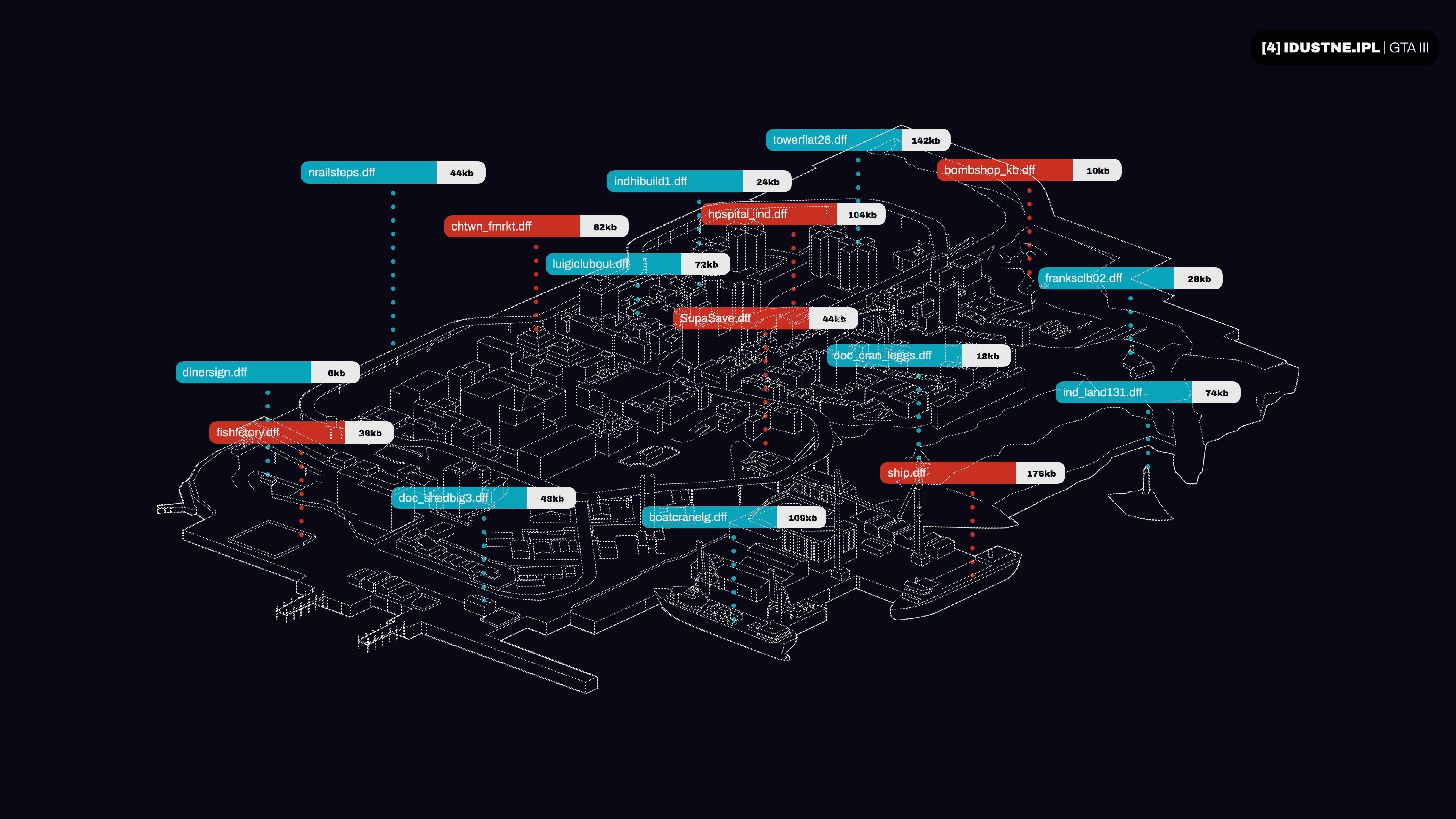
Take Portland: it’s got over 600 unique models, requiring roughly 40 to 50 megabytes of data for the models and textures. Still way more than the 32MB budget.
So what could Rockstar do?
Well, the studio’s first idea was to just make the city in a much more simplistic way. To use basic 3D models with low resolution textures - so each island could comfortably fit into memory. But the game’s technical director Obbe Vermeij said this “resulted in the city looking bland”.
So the game’s other technical lead, Adam Fowler, came up with a much more ambitious solution.
It works like this: Liberty City is split into thousands of small sectors. Then, there’s an invisible square around the player. And all of the models needed for the sectors in that square are loaded into memory.
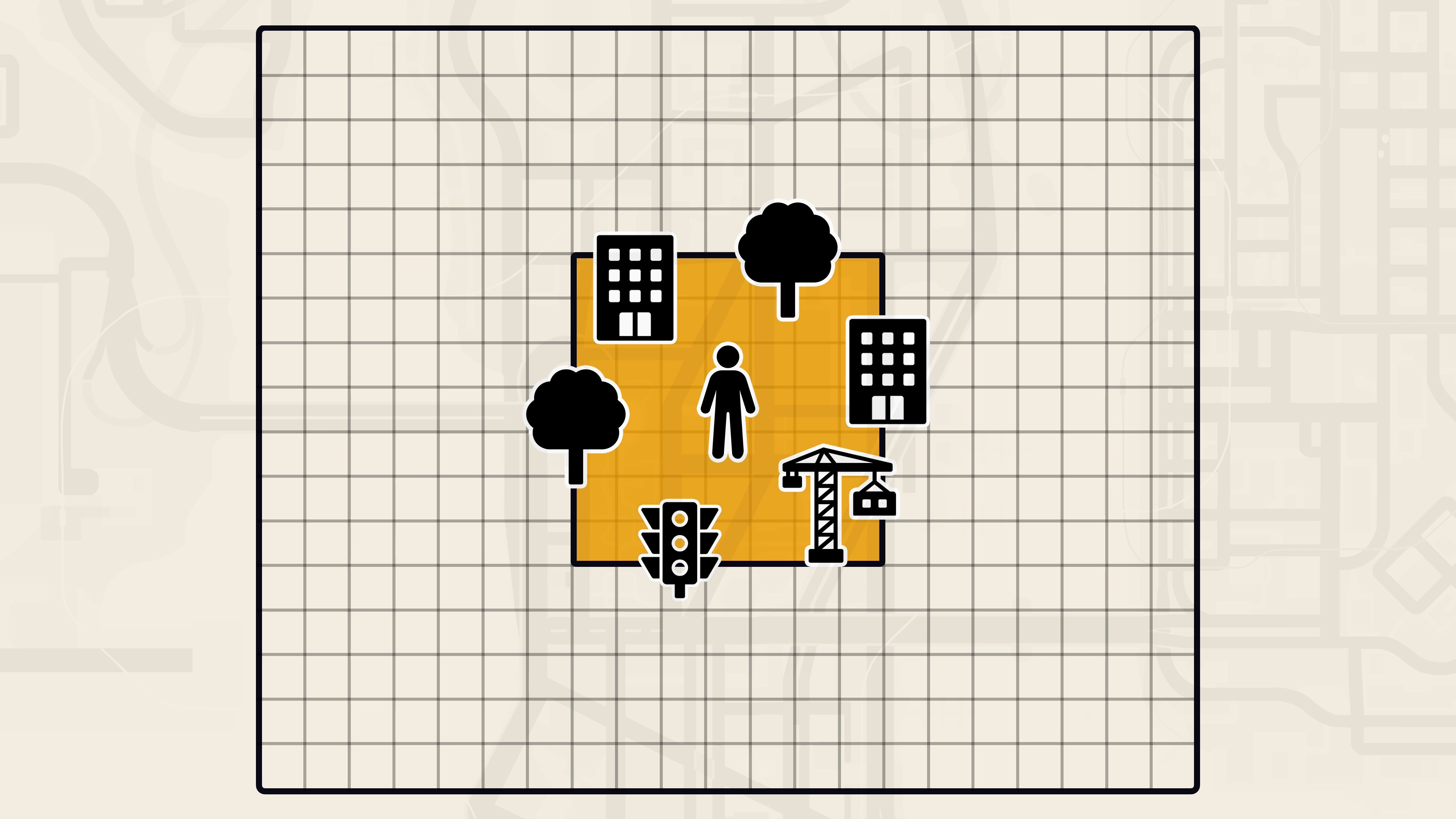
Then, as you move around the city, the game loads the models and textures for the buildings in the sectors you enter - and unloads all of the assets from the sectors you as leave them.
And because the new models will always be far away from the player, it doesn’t matter that it might take a short while to load them off the DVD. It’s a technique called “streaming”.
Now I’d love to show this happening in a more real-time, visual way.
But because the streaming system is tied to the camera, and not the player… well, even if I take control of the camera and fly far away, the streaming will just follow me and the city will materialise around me.
The only solution, ultimately, would be to somehow get the GTA 3 source code, rewrite several sections of the program, and compile a brand new executable.
So, I got the GTA free source code, I rewrote several sections of the program, and I compiled a brand new executable.
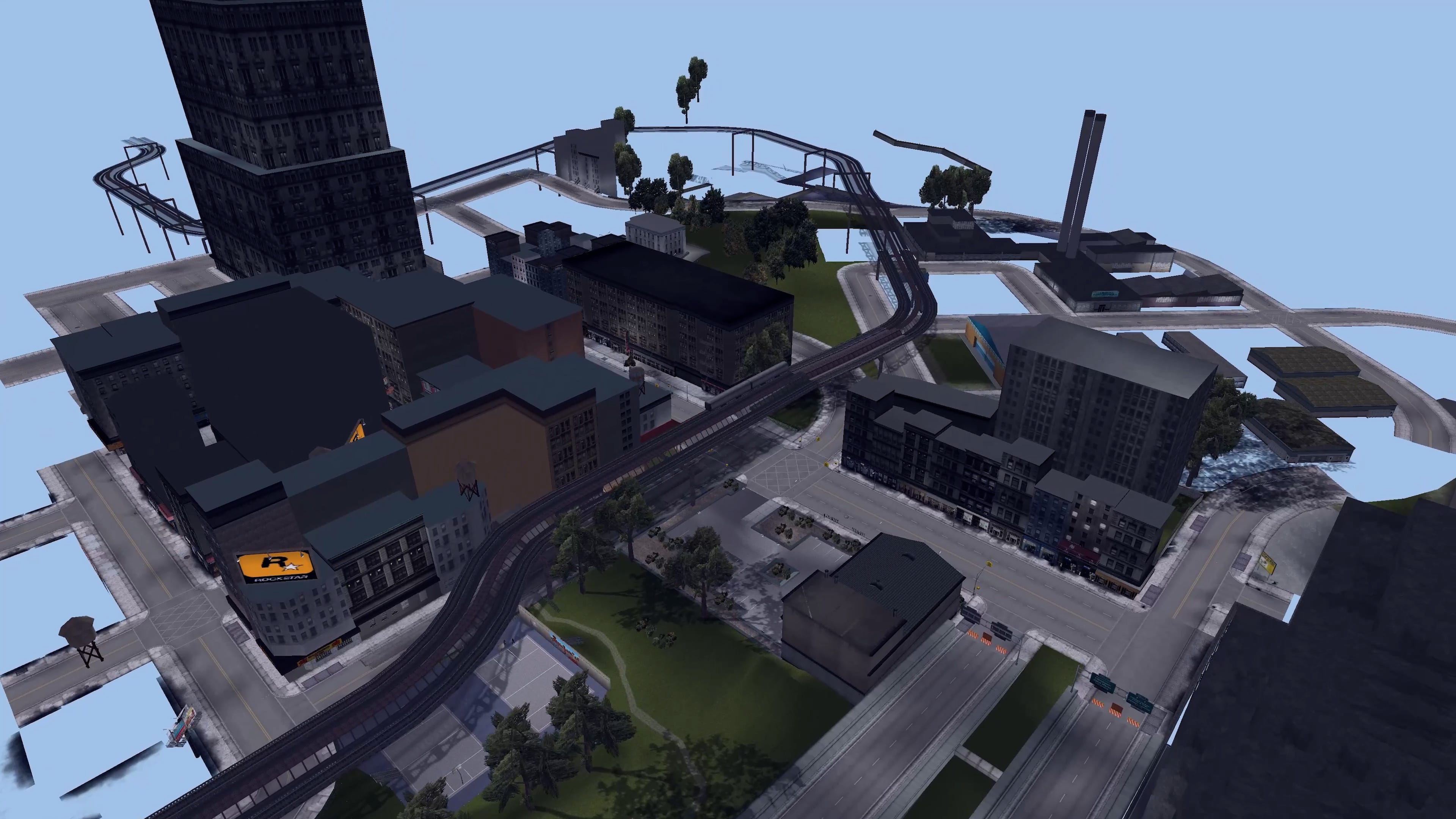
Now you can see the trick: how Grand Theft Auto 3 loads and unloads a small number of assets into memory as you move around Liberty City. It secretly builds the world in front of you, and it silently deletes the world behind your back.
Basically: instead of trying to fit a whole city into memory, Rockstar instead built a moving window which shows just enough of the city to make the illusion work.
And with this, Rockstar could build a city as big as it wanted, with artist Aaron Garbut saying “getting it right effectively removed a lot of limitations for scale and detail. We could build what we wanted as long as the area around the player would fit in memory and we could get it off the DVD fast enough”.
Now: I should note... GTA 3 is certainly not the first game to come up with the idea of loading assets into memory while you play.
In fact - this was already happening on the previous generation.
Take the PlayStation 1 game Legacy of Kain: Soul Reaver, developed by Crystal Dynamics. The developer realised it could chop an entire world into lots of small chunks, and then lay them out, end to end, in a line. Then, when a player approaches the boundary of one chunk, the game would quickly start loading the next part so it was ready for you by the time you got there - giving you a whole world to explore without needing to stop for a loading screen.
That same technique has been used in hundreds of games - from Jak and Daxter and Metroid Prime, to Uncharted and God of War.
It also explains why video game characters spend so much time slowly squeezing through tight gaps: it gives the console time to load the next area into memory.
But, back to Grand Theft Auto - this probably WAS the first game to use a streaming solution to create a dense urban environment. A world where the developers can’t predict which area you’ll go to next, or hide its loading behind doors or elevators or tight gaps. This was an actual open world that you can explore freely, in literally 360 degrees.
But pulling it off was not easy, and this ambitious plan led to 5 big problems for Rockstar to solve.
If GTA 3 worked exactly as I just described, with assets loading and unloading in a tight rectangle around the player, then it would be a game where bits of the world materialise out of thin air in front of you, with the dreaded pop-in effect of a last generation game.
So it’s not enough to just stream in the models nearest to the player - but, at the same time, you can only cast your net so wide before running out of memory.
So here’s the solution: the game checks a large number of sectors - but in those far away zones, the game only loads the bigger structures, like buildings, bridges, ships, and cranes.

So the area around your character is fully loaded in, but anything more than a few sectors away will only feature the largest structures.
Of course, this would still eat up a lot of memory. So instead of using the actual models, these far away structures use a simplified, low polygon imposter with a crummy low resolution texture. Then, when we get close enough, the real model and texture can be streamed in, and gracefully fade in over the top of the low poly copy.
It’s a system called LOD, or level of detail.
And it even extends to the other islands. Portland, Staunton, and Shoreside each have low poly models that sit on the horizon as stand-ins for the other bits of Liberty City. Actually, Staunton has two - with different models depending on whether you’re looking over from Portland or Shoreside.
There’s no point rendering the back of these skyscrapers if you’re in the east, after all. Better to save on triangles.
All of this lets Liberty City maintain its distant skyline, for immersion and navigation purposes. But by using low resolution stand-ins for these faraway buildings the game can save a lot of memory.
The next problem is that, well, Liberty City is not the only thing we need to store in memory.
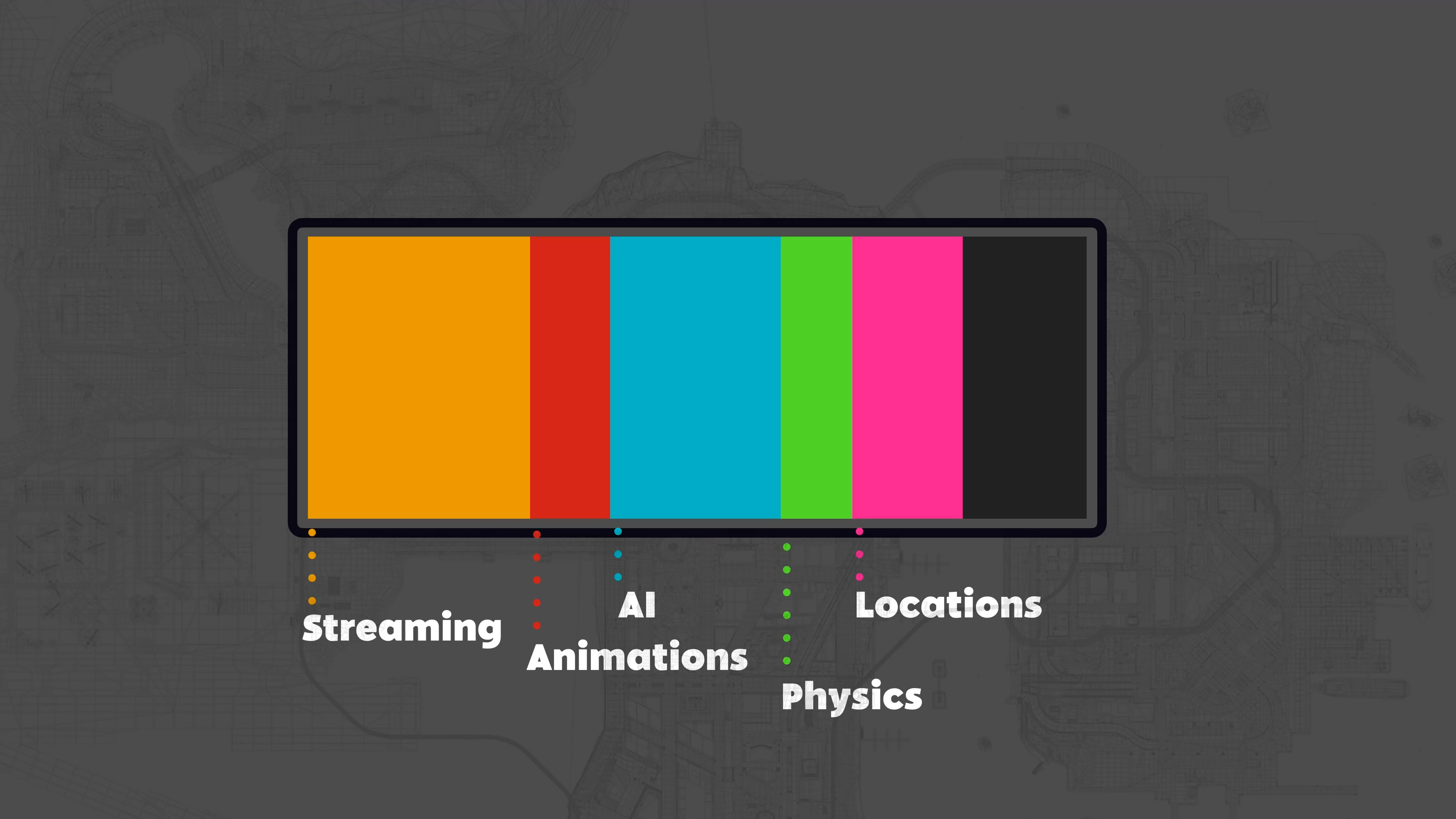
That 32 megabyte pile of RAM also needs to keep track of animations, pedestrian AI, physics calculations, the location of your last car, and so on.
So this means only a small slice of the total memory overhead can be dedicated to streaming.
I don’t know exactly how much memory GTA3 uses, but if you take San Andreas, which is using the same engine on the same console, take the DVD and put it into your computer... you’ll find a file called stream.ini, which shows that just thirteen and a half megabytes of memory are dedicated to streaming the city.
On top of that, Liberty City is more than just buildings and lamp posts. This is a bustling city filled with cars and pedestrians, which must also share that memory space. So, all of these systems had to be heavily optimised to save enough room for the city streaming.
Take the cars: GTA 3 has about 60 unique vehicles. And I’d estimate that the full fleet is about 10MB worth of models and textures. So it wouldn’t be sensible to keep them all loaded in at the same time.
Instead, the game keeps a very strict pool - only eight vehicle types can be loaded into memory at any one time.
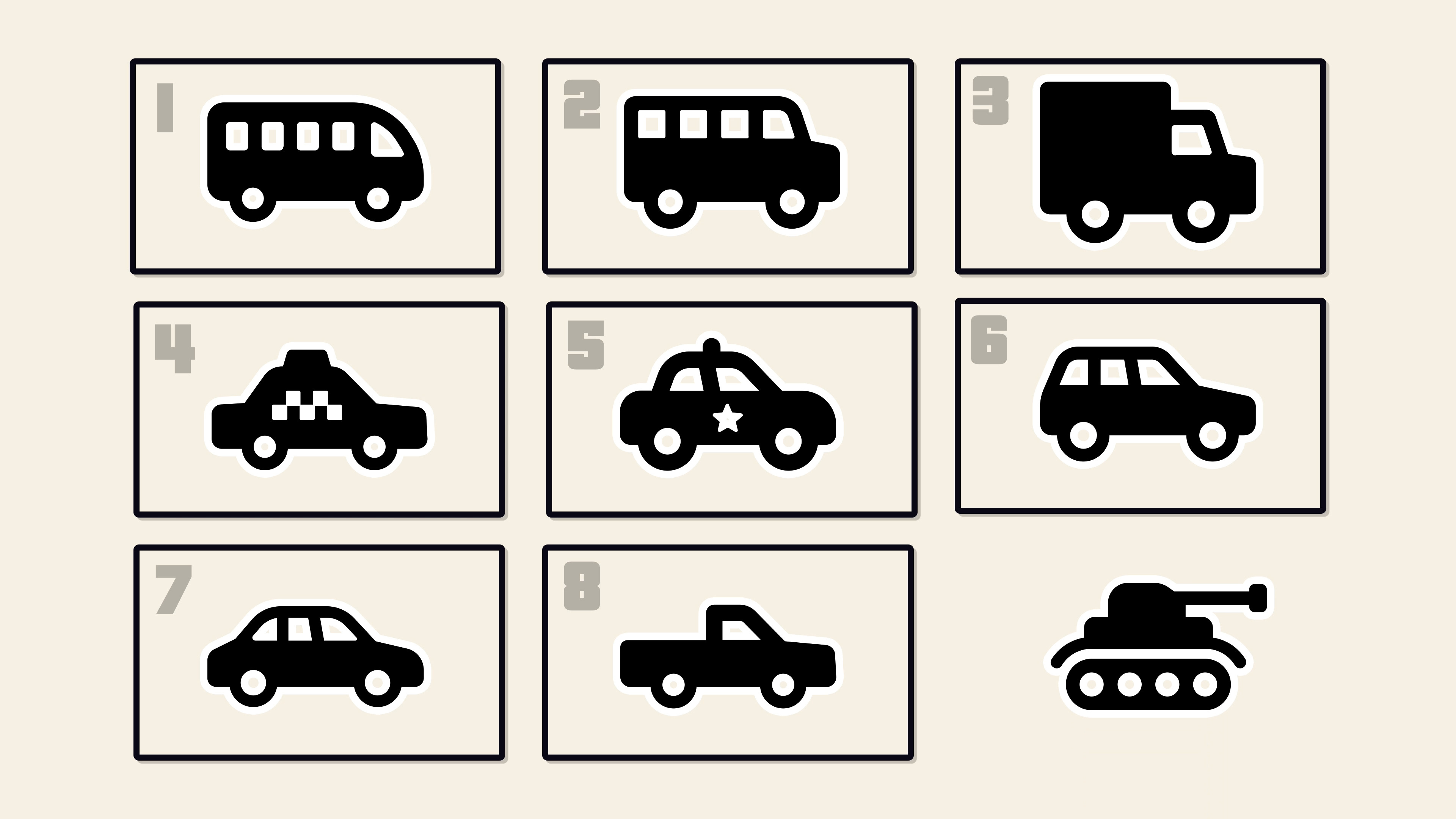
When a car is spawned in - it must either use a vehicle from one of these eight slots, or boot an older car out to make room.
And because that tiny pool also needs to contain the car you’re currently driving, the last car you drove, any parked cars in the nearby area, and common vehicles like taxis and police vehicles - including SWAT cars, helicopters, and army trucks if your wanted level is high enough... well, this is why you’ll sometimes see the same cars repeating again and again.
There’s only a few spare slots left for vehicle variations.
This also explains that spooky GTA phenomenon of looking for one very specific car, only to finally track it down, and now everyone in Liberty City seems to be driving that car. It makes sense: because it’s now in one of those eight car slots, it’s much more likely for it to be spawned in as the next vehicle.
So basically, with only a tiny amount of memory to go around, everything in the game must be as optimised and streamlined as possible to make sure there’s room for the main city streaming system.
So, in super, super simplified terms, if you remove a small asset from memory, then it leaves a nasty little hole in your total memory space.
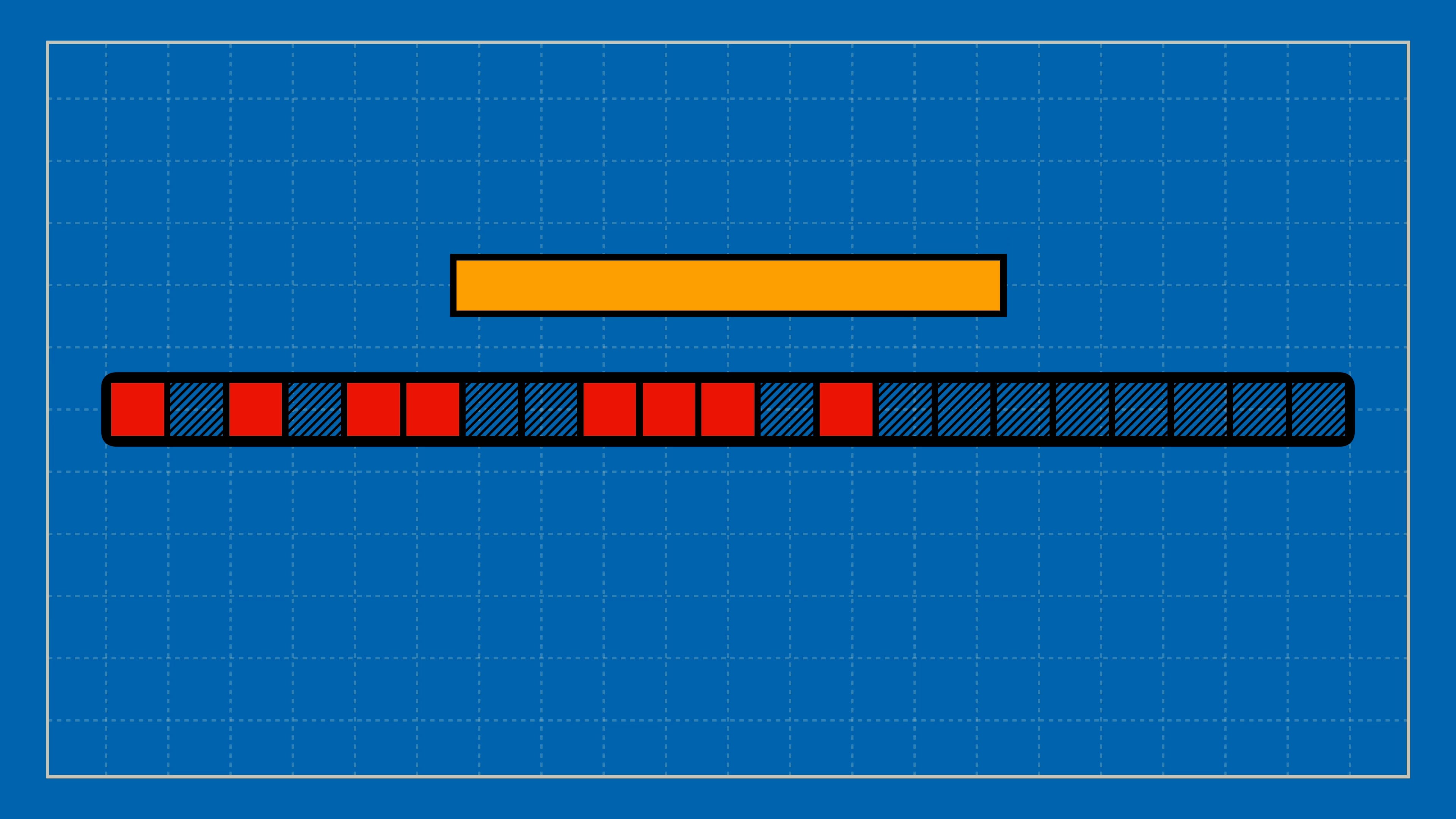
And then if we load in a bigger asset - well, even though there’s space for it... that space is fragmented into lots of little holes, and so the asset just has to lump on the end - exceeding the total amount of memory and causing the game to crash.
Not good.
That’s fragmentation.
And so if you’re constantly pushing assets in and out of memory, fragmentation becomes very likely and memory blockages are almost guaranteed to occur.
So smarty pants Adam Fowler had to write a bespoke memory manager that could deal with these issues, with functions that can merge and move blocks of memory around to avoid fragmentation.
It can also aggressively free up memory if needed - going in and deleting stuff behind the camera, or big buildings in the distant skyline.
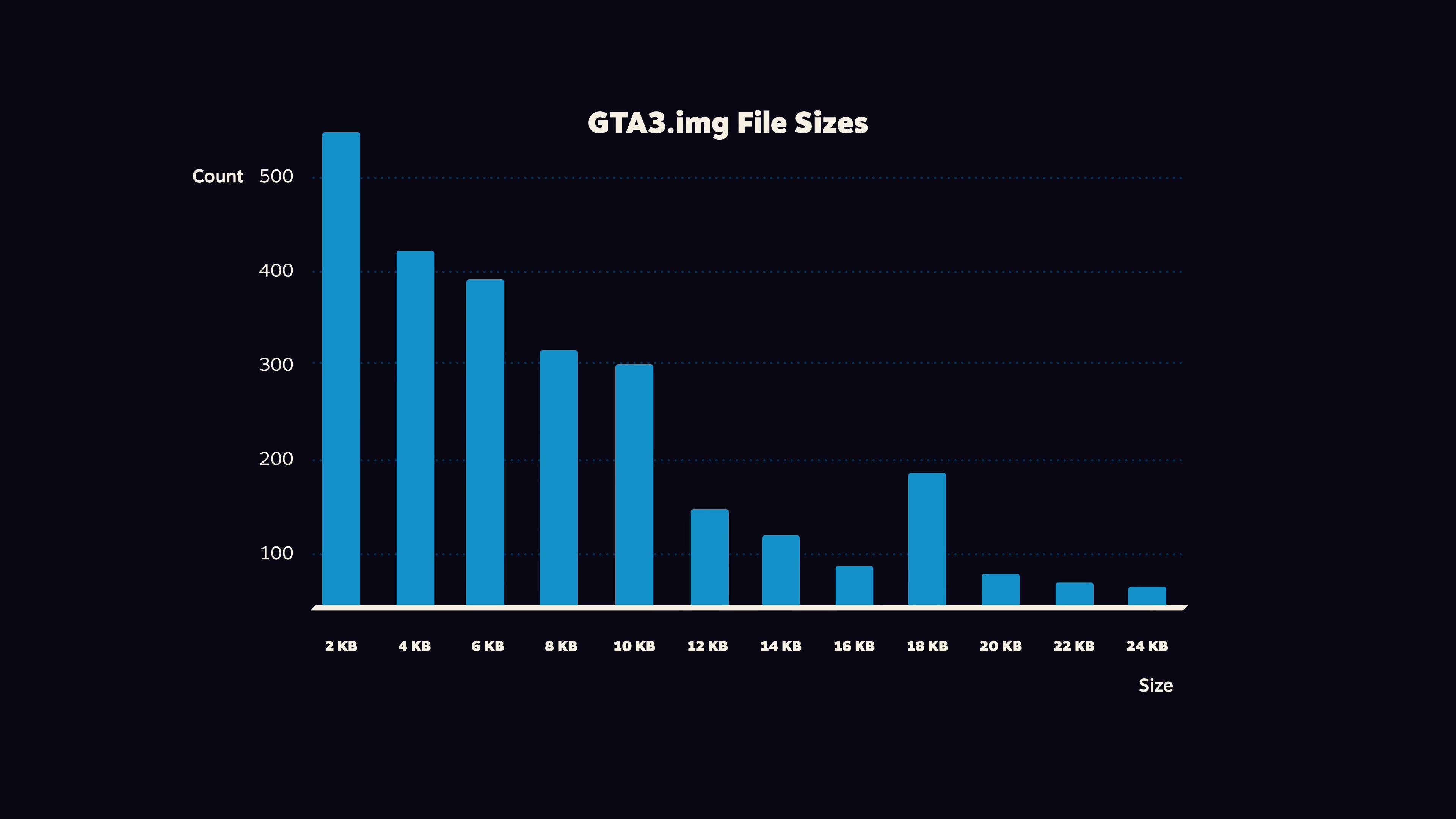
Another clever trick was to keep many of the asset files as the exact same size. Like, among the models and textures, over 500 of them are exactly 2 kilobytes, and 416 are exactly 4kilobytes. That way, assets can seamlessly take each other’s place as they load in and out - filling those gaps in memory and avoiding fragmentation altogether.
To check if this all worked, Fowler would attach the player character to the train that zips around Portland. And then set the game running on five or so PS2 dev kits before he left work for the night.
And as Vermeij explained on the podcast Kiwi Talkz...
“And then he was hoping that he’d come back in the morning and that the games were still running.
And the first time he did that, they all crashed after five minutes.
And then he would spend a couple of days figuring out what had gone wrong.
And then he did it again. And then it was they crashed after thirty minutes. And then maybe an hour.
And eventually they got it through the night.
So that meant that for the whole night, the game was loading models and unloading, loading models and unloading”.
So here’s the thing. CDs and DVDs are designed for the continuous read of something linear like an album or a movie.
And so the data is embedded in a non-stop spiral that goes from the centre to the edge - and the laser reads that microscopic groove in a continuous line.
But if you want to jump around to another part of the disc - called seeking - then the laser head has to move. And the acceleration, movement, and deceleration of that mechanical part all takes time.
So now imagine how GTA 3 is constantly asking the PS2’s DVD reader to seek out different bits of the disc.
To speed things up, Rockstar had to literally optimise the position of assets on the disc to reduce seeking time. That meant bunching up assets from the same part of the city, so the laser wouldn’t have to travel as far to get the next batch of buildings or roads.
Also, the DVD reader code is given a queue of assets to load in, but it will prioritise the ones closest to its current read position, instead of going through them in the order they came in.
And Vermeij says the team experimented with duplicating assets on the DVD - because it’s more actually efficient to have multiple versions of common models like trees and lampposts at different points on the disc, instead of having to constantly seek back to find that single tree model.
And this technique is still used in game development, with a game like Insomniac’s Spider-Man having hundreds of the same mailbox model at different points on the Blu-Ray.
Now you might wonder if all that seeking is safe for the DVD drive. And Rockstar shared that worry. Here’s producer Leslie Benzies, in the documentary The PlayStation Revolution...
Streaming was a risk. Could a drive inside a machine constantly move for 24 hours and not melt?
Now it obviously didn’t melt your PS2’s drive - and Vermeij assumes this was cleared with Sony before the game was sold. But it’s possible this did do some damage to the console, and you can find reports of disc read errors and even busted DVD drives from this era.
Even with all of these techniques and optimisations, the disc simply couldn’t read assets fast enough - and if players moved through Liberty City too quickly, they could outrun the streaming system and see the world appear in front of them.
Or even worse: fall through the floor and into the blue hell beneath.
So the only real solution was to just slow players down.
Cars were given a strict maximum speed - and in certain parts of the city, the developers secretly increased the air resistance on vehicles by a few percentage points - not enough for players to notice, but enough to let the disc catch up.
Flying vehicles were completely ruled out, and the only plane in the game had its wings clipped so it was impossible to fly. Well, almost impossible.
And the layout of the city needed adjusting, too. Vermeij explains that in its original form, Portland featured a main drag that ran practically across the entire island - a nightmare scenario where players could build up to max speed while the streaming code struggled to load in the buildings on both sides of the road.
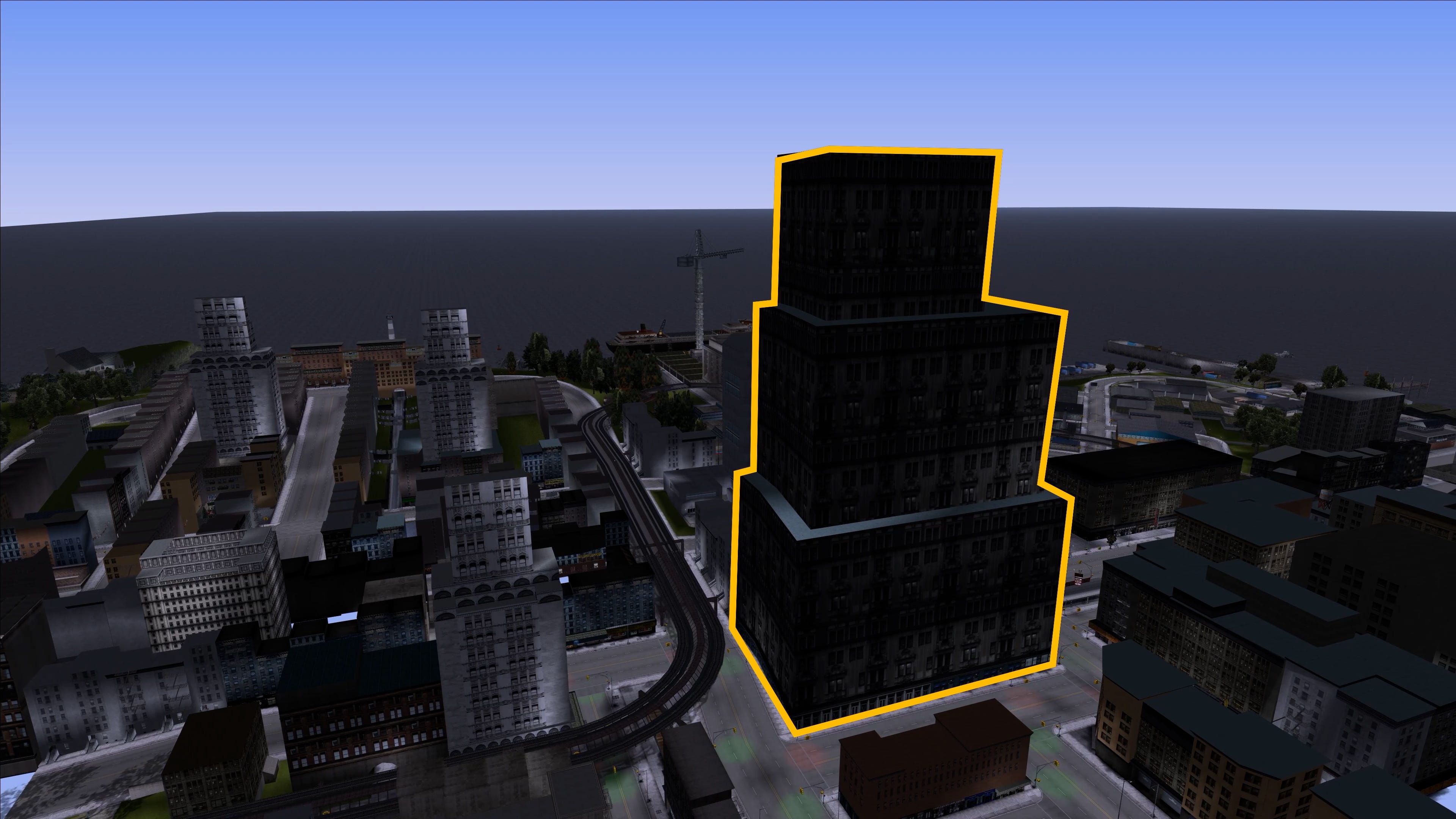
So in the end, this big building was placed directly in the centre of the main thoroughfare so it wasn’t possible to go so fast.
So - that’s the trick.
Rockstar had to fit a roughly 130 megabyte city into the tiny 32 megabyte memory chip on your PlayStation 2.
And the only way to do it was to move assets from the disc and into memory at rapid speeds, constantly chucking out the buildings and trees in your rear view mirror to make room for the shops and bridges just around the corner.
But with this, and a lot of clever optimisations, Rockstar showed it was possible to have a rich and detailed open world on console - and it laid the foundation for the rest of the series.
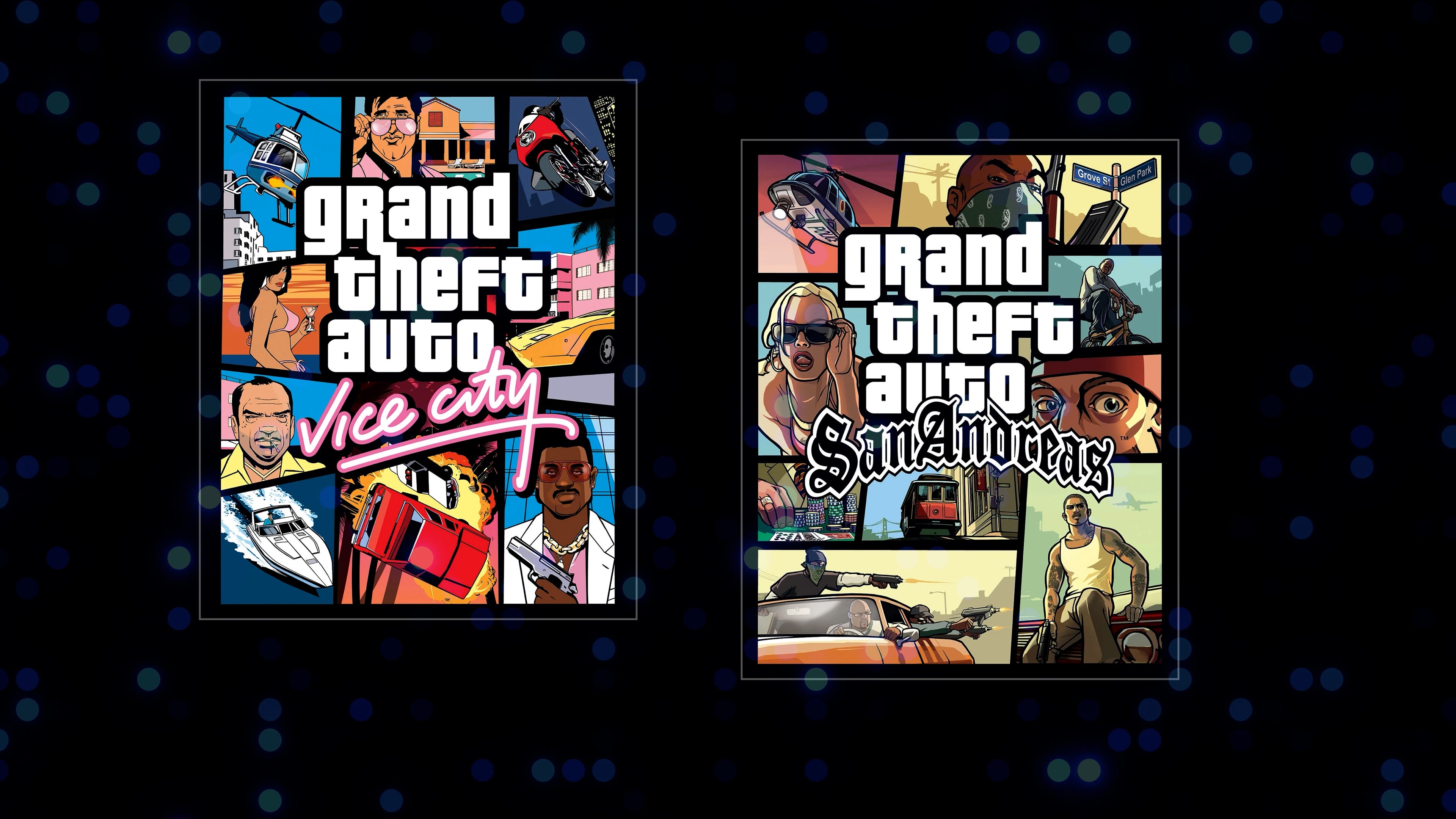
That, of course, includes two more GTA entries on PlayStation 2, which are even more impressive in their implementation.
Vice City added helicopters - by only showing low poly models when you’re above a certain altitude, so there’s enough memory spare for the most distant skylines.
And San Andreas got rid of the separate islands and halting loading screens - partly by having so much empty countryside in between the cities that one will be entirely out of memory by the time you reach another.
But even as gaming hardware got better, these techniques still needed to be used - because the worlds became more detailed and rich in step.
Like, on a modern computer with gigabytes and gigabytes of RAM, I can easily fit all of Grand Theft Auto III’s Liberty City in memory at one time. No streaming needed!
But I can’t fit the whole world of GTA IV or V - so it’s back to the cheeky optimisations. Like putting roadworks in the middle of Algonquin’s longest road, to stop players from driving so fast that they outpace the streaming tech.
Now in more recent times, a move to solid state hard drives is making things easier for developers. There’s no more seeking - so you don’t need to optimise asset location or duplicate dustbins everywhere.
But even still - I can promise you now that Grand Theft Auto VI will still stream bits of its world in and out of memory.
And it will use some of the same techniques, optimisations, and maybe even a few lines of code from Grand Theft Auto 3 - the game that performed a magic trick, and proved it was possible to squeeze an entire city into just 32 megabytes of memory.
Comments
Nothing yet. Say the first thing.
Sign in to join the conversation.