
Every Wednesday, one essay on what's actually working in Marketing with AI - tools, workflows, and mindset shifts you can apply immediately.
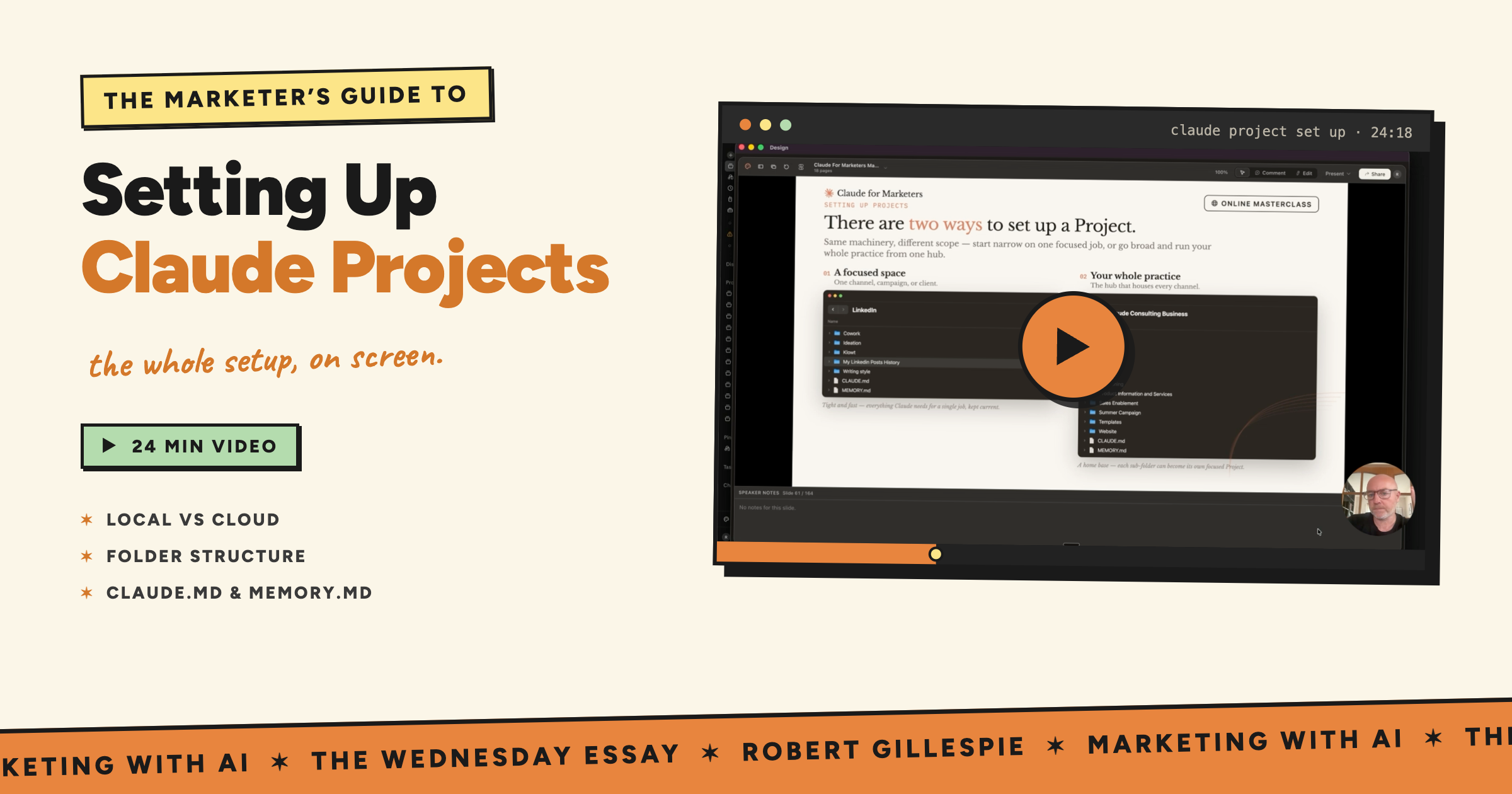
Something a bit different this week. Instead of a long read, I’ve recorded a video.
And here’s why…
The question I get asked more than any other and the topic I spend the most on in my team trainings, is, how do I set up my Claude Projects properly.
Properly being the key word here.
But the better question is, not just how do you set up one, but how do you structure it so it works for the kind of marketing you actually do every day.
And that’s far easier to answer by showing you, than describing it. So I’ve walked through it on screen this week, including a few slides from inside my Claude for Marketers Masterclass.
One quick thing before you press play. There’s a discount code for anyone reading or watching this: Discount code PROJECTS takes $50 off the course at robertgillespie.me/masterclass.
The video is right here, but underneath is a quick overview of what I cover, in case you want the gist before you watch.
If you set one up a few months ago and haven’t looked since, you need to really understand the key differences as they will impact older Projects too.
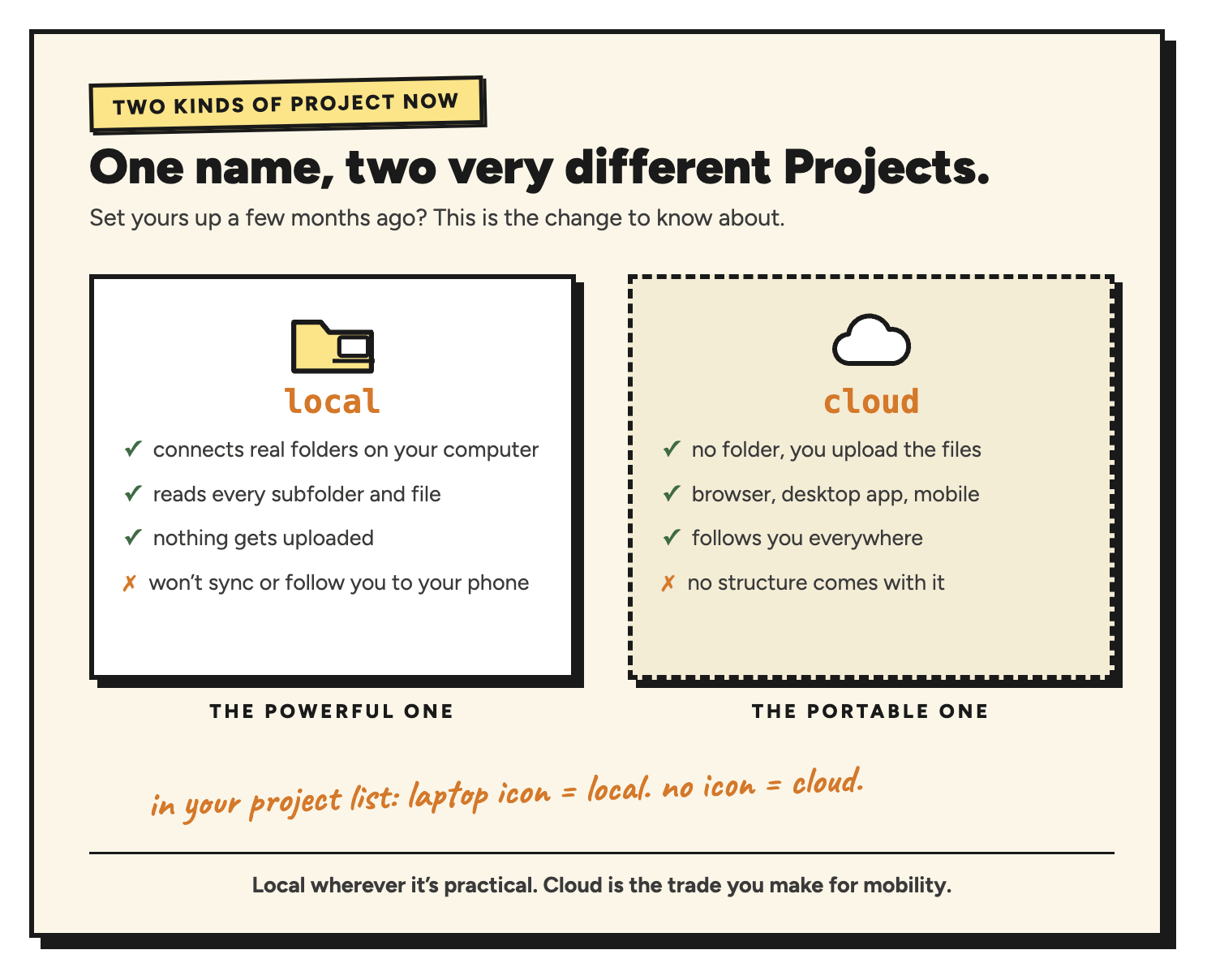
Claude now has local projects and cloud projects, and they work in genuinely different ways.
A local project connects to real folders on your computer. Claude reads the folder, every subfolder inside it, and every file. Nothing gets uploaded. The catch is that it stays on that machine, so it won’t sync and it won’t follow you to your phone.
A cloud project has no folder. You upload files into it manually and they sit in the cloud, which means you can pick the project up in the browser, on the desktop app, or on your mobile.
This is why the split exists.
Cowork originally only ran on local folders and files, and the cloud option is what now lets it work in a browser and on mobile as well.
Telling them apart is easy once you know.
In your project list, a local project carries a small laptop icon and a note saying it works with local files and can only run on that computer. No icon means it’s a cloud project.
For a cloud project: New Project, give it a name and some instructions, and leave the “Use a folder” option alone.
Once it’s created, the context panel on the right is where you upload your Word docs, spreadsheets and anything else Claude needs.
For a local project: New Project, then click Use a folder and pick the folder you want.
Two things worth knowing here.
Connecting a folder overrides whatever name you typed in, so don’t waste time naming it first, it takes the folder name. And the first folder you connect is permanent. You can add more folders afterwards and remove those freely, but not the original one, because Cowork needs a fixed place to put the documents, decks and spreadsheets it builds for you.
I prefer local wherever it’s practical.
It’s the more powerful of the two, because a folder brings its whole structure with it. If you move between machines constantly, cloud is the trade-off you will have to make.
The reason project ‘structure’ matters so much is what happens when it’s missing.
Upload ten loose files to a cloud project and it’s manageable. Upload fifty and you’ve got fifty single files with no brand folder, no ICP folder, no templates folder.
Claude has to hunt through them every time, and hunting costs you in terms of tokens and output quality.
This is the part that makes the biggest difference, and it’s where I jump into my Claude for Marketers Masterclass course slides in the video.
There are two project set up patterns you need to grasp.
The focus space. A channel, a campaign or a client. Tight and fast, holding everything Claude needs for one job and nothing it doesn’t. A LinkedIn project, a summer campaign, a client called Google.
The department or business folder. Brand tone of voice, ICP, positioning, product information, templates. The core context that every piece of work draws on, sitting in one place.
The two can work together, and that’s the point.
You can connect the same folder to several different projects. So your winter campaign project holds the winter campaign assets, and you connect the brand folder to it as well.
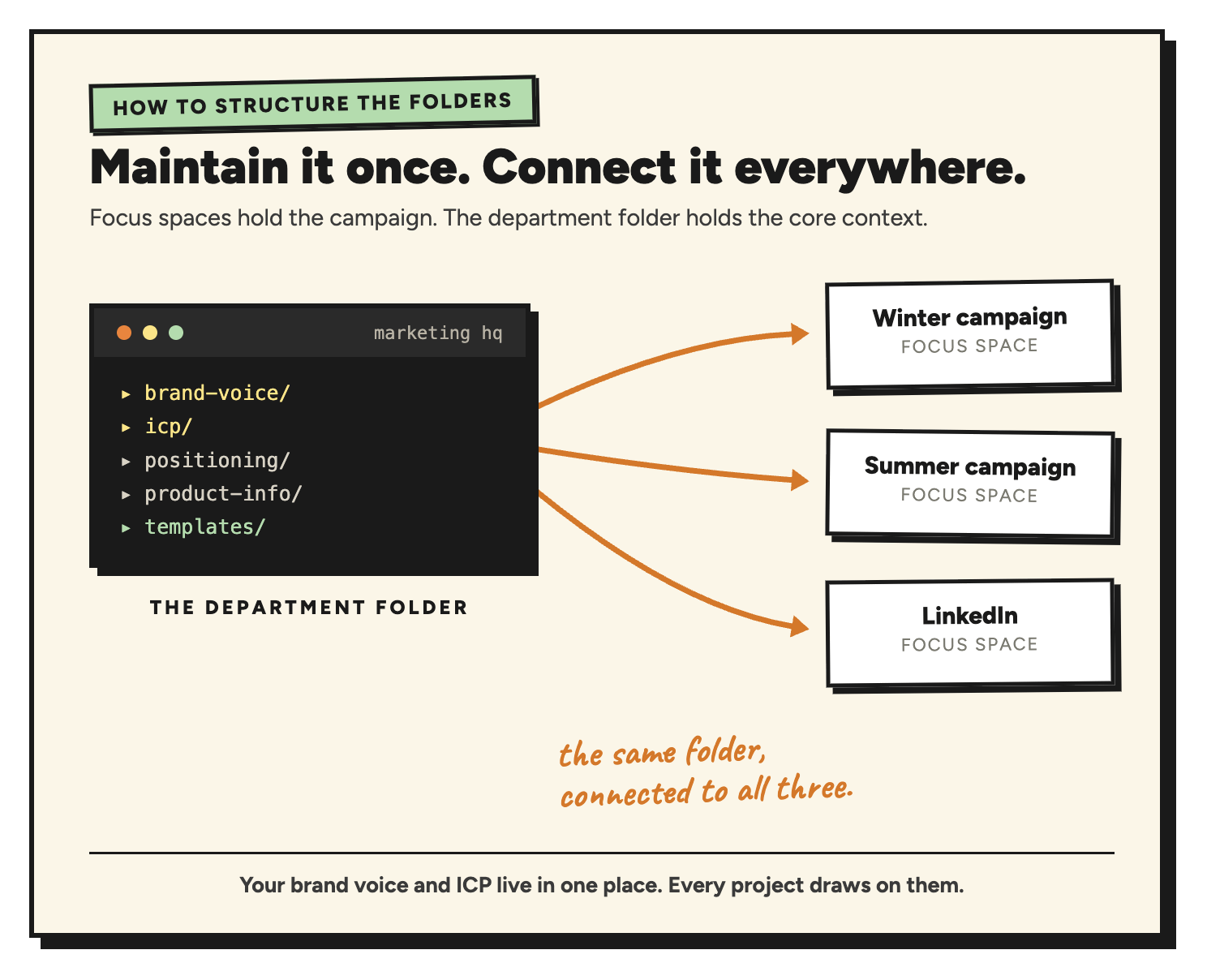
Your summer campaign does the same. Your LinkedIn space does the same. You maintain your brand voice and ICP once, and every focus space reads from it.
That’s a lot harder to pull off with manual uploads, which is the real argument for going local when you can.
Once the folders are in place, two files do most of the heavy lifting.
Ask Claude, in the chat, to create a CLAUDE.md and a MEMORY.md at the root of the project. Root just means the top level of the project space, nothing more complicated than that.
I describe the CLAUDE.md file as an Airbnb welcome guide. Walk into a well-run Airbnb and there’s a welcome guide telling you the spare towels are in the hall cupboard, the coffee’s in the top drawer, mugs above it. You don’t open every cupboard to find out.
CLAUDE.md is that guide, written for Claude.
It holds a folder map. If I ask about brand, it knows to look in the brand voice folder. Past reports are in examples, and templates are where the templates live.
That has two real benefits, and both are super important.
Output improves, because Claude isn’t guessing where important information sits.
And your usage tokens drops, because Claude isn’t opening every cupboard looking for the mugs.
If you regularly hit your limits, this is one of the first things to fix.
MEMORY.md is the running record of what is going on inside the project.
Claude updates it automatically as you work, so decisions you made, corrections you gave it, a great testimonial a client sent through, the connectors relevant to that project, all of it gets noted.
The next session starts where the last one finished instead of from nothing.
First, get Claude to look around:
“I’ve just created this project. Read every file in the folder. Summarise what you know about this workspace, what’s here, what I probably use it for, and what instructions you’ll follow.”
Read what comes back. If it’s telling you what’s in your brand voice folder and what’s in your ICP folder, it has the full picture.
Then, once you’re happy:
“Create a CLAUDE.md and a MEMORY.md at the root of this project.”
It writes both files and puts them in place. You don’t need to touch them.
The video above goes into all of this in more detail. So please watch it if you want to master your Claude Project set up.
Claude Projects, for me, are key to everything you do with Claude.
If you want the full version of this and much more when it comes to Claude for Marketing, it’s covered properly in my Claude for Marketers course at robertgillespie.me/masterclass, including the Airbnb approach to project folders in a lot more detail, with examples you can copy.
The course covers Cowork, projects, skills, connectors and plugins, marketing workflows, Claude for Excel and PowerPoint, and the Claude Design for Marketers module I added last month. A Claude Code module lands in the next week or so, and How to Build an AI Marketing Team follows in late September.
Use the code PROJECTS at checkout for $50 off.
And if written pieces are more your thing than video, my Inc. column has a couple of new articles live over the past week.
This week’s challenge: open your busiest Claude project and ask it to read every file and summarise what it thinks the workspace is for. If the answer is vague, that’s your folder structure telling you something. Fix the folders, then get it to write your CLAUDE.md.
Any questions at all, leave them in the comments and I’ll come back to you. Thanks for reading Marketing with AI. If you found this useful, sharing it with one other marketer is the best compliment I could receive.
I work with organisations to automate tasks, streamline workflows, and get more done with AI - building the skills, systems and workflows that turn Claude into their marketing operating system. Consulting, coaching and training, in person or on demand.
From 0.5 days overviews to 2-day workshops, I can help you automate more marketing work and streamline your workflows to get mroe done with AI. I offer both in-person and online sessions to suit your needs.
No posts
Comments
Nothing yet. Say the first thing.
Sign in to join the conversation.