
It’s wild building something, trying to document as you build, and realizing how quickly things become outdated because of how FAST things change 😅
I recorded a BADASS demo video for the GA4 Settings Checker that was optimized as hell for YouTube, sent it off to my editor, and by the time I got it back… Settings Checker didn’t just look different, but offered something fundamentally different 🤦♀️
But the changes were necessary. They make the Settings Checker waaaayyy more helpful!
In my last post, I mentioned how Matthew from SEO Gets changed the way I thought about what I was building.
Matthew introduced me to Jason Cohen’s concept of Simple. Loveable. Complete. and it ignited something in me.
When I first started building GA4 Helper, there was never a “single goal.” It was always going to be a lot of things:
A content site
A suite of “SaaS” tools
A place to host courses
A lead magnet for BEAST Analytics
All of which aligned with my personal goal of making analytics more accessible and actionable.
But the problem with having four “primary” goals without keeping the overall objective in mind is that it makes the driving strategy a bit muddy.
I felt like if I “gave away” the fixes in Settings Checker, it wouldn’t be a lead magnet for BEAST.
This is probably both untrue and not the point 🤦♀️
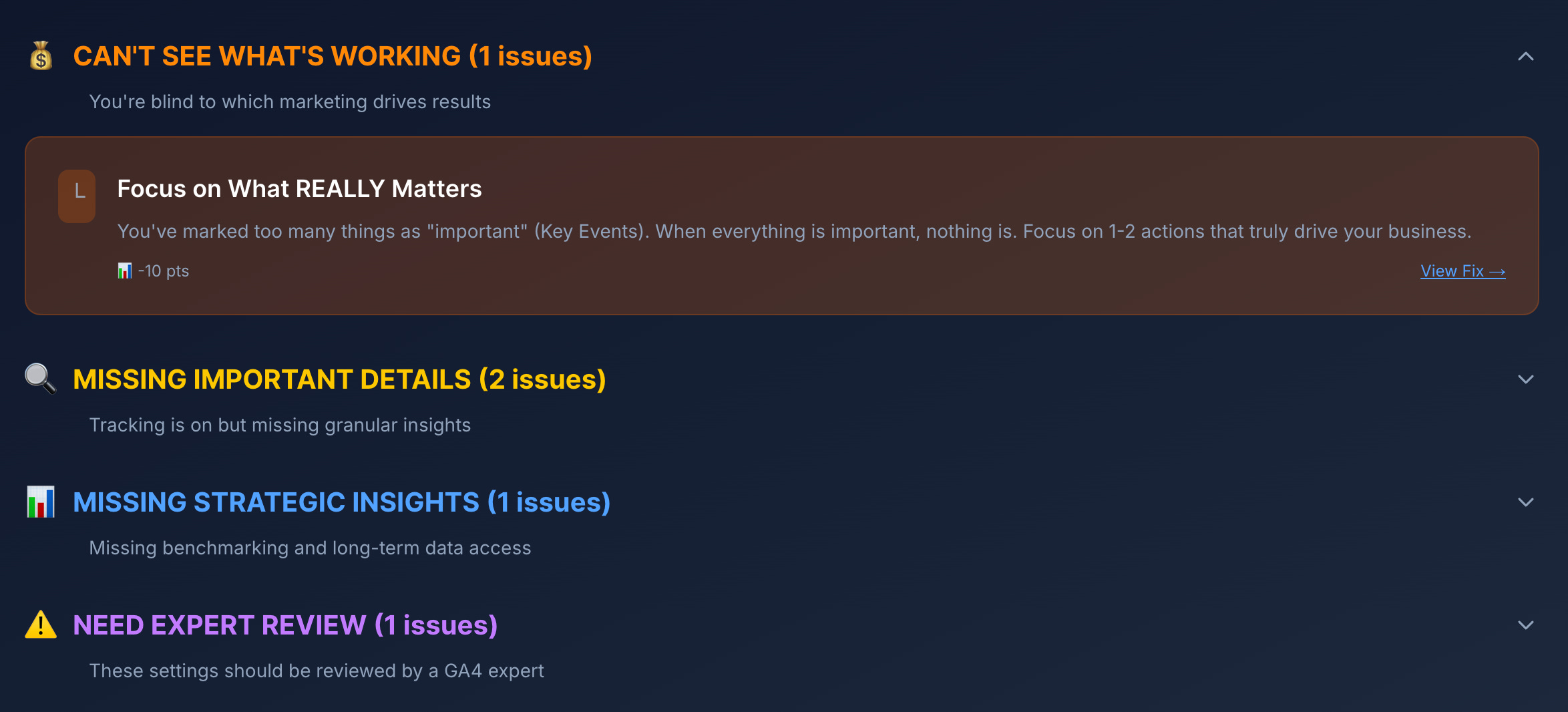
Settings Checker is meant to help people fix their GA4 Configuration!!!! & at first, it didn’t. It just threw information at you and said, “Look into this, you’re kinda messing things up!”
So, I released the Fixer update! Now, when you run an audit, any recommendations include an option to “View Fix.”
When you click to view fixes, the Fixer modal opens. This modal will explain the issue, its impact, and how you can fix it!
If you read the recommendation and it isn’t relevant to you or doesn’t make sense for your business, you can “Mark as Complete” to clear it from your account.
If you are unable to make the fix right this second, you can “Skip” it. This will keep the recommendation in your account so you can revisit it later on.
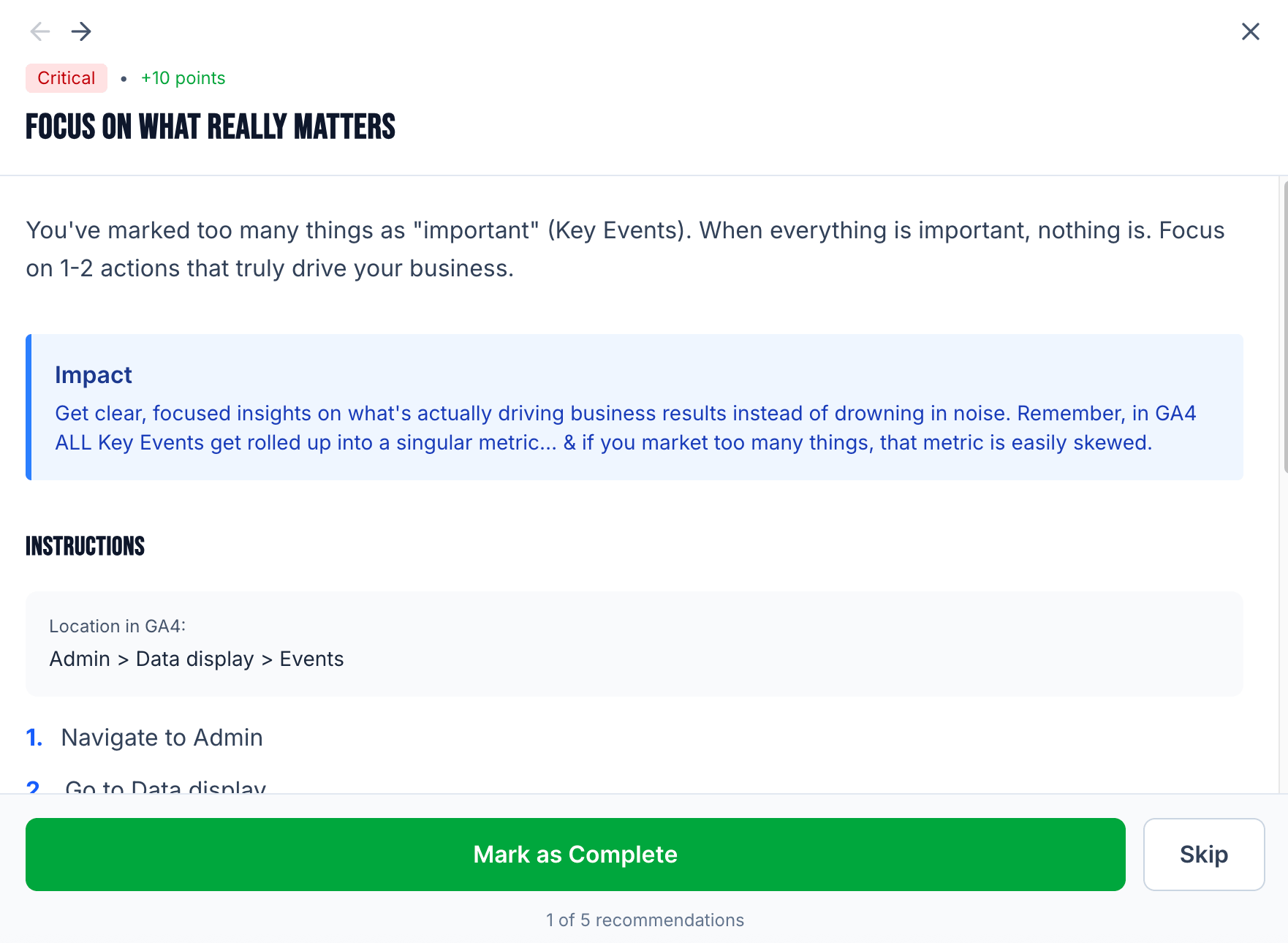
In my opinion, this was a much-needed update to offer a “complete” product.
Now you can run a check, get recommendations, and get the documentation for your setup all in one place :)
I also published an article this week on how to effectively track your Black Friday/Cyber Monday campaigns with a solid UTM plan. Admittedly, it is a bit late; HOWEVER, it really applies to tracking any campaign.
If you missed it at launch, GA4 Helper now hosts a UTM builder designed for GA4. The biggest difference between this UTM generator and others is that, upon generating the link, GA4 Helper will tell you how it thinks GA4 will group that traffic under the “default channel grouping” rules.
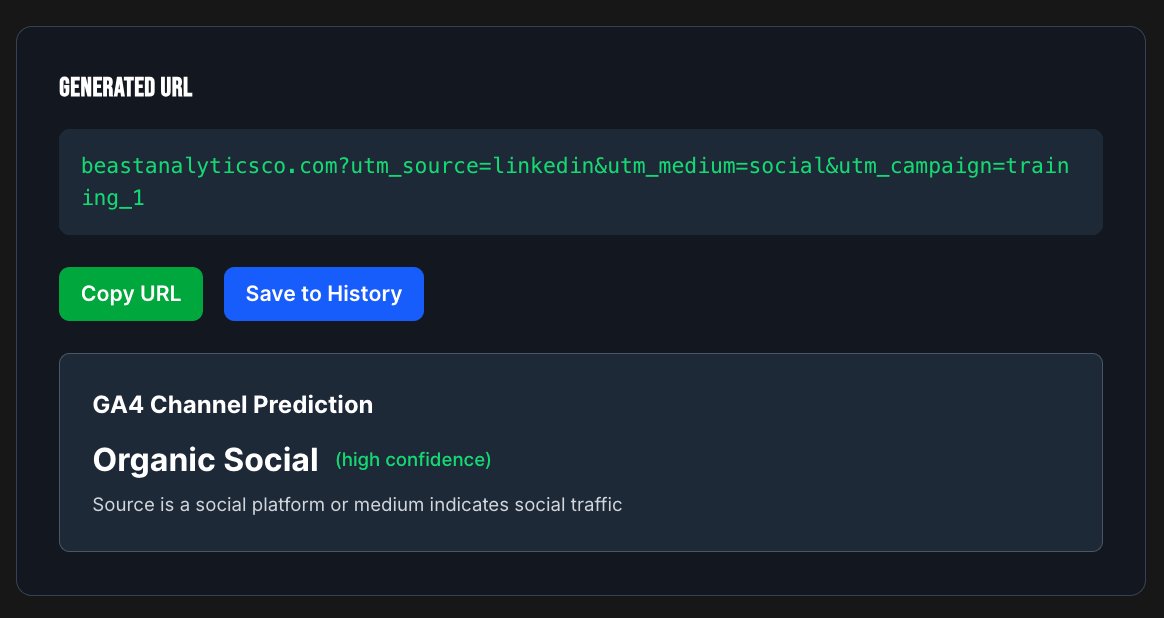
I’ve found many teams tend to “lose” their UTM data because it gets grouped into a default channel group they didn’t expect, or they worry because they see an increase in “Unassigned” traffic.
The goal of this tool is to help people understand how their UTM parameters affect where traffic appears in channel groupings.
When I published the post this week, though, I realized once again that there was a gap in the UTM builder.
I really tried to drive home the importance of everyone being on the same page about naming conventions. I recommended using something like a Google Sheet to keep all of the UTMs organized… But then I thought, there’s gotta be a better way!
& turns out, I think there is 😏
Now, the UTM builder allows you to save your UTMs locally to your account OR directly to a GA4 property. The best part? If anyone else logs into their Google account and connects to that GA4 property when using the UTM Builder, they’ll see all the UTMs saved to the property!!!!
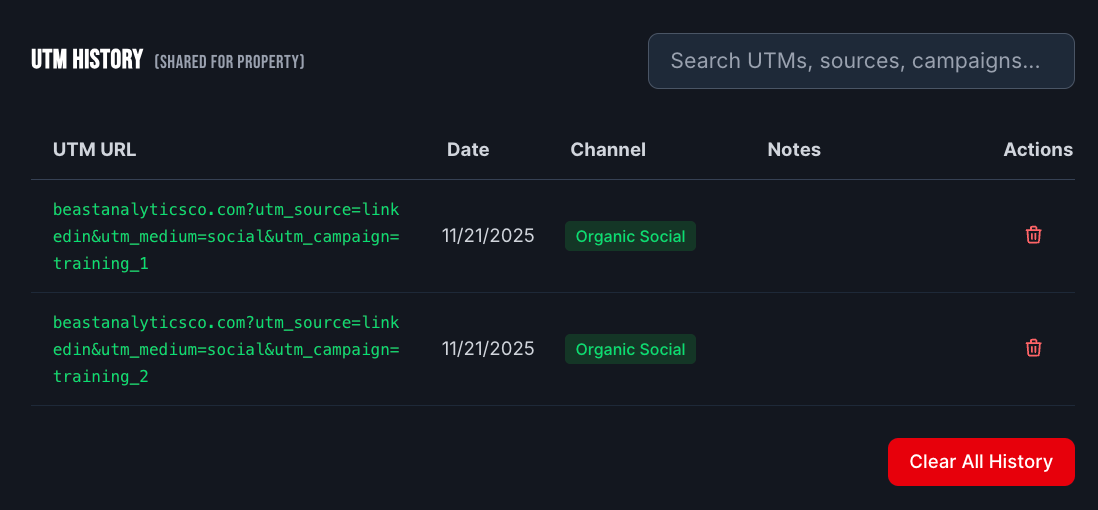
There is more coming to the UTM builder, but until then, I’d love to hear your thoughts and whether or not you’re finding the tool to be helpful :)
Once I added this feature, it became clear that connecting to properties would become increasingly important as new tools came to life.
I wanted to unify that experience as best I could, which led to adding the “login” to the header.
This experience isn’t perfect yet, but I continue to iterate on it and am excited to add more reasons to create an account.
Again, documenting all of this is hard. I have lots of ideas and I’m iterating quickly. And once again, I genuinely have no idea what I am doing and no idea what is possible 🤣
I’m doing my best over here!
Thanks for sticking around.
No posts
Comments
Nothing yet. Say the first thing.
Sign in to join the conversation.