
I spend a lot of time in terminal. Most of it goes in reviewing code, managing servers, running tests etc.
These are the tools I use. I hope to keep this list updated. It should be helpful during system re-installs.
Libraries
Shell: zsh
This is what runs the commands. ZSH is installed by default.
Prompt: Starship
Prompt is the information we see about the current env. Starship automatically shows active git branch, virtual env, python version, AWS login, docker and other such things.
Terminal: iTerm2
The main app we use to interact with shell. iTerm is most used.
- Antidote makes it easy to install zsh extensions.
- Direnv allows me to run some commands automatically when I cd into a directory. I mostly use it to activate virtual envs.
- Just allows me create small scripts / commands in any language. I have two most used commands: just review and just finish-review
- zsh-syntax-highligting: it highlights the variables and directories in commands. Makes small things better.
- zsh-notify: this is very useful! Sometimes the commands take few minutes to complete. In the meantime I open browser and get lost in the web. This shows a notification when the command completes.
- I like the tall hight in MonoLisa. This is my default coding font.
- FireCode is for ligatures (non-ascii).
Config
This is the config for my .zshrc file.
# set default editor
export EDITOR="vi"
# History settings
HISTSIZE=10000
SAVEHIST=10000
HISTFILE=~/.zsh_history
setopt appendhistory
setopt histignorealldups
setopt sharehistory
# Auto-completion
autoload -Uz compinit && compinit
# Enable Direnv (auto envoirment)
eval "$(direnv hook zsh)"
# use startship prompt
eval "$(starship init zsh)"
# antidote
source /opt/homebrew/opt/antidote/share/antidote/antidote.zsh
source <(antidote init)
antidote bundle zsh-users/zsh-completions branch:main
antidote bundle zsh-users/zsh-syntax-highlighting
antidote bundle marzocchi/zsh-notify
# run `antidote update` to update all packages
# update brew paths for zsh-completions
if type brew &>/dev/null; then
  FPATH=$(brew --prefix)/share/zsh/site-functions:$(brew --prefix)/share/zsh-completions:$FPATH
  autoload -Uz compinit
  compinit
fi
# zsh-notify
zstyle ':notify:*' command-complete-timeout 3
# MySQL in path is not there when installed using .dmg
export PATH=$PATH:/usr/local/mysql/bin
export LC_ALL=en_US.UTF-8
export LANG=en_US.UTF-8
# Aliases
alias ls='ls -GFh'
alias git-branch='git branch --sort=-committerdate'
## Don't destroy tables schema after finishing test
alias fej='python -Wa manage.py test --keepdb --verbosity=2 --settings=$DJANGO_TEST_SETTINGS'
alias fes='echo "$DJANGO_TEST_SETTINGS"'
## Destroy tables schema after finishing test
alias fej-reset='python manage.py test --verbosity=2 --settings=$DJANGO_TEST_SETTINGS'
Settings
These are few of the settings in iTerm.
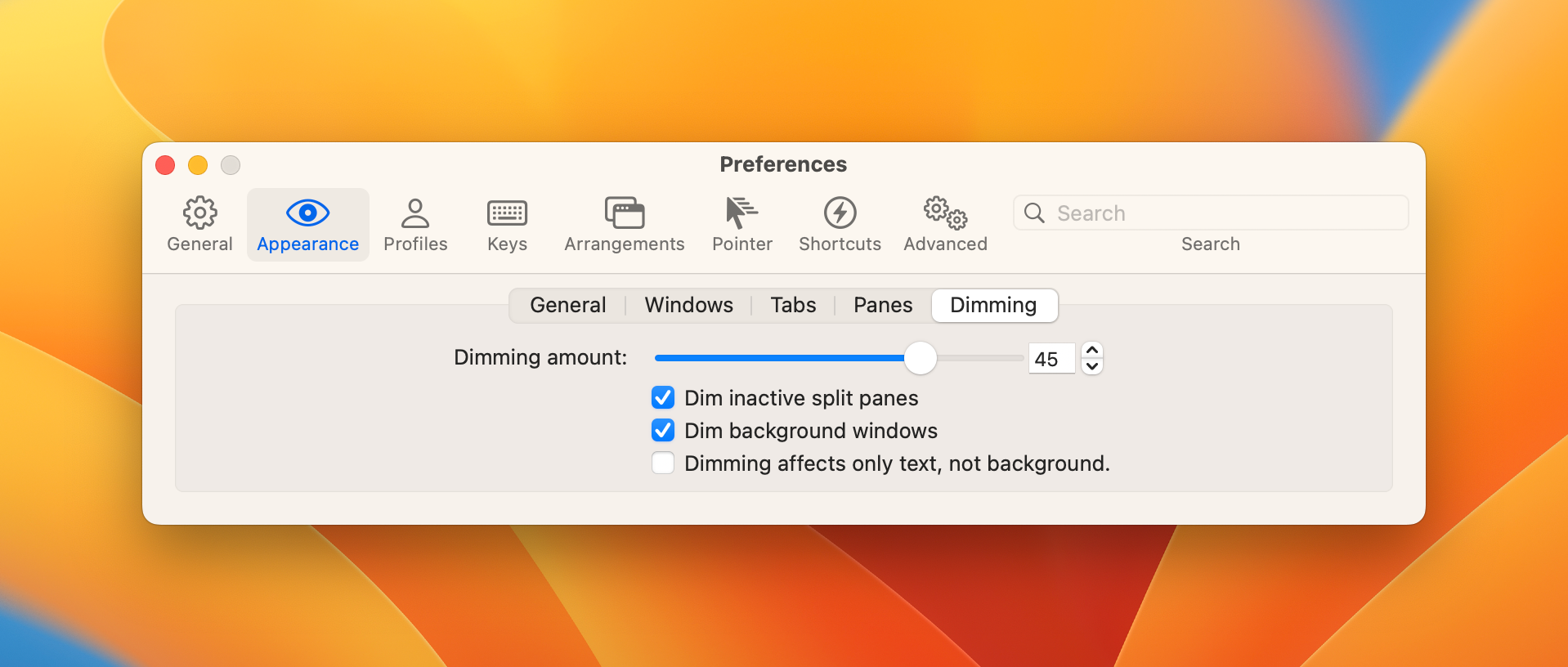
Enable Dimming
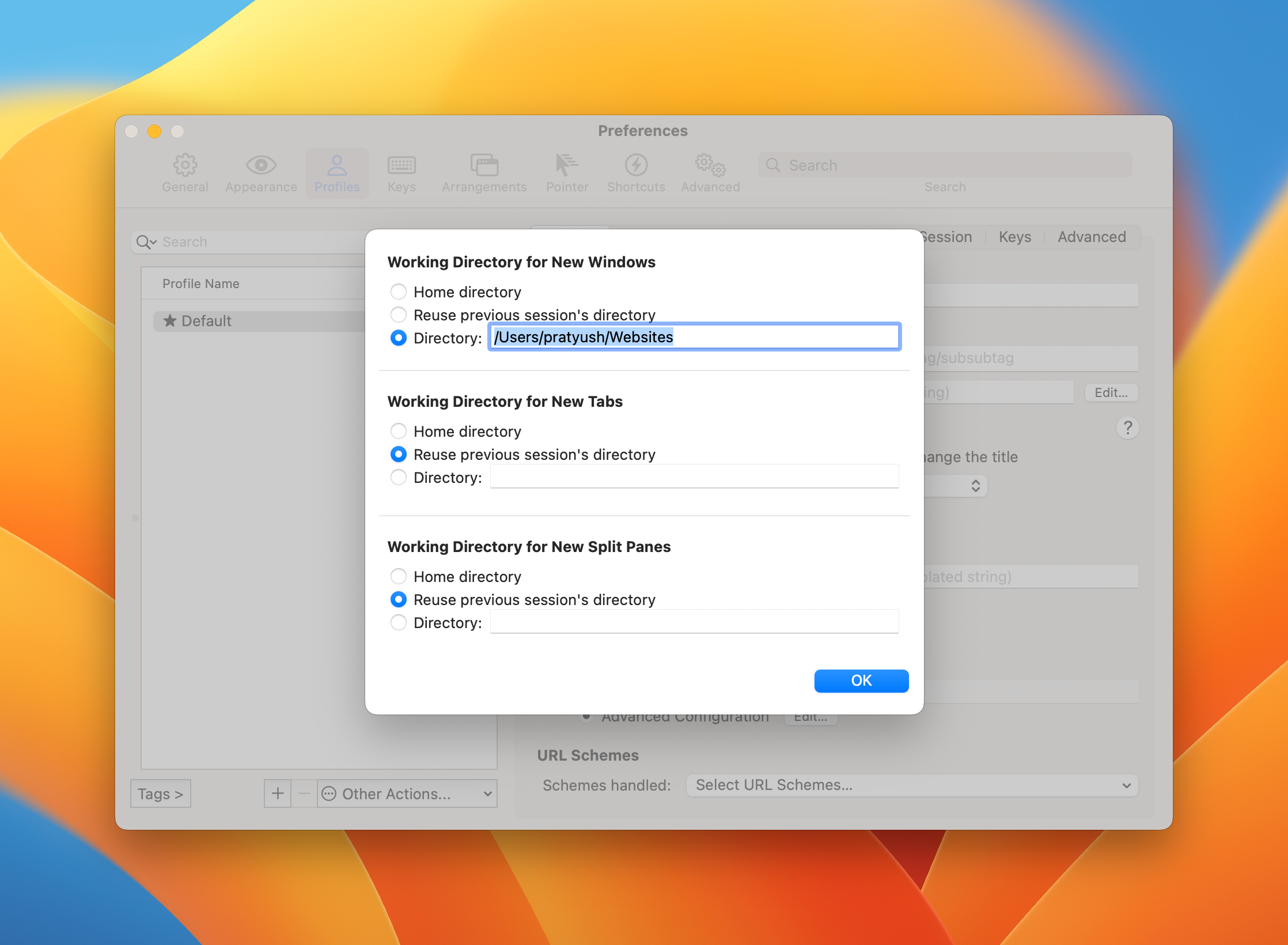
Default working directory
profiles > general > working directory > advanced config
Comments
Nothing yet. Say the first thing.
Sign in to join the conversation.