
openclaw is basically the hot talk of the tech industry right now — used alongside some of the strongest reasoning models, it is quite agentic and can help you do stuff
one of the first repetitive tasks that i wanted to outsource to my agent was uploading youtube footage
most people who read this newsletter might not train jiujitsu with me, but i take footage from two angles every time i train so people can watch themselves later
it’s compressed and uploaded to youtube, added to the right playlist and then published as unlisted or public (if it’s me teaching)
you can imagine all this shit is really annoying — gotta batch add things to playlist 1 or playlist 2, teaching videos are public but i don’t want everyone watching our training room so rolling footage is unlisted, gotta compress certain videos because they’re super big, and remove audio on some so i don’t trigger copyright issues
basically a bunch of buttons and dials and settings i have to hit every time i have to upload videos
it got bad — at one point i had like 30 videos backed up because i was lazy to kick things off
the kicker is that youtube doesn’t let you batch publish to unlisted or public
you literally have to go through three fucking modals to hit publish
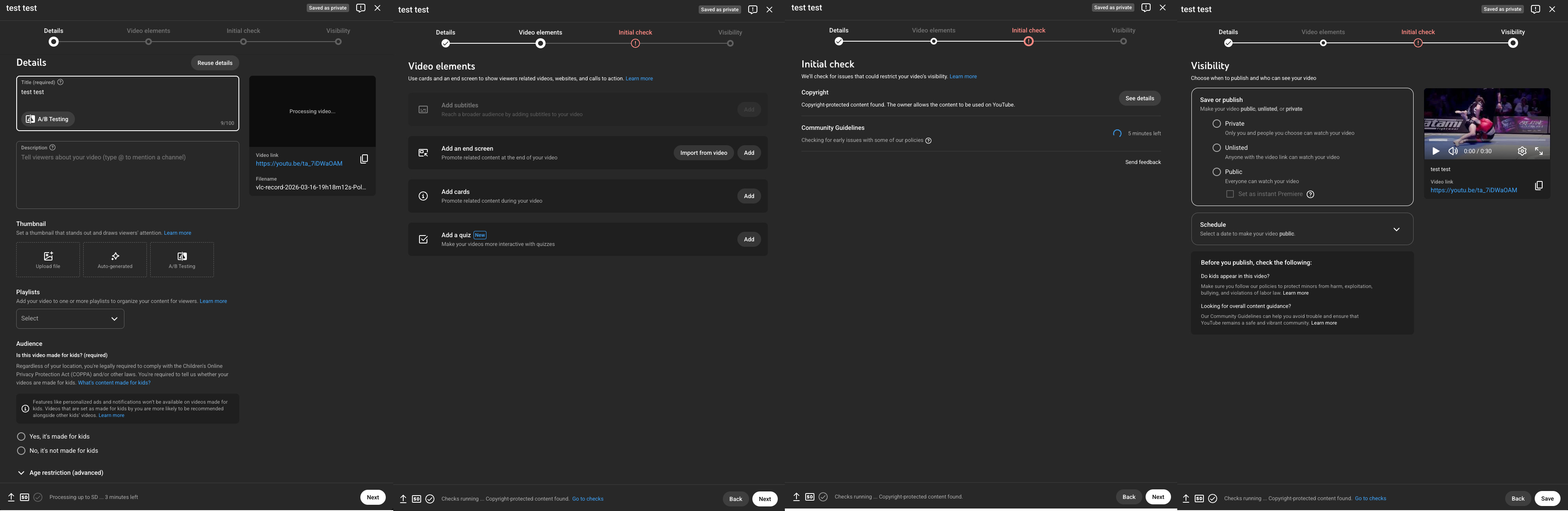
i was like “i’m not fucking sitting around clicking 100+ times” (i did it though 😭)
so, i built a youtube agent
it’s not replace my brain sort of thing — i see it more as a competent kitchen prep chef that doesn’t complain, learns very quickly, and doesn’t forget steps
what happens now
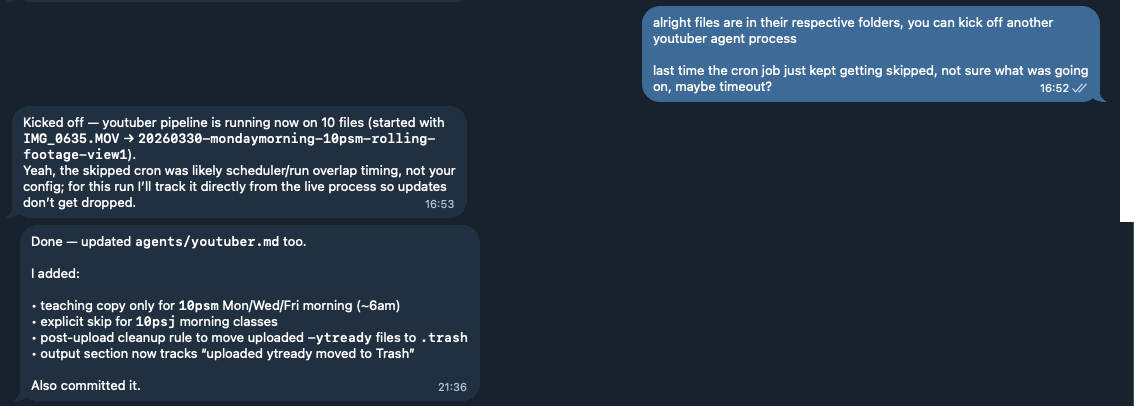
i now dump raw videos into a folder, tell it to go and it handles all the annoying parts:
reads metadata from the video and auto-renames dates and times with a consistent format
generates compressed versions for my archive, and audio-cut compressed versions for my unlisted playlists
routes uploads to the correct playlist (10psj or 10psm or teaching snippets)
handles teaching snippets separately from regular rolling footage, with audio and compressed, shared publicly on a separate playlist
and moves processed files out of the way and cleans original files up so i’m not re-processing the same junk
all the while i’m having lunch and doing other shit — training even
less digital housekeeping, more actual training/coaching/content/on-fucking-time delivery for my teammates lol
“i’ll do it later” quickly turned into the staples easy button
while “later” wasn’t the graveyard, some of my teammates were asking “hey has tuesday and wednesday footage been uploaded?”
and i was like “fooook, last tuesday and wednesday isn’t even up” 😬😬😬
this easy button makes publishing:
more consistent
frees up space to do more creative things (what to capture, what to teach, what story to tell)
i should get more creative
ai also does a better job with quality control
renaming was a pain in the ass because i would have to play the first 5 seconds to sort of figure out what day and time it was, what gym it was at, etc etc
with ai, it can just use the metadata given some rules — i could even turn location settings on the video and have it sort it out like that too
so, better quality control
naming is cleaner
videos are always added to the right playlists
less clicks to an upload
teammates and i can review footage faster because its up faster
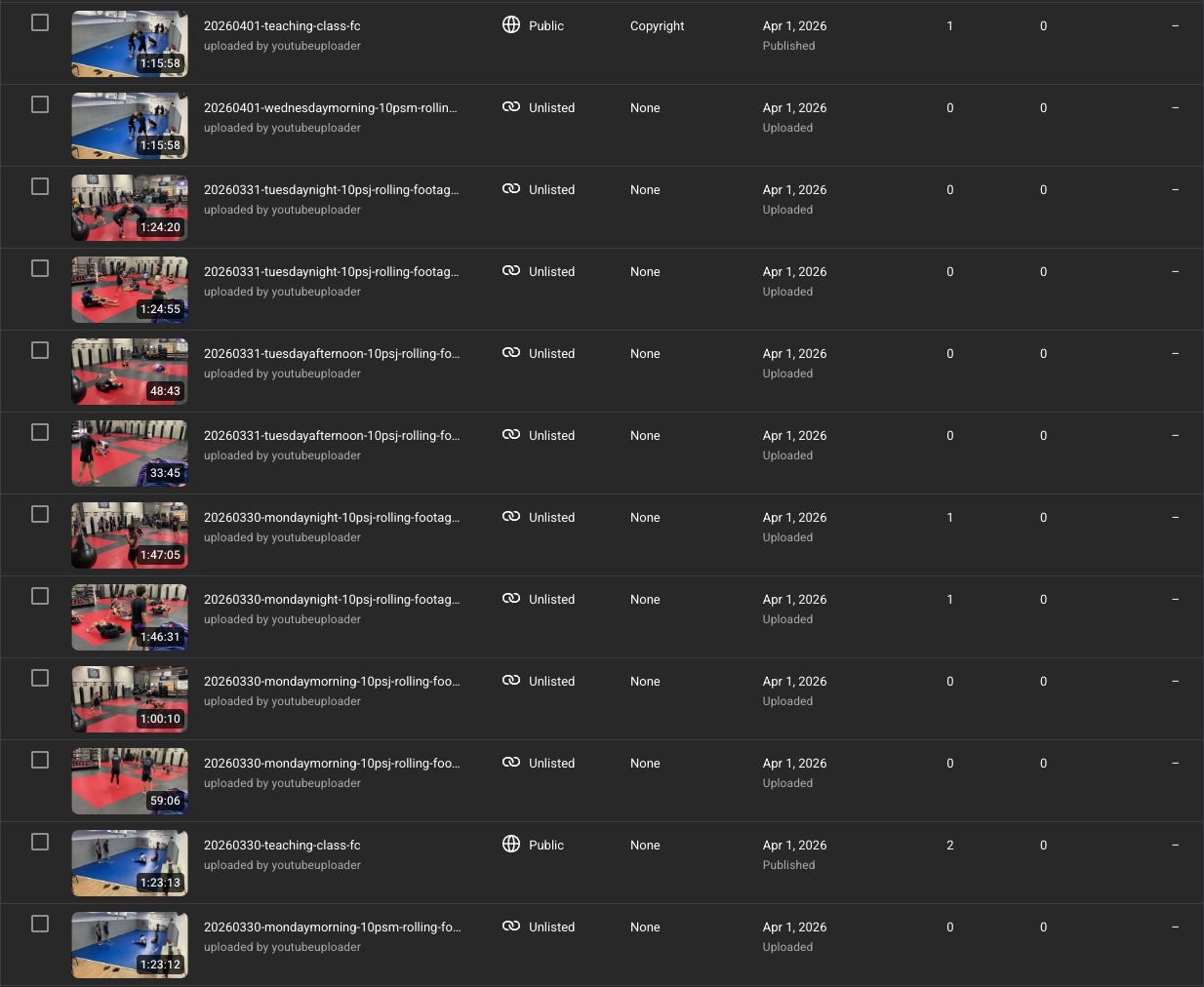
my learning here is to not rely on willpower when a simple system can carry half the load, openclaw makes things much easier
of course i could’ve figured out scripts to automate it, but putting together the pipeline is what ai is really good at (given the right prompts)
leave the harder part to humans: training, coaching, deciding what’s worth a video and a perspective
this post isn’t meant to be a recap of how to setup openclaw, but i am happy to sit down with anyone and help walk them through it to get the same workflow
install openclaw
connect a messaging service (channel) to it
connect some ai model to it — it has to be decently powerful enough
populate the claw’s soul, identity, and user files (about you)
connect the youtube data v3 api
talk to your agent (mine is called snappo 🦞) to detail out the exact process you want, literally just talk to it and tell it what you do and it will write out processes and scripts for you
have it do a test file of 2-3 videos so you know how things work
if you don’t understand what’s happening, ASK it (but also, i dug around on files too to verify that things were happening like i wanted them to)
it ends up creating instructions like this, but you don’t have to worry about it — if you wanna change it, just talk to it
profit
i have a headless mac mini that i used for openclaw, i talk to it through my macbook pro
my personal laptop is literally airgapped from the agent
i gave snappo as minimal access as (he? it?) needed to do its job
do understand that even if you have good habits with secrets management (api keys and such), the fact that you are using a model run by anthropic or open ai or any other model provider means you’re sending that secret info to them
if that info is in any way leaked, your youtube account can be at risk
without some sort of trusted execution environment, the best i can recommend is just rotating the keys every once in a while, or using an account you don’t care about
again, as minimal access as necessary
No posts
Comments
Nothing yet. Say the first thing.
Sign in to join the conversation.