
You have found the Solution in article #82 “How to Set Up Simple Smarthome Lighting for Convenience and Security” useful, but you have some lights controlled by wall switches that you would like to automate.
There are many solutions you could add, such as smart bathroom, porch, and bedroom lighting, along with an Amazon Echo device and Wi-Fi. Amazon has recently made creating Smarthome Alexa Routines much easier by using AI in Alexa+.
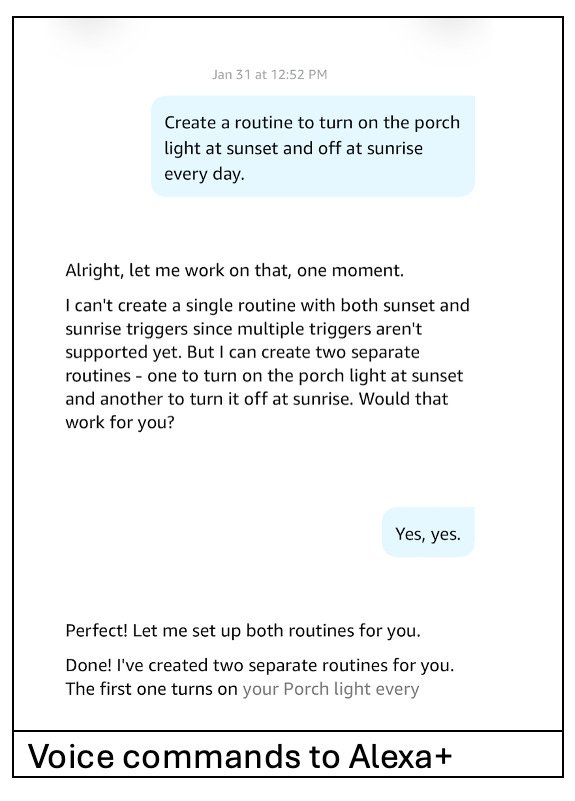
In the past, Alexa has been able to create simple Alexa Routines by a voice command such as “Turn on the porch light at sunset every day”. Today, with Alexa+, a voice command that requires several Alexa Routines can be generated, e.g., “Turn on the porch light at sunset and off at sunrise every day”. This feature is described by Amazon as “Describe & Deploy.” Prior to Alexa+. While many people struggled to add this to a single Alexa Routine, Alexa+ knows this requires two Alexa Routines and creates them for you.
Although the $19.99/mo. Alexa+ subscription seems expensive, Alexa+ is included in Amazon Prime membership as well as with the purchase of new Amazon Echo devices, such as the Echo Dot Max and Echo Show 8 generation 4. These new devices also include built-in smart hubs (Zigbee & Thread border routers) and Omnisense Technology for improved presence detection, which may replace other sensors.
· Alexa+ (Free with Amazon Prime or the above-suggested devices)
· Add the Alexa app to your smartphone Apple or Android
· Create an Alexa account for mom
o If you already use Alexa, you can log out and create an account for mom using the Alexa app
§ More (3 bars)-> Settings (gear) -> Sign out
· Add an Echo Dot or an Echo Show following Amazon’s instructions
· Add an Amazon Basics Smart Bulb using these instructions
If you are lucky, the light will blink twice, and this will pop up… follow the instructions.
If you don’t get this, power cycle the bulb 5 times
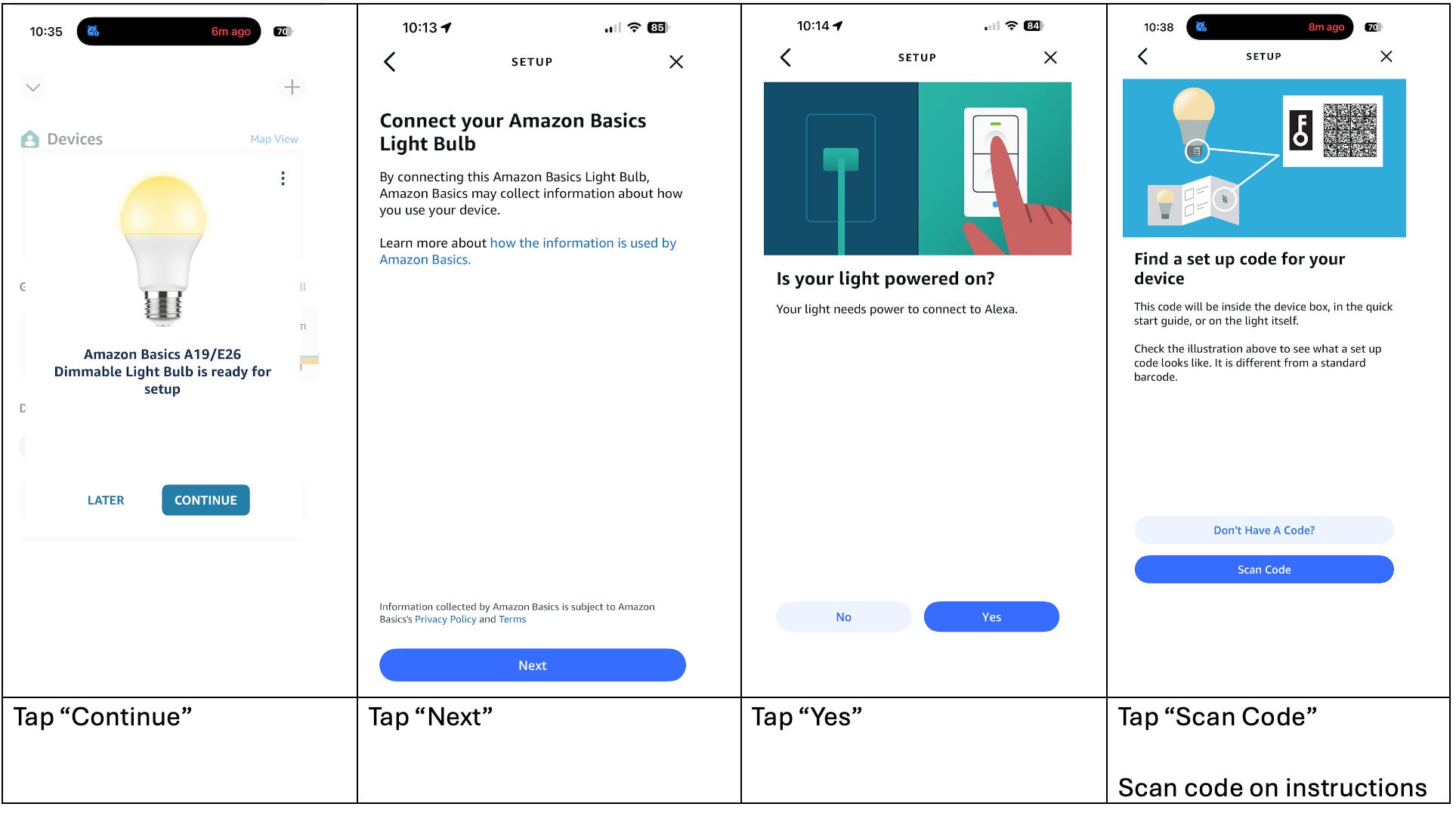
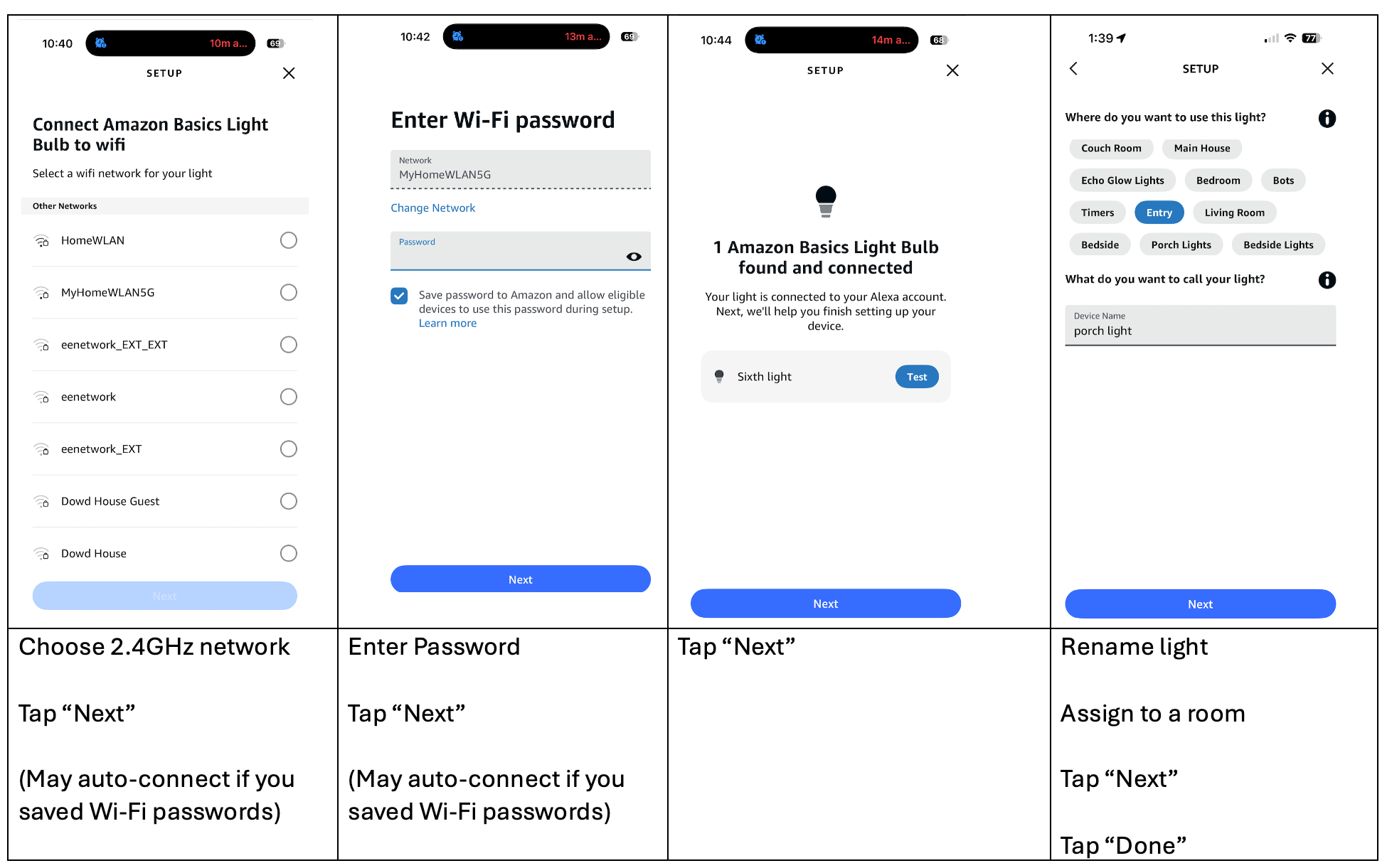
If this fails, tap the “+” to add a device, then follow the on-screen instructions.
These two Alexa routines were created just by speaking the commands to an Echo Dot or Echo Show.
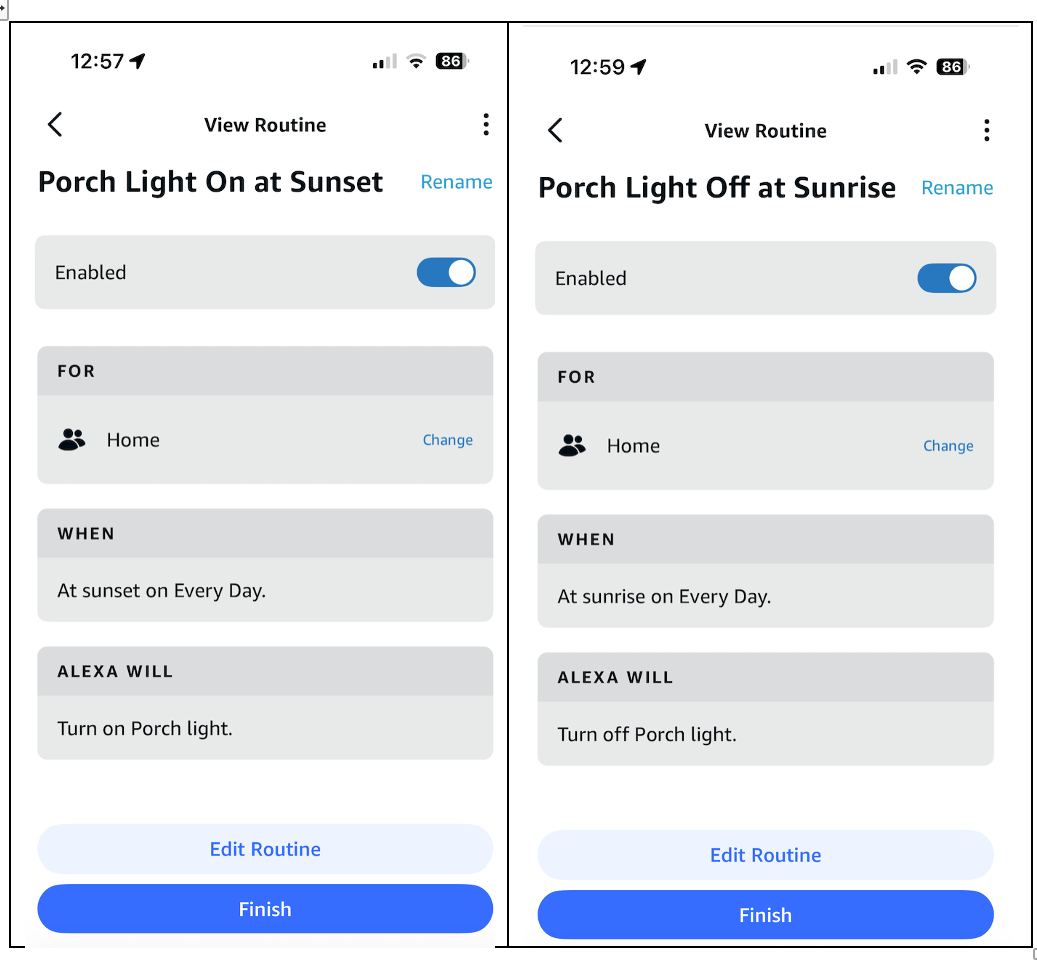

Note: If you don’t use Alexa+, you can download these sample Alexa Routines and modify them to point at your light
Click here for a sample to turn the light on at sunset
Click here for a sample to turn the light off at sunset
If you want to try more complex Alexa Routines
Additional items required
· Aqara FP300 Bathroom presence sensor
The FP300 comes pre-set to work on Thread, which requires an Amazon Echo device operating as a Thread Border Router, such as the Echo devices listed above. The following instructions assume you have that device.
Using the Alexa app:
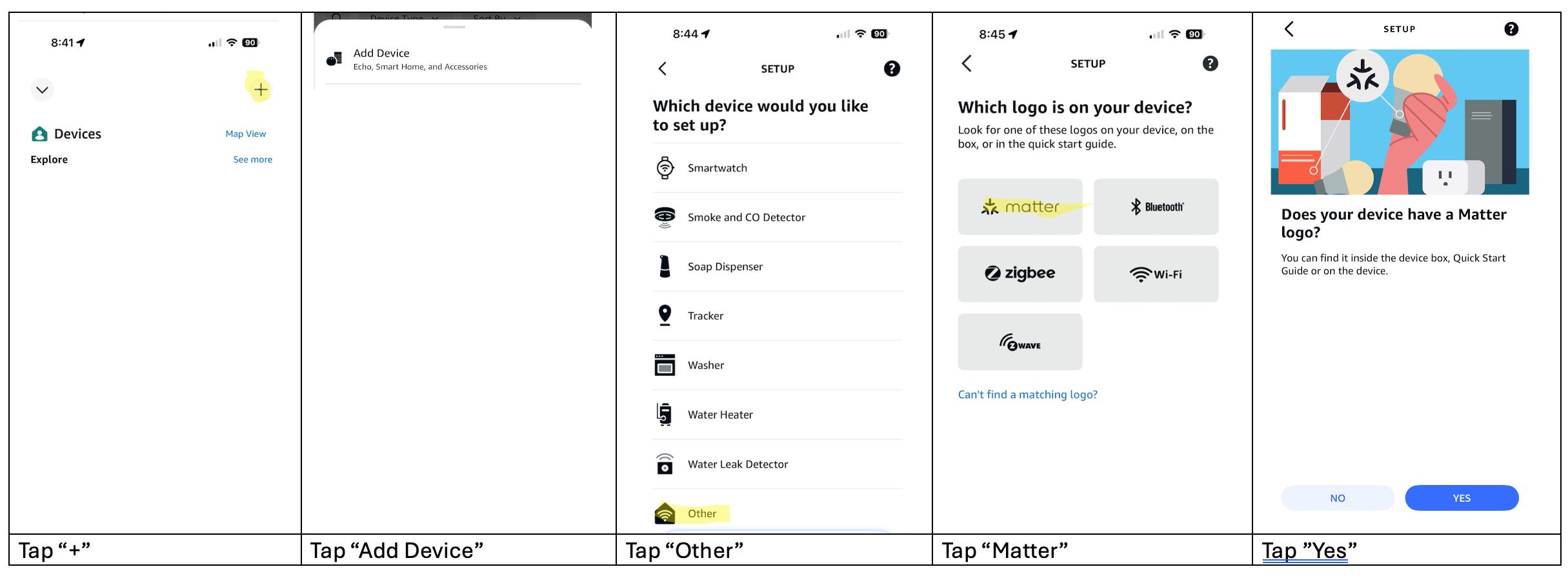
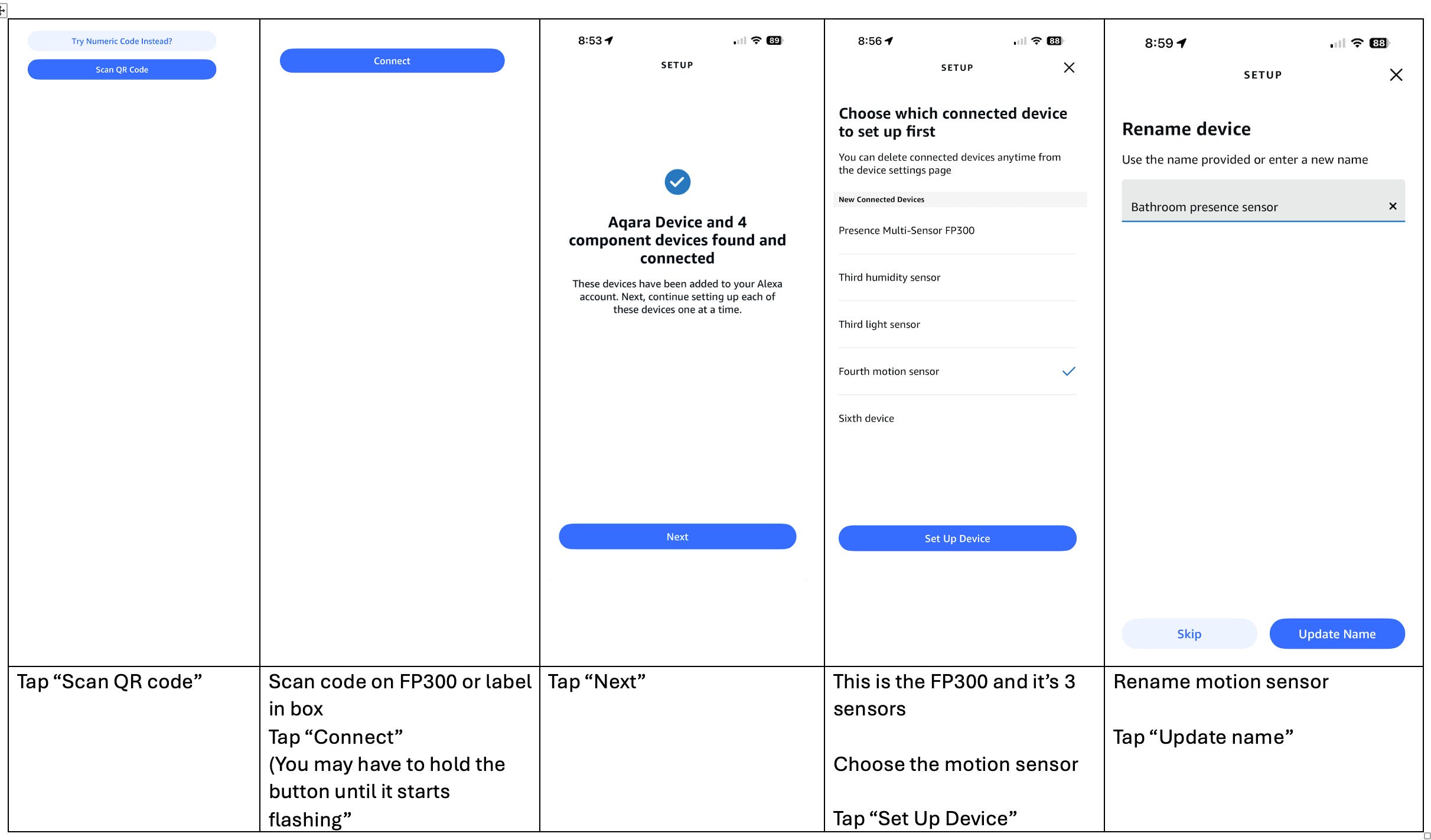
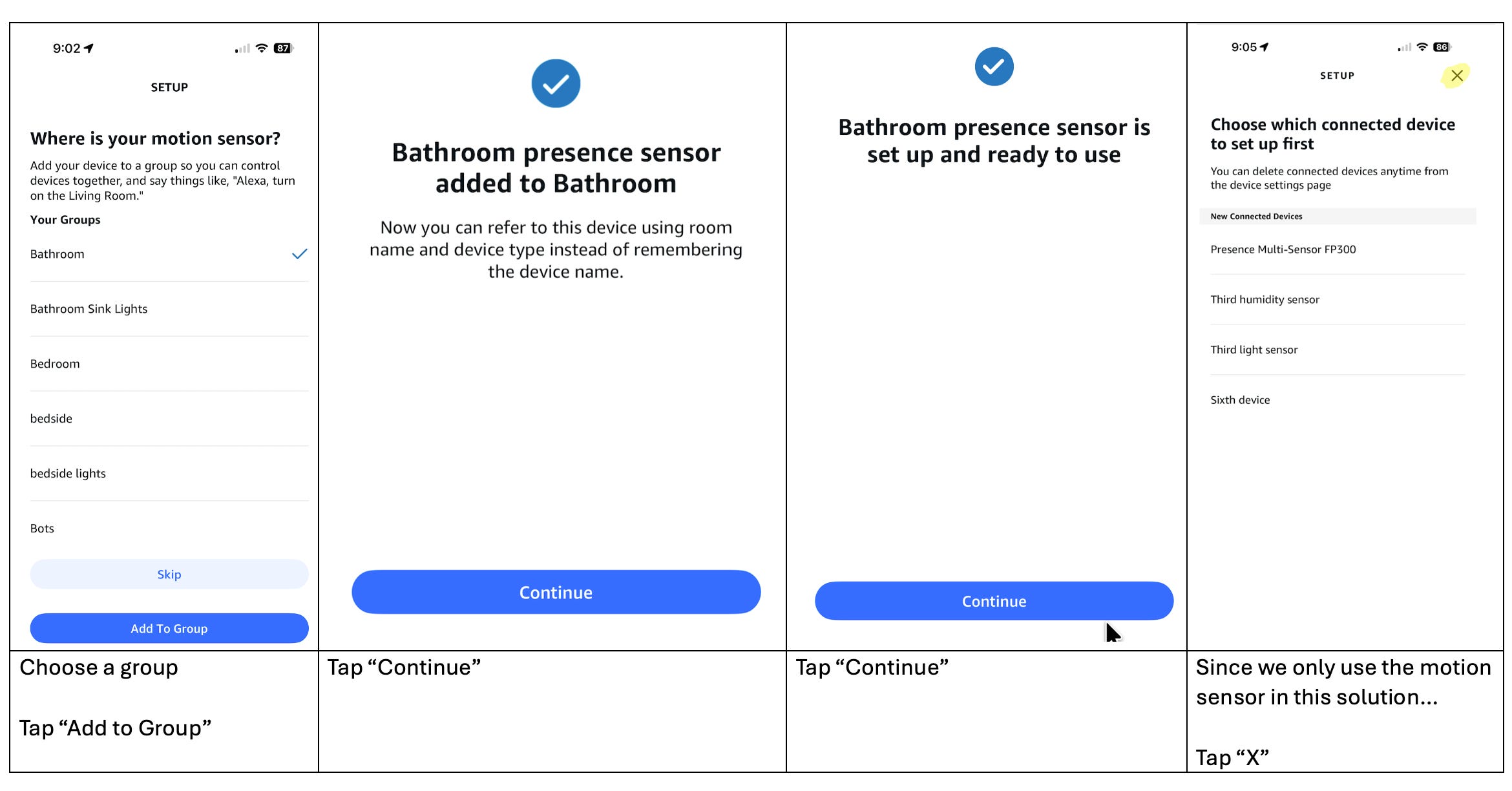
Now that we have the lights and motion sensor setup, we can use Alexa+ to create the Alexa Routines… one for motion detected and one for no motion
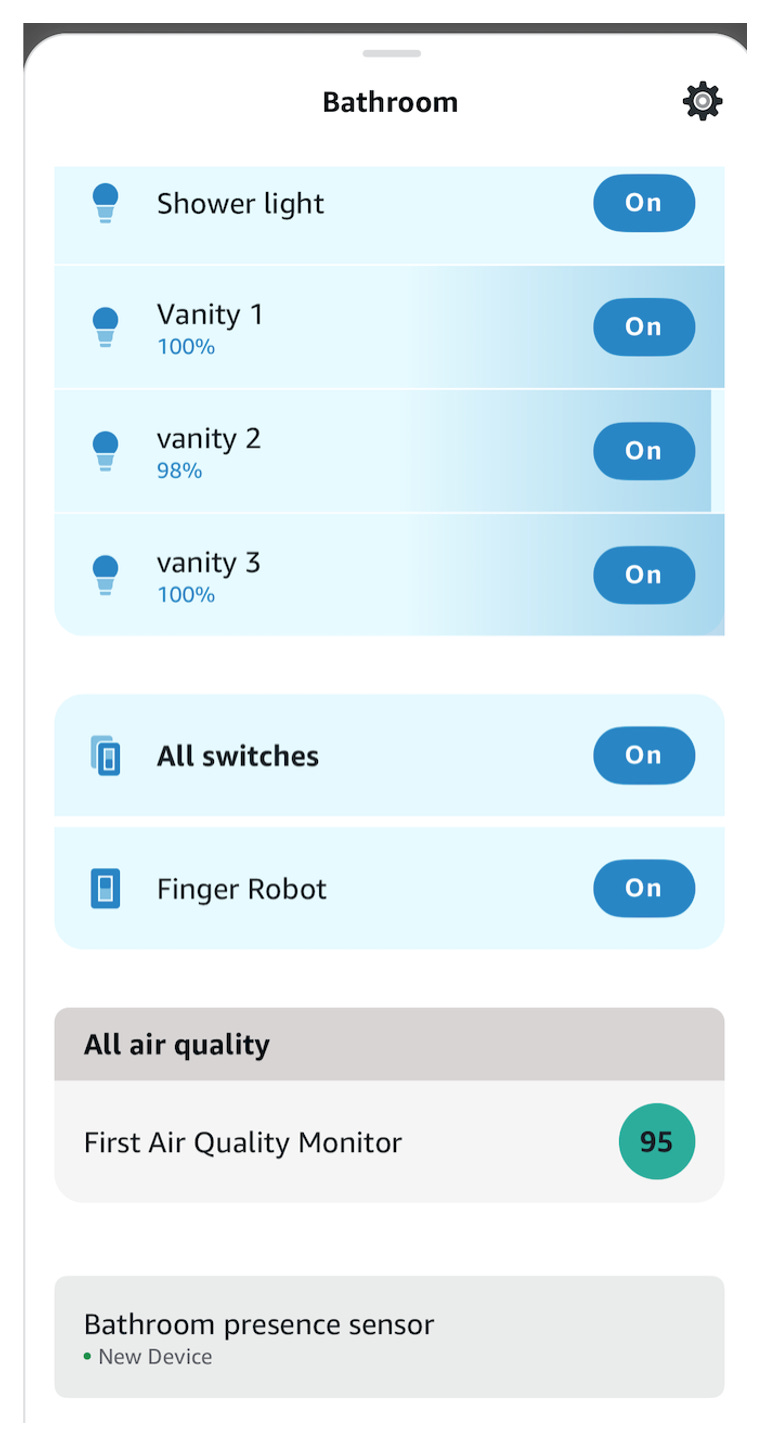
Alexa Routines can’t contain “time-of-day” logic, BUT they can be set to only trigger during certain time periods. Therefore, we need to ask Alexa+ to create TWO lights on Routines, one from 9PM to 5AM and one for 5AM to 9PM
Here is what you can say to Alexa +
“Create an Alexa Routine that is triggered by the bathroom presence sensor between 5AM and 9PM to turn on Vanity lights 1-3 at 100%”
“Create an Alexa Routine that is triggered by the bathroom presence sensor between 9PMand 5AM to turn on Vanity lights 1-3 at 25%”
“Create an Alexa Routine that is triggered by the bathroom presence sensor no motion, to turn off Vanity lights 1-3”
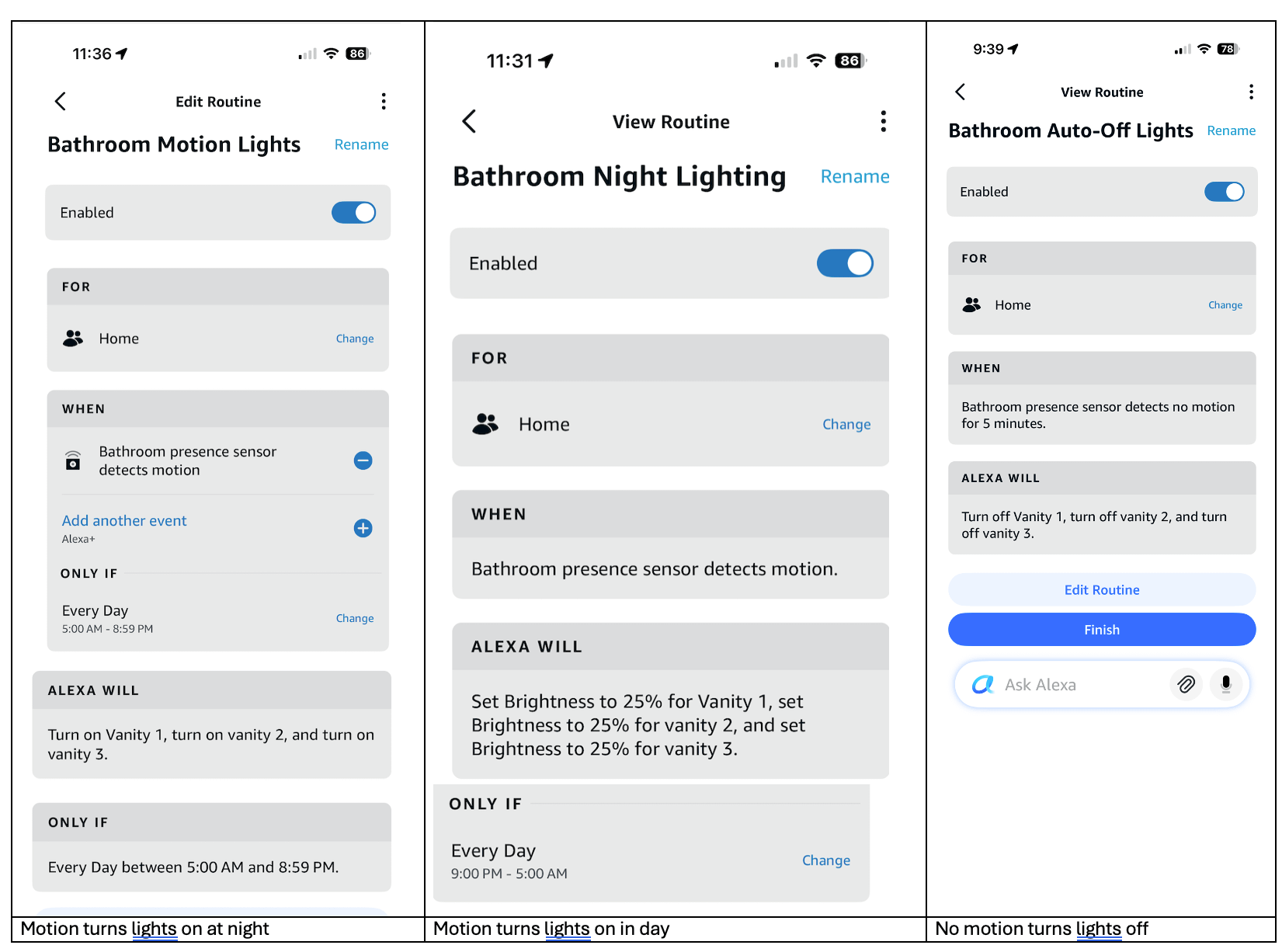
If you don’t want to use voice creation of Alexa Routines, here are sample Alexa Routines that you can modify to point at your devices
Click here for nighttime routine
Click here for daytime routine
Click here for no motion routine
No posts
Comments
Nothing yet. Say the first thing.
Sign in to join the conversation.