

In Framer, you can easily create a small code override that will refresh the page after a specific value – 10 seconds for example.
In order to link this value to a CMS field, we’re gonna need to:
Create the CMS field
Insert the value on the canvas
Retrieve this value via code
Store this value in a global variable (also named the Store1)
Set a timer with this value
Let’s dive in, step by step. And remember to leave a comment if you’re facing any issue with it.
This part should be easy. Just make sure you create a new CMS collection and create a field with the type Number.

Create a CMS entry with the desired number value, then insert the whole collection on the canvas.

Trim all unnecessary layers to leave only the field we’re interested in (the number).

Head to the assets tab and create a new code override named withStore.
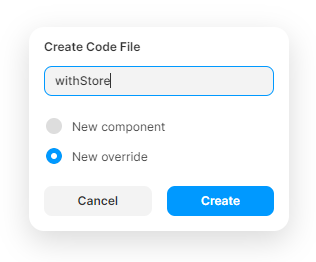
Remove the default piece of code inserted by Framer, and insert the following code instead:
Comments
Nothing yet. Say the first thing.
Sign in to join the conversation.