
by Fotis Papadogeorgopoulos
A “change password” form often has a field for the user’s old/current password, as well as a field for them to select a new one, and perhaps one to confirm it.
Autocomplete, such as that of passwords by the browser or password managers, often gets tripped up in these cases, prompting to autocomplete the old password for all fields, or not displaying a prompt to generate a password correctly.
We can give the browser a hint to fix this! The autocomplete value of current-password and new-password on the input element allows for that. Read more about autocomplete new-password on MDN.
<form>
  <h1>Change your password</h1>

  <label for="current-password">Current password</label>
  <input
    type="password"
    autocomplete="current-password"
    id="current-password"
    name="current-password"
  />

  <label for="new-password">Choose new password</label>
  <input
    type="password"
    autocomplete="new-password"
    id="new-password"
    name="new-password"
  />

  <label for="new-password-confirm">Confirm new password</label>
  <input
    type="password"
    autocomplete="new-password"
    id="new-password-confirm"
    name="new-password-confirm"
  />
</form>
/* Mild styling for demo purposes */
body {
font-family: sans-serif;
font-size: 1.25rem;
}
label,
input {
display: block;
font: inherit;
}
label {
margin-top: 1em;
font-weight: 700;
}
input {
margin-top: 0.5em;
border: 1px solid #111;
}
input:focus {
outline: 3px solid blue;
}Prompts
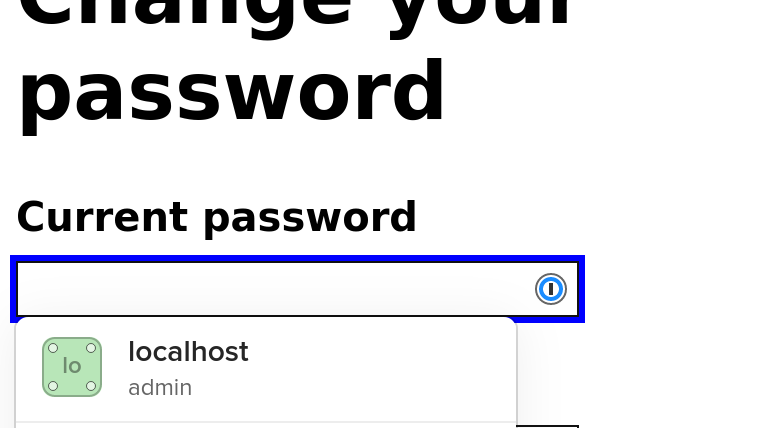
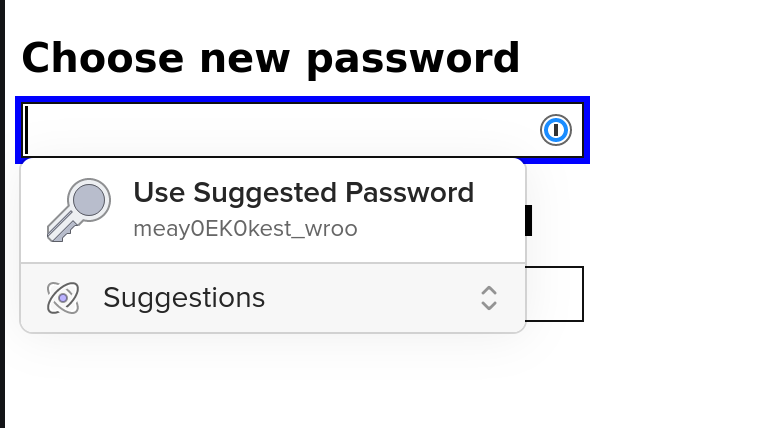
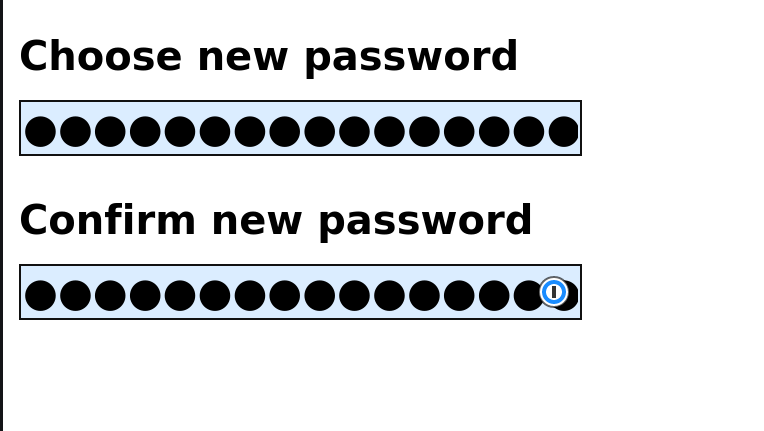
The images below show the different steps in the process, based on the previous demo:
- A prompt to fill in the current password
- A prompt to generate a new password
- The new password and its confirmation field being filled in


Comments
Nothing yet. Say the first thing.
Sign in to join the conversation.