
My dear substackers,
Ask and you shall receive! I have turned my personal obsidian library catalog into a template for you to use in your own Obsidian vault. I have included a few random books within the template pre-built as examples so you can see how the books populate in the library base. (P.S. - I’ve also included my complete Obsidian vault structure for you to download and use as a skeleton, including the library base.)

This Library base is designed to help you organize your personal library, track your reading progress, and manage your book notes.
The library catalog is called a base in Obsidian, which is basically a spreadsheet/database
This specific database is a list of all the books in your library. It is like your digital bookshelf.
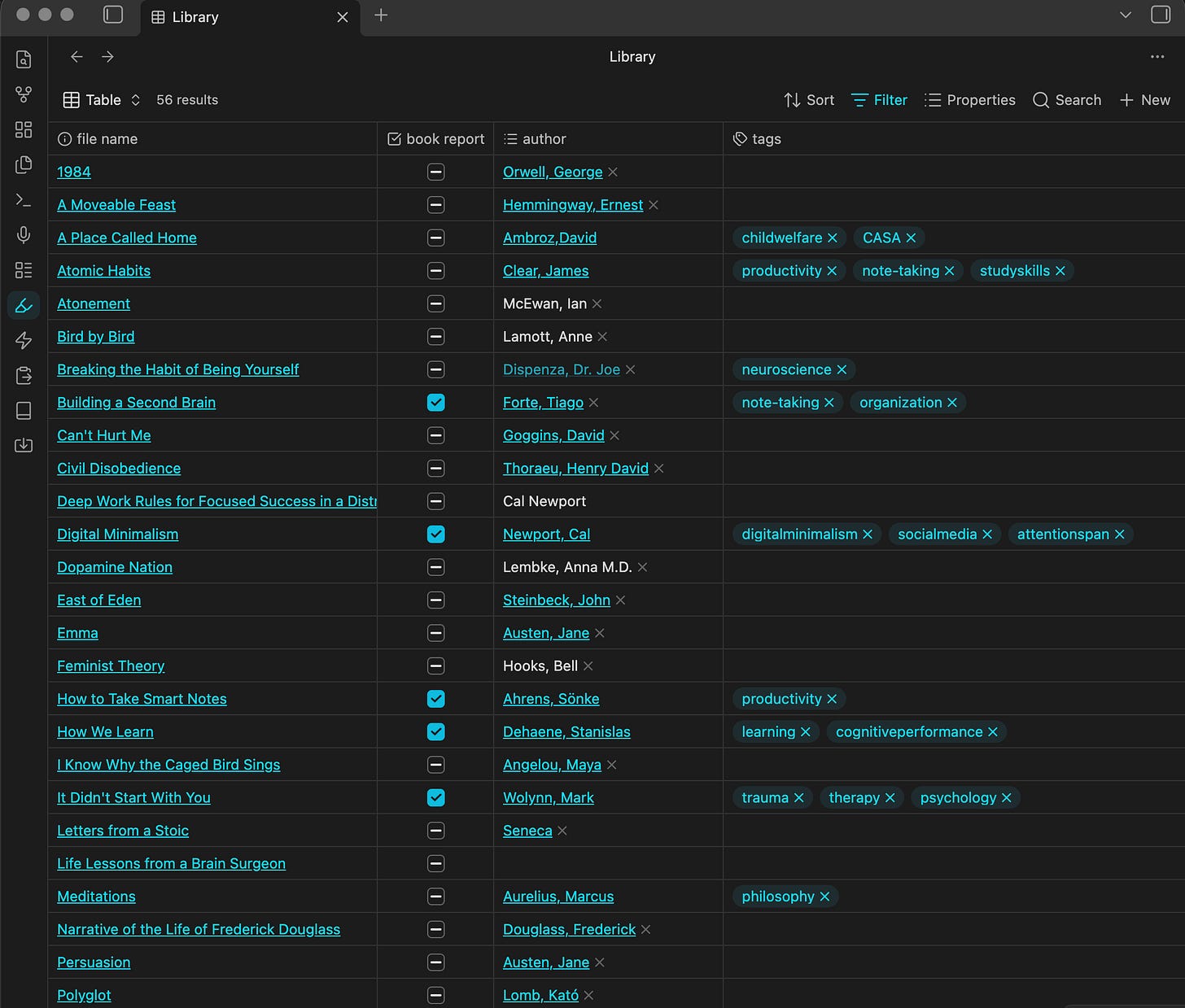
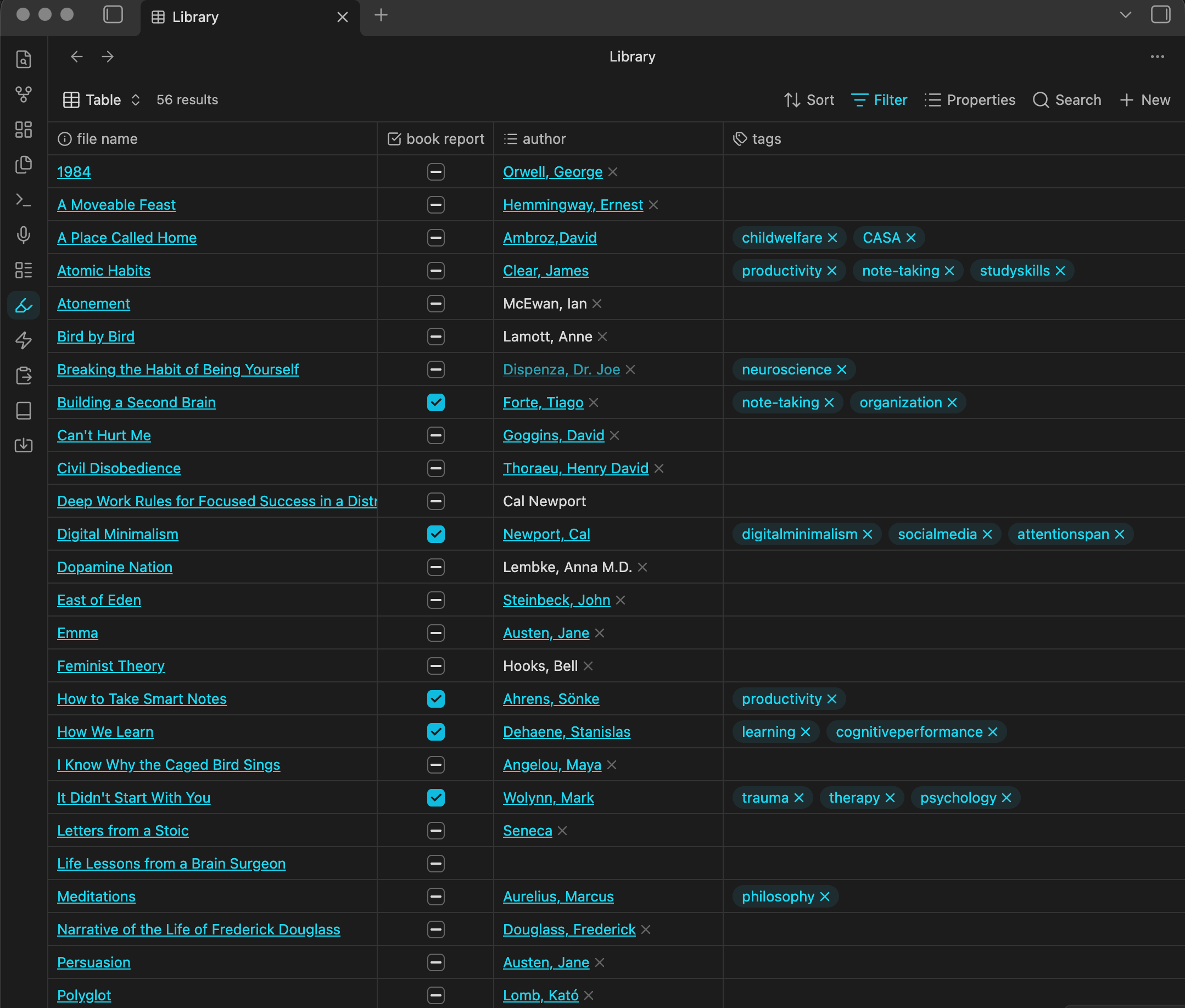
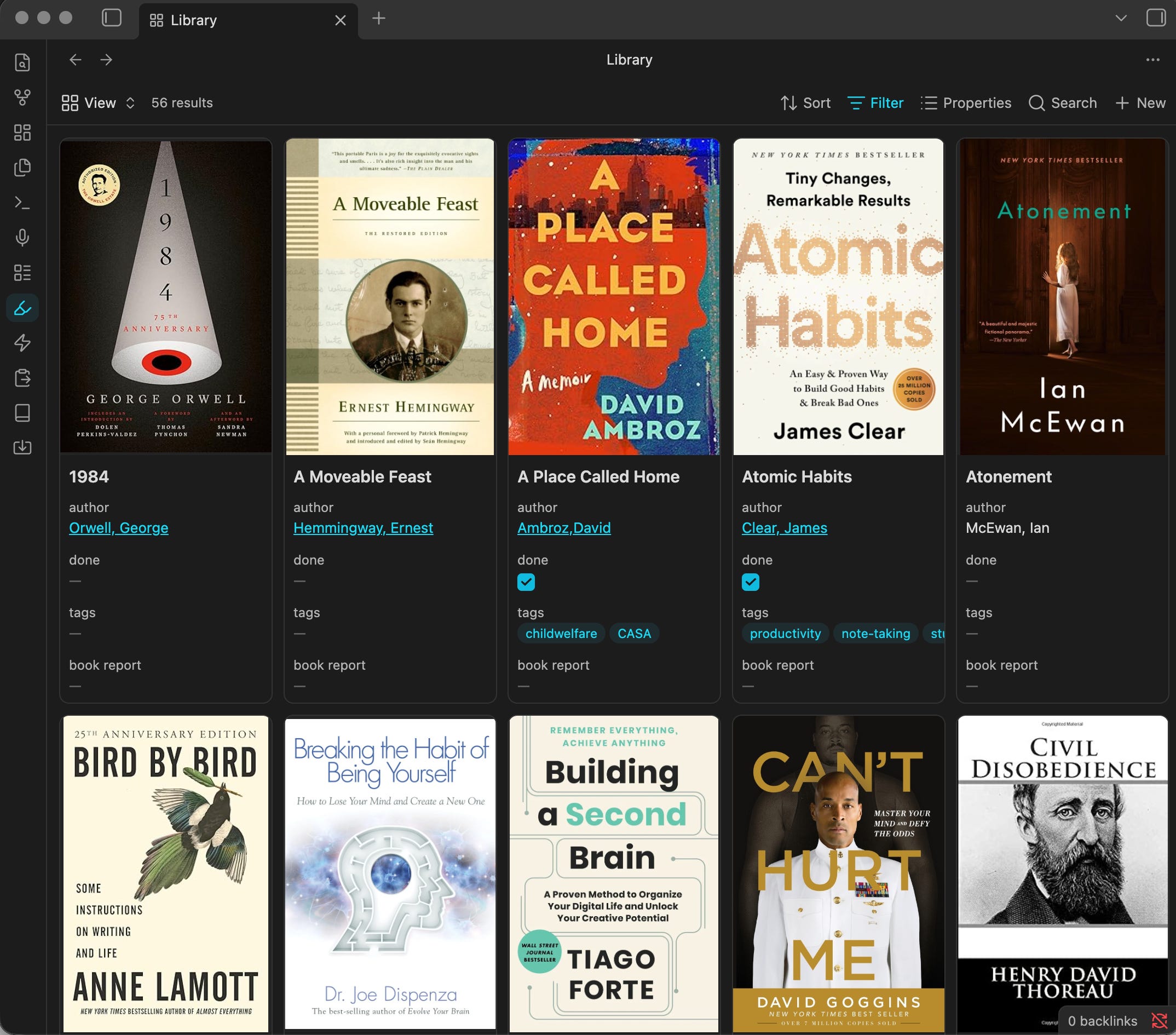
The database includes the book title, subtitle, author, genre, when you finished reading the book, whether or not you’ve taken and entered book notes (book report), rating, cover image, and tags
The database can be viewed in three different ways
1. Table view: the standard “spreadsheet” with rows and columns
2. Card view: tiles that show the cover image and any desired properties

3. List view: a simplified list (removes the row and column lines)

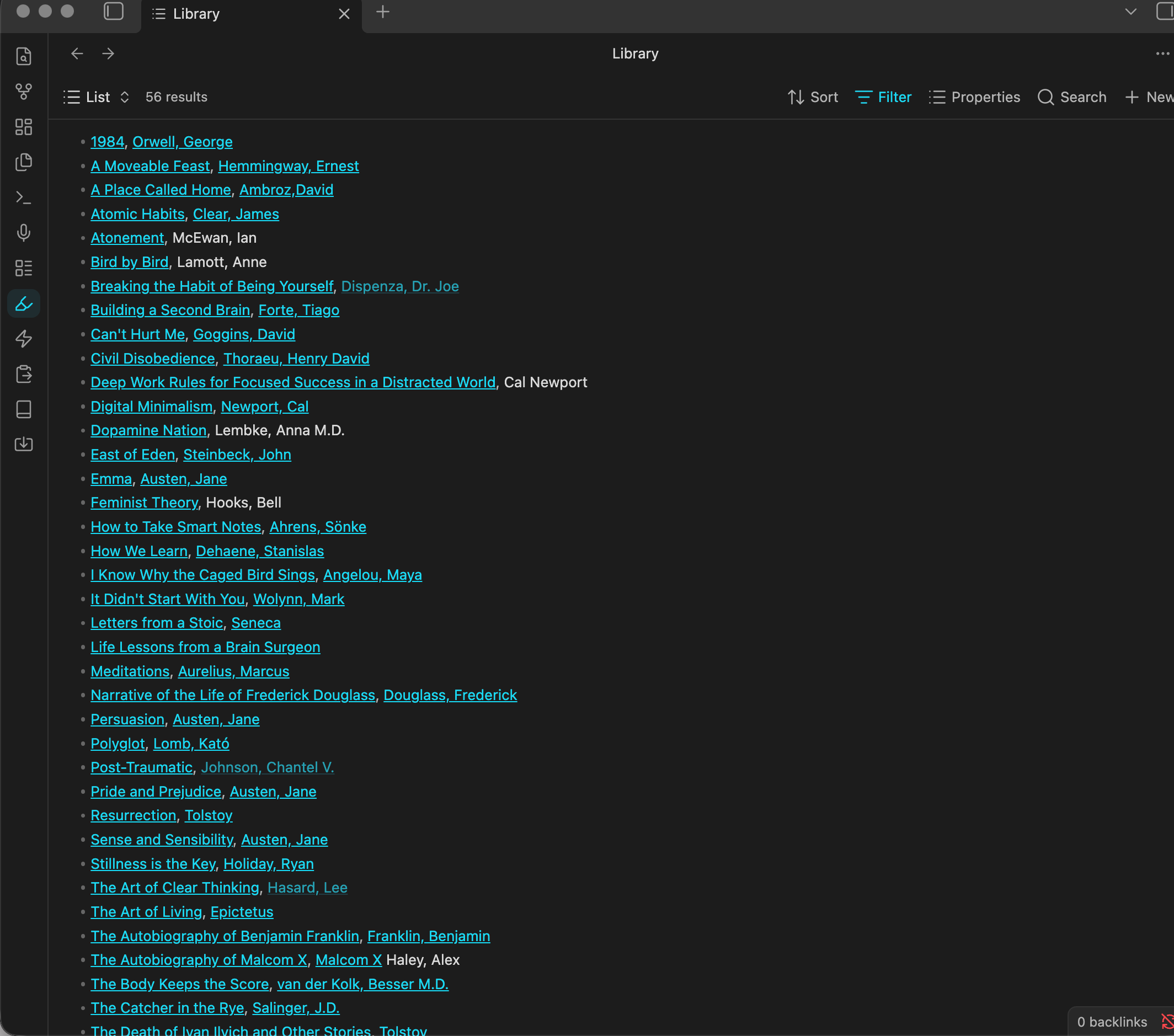
In order for your base to function properly, it needs to identify what information to populate within your vault
I keep all of my books in their own folder within the vault under “Source Material”
The base is set to populate all notes that live within this folder. If you have your own folder/location/file naming/tagging that you wish to use instead, edit the “Filter” to point directly to your desired location within your vault
To make it as simple as possible, I have made my entire Obsidian Vault structure available as a template for you to use. This includes the Library catalog structure outlined above. The vault contains my personal Obsidian structure completely built out to use as a skeleton! I have also included a couple of books pre-entered so you can see an example of what the book templates look like in practice.
If you want to better understand the entire vault structure - see the dedicated article:
Click the button below to access the zip file.
Download the entire .zip file to your computer
Find the downloaded zip file in your files.
Right-click the file and select Extract All or Unzip.
Choose a permanent folder location on your computer.
Launch the Obsidian app on your desktop
Locate the file on your Finder or File Explorer and drag and drop it into the left hand sidebar of your vault
Thank you for reading The Organization Edit File! I am truly having the time of my life writing these.
As promised, the first published entry in each of The Files are available for Free. That is a total of 4 published articles so that you can get a solid idea of what is to come, and if you will find it valuable to add to your life before you subscribe as a paid reader.
Reminder: all “Front Pager” articles (the newspaper-aesthetic articles) will always be free. These will give you tasty previews of anecdotes within the files, and a lot of exciting creative surprises to come.
Let me know if you have any questions - thank you for being here.
Much love,
Flossy Fay.
No posts
Comments
Nothing yet. Say the first thing.
Sign in to join the conversation.