
There are now roughly 3 million OpenClaw users worldwide, many of them running Node.js on local machines. This has started a wider discussion about the best way to run smaller, more specialised models on cheaper hardware, including SBCs, so AI agents can run locally.
At home, I use a Mac mini, a laptop, and boards like Arduino, Radxa and Raspberry Pi to run small to medium-sized models. In this post, I will share a few things you need to consider if you want to run AI agents locally.
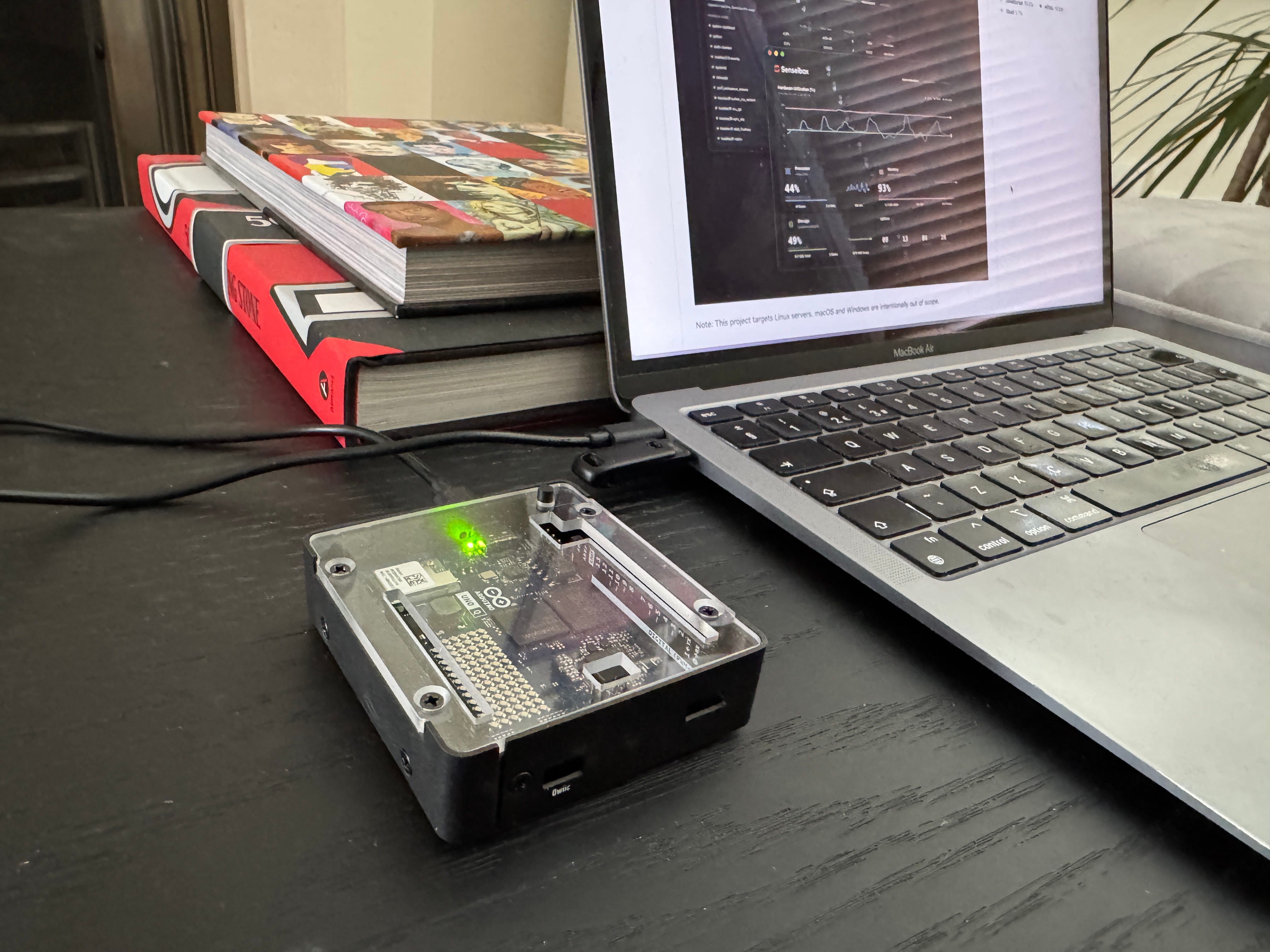
I’m going to look at this from two angles. The first is the hardware side, chips, memory, and bandwidth. The second is how you plan to use the models, either by running them locally or calling them through APIs like OpenAI, Anthropic, or Google.
This is where people often get confused. They give advice based on the app you want to run, not the model behind it. That is why you hear things like, “you don’t need a Mac mini to run OpenClaw”. That is true, but it also adds to the confusion.
You can run OpenClaw on a Raspberry Pi. But if you then try to run a local model on the same board, even a small one, the system can crash because the machine does not have enough memory or bandwidth.
Based on that, I put together a list of machines that could run small and larger LLMs:
Arduino VENTUNO Q (Coming soon)
The one that caught my attention the most was the AIBOX. It has a Rockchip RK3576, which is a proper edge AI processor, and ships with DeepSeek running completely offline on the 6 TOPS NPU. My guess is they used Rockchip’s native RKLLM toolkit to install a quantised DeepSeek model small enough to fit into the device’s 8GB of RAM. I checked their site, and they added DeepSeek’s smallest model, R1-Distill-Qwen, which has 1.5B parameters.
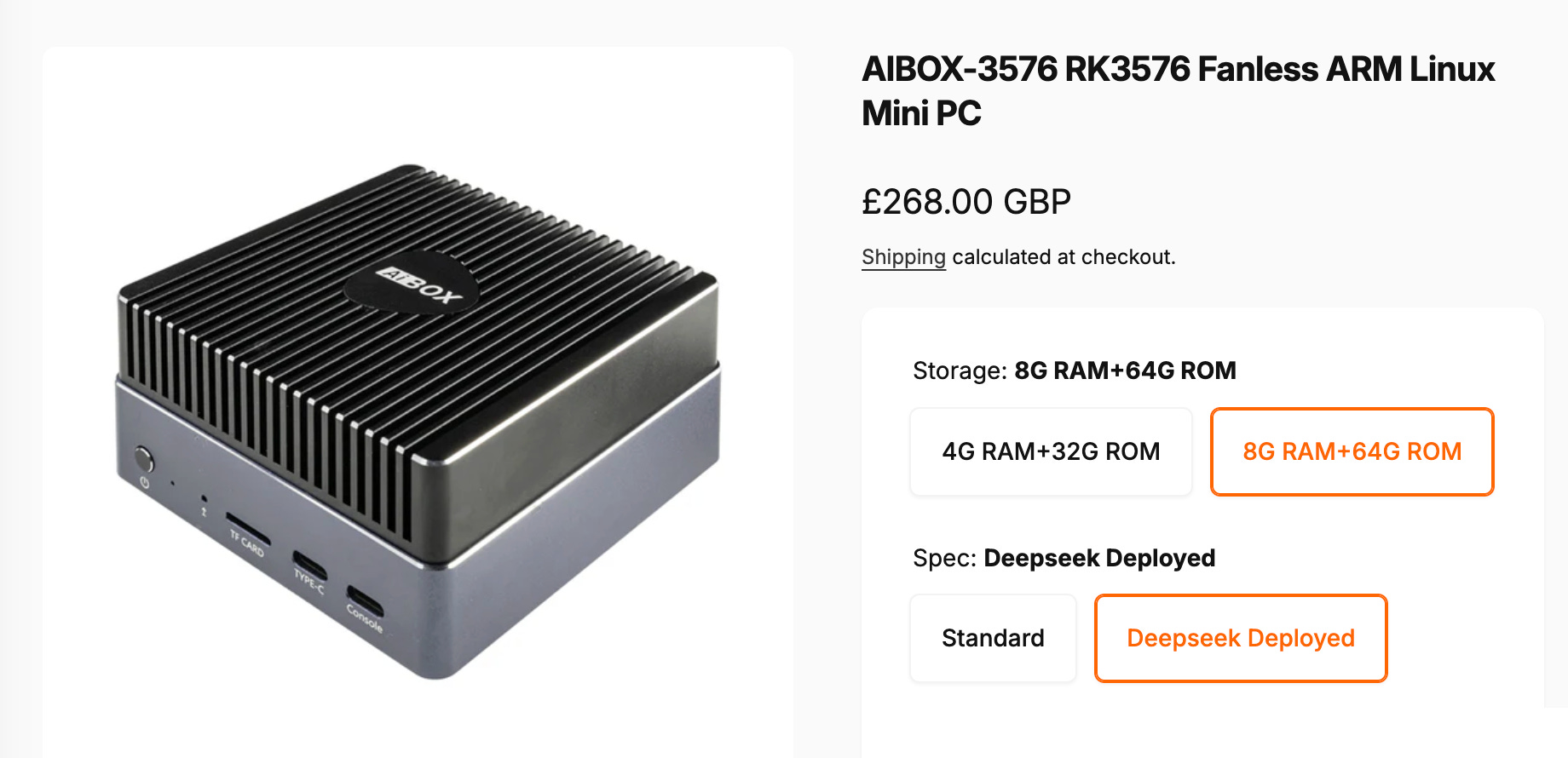
The reason I mentioned TOPS is to show how confusing this number can be. For example, the Google Coral Dev Board has 4 TOPS but it cannot run this model because it doesn’t have enough RAM. On top of that, its architecture can only run 8-bit quantised models, which means it doesn’t support the compression needed to run modern LLMs.
It turns out that running models locally comes down to two things, memory and bandwidth. If the model you want to use is larger than the available memory, it will not run or it will be too slow to use. Hardware vendors promote TOPS because it’s an easy number to sell, but it does not tell you whether a model will run or not.
A typical 7B model exceeds the capacity of most of the SBC boards (Raspberry, Coral, Arduino), because when you send a request to a model, the system needs access to all the data to generate a response. That data is stored as a large file on disk, and since reading from disk is too slow, that data has to be loaded into memory first. You also need extra space for the runtime metadata and cache. If you do not leave around 20% free, you will run into crashes or slowdowns.
So, for each request, the model itself stays in memory, and additional memory is used for the context and the cache.
Gulp!
For some people who can’t be bothered to buy an SBC, the most practical option is the Apple Mac mini M4 Pro with as much memory as they can afford. The main two reasons are: everything works out of the box and the CPU and GPU acts as a unified memory, which is needed to run large models with compression.
After buying and testing multiple boards and mini PCs as part of my side project, I can confirm the base-model Mac mini is a good budget computer for running local LLMs. It sits between cheaper boards, often called edge devices, and more expensive machines like the NVIDIA DGX Spark at around £4,000.
So far, I haven’t seen any post providing a list of LLMs you can run based on different computer architectures and RAM sizes, so here it is:
Raspberry Pi 5, Radxa Dragon Q6A, Jetson Orin Nano (12GB - 16GB RAM):
Gemma 2 2B
Llama 3.2 3B
Qwen2.5 3B
Gemma 3 4B
Mac mini M1, NVIDIA Jetson Orin NX, AIBOX 1684X (16GB RAM):
Gemma 2 2B
Llama 3.2 3B
Qwen2.5 3B
Gemma 3 4B
Qwen2.5 7B Q4 (slow)
Mistral 7B Q4 (slow)
Mac mini M4 (32GB - 64GB RAM):
Llama 3.2 3B
Qwen2.5 7B
Qwen2.5 Coder 7B
Mistral 7B
DeepSeek R1 Distill Qwen 7B
Llama 3.1 8B Q4
Gemma 2 9B Q4
For me, personally, the Mac mini M1/M2 with 32GB is the right size. It gives you enough room for Node.js apps like OpenClaw, vector search, and a small LLM without crashing your computer or reheating it.
Like everything in life, the right choice depends on your personal goals and budget. So, you need to think carefully about what you are going to use it for before buying.
For learning and small projects: Use small AI edge computers like the Radxa Dragon Q6A, Arduino Ventuno Q, Google Coral Dev, Raspberry Pi 5, or Jetson Orin Nano.
For local AI apps and agents: Use a Mac mini with 32GB - 64GB of memory.
For robotics and sensors: Use the NVIDIA Jetson AGX Orin. It has 64GB of memory and is built for industrial environments where you need to process sensor data in real-time.
For heavy prototyping: The NVIDIA DGX Spark is a powerful desktop supercomputer that can handle models up to 200B parameters.
For enterprise scale: Use cloud accelerators or data centre machines like the NVIDIA H100 or AMD Instinct MI300X. These provide the bandwidth needed for many users.
Most of these chips and boards are made in Asia and sold in the UK and US through intermediaries. You can find more powerful and cheaper boards in China, like AIBOX, but importing them directly is not that simple. There are regulations around electrical safety, radio equipment, and cybersecurity.
The best advice I can give to anyone wanting to buy an AI-capable computer is to stick to well-known brands, ignore the marketing hype around TOPS, and look at the memory first. Because if a machine has enough RAM, it’s probably going to run the models you need.
No posts
Comments
Nothing yet. Say the first thing.
Sign in to join the conversation.