
Claude Code is Anthropic’s powerful AI coding tool.
It acts as an agentic assistant that reads your codebase, writes code, runs commands, and ships features fast.
This guide shares claude code best practices and ready-to-use tips and tricks updated for April 2026. Even if you are no coder, you can follow simple prompts to get real work done. Learn what changed since last year and boost your ai coding with clear workflows, claude.md, and plan mode.
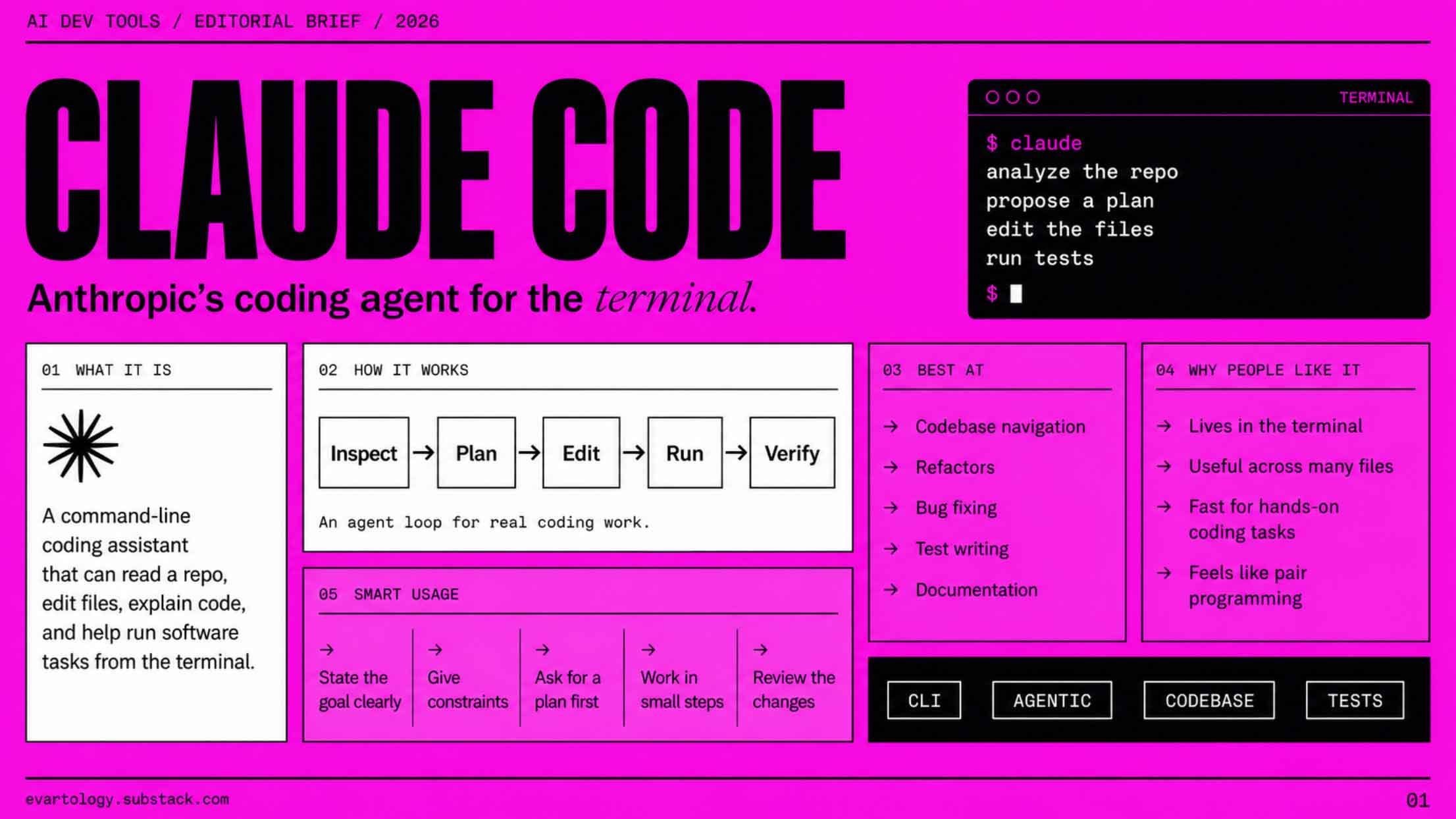
Claude code turns complex coding into plain English tasks.
You describe what you want and claude code explores your codebase, makes plans, and handles the rest. It works in any terminal, over SSH, or with your favorite IDE. No big setup needed.
Many claude code users start small and quickly handle full features. The tool now has a huge context window so it understands your whole repo at once. This makes agentic coding feel natural and fast.
Getting started with claude code is quick.
Run the install script from claude.ai and you are ready in seconds.
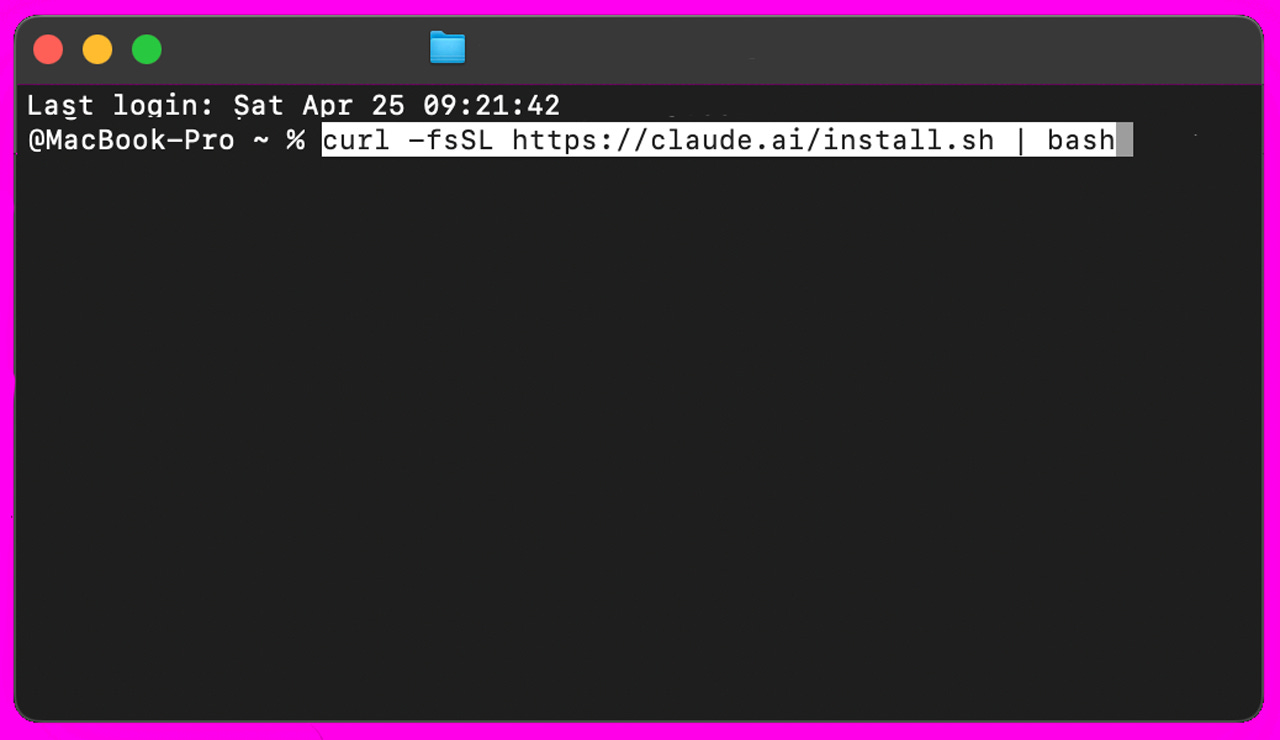
Then type simple commands like terminal setup for nicer shortcuts. Customize tools once and claude code remembers them.
Use claude code best practices right away by asking questions about your codebase. This teaches you how to prompt and shows what claude code can do. It stays local, no code leaves your machine.
Start every new session by asking claude code simple questions about your codebase. It digs into files, git history, and how things connect. You learn fast without bugging teammates.
This habit builds your prompting skills. Ask claude about existing code or why certain functions look weird. Claude code explores git and gives clear answers. It makes onboarding or debugging much easier.
Create a claude.md file in your project root. Put common commands, coding standards, and important files inside. Keep it short under 200 lines so claude code reads it every time without wasting tokens.
Unlike claude.md files that are too long, a good one shares your coding style and rules. Put it in git so your team benefits. You can also add nested claude.md files in subdirectories and local ones just for you. Claude code loads them automatically.
Use plan mode every time you have more than a tiny task. Tell claude code to think first, make a plan, and ask for your approval. This stops mistakes and gives you better results.
Claude code’s plan mode is one of the top claude code best practices. It explores, brainstorms, then writes code. You stay in control while claude work stays smart and safe.
Give claude more context so it makes smarter choices. The claude.md file is the main way, plus you can mention files or use the # remember command. Claude code now has smarter auto memory across sessions.
In your workflow, add architectural notes or common bash commands to claude.md. This helps with context usage and reduces mistakes. For big jobs, use the huge context window so claude code sees everything at once.
Good prompts make claude code shine. Say “before you write code, make a plan” or “explore then → plan → implement”. Teach claude code your tools with bash or MCP servers and it uses them on its own.
Let claude debug and iterate by running the tests or taking screenshots. Ask claude to use skills, hooks, or agent teams for parallel work. These workflows turn claude code into a true coding partner.
Claude code handles git like a pro. It makes branches, commits, and pull requests. Just ask it to look through git history or ship your changes.
Always let claude run the tests after writing code. This creates a safe agentic loop with verification. Review the claude diff, accept good edits with shift-tab, and fix the rest. It catches bugs early.
Hit shift-tab twice for auto-accept edits while you watch. Type # to remember rules for future claude sessions. Use escape to stop and redirect. For long talks, try /compact to save tokens.
Run multiple claude sessions in different git worktrees for parallel coding. Use voice dictation on Mac for fast prompts. These small tricks make claude code feel effortless.
Since last year claude code added auto mode for safe actions, agent teams for parallel work, and computer use. Context grew to 1M tokens and memory got smarter. Safety for bash commands improved a lot.
Claude code best practices now focus on plan mode, short claude.md files, and verification loops. Use skills and hooks to automate more. Anthropic keeps making claude code stronger while keeping it simple to use.
Start with codebase Q&A to learn fast.
Always create and update your claude.md file with coding standards.
Use plan mode before big changes.
Give claude clear context and let claude iterate with tests.
Try agent teams and auto mode for faster agentic coding.
Review every claude diff and use key shortcuts to stay in control.
Keep claude.md short and share it with your team via git.
Run multiple claude sessions in parallel for big projects.
Comments
Nothing yet. Say the first thing.
Sign in to join the conversation.