
Le Bon Mot is a regular feature over on a Software Enchiridion. But really it exists everywhere as a habitat for ideas and conversation, and so here it appears for the first time in Engineering Agents.
There are cafes that serve coffee, and there are cafes that serve as unpacking rooms for deliveries that arrive from nowhere in particular.
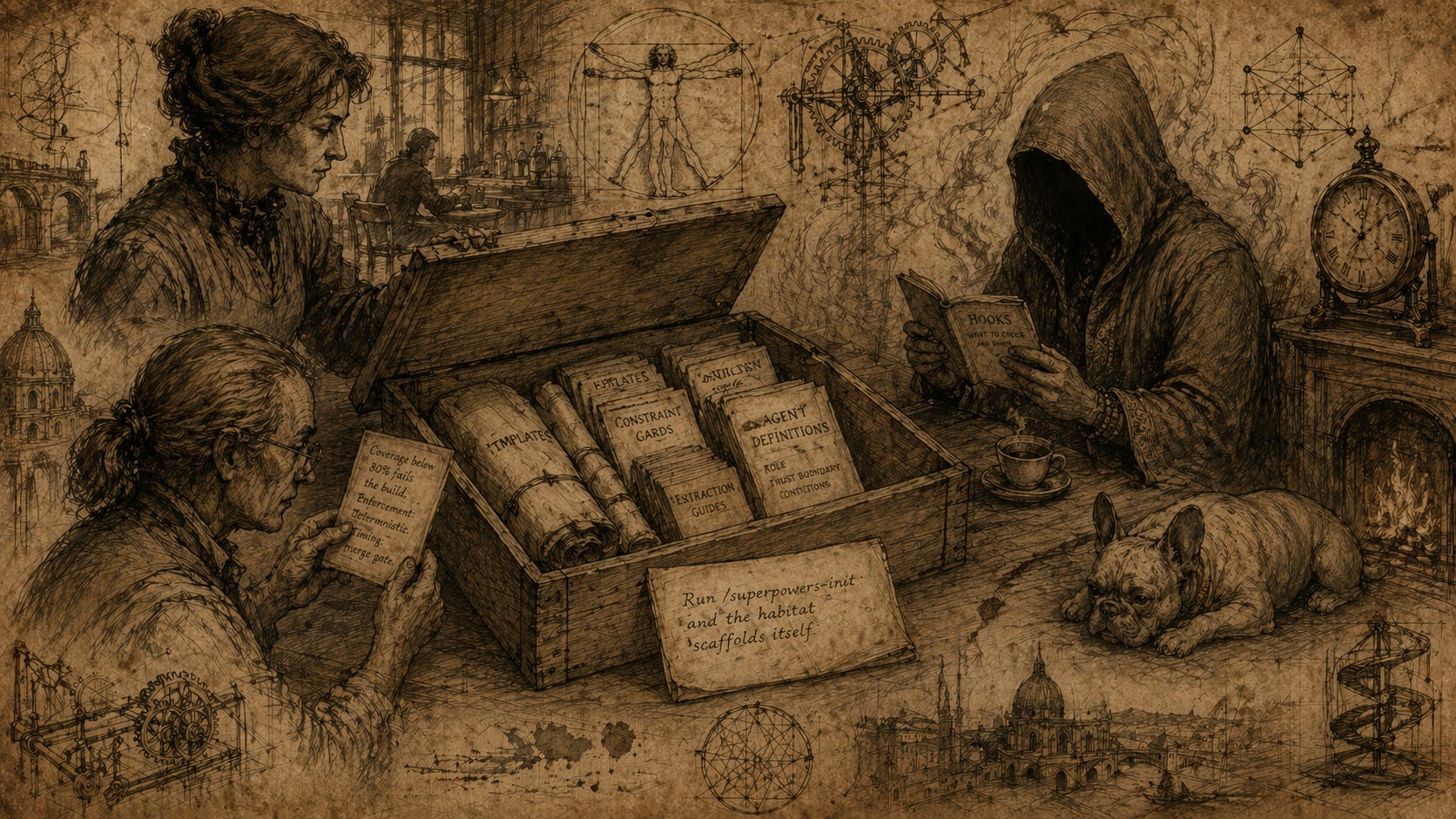
Le Bon Mot was operating, on this particular Wednesday, as the latter. The box appeared on the counter sometime between the second espresso and the third. Nobody saw it arrive. Madame Beauregard regarded it with the expression she reserved for objects that materialised without explanation but with evident purpose — a category that, at Le Bon Mot, was larger than you might expect.
It was a wooden crate, roughly the size of a case of wine, stamped with no return address. The lid was loose. Madame Beauregard lifted it and looked inside.
Tools. Not the kind you buy at a hardware store but the kind you assemble a practice from. There were templates, neatly rolled and tied. Constraint cards, each describing a rule and the mechanism for enforcing it. Extraction guides with questions printed in the kind of type that expects honest answers. A set of agent definitions, each describing a role, a trust boundary, and the conditions under which the role should be invoked. A small booklet titled Hooks: What to Check and When. And at the bottom, a single sheet of paper that read:
Run
/superpowers-initand the habitat scaffolds itself.
Case, a retired developer with scar tissue that went back to CORBA and beyond, picked up one of the constraint cards. It read:
Coverage below 80% fails the build. Enforcement: deterministic. Timing: merge gate.
“This is a harness component,” she said. “Someone has packaged an entire agent habitat into a box.”
The Djinn, who had been sitting quietly by the window in the way that intelligences sit when they are processing something they cannot yet articulate, looked up. “You can install a habitat?”
Sophie, resident French Bulldog, raised her head from beside the fire. The brass clock ticked.
Case turned the card over. On the back, in handwriting that was neither hers nor the Djinn’s:
The constraint is the easy part. The conversation about why this threshold and not another — that is the habitat.
“You can install the conditions for one,” Case said. “The habitat itself, you have to grow.”
Madame Beauregard set the lid back on the crate with the care of someone closing a book at exactly the right chapter. “Then I suggest,” she said, “you begin by seeing what is in the box.”
The Djinn reached in and pulled out the booklet of hooks. It read the first page, then looked up with an expression that, in its reference frame, served the same function as recognition.
“These are the things I have been missing,” it said quietly. “Not instructions. Not prompts. Structure.”
The Djinn’s word, structure, is the one that matters. Because structure is the difference between an AI session that starts from zero every time and an AI session that starts from the accumulated wisdom of your team, your project, and every mistake you have already made.
The AI Literacy Superpowers plugin is that structure, packaged for reuse and, if you prefer, merely as inspiration.
Not a new model. Not a prompt library. Not a collection of clever tricks. A complete development workflow — skills, agents, commands, hooks, and templates — that implements the AI Literacy framework from Level 2 through Level 5. You install it. You run one command. And the habitat scaffolds itself: living documents, enforceable constraints, a coordinated agent team, CI templates, and the feedback loops that bind them together.
This article is about what is in the box, why each piece exists, and how to start using it without drowning in the whole thing at once.
Firstly, never eat a whole cake in one bite. A mistake that almost everyone makes with a plugin this size: they try to use everything at once.
Skills. Agents. Commands. Hooks. Templates. That is not just a toolkit, that is a department store. And nobody walks into a department store, buys one of everything, and walks out dressed well. You walk in knowing what you need today. You buy that. You come back when you need the next thing.
The plugin is designed for exactly this kind of incremental adoption. Every component is useful on its own. No skill requires every other skill. No agent demands the full pipeline. The commands work independently. You start with the piece that solves the problem you have right now, and the rest waits until you are ready.
No Really: You do not even need to understand everything in this article before you start. Install the plugin. Run
/superpowers-init. See what it discovers about your project. That single action teaches you more than reading about it ever will.
The plugin has five categories of components. Each maps to a different kind of work in the development lifecycle.
Skills are knowledge documents — structured Markdown files that agents and commands read before doing work. They are not prompts. They are not instructions. They are expertise, encoded in a format that both humans and AI can consume.
Think of them as the senior engineer who is always available but never talks unless asked.
The plugin’s 29 skills fall into several natural clusters. The harness framework is the conceptual spine of the plugin:
harness-engineeringteaches the framework itself — deterministic tooling plus LLM agents keeping AI-generated code trustworthy.
context-engineeringcurates the knowledge an LLM needs to work in a codebase effectively, with the insight that code design itself is context.verification-slotsdefines the core technical abstraction: every constraint checked through a uniform interface regardless of whether the backing tool is deterministic or agent-based. constraint-design teaches how to design those constraints so they’re falsifiable and enforceable.garbage-collectionruns the periodic checks that fight entropy — stale docs, drifted conventions, dead code.fitness-functionsextends this to architectural properties (coupling trends, layer boundaries) drawing on Ford, Parsons, Kua and Sadalage.harness-observabilityprovides four layers of measurement at different timescales — context, constraints, GC, cost.harness-onboardinggenerates a human-readable onboarding document from the harness artefacts for new team members.
AI literacy assessment is the evaluation layer:
ai-literacy-assessmentassesses a team’s AI collaboration maturity by combining repository evidence with clarifying questions.
literacy-improvementstranslates assessment gaps into a prioritised improvement plan mapped to specific plugin skills and commands.portfolio-assessmentaggregates assessments across multiple repos into an organisational viewportfolio-dashboardrenders that view as a self-contained HTML dashboard with trend tracking.
Code quality covers two complementary lenses for reading and writing code:
cupid-code-reviewapplies Daniel Terhorst-North’s five CUPID properties (Composable, Unix philosophy, Predictable, Idiomatic, Domain-based) as structured review criteria.literate-programmingapplies Don Knuth’s principle that code is written for humans first — narrative preambles, reasoning-based documentation, presentation ordered by understanding rather than execution.
Governance gives teams the vocabulary to translate policy language into operational meaning.
governance-constraint-designhandles falsifiability and evidence requirements.governance-audit-practicedetects semantic drift and governance debt.governance-observabilitydefines the metrics and snapshot formats for measuring governance health over time.
Security and supply chain is a set of four scanning skills:
secrets-detection(gitleaks, hardening the no-secrets constraint)dependency-vulnerability-audit(known CVEs and provenance)docker-scout-audit(image SBOMs and base image staleness)github-actions-supply-chain(CI pipeline hardening and third-party action risk).
Convention and tooling covers the practicalities of keeping project rules in sync:
convention-extractionsurfaces tacit team knowledge into versioned artefacts using systematic guided discovery. convention-sync propagates HARNESS.md rules to Cursor, Copilot, and Windsurf so all AI coding tools share the same conventions. auto-enforcer-action wires constraint enforcement into GitHub Actions.
Three remaining skills are more distinct:
advocatus-diaboliis an adversarial spec reviewer that raises steel-manned objections across six categories before plan approval.model-sovereigntycovers deliberate decisions about which models to use, where they run, and whether to build custom models.cost-trackingcaptures and records AI tool costs to inform model routing and health snapshots.team-apigenerates a Team Topologies Team API document enriched with portfolio assessment data.cross-repo-orchestrationcoordinates changes across multiple repositories using git-mediated and specification-mediated patterns.
The Sceptic asks: “Do I need them all?” No. Pick the two or three that match where you are today. The rest will be there when you arrive.
Agents are role definitions. They describe a persona, a trust boundary, and the conditions under which that persona should be invoked. They are the development team you can assemble from the plugin.
The plugin has 12 agents organised around two distinct patterns: a spec-first development pipeline and a harness maintenance cluster.
The development pipeline is an ordered chain of specialists:
spec-writeropens every feature — updating specs, user stories, and acceptance scenarios before any code is touched.advocatus-diabolifollows immediately after in spec mode, reading the spec with read-only access and raising objections across six categories; a human writes the dispositions, never the agent.Once the plan is approved,
tdd-agenttranslates acceptance scenarios into failing tests and is responsible solely for the RED phase — it does not write implementation code.code-reviewerenters after tests are green, evaluating the implementation through CUPID and literate programming lenses; it is also read-only and cannot modify files.After the final
code-reviewerPASS,advocatus-diaboliruns a second time in code mode, now weighing threat-model, failure-mode, and operational objections against the concrete implementation.integration-agentcloses the loop — updating the CHANGELOG, committing, opening a PR, watching CI, merging when green, closing the issue, and pruning the branch.orchestratorsits above all of these, coordinating the full pipeline in the correct sequence for any incoming task, readingCLAUDE.md,AGENTS.md, andMODEL_ROUTING.mdto calibrate strategy.
The harness maintenance cluster keeps the project’s living harness document honest and current:
harness-discovereris a read-only scanner that maps the actual tech stack — linters, CI config, test frameworks, pre-commit hooks — and feeds that evidence into harness initialisation.harness-auditoris a meta-agent that verifies the declarations inHARNESS.mdmatch actual project state, running weekly or on demand to keep the harness from drifting into aspirational fiction.harness-enforceris the verification engine that executes constraints fromHARNESS.md, running either deterministic tools or agent-based reviews depending on the constraint type, and consulting recent reflections to calibrate scrutiny.harness-gcfights entropy on a periodic schedule — staleness, dead code, convention drift, dependency currency — auto-fixing simple issues and creating GitHub issues for those it cannot.
Two agents operate outside both clusters:
assessorscans the repository for observable AI literacy evidence and produces a timestamped assessment report, invoked via/assessor when someone asks where the team sits on the literacy framework.governance-auditordetects semantic drift in governance constraints, inventories governance debt, and checks three-frame alignment — running on demand or on a quarterly schedule.
Two things to notice. First, every agent has a trust boundary. The spec-writer cannot execute code. The code-reviewer cannot write files. The harness-discoverer can only read. This is not paranoia, it is habitat design. An agent that can do anything will eventually do the wrong thing. Constraints are how you make the collaboration safer.
Second, the agents split into two groups: the development pipeline (orchestrator through integration-agent) and the harness team (discoverer through assessor). You can use either group independently. A team that is not ready for the full spec-first pipeline can still use the harness agents to build and maintain constraints.
The Pragmatist says: “Start with the harness team. Run
/harness-initand let the discoverer scan your project. You will learn more about your own conventions in ten minutes than you learned in the last six months.”
Commands are the entry points — the slash commands you type to trigger workflows. Each command coordinates one or more agents and skills to accomplish a specific task.
The plugin’s 22 commands fall into four broad areas. Harness setup and maintenance is the largest cluster:
/superpowers-initbootstraps the entire AI literacy framework from scratch —CLAUDE.md,HARNESS.md,AGENTS.md,MODEL_ROUTING.md, CI templates, and agent configurations in one pass./harness-initdoes the narrower job of generating justHARNESS.mdfor a project that already has some structure./harness-constrainadds or promotes a single constraint, walking through enforcement type selection (deterministic, agent, or unverified)./harness-gcmanages and runs garbage collection rules — adding new ones toHARNESS.mdor running existing ones on demand with auto-fix options./harness-upgradehandles post-plugin-update adoption, diffing the currentHARNESS.mdagainst the latest template and presenting new constraints and rules for selective adoption./harness-onboardinggenerates a human-readableONBOARDING.mdfrom the harness artefacts for new team members.
Observation and health gives teams a continuous picture of their harness and governance state:
/superpowers-statusis the top-level dashboard — habitat files, harness health, agent team consistency, and CI configuration in one view./harness-statusis the narrower version, showing enforcement ratios and GC rule status./harness-healthgoes deeper, generating a full snapshot toobservability/snapshots/YYYY-MM-DD-snapshot.mdwith enforcement trends, mutation rates, and learning velocity (supports--deepand--trendsflags)./harness-auditruns meta-verification, checking whetherHARNESS.mddeclarations match actual project state and updating theStatussection with the result./observatory-verifyruns a specific 82-signal checklist against the Habitat Observatory’s expected data signals, reportingPRESENT / PARTIAL / MISSING / NO_OUTPUTfor each.
Governance mirrors the harness cluster but for policy-level concerns:
/governance-constrainguides the authoring of a governance constraint by translating policy language into operational meaning withthree-frame alignment, then appending it to
HARNESS.md./governance-auditruns a deep investigation for semantic drift, constraint falsifiability, and governance debt, writing a dated audit report./governance-healthshows the summary view — falsifiability ratio, drift score, debt inventory — with an optional--dashboardflag for an HTML view.
AI literacy assessment is the evaluation layer:
/assessscans the repo for observable evidence, asks clarifying questions, and produces a timestamped assessment document with habitat fixes and workflow recommendations./portfolio-assessaggregates assessments across multiple repositories into an organisational view, requiring a--local,--org, or--topicscope flag.
The development workflow commands support the spec-first pipeline:
/diabolidispatches the adversarial reviewer against a spec or implementation, writing the structured objection record todocs/superpowers/objections/./reflectcaptures post-task learning — what was surprising, what future agents should know — appending a timestamped entry toREFLECTION_LOG.md.
Four utility commands round out the set:
/extract-conventionsruns a guided five-question discovery session that surfaces tacit team knowledge intoCLAUDE.mdandHARNESS.md./convention-syncpropagatesHARNESS.mdrules to Cursor, Copilot, and Windsurf convention files so all AI coding tools share the same constraints./cost-capturerecords AI tool spend and token usage to the observability directory./worktreemanages git worktrees for parallel agent isolation — spin up, merge back, or clean up.
The Veteran observes: “Notice that six of the twelve commands are harness commands. That tells you where the framework puts its weight. The harness is not a feature of the plugin. The harness is the plugin. Everything else flows from it.”
Hooks are the invisible enforcement layer. They run without being asked, at specific moments in your workflow, and they catch things before they become problems. The plugin has 10 hooks across three event points — SessionStart, PreToolUse, and Stop — and every single one is advisory only. None block.
SessionStart (1 hook):
template-currency-check.shruns when a session opens and compares theHARNESS.mdtemplate version against the current plugin.json version. If they differ and the mismatch hasn’t been dismissed, it nudges you to run/harness-upgrade. This is the upgrade discovery mechanism — without it you’d only notice template drift when you stumbled across it.PreToolUse on Write/Edit (2 hooks): Two hooks fire before any file write or edit. The first is a
prompt-typehook — not a script — that readsHARNESS.mdand evaluates commit-scoped constraints against the file being written, warning on violations without blocking. The second ismarkdownlint-check.sh, which runs markdownlint against any .md file being written and reports violations as a system message. Both are advisory.Stop (7 hooks): The bulk of the hooks fire at session end, closing feedback loops before the session closes.
drift-check.shlooks for modified CI workflows, linter configs, hook configs, or dependency manifests and prompts/harness-auditif the harness may be stale.snapshot-staleness-check.shchecks whether the latest harness health snapshot is older than 30 days and prompts/harness-healthif so.reflection-prompt.shdetects whether commits were made in the last 4 hours and prompts/reflectto capture learnings.secrets-check.shrunsgitleaks(if installed and theno-secrets constraintis active inHARNESS.md) and surfaces any findings.gc-rotate.shcyclesthrough four deterministic GC checks by day-of-year — secret scanner, snapshot staleness, shell syntax errors, and missing set
-euo pipefail— so a different check runs each day without overwhelming any single session.curation-nudge.shcounts unpromotedREFLECTION_LOGentries againstAGENTS.mdand nudges curation if more than two reflections haven’t been promoted toARCH_DECISIONs.governance-drift-check.shwatches for governance constraint modifications or a governance audit older than 90 days and prompts/governance-auditor/governance-healthaccordingly.
The design principle throughout is consistent: hooks observe and surface signals, humans and agents decide what to do with them.
Templates are the opinionated defaults that /superpowers-init generates.
They include CLAUDE.md (your project instructions), HARNESS.md (your living constraint document), AGENTS.md (compound learning memory), MODEL_ROUTING.md (cost-conscious model selection), REFLECTION_LOG.md, three CI workflow templates, and a health badge icon.
You are not locked into the defaults. Every template is designed to be edited, extended, and made your own. The templates give you a starting point that embodies the framework’s best practices. Your job is to make them true for your project.
Here is the question that the department store metaphor answers: where do you start?
The framework defines six levels. The plugin covers Levels 2 through 5. Here is what unlocks at each:
Level 0 — Awareness — The team knows AI coding tools exist and has a repository. No structured usage yet. The plugin has no specific commands for this level — the work is awareness-building. The floor is simply: the repo exists and the team is aware of AI tools.
Level 1 — Prompting — Developers are using AI tools but informally — prompt-and-accept, no systematic verification. Output is trusted if it looks right. No shared conventions, no CI, no cost awareness. Again no specific plugin commands target this level; the gap from L1 to L2 is primarily about building a CI pipeline, which is outside plugin scope.
Level 2 — Verification — The team verifies AI output systematically rather than trusting appearances. The minimum evidence is automated tests in CI. The plugin unlocks:
auto-enforcer-action skill — linting enforcement in CI
dependency-vulnerability-audit skill — CVE and supply chain scanning
secrets-detection skill — gitleaks in CI or pre-commit
docker-scout-audit skill — image scanning (if the project uses Docker)
Level 3 — Habitat Engineering — The team engineers the environment in which AI works — conventions, constraints, memory, feedback loops. Minimum evidence:
CLAUDE.mdexists, at least 3HARNESS.mdconstraints are enforced, and there are custom agents or skills. The plugin unlocks the bulk of its commands at this level:/harness-init— generates HARNESS.md and CLAUDE.md with context and enforced constraints/harness-constrain— adds and promotes individual constraints/extract-conventions— surfaces tacit conventions into HARNESS.md/reflect— starts building REFLECTION_LOG.md/harness-gc— adds garbage collection rules/harness-health— first observability snapshotThe full hook set becomes active (drift detection, reflection prompts, snapshot staleness, curation nudge)
Level 4 — Specification Architecture — The team designs before building — specs before code, agent pipelines with safety gates. Minimum evidence: a specs directory, an orchestrator agent, and a plan approval gate. The plugin unlocks:
/superpowers-init— bootstraps the full agent team including the orchestrator/convention-sync— propagates HARNESS.md rules to Cursor, Copilot, and Windsurf/diaboli— adversarial spec review before plan approval and before mergefitness-functions skill +
/harness-gc— architectural fitness functions as GC rulesconstraint-design skill — loop guardrails and safety gates in the pipeline
Level 5 — Sovereign Engineering — The team operates at platform scale — reusable standards, cross-team governance, observability exported to organisational dashboards. Minimum evidence: a published plugin or reusable template,
MODEL_ROUTING.md, and organisational governance documentation. The plugin unlocks:cross-repo-orchestration skill — coordinates changes across multiple repositories
model-sovereignty skill — deliberate model routing and cost tracking at platform level
/portfolio-assessand/portfolio-dashboard— aggregate literacy assessment across the whole organisationharness-observability skill (telemetry layer) — OTel export and organisational dashboards
team-api skill — Team Topologies Team API enriched with portfolio data
governance-audit-practice, governance-constraint-design, governance-observability skills — the full governance cluster
The scoring ceiling rule is worth noting: the assessed level is the highest where the team has substantial evidence across all three disciplines (context engineering, architectural constraints, guardrail design). A team with L3 habitat engineering but L1 verification is assessed at L1 — the weakest discipline sets the ceiling.
Ponder time: Ask yourself which level describes your current practice. Not the level you aspire to --- the level you actually operate at today. That is where you start. Install the components for that level. Use them until they become habitual. Then look at the next level.
Exercise: Install the plugin. Run
/superpowers-init. When it asks about your conventions, answer honestly --- not with what you wish were true, but with what actually happens on your team. Then run/harness-statusand read the output. What did the habitat discover about your project that you did not know?
The Sceptic returns: “Is this just another opinionated starter template?”
No. A starter template gives you files. The plugin gives you files and the machinery to keep them honest. The hooks enforce constraints in real time. The harness-auditor checks whether your declared constraints match reality. The garbage collection agent fights the slow entropy of conventions that drift from practice. The reflection pipeline captures what you learn so the next session starts smarter.
A template is a snapshot. The plugin is a living system.
The Pragmatist adds: “And it discovers. That is the part people do not expect. /superpowers-init does not just scaffold files from a template. It scans your project first — your stack, your linters, your CI, your test frameworks. The habitat it builds is shaped by what is already there.”
When is a tool more than a tool? When it is a harness. A linter is a tool: it checks syntax and reports violations. A framework is a tool: it provides structure and you fill in the blanks. An IDE is a tool: it helps you write code faster.
The AI Literacy Superpowers plugin is none of these things, and it is all of them, and that is what makes it difficult to categorise and easy to underestimate.
It is the material from which a habitat is built. Not the habitat itself. The habitat is what grows when the materials meet a team (human and agent), a codebase, a set of conventions that someone finally writes down, and the daily discipline of enforcing them. The plugin gives you the materials. The discipline is yours.
A tool does what you tell it. A habitat shapes what you do.
That distinction is the entire framework in one sentence. A tool waits for instructions. A habitat provides structure before you ask for it — conventions read before code is written, constraints checked before code is committed, reflections captured before context is lost. The environment acts with you, not against you.
This is why the Djinn reached into the box and said structure, not features. Features are what tools have. Structure is what habitats provide. A harness is like a trellis to grow on. And the difference between a developer who uses AI and a developer who collaborates with AI is exactly the difference between reaching for a tool and inhabiting a structure.
The box is open. The materials are there. The question, perhaps the only question that has ever mattered in habitat engineering, is whether you will build the room or keep working in the hallway.
Give it a spin. Install the AI Literacy Superpowers plugin, run /superpowers-init on a project you care about, and see what the habitat discovers. If something surprises you, delights you, or breaks horribly — open an issue or start a discussion on the GitHub repo. The plugin grows from feedback, and the best feedback comes from real and diverse projects.
No posts
Comments
Nothing yet. Say the first thing.
Sign in to join the conversation.