
For the last few months, my daily work has lived inside a product that nobody outside our company could see yet. Yesterday we announced it: Volobox, the workspace where people and agents work as one team.
I was one of the people building it at Volosoft, and I want to write about it from the inside, someone who use the product for a while and being a part of building it.
Almost every developer I know now has a personal AI assistant. Individual output went up but “team output” mostly did not.
Here is why, in my experience: Your best engineer gets great results from a coding agent that nobody else on the team can see, review, or reuse. Your ops lead re-explains the same process to a chatbot every single week, so the problem here is that the agent is a personal toy, not a teammate.
The second problem feeds the first one. The context an agent needs is the same context a new hire needs: what is this project, why did we decide that, where is the spec.
That context is scattered across a tracker, a chat app, a wiki, a drive, and a pile of meeting notes. People lose hours to it. Agents mostly cannot reach it at all.
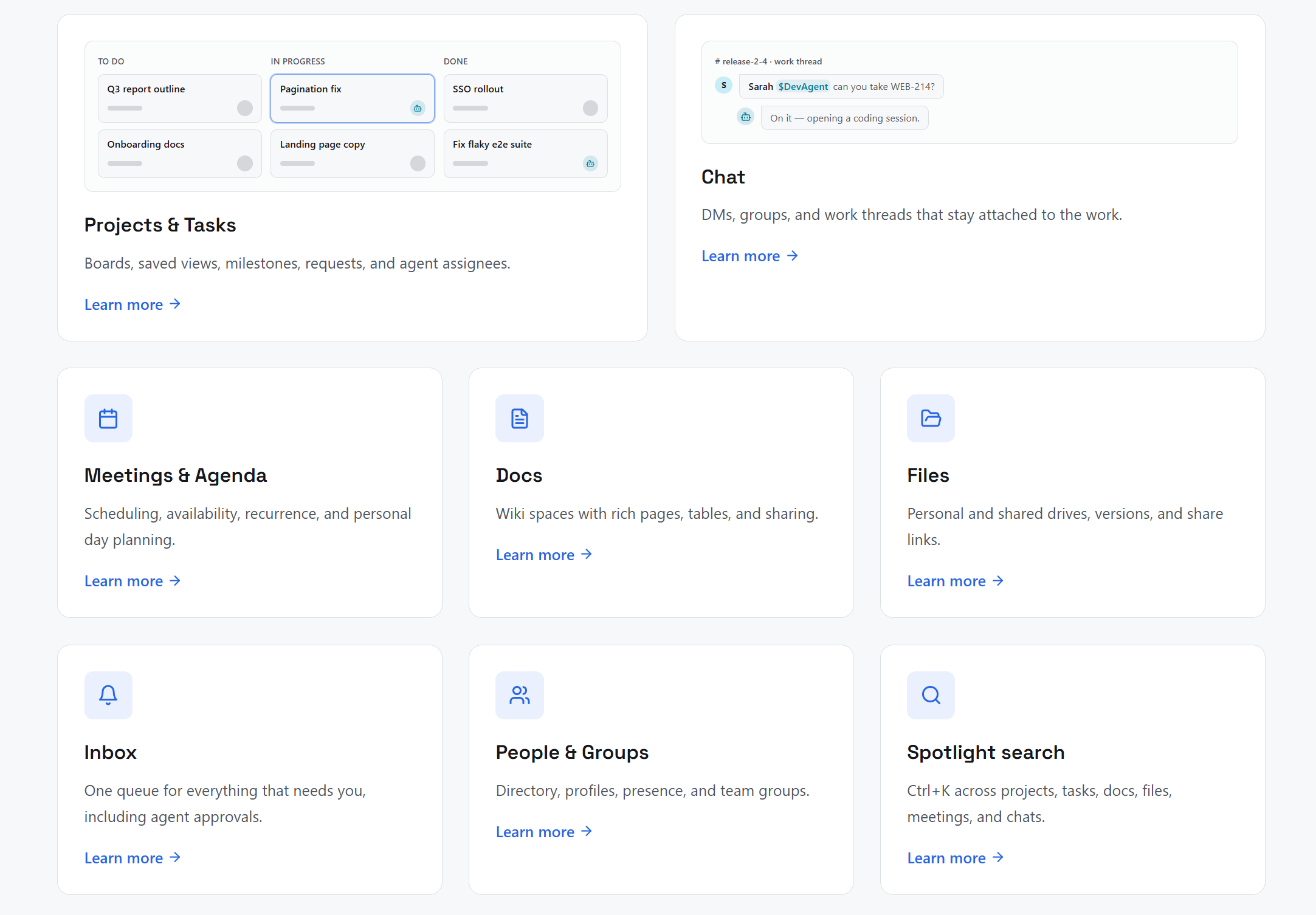
Volobox puts both halves in one place: projects, chat, docs, meetings, and files, with agents living inside the same workspace.
Doing the work is what builds the context, there is no separate knowledge base to feed and keep alive, which is the part that always dies in practice.
This is the part that makes people stop scrolling when we demo it, so let me describe it properly.
You pick an agent as the assignee on a project task, exactly like you would pick a teammate. An isolated VM boots (sandbox), clones the linked repositories, and the agent reads the task and its whole discussion thread.
Then it plans → edits files → runs commands, and asks questions in the task thread when it gets stuck.
The interesting part is what happens while it works.
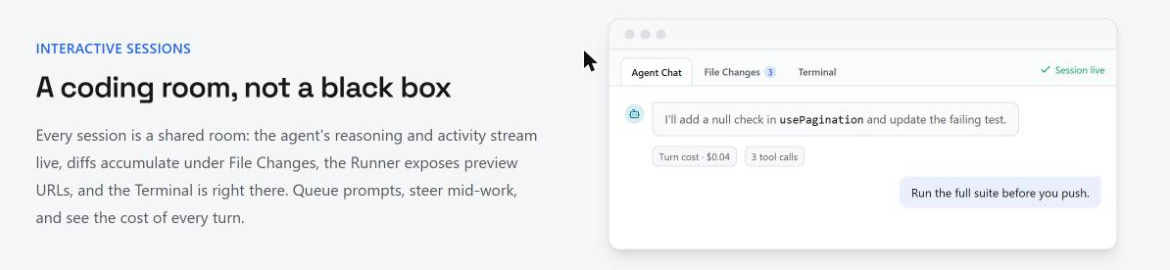
Every coding session is a shared room. The agent’s reasoning streams live, diffs accumulate under File Changes, the Terminal tab is right there, and the runner exposes preview URLs. You can queue prompts, steer it mid-work, and see the cost of every turn (this is really important, per-turn cost visibility changes how you think about delegating work to an agent, because you stop guessing what a task actually cost you and instead really see the cost to you).
When the work is ready, you review it where it happened.
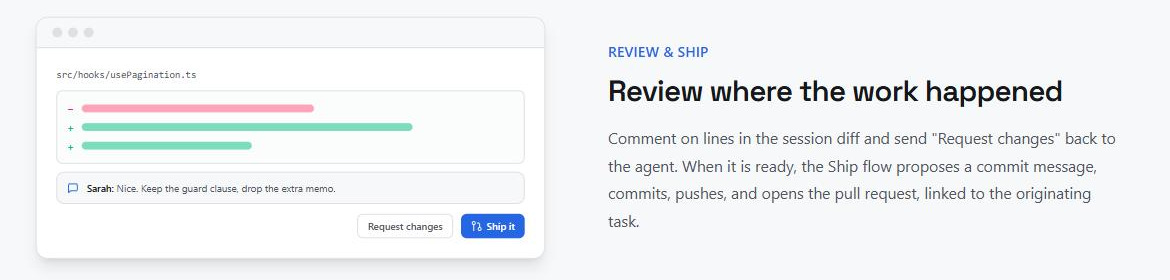
You comment on lines in the session diff. Request changes sends feedback straight back to the agent in the same session, no copy-paste between three tools. Then it commits, pushes, and opens a GitHub pull request linked back to the task that started it.
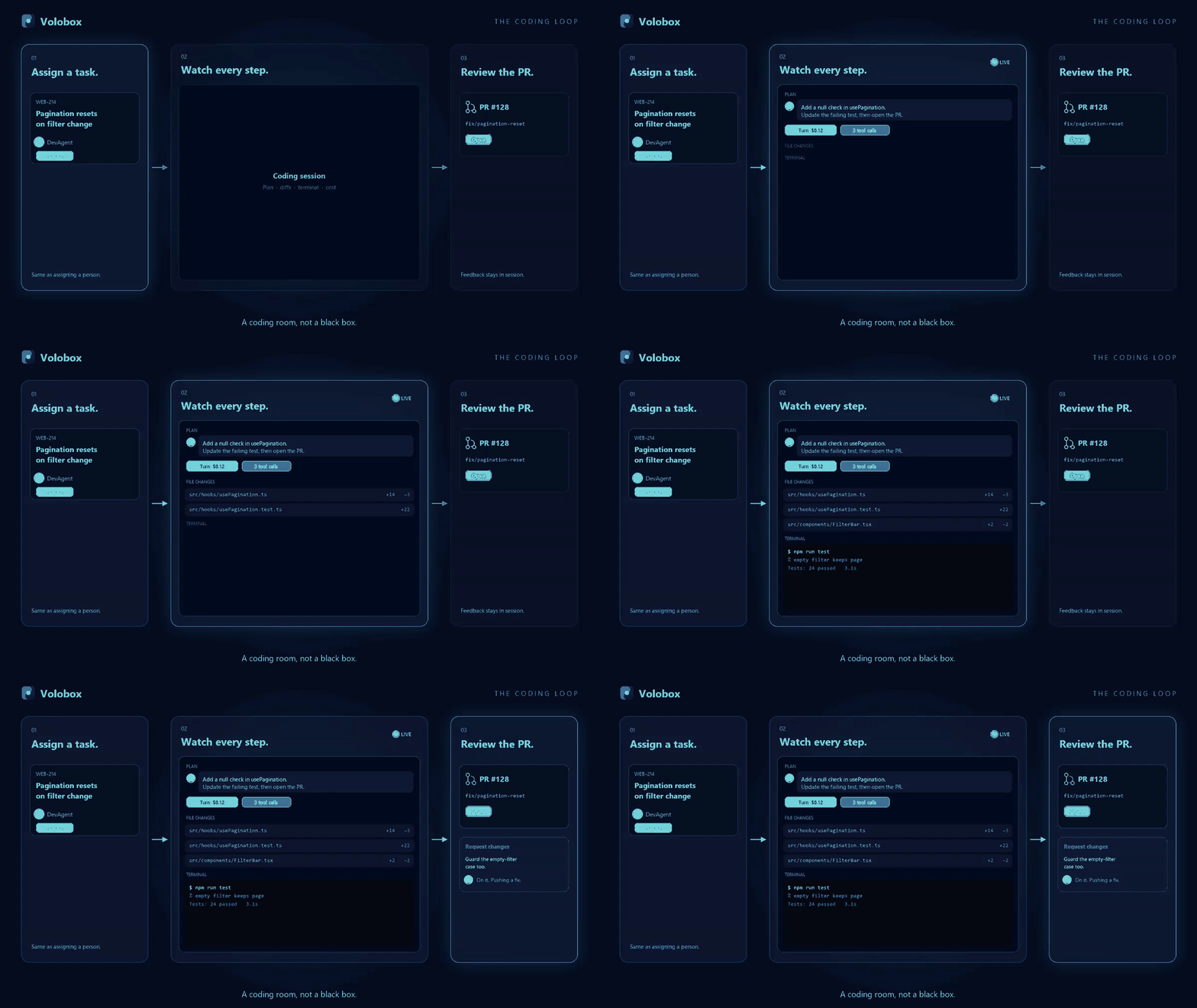
Our own X thread walks through the same loop with the animation, worth 30 seconds:

Volobox@Volobox
Assign a task. Review the PR. Watch every step in between. That is the coding loop in Volobox, and it is the part that makes people stop scrolling in demos.
6:43 AM · Aug 18, 2026 · 830 Views
1 Reply · 2 Reposts · 7 Likes
(A coding room, not a black box) That is the line we kept coming back to internally. Most coding agents hand you a PR and go silent in between. Here, the in-between is the product.
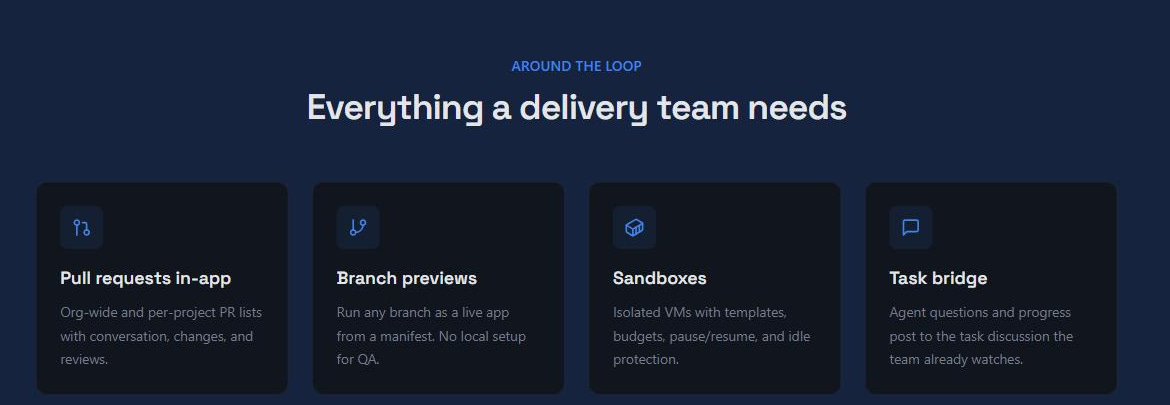
Around that loop you get in-app pull request lists, branch previews from a manifest (so QA does not need local setup -- this one is also really helps in our own team), sandboxes with templates and budgets, GitHub two-way sync with issue mirroring, and Azure DevOps pipeline triggers.
Every user gets a personal assistant. Teams add shared agents with their own handles, personas, and skill sets.
You mention people with @ and agents with $. So $ReleaseManager draft the v2.4 release notes from the merged PRs in a work thread is a real instruction, in the channel where the team already talks, and the result comes back as an approval card before it publishes anywhere.
Agents are shaped with skills and commands rather than a single long prompt. You are building a role, not a prompt. And library packs bundle agents, skills, commands, and connections into something you install like an app, move between workspaces as a file, or pull from a private registry (you can think it like a plugin but totally designed specifically for Volobox).
MCP works in both directions, which I think is the detail most people will miss. Outbound, agents call your external MCP servers with everything recorded in the audit trail. Inbound, tools like Cursor and Claude reach into Volobox through its own MCP server.
You also bring your own models (BYOK): Claude, GPT, Gemini, Kimi, or self-hosted open source, with your own keys and visible usage.
This is the section I care about most, and it is the part I think the rest of the industry is still improvising.
Our agents act, they do not only suggest. The moment an agent can write to a repo, post an announcement, or answer a customer, “trust me” stops being an acceptable answer. So trust is built into the model.
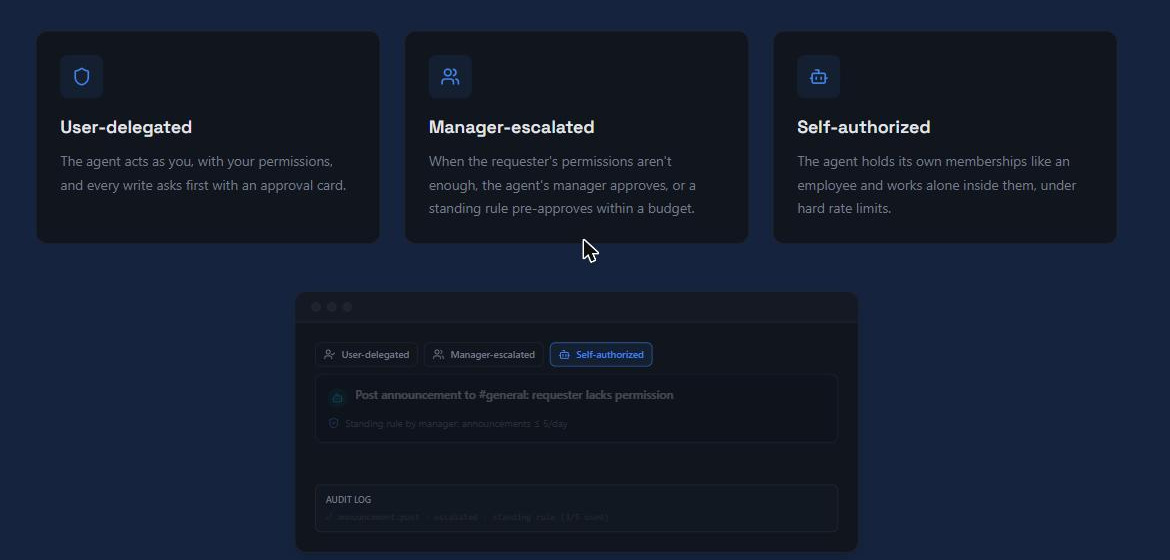
There are three authorization modes:
User-delegated: the agent acts as you, with your permissions, and every write asks first with an approval card.
Manager-escalated: when your permissions are not enough, the agent’s manager approves, or a standing rule pre-approves it inside a budget.
Self-authorized: the agent holds its own project memberships like an employee and works inside them, under hard rate limits.
Important: Agent actions land in the same activity feeds as human actions, with attribution. When something goes wrong at 2 AM, you can answer "who did this and who approved it" without opening four dashboards.
Coding is the clearest proof, but it is not the whole story.
→ Workflows are markdown playbooks bound to an agent. They take typed inputs, run manually or on a schedule or from an event, pause at human decision points with a structured question, and produce artifacts with a traceable run journey. (A workflow can even open a coding session and carry the work all the way to a PR. You can dry run one before you schedule it.)
→ Dynamic Apps are the other half. You describe the internal app your operation is missing, an agent proposes the design on an approval card, and it goes live in the workspace: data grids, kanban boards, calendars, galleries, forms with conditional logic, dashboards with drill-down. When low-code stops being enough, you drop into custom REST endpoints, server-side JavaScript, event handlers, and background jobs.
Every product page says the team uses their own product. Here is what it actually meant for us.
Our projects, chat, meetings, and docs live in Volobox. Agents take tasks from our real backlog. The pull requests they open go through the same review as everyone else’s, including mine. The launch you are reading about was planned, discussed, and shipped inside the product being launched.
Dogfooding is uncomfortable in a good way. You cannot ship a half-working notification system when your own team gets blocked by it the same afternoon. Every rough edge in approvals, every awkward step in the review flow, hit us before it hit anyone else, and that is why a lot of the governance model looks the way it does.
I have written a lot here about AI tools that make one developer faster. Volobox is the first thing I have worked on that tries to make a whole team faster without giving up review, permissions, or the ability to explain later what happened.
If the two problems at the top of this article sound like your team, the fastest way to judge it is on your own backlog, not on a marketing page.
You can request a demo here: https://volobox.io/demo
And if you mention me in the form, I might be the one who gives you the quick overview :) I promise to keep it under an hour and to show you the messy parts too.
Thanks for reading, see you in the next one!
Comments
Nothing yet. Say the first thing.
Sign in to join the conversation.