
I was an early designer on Google Maps and still use it daily. While I remain a faithful daily active user, there are certain tasks that have never worked particularly well.
Google Maps excels at simple queries. But many real-world navigation problems are much more complex expressions of intent.
I’m optimistic that Google’s AI integrations can help address some of these long-standing limitations and bridge the gap between people’s full intentions and the Maps UI.
Most of the time, I type in a place and Google Maps guides me there while deftly avoiding traffic.
But other times I want to express something more complex and run into the limits of the current UI. For example, I might search for:
“548 Market St”
Then follow it with:
“Parking”
But when parking results appear on the map, 548 Market St disappears, and I’m left disoriented. Technically I can search for “Parking near 548 Market St,” but Maps still doesn’t place a pin for the destination to orient me.
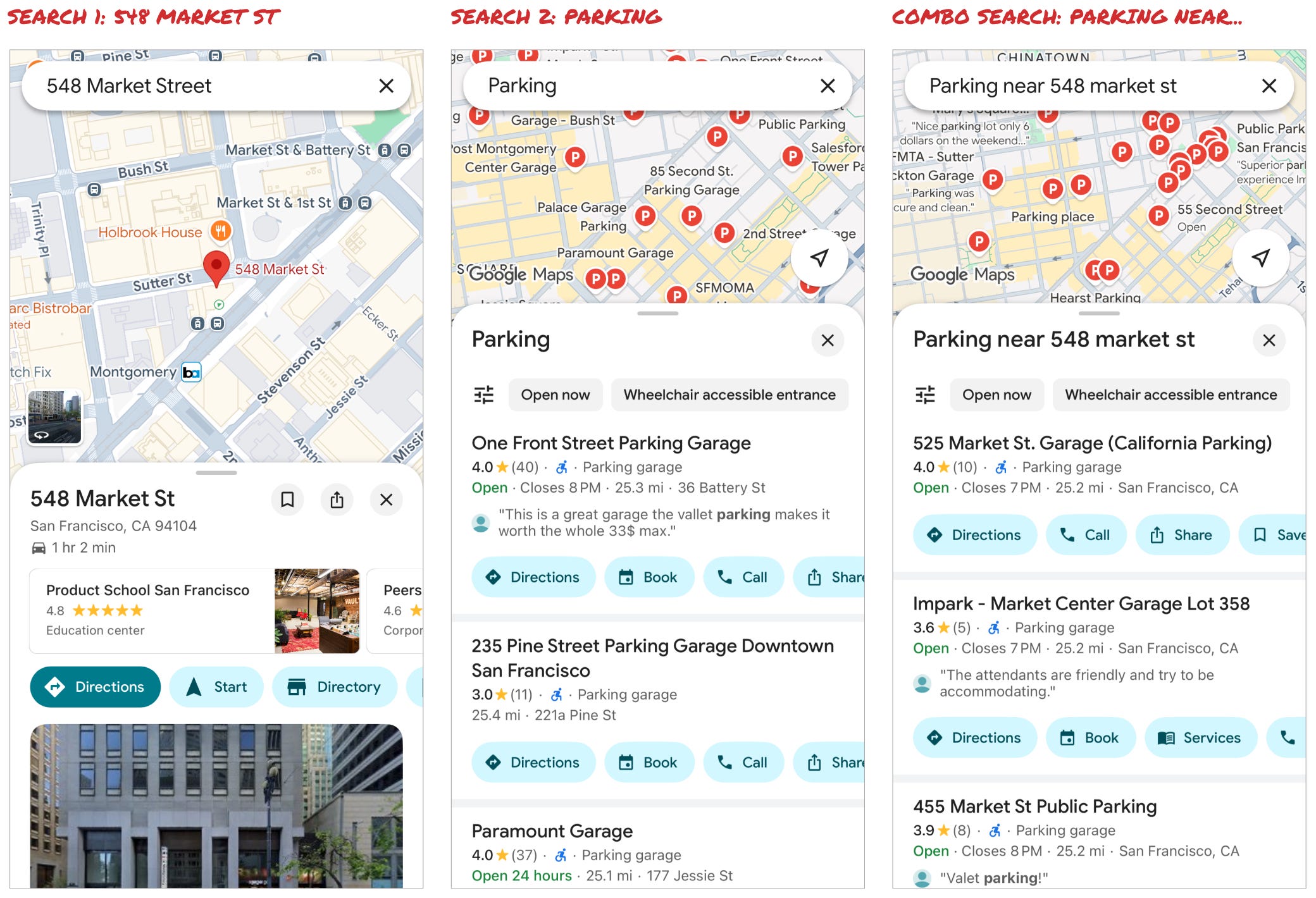
Either way, I have to translate what’s in my head into a sequence of discrete searches. What I really want to express is something more like:
I am heading to 548 Market St and need to park nearby. I want a lot that is close, but not super expensive — I’m happy to walk an extra block or two to save $20.
- or -
I am heading to 548 Market St and running late. I need a place to park and get into the building ASAP!
Today, I have to distill both of those intents into: [548 Market St] + [Parking]
AI chat is the perfect way for me express this full intent. It can handle unstructured natural language and derive meaning. So it should solve the parking issue and be able to handle more complicated requests like:
I am driving to Tahoe and want to stop by In-N-Out for dinner.
Today, once I’m in directions, I can “add stops” or “search along a route.” But these UIs are cumbersome and don’t allow for exploration.
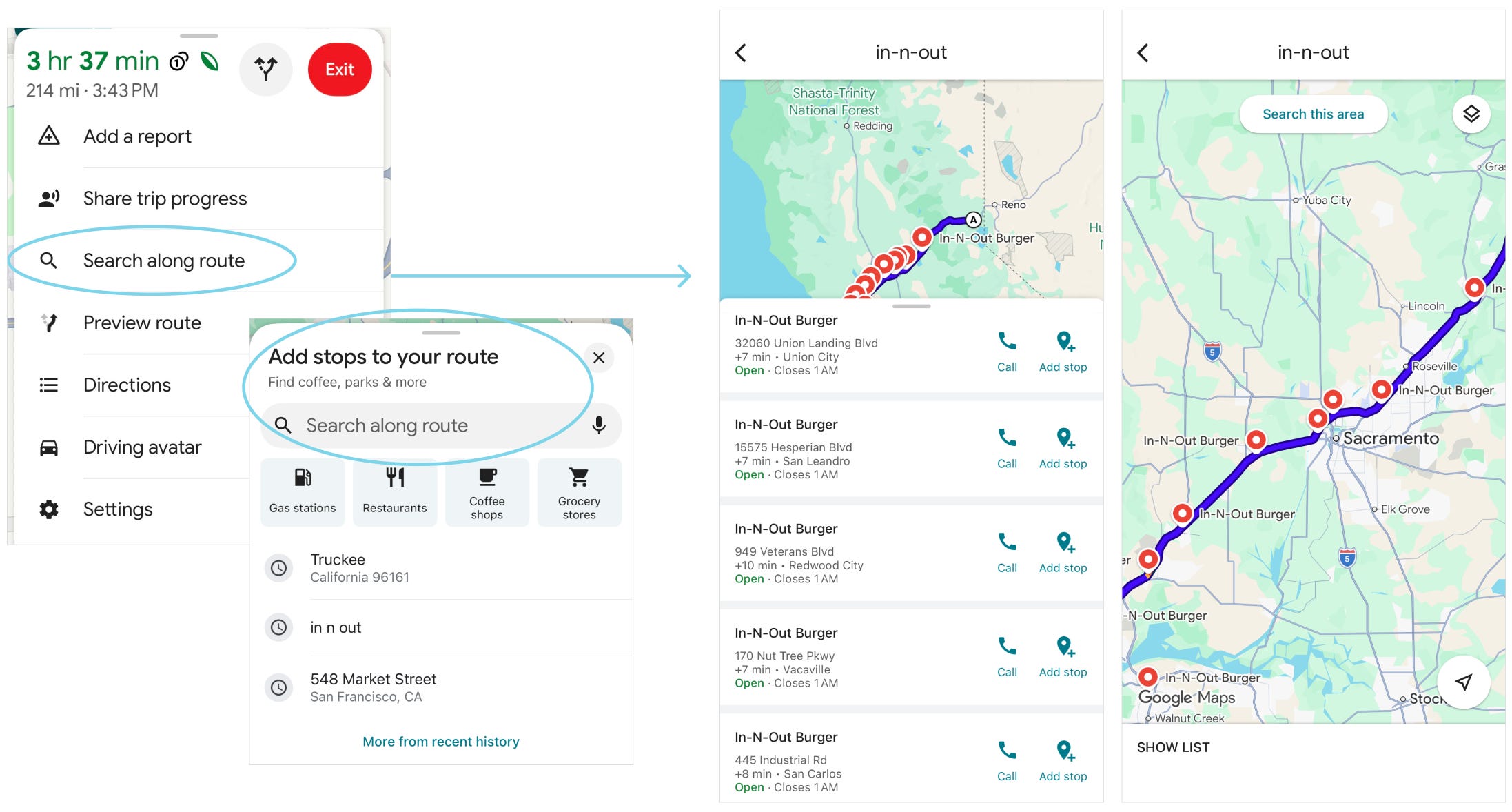
And most importantly, they can’t capture nuance, like:
I want an In-N-Out that is close to an exit and close to a super charger so we can charge while we eat — even if we get take out and eat in on the curb while we charge. I still have plenty of charge, so want to stop later in the route and don’t want to have to wait for an open charger. The kids will be getting hungry, but can hold out a bit longer. What are the best options?
These kinds of tradeoffs — distance, timing, price, convenience — are exactly the type of reasoning AI should handle well.
I am truly excited to try these multiple-state scenarios, but the last thing Google Maps needs is more UI complexity.
In the updated UI, there are now two input boxes:
The classic Maps search box
An “Ask Maps” box for AI queries
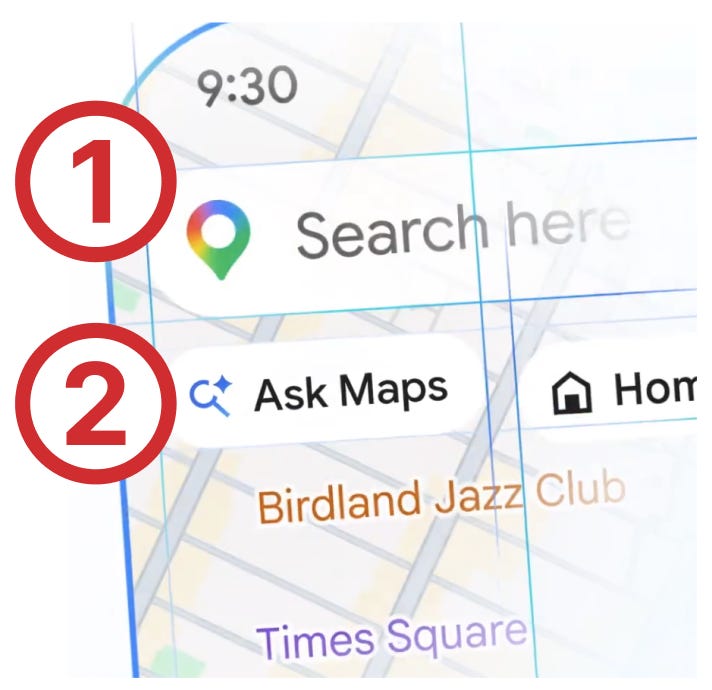
I imagine there are a whole host of reasons this was the safer option. Yes, it preserves the familiar search behavior and avoids confusing users who just want to type an address.
But it also makes AI feel tacked on — like Google carved out some pixels to slap on an “Gemini” button. This implementation feels more like a portal into another product, rather than deep AI integration that feels native to Google Maps.
Why not just have one smart search box that can handle both:
“548 Market St”
and
I am heading to 548 Market St and running late. I need a place to park and get into the building ASAP!
The promise of AI is to make things simpler. It has tremendous potential to revolutionize the interfaces of today and allow me to fully express all the nuance and complexity that’s in my head.
I am looking forward to exploring this latest upgrade, but I would really love to see the bolder concepts that the team explored internally.
No posts
Comments
Nothing yet. Say the first thing.
Sign in to join the conversation.