
Mindfulness is generally associated with a specific type of meditation, which I have practiced intermittently enough to be somewhat familiar with.
A mindful device or app is one which aids the user in being mindful of the present, avoiding distractions, and which doesn’t unduly demand attention. It is not a burden, and only in play when the user requires it. In other words, its use is intentional rather than compulsory.
A more common term for this would be “calm” or “humane” tech, though I think my definition of “mindful” tech may be a bit more broad than those.
Over the years I’ve come across various bits of tech that lean in the direction of mindful technology, so I’ve compiled a list here.
I haven’t used all of these, so I’ll present their details based on the information available for each. If I have used a device in this list, I’ll note my experience with it, but this is not intended to be a review article.
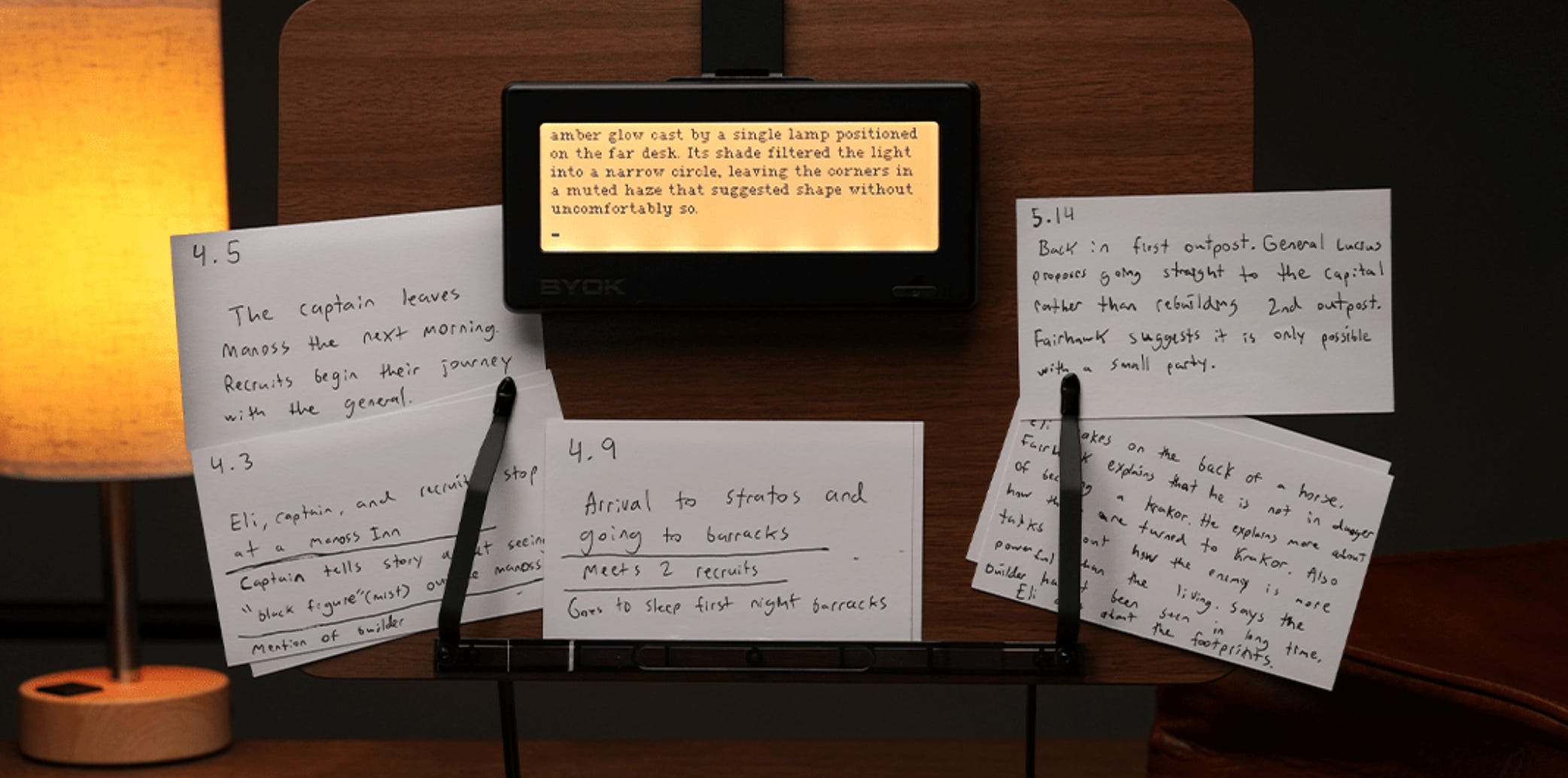
The BYOK Device is a distraction-free writing device that links up to your own keyboard. It uses a low-lag LCD display (rather than the more popular e-ink displays for this type of device) with a backlight and monochrome coloring for eye comfort.
What makes the BYOK interesting to me is its single purpose. It doesn’t combine things. It is the most basic version of a digital writing interface, and everything else is left to you.
One downside is that they do seem to be promoting the use of the BYOK Studio app. As long as this is very optional, I don’t think it hurts the device any, but being locked into a special app usually isn’t ideal in my experience. Especially when one of the key features of the thing is freedom of (keyboard) choice.
It’s highly portable, as well. Though I think the overall portability of the “system” the device is included in depends entirely on your choice of keyboard.
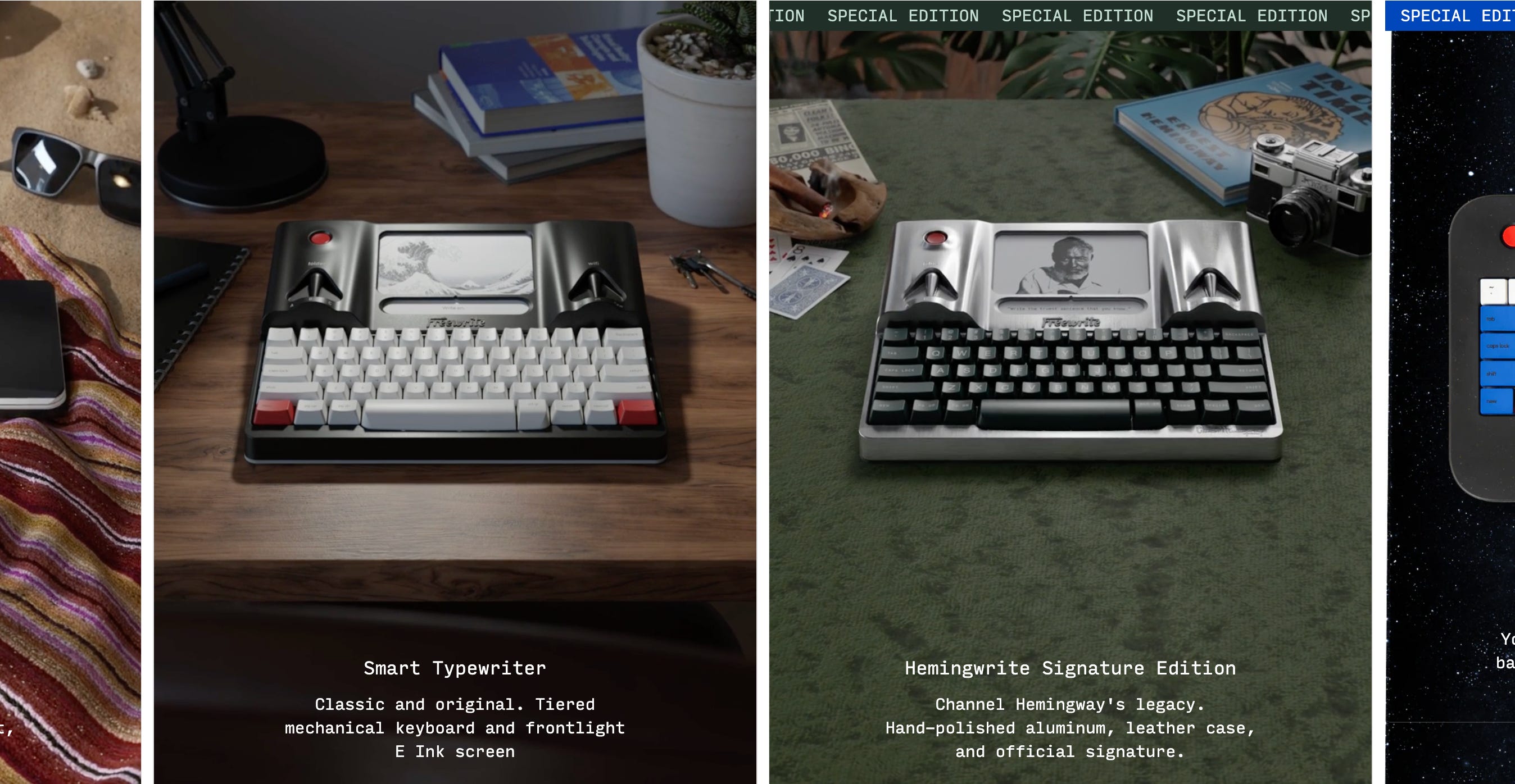
The Freewrite is a distraction free writing device, very similar to a typewriter, which aims to lodge a stark barrier between the writing and editing processes.
It utilizes an e-ink display, much like most of the other devices on this list. It does seem that “calm” tech and e-ink go hand in hand, probably due to the more analog feel of these displays and lack of blue light (in most cases. I’m sure backlit e-ink displays emit some blue light).
The Freewrite also comes in a few different form factors: the retro looking “smart typewriter”, the foldable “traveler”, the minimalist “alpha”, and some special editions with cosmetic differences.
This device is interesting to me because I know the power of having a dedicated device for a task. When I purchased a separate, smaller laptop for side project work, my productivity on that work improved significantly.
Seeing the impact of even a full-featured device used as a reduced-distraction work environment, I can only imagine that writing on something like the Freewrite would be a vast improvement over a traditional computer with more numerous capabilities (and therefore distractions).
I also appreciate the philosophy of separating the phases of writing by limiting what you can actually do on the device. The Freewrite is just for getting the words down, with no affordances for editing or formatting.
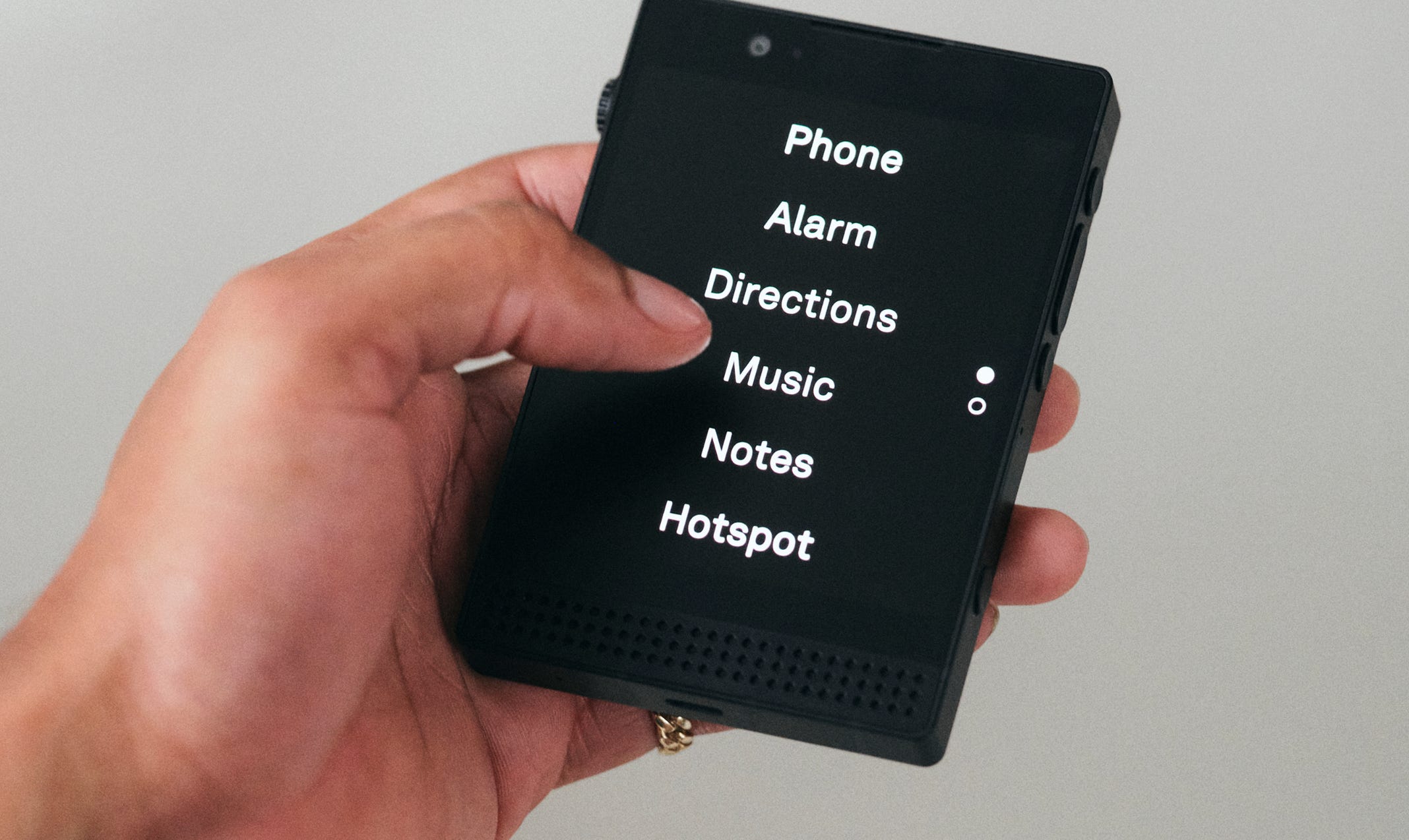
The Light Phone has been around for a while, and it has always intrigued me.
I have spent some stints with so-called “dumb phones.” This primarily includes modern flip phones from carriers like Straight Talk. Unfortunately, their lack of some key capabilities that meant I wound up carrying my iPhone with me anyways, and the whole purpose was defeated.
The main thing I was missing on a flip phone was the ability to text. Since this is the preferred method of communication for many people and businesses these days, texting isn’t optional, and I’m not interested in doing it on a number pad.
Enter the Light Phone, which promises to be everything you need and nothing you don’t. It has a matte e-ink display and a limited selection of apps, giving the phone more utility than a flip phone while still reducing distractions.
Another key reason I have not yet switched to a Light Phone is because I use an app for two-factor authentication, and as far as I’m aware, the Light Phone doesn’t support this app. That means I’d wind up having to have my iPhone with me anyways, and carrying two devices feels like going backwards from the goal of reducing digital distractions.
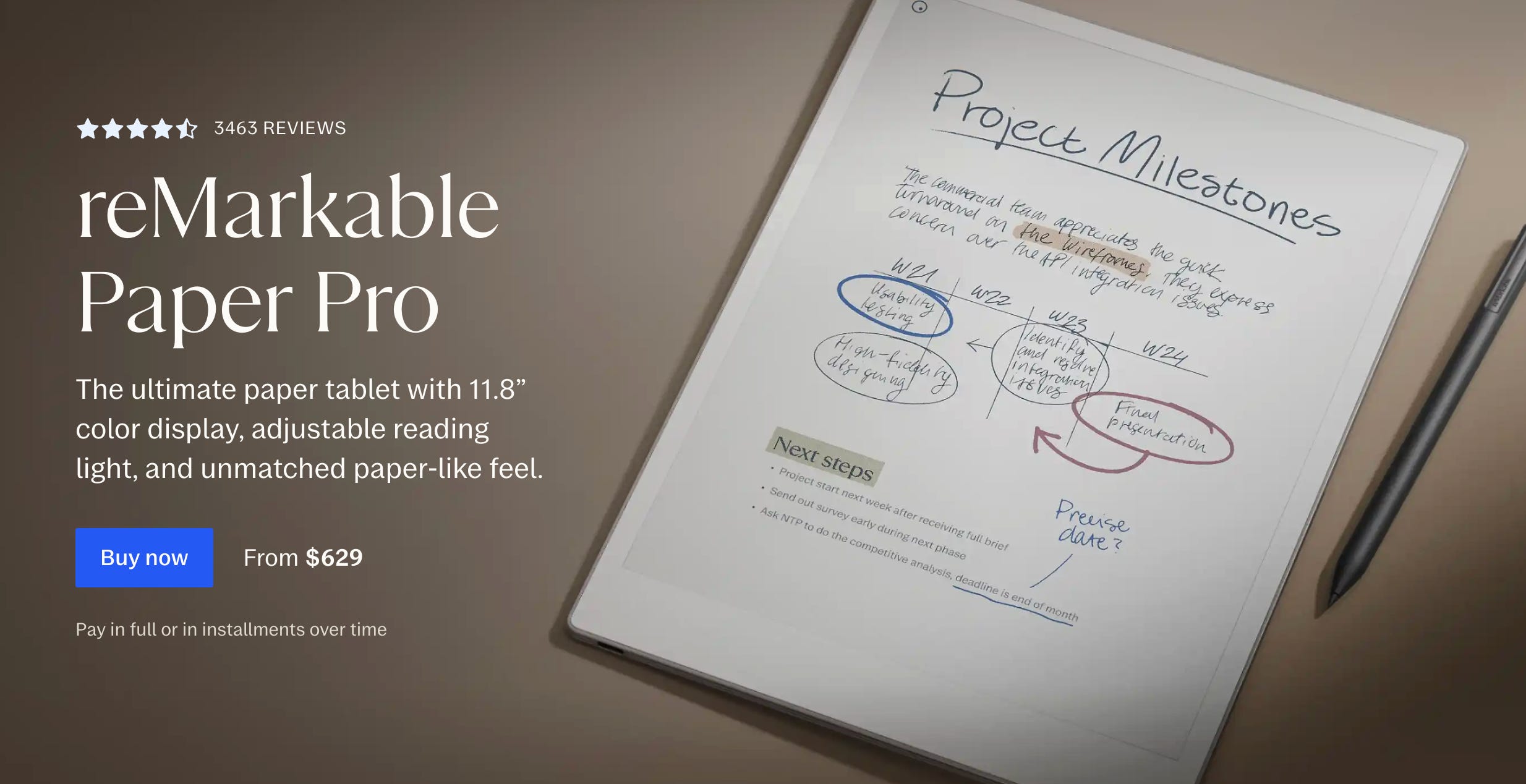
The reMarkable is like a digital notebook, with a paper-like writing experience as well as PDF and e-book reading capabilities.
This device also uses an e-ink display and a special textured surface which gives writing on the screen with the included stylus a more natural feel. I have seen a few reviews and they all seem to be positive on the writing experience.
The reMarkable line-up includes the Remarkable 2, the reMarkable Paper Pro, and the new reMarkable Paper Pro Move, which is much smaller than the others.
E-ink displays do tend to have refresh rate issues, but in the demos and reviews that I’ve seen, the response time of this display is fairly good when writing or drawing on it.
I like the idea of this device and have been tempted to purchase it multiple times. Ultimately for me, I think a simple notebook and pen fits the bill a bit better than a whole separate battery powered device. It also has an optional subscription for additional features, which I’m not a huge fan of.
That being said, I do think digitization of notes is a great benefit of using a device like this, and I will likely end up with one at some point in the future.
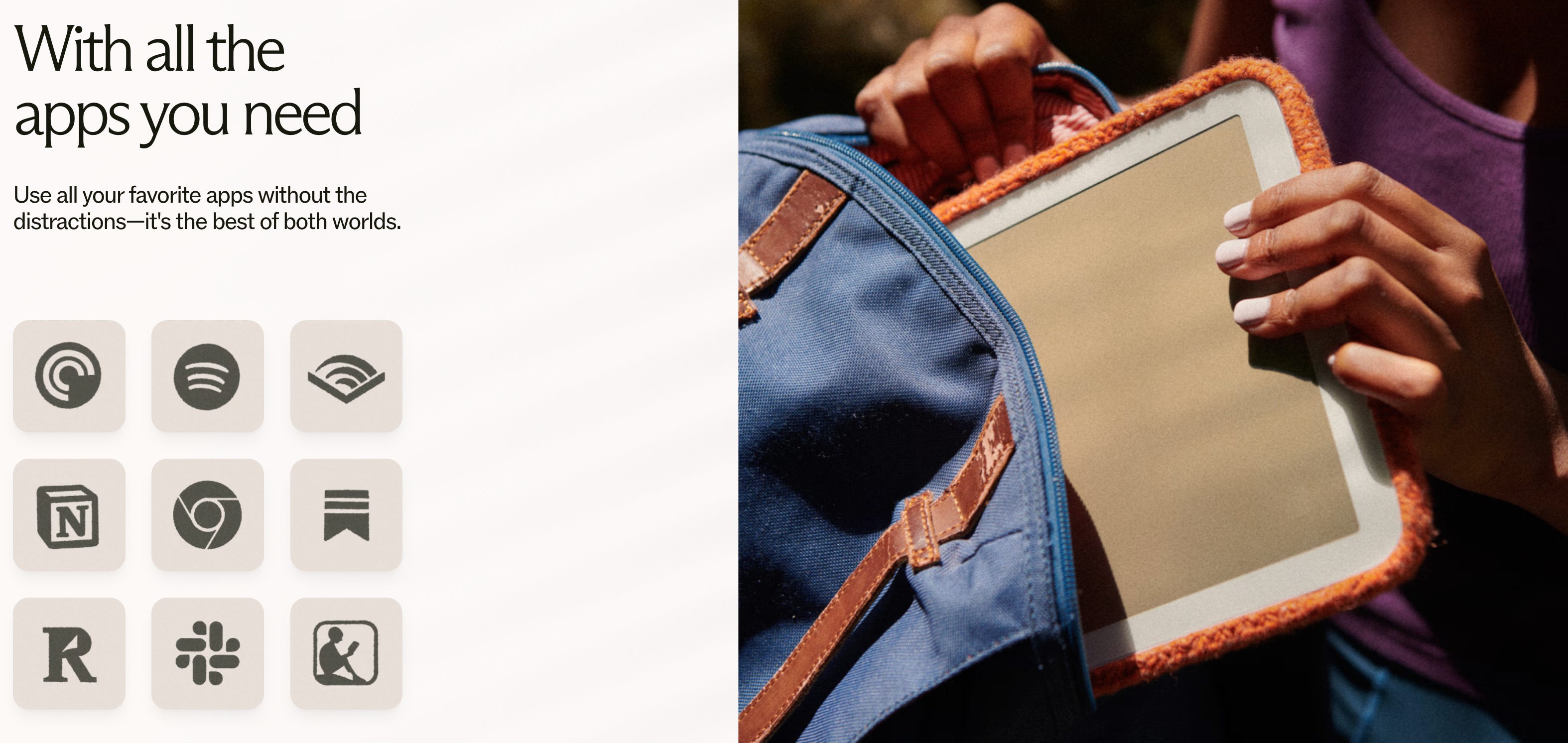
The Daylight Computer claims to be “the world's first human-friendly computer that your brain and eyes will actually love.” Their messaging revolves around what I’ve seen called “humane tech.” This is technology that places humans first rather than warping humans to the demands of the monetization model behind the tech.
Despite it’s name, the flagship (and only) model of the company is the Daylight DC-1, which is more tablet than PC in form factor.
It’s positioned as a note-taking, PDF-annotating, web-browsing do-it-all e-paper device with an absolutely shocking refresh rate if the video demos are to be believed. I did a little more research and this refresh rate is attainable because it’s not using an e-ink display, but rather something called a Live Paper display. This appears to be an invention of the Daylight Computer company itself, and carries some of the benefits of e-ink while achieving a much faster refresh rate.
Unlike some other devices, the DC-1 runs Android, which means you can install any app you need. This eliminates some of my issues with devices like the Light Phone that are far more locked down in terms of available apps.
While I find this approach to a tablet intriguing, I do worry that a full Android OS would lead to it eventually being a distracting device, despite its monochrome screen which seems to be the main thing that makes this tablet unique.
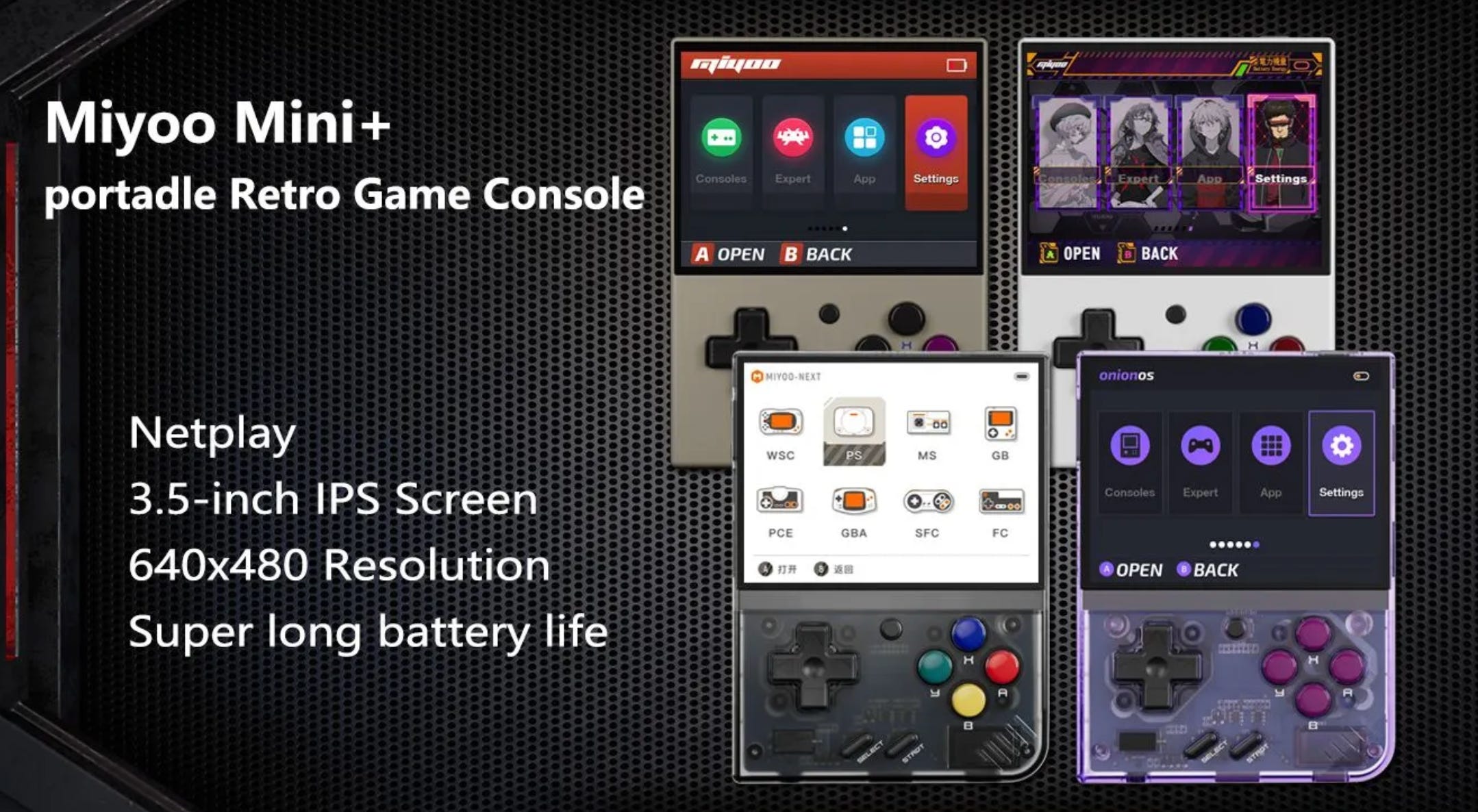
This one’s a bit of a curveball, and arguably games these days aren’t very mindful, but the Miyoo Mini+ is a handheld retro console emulator that feels a lot like a classic Game Boy. I own and have used this device.
The key word here is “retro.” We’re taking Pokemon Blue, Space Invaders, and even some PS1 games. These games come from an era where the attention economy approach hadn’t yet poisoned entertainment to the extent it has today. Sure, game devs wanted you to like the game, but I feel like the pervasive gambling & addiction triggering tactics came much later.
Plus, if you throw OnionOS on this device, it can do more than just play games:
It can play MP3s, making it an awesome option for portable podcasts and audiobooks.
It can read eBooks and PDFs.
It can play videos.
This makes it more akin to an old-school iPod Video than a simple gaming emulator. As someone who has searched for a simple MP3 player, the price and multi-functionality makes the Miyoo Mini+ a great option.
And the best part is it’s all relatively low-tech. There’s no internet connection required, no popups or notifications. You just load the SD card with the content you want, including ROMs for games you want to play, and then throw this thing in your pocket.
The battery life is also pretty good, though it could be a bit better. Overall, I think it provides a much better alternative to a distraction-laden mobile phone while still letting you access the content you want in an intentional and portable manner.
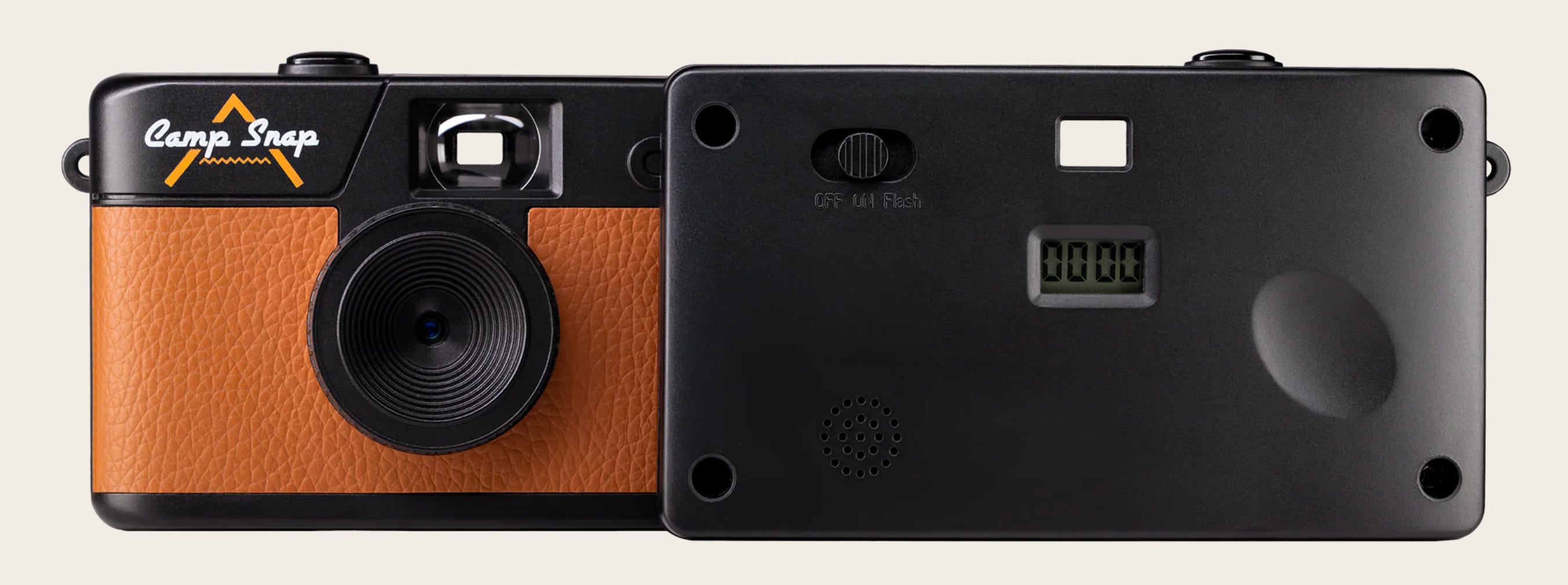
The Camp Snap is a screen-free digital camera. I’ve seen it primarily marketed as a device for kids, but I have one and it’s great for adults as well.
The Camp Snap has a great retro look and is about as simple as you can imagine. There’s one button, one switch, and an LCD display. The shutter button turns the device on and off if you hold it, the switch controls the flash, and the display tells you how many photos you’ve taken.
That’s it. That’s the whole tour.
And that’s what I love about this thing. I can keep it in a pocket or bag, and have it ready in just a few seconds to capture candid moments throughout my day. I’ve used it a lot while on vacation and during holidays, and the lack of a screen means instead of being taken out of the moment by checking my shot, I’m left right there where I want to be: enjoying my time and experiencing what’s happening.
The only thing I don’t love about this device is the build quality. From the pictures, I was expecting it to feel a bit more weighty, but it essentially feels like a disposable camera. Its body is plastic and the “leather” is faux. But for the price, which last I checked was around $60 USD, I can’t complain too much.
It’s also a little bit slow. It takes longer than I’d like to turn on, off, and to snap a picture.
If Camp Snap offered a premium version with faster picture taking and better build quality for double the price, I’d definitely be tempted to pick it up.
I love learning about technology that leans into mindfulness and calm tech principles, so if there’s anything I missed here, please let me know.
No posts
Comments
Nothing yet. Say the first thing.
Sign in to join the conversation.