

Now that you’re comfortable with—maybe even proficient at!—posting Notes, you’ve probably had the idea that you’d like to schedule a Note in advance. Maybe you’ll be on vacation and want to keep your commitment to post. Maybe you have to (egads!) share about or promote a new project and you want to do posts about that every Tuesday. Fortunately, Substack’s got you covered.
Substack allows you to schedule your Notes in advance. (You can also schedule Posts to your Publication, but that’s for another Tip.) If you schedule a Note for the future on a certain date and time, you can rest assured that it will appear on Substack at that time no matter where in the universe you might be and what you might be doing.
Here’s how:
1. Do exactly what you would normally do to post a Note.
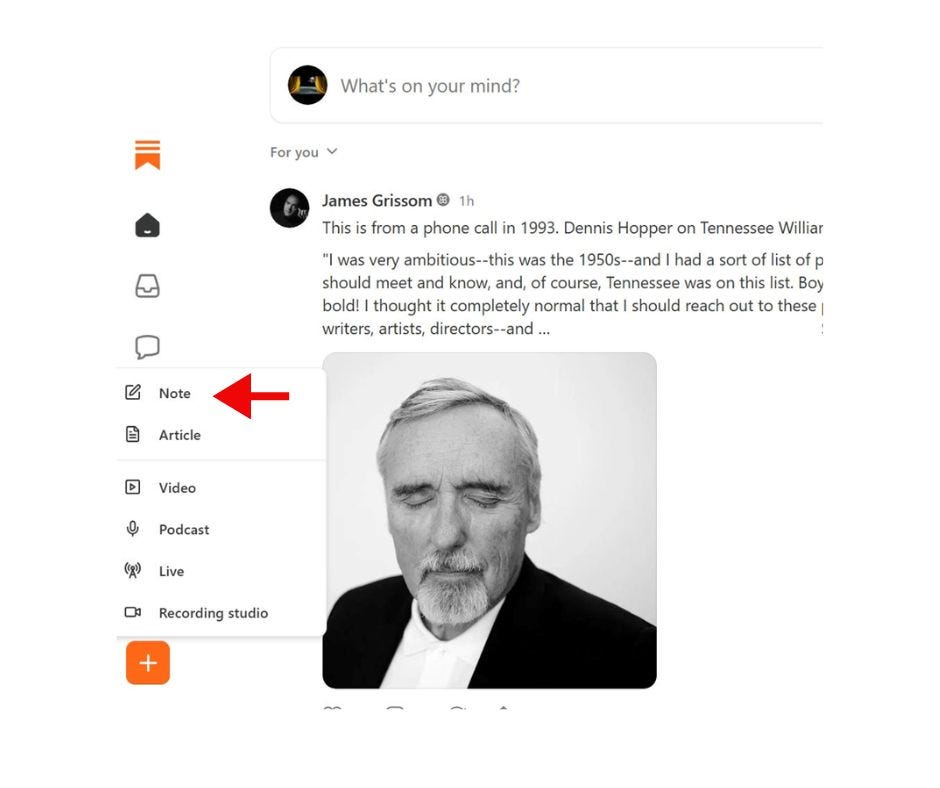
For some that will be clicking on the plus (+) sign at the bottom of your menu on the left and choosing Note.
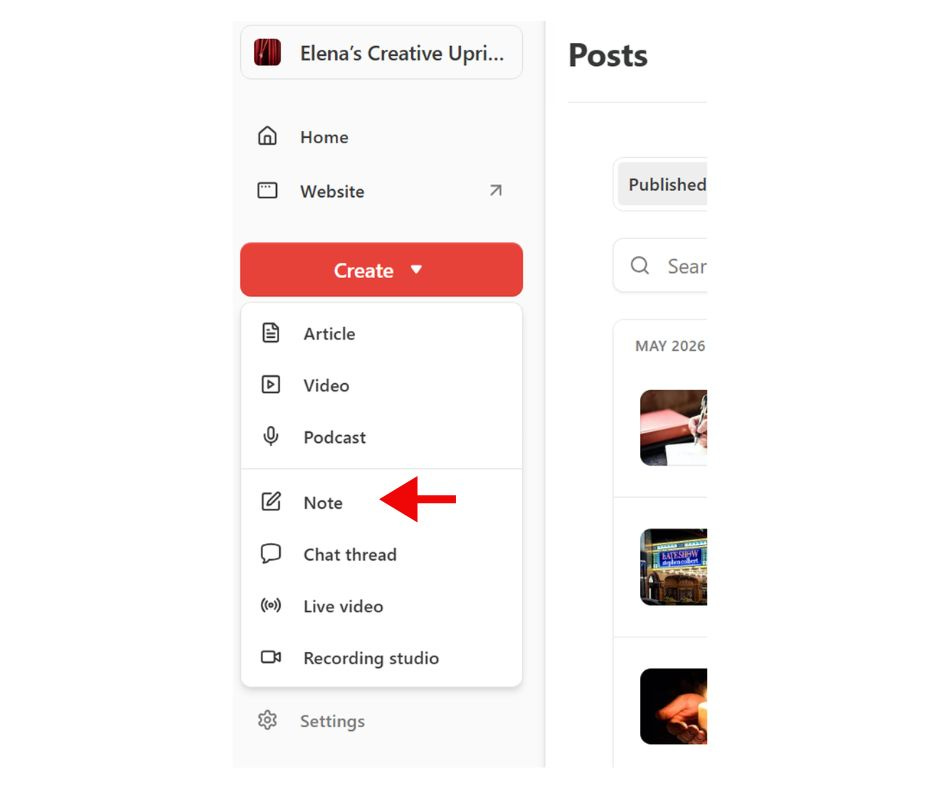
For others, that will mean clicking on Create and choosing Note.
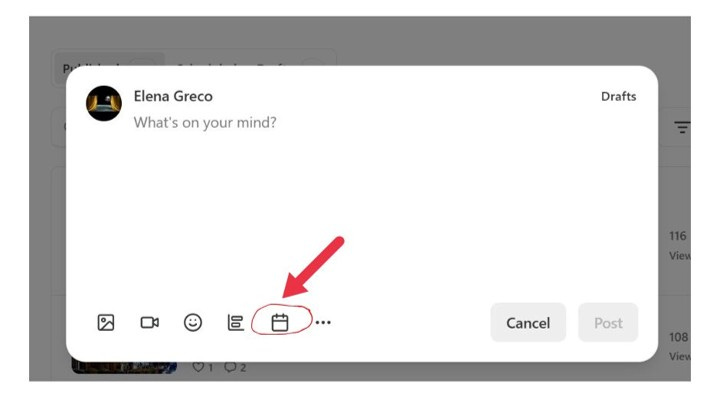
2. In the Note entry screen, find the Calendar button, which is the next to last button on the right at the bottom of the screen.
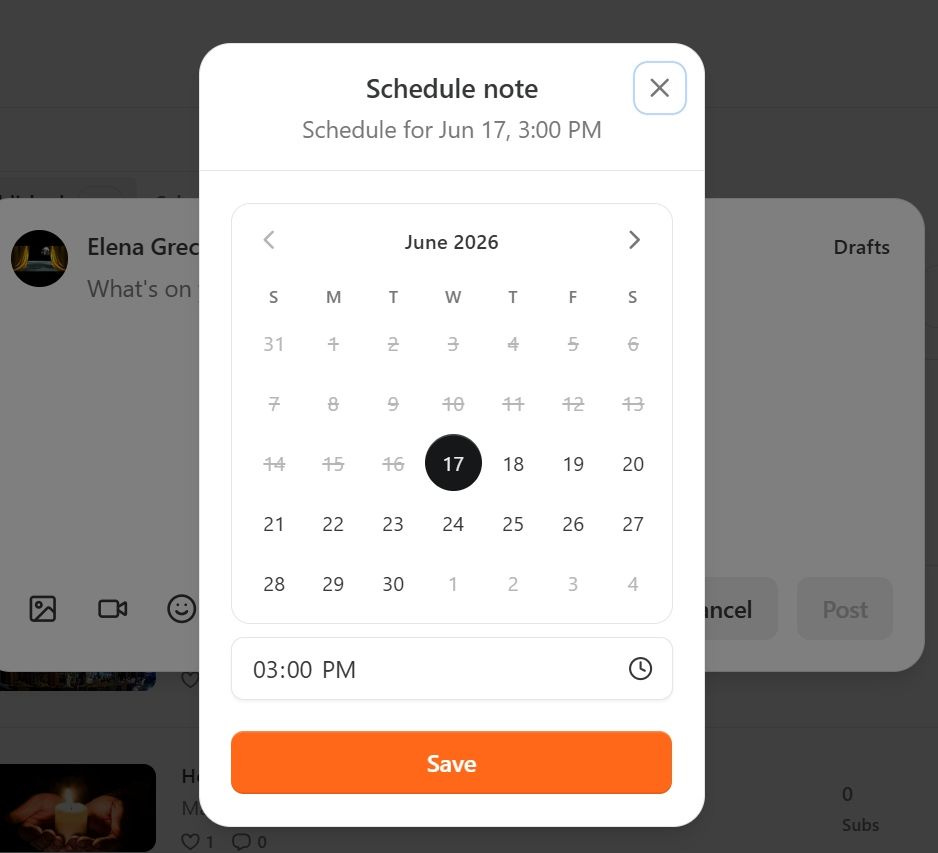
3. Choose the date and time you want the Note to appear on Substack and click Save.
4. Write or paste the content you’re scheduling and hit Post.
5. You’re done!
6. If you later want to verify that the Note is scheduled or make a change, go to Notes Drafts by following the steps above as if you’re about to create a Note. Then look at the top right of the screen and click on Drafts. That where your scheduled Notes posts reside.
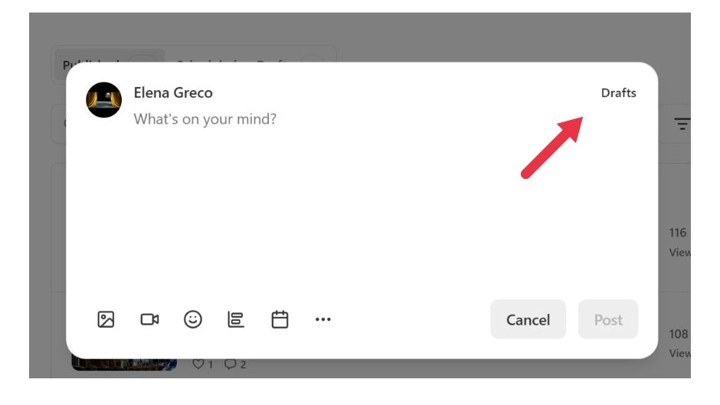
6. If you need to schedule a sequence of posts—to promote something, for example, or as a regular feature, say a quote every Thursday—I recommend that you first
a) make a calendar or list of the posts, in a Word table for example; next
b) write the content of all of the posts; then
c) determine and list the dates you want to post them.
Then all you have to do in Substack is go to Notes, copy and paste the content, and choose a time for each of the posts in succession. It will save you a lot of time!
Here’s to new freedom in posting!
Comments
Nothing yet. Say the first thing.
Sign in to join the conversation.