
I'm currently learning Django. Doing things in Visual Studio Code has been an awesome experience - except for one thing.
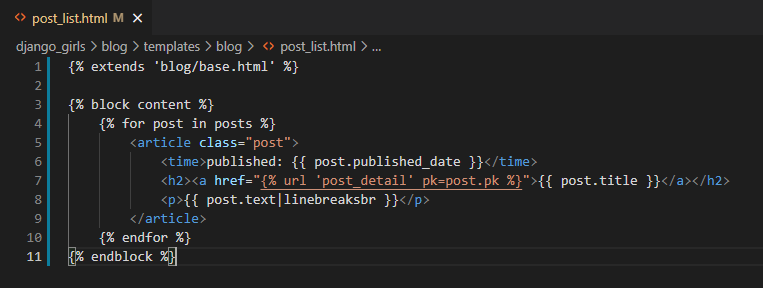
Whenever I would save a template, some sort of autoformatting would happen and make my Django template tags look really undesirable. Here's an example (shoutout to the Django Girls tutorial):
Before saving:
After saving:
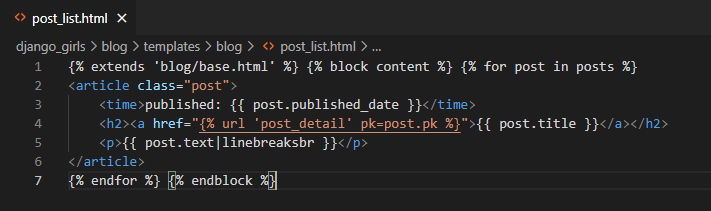
This would happen every time I pressed Ctrl + s. Obviously it was pretty annoying. I think the culprit was the built-in HTML autoformatter, so I played with some of the built-in settings in VSCode but ultimately nothing I did with those settings fixed this.
Solution
Installed this plugin (simply named Django): https://marketplace.visualstudio.com/items?itemName=batisteo.vscode-django
Added some lines to my workspace json file under settings:
"settings": {
	"files.associations": {
		"**/*.html": "html",
		"**/templates/**/*.html": "django-html",
		"**/templates/**/*": "django-txt",
		"**/requirements{/**,*}.{txt,in}": "pip-requirements"
	},
},
After reloading VSCode, the language for my Django template files was automatically set to Django HTML and the undesirable autoformatting problem was gone.

Comments
Nothing yet. Say the first thing.
Sign in to join the conversation.