
Two livestreams. About two hours. One app I built, broke, almost couldn’t recover, and got back to working… all in front of a live audience.
This is what I want to talk about.
Not just the app, though the app is genuinely fun. I want to talk about the process I’ve been developing for over a year now … directing AI agents to build REAL software without being able to write a single line of code myself. Where it works beautifully, where it falls apart, and what it means that any of this is even possible.
Let’s start with what I built.
The app is called Glyph. It lives at www.donalleniii.me in the Apps section. It’s free, runs in your browser, and does something I think is genuinely wild: it takes your camera feed, uploaded videos, images — or parametric 3D shapes — and converts everything into ASCII art in real time. (See below)
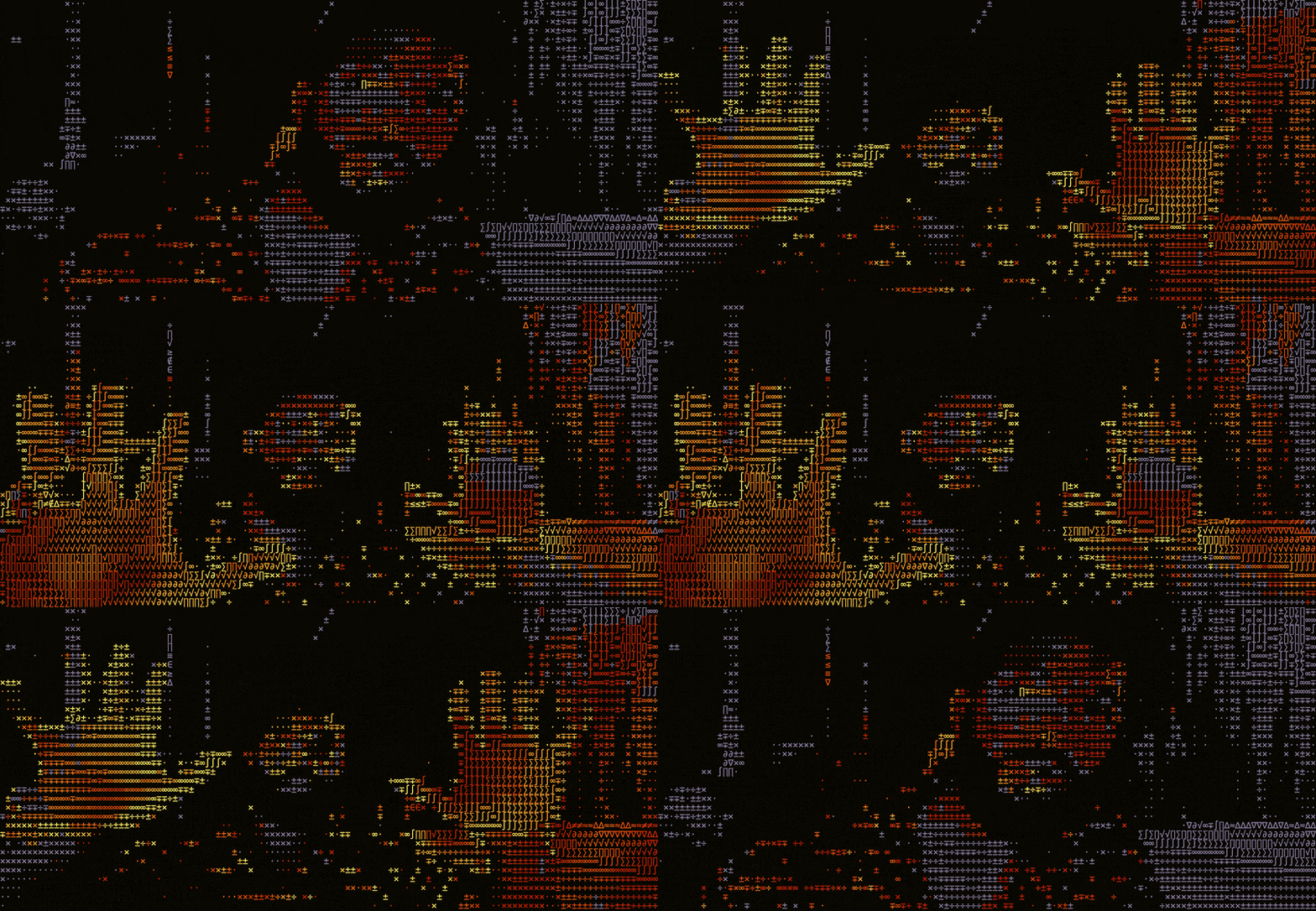
ASCII is that old-school format made entirely of text characters arranged so densely they form recognizable images from a distance. It reminds me of my child hood CPUs . The first image my dad printed from the World Wide Web was made of it. It’s nostalgic, minimal, and insanely lightweight because at the end of the day it’s just text.
I added a lot to it. Color presets you switch by hovering. Dozens of ASCII character sets — braille, katakana, morse code, math symbols, geometric blocks, DNA. Brightness, contrast, resolution controls. Motion trails that leave color streaks when you move. MP4 and PNG export. Drag any video in and it converts instantly, audio preserved. And a full 3D shape engine — a cube, torus, helix — all rendered entirely from text characters.
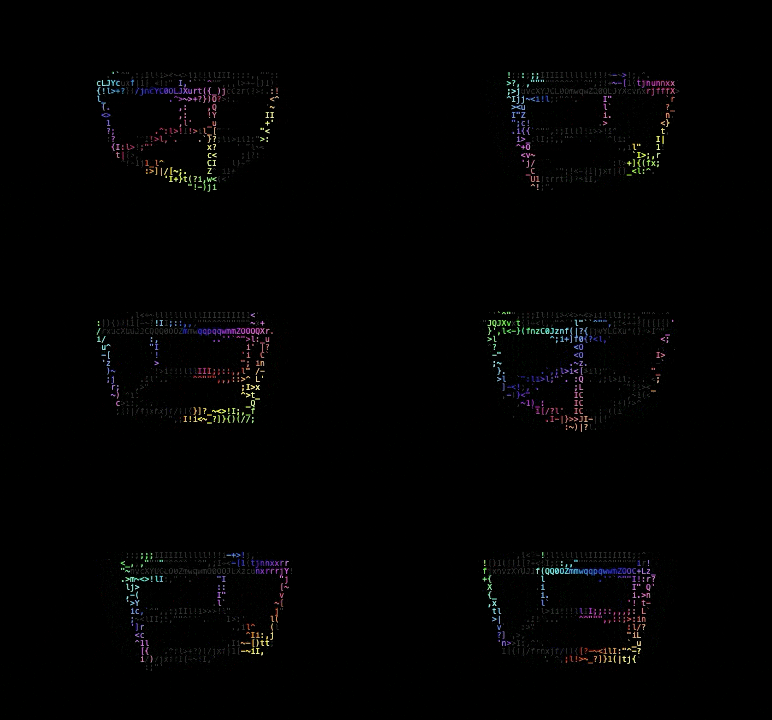
That last one is the thing people can’t believe. There’s no 3D geometry under the hood. No vertex data, no rendering pipeline. I created the illusion of 3D by encoding depth into ASCII character density. When colleagues saw it they assumed I had a full renderer running. It’s just text doing a convincing impression of geometry.
And here’s what I want to be clear about upfront:
I did not write a single line of this code.
Not because I outsourced it. Not because I had a team. I built it by speaking to AI agents liek Claude, ChatGPT, Gemini directing them… iterating back and forth for roughly 10 hours. The whole thing fits in one HTML file. About 5,000 lines of code. I orchestrated every bit of it.
That process is what I want to unpack.
Most people imagine “AI coding” as typing a one-line prompt and getting a finished app. That works for some, but thats not how this works for me. At least not if I want something actually good that I am proud of and feel like I had made meaningful contributions to.
Here’s what my process actually looks like … and it starts well before anyone or thing writes a line of code.
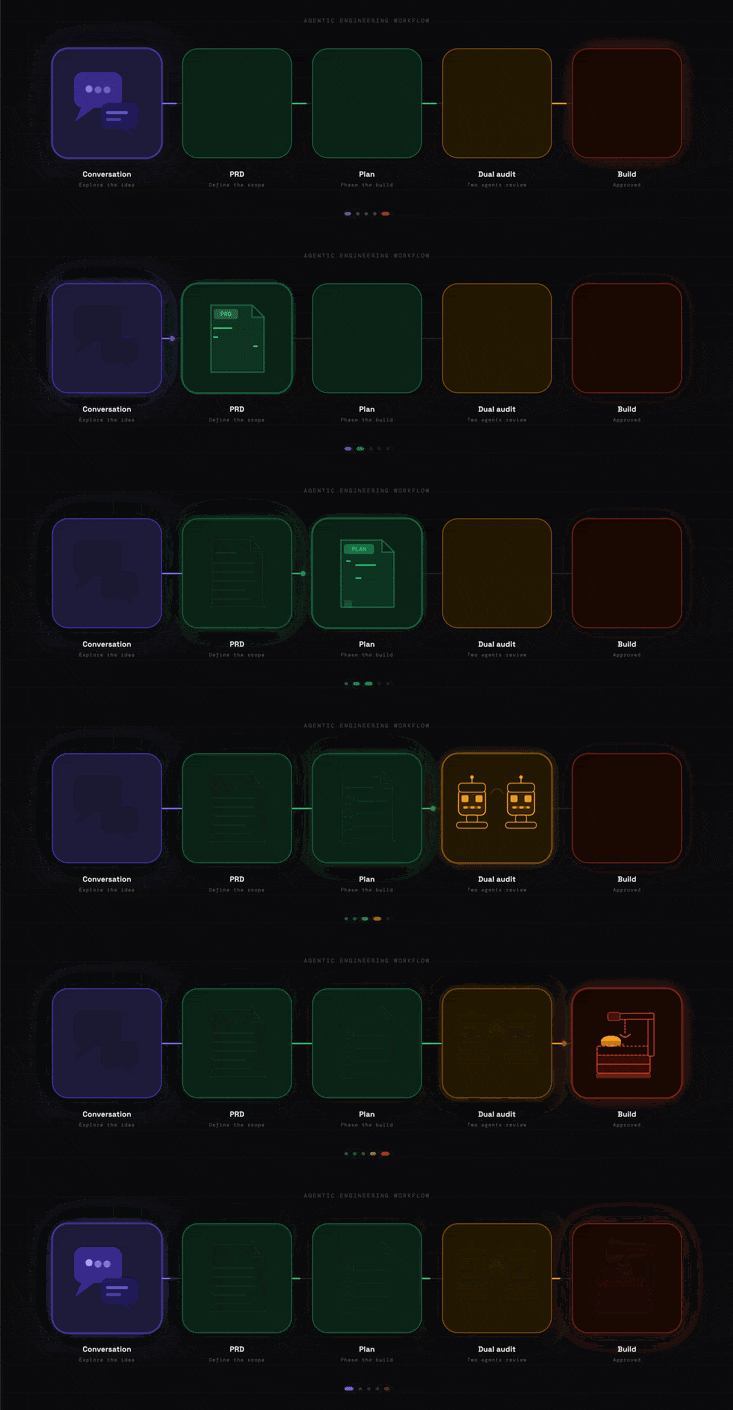
I don’t open a code editor. I start with an exploratory conversation. Sometimes an hour long. Typically I record a voice memo and then transcribe it to text later. With Glyph I just talked. Is this technically feasible? What ASCII formats exist? What would make this feel expressive versus just functional? What are the hard problems I need to address to make this actually useful?
At the end of that conversation, I asked Claude (A really poerfull LLM) to write a Product Requirements Document a PRD based on everything we’d discussed. It defines what the app is, what it does, what it doesn’t do, and critically, where its edges are. What is this thing not trying to be?
That document became the north star for everything that followed.
Once I had a PRD, I asked for a plan. Not code. A plan. What gets built first? What’s most important? What tools does this need?
The plan maps out the build in phases. And here’s what I want you to hear: I read the plan. Every time. I don’t skip this step.
It is incredibly tempting to just say “approved” and let the AI start building.
Don’t.
The models are brilliant but they often take shortcuts. They’ll add things you didn’t ask for. They’ll touch code you didn’t want touched. Reading the plan is your chance to catch that before it happens, not after.
Two specific things I look for every time:
What it’s going to touch. If the plan mentions any feature I didn’t ask about… even a “small adjustment” I stop it right there. “Don’t touch that. Just add the button.”
What it’s leaving alone. I want to see the “What Stays Untouched” list explicitly. If the agent doesn’t include it, I ask for it.
What follows is the piece that actually changes how you build things: the dual-agent auditing technique, how to use bypass mode responsibly, why repeating yourself works, the philosophy of taste in AI direction, and a full breakdown of what broke on stream and what I learned from it.
$5/month gets you all of this, plus every article going forward.
(Full article continues below for subscribers)
Comments
Nothing yet. Say the first thing.
Sign in to join the conversation.