For years, AOS (Animate On Scroll) was the go to library for adding scroll reveal animations to websites. It was lightweight, easy to use, and worked well for a wide range of projects. Recently, however, I started looking for a more modern alternative. While AOS still works, development appears to have slowed considerably, with its last major release dating back to 2018. I wanted something…
In the last tutorial, we covered how to programmatically add and connect nodes using editor.import() . Now, let’s make things more interactive by enabling users to drag and drop nodes into the canvas. This feature is perfect for creating a dynamic interface where users can customize workflows. Here’s how you can implement drag-and-drop functionality to add nodes. Step 1: Set Up a Basic HTML…
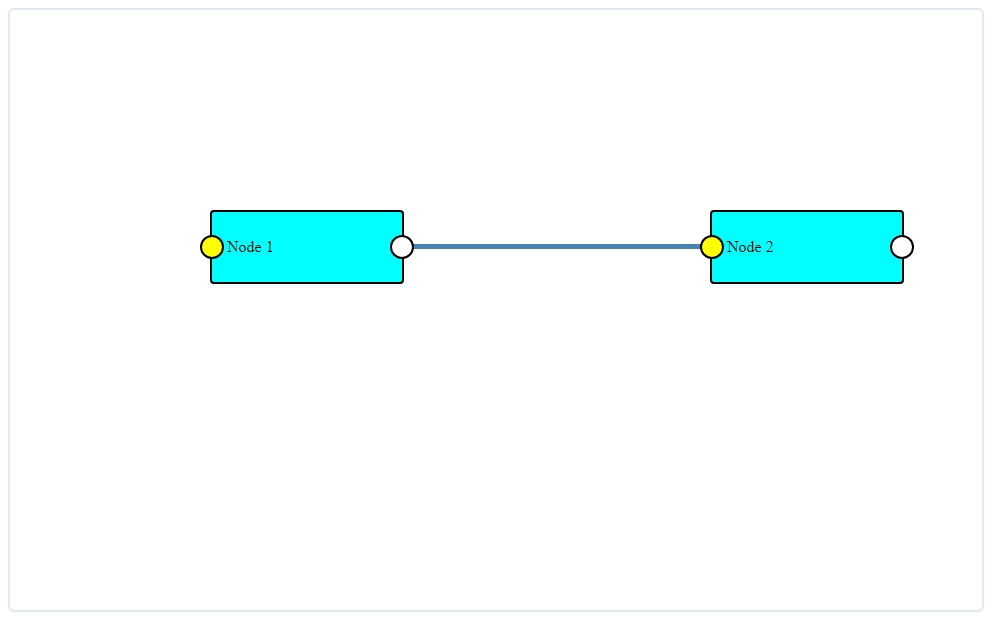
In our first tutorial, we set up Drawflow, created a canvas, and added a simple “Hello World” node. Now, let’s move forward and explore how to add multiple nodes that are connected to each other right from page load. This tutorial will guide you through adding new nodes and establishing connections between them. Method 1: For Simple or Example Workflows Use this method if you want to preload…
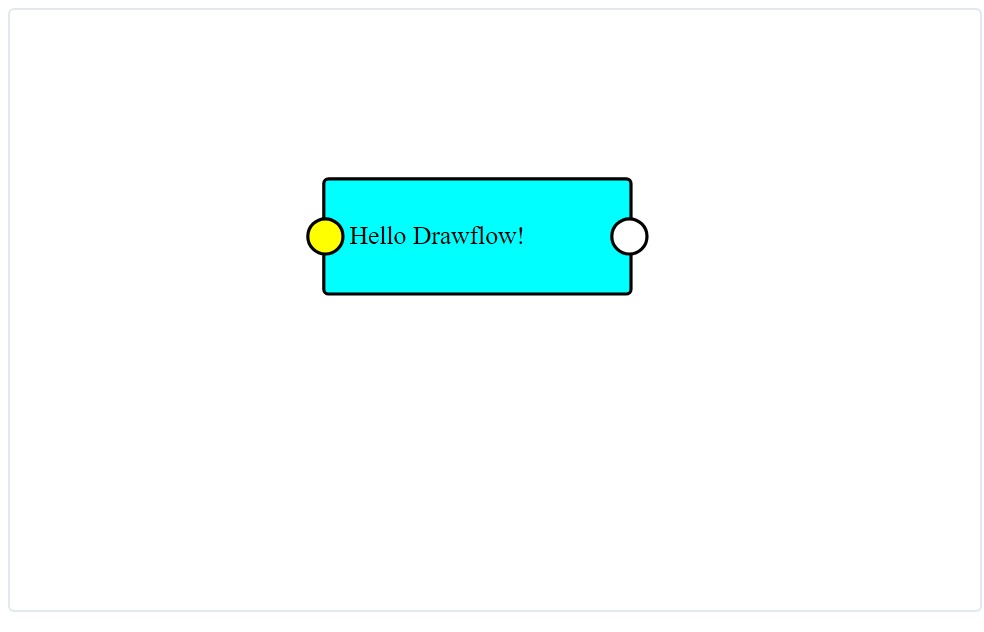
Drawflow is a JavaScript library that makes creating interactive, visual workflows on the web easy. If you’ve explored its documentation, you might have found it detailed but a bit challenging to follow for beginners. This tutorial series will guide you through: setting up Drawflow adding basic nodes adding connected nodes customizing your nodes and connecting lines In this first part, we’ll cover…
Google Sites can be a good option for creating a portfolio website, especially for those who prioritize simplicity, ease of use, and cost-effectiveness. However, it may not be the best choice for everyone, particularly those who require advanced design features and customization options. Pros of Using Google Sites for Portfolio 1. Ease of Use Google Sites offers a user-friendly interface, making…
Jekyll has long been a popular choice. However, it’s not the only option out there. Whether you’re looking for more features, a different workflow, or simply want to explore what else is available, there are plenty of alternatives worth considering. Static Site Generators Hugo : Known for its speed, Hugo is a blazing-fast static site generator written in Go. It offers a wide range of themes and…
While Hugo has gained popularity as a static site generator, it’s important to explore alternatives to ensure your project’s needs are fully met. Whether you’re seeking simplicity, robust features, or flexibility, there are various alternatives across different categories: static site generators, content management systems (CMS), and website builders. Static Site Generators 1. Jekyll As one of the…
Static site generators (SSGs) have gained considerable popularity for their simplicity, speed, and security benefits. However, managing content with traditional SSGs often involves editing files or using markdown, which can be daunting for non-technical users. Content Management Systems (CMS) tailored for SSGs, offer an easy-to-use interface for editing and managing content while retaining the…
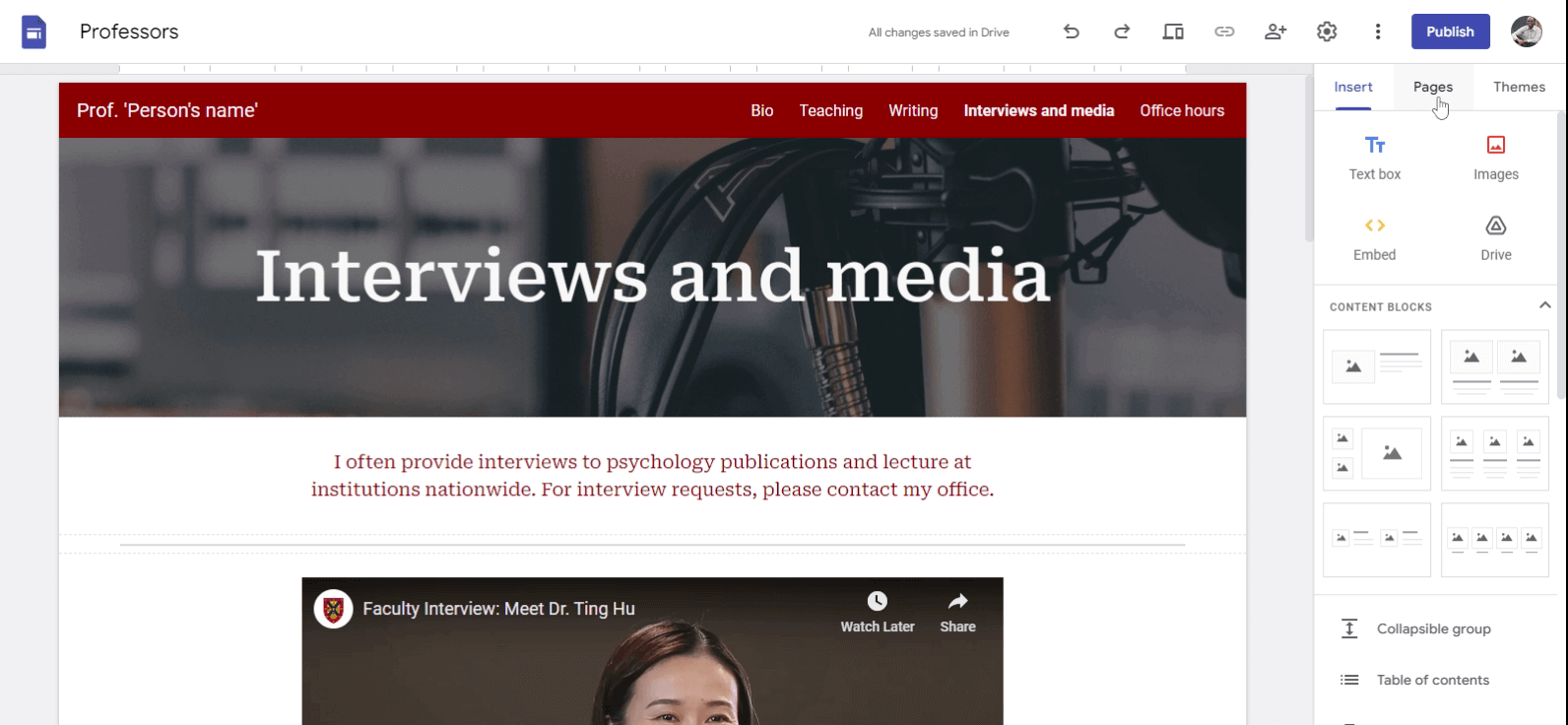
You can add a page to Google Sites in 3 different ways Creating a New Page Click on the pages tab located on the right hand side. Click on Add(+) sign at the bottom. You will be prompted to give a name for the new page. Click on “Done” to add a new page. The page will be automatically shown on the navigation bar. If you want, you can stop the page from showing up on the navigation bar . When To…
The most useful advice I ever got as a new freelance web developer was to specialize in a niche. Niching helped me get my first 5 clients who were looking for freelancers with my specific skills. Specializing in a niche can set you apart and attract clients seeking expertise in your specific area. However, I’m yet to come across a comprehensive list of niches. If you come across such list, let me…
Follow these 6 steps to delete a page on your Google Sites website. Click on the pages tab locate on the right hand side. Find the page you want to delete from the list of pages. Hover your mouse on the page you want to delete. You will see three dots on the right hand side. Click on the three dots. You should see a list of options. Click on the option labeled delete. You page will be deleted…
CSS stands for Cascading Style Sheets . Web developers use it to control the design and layout of a website. With CSS, you can change the colors, fonts, spacing, and more. It’s what makes a plain HTML turn into a beautifully styled website. In this article, you’ll take the journey through the basics of CSS. You’ll get simple and practical CSS examples that are perfect for beginners. You’ll learn…
I started freelancing as a web developer September 2022 and it was a huge and confusing challenge. I have learnt alot from my experience. The good news is that you only need two key ingredients to get started: knowing how to make websites and finding people who will pay you(clients). In this guide, we’ll explore practical steps to showcase your skills and connect with potential clients, helping…
A website Content Management System (CMS) is a user-friendly tool that allows you to build and update your website’s content with zero coding knowledge. You can create and manage the content of your website. You can also manage the design of the website using themes and templates. Key Features of A Website CMS 1. User-Friendly Interface Website CMSs are designed with a user-friendly interface,…
A website builder is like a digital toolbox that helps you create your own website without needing to know complicated coding or programming. It’s a user-friendly tool designed for people who may not have technical skills but want to build a website for personal or business use. How Website Builders Work Think of a website builder as a virtual construction site. Instead of using bricks and mortar,…
A website domain is the address of a website on the internet. It’s what you type into the address bar of your web browser to visit a specific site. Think of it as your home’s street address – it helps people find you in the online neighborhood. Breaking Down the Parts A domain is made up of two main parts: the name and the extension . Let’s use an example to illustrate: Name: This is the unique…
Creating a website is an exciting venture, but there’s more to it than just designing web pages. One crucial aspect that often puzzles beginners is website hosting. In simple terms, website hosting is renting space on someone’s computer(server) to make your website accessible to users worldwide. Understanding the Basics What is Website Hosting? Website hosting is the digital home for your website.…
In this simple guide, we’ll break down the basics and make the concept of a website easy to understand. What Exactly is a Website? A website is a group of one or more web pages which are accessible online though a single address. To have a working website, you need 3 things: A website address A website server or host One or more web pages In the physical world, I would compare a website to a fully…
Websites have become integral part of establish a unique online presence for individuals and businesses. As a web developer, you may be wondering, how many types of website are there? There are a total of 17 Types of websites. 1. Portfolio Websites Portfolio websites serve as a digital showcase for individuals and creative professionals. They go beyond resumes, providing a platform to showcase…
A personal website is like your own virtual home on the internet. It’s a dedicated online space that you can customize to represent who you are, what you’re passionate about, and what you do. It’s a place where you can share your accomplishments, showcase your work, and tell your story in a way that’s uniquely yours. Just as you might decorate your physical space to reflect your personality, a…
If you’ve ever wanted to embed a full web page into your site using an <iframe> , you’ve probably run into the challenge of making it responsive. An <iframe> is essentially a window to another web page within your own, and it can sometimes be tricky to ensure it looks good on various devices and screen sizes. In this guide, we’ll walk you through the steps to create a responsive <iframe> with a…
Creating an academic website is a crucial step in establishing your online presence as a scholar, researcher, or educator. However, once you’ve set up your website, it’s essential to keep it fresh and relevant. In this beginner’s guide, we will explore how often you should update your academic website and why it matters. Why Is Updating Your Academic Website Important? Before diving into the…
In today’s digital age, having a well-structured academic website is essential for academics looking to share their research, connect with peers, and showcase their expertise. Whether you’re a seasoned scholar or just starting your academic journey, this beginner’s guide will help you understand what to put on your academic website to make it both informative and appealing. 1. Create an Engaging…
In today’s digital age, having a personal academic website can significantly boost your online presence and professional profile. Whether you’re a student looking to showcase your work or a seasoned academic aiming to share your research and expertise, choosing the right website builder is crucial. In this beginner’s guide, we’ll explore four popular options: WordPress, Wix, Google Sites, and…
When it comes to web development, centering a <div> inside another <div> both horizontally and vertically can be a bit tricky. However, with a few simple techniques, you can achieve this without pulling your hair out. In this guide, we’ll walk you through the steps to center a <div> inside another <div> using clean and effective methods. HTML Structure Before diving into the techniques, it’s…
Are you a frontend web developer looking to showcase your skills and attract potential clients or employers? Building a portfolio that highlights your expertise is crucial in the competitive field of web development. Including a diverse range of frontend web development projects in your portfolio not only demonstrates your versatility but also showcases your ability to create visually appealing…
A portfolio website is your website where you not only talk about your skills and expertise but also provide real examples of your work. A portfolio website lets you showcase your projects visually, as if you’re sharing them in an online gallery. Instead of merely describing what you’re good at, you can actually show it in action. This way, when potential clients, employers, or collaborators visit…
In this tutorial, we’ll walk you through the steps to display HTML content inside a textarea using JavaScript?. Getting Started Before we dive into the code, make sure you have a basic understanding of HTML, CSS, and JavaScript. You’ll need these skills to follow along. HTML Structure Let’s begin by setting up our HTML structure. Create an HTML file and add the following code: <!DOCTYPE html>…
In this article, we’ll explore how to retrieve the value entered into a textarea element, in a simple and straightforward manner. Understanding Textareas Before we dive into JavaScript, it’s important to grasp the basics of textarea elements. These are HTML elements used to create multi-line text input fields, typically used for comments, descriptions, or any lengthy user input. <textarea id=…
By default, most web browsers allow users to resize textareas by dragging the bottom-right corner. However, there might be situations where you want to prevent users from resizing the textarea. So, how do you stop this. The CSS resize Property The resize property in CSS controls whether an element, such as a textarea, can be resized by the user. By default, the resize property is set to both ,…
If you have a website and want to allow visitors to contact you easily, adding a contact form can be a great idea. In this guide, we’ll walk you through the process of creating a simple contact form in HTML that can send emails. Don’t worry if you’re not familiar with coding – we’ll keep things easy and straightforward. What You’ll Need Before we dive in, let’s make sure you have everything you…
GitHub Pages takes anywhere from a few seconds up to 20 minutes to update successfully, depending on various factors. If you’ve made changes to your website and are eagerly waiting to see them reflected on your GitHub Pages site, read on to understand the factors that influence update times and what you can do to expedite the process. Understanding the Update Process When you update your GitHub…
Tables are a powerful tool for organizing and presenting data on a web page. However, when it comes to styling tables, beginners often struggle with aligning them properly. One common challenge is centering a table horizontally and vertically within its container. In this comprehensive guide, we will walk you through the steps to achieve this using CSS. 1. HTML Structure First, let’s set up the…
HTML tables are a fundamental part of web development. They allow you to organize and display data in a structured manner. Whether you’re creating a pricing comparison chart or presenting statistical information, knowing how to create tables in HTML is an essential skill for any beginner web developer. In this complete guide, we’ll walk you through the process step by step. Let’s get started! Step…
Centering an image vertically can be a bit tricky, but with the right techniques, it can be achieved easily. In this tutorial, we’ll guide you through the process step by step. Method 1: Flexbox Flexbox is a powerful CSS layout module that simplifies the process of centering elements. Here’s how you can use flexbox to vertically center an image: Wrap the image inside a container element, such as a…
Are you a beginner web developer struggling with aligning images in the center of your web page? Don’t worry, we’ve got you covered! In this tutorial, we’ll guide you through the process of horizontally centering an image using CSS, the styling language of the web. Step 1: Wrap Your Image in a Container The first step is to create a container element for your image. This container will act as a…
Have you ever wondered how to perfectly center an image on a webpage using CSS? Centering an image can be a bit tricky, especially for beginners. But fear not! In this complete guide, we will walk you through the best practices to achieve a beautifully centered image on your website. Method 1: Using CSS Flexbox CSS Flexbox is a powerful layout module that simplifies centering elements. Here’s how…
GitLab Pages provides a simple and efficient way to publish static websites directly from your GitLab repository. In this article, we will guide you through the process of publishing an HTML website on GitLab Pages. Whether you’re a beginner or an experienced developer, this step-by-step tutorial will help you get your website up and running in no time. 1. Set Up a GitLab Account To get started,…
When working with React, you will be required to display an array of objects in your application’s user interface. Whether you’re building a user list, a product catalog, or any other dynamic content, efficiently rendering and presenting an array of objects is a fundamental skill to master. In this article, we will explore different methods to effectively render and display an array of objects in…
React is a popular JavaScript library for building user interfaces. It provides a powerful and efficient way to create dynamic web applications. One common task in web development is displaying data from an API or a backend server. In this article, we will explore how to display JSON data in a React application. Understanding JSON JSON, which stands for JavaScript Object Notation, is a lightweight…
In this article, we will explore different methods of displaying a list of images this using React. Whether you have images stored within your application or need to fetch them from an API, we’ve got you covered. 1. Display List of Images Stored Within Your Application If you have a predefined set of images stored within your application, you can import and display them using React. Here’s how: 1.…
In React, displaying images from URLs is a common requirement when building web applications. In this guide, you’ll learn how to display an image from an absolute URL or from a relative URL within the src or public folder. Introduction When working with React, there are different scenarios in which you might need to display images. You may have images stored on external servers, or you may want to…
One common requirement as a web developer is to display a list of items in a React application. In this article, we will explore different approaches to achieve this task. 1. Display an Array of Strings If you have a simple list of items represented as strings, React provides a straightforward way to display them. Here’s an example: import React from 'react'; const ItemList = () => { const items =…
React.js is a popular JavaScript library for building user interfaces. One common task when developing web applications with React.js is displaying text on the screen. In this article, we will explore different ways to display text in React.js and provide you with the knowledge you need to get started. Using JSX In React.js, JSX is a syntax extension that allows you to write HTML-like code within…
Are you looking for a fun and engaging project to help you practice your HTML, CSS, and JavaScript skills? Look no further than the Company Website project! Project Stats Knowledge required: HTML, CSS, and Javascript Difficulty: Beginner friendly Estimated project completion time: 30 - 60 hours Skills to Practice on the Project Designing website layouts with HTML and CSS Creating interactive…
In today’s digital age, websites have become essential tools for individuals and businesses to establish their presence, reach a wider audience, and achieve their goals. But why do people create websites, and what benefits can having one bring to you? In this article, we will explore the reasons behind website creation and delve into why you may want to consider having your own. 1. Establishing an…
If you’re a frontend web developer looking to build your skills, building a dashboard website is a great project to tackle. Dashboard websites are used to display and organize data in a visual way. They can be used for anything from tracking business metrics to monitoring personal fitness goals. In this blog post, we’ll take a look at the key components of a dashboard website, the skills you’ll…
Netlify, a popular web hosting and deployment platform, offers a seamless solution for hosting and deploying static websites. In this article, we will guide you through the process of uploading and deploying an HTML website on Netlify. Whether you are a beginner or an experienced developer, this step-by-step tutorial will help you get your website up and running in no time. 1. Sign up for a…
With HTML, and CSS, you can make websites that look great. With, Javascript, you can take your website interactivity to the next level. By the end of this article, you’ll have a better understanding of Javascript and how it can enhance your web development skills as a developer. What Can Javascript Do? Javascript can perform a wide range of functions in web development, including: Creating dynamic…
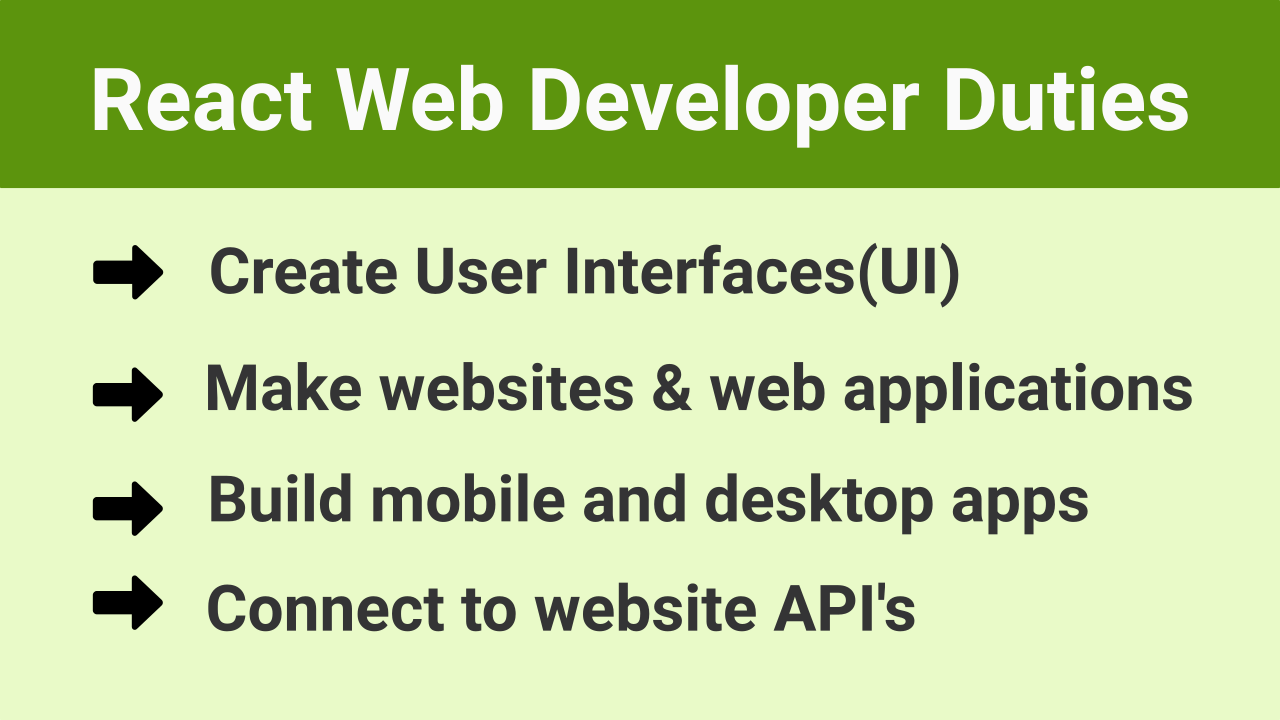
React is a JavaScript library that’s used to build user interfaces (UIs) on the web. It was created by Facebook in 2011 and has since become one of the most popular front-end frameworks in use today. React is widely used by developers to create complex web applications, and as such, React developers are in high demand. In this article, we’ll explore what a React developer does, the skills and…