Some apps can benefit from being able to programatically scroll to a specific item in a ScrollView. Apple provides the means to do this with the ScrollViewReader. By calling scrollTo and providing it a position of the item, you can programatically have the items scrolled to the correct location. This is particularly useful for apps [ ] The post Using ScrollViewReader for Programmatic Scrolling in…
I have written about MapKit a few times before such as a tutorial about adding a Map to your SwiftUI app and the MKPointAnnotation tutorial from back in 2013, which uses Swift and UIKit. In this tutorial we ll look at using the Annotation and Marker structures that provide the means to getting annotations on your [ ] The post How to Use Annotation and Marker on a SwiftUI Map appeared first on…
The iPhone, for years, has given users the ability to share items with other users. This capability has been around since iOS 6 in the form of UIActivityViewController that allows you to share items like photos, text, websites, files with other services. Apple created a new way to share items with the introduction of ShareLink. [ ] The post How to Use ShareLink in SwiftUI to Share Text, Images,…
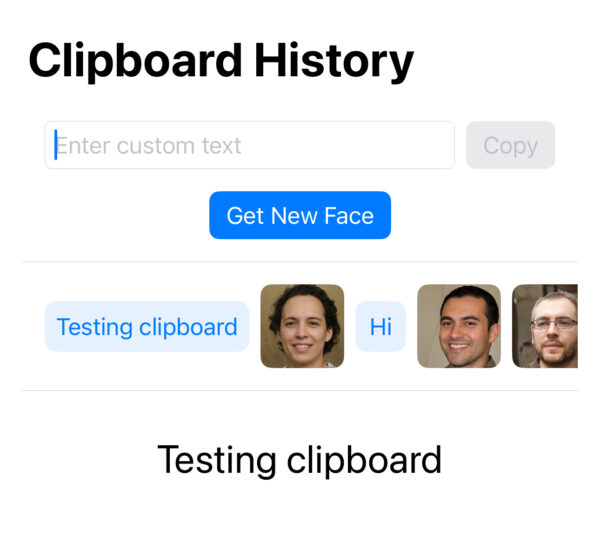
In yesterdays tutorial about how to use the UIPasteboard, I pointed out that UIPasteboard can only store a single item and if you replace a string with a string, the old one gets overwritten, and likewise, if you replace a string with an image, or vice-verse, only the newest is kept. In this tutorial we [ ] The post How to build a Clipboard History App with UIPasteboard, Images, and Strings in…
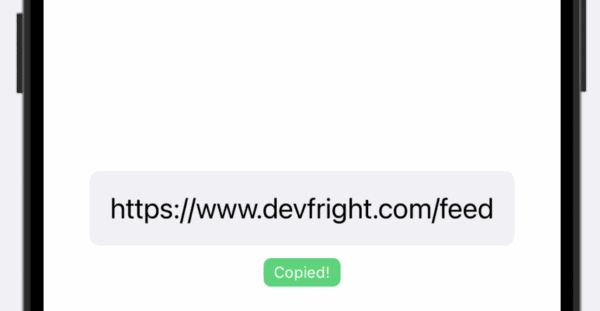
If your user need a way to quickly copy something to the clipboard, or pasteboard as Apple calls it, in your iPhone app, then UIPasteboard is the class that can be used to accomplish this. UIPasteboard has been available since iOS 3.0. Implementing a Reusable View that uses UIPasteboard We ll look at creating a reusable [ ] The post How to Add Tap to Copy with UIPasteboard in SwiftUI appeared…
Swift makes it easy to allow deep links into your app. Deep links are especially helpful when wanting to direct users straight to specific content. One way I use deep links is sending emails to my task manager. When I see the task, I can click on a link and it opens up the Mail [ ] The post Handling Deep Links in SwiftUI with URL Schemes appeared first on DevFright .
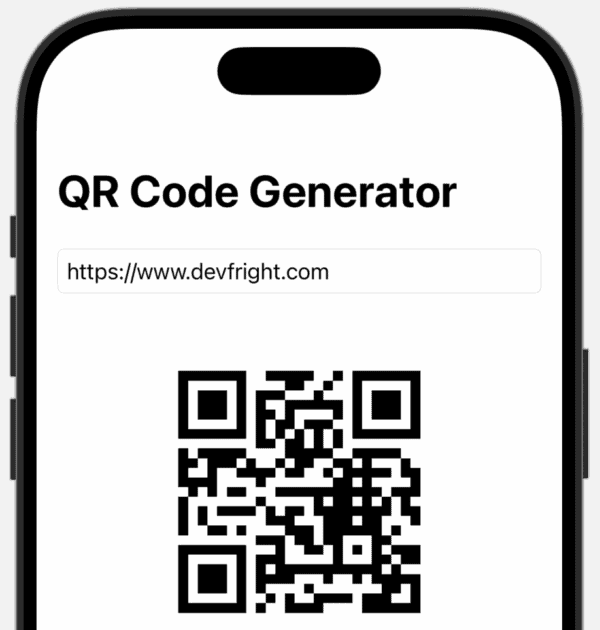
iPhone has had the ability to generate QR codes since iOS 5 that was released in 2011, yet, it is something that I have never used before in an iPhone app. QR codes are useful for many things from putting a URL on a flyer that someone can scan to visit a web address to [ ] The post How to Build a Native QR Code Generator for iPhone with SwiftUI appeared first on DevFright .
SwiftData is a framework that is built on top of Core Data and greatly simplifies working with data in your SwiftUI app. One caveat is that not all functionality of Core Data can be found in SwiftData. In this turorial we ll look at the UndoManager that tracks changes and allows you to undo and redo [ ] The post How to Use UndoManager with SwiftData appeared first on DevFright .
The Picker has been around since iOS 2 and is known as the UIPickerView in UIKit. It joined SwiftUI in iOS 13 as Picker . As well as the Picker view, there is also the DatePicker view that you will also be familiar with using in apps. The regular Picker also has a modifier called .pickerStyle [ ] The post Exploring SwiftUI Picker Styles: Date, Selection, Graphical, Inline etc appeared first on…
If you have come from a background using UIKit, you will have worked with ViewControllers and have seen several methods from the ViewController class that were called at certain times during the view loading. An example is viewDidLoad: We override the method, and call super.viewDidLoad(), and then have time to do our own thing such [ ] The post Using .onAppear and .onDisappear in your SwiftUI…