

- Setting Up the Environment
- Creating the Storage System
- Creating the Router
- Creating Actions and Views
- Creating a Logging Middleware
- Bonus: Optimizing Performance 🚀
- Conclusion
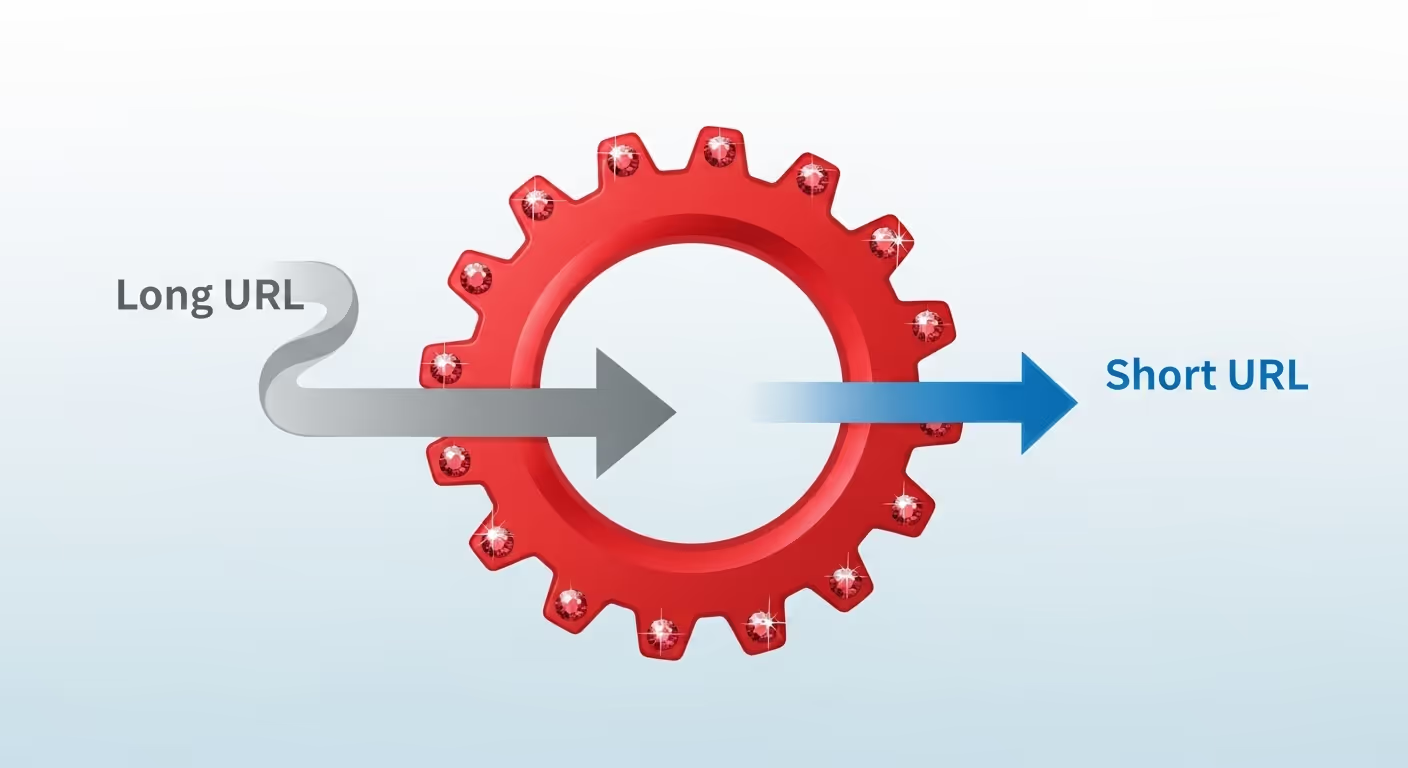
In this tutorial, we’re going to build a minimalist URL shortener (like bit.ly) from scratch, using only Rack and Ruby’s standard library. We won’t use frameworks like Rails or Sinatra. Just pure Rack.
Besides building the core functionality, we’ll take a deep dive into the anatomy of an HTTP request within Rack.
By the end, you will understand the following concepts:
- How the
envHash flows through the request lifecycle. - Creating and chaining middlewares with
Rack::Builder. - Manual routing without external dependencies.
- Lightweight persistence in a JSON file and its limitations.
- Basic security best practices, like preventing XSS.
- Performance optimization techniques using Rack middlewares.
Setting Up the Environment
Before we begin, let’s prepare our environment. Create a new folder for the project and navigate into it:
mkdir url-shortener
cd url-shortener
Now, initialize Bundler to manage our dependencies:
bundle init
This will create a Gemfile. Now add the gems we’ll need:
bundle add rack puma
Finally, create the directory structure we’ll use:
mkdir -p app/views app/middleware
touch config.ru app/shortener.rb app/store.rb
Creating the Storage System
Before we can shorten URLs, we need a place to store them. We’ll create a Store class that will handle persistence using a simple JSON file.
Create the Store Class
First, let’s define the class and its initializer.
- This class handles all data operations: saving, finding, updating, and listing.
- The goal of the initializer is to ensure our “database” (the db.json file) is ready to use by loading its contents into memory.
require "json"
require "securerandom"
module URLShortener
class Store
DB_FILE = "db.json"
def initialize
# If the file doesn't exist, create it with an empty hash
File.write(DB_FILE, "{}") unless File.exist?(DB_FILE)
# Load the data into memory
@data = JSON.parse(File.read(DB_FILE))
end
end
end
DB_FILE: We define a constant for the filename. This is a good practice to avoid “magic strings” scattered throughout the code.initialize: This method runs every time we create a new instance withStore.new. It first checks if db.json exists. If not, it creates it with an empty JSON object ({}). Then, it reads the file’s content, parses it as JSON, and saves it to the instance variable@data, which will be a simple Ruby Hash.
A “magic string” is a text value (String) used directly in the code without any explanation of its purpose.
Think about it this way:
- Bad (with a magic string):
File.write("db.json", "{}") - Good (without a magic string):
File.write(DB_FILE, "{}")
Why are they a problem?
- They make maintenance harder: If you wanted to change the filename from
"db.json"to"database.json", you would have to find and replace that string in every place it appears. It’s easy to miss one and cause a bug. - They are prone to typos: It’s very easy to make a typo (
"db.json"vs."db,json") in one spot and spend hours hunting down the bug. - They reduce readability: A constant name like
DB_FILEimmediately explains what that value is. The string"db.json"alone doesn’t provide as much context.
Saving a New URL
Now for the most important method: save. Its job is to take an original URL, generate a unique identifier (the “slug”), save the information, and return the slug.
3 collapsed lines
def initialize
# ...
end
def save(original_url)
# Generate a unique 4-character code
slug = generate_slug
# Save the information with metadata
@data[slug] = {
"url" => original_url,
"created_at" => Time.now.to_i,
"clicks" => 0
}
# Write the changes to the file
persist!
# Return the slug so the app can use it
slug
end
Retrieving and Updating Data
We also need methods to read the data we’ve saved.
3 collapsed lines
def save(original_url)
# ...
end
def find(slug)
@data[slug]
end
def increment_clicks(slug)
return unless @data[slug] # Do nothing if the slug doesn't exist
@data[slug]["clicks"] += 1
persist! # Save the change to the file
end
def all
@data
end
Helper Methods (Private)
Finally, let’s implement the private methods that save and increment_clicks use.
3 collapsed lines
def all
# ...
end
private
def generate_slug
# Loop until we find a slug that doesn't exist
loop do
# SecureRandom.alphanumeric generates cryptographically secure random characters
slug = SecureRandom.alphanumeric(4).downcase
return slug unless @data.key?(slug)
end
end
def persist!
# Save with pretty_generate to make the file human-readable if opened
File.write(DB_FILE, JSON.pretty_generate(@data))
end
- The
generate_slugmethod uses an infinite loop that only breaks when it finds a slug that doesn’t already exist in our data. With 4 alphanumeric characters, we have thousands of possible combinations, so collisions are very unlikely. - The
persist!method writes the changes to the db.json file.
Creating the Router
Now that we can save data, let’s make our application respond differently depending on the visited URL. We’re going to implement a manual routing system.
Structure and Routing
require "rack"
require "erb"
require_relative "store"
module URLShortener
class ShortenerApp
def initialize(store: Store.new)
@store = store
end
def call(env)
# Rack::Request wraps the env hash with convenient methods
request = Rack::Request.new(env)
# Routing based on HTTP method and path
route(request)
end
private
def route(request)
# Use pattern matching to decide what to do
case [request.request_method, request.path_info]
when ["GET", "/"]
render_home
else
not_found
end
end
end
end
The route method combines the HTTP method and the path into an array [request.request_method, request.path_info] and uses case/when to decide what to do. This makes the routing very readable.
Creating Actions and Views
Now let’s implement the methods that are called by our router (the “actions”) and the ERB templates that generate the HTML (the “views”).
The Home Page
This is the main action of our application. Its purpose is to display the form for shortening a new URL and to list the links that have already been created.
3 collapsed lines
def route(request)
# ...
end
def render(view_name, locals = {})
layout = File.read("#{__dir__}/views/layout.erb")
view_code = File.read("#{__dir__}/views/#{view_name}.erb")
view_content = ERB.new(view_code).result_with_hash(locals)
final_body = ERB.new(layout).result_with_hash(content: view_content)
ok_html(final_body)
end
def render_home
render("home", links: @store.all)
end
def ok_html(body)
[200, { "Content-Type" => "text/html", "Content-Length" => body.bytesize.to_s }, [body]]
end
def not_found
[404, { "Content-Type" => "text/plain" }, ["Not Found"]]
end
def bad_request(message)
[400, { "Content-Type" => "text/plain" }, [message]]
end
render(view_name, locals = {}): This is a very powerful helper method. Its job is to take the name of a view, load it along with the layout.erb template, and render the view inside the layout. Thelocalsvariable allows us to pass data from our action to the view (like the list of links).render_home: This is the specific action for the/route. It simply calls ourrenderhelper, tells it to use the “home” view, and passes it all the links it gets from@store.ok_htmlandnot_found: These are helpers for generating standard Rack responses. Remember that a Rack response is always a three-element array:[status_code, headers, [body]].
<!DOCTYPE html>
<html lang="en">
<head>
<meta charset="utf-8">
<title>Rack URL Shortener</title>
<style>
:root { --bg: #ffffff; --fg: #111827; --accent: #4f46e5; }
@media (prefers-color-scheme: dark) {
:root { --bg:#0f172a; --fg:#f1f5f9; --accent:#818cf8; }
}
body { background:var(--bg); color:var(--fg); font-family:monospace; max-width:680px; margin:3rem auto; }
input[type=url] { width:100%; padding:0.7rem; border:1px solid #94a3b8; border-radius:6px; }
button { padding:0.6rem 1.2rem; margin-top:0.6rem; border:none; border-radius:6px; background:var(--accent); color:#fff; cursor:pointer; }
table { width:100%; margin-top:1.8rem; border-collapse:collapse; }
th,td { border-bottom:1px solid #e2e8f0; padding:0.5rem; text-align:left; }
a { color:var(--accent); text-decoration:none; }
code { background:#f1f5f9; color: #334155; padding:0.25rem; border-radius:4px; }
</style>
</head>
<body>
<h1>🔗 Rack URL Shortener</h1>
<%= content %>
</body>
</html>
<%= content %>: This is where ERB will insert the content of our specific view (for instance home.erb), which we pass from therendermethod.
<h2>Shorten a URL</h2>
<p>Soon you will be able to shorten URLs here.</p>
Now, edit config.ru, which is the file Rack looks for to know how to run the application:
require_relative 'app/shortener'
run URLShortener::ShortenerApp.new
Start the server with bundle exec puma and try visiting /. Also, try a non-existent route like /foo to see the 404 response.
The URL Shortening Form
It’s time to add the main functionality. We need a form where the user can enter a URL and an endpoint to process that form.
First, let’s improve our home page with a real form:
<form action="/shorten" method="POST">
<label for="url">Enter a URL to shorten:</label><br>
<input type="url" id="url" name="url" placeholder="https://example.com/a-very-long-link" required>
<button type="submit">Shorten URL</button>
</form>
<% if links.any? %>
<h2>Created Links</h2>
<table>
<thead>
<tr>
<th>Short URL</th>
<th>Original URL</th>
<th>Clicks</th>
</tr>
</thead>
<tbody>
<% links.each do |slug, data| %>
<tr>
<td><a href="/<%= slug %>/info"><code>/<%= slug %></code></a></td>
<td><a href="<%= Rack::Utils.escape_html(data['url']) %>" title="<%= Rack::Utils.escape_html(data['url']) %>"><%= Rack::Utils.escape_html(data['url'][0..40]) %>...</a></td>
<td><%= data['clicks'] %></td>
</tr>
<% end %>
</tbody>
</table>
<% end %>
Note that this page now displays a table with the links that have been created so far.
Also, notice the use of Rack::Utils.escape_html for the URLs. This is crucial for security: it prevents Cross-Site Scripting (XSS) attacks by escaping special HTML characters.
Creating a Short URL
This action handles the data submitted from the home page form. Its responsibility is to validate the URL, save it, and redirect the user to a confirmation page.
Add the route to process the form:
def route(request)
# Use pattern matching to decide what to do
case [request.request_method, request.path_info]
when ["GET", "/"]
render_home
when ["POST", "/shorten"]
create_short_url(request)
else
not_found
end
end
Now create the method that processes the creation:
3 collapsed lines
def bad_request(message)
# ...
end
def create_short_url(request)
# Form data comes in request.params
original_url = request.params["url"]&.strip
# Basic validation
return bad_request("Invalid URL") if original_url.nil? || original_url.strip.empty?
original_url.strip!
# Save and get the slug
slug = @store.save(original_url)
# Redirect to the info page for the shortened URL
redirect("/#{slug}/info")
end
def valid_url?(url)
url&.match?(URL_REGEX)
end
request.params["url"]:Rack::Requestautomatically parses the form data (in this case, the field withname="url") and makes it available in theparamshash.valid_url?: A small validation helper that uses a regular expression to check if the string looks like an HTTP or HTTPS URL. We’ll defineURL_REGEXlater.redirect(...): We implement the POST-Redirect-GET pattern. After successfully processing a POST request, we never return HTML directly. Instead, we redirect the user to a new page (in this case, the info page). This prevents the form from being resubmitted if the user reloads the page.
The Redirects
This is the action that brings the shortener to life. When a user visits a short URL like http://localhost:9292/abcd, this method is executed to find the original URL and redirect the browser to it.
3 collapsed lines
def valid_url?(url)
# ...
end
def redirect(location)
[302, { "Location" => location }, []]
end
def redirect_to_original(slug)
# Look for the record in our "database"
record = @store.find(slug)
# If it doesn't exist, return 404
return not_found unless record
# Increment the visit counter
@store.increment_clicks(slug)
# Redirect with a 302 (temporary redirect)
# Use 302 instead of 301 so we can count every visit
[302, { "Location" => record["url"], "Cache-Control" => "no-cache, no-store" }, []]
end
The redirect response is special: it has a 302 status code and a Location header that tells the browser where to go. The browser automatically makes a new request to that URL. The Cache-Control header prevents the browser from caching the redirect, allowing us to count every visit.
The Info Page
This action displays a confirmation page after a URL has been created. It provides the user with the short link and some additional information, like the click count.
Update the routing to capture routes like /abc123/info:
def route(request)
case [request.request_method, request.path_info]
when ["GET", "/"]
render_home
when ["POST", "/shorten"]
create_short_url(request)
else
# Check if it's an info page
if request.get? && (match = request.path_info.match(/^\/([a-z0-9]{4})\/info$/))
slug = match[1]
render_info(slug)
# Or if it's a slug for redirection
elsif request.get? && request.path_info.match(/^\/([a-z0-9]{4})$/)
slug = request.path_info[1..-1]
redirect_to_original(slug)
else
not_found
end
end
end
Create the method to display the info page:
3 collapsed lines
def redirect_to_original(slug)
# ...
end
def render_info(slug)
record = @store.find(slug)
return not_found unless record
render("info", slug: slug, data: record)
end
- This action is very simple: it looks up the slug’s data and, if found, reuses our
renderhelper to display the info.erb view, passing it the necessary data for the template to display.
<h2>URL shortened successfully!</h2>
<p>Your short link is: <a href="/<%= slug %>"><strong>http://localhost:9292/<%= slug %></strong></a></p>
<p>It redirects to: <a href="<%= Rack::Utils.escape_html(data['url']) %>"><%= Rack::Utils.escape_html(data['url']) %></a></p>
<p>This link has been visited <strong><%= data['clicks'] %></strong> times.</p>
<hr>
<a href="/">← Back to home</a>
Restart your server and try shortening a URL.
Adding URL Validation
We don’t want users to be able to save any text as if it were a URL. Let’s add proper validation.
First, add the uri require to the top of the file so it looks like this:
require "rack"
require "erb"
require "uri"
require_relative "store"
Now add a method to validate URLs:
3 collapsed lines
def render_info(slug)
# ...
end
def valid_url?(url)
return false if url.nil? || url.empty?
# Try to parse the URL
uri = URI.parse(url)
# Verify that it's HTTP or HTTPS and has a host
(uri.is_a?(URI::HTTP) || uri.is_a?(URI::HTTPS)) && !uri.host.nil?
rescue URI::InvalidURIError
false
end
Update the basic validation in create_short_url:
def create_short_url(request)
# Form data comes in request.params
original_url = request.params["url"]&.strip
# Basic validation
return bad_request("Invalid URL") unless valid_url?(original_url)
original_url.strip!
# Save and get the slug
slug = @store.save(original_url)
# Redirect to the info page for the shortened URL
redirect("/#{slug}/info")
end
Creating a Logging Middleware
Let’s create a logger that prints information about each request to the console. A middleware is perfect for this, as it allows us to “wrap” our main application to add cross-cutting concerns without modifying the application code itself.
module URLShortener
class LoggerMiddleware
def initialize(app)
# Save the next app in the chain
@app = app
end
def call(env)
# Capture the start time
started_at = Time.now
# Extract useful info from the env
method = env['REQUEST_METHOD']
path = env['PATH_INFO']
# Call the next app and wait for its response
status, headers, body = @app.call(env)
# Calculate how long it took
duration = ((Time.now - started_at) * 1000).round(2)
# Choose a color based on the status code
color = case status
when 200..299 then 32 # Green for success
when 300..399 then 33 # Yellow for redirects
when 400..499 then 31 # Red for client errors
when 500..599 then 35 # Magenta for server errors
else 37 # White for others
end
# Build and display the log message
timestamp = Time.now.strftime('%H:%M:%S')
log_line = "[#{timestamp}] #{method.ljust(6)} #{path.ljust(20)} → #{status} (#{duration}ms)"
# Print with ANSI colors
puts "\e[#{color}m#{log_line}\e[0m"
# Return the response without modifying it
[status, headers, body]
end
end
end
This middleware intercepts every request, logs information about it, and then lets it continue on its way. The ANSI codes (\e[32m, etc.) add color to the terminal output, making the logs more readable.
Now update config.ru to use the middleware:
require_relative 'app/shortener'
require_relative 'app/middleware/logger'
# We use Rack::Builder to build our middleware stack
app = Rack::Builder.new do
# Middlewares are executed in order
use URLShortener::LoggerMiddleware
# The main application goes at the end
run URLShortener::ShortenerApp.new
end
run app
When adding middleware to the stack, order matters: requests pass through them from top to bottom before reaching the application.
Restart the server and notice how every request is now logged in the terminal with colors.
Bonus: Optimizing Performance 🚀
Our application works, but we can make it faster and more efficient with a few standard HTTP techniques.
Compressing Responses with Gzip
Reducing the size of our HTML responses means they will reach the user’s browser faster. The Rack::Deflater middleware does this automatically.
Implementation
Add use Rack::Deflater to config.ru.
require_relative 'app/shortener'
require_relative 'app/middleware/logger'
# We use Rack::Builder to build our middleware stack
app = Rack::Builder.new do
use Rack::Deflater
# Middlewares are executed in order
use URLShortener::LoggerMiddleware
# The main application goes at the end
run URLShortener::ShortenerApp.new
end
run app
How does it work?
- The user’s browser sends an
Accept-Encoding: gzip, deflateheader (among others). Rack::Deflatersees this header and, if the response is large enough, compresses it using Gzip.- It adds the
Content-Encoding: gzipheader to the response and sends it. - The browser receives the compressed response, decompresses it, and renders it. All of this is transparent to the user, but much faster!
Advanced Configuration: Selective Compression
It doesn’t make sense to try to compress resources that are already compressed (like JPG or PNG images) or very small responses. We can configure Rack::Deflater to only act under certain conditions.
use Rack::Deflater, if: -> (env, status, headers, body) {
# Only compress HTML responses with a body that can be iterated
headers['Content-Type']&.include?('text/html') && body.respond_to?(:each)
}
if: ->(...): We pass a lambda (an anonymous function) to the:ifoption.Rack::Deflaterwill execute this lambda just before deciding whether to compress.headers['Content-Type']&.include?('text/html'): This is the main condition. We use the safe navigation operator (&.) to avoid errors if theContent-Typeheader doesn’t exist. We only proceed if the response istext/html.body.respond_to?(:each): It’s a good security practice to check that the response body is an iterable object.Rack::Deflaterneeds to iterate over the body to process it.
Conditional Requests (Caching)
Why send a full page if the user already has the latest version in their cache? Conditional requests allow us to respond with a 304 Not Modified, saving bandwidth. To do this, we’ll combine two middlewares: Rack::ETag and Rack::ConditionalGet.
Implementation
We add both middlewares to config.ru. The order is crucial.
require_relative 'app/shortener'
require_relative 'app/middleware/logger'
# We use Rack::Builder to build our middleware stack
app = Rack::Builder.new do
use Rack::Deflater
use Rack::ConditionalGet
use Rack::ETag
# Middlewares are executed in order
use URLShortener::LoggerMiddleware
# The main application goes at the end
run URLShortener::ShortenerApp.new
end
run app
How do they work together?
Rack::ETag: Its job is to generate a “fingerprint” (a hash) of the response body and add it as anETagheader.Rack::ConditionalGet: It acts as a gatekeeper. It compares theETagheader of the response with theIf-None-Matchheader sent by the browser (if it has one). If they match, it stops the process and returns an empty304 Not Modified.
Importance of Middleware Order
The flow of a response in Rack is “upward”, from the application to the server, in the reverse order they are declared in config.ru. The order is fundamental for middlewares to collaborate correctly.
With our configuration, the response flow is:
ShortenerApp -> Logger -> ETag -> ConditionalGet -> Deflater
- The response leaves
ShortenerApp(and passes throughLogger, which doesn’t modify it). Rack::ETagreceives it. It calculates theETagfrom the original, uncompressed body and adds the header.Rack::ConditionalGetreceives it. It compares the newly addedETagwith the one from the request. If they match, it returns a304, and the flow for this response stops here. If not, it lets the full response pass through.Rack::Deflaterreceives it. If it’s a304, it has no body and does nothing. If it’s a200 OK, it compresses the body and updates theContent-Encodingheader.
This is the correct order. If ETag were to run after Deflater, it would try to calculate a hash on an already compressed body, which wouldn’t work if the response is sent with Transfer-Encoding: chunked, as ETag needs to read the entire body to function.
In-Memory ERB Template Caching
Every time we call render, our application reads the .erb files from the disk. This can be slow. In a production environment, where files don’t change, we can read them just once when the application starts and store them in memory.
Implementation
Modify the ShortenerApp class to load the templates into constants.
module URLShortener
class ShortenerApp
LAYOUT_TEMPLATE = ERB.new(File.read("#{__dir__}/views/layout.erb"))
HOME_TEMPLATE = ERB.new(File.read("#{__dir__}/views/home.erb"))
INFO_TEMPLATE = ERB.new(File.read("#{__dir__}/views/info.erb"))
# ... initialize, call, route ...
private
def render(template, locals = {}) # Changed view_name to template
view_content = template.result_with_hash(locals)
final_body = LAYOUT_TEMPLATE.result_with_hash(content: view_content)
ok_html(final_body)
end
def render_home
render(HOME_TEMPLATE, links: @store.all)
end
def render_info(slug)
record = @store.find(slug)
return not_found unless record
render(INFO_TEMPLATE, slug: slug, data: record)
end
# ... rest of the methods ...
end
end
How does it work?
By defining the templates as constants, the ERB.new(File.read(...)) code runs only once, when Ruby loads the ShortenerApp class as the server starts. From that point on, every call to render directly uses the already compiled ERB object stored in memory, completely avoiding costly disk-read operations on every request.
Conclusion
Congratulations! You have built a complete URL shortening service from scratch and now you also know how to optimize it. Along the way, you have learned to:
- Structure a Rack application without a framework.
- Create a robust, manual router.
- Manage requests and responses, including redirects.
- Use ERB to create dynamic and secure views.
- Implement simple persistence with JSON files.
- Add features and optimizations with the middlewares that come with Rack.
Test your knowledge
-
What potential concurrency issue is mentioned regarding the simple
Storeclass?
-
How is Cross-Site Scripting (XSS) prevented when displaying user-provided URLs in the HTML views?
-
What HTTP status code is used to redirect from a short URL to the original URL, and why?
-
Which Rack middleware is used to automatically compress responses with Gzip?
-
What is the purpose of the
Rack::ETagmiddleware?
-
How were the ERB view templates optimized for better performance in a production environment?
Comments
Nothing yet. Say the first thing.
Sign in to join the conversation.