
- Install calibre
- Download the latest zip release from https://github.com/apprenticeharper/DeDRM_tools/releases and unzip the file
- In Calibre open
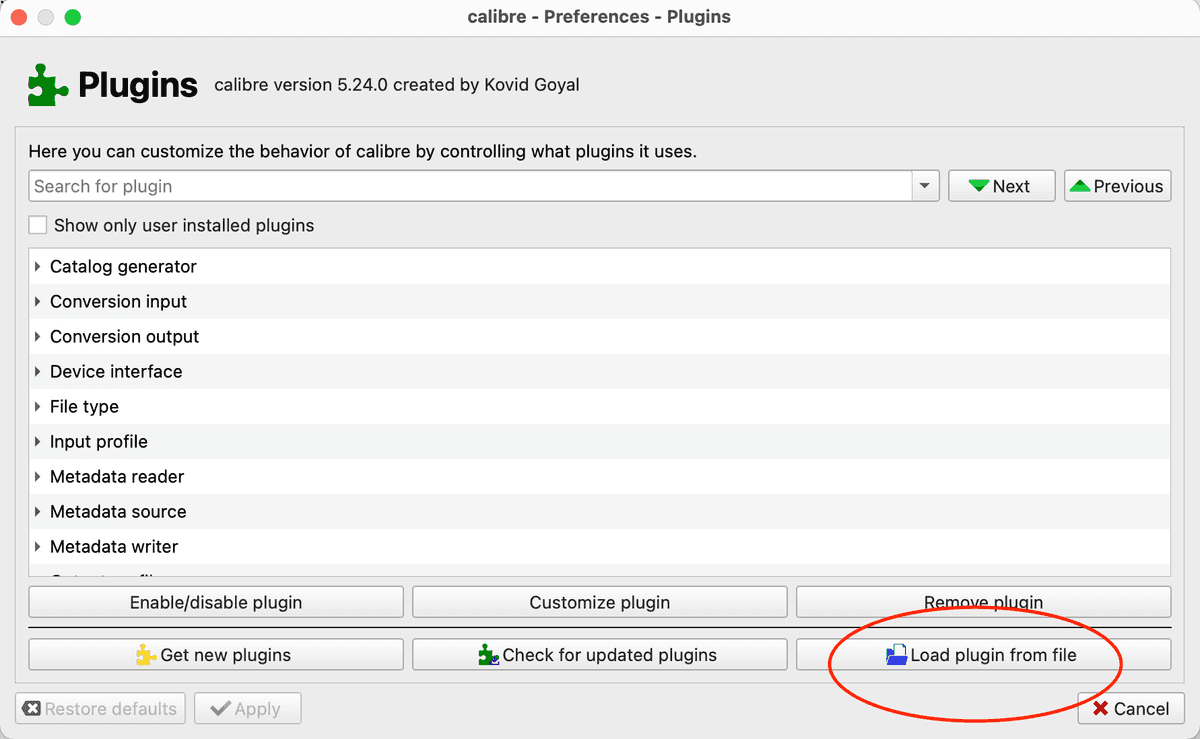
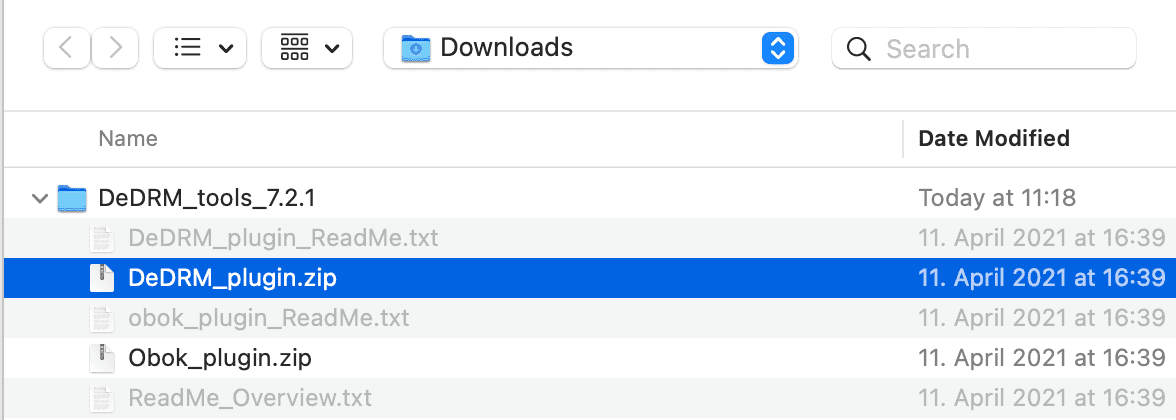
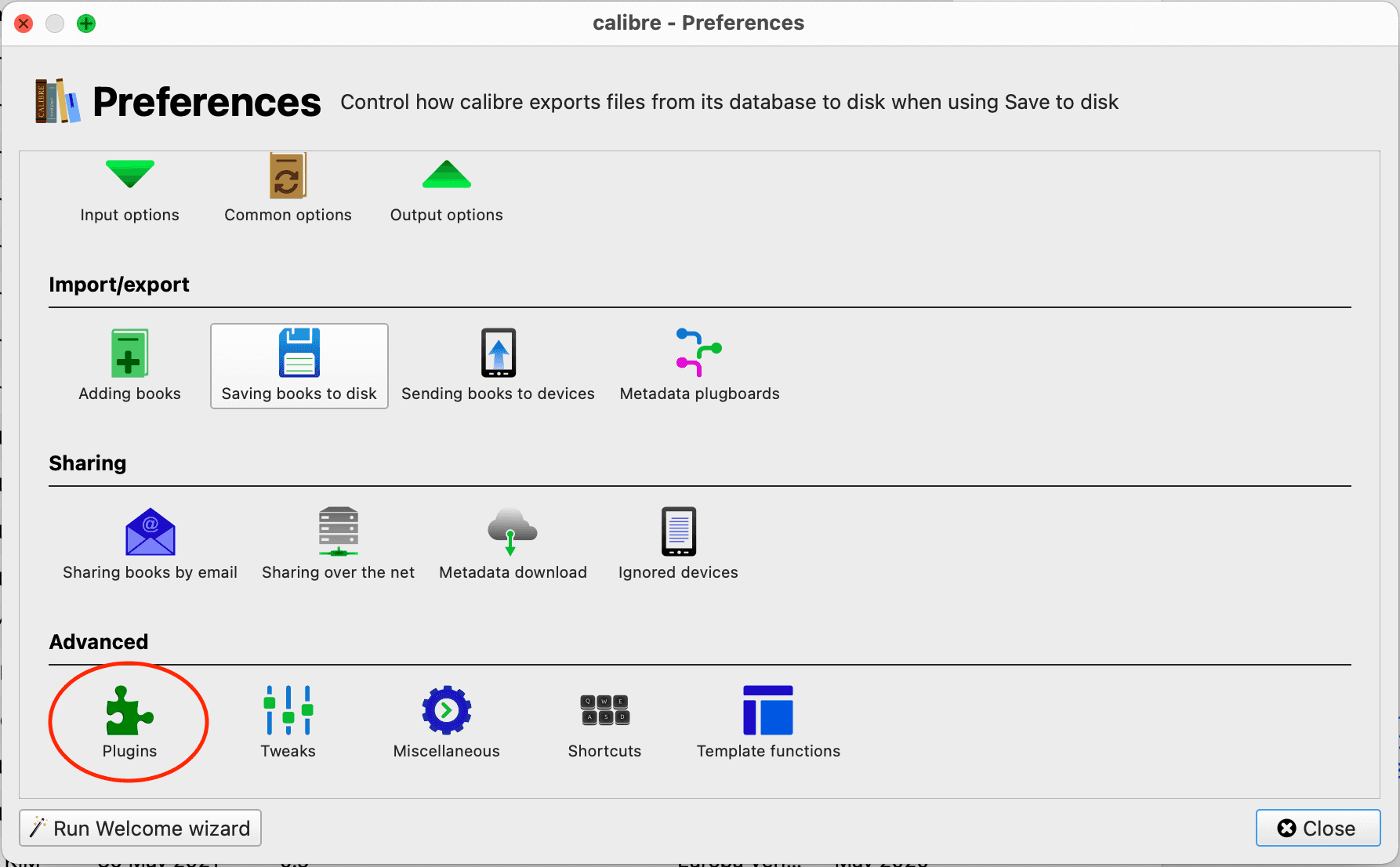
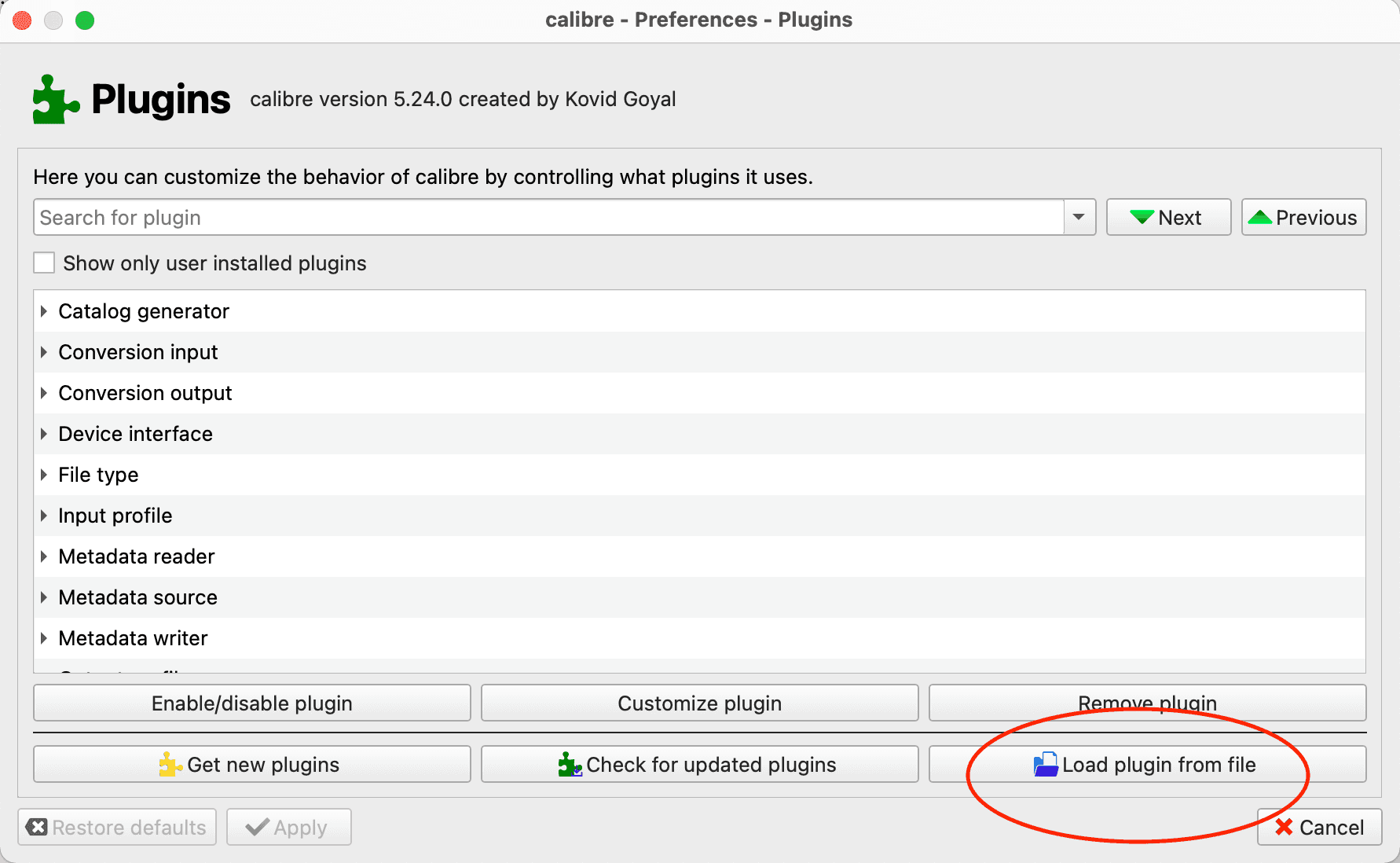
preferences > plugins > Load plugin from fileand selectDeDRM_plugin.zipfrom the unzipped folder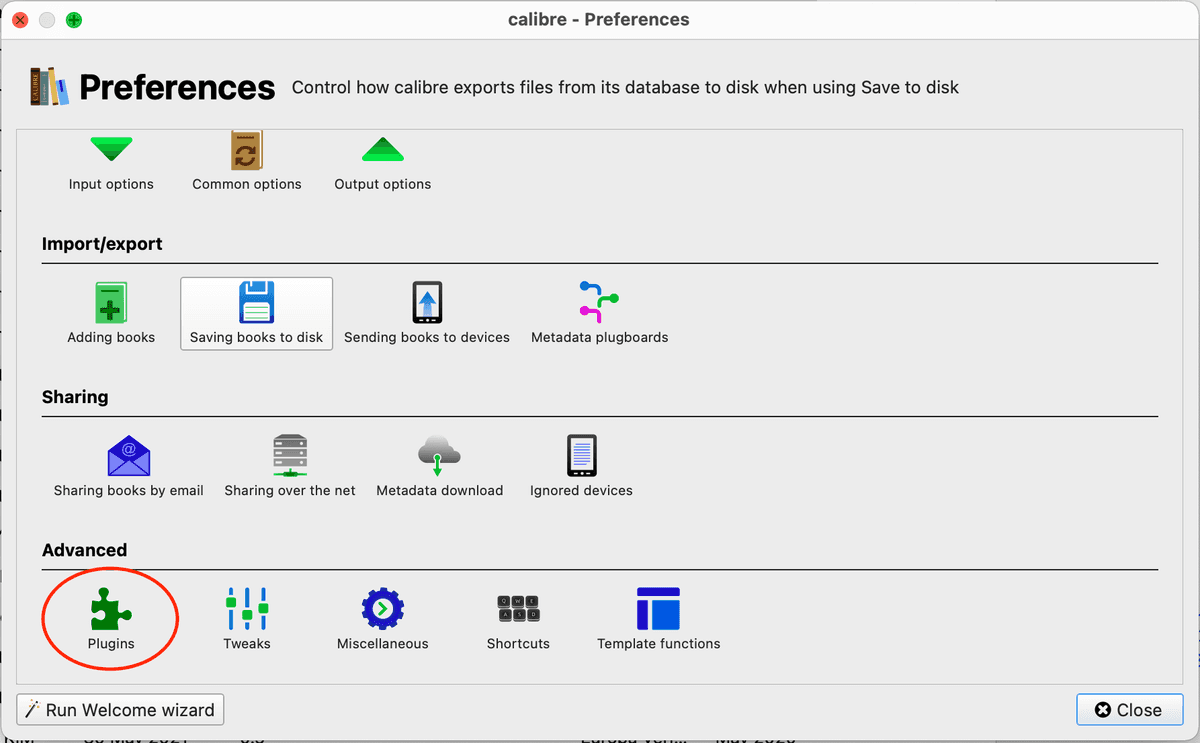
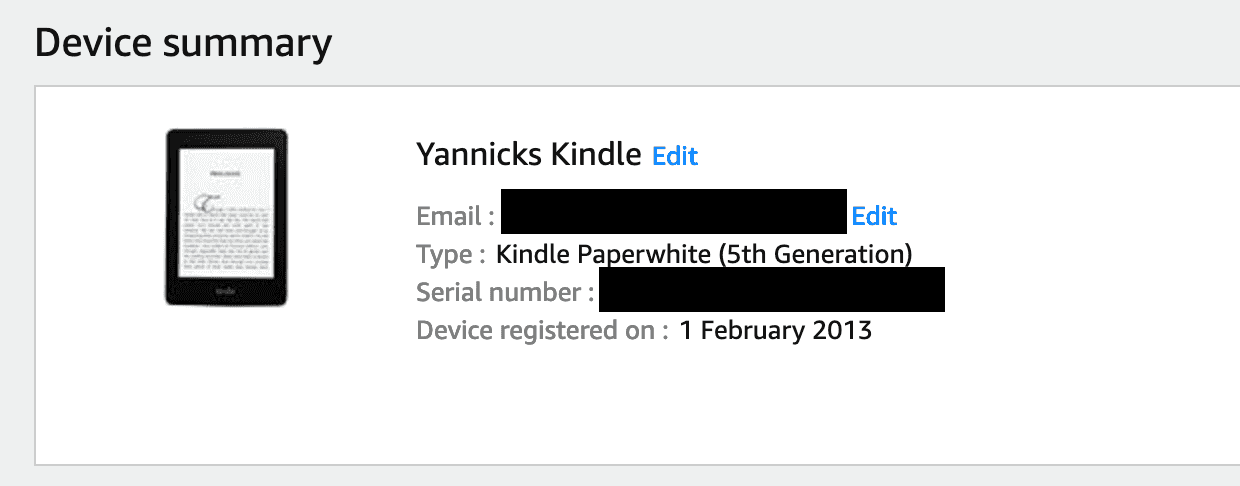
- In Amazon go to
Your Account > Amazon Manage Your Content And Devices > Devices > Your Kindleand copy the serial number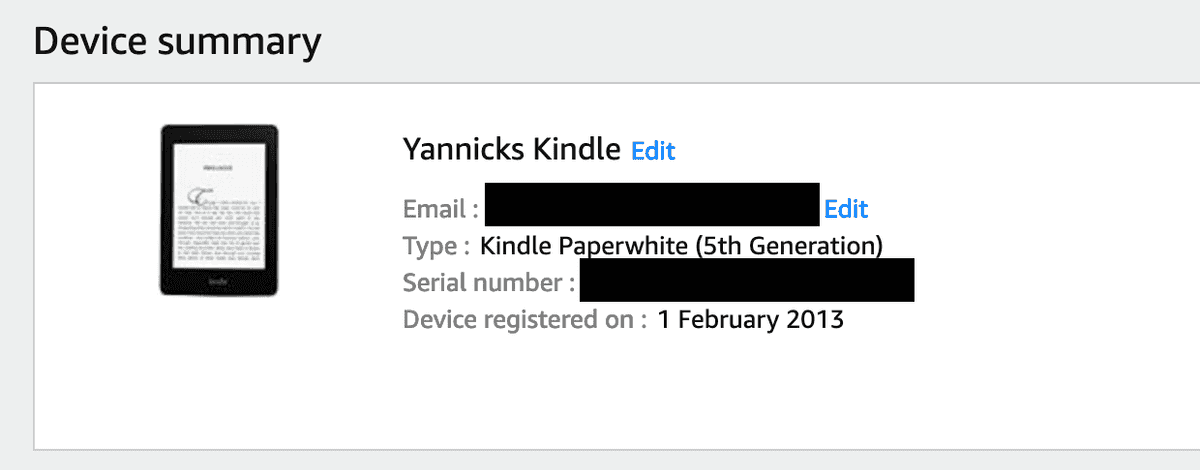
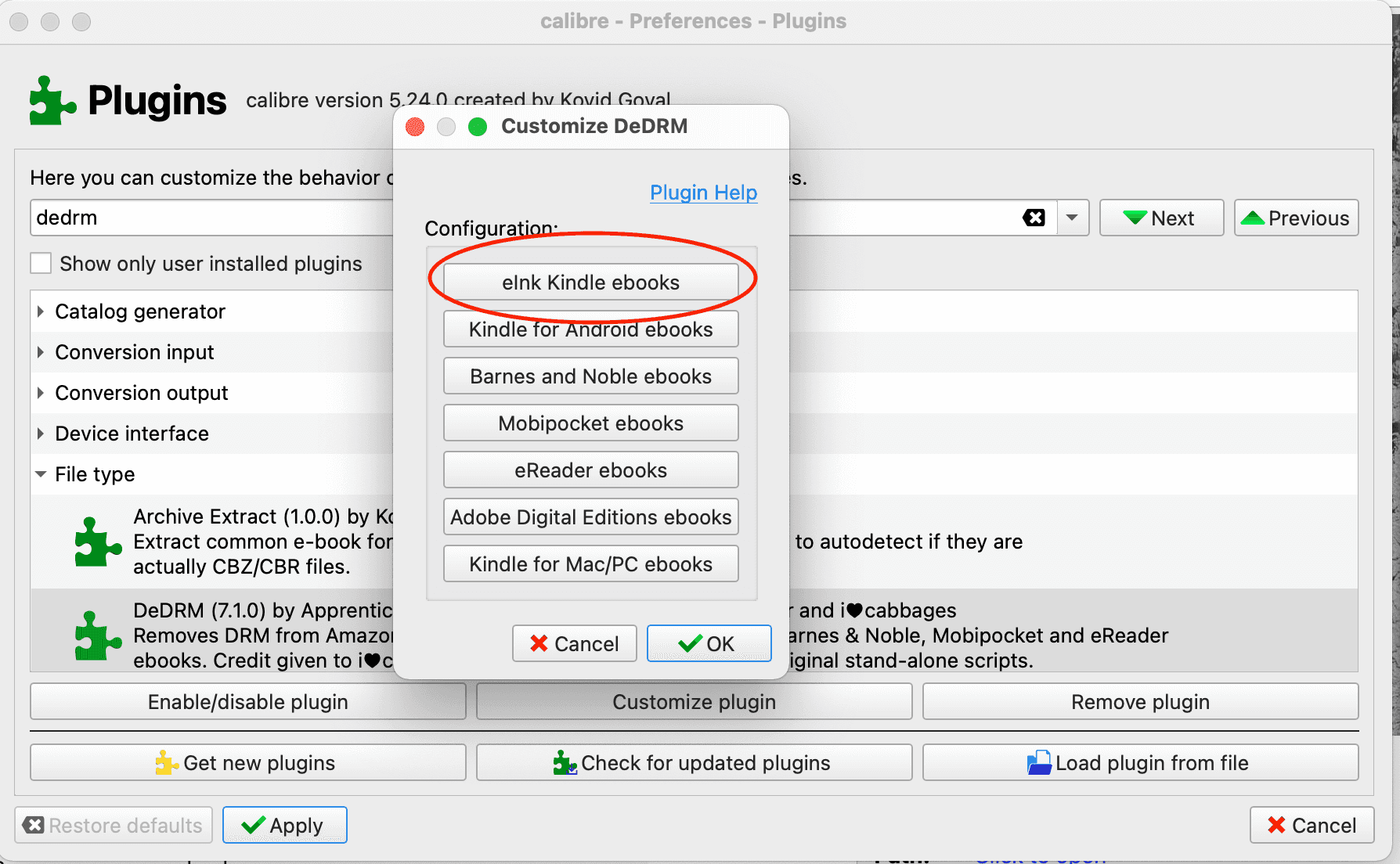
- Put the serial number in calibre
Preferences > Plugins > DeDRM > Customize Plugin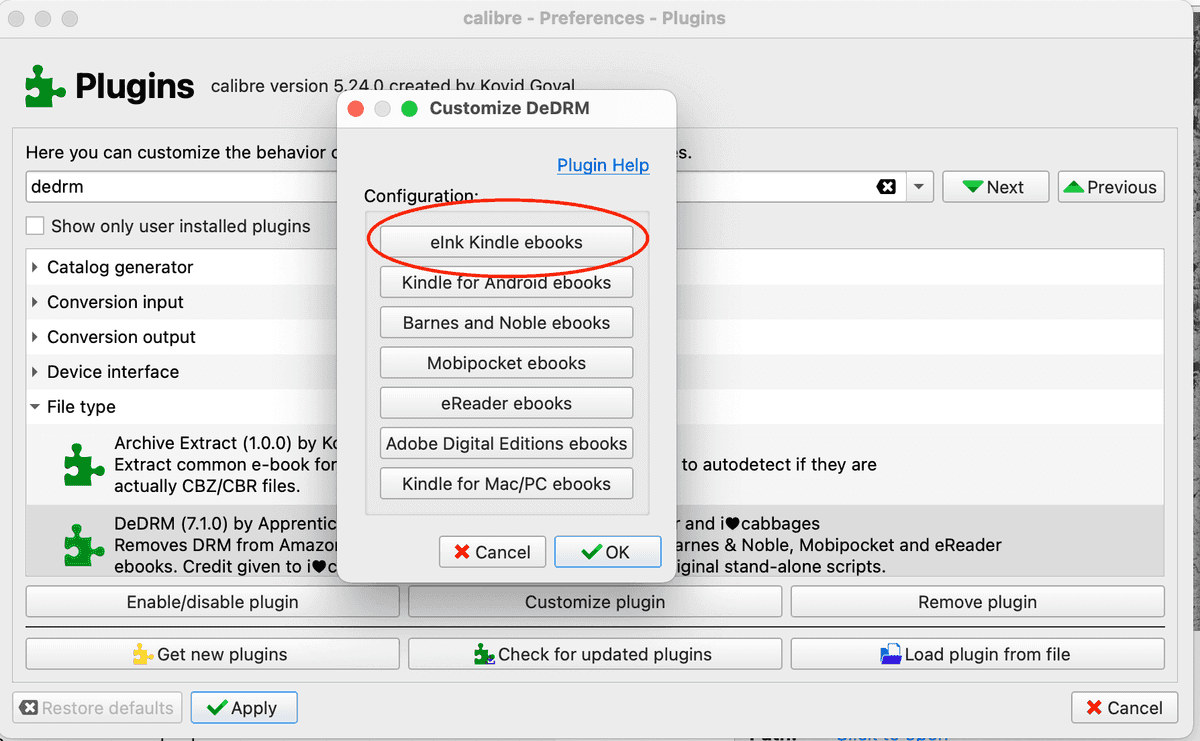
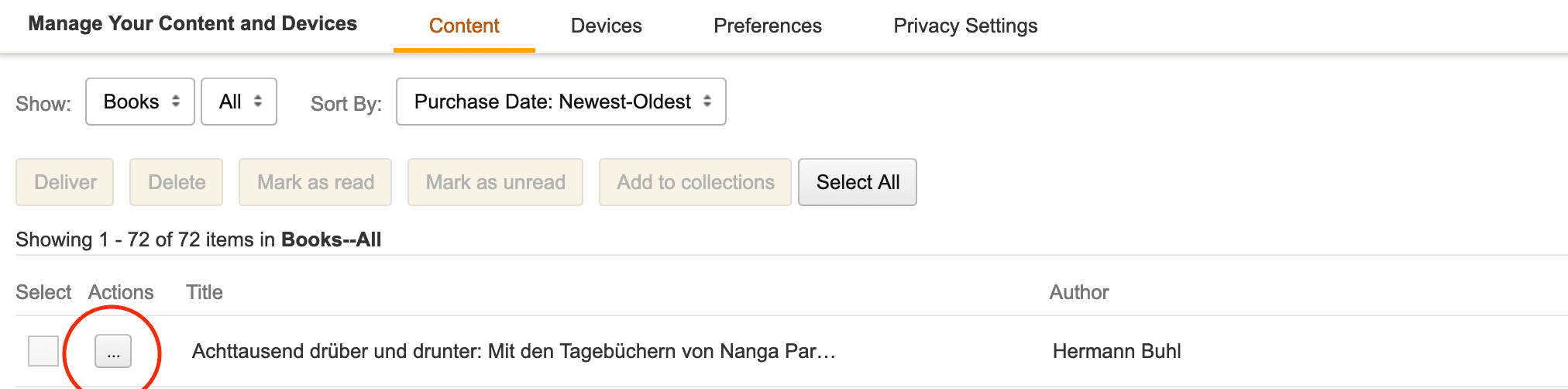
- Download any book from your amazon library on amazon:
Your Account > Amazon Manage Your Content And Devices > Contentselect the three...and clickDownload and transfer via USBand finally select your kindle from the dropdown.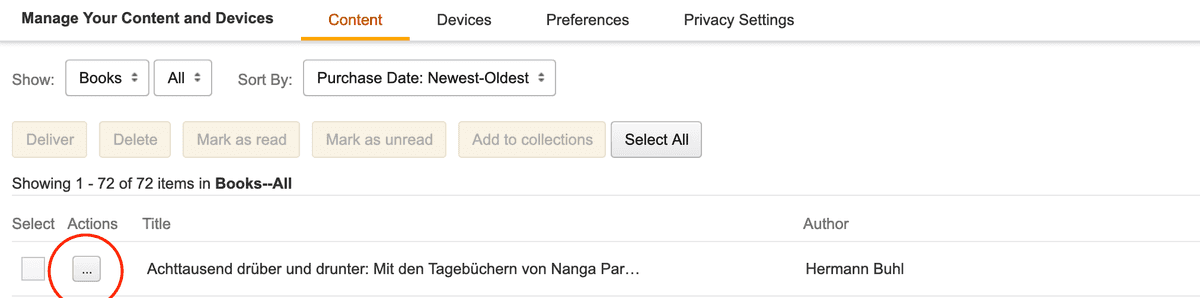
- Drag the book in the
AZW3format into calibre and click convert book and convert to any format you like
Comments
Nothing yet. Say the first thing.
Sign in to join the conversation.